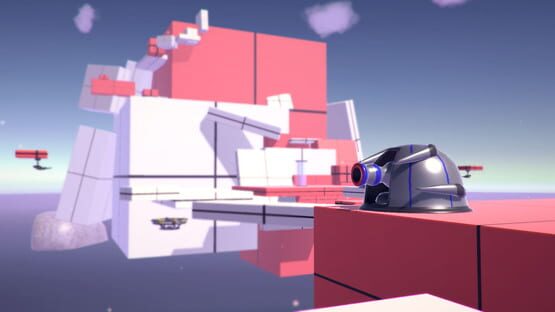
Version 1.0.2 is now live! The main goal of this update was to provide a fix for a major bug involving inputs. Changelog:
Fixed character movement bug
Added option to switch current monitor in fullscreen mode
Framework for additional display options in the future
Log output size reduced, clearer to read
A quick note about the input bug--the fix provided is a temporary solution until I can find a less obstructive approach. Here's the details:
It seems like while the game is running in a very high framerate, some variables start to malfunction. This could be the result of bad float value precision, or there could be some framerate-dependent code that I've missed somewhere. The temporary fix for this was to simply limit the framerate to 120fps. This should buy time in order for me to track down the real cause of the issue. Expect the next update to remove the 120fps cap.
Thanks for playing!
-Matt
Skyway Version 1.0.1 Update
Version 1.0.1 for Skyway is live--a lot of internal Engine changes have been made in an attempt to clear up a few bugs and provide more stability. However, as a result, the game has lost some compatibility with older machines. Here's the details:
Skyway has been updated to Unity Engine version 5.4.3f1. This has led to a significant performance increase all around, thanks to some of the newer instancing/threading tools. Expect the game to run quite a bit faster than before (+15fps or more). But this version of the Engine has dropped compatibility for Graphics Cards that run Shader Model 2.0 Exclusively. Specifically, NVIDIA cards before 2004 (pre-GeForce 6000), AMD before 2005 (pre-Radeon X1000) and Intel before 2006 (pre-GMA X3000/965) will stop working. This shouldn't be an issue, since these cards are vastly outdated and I have yet to see one still being used. Still, I would've preferred to maximize compatibility.
Here's a list to recap some of the important changes for this version:
Additional pause effects/a few extra cutscene effects
Improved performance
Detailed logging system for script errors
Profile window cleaned up
More fun times
Various tiny changes in lighting/video playback/rendering
Thanks for playing, hope you enjoy the changes!
-Matt
Controller Support and Compatibility
Read this if you plan to play with a controller
Hello! I'm Matt, the sole developer of Skyway. As of now, the game features partial controller support as listed on the features in the Store Page. What this means for Skyway is that you can control the game using any of the listed controllers below, but you will need a keyboard and mouse to navigate the Main Menu and Pause Menu.
Skyway currently supports these controllers:
Dualshock 4/Playstation 4
Xbox One
Xbox 360
Steam Controller*
To set up usage for any of the above, simply navigate to the "Input Config" window from the Main Menu or Pause Menu, then click on the "Controllers" tab. From here you can select the controller you intend to use. Then hit "Back" to save the changes. Note: Dualshock mappings are very different from Xbox, having the incorrect setting while a controller is plugged in could cause camera input glitches.
*Skyway does not use Native Steam Controller inputs. If you wish to help the community, you can submit your Steam Controller Configuration file and I can make it the official configuration setting.
Adding support for additional controllers is a fairly simple process. If you wish to suggest support for a controller, simply contact me over Twitter or post in the Skyway Community Group.