- Vertical rotation, horizontal rotation, and zooming can now be turned on/off in the "Enable/Disable Camera Control" of the event panel.
- You can now use a line break in string variables by using \n.
- Battle maps can now be selected as templates when creating new maps.
- Mimic Cat character models and portraits have been added.
Bug Fixes
- We've fixed an error: When running a player in the FPS mode, the mouse cursor was occasionally locked in a visible or invisible state.
- We've fixed an error: When a player character activates a skill during a battle, the coordinates of the effect that should be displayed underneath the character will be shifted.
- We've fixed an error: When running a playtest in Unity, the player model may appear too small depending on the circumstances.
- We've fixed an error: In "Recover/Reduce Battle Character's HP/MP", if you refer to the value of a variable box, the result is not reflected or subtracted from the values and gauges immediately.(Additional fixes were made in 1.12.7.4.)
To All Users of the DLC "Exporter for Unity" for our SMILE GAME BUILDER
We would like to inform you about which versions of Unity are supported by "Exporter for Unity" and our policy for the period of support.
Supported Unity versions are up to "Unity 2019 LTS". This version will be updated bi-weekly until mid-2021, and then it will be updated monthly until mid-2022. Our product, Exporter for Unity, will also be updated in line with the Unity 2019 LTS update, and we will be providing a modified version to everyone. In line with this policy, we have added Article 15 to the EULA of SMILE GAME BUILDER. Please check it out.
Supplemental Information The Unity 2019 LTS update is provided by "Unity Technologies" and is not guaranteed by our company. With the final update support for Unity 2019 LTS, we will also end the maintenance of "Exporter for Unity". However, this does not include support for bug fixes due to our flaws. User support is not available for newer versions of Unity 2019 LTS or later.
June 8,2020 updated
Update Information
SMILE GAME BUILDER Ver1.12.6
Bug Fix
- We've fixed an error: Character graphics changed during a battle will temporarily revert to their original state when returning to the map screen.
May 28, 2020 updated
Update Information
SMILE GAME BUILDER Ver1.12.5
---
New Functions
- When using the event panel "Recover/Reduce Battle Character's HP/MP", you can now display the results numerically during battles
- You can now use the event panel "Get Battle Information" to obtain a character's abnormal status and use it in the variable box. The values for each state are as follows: Normal = 0, Poison = 1, Sleep = 2, Paralysis = 3, Confusion = 4, Charm = 5, KO = 6.
- When using the event panel "Display Web Browser (Beta)" on Windows 10, the Edge-based browser engine is now used. For other Windows, the operation is the same as before. (This feature is not available in Exporter for Unity.)
Bug Fixes
- We've fixed an error: The "Play the whole motion" function does not work properly after converting to a Unity project.
- We've fixed an error: When an image is faded out, the scale reverts.
- We've fixed an error: When a string is displayed as an image, the string is not saved in the save data.
- We've fixed an error: The XY coordinates of the camera settings do not change to negative values.
- We've fixed an error: If a battle is set in the Automatically Start Event, this event will be prioritized during the battle test.
- We've fixed some parts of the tooltips were not translated into English.
March 31, 2020 updated
Update Information
SMILE GAME BUILDER Ver1.12.4
== UI Fixes == - The events in the placed event list can now be changed the order by dragging and dropping.
- The items in the consumable item list can be changed the order by dragging and dropping.
- The skills in the skill list can be change the order by dragging and dropping.
== New Features == - Event related In the event panel "Display Images", you can set the X and Y enlargement ratio of images separately.
In the event sheet "Event orientation" pull-down in the "Graphic/Movement Pattern", the selection of "No Change" has been added.
- Material "Resolution" has been added to the 2D character settings in the Add Assets. The scale can be changed, and high-resolution graphic data can be reduced. Example: If you set the resolution to 96 for the graphic, it will be displayed as half as before, and if you set 24, it will be displayed as twice as much as before.
- Game Data Skills You can now set an item and quantity required to execute a skill.
Settings > System sounds "Nothing" has been added to the system music and the system SE.
Terminology > Battle (Action) If the text is left blank, the window message won't be displayed.
(If you enter a space, the messages of the following items won’t be displayed.)
Store Store (Buy & Sell): The messages won't be displayed.
Menu (2) Save complete: The massage, "Saved!", won't be displayed.
Battle Leveling up: If there is no text and no level-up sound, the experience gain effect will not be displayed.
- Playtest By clicking "Playtest" with the mouse scroll button (scroll wheel), you can now skip the title screen and start a playtest
== Bug Fixes ==
- We've fixed an error: the placed events on the 3D battle map do not change their event sheets according to conditions. - We've fixed an error: the event panel "Display Battle Animation" does not apply target flash to the image. - We've fixed an error: an image displayed in the battle event is displayed above the skill/item list. - We've fixed an error: if you use a skill with "Take one step forward when it moves" unchecked, the effect that appears when using a skill in front of the character will appear. - We've fixed an error: during a playtest, if you return to the title with Ctrl + C while displaying the debug window, the contents of switches and variables will not be displayed correctly in the debug window after that. - We've fixed an error: when monsters were defeated by using the event panel "Recover/Reduce Battle Character's HP/MP", the sound effect and the flash effect do not play.
February 27, 2020 updated
Update Information
SMILE GAME BUILDER Ver1.12.3
=== New Features ===
"Take one step forward when it moves" option has been added in the Character Setting.
"Take one step forward when it moves" option has been added in the Monster Setting.
"Flip Horizontal" option has been added in the event panel, Display Dialogue.
New obtainable information has been added in the event panel, Advanced Variable Box Op. The information is the player/events' X and Y coordinates on the screen.
The event panel, "Change String Variable Box" has been improved.
The event panel, "Play Environmental Sound" has been added.
"No change" option has been added to the Music and Environmental Sound in the map setting.
=== Fixed Bugs ===
A warning message is now displayed when a common event used in an event is deleted.If you delete a common event from the common event list, the selection on the "Run Common Event" panel will be deleted and left blank.
When changing the music and environmental sound by an event during the game play, save the game, load the saved data again, and resume play, the defined music in "Map Settings" was played, but now the changed music by an event will be played.
Update Information (February 3, 2020)
February 3, 2020 Update Information
We've fixed an error: when changing a monster graphic in a created game file, an exception error may occur.
3D Model "Type B" Customized Version is available for free!
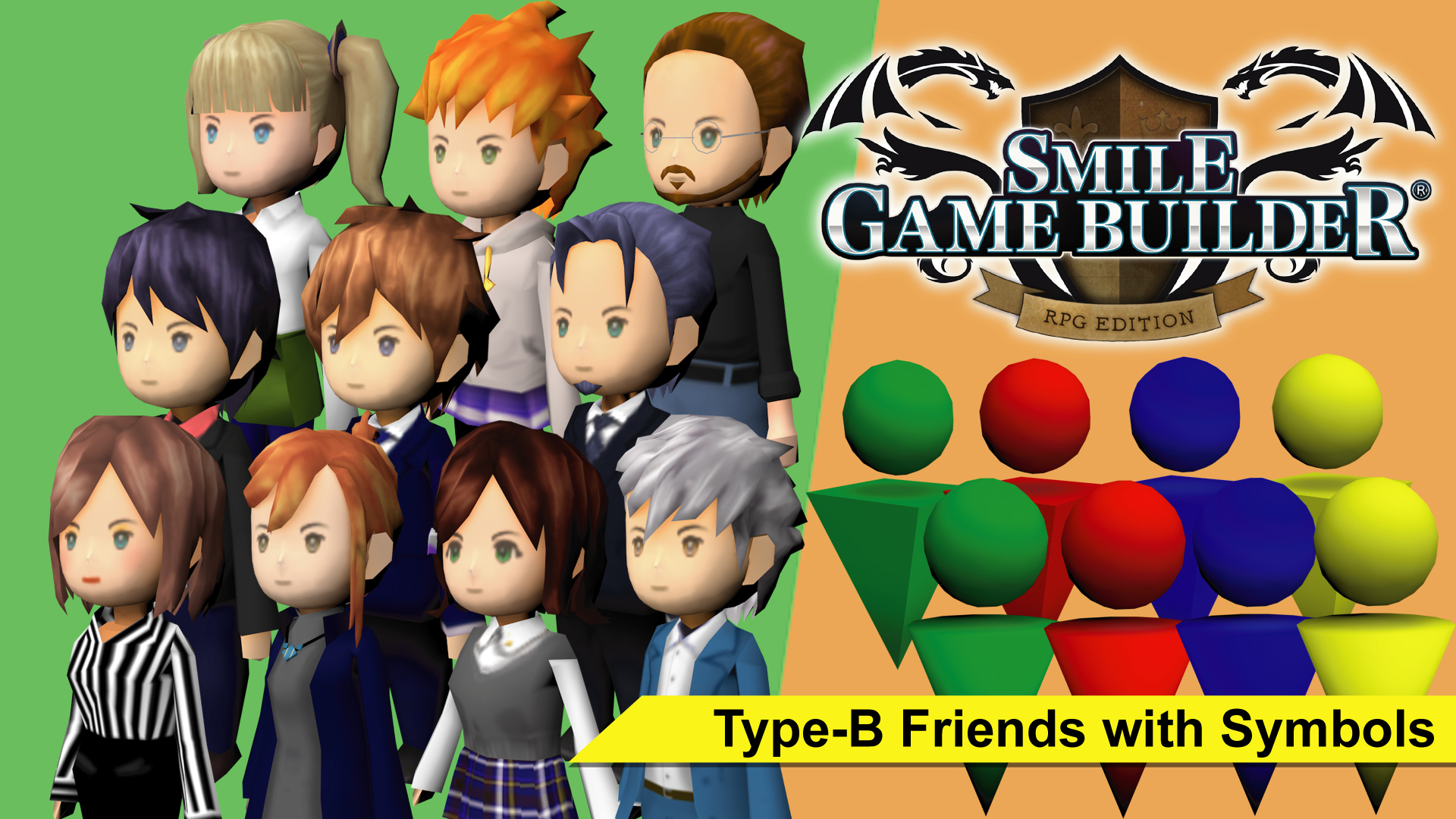
Now, this DLC resource pack is available. It contains preset 3D models in SMILE GAME BUILDER "Type B", which are customized to modern outfits, and two types of symbol models (4 colors each). The SMILE GAME BUILDER users can download it for free.
This resource pack is royalty-free and available for commercial or non-commercial use only within games rendered using SMILE GAME BUILDER, or both using SMILE GAME BUILDER and Exporter for Unity to build to other consoles. (Please read the SMILE GAME BUILDER EULA for details.)
January 29, 2020 updated Update Information SMILE GAME BUILDER Ver1.12.2 New Features
You can now set individual colors for battle damage values.
The speed can now be set in the "Camera Control" event panel.
The following camera switching key input values have been added to the operation of the "Advanced Variable Box Op." event panel. 1; Switch Viewpoints 2: Camera: Rotate Up 3: Camera: Rotate Down 4: Camera: Rotate Left 5: Camera: Rotate Right 6; Camera: Zoom In 7: Camera: Zoom Out 8: Camera: Reset
An event panel has been added that allows you to turn on/off the camera controls that occur during battles.
Added "Same effect as a skill" in character battle command settings.
When exporting a Unity project, an option to "use or not use the virtual controller" has been added.
The event panel, "Display Web Browser (Beta)", has been implemented.
Fixed Bugs
We've fixed an error: during a battle, an abnormal state could be cleared by the action of a battle event.
We've fixed an error: commands may not be able to be deleted if the branch end panel disappears in the branch system event panel
We've fixed an error: camera height is not working properly in battle events.
We've fixed an error: the cursor position stored in the previous battle is reset when the next battle occurs.
We've fixed an error: Now Loading string cannot be edited.
Update Information: December 13rd, 2019
Updated on December 13rd, 2019 Update Information
We've fixed an error: if a player character uses a skill which monster's attribute is "Heal", the monster will be damaged instead of healed.