
Soda Dungeon
Audio Issues, Crashes, and File Backups.
First off, there is a known problem with sound effects not playing for users that have any kind of surround sound configuration (5.1, 7.1, etc). In most cases a temporary fix seems to be to just disable the surround settings and ensure that the speakers are playing in stereo only. In general, on Windows, you should be able to access this by:
Right click Volume in system tray -> Playback devices -> Select the default playback device -> Click Configure -> Set audio channels to Stereo
(Thanks to Mike)
Shawn (programmer) does not have a surround sound configuration, making it hard to pinpoint the issue. Later this week we plan to upload a build with all SFX converted to mp3 format. (Right now they are ogg). If this doesn't work we can also try wav, but doing so would increase our filesize.
Some users have been experiencing crashes during general gameplay. This seems to be more prevalent on Windows 10, but if we had to guess it probably affects other versions as well. While we don't like crashes, we REALLY don't like when some users then report an erased save file after said crash. Which brings us to:
Save File Backups. First, the game should sync your file automatically with Steam Cloud as long as you have it enabled and don't move the default save file to a new location. Unfortunately, it's possible that Steam Cloud is also uploading empty save files right after a crash wipes it out. In which case...
As a tip, you can also use our save file transfer system as a last-ditch recovery option. When you upload your save file it will stay on the server until the next time it is downloaded. So if you upload the file and never download it, it will be waiting for you in case of an emergency. You can upload the same file over and over again into the same slot, so don't be afraid to do this. We know this isn't an ideal solution, but at least wanted to make users aware.
Lastly, if you're extremely paranoid, you can make a manual backup of the save file. You should be able to locate it at %USERNAME%/AppData/Roaming/dungeon/
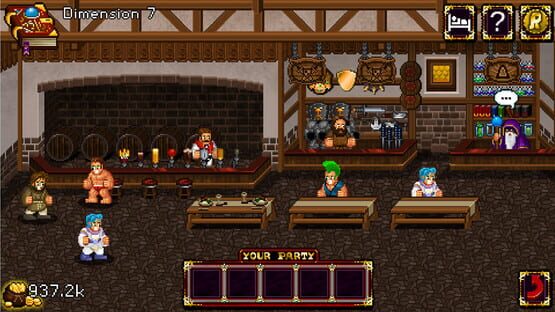
Soda Dungeon is Released!
The Steam launch is also the official introduction of our save file transfer system, which can be accessed directly from the file menu. We're working to bring this to Android and iOS by the end of the month to enable full cross-platform support between all versions of Soda Dungeon.

Soda Dungeon Releases On Steam On February 7th!
A big thanks to everyone that helped test the game for us!
Version 1.2.02 (Build 153)
Version 1.2.02 (Build 152)
- Cursors changed (again)
- Updated 'For Honor' achievement icon
- Updated store capsule image
Version 1.2.02 (Build 150)
- Fixed bug involving a menu highlight graphic
Version 1.2.02 (Build 148)
- Social links removed from title screen, moved to options menu
- "Enter" can be used to activate download codes
- Hotkeys for 1-5 mapped to skills while in the dungeon
- Auto on/off buttons now both the same color
- Hand cursor added, partial hover events implemented