After a short summer hiatus, we're fully back on Softspace!
It's become clear that the biggest hurdle to implementing the most exciting features on our roadmap is performance. Therefore this and the next few releases will mainly be about serious optimization. Our goal is to make displaying 1000 Items of any kind smooth as butter.
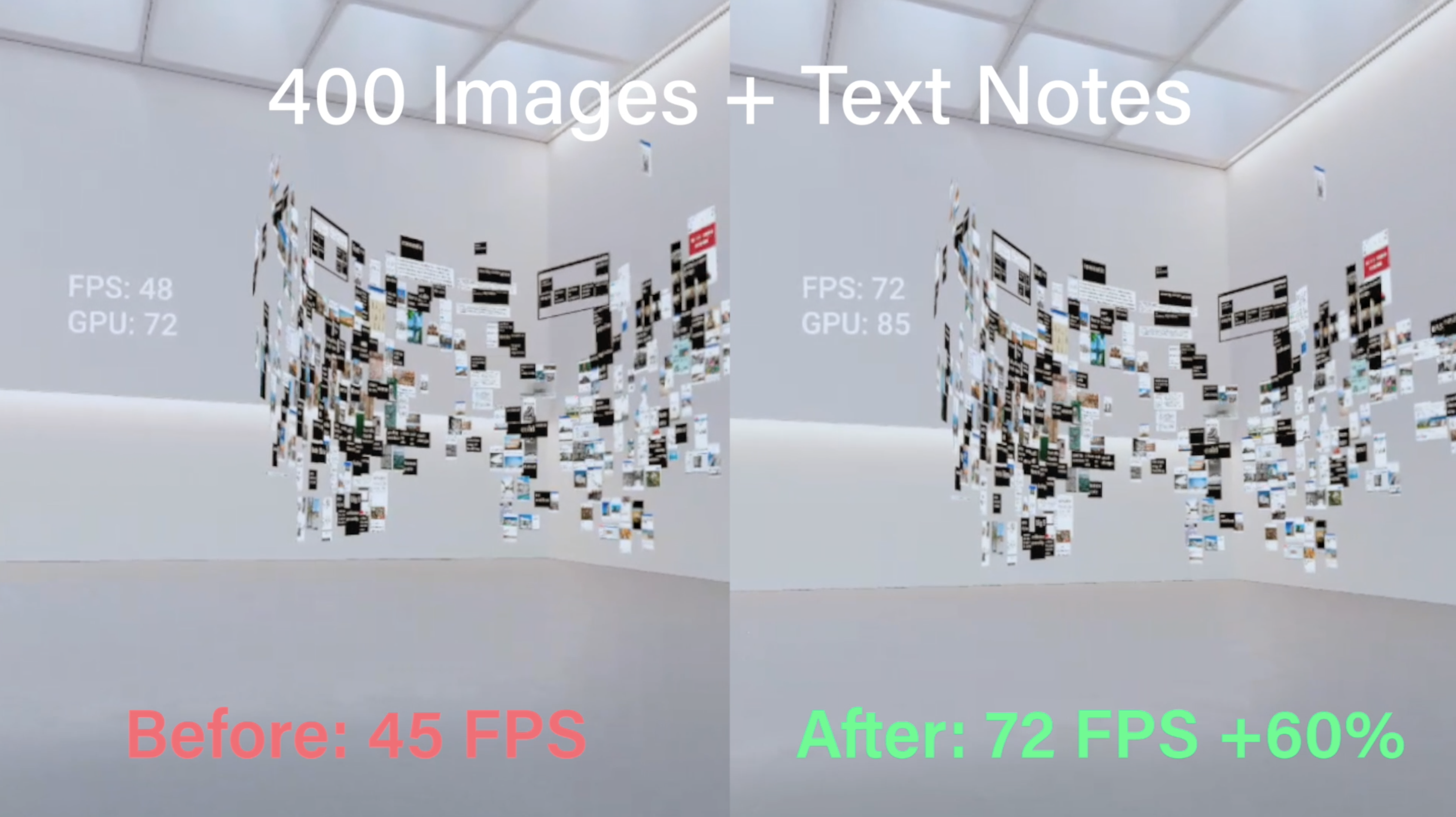
There are a ton of CPU and GPU optimizations our latest update, with improvements to the "idling" framerate and a big reduction in frame drops during periods of heavy activity. For example, a ~400 Item scene that used to render at 45 frames-per-second on Quest now renders at the maximum 72 fps—a 60% improvement.
And we're not done yet: more improvements are coming down the pipe.
Wishing you all our best from Berlin,
The Softspace Team
The New Softspace Is Here
Over the past year, we've been hard at work building a new version of Softspace. Today, we're super excited to announce that the new Softspace is now available on Steam.
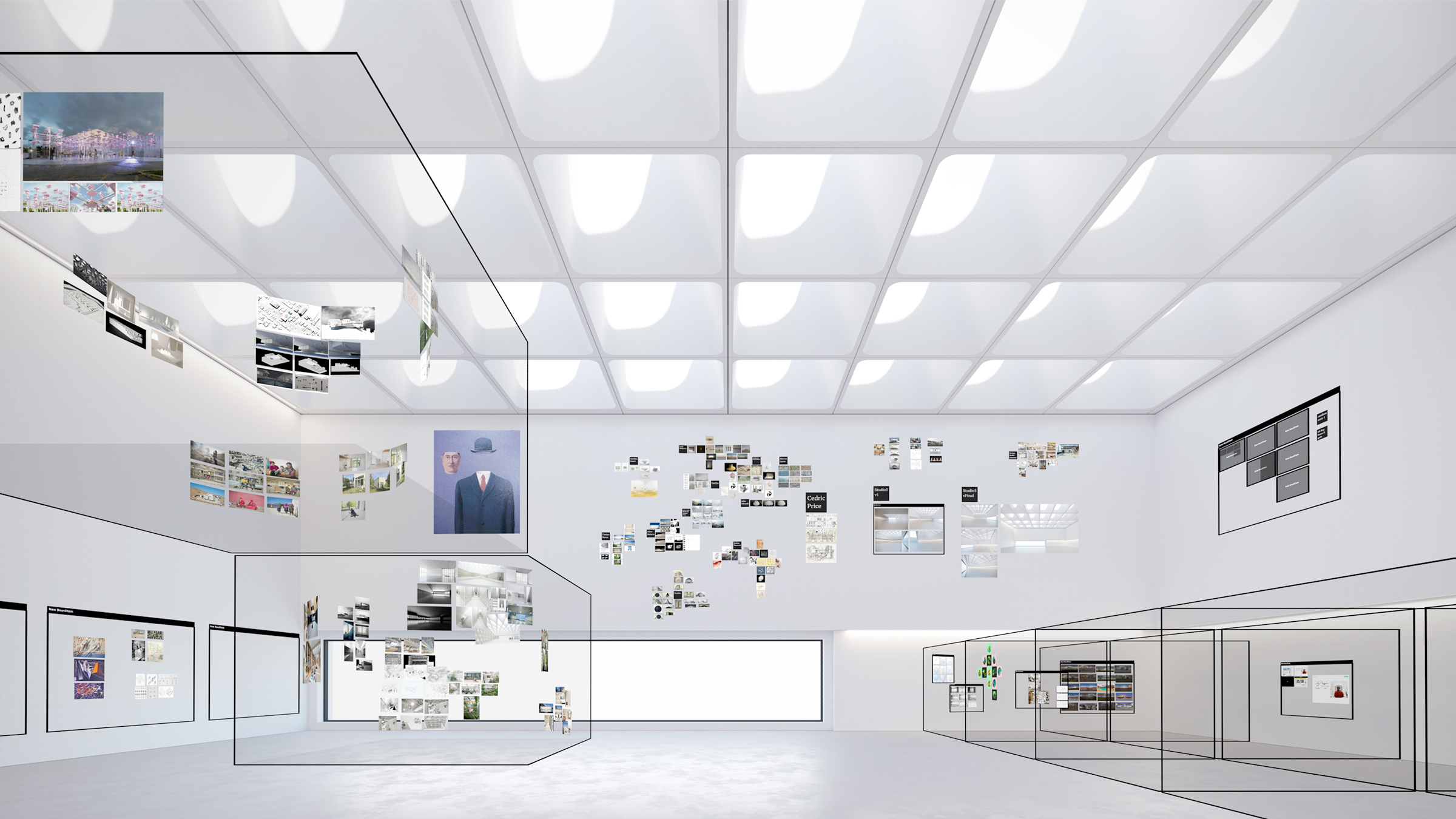
The new Softspace is both more powerful and more beautiful than the Beta. It has a refreshed user interface that lets you interact quickly and easily with items both near and far. It comes wrapped in a beautifully rendered architectural environment. Under the hood, new asset processing pipelines and extensive multi-threading support lets you see hundreds of images and PDFs at once—even on an Oculus Quest.
Thats right: Softspace now runs on the Oculus Quest. The Softspace experience is nearly identical on desktop and standalone, and we are committed to maintaining feature parity across hardware platforms. You can download Softspace for Quest via SideQuest.
Please Note
To get Softspace running smoothly on the Quest, some features from the Beta are disabled in the new version while we work on mobile-friendly implementations. Details below, but please note that 3D models and 3D sketching will come later.
This new version is technically quite different from the Beta, so workspaces are not interoperable between the two versions.
To Our Beta Users
Softspace has evolved a great deal since we released the first Beta on Steam, in big part because of the support and feedback that we received from you. As we've promised since the beginning, we would like to say thank you by offering you one year of Softspace Plus for free. You should have already received an email about this. If not, please write to us at hi@softspace.io and we'll get you set up.
What's Changed
Environment
One of the things that we learned from early users was the importance of having a virtual environment that feels like a real place. This helps to foster spatial memory, making Softspace more useful as a virtual memory palace and project war room. The new Softspace has a large, open environment where you can organize your content. We've designed the environmental materials, lighting, and geometry to promote comfort, productivity, and focus.
Quest Support
When we launched Softspace Beta in December 2018, the Oculus Quest had not yet been publicly released. Since then, the Quest has shown that standalone headsets will be crucial in bringing spatial computing mainstream. Custom asset processing pipelines in the new Softspace let it run smoothly on the Quest even while displaying hundreds of images and multiple other users inside a beautifully rendered environment.
Companion App
Typing passwords in virtual reality is a pain. We built a Companion App that lets you easily manage your account and workspaces from your smartphone, or a web browser.
Interaction Model
We've redesigned the UI so that it's much easier for you to work with objects that are both nearby and far away. Based on our user tests, it should only take a minute or two for you to adapt to the new system. Our Quick Start Guide (found in the Companion App) will help get you up to speed.
What's Still To Come
Sketching
Softspace Beta allowed users to sketch in 3D space. This was an interesting feature, but we discovered that most users actually wanted to directly annotate content instead. We're rebuilding the sketching feature to better match user's needs.
3D Models
Softspace Beta offered basic support for viewing 3D models. The new Softspace doesn't have this feature yet—but it will soon. We really want to maintain feature parity between all hardware platforms, so more development and optimization is needed to make sure that 3D models load smoothly on standalone devices like the Oculus Quest.
Avatars
Multiuser support is incredible important: creative collaboration is one of the top reasons that people want to try Softspace. The current design of user avatars is minimalist, while still capable of conveying a sense of the user's presence. We are actively developing more advanced avatars that can represent individuals in a more personal way.
Index Support
Because we don't have access to an Valve Index for testing, we advise Index users that UI elements connected to the controllers are not properly positioned. Everything technically works, but Softspace is not considered ready for Index users yet. We're working on getting a test unit so we can fix this.
Softspace Beta Update 0.2.02
Happy Lunar New Year!
This Year Of The Pig, we're pumped to announce that Softspace now supports Windows Mixed Reality. A big "thank you" to Jesse in St. Louis for so patiently helping us to test this feature. Controls map 1:1 to the HTC Vive controllers (including the use of the thumbpad for scrolling - the WMR thumbstick does not work yet). Tutorial video to be updated.
Known Issues:
[Fix in progress] Sketches created inside a volume (e.g. board or box) may appear in the main workspace after exiting and re-entering the workspace.
[Fix in progress] Dropbox Navigator control buttons may remain visible after closing out of navigator.
Fixes:
[Fixed] Images pulled out of the browser contained in a data URI were not processing correctly into textures.
[Fixed] Images pulled out of the browser for which we did not have permission to retrieve header information were failing to load.
[Fixed] 3D models in the Dropbox navigator were erroneously becoming interactable before they were at the top level of the navigation view.
Changes:
Windows Mixed Reality support implemented.
When connecting a Dropbox account to Softspace, a notice now appears to inform users that adding a Dropbox file to a workspace causes Dropbox to create a sharing link for that file.
Clicking on the Web Browser gadget now immediately activates keyboard and mouse input into the browser window. Previously, this was a two-step process of opening the browser, then clicking on the window or browser controls to activate the keyboard + mouse.
Softspace Beta Update 0.2.01
Happy New Year everybody!
This is our first update of 2019, and it's slightly delayed as we spent the first few weeks focused on bigger-picture questions around how Softspace can be of most use to our users. This release fixes certain bugs related to the Dropbox browser (thank you Maddie Callander for pointing them out), as well as includes the previously neglected open-source license and copyright notice (thank you to Normal VR for CutieKeys).
Fixes:
[Fixed] Special characters in the Dropbox file path preventing the Dropbox browser from loading.
[Fixed] "@" character in Dropbox file path causing file to appear in the root of the Dropbox browser regardless of actual location.
[Fixed] Open-source software license and copyright notices were not included.
Changes:
Screen-space ambient occlusion (SSAO) has been temporarily disabled. GPU performance should improve by 30-40%,. SSAO is most useful when viewing 3D models, which many users may not be doing. We will be implementing a more intelligent, content-based SSAO control system with dynamic quality/performance tradeoff control to optimize visual bang for GPU buck in the future.
Welcome to Softspace Beta!
Hello everybody!
Since Softspace Beta went live last week, many of you have already joined us on our mission to transform creative deep work through spatial computing.
Thank you, and welcome.
Softspace has launched, but we're not stopping here. Daniel and I have many exciting feature updates (and less exciting bug fixes) lined up for you, so Beta users will get new features to try out very soon.
As always, send your awesome ideas (and bug reports!) to hi@softspace.io.