
- Added rules clarification for Seahaven Towers
- Fixed some cases where click select could allow invalid moves to happen

Solitaire Expeditions
Hotfix notes Feb 8, 2022
Accessibility improvement and a few new features
Larger UI elements when using Windows display scaling
Early builds of the game had issues rendering things correctly when Windows display scaling was enabled (especially at 150% or more). I then implemented a fix which would maintain the layout of the UI regardless of the display scaling used.
While this fix allowed the game to function correctly, it did not help users who needed the larger UI elements that Windows display scaling provides. Now, the UI is dynamic and will increase in size when display scaling is set to above 100%. As an example, here is the free play game selection screen at 100%:
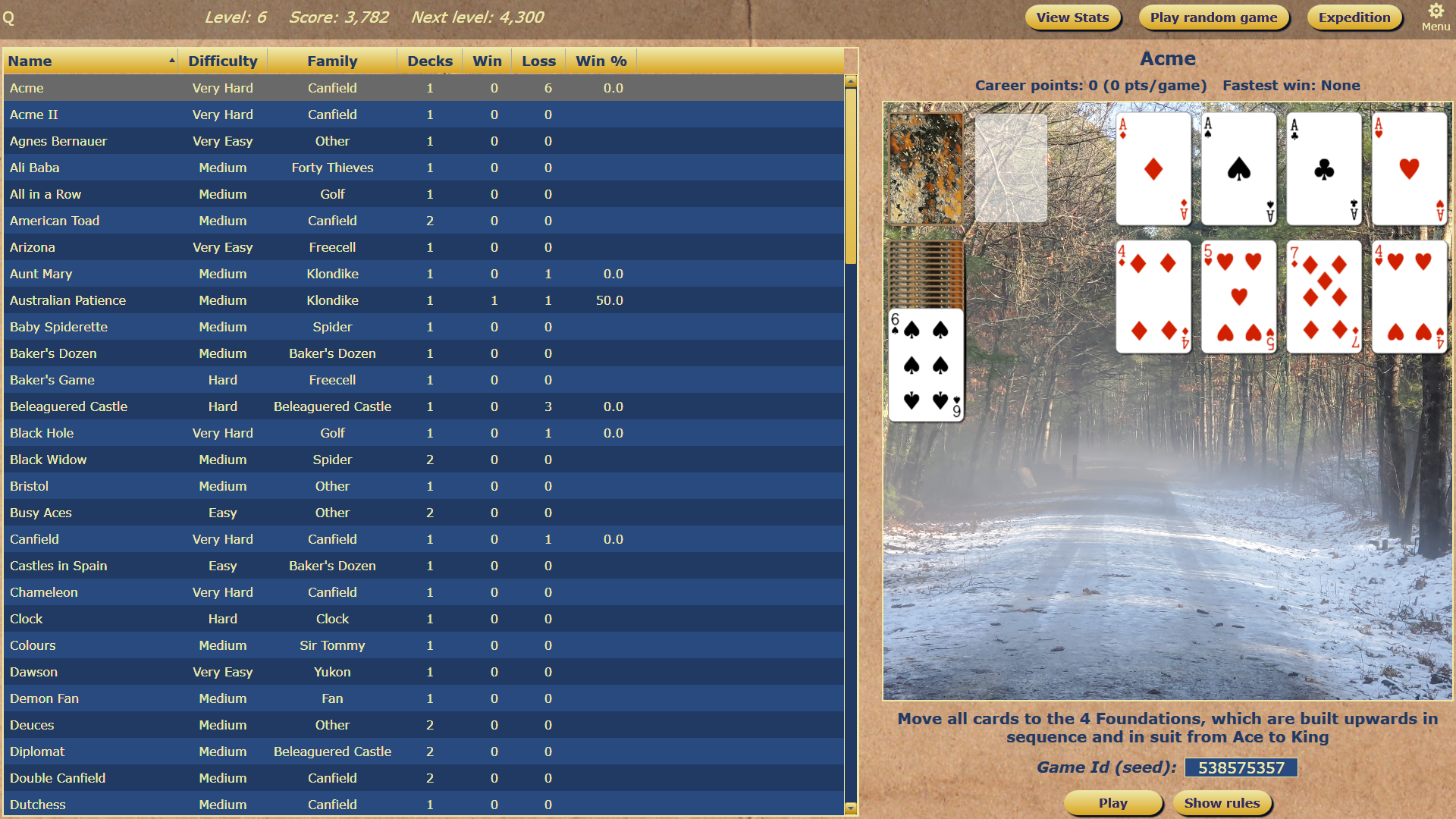
And here it is at 175%:

Click to move cards (without dragging)
The game has always supported drag & drop for moving cards. In addition to this, you can now use one click to select cards and then a second click to place them (no drag required). The first click will highlight the target cards in green:

A second click will place them if the target is valid. Hit escape or click the selected cards a second time to cancel the move.
New visual indicator when dragging stacks in FreeCell based games
Most games in the FreeCell family only allow the user to move one card at a time. As a shortcut, the game will allow users to move stacks of cards if there are enough free cells to store the extra cards. This mechanic was unclear to players.
Now, when dragging a stack of cards, the game will color cells in red if they are be used to accomplish the drag operation. For example, when dragging a stack of 3 cards, 2 cells are colored in red:

Other stuff
- Added 'Abandon' button for expedition mode. This allows the player to abandon their current expedition and start a new one.
- Fixed incorrect game description in a few game types
- Added Steam rich presence integration. This lets your friends see what you're up to while in game.
Patch notes for Feb 3, 2022
- Fixed issues with UI layout not displaying correctly when Windows UI scaling is applied
- Fixed undo for redeal in Demon Fan, Fan, and La Belle Lucie
- Fix enter key not starting game on free play selection screen
- Zendike: Changed difficulty rating to Medium
Steam Achievements and Variant #109: Napoleon's Square
Steam achievements are now live!
You should get credit for any in-game achievements that you had before this update. Due to technical limitations, Steam achievements will only 'pop' after you exit the game.
I wanted to add a win achievement for every variant, but unfortunately, games new to Steam are limited to 100 achievements until they reach Steam's confidence metric (read: number of copies sold). So if you would like to see more than 100 achievements in Solitaire Expeditions, get your family and friends to buy copies :).
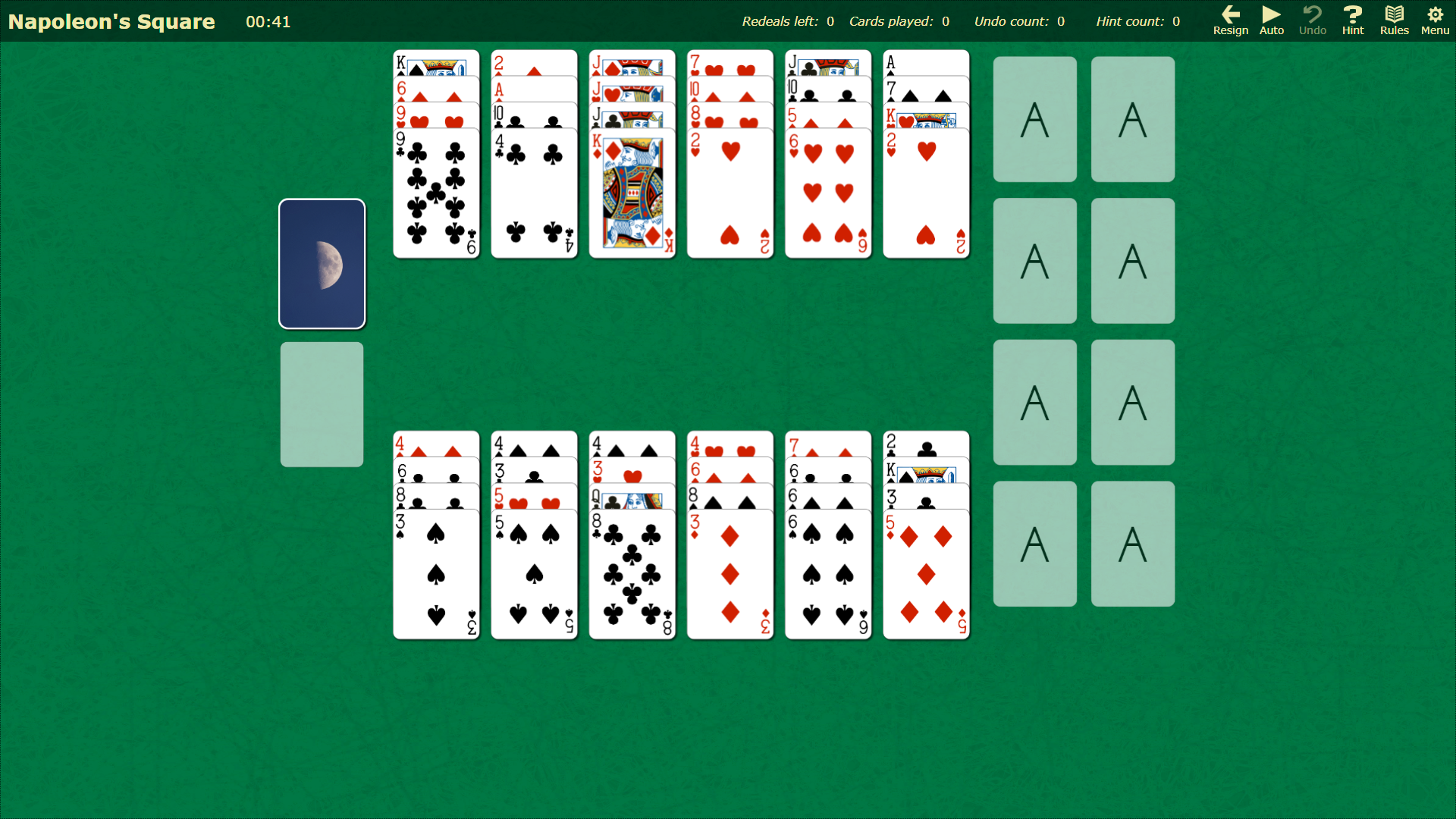
Variant #109: Napoleon's Square
Today's new variant is from the Forty Thieves family. This one has a difficulty rating of Very Easy:
Other stuff
There are also some fixes and improvements in this build:
- Fixed rare bug where campaign will never end
- Dawson: Increased spacing of cards so you can see suits on cards that are under other cards
- Added indicator for when foundation stacks are complete
- Fixed bug where full screen mode would sometimes show Windows taskbar at the bottom
- Gear icon in menu toolbar now the same size as the other icons
Steam achievements are coming!
Integrating the Steam API required some serious changes under the hood, so I am doing this work on a closed beta branch for now. This means that while the achievements will be listed as available, you (temporarily) won't be able to unlock them.
The good news is that the achievements are working. I just need some more time to add the rest of them and let the beta testers bang on things for a bit. Look for an update on this later in the week.
If you're interested in participating in the beta test, hop onto the Discord server: https://discord.gg/zJahW9ehYJ