

Space Docker VR
Minor QoL & Fixes (1.20.4)
- Adjusted: Race restart grace period changed from 0.25s to 0.6s to allow for additional orienting before being given initial velocity
- Adjusted: Clipboard is now slightly lower in racing maps
- Fixed: Player height bug
- Fixed: Joystick visual drift issue (Thanks to @Edvis for catching this one)
- Fixed: Handbrake tip visual
- Fixed: Collision bug with asteroid
Random Job Settings & QoL Updates
- Added: "Random Job" Settings - You can now force off/on certain elements, such as nukes, or hard black-holes (doesn't apply to weekly).
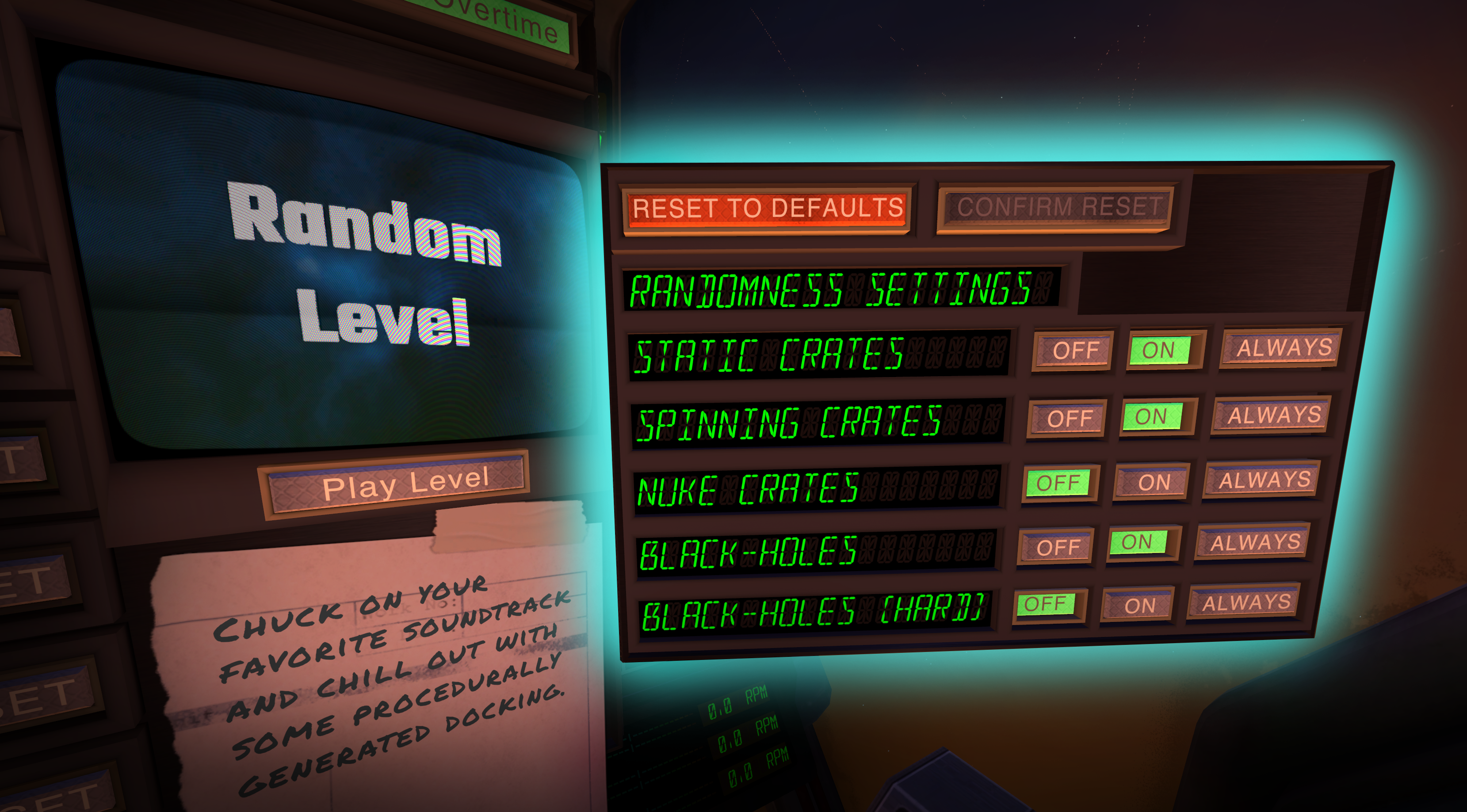
- Added: Race Restart Launch Speed - Restarting in a race map now more similar to a flying lap
- Added: Race Restart on Target Lock/Unlock Button
- Added: 2 HOTAS/HOSAS/Hardware binds for increment/decrement race restart launch speed

- Added: "Seat Height Adjustment" in controls menu

- Added: Dedicated close buttons for menus
- Adjusted: Moved leaderboard/race stuff to replace limpet screen in race maps
- Adjusted: Switched "Time Trial" and "Explosive Loads" level order
- Adjusted: Switched hard black-holes to use "halo" visual, like in the "Gargantua" level
- Adjusted: Slight improvement to nuke carrier texture
- Adjusted: Improved race restart sequence
- Adjusted: Polished clipboard for Docking Basics tutorial level
- Fixed: Fog reduction for procedural levels
- Fixed: Gate hint alignment in Flight 101
- Fixed: Menu clipboard saying "Start Flight 101" instead of "Controls 101"
- Fixed: Bug where sky visuals wouldn't fully apply to loaded levels
- Fixed: Bug where leaderboard would show a non-local user as a local one
- Fixed: Bug where Docking Basics could not be completed if user pushed crate into cargo bay
- Fixed: Bug where thumbstick-input-circle would always be clamped even on higher sensitivities
New Joystick Options
- Added: Multiplier-based sensitivity setting for thumbsticks**
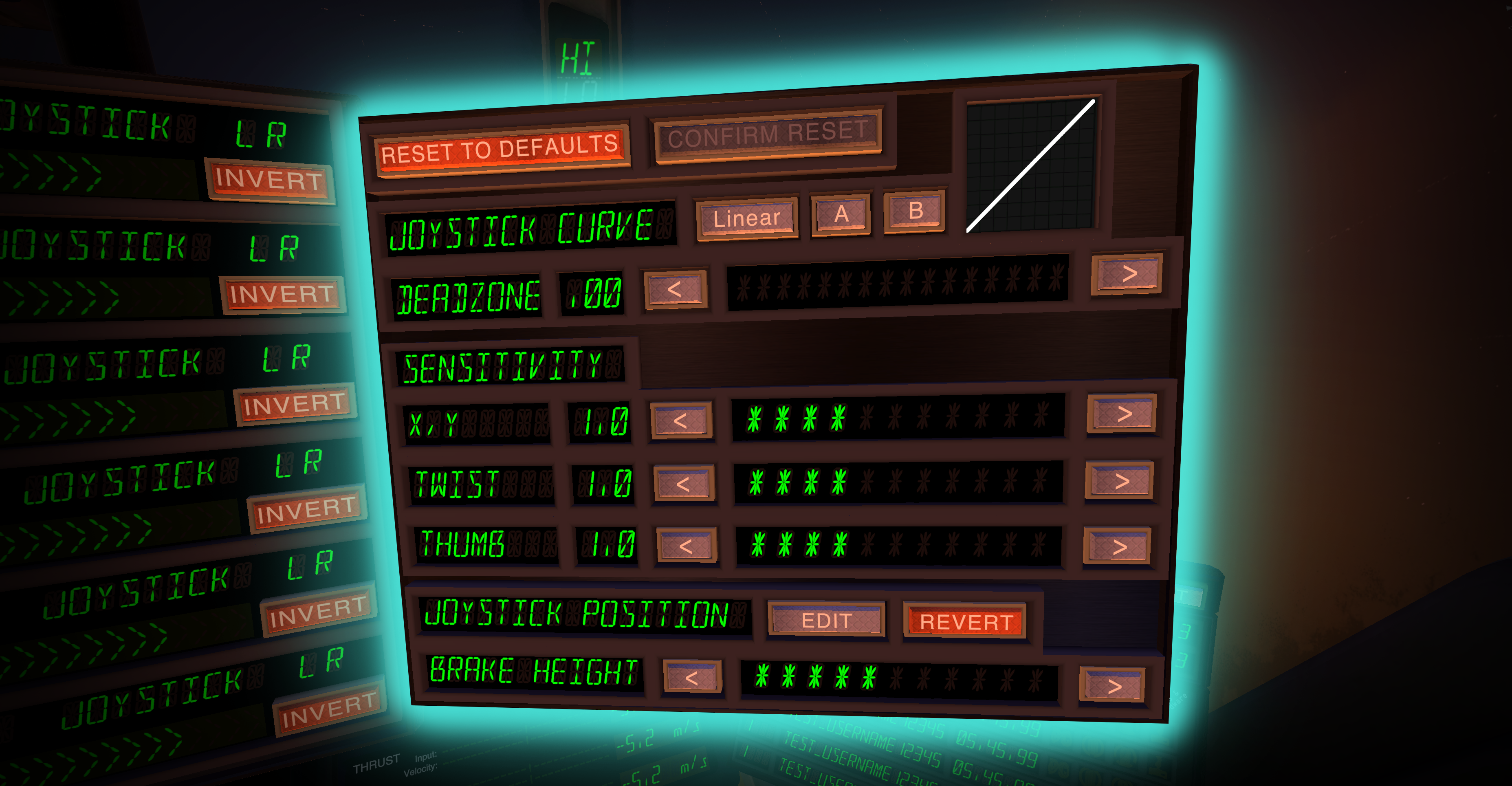
- Added: Adjustable joystick positions

- Added: Height adjustment for handbrake
- Added: "Reset to Defaults" buttons to each menu
- Adjusted: Tweaked wording of difficulty buttons to be more clearer
- Fixed: Issue where, in some cases, some limpets would slow to a stop (thanks to 0xFACADE in our discord for helping us track this one down)
* "Physical-based" refers to the fact we change the physical deflection range of the joystick, meaning -1 to 1 is still possible at lower sensitivities.
** "Multiplier-based" means we are simply multiplying out the result that the thumbsticks give us - high values can be useful for those using vive wands. Note that a setting of less than 1, will mean max accelerations won't be attainable - as an alternative, consider using a stronger curve instead.
Huge Summer Update!
This one's a big one!
We've been working on this patch for the past few months, and some of the headliners include new difficulty settings for the novice pilot, as well as a host of graphical and Quality-of-Life fixes.
Read more below:
New Graphics
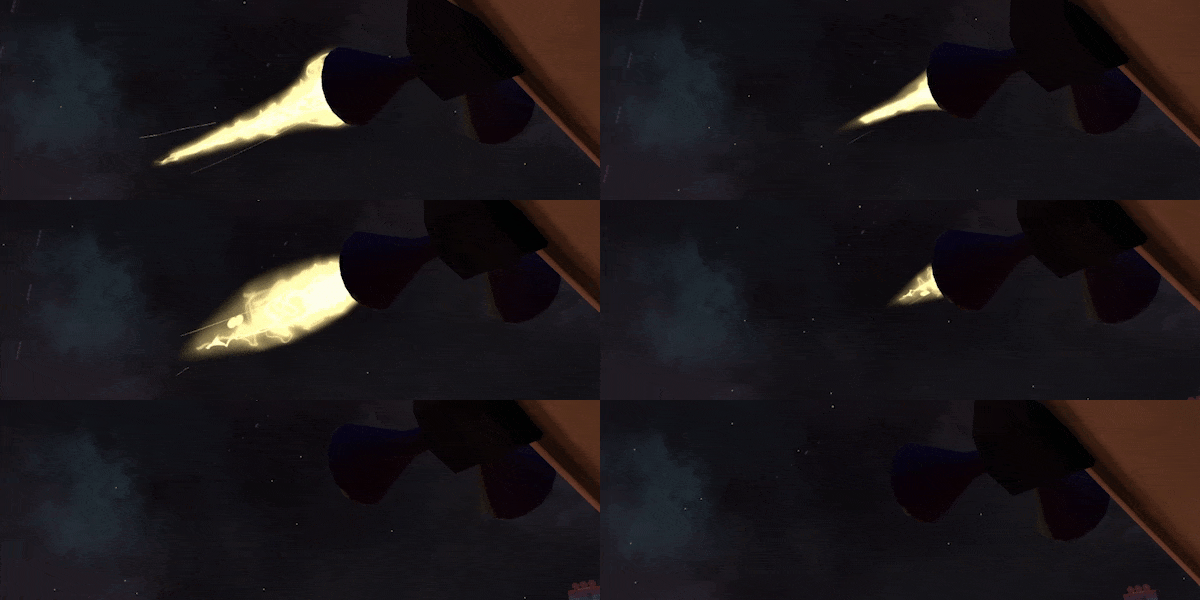
- Better thruster VFX
- “Glow Zones” to illuminate crates and the cockpit

- CRT style displays

- Revamped instrument textures

- Added Cockpit Glass
- Misc. graphics improvements
New Features
- Docking Camera

- V2 Leaderboards
Leaderboards will now show extra info, such as platform, assist levels, and if HOTAS/Controller hardware was used.
(Note: V1 scores will be converted upon loading game)
- Expanded Difficulty Options
Do you need Auto-braking to keep you from drifting into deep space? or perhaps a lite-auto-pilot to help you follow moving cargo, we’ve added these as optional “position assists”.
- Subtitles
Featuring settings like adjustable scale, speaker colors, speaker names, and a “bionic” mode.
- Docking Feedback Lights

- Reworked “Oddjob” and “Nuke Mania” levels
(previous versions have been moved to “Unpaid Overtime” levels section)
- Level Descriptions
- New Tutorial Mission
- Animated Garage Door
Quality of Life Improvements
- Better braking feedback
The velocity indicator now shows handbrake and auto-braking thrust in red segments - Virtual Axes (Joysticks) only show movement from bound axes
- Added text that lets you know which “time to beat” you’re currently on (out of Silver, Gold, or Developer time)
- Lowered proportion of nukes in procedural levels
- Additional voice lines in “Rock Lobster” to give better feedback
- Various Performance improvements
- Fixed TV visual/audio sync issue
- Various small bug-fixes
Quest Release
We’re also now on Meta’s AppLab!
The Future
We’re always looking to improve the game, and your feedback is invaluable!
If you want to help us with that, or if you just want to come hang out with your fellow dockers, we’ve got a link to our discord below:


Minor QoL Patch (Space Dust Colours)
Velocity/Input Indicator Patch (1.1.19)

- Added deadzone slider to the Virtual Axis settings
- Added deadzone indicator light onto joysticks
- Added a "Reset to Defaults" (+confirm) to Virtual Axis settings
- Added "this way up" hint to first crate in Docking 101
- Fixed bug where "dinged" crates would bounce back out
Minor QoL Patch (1.1.7)
- Added "Tap 'H' to hide HOTAS Button" functionality
- Added "Invert Throttle Direction" bind for HOTAS/Gamepad users (also needs to be toggled on in HOTAS menu)
- Adjusted global leaderboard to show 6 places instead of 5
- Fixed issue where right hand wouldn't hide when using HOTAS
- Fixed issue with proc gen crates not placing deterministically
HOTAS Beta Update
We've added beta HOTAS Support!
WIP State of HOTAS / Physical Controllers:
What does work:
- Rebind any current input that virtual cockpit users have to a HOTAS / Physical controller device.
- Bind "bonus action" just for HOTAS users currently.
- Missions+Game are completely playable in HOTAS + motion controllers.
What doesn't work yet:
- For the moment, there's no menu control, so you'll still have to use your hands for that. But once in a mission, there should be no need for hands again.
- Currently, the binding is done via an overlay on the desktop view - so no in-VR menu.
We believe this is a good compromise, as it's a familiar interface, and mouse input should work better for this sort-of "busy" UI compared to a VR pointer. - No default layouts - Dockers will have to bind to their preferences from a blank slate. Fortunately, there aren't many binds in-total
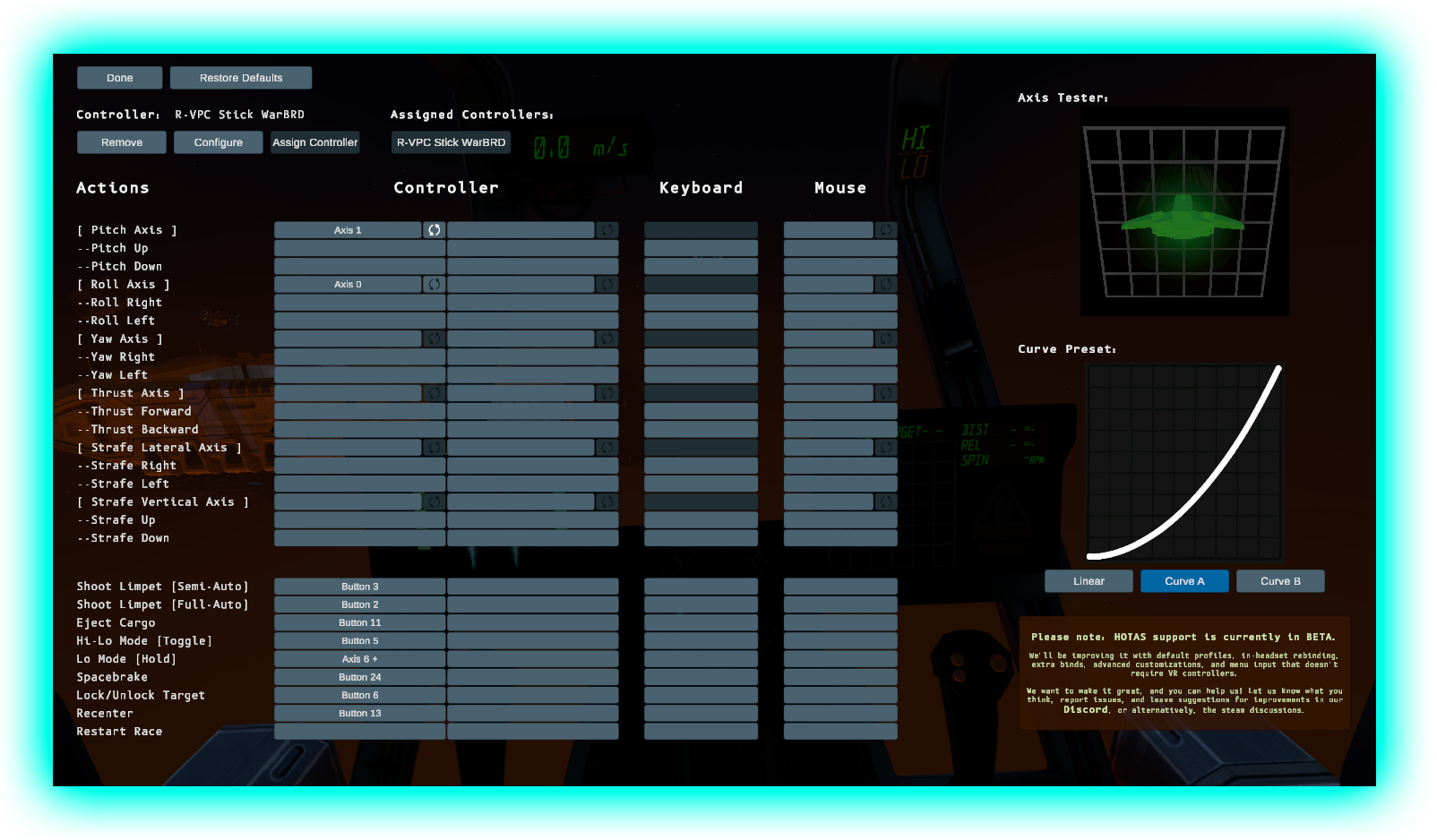
And we've made a video that goes over the basics of rebinding, some tips of what to look out for when doing this, as well as some bonus footage showing off the gameplay:
[previewyoutube="xOK6dienFPM;full"]
If you have any game-breaking issues with the build, you can opt into the "previous_patch" branch on the Steam betas tab.
Stay tuned on Discord our for more updates, including an upcoming roadmap for future updates!
Patch #7
- Added Version number to Calibration screen