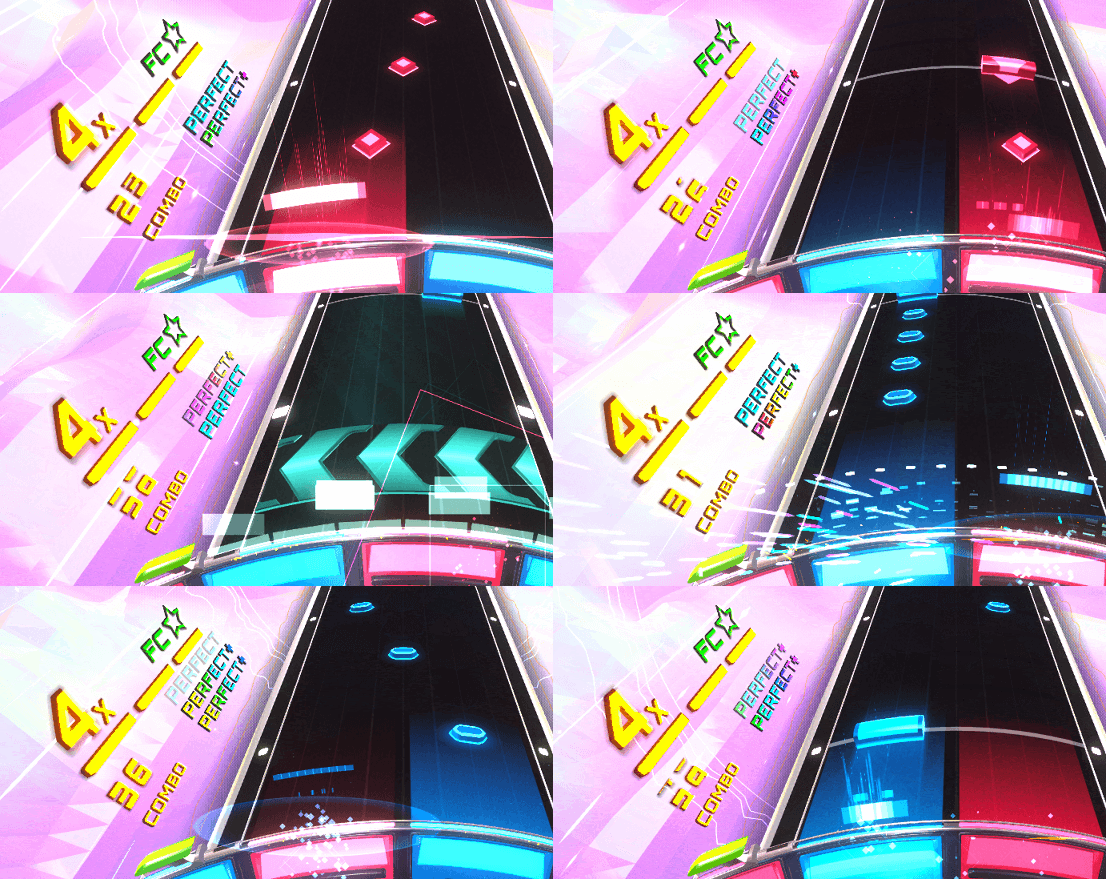
Steve's been knee-deep in Switch optimisation, and with Shath and Dave idle we decided to put together our first DLC of shiny cosmetics and an unreleased music track by Daverwob.
A while ago some Discord members mentioned they wanted a way to support development (such as Patreon) beyond simply buying the game. We have been thinking about releasing a supporter pack for a while, and we wanted to use this as an opportunity to go through the DLC release process before our song packs go live.
SRXD Supporter Pack!
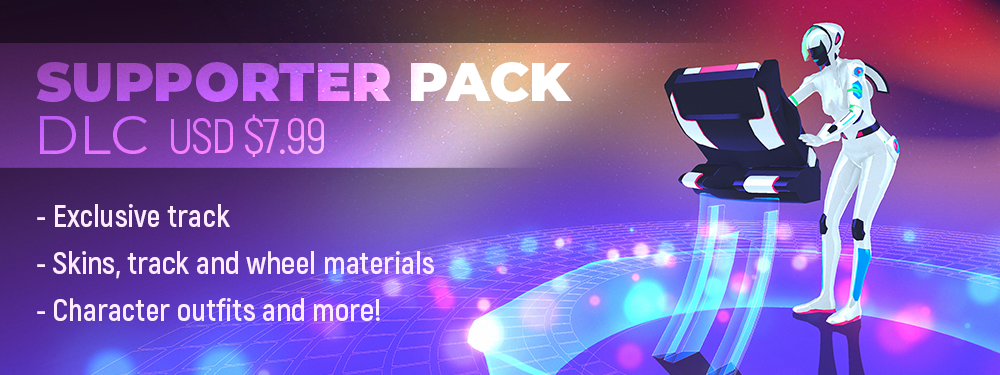
If you love Spin Rhythm XD and want to support its development a little bit more, this may be the DLC for you! For $7.99 USD supporters will obtain:
Exclusive track "Dry Dreams" by Daverwob (RemiXD difficulty by TheWay123)
Note skins
Track edge skins
"Sunset Strip" and "Deep Grey" UI palettes
Character skins for Jim Rhythm and LadyJ
Gold wheel material overlay
Potentially more things in the future!
VERSION 1.1 FEATURES
Two new tracks! - Engine Start by modus and Lights, Camera, Action by Meganeko - These unlock at level 8 and level 18
New RemiXD difficulty tracks! - Beyond The Heart by Dama - This Is It by HyperDash - Raise The Black Flag by Steven of Astora
New “Achievements” panel menu in level select - a way to gain XP for completing achievements!
Custom note colour profiles! - Save up to 6 custom note colour sets in accessibility options - Please note the “default” button will select default game colours (profile 1), if you want a particular custom profile to reset to default colours, choose that profiles colours individually and hit default
Give-it-a-spin winner skins are now available in game! These were designed by our Discord community members. - Snake Pit track skin by Slipsy - Circuitboard track skin by BananaBoiJeff - Chronos Wheel by Edge
Revamped Skins menu - Note skins can be applied to all notes independently - High-contrast notes are now a note style instead of an accessibility option - New “slim” note style - New track edges
Better feedback when equipping skins - the camera will zoom in to the appropriate track element
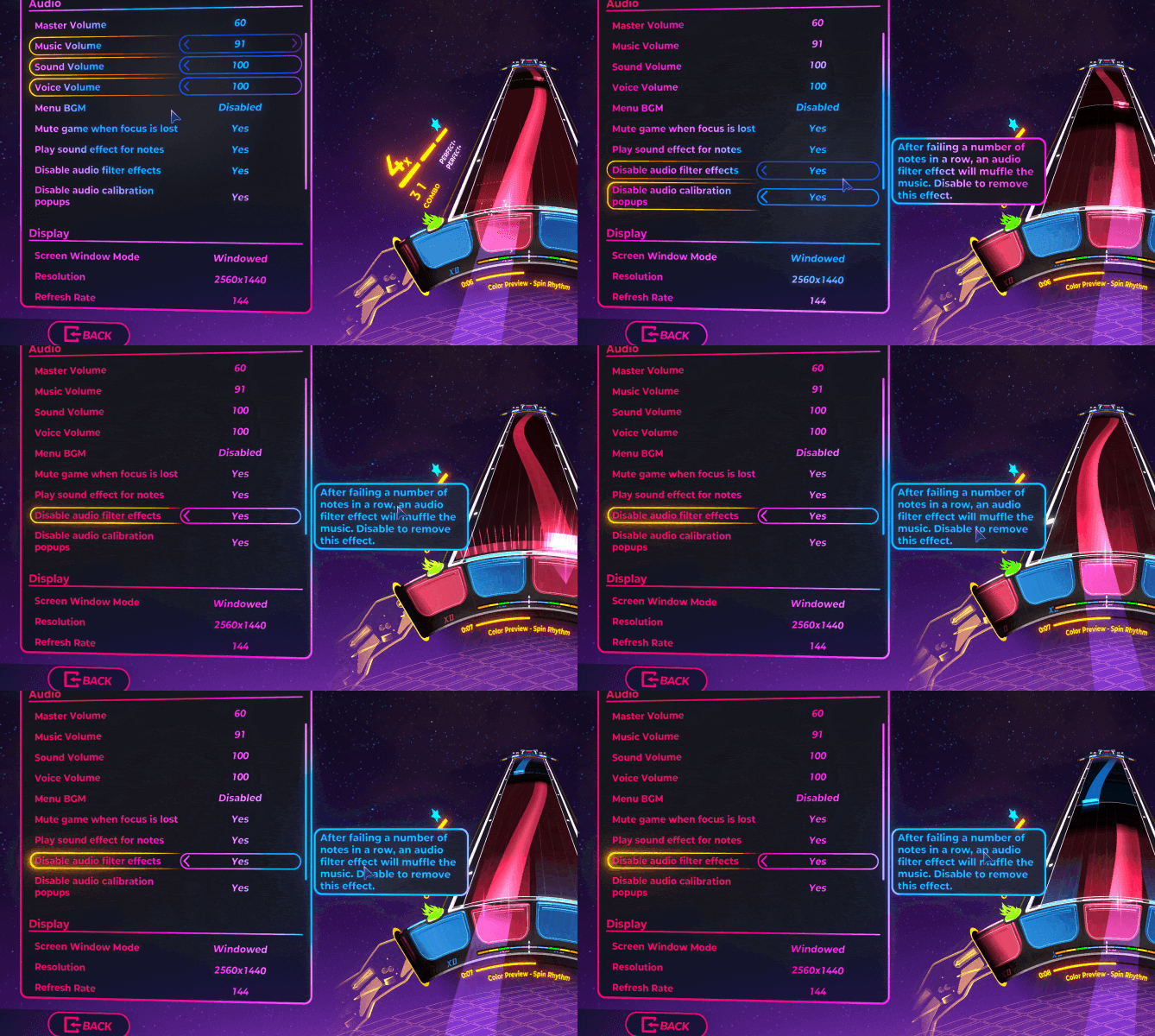
Improved damage feedback / audio effects for better clarity of when / why a note was missed - Notes now scroll past the wheel when missed, making it more obvious what was missed (this is configurable in the options menu) - Only bass frequencies will be removed when missing notes, and only very slightly - The big X on the wheel has been replaced with a more subtle exploding 3D effect - A DJ scratch effect will play when missing a note, based on the audio of the current track (can be turned on or off with “disable audio feedback effects” in audio options)
POLISH
Final Boss now unlocks at level 30 instead of 31
Searching for “create” now works in all languages, including searching for the language-specific version of “create”
Fixed a backspin on Ginger Lizard (Normal)
Editor: spin note tails will now always display a thick line in the timeline when cut off early
Slightly chunkier HUD font
Added sliders for clarity when editing some options
BUGS
Spin Superstar now unlocks at level 30 instead of 31
Performance progress will now save past 10 scores (including personal best scores)
Searching for a charter name will now properly show RemiXD charts in search results
Re-added missing notes to Go Outside (Easy)
Calibration value per device no longer resets when restarting levels
Fixed a bug where judgements from previous plays could appear when restarting tracks
Fixed a bug where searching with a difficulty filter enabled would cause the play button to break
Fixed a bug where changing accuracy bar settings wouldn’t properly update on the HUD
Fixed a bug where ‘Up Next’ did not work for tracks that had not been unlocked while search or filter were active
Fixed a bug where using translation keys in custom names could force certain strings to appear in the name field
Fixed a bug where letting go of a beat hold with a release and the missing the release would still allow a Full Combo
Fixed a bug where missing a hold note release could still award points - they now properly count as misses and break FCs
Editor: fixed bugs involving O and Shift + O function (select only beats / only notes)
Editor: change timeline subdivision hotkey now displays the correct key
We've had our heads down mainly doing optimisation for Switch and experimenting with some VR stuff. Daverwob has been doing some new levels including a 2Mello track included in this update!
We've also licensed new tracks by Meganeko, modus, Eli Way and two from Akira Complex
Working on some of these tracks lead to Daverwob requesting some much needed editor updates from Steve including proper swing support. More changes meant this snowballed into a pretty big editor update.
We hope you enjoy this mixed update! Details below.
Version 1.05
FEATURES
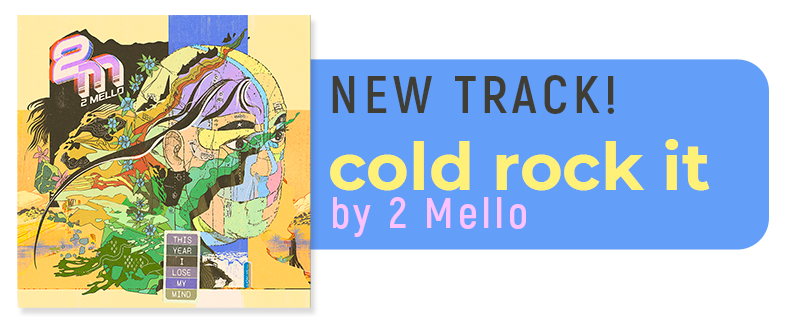
New track! Cold Rock it by 2 Mello - a sick breakbeats / drum and bass tune with a smooth “secret ending”. This tune unlocks at level 8.
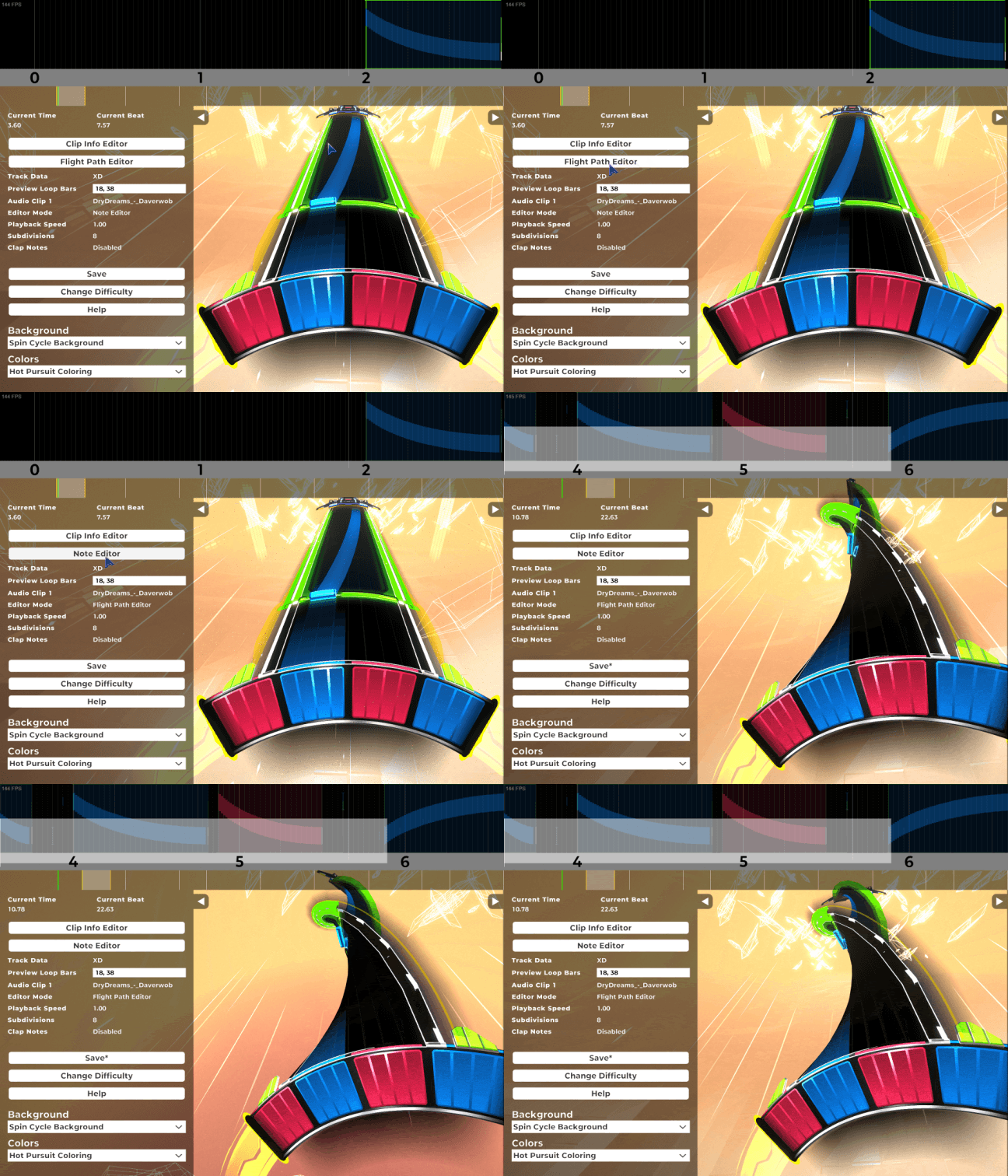
Editor update! - Scroll the timeline with the mouse wheel! (modifiers such as alt and shift work too) - Zoom in and out with Ctrl + mouse wheel! - Change timeline subdivisions with + and - keys; no more messing with time signatures! Your current selected subdivision level is shown on the editor left panel, and this hotkey can be remapped - All keyboard keys can now be held for a stacking effect (to avoid repetitive tasks ie moving notes) - Track turns are enabled for level editors! > Change to the flight path using the button on the left panel, or the tilde key ~ > WSAD and QE to set and adjust a flight path F to extend and Shift + F to retract > Shift + arrows to select multiple, Ctrl + arrows to move, also delete, copy and paste work
P and Shift + P can be used in the clip info editor to slow down time
Arrow keys are now supported for granular movement (with snapping!) in the clip info editor
New calibration tool! - You can now tap along to a tap note string to more accurately set your calibration - Separate audio / visual calibration is available
All wheel options are now testable in the options menu by clicking on the wheel “practice area”
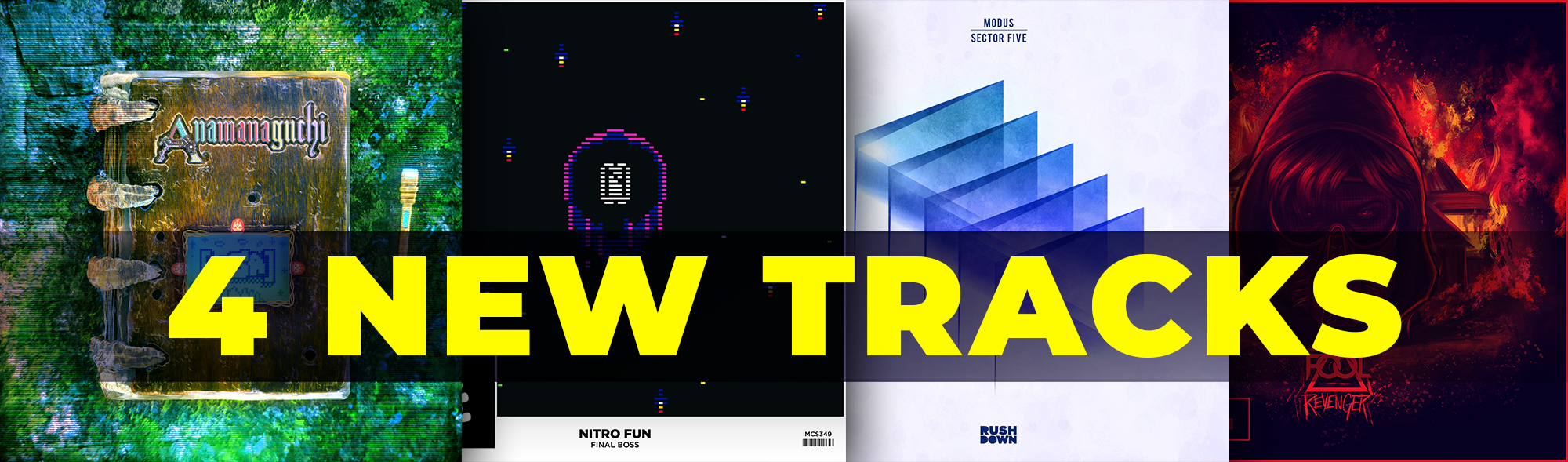
4 New RemiXD levels! I See Lite (Swago), The Kraken (TreXDer), Revenger (HyperDash) and Air On Line (Pick)
POLISH
Experience a fancy new 3D spinning menu logo
New taskbar icon!
Added a popup window explaining RemiXD difficulty on first unlock
Options sliders now operate as left = lower, right = higher (instead of the current touch-screen style)
Added a few new options menu tooltips
Polished the beat hold release effect to better match its look pre-particle refactor update
Wheel sensitivity (previously a very small number) is now properly displayed in input settings
Editor: timeline subdivisions are now only shown on editable area
Editor: All drop down options can now be scrolled and activated using arrow keys and return key - this allows for fast checking of background / colour combinations
Editor: clip info editor fields can now be “tabbed” through (using arrow keys)
Editor: the layout of the left panel has been improved with some redundant data removed
Editor: hotkeys are displayed more clearly now (with modifier keys coming before hotkeys)
Editor: you can now change the colour of hold notes by pressing C with any tail note selected
BUGS
Fixed a bug where changing track speed override could look buggy
Fixed a bug where entering practice mode and hitting N would jump ahead 2 sections instead of 1
Fixed a bug where when deleting a track with a difficulty filter active, the chart focus would jump to the top of the list (it now jumps to the next chart in the list)
Fixed a bug where “Green House” UI skin could have no highlight colour
Fixed a bug where “Up To 11 Minutes” achievement could be completed with “no fail mode” turned on
Fixed a bug where the HUD would disappear after failing a track and then entering the options menu
Fixed “Don’t Give Up” achievement not popping
Fixed a bug where editor timeline subdivisions would not display when zoomed out beyond a certain distance
Fixed a bug where tabbing through difficulties in the note editor didn’t register very small f-step movements
Fixed a bug where using options sliders could cause a memory leak
Fixed a bug where using G in practice mode would ignore the set looping sections
What a crazy week it's been! Welcome to all our new Spinners. We are blown away by everyone's response to the launch.
We've got a small patch we're pushing out before we take a bit of a break (we're all heading interstate for a wedding then taking a couple of weeks off).
Version 1.01
FEATURES
Added No-fail mode in accessibility options! - Want to slam through a track that is too difficult for you? This mode allows you to play with full visual effects (rather than the muted practice mode background), and your leaderboard score will be locked to the score you achieved at the point of failure.
Added gamepad control styles! - Default - A balanced, more instantaneous response - Legacy - Pre-1.0 feeling with some wheel inertia - Rotate Stick - The wheel is controlled by rotating the analogue stick - it’s back!
Removed Burst Compilation - This might have far ramifications (it’s supposed to make code execute more smoothly) - but it seems to have reduced stuttering and crashing issues for many people. Let us know if you feel any difference
Locked tracks now require a button press (instead of an automatic animation) - this is also skippable
Added Whirlpool RemiXD level by Programmatic. Play this chart by completing the XD difficulty for Whirlpool
Added tooltips! Hover over certain options to reveal explanatory text - more of these coming soon
POLISH
Some XD difficulties have been adjusted to better reflect their challenge level - Lovesick is now 26 - Beyond The Heart is now 24 - Ghost Ship is now 23 - Time is now 22
Adjusted SRTB artist links (in hamburger menu) to only recognise Songwhip URLs (we don’t want to be responsible for people embedding dodgy links)
You can now speed up all menu animations properly when using gamepads
Background music will now be lowered when calibrating
BUGS
Not a fix, but we noticed a bug with track speed override where it wouldn’t properly enable unless you swapped to and from another track. We couldn’t reliably reproduce this, so if you find a way to please let us know.
Fixed a bug where filtering by difficulty range could still put you into difficulties that should have been filtered out.
Hi Spinners, thanks for your support and patience on the road to 1.0. Extra thanks to all our Discord members who helped with beta testing this release, translations, and the love and memes that keep us going.
Check out our official trailer, and please retweet our launch tweet if you can! If you haven't left a Steam review yet for SRXD, we would greatly appreciate it.
UPDATE 20 - Version 1.0
We're finally here! Let's go through all the new features.
FEATURES
New tracks! We added 4 new tracks to reach 60 tracks (if you count the tutorial!) - we had another full track planned (Second Wind by L'indecis), it's licensed and the levels are made, but we wanted to save it as a free track update for the release of the Chillhop DLC so players could get a taste of that style of music.
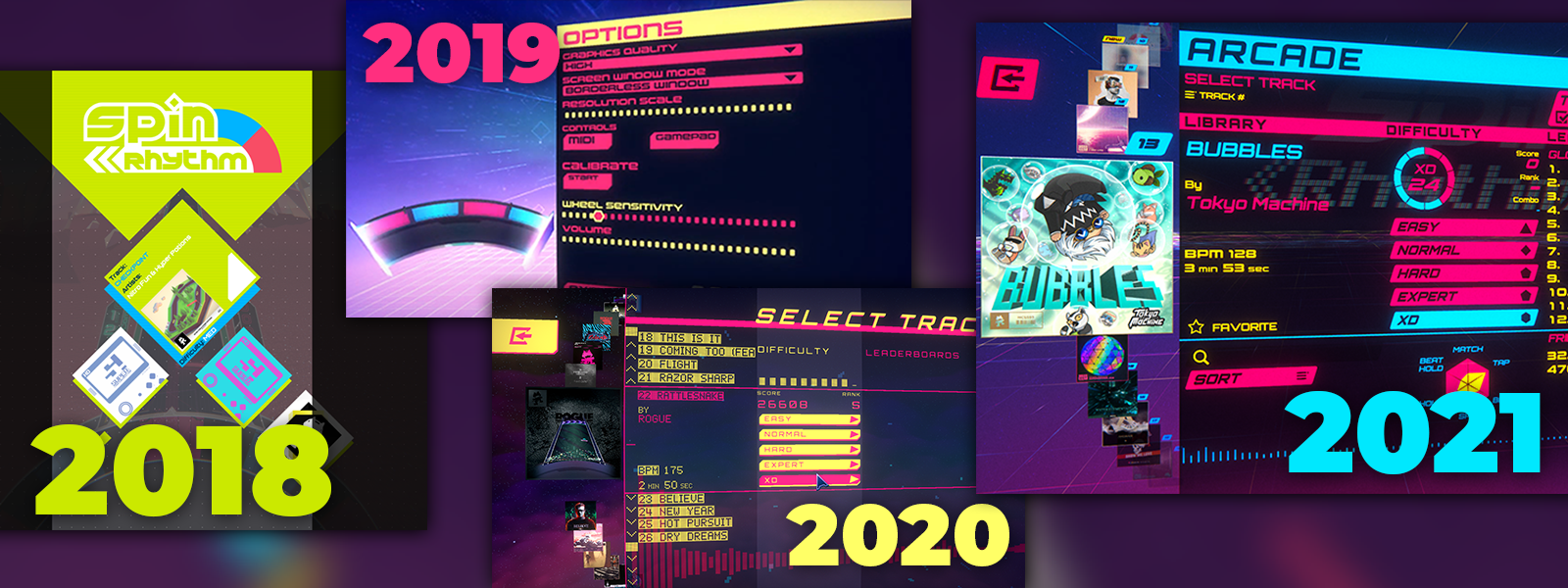
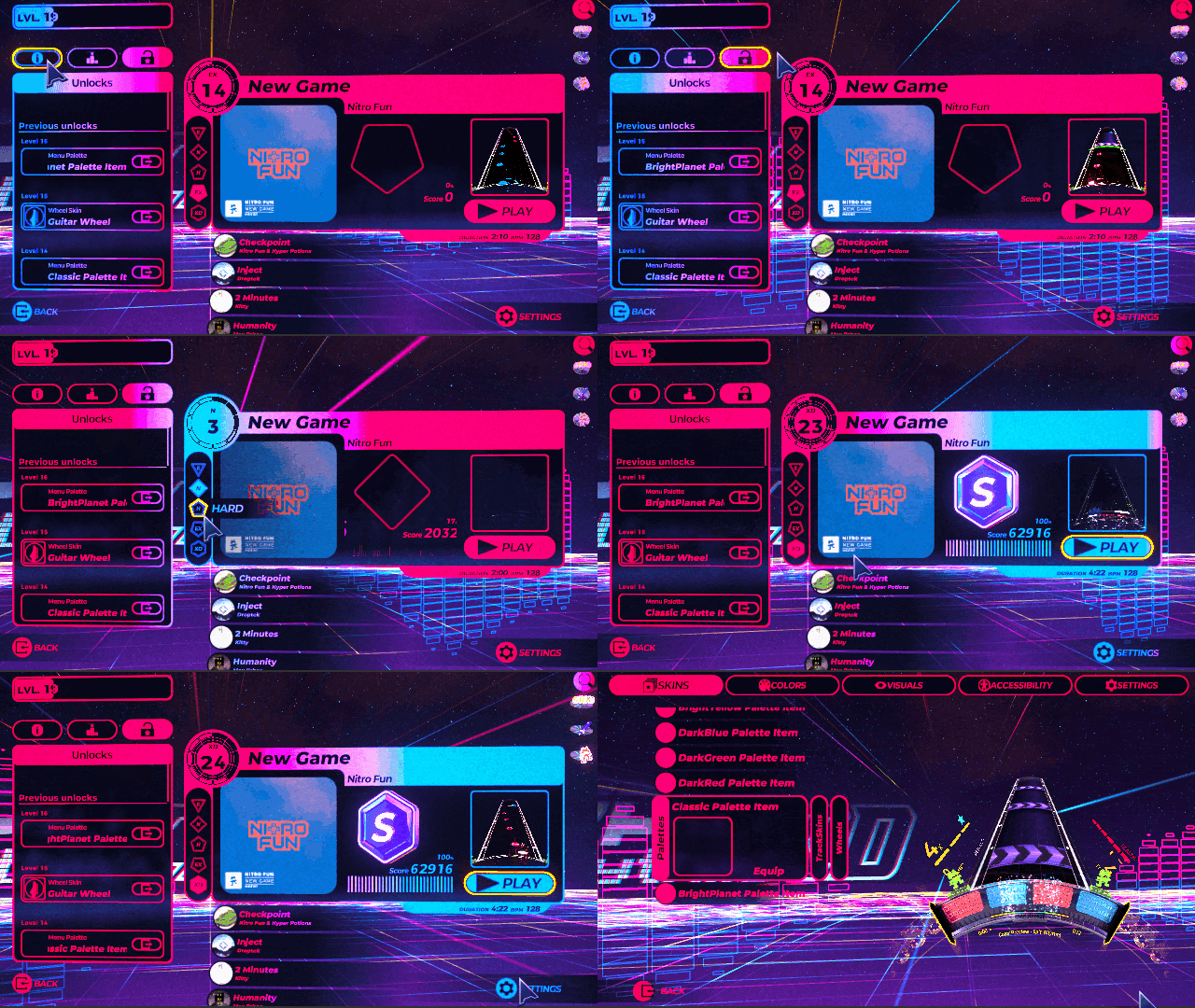
New UI - it's shinier, more user-friendly (works on all inputs properly!) and has a ton of cool skins for you to unlock and equip.
New handy track list side panel which can be enabled or disabled, and can display your performance progress, leaderboards, unlocks or whichever info you prefer.
New mascots! Meet Jim Rhythm and LadyJ, interdimensional... DJs? Subspace MCs? Who knows, they just up the vibe and groove to whatever track you have selected.
Level up system - play levels and beat your high scores to gain XP, level up and unlock new songs, new wheel skins, UI skins and more. Currently it takes around 15 XD difficulty levels to unlock all the songs, or completion of all of the Normal difficulty levels (and a couple of Hards).
Up Next system on the results screen (replaces random track selection). Keep your flow as SRXD suggests the next track to play around your current difficulty range, no more need to quit out and pick a track to play.
RemiXD levels! We've been running RemiXD competition for a while now. Discord members create and vote for tough as nails versions of official tracks. These unlock when you beat the XD level, and have been added to the game as the ultimate challenge.
Better practice mode! Click and drag to loop multiple sections, have greater control over playback speed and more.
More options, better options! You can now change accessibility features, wheel skins and more while you play or practice, no more need to quit out to main menu.
Better search and filter! Scroll to the top of the list to reveal the search bar (or use the CTRL + F shortcut - or whatever shortcut you want to bind). The filter button appears while searching, and has more and better filter options including custom difficulty ranges.
Integrated customs! No more separate track list and separate edit mode overlay (access edit mode via the hamburger menu on the top right hand side of a selected track).
Artist links per-track! We used Songwhip (an awesome free service) to create artists links to each track, making their music easier to find on your favourite platform. Access via the hamburger menu on a selected track.
A new tutorial system! Learn how to play in real time, no more stuffy unplayable slideshow presentations. Also enjoy fun challenges at the end of each tutorial like the old days - don't worry, you can't fail these.
Lifetime stat tracking! Lots of useless and trivial info such as total notes of each type, total time playing, total points etc.
A couple of new achievements! And removed some old ones (like the ones that required random song selection.
REMOVED FEATURES
SpinFM - we removed this since it was a bit of a dead feature.
Daily challenge - other than achievement hunting, no one was really using this so we piffed it.
Random track select - this has been replaced with the Up Next feature.
Wow! So many cool new features, what else do you plan to do?
We have a few things we would still like to improve or implement at some point.
Endless mode - play a mashup of short sections of every track as the difficulty and speed slowly increase. The tech is there and working, it just needs to be implemented properly. We think this would make a really fun mode for both beginners and hardcore players.
Better editor - we want to include mouse controls and cutting levels for Easy / Normal, as well as some other quality of life fixes (like swing tempo support, proper triplet charting without fiddly time signature stuff and so on).
VR - sure why not? Maybe with console release.
A whole lot of menu SFX we didn't implement in time.
What about other platforms? Where's the Switch version?
We only have a single programmer, so all our focus was on making SRXD 1.0 on Steam as good as possible. We were still putting new features in up to a few days before launch, and other platforms are much more strict with certification, meaning we couldn't release these simultaneously. With such a small team, we figure it's better to have a complete product and then focus on porting one platform at a time.
We might focus on Switch next, we might focus on PS4/5 and possibly VR. Stay tuned.
Where's the DLC?
We planned to launch 1.0 with Monstercat DLC. All the levels and backgrounds are made, but they wanted more time to work on marketing, so we will be launching it sometime in the future (possible alongside our first console launch).
If you have any issues or feedback or just want to spread the love, join us on Discord and let us know.
Thank you for your support and happy spinning.
Update 19 - 3 New Tracks
Hi Spinners, this is a small update before Christmas just to give you a few new tracks and show you what we've been working on to prepare for 1.0.
UPDATE 19 - THREE NEW TRACKS
While we work on our final features for 1.0 (level up system, unlockables, proper gamepad and console-friendly UI), we have kept up licensing tracks from around the place. We were going to release them all in one bunch at 1.0, but we decided to release some early as a Christmas present.
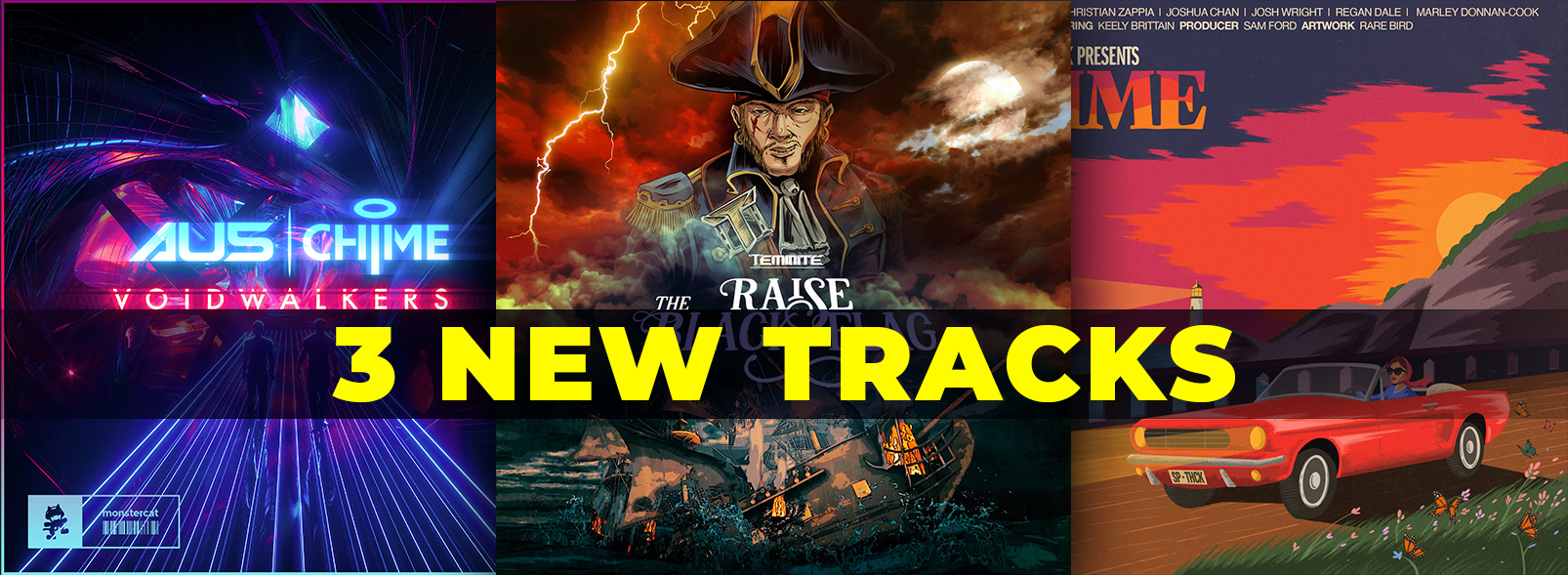
We're pleased to be able to add the awesome Au5 to our roster with Voidwalkers (co-written with Chime), along with Aussie funk pop band Supathick and their extremely catchy tune "Time". Oh and we slipped in the title track from Teminite's Raise The Black Flag album. Send them to the depths!
1.0 UI Update
We have changed our UI many times since we launched. Initially we wanted something cool and dope, which evolved to cool and dope but slightly functional and finally to cool, dope but a bit all over the place. Turns out if you slowly add features to a UI that wasn't designed for them, things can quickly get complicated.
Our main goal with the UI update was to make it more controller friendly. We want to achieve this by making sure every menu has a simple flow of left to right, with options going up and down only along the selected axis.
In our current UI, it is unclear what is currently highlighted and what is selected (active). We have written some nice clean shaders to highlight both the current selected object, and the selected UI section.
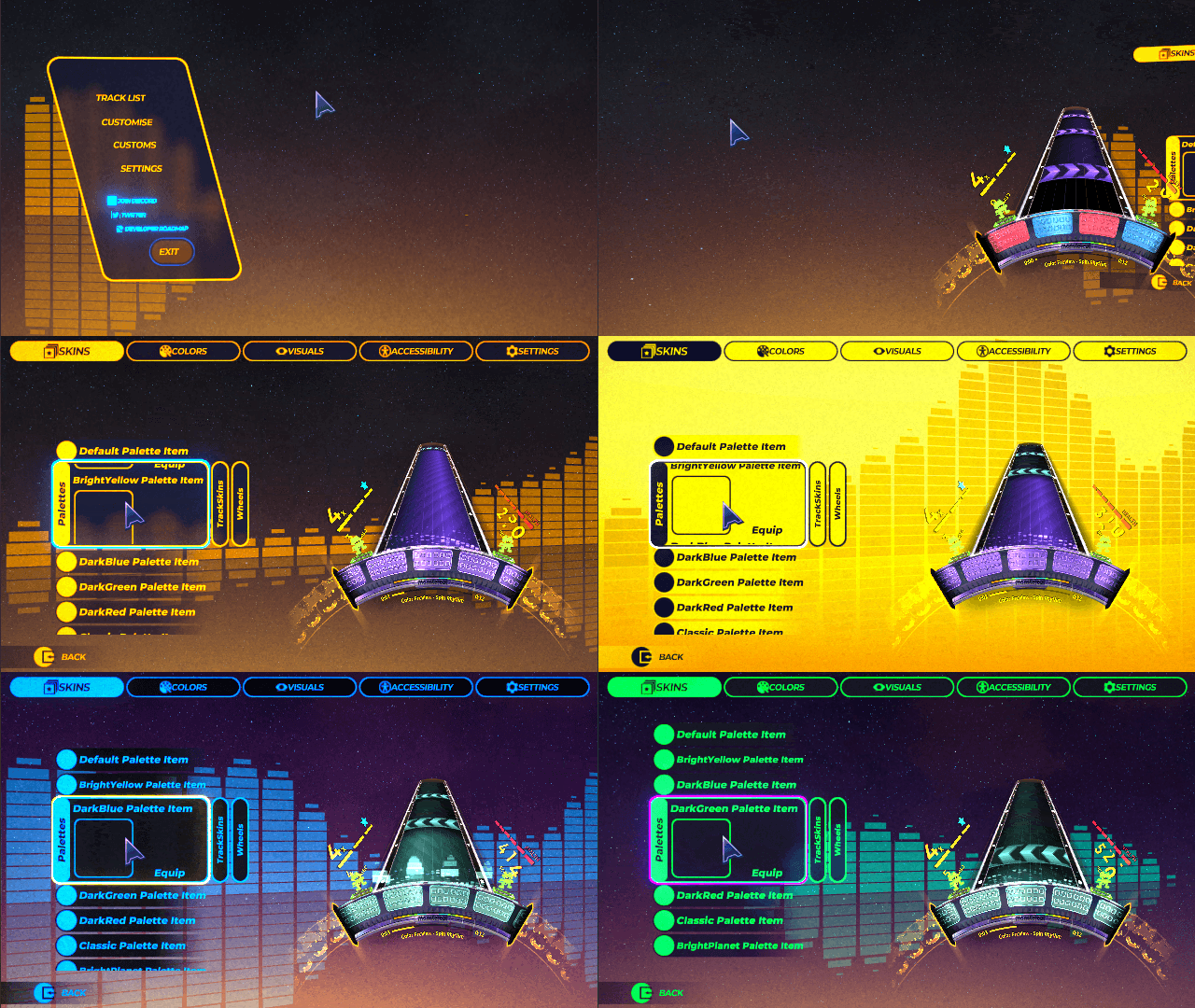
We have created a new UI colouring system which lets us build unique colour palettes (one of our unlockable level up rewards). Check them out below.
The design of the track select menu now contains two distinct panels. The left-most panel can be swapped out for level up / unlock info, leaderboards, or player stats (including the selected level's run history). This should cater to more types of players whether you're chasing medals (clearing all tracks), grinding one chart until you're the best, digging into stats, or looking to unlock everything.
Difficulty is now more clear, and the flow of the menu no longer asks players to choose difficulty every time they play a level (which ends up feeling redundant). The difficulty ring now loops up to level 100!
There are "playlist" icons on the right which let players flip between base game charts, DLCs and customs without leaving and returning to the menu.
The actual level playing state has been refactored so that all options including calibration, accessibility and such are available while playing a level (accessible via pause menu). This means you will now be able to swap settings, track and wheel skins on the fly without having to quit back to menu. Neat!
Keep in mind that there's still a lot of work to be done on this new UI. Icons are missing or placeholder, polish will still be done etc.
One final thing, we are going to be shutting down SpinFM and replacing it with a proper multiplayer system some time in the future, so we will no longer be adding new tracks to the service.
See you next update.
Small update - 2 new tracks!
Hi everyone
We've been busy working on our Switch port and final updates before 1.0. We were recently asked to join the Melbourne International Games Week Steam sale, so we decided to release two new tracks and some minor bug fixing for the occasion!
Go and check out a bunch of other games that are proudly made in Melbourne, Australia!
Details below.
FEATURES
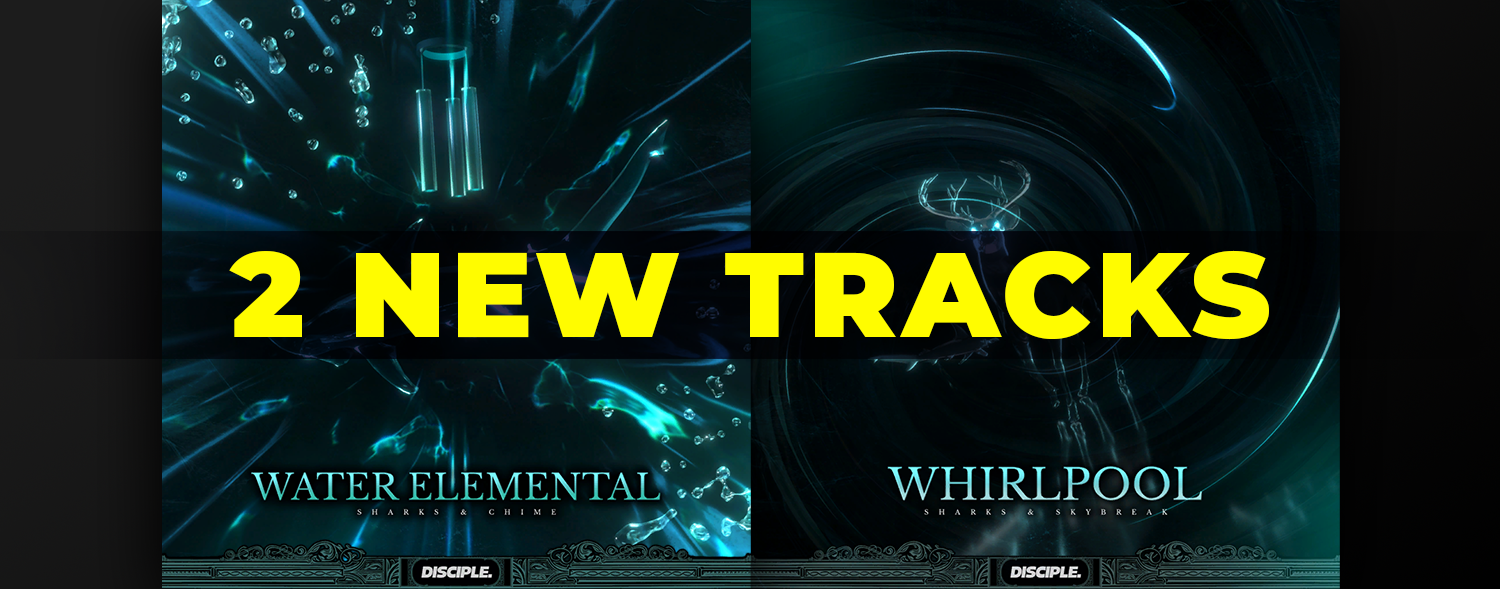
2 new tracks from the artist Sharks who is signed with Disciple!
Whirlpool and Water Elemental will take you on an intense journey through an underwater soundscape. Their detailed sound design and intricate rhythm lend themselves perfectly to Spin Rhythm XD’s mechanics.
Sharks is in our Discord so send them some love if you like the tracks.
POLISH
Fixed a number of track twist issues at track speed 40
Taps now check the wheel position on the current frame and the previous frame (to improve accuracy in certain situations)
BUGS
Fixed a bug where the game could crash due to certain backgrounds loading incorrectly
See you next patch.
Small update - scoring system polish
Hi everyone
With the new scoring system having been in the wild for a month now, we've made a few small changes to clean it up and make it less punishing or discouraging for new players, without the need for any kind of leaderboard resets.
Details below.
FEATURES
The main feature of this patch is the refining of our recently updated scoring system. Having a score reduce from PFC > SFC > FC ended up feeling like multiple layers of punishment for not being perfect, so we have simplified the whole system.
Updated scoring timing windows - Good - 79ms - Great - 59ms - Perfect - 38ms - Perfect+ - 16ms - Release timing remains slightly more lenient than the above values
Removed Superb Full Combo (SFC)
Combined Superb and Great into one bracket
Anything below Great is now Early / Late
New Perfect+ display options (customise menu) - Choose between Rainbow, Bright and None Set this in the “customise” menu to make Perfect+ stand out more or less to your liking - “None” will remove the + and only show “Perfect” (when either Perfect or Perfect+ are hit)
POLISH
Updated calibration wording to be a little clearer in its instruction
Note / beat stack dithering effect now supports two notes instead of one
Fixed dithering issue with “Your Pain” background elements
Using custom backgrounds will no longer affect the practice background
Removed some annoying features when placing notes in custom editing - Match note stacks no longer appear when placing two match notes on the same tick - Placing a spinner on a spinner will no longer jump to the next note tail - Placing a scratch on a scratch will no longer jump to the next note tail
BUGS
Fixed the broken recently wiped leaderboards including - Inject XD - Beyond The Heart XD - I See Lite XD - Robo Trio XD - Reach You XD - Twist Sound XD - VOLT XD - Believe XD - BUBBLES XD
Fixed a backspin in The Magician Expert
Fixed a backspin in Mimic Expert
Fixed a bug where the custom menu UI could become transparent
Fixed a bug in custom editing with the D function where selection could malfunction after using playback with notes selected
Fixed a bug in custom editing where selecting would take multiple attempts to be successful
Fixed a bug where using a combination of Prism Bucket and 2 Minutes backgrounds could soft lock a chart permanently
Fixed a bug where combined beat / match stacks did not take wheel position into account
Fixed an issue with No Limits background
Fixed Daily Leaderboard
Removed our beloved Steve from the top of multiple leaderboards
Our last planned big update before 1.0 (unless we get sidetracked) is redoing our menus to be more controller friendly, as well as including a basic level up / unlock / cosmetic system.
See you next patch.
Hotfix 22 - Scoring update fixes
Hey spinners,
This hotfix turned into a warm fix with Steve away and Dave dying slowly from Covid (basically it took a little longer to get out than we'd hoped). Thanks as always for your patience!
HOTFIX 22
FIXES
Re-added option to enable note clearing on hit
Removed “video latency” text near calibration tool
Fixed a bug where leaderboard ties weren’t displaying perfect+ totals as tiebreakers
Fixed some bad colour swapping in some redone charts (sorry, some of these may have been reset again). - Beyond The Heart XD - Bubbles XD - Velours XD - My Museum XD - Robo Trio XD - Reach You XD - Twist Sound XD - VOLT XD - Believe XD
Fixed some extreme track turns at higher speeds in many XD tracks (thanks to Edge for finding these and the bad colour changes above).
Fixed some jank sliders (super close together) in Inject XD. Took the opportunity to remove all the level’s jank and made it play like an actually fun 23
Cheers
Update 18 - Better scoring, calibration
This is Update 18
We weren't sure whether we wanted to update our scoring system before 1.0, but we started chatting on Discord with many of our players and went down a rabbit hole.
It's not a sexy or glamorous update, but it's one that we think will benefit everyone, whether competing at the highest level or just starting out. Our new system ditches the accuracy bonus (measured in ms and shown at the end of a level) for a simpler one with more grades of precision.
We were hoping to get this out before the Steam sale, so sorry to our new players for the leaderboard reset. This should be the absolute last reset before 1.0.
We also spent a couple of weeks greatly polishing the gamepad experience for Switch (and PC). It was feeling super nice, but there are still a few annoying things that break in specific situations, so we're going to roll that back and add it in a future update.
In other news, Steve has gone to Canada for about a month. Shath and Dave are going to work on the Monstercat DLC (updating the levels to suit the current design standards, and make some slick backgrounds), add the final 5 levels, and work on trailers etc.
UPDATE 18 - SCORE / CALIBRATION UPDATE
FEATURES
Updated scoring system
Updated scoring thresholds (D, C, B, A, S etc.) to better reflect the actual performance of the player
Multiplier now increases faster, meaning missing some notes won't be disproportionately more penalising than others in certain situations
Added more grades of scoring (Perfect+ > Perfect > Superb > Great > Good > Okay > Miss) to differentiate top players in the absence of a ms accuracy ranking
Updated results screen stats
Updated calibration tool
Added negative values
Added independent values for different input devices
Updated the way hold notes feel and work
You can now push against the edge a little without breaking the hold note
If you fall off, you can jump back on and only lose a little bit of score
If you release the tap (or beat hold) you can press again to continue the note
All very short hold notes have had their curves changed to be tighter
Shortened very tight releases (and beat holds) that require another tap (or beat) too quickly
A general polish pass on all H / Ex / XD charts for hold notes and beat holds
Editor: Pressing 4 on a hold note will now create a tailless hold note. Pressing 4 again will create the tail one tick away from the start note
Editor: When placing a duplicate start of a hold, spin, beat hold or scratch, the timeline will jump to the ending tail note.
POLISH
Added a much nicer looking accuracy bar
PFC star has a more noticeable set of animations (going from PFC to FC to miss)
PFC star now shows what level of perfect (PFC / FC etc.) you are currently achieving
‘Loop Section’ has been turned off by default in practice mode
Added an option to disable audio calibration warning popups (and a checkbox in audio options to re-enable them)
Match notes, tap notes and hold releases are now clearer when stacked on top of beats
Re-added the starry blue simple background
Updated achievement translations for Chinese (S), Russian and Korean
Fixed a Portuguese judgement text overlap issue
Re-rated Lovesick XD to 25
Re-rated The Kraken Ex to 20
Re-rated Dance With Silence XD to 27 and increased difficulty towards the end
BUGS
Fixed a bug where “grab wheel” didn’t work when using motion controls
Fixed a bug where increasing audio calibration value past 400ms would break audio
Fixed a bug where pasting notes in the level editor would create match note stacks
Fixed a bug where default HUD distance was displayed incorrectly in the options menu
Fixed a bug where practice mode gamepad hotkeys weren’t being displayed correctly
Fixed a bug in the customs menu where streak over 4 digits (1000+) overflowed incorrectly
See you next update.
Update 17 - 50 Tracks!
Hey Spinners, welcome to Update 17
This turned into a way bigger patch than we had planned. As soon as we started tinkering with the editor it turned into a huge QOL update. No mouse controls for note placement yet, but there’s a ton of new fun features to mess with in the editor.
Huge thanks to everyone who helped out with testing this patch on the beta branch.
Mega thanks also to our community translators who do such a killer job. If there are any Japanese fans out there who want to contribute, just let us know in Discord.
Massive thanks also to our modding community for always pushing us to implement their cool features (customisable backgrounds, accuracy bar and so on). We love you.
UPDATE 17 - 50 Tracks!
FEATURES
Three new tracks!
We’ve picked three very weird and wonderful tracks for you this patch to bring our track total to 50 tracks!
The Kraken by Teminite - another of his pirate dubstep masterpieces, with one of the strangest and most addictive drops you’ll hear
No Limits by modus and Loudar - Spanish EDM artist modus brings his signature style of finely detailed production and rhythmic precision to SRXD
One Esk Nineteen by Praxis Axis - a dark, heavy-hitting 6 minute epic with samples of Balinese monkey chanting. This is like nothing you've heard before and makes for a very challenging and fun rhythm game level
Graphical overhaul
We have completely overhauled gameplay visuals. The game now runs entirely using a single camera, which should improve performance greatly
All notes are now rendered in 3D and have an updated look
The audio spectrum is now circular, and has been combined with the gates that the ship flies through
Track angle / ship distance / note speed has been slightly adjusted for balance
Background object / track collisions are now handled with a dithering shader. If you find any weird collisions that are broken please let us know
Beats have an updated effect
New scratch note look (colour flashing can be disabled in the accessibility menu)
Plus many more smaller things
Track turns
We have added 250 unique flight paths by hand to make the gameplay experience feel more alive
Some of these might be wack, please let us know if you find any that don't work
Track turns can be disabled in the accessibility options menu for that classic gameplay feel
Difficulty update!
All Easy levels (and some Normal levels) have been updated to be easier. We want this to be a difficulty that any rhythm game newbie can jump into and have fun with. Hopefully these changes will achieve that goal.
Taps have been added to Easy in simple streams
Scratches have been removed from Easy
Motion, note density and colour swapping have overall been lowered
The early Normal levels have been made slightly easier to ensure a clean transition between difficulties
Tutorials have been updated to align with this new design
New "Customise" tab in options menu
Players can now further customise their in game experience using the new “Customise” tab in the options menu, including:
Placement of the accuracy bar
Placement of the judgement text (“perfect” etc.)
Placement of the track time remaining bar
An alternate HUD layout (angled instead of rounded)
Distance of HUD elements to the track
Other features
Editor keys are now fully customisable (enable these with a toggle at the bottom of the keyboard mapping screen
An accuracy bar has been added to allow players to see how precisely they are hitting taps, beat and releases
A new accessibility menu custom colour “highlights” which allows players to change the colour of the elements on the side of the track and wheel
Bloom slider! Protect your eyes from overuse of bloom with our handy new bloom slider. Those with fancy monitors are encouraged to turn it up
Custom levels can now have custom backgrounds! (set these in the left panel when in the note editor). Mix and match a background and a colour palette from any of the 50 base game backgrounds to make some truly interesting and unique backgrounds
POLISH
Added the full sax solo to Believe (Hard). You Hard players deserve it.
Fixed some out of place notes in Arcana Engine (Hard / Expert)
DJ Hero Controller input has been deprecated
Improved design of contrasting notes (accessibility option)
All scrolling windows / dropdowns now work properly with scroll wheels (no more slow scrolling)
Added feedback for spin notes (particle burst coming out of the wheel portals)
Improved hold note behaviour when charting - Note tails are generated closer to the hold note start - Pressing 4 a bunch of times will extend the tail note - Pressing Alt + 4 will extend the tail out by 1 beat (or create a longer hold note to begin with) - When placing new holds in the middle of existing holds, the auto generated tail (to the left) is now a single tick behind - Hold note tails will no longer erase other notes when auto generated, they will just be made slightly shorter by default
Spins now fade slightly at the end of their tail for clarity when followed by another spin
All Editor notes are now a few pixels fatter (which should help with charters working in higher resolutions)
Release notes have their own look, and are thus clearer in the editor timeline
Wider note tails (spin, scratch enders) are wider and can no longer be pointlessly moved around
Hold note tail motion is now visible in the timeline
When switching between note editor and clip info editor, the current time will match
Editor hotkey list has been cleaned up, with spacing added and common actions grouped
Editor hotkey list has been updated to include all hotkeys!
Editor hotkeys will now update themselves when you update your bindings
Editor tabs (chart info, hotkeys) now open and close independently
New hotkey! Use O and Alt + O when a group of notes is selected to remove the beats only or remove the notes only from the selection
Placing notes no longer erases beats (and vice versa)
Placing new notes on existing notes will erase the existing note
Placing two match notes will now mirror and colour swap allowing quick creation of match note stacks
More note stacks now show up as errors (including match note / tap stacks of the same colour)
Clip info editor and note editor layouts have been cleaned up to look a little nicer
Editor controls and functions have been cleaned up - All note tails (releases, and hold notes) are now cycled through in one direction, beat releases and hold releases now change type when moving in the same direction - Alt is now exclusively used for “large movements” (now Ctrl + Alt + move does 1 beat movements) - Ctrl + left / right no longer cycles through note types, it cycles note tail types instead of Alt (as this made no sense) - this means you can select large groups of hold notes or beat notes with tails and change them all at once to release / regular note tails without butchering the start notes, which is pretty neat - Alt + left / right now does a large movement left / right (this was previously Shift which made no sense)
BUGS
Fixed a bug where low quality backgrounds could clip through the track
Fixed a bug where cleared tap notes could be snapped to multiple times
Fixed a bug where short spins would not align to the next note
Fixed a bug where replacing a beat hold start with another beat would cause a broken note
Fixed a bug where Switch Pro glyphs were invisible in the tutorial
Fixed a bug where very short hold notes with releases could trigger the release before the hold was even pressed