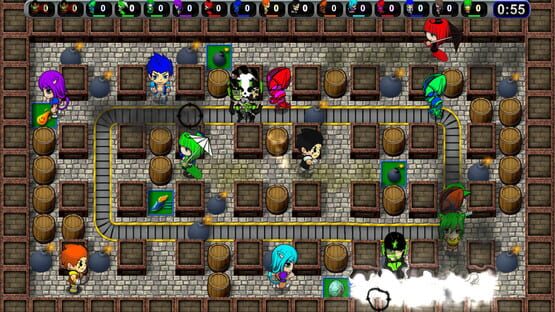

Splody
Spanish Localization!
If you find any errors, please drop us a note in the Splody forums.
v1.9.395 - Steam Deck / 64-bit Linux Support
- Add a native 64-bit Linux binary to hopefully help with compatibility problems on Steam Deck and some other Linux distros
v1.9.394 - [b]Steam Deck and Steam Remote Play Support[/b]
- Add default touch controller binding for Remote Play on Phone/Tablet
- Add support for Steam Dynamic Cloud (Steam Deck suspend/resume)
- Add ability to chat using just controller in Steam Big Picture mode
- Fix achievements window title formatting with very long player names
- Fix achievements sometimes synchronizing from current Steam user to current Discord user
v1.9.394 - Steam Deck and Steam Remote Play Support
- Add default touch controller binding for Remote Play on Phone/Tablet
- Add support for Steam Dynamic Cloud (Steam Deck suspend/resume)
- Add ability to chat using just controller in Steam Big Picture mode
- Fix achievements window title formatting with very long player names
- Fix achievements sometimes synchronizing from current Steam user to current Discord user
2022-01-23 - v1.9.393 - Bug Fix
- Fix rare hang or crash while exiting
2022-01-06 - v1.9.392 - Bug Fix
- Fix crash setting controller button mappings when using a non-Xbox, non-PlayStation controller and the active language is Japanese
2021-12-02 - v1.9.391 - Localization Update
- Fix being unable to localize part of the How To Play screen
- Updates to Chinese localization
- Add localization debug feature: Run /lang 1 and then holding Alt + Shift will show the localization key of most text
2021-09-05 - v1.9.390 - Bug Fix
- Fix layout of "Contacting Lobby Server" message in Portuguese
- Fix crash while joining a game in progress when the active language is Japanese
2021-08-29 - v1.9.389 - Bug Fix
- Fix round result displaying incorrectly with multibyte characters (JP/CN) (bug credit: SPRED BOMB)
Splody Update 9 - Community Localization
To try this out, when you next launch Splody, simply choose Languages from the main menu and pick your language.
Have any feedback about the localization? Things not looking right on some screen? Want to help translate more text into these, or a new language? Drop by the Splody Discussions and lend a hand!