

Star Explorers
Star Explorers Updated to Version 5.4.4
So, I saw that players were encountering crashed UFOs, and the interior would spawn in such a way that the entrance would lead directly to a dead end. I checked and double checked the code several times over many months. I could not quite figure out what was going on.
Then I woke up this afternoon (after a nap) and thought I would check again.
There was nothing wrong with the code! The code was perfect!
It was the models. The different interior UFO tiles were named incorrectly, and some that should have had a western passage (leading to the exit) actually faced east, and blocked off the west side. So I've just renamed the proper files and all your UFOs should be fully explorable now!
Star Explorers Updated to Version 5.4.3
Star Explorers Updated to Version 5.4.1
This is a new and improved version of my planet file checker. This time the game had been modified in a few other seemingly minor, but important ways.
Music Generation
Music generation happens when you land on a planet for the first time. The music data is saved to the same file as the planet data. However, the way the script was written, music generation would take a bit longer than generating a planet, and the game would not finish writing the file until the music was done.
That seemed to be the reason some planets would not reload properly. If the game was turned off before that file was complete, it would cause an error the next time you landed on it.
I have now streamlined the music generation script and it should be a lot faster. This should have he repercussion of making it far less likely to create a bad planet file.
Planet File Checker
So every once in a while when a player is landing on a planet, something can happen that will corrupt the planet file. This has presented itself such that when attempting to land on that planet again, the game will freeze during the re-generation process.
So I was inspired to write a script that checks if a planet file is actually valid before attempting to load it. Surprisingly it worked relatively easily!
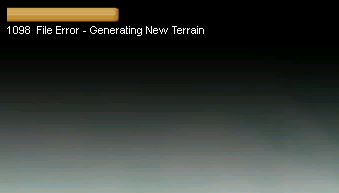
So now if a planet file has gone bad, the game will reject it and generate a brand new planet for you. You will see this message when you load the planet:
Other Stuff
I also made some slight adjustments to how the music starts and ends when entering a new area. Before, the music would start off at full volume when you loaded a new level, and sometimes this was a bit grating on the ears. Now the music should ease in very gradually.
Also, there was an audio glitch when leaving a level after the sounds all faded out. I have addressed this as well, so once the sounds fade out, there should no longer be any loud audio burst.
I am going to ask a few people to test this new version out before making it the default. But if you want to try it go to "Star Explorers > Properties > Betas" and select "testing" from the drop down menu.
Star Explorers Testing Branch Updated to Version 5.4.0
Music Generation
Music generation happens when you land on a planet for the first time. The music data is saved to the same file as the planet data. However, the way the script was written, music generation would take a bit longer than generating a planet, and the game would not finish writing the file until the music was done.
That seemed to be the reason some planets would not reload properly. If the game was turned off before that file was complete, it would cause an error the next time you landed on it.
I have now streamlined the music generation script and it should be a lot faster. This should have he repercussion of making it far less likely to create a bad planet file.
Planet File Checker
So every once in a while when a player is landing on a planet, something can happen that will corrupt the planet file. This has presented itself such that when attempting to land on that planet again, the game will freeze during the re-generation process.
So I was inspired to write a script that checks if a planet file is actually valid before attempting to load it. Surprisingly it worked relatively easily!
So now if a planet file has gone bad, the game will reject it and generate a brand new planet for you. You will see this message when you load the planet:
Other Stuff
I also made some slight adjustments to how the music starts and ends when entering a new area. Before, the music would start off at full volume when you loaded a new level, and sometimes this was a bit grating on the ears. Now the music should ease in very gradually.
Also, there was an audio glitch when leaving a level after the sounds all faded out. I have addressed this as well, so once the sounds fade out, there should no longer be any loud audio burst.
I am going to ask a few people to test this new version out before making it the default. But if you want to try it go to "Star Explorers > Properties > Betas" and select "testing" from the drop down menu.
Rolling Back to Version 5.3.8
Star Explorers Updated to Version 5.3.9
So I was inspired to write a script that checks if a planet file is actually valid before attempting to load it. Surprisingly it worked relatively easily!
So now if a planet file has gone bad, the game will reject it and generate a brand new planet for you. You will see this message when you load the planet:
This will still cause some less serious issues. The new planet may have different things on the surface, but should more or less have the same basic properties. So if it's a frozen planet, the new one will still be frozen. But if there was a cave in a particular place, that cave may longer be there.
I am concerned this may lead down a path of many more issues and potential bugs, but I think those will be better than the game just freezing and refusing to load a planet. The previous solution for this issue was to manually delete the planet file and load a new on anyway, so at least the process is automated now.
I have a feeling I will need to refine this script a bit, but so far it's doing what I intended. I hope it helps!
Star Explorers Updated to Version 5.3.8
Ancient Ruins
It was possible for certain treasure chests to spawn inside of a large rock formation or even a volcano, and occasionally under ice, making them inaccessible to the player. I have attempted to create a script that should prevent this behavior. Even on planets where the player has already encountered these obstacles, I am hoping the script will remove the offending obstacles and make the chests accessible.
Robot Fire
Enemy robot sentries were encountering a problem when trying to shoot at the player or at other nearby aliens. I believe this is now resolved and I was able to test successfully. Robots should now shoot at the player and other alien life forms.
Star Explorers Updated to Version 5.3.7
Suffocation Bug
A bug was reported a while ago, which I thought I had fixed. However it was reported again so I had a more careful look at the issue and was able to discover the root cause.
Basically if you ran out of oxygen on a planet and then took damage, the effect was reversed and either your suit condition or health would start going up instead of down.
Meteor Sounds
Some players have complained that meteor explosions are too loud. I agreed with this and finally got around to fixing it. I also adjusted the volume of the sound meteors make while still in the air.
Basically there is a better volume curve. If the meteor is very close when it crashes, it will still be quite loud. But the further it gets the more noticeable the drop in volume. Same applies to the sound it makes in the air, which allows that sound to fade in more gradually as the meteor gets closer to the ground. I hope it helps!
Star Explorers Updated to Version 5.3.6a
...
Are they gone?
Okay so what happened is when I updated all the weapons a while back, and allowed bipedal aliens to carry different types of weapons, I added a variable that lets the game know if a particular rocket is coming from the player or not. So the ancient alien blaster weapon is treated as a rocket in the script, but I forgot about this and failed to included that updated variable for blaster shots. In effect the game did not think the blaster should do any damage to enemies.
Watch me blow up some rocks...
https://youtu.be/nvFb08Po658
The game also was failing to show the right texture for the blaster. This should be working now as well.
I hope you enjoy the ancient alien blaster and all the fun that entails...
Star Explorers Pre-6.0 Beta Updated to Version 0.0.4
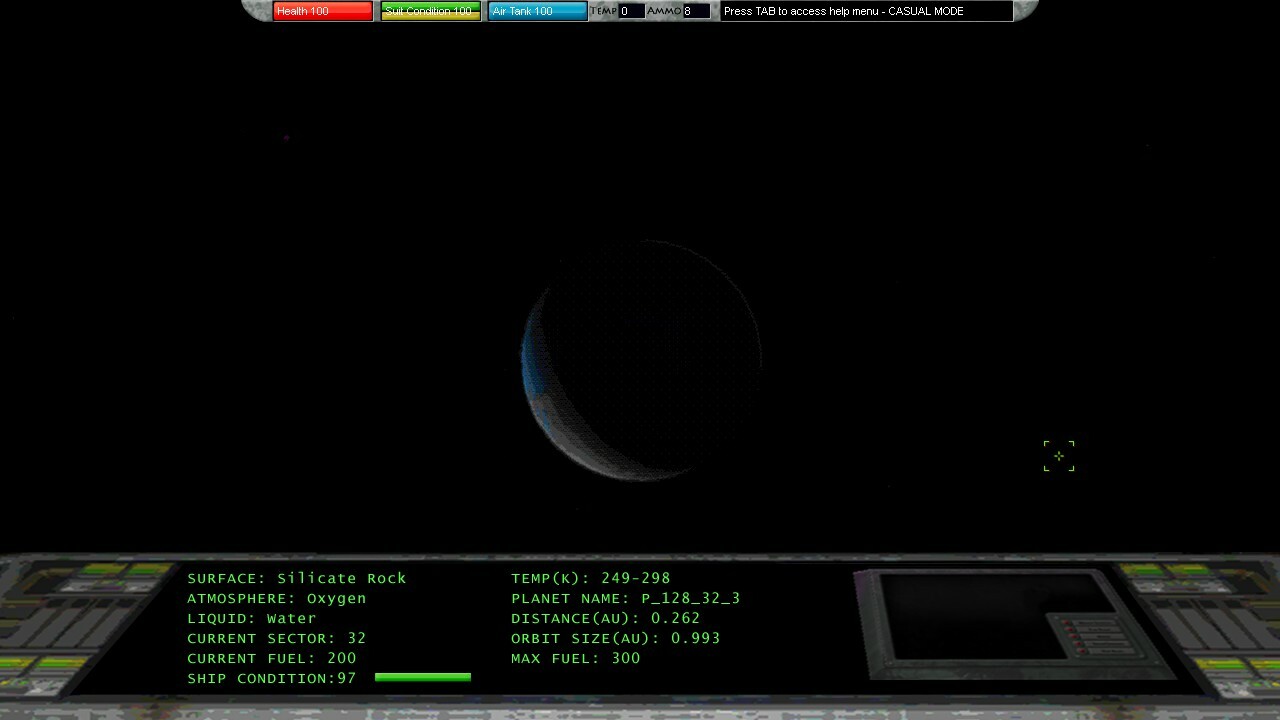
I was able to complete a run through of the main quest. There were a few hiccups along the way but I was able to fix things up and allow the completion of the main quest.

I plan to do some stress testing to the star chart next,