

Star Explorers
Star Explorers Updated to Version 5.2.9
The whole system is still a bit of a hack, so I am reluctant to make it the default method of using Full Screen. I am not saying I will improve upon it, as I am not sure exactly how to fix some of the underlying issues. I am also reluctant to make any major changes to the way resolution works. It is far from perfect, but changes have a tendency of causing a lot of unforeseen consequences, and I would prefer to keep things working for the majority of players as it stands...
There is a more in depth discussion about resolution and how it works here, if that helps anyone:
https://steamcommunity.com/app/502720/discussions/0/5401527630819996792/
Star Explorers Updated to Version 5.2.8
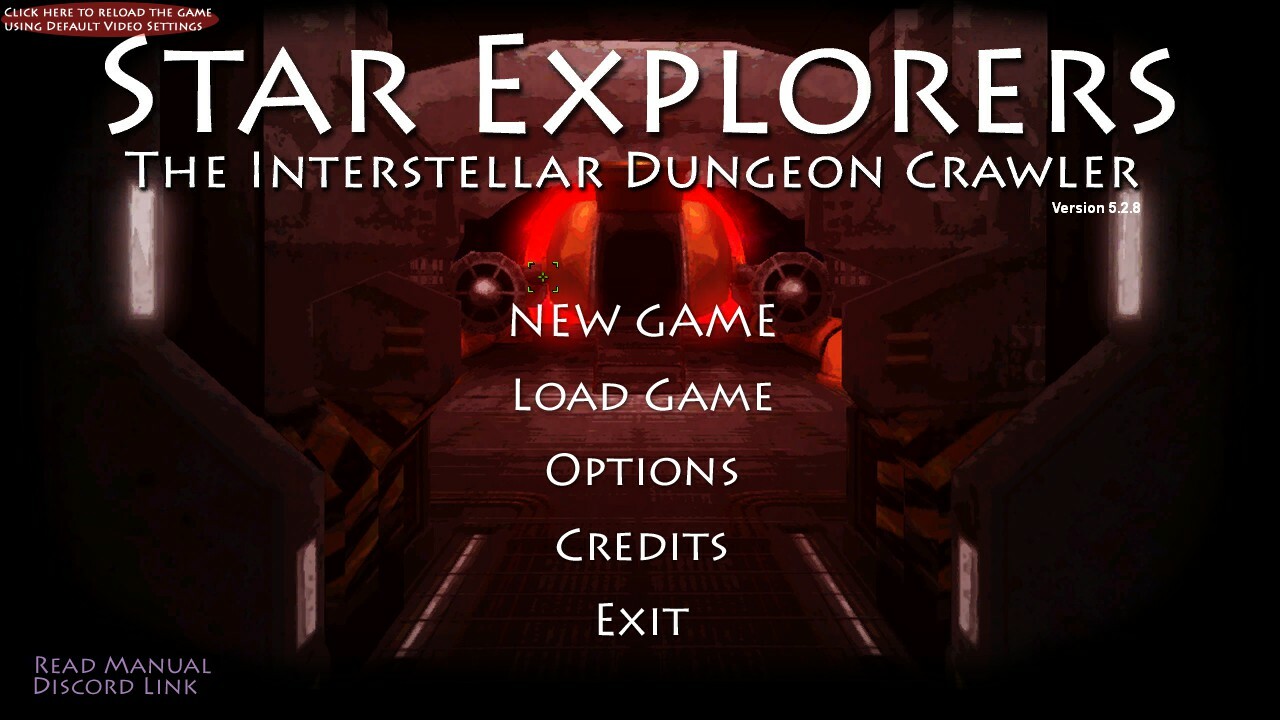
You can see a small reddish oval in the upper left corner. It says "click here to reload the game with default video settings." Somehow the game can still fail to get the setting right, and on some occasions under certain hardware configurations, the game will open in a window that is too small to be playable.
Previously, there was no way to fix this unless the user manually found the configuration file and deleted it (or edited it) but this was not a good solution.
So I offer a slightly less bad solution, which is this button.

If this happens again, the player can simply click this button and it deletes the configuration file for you, restarts the game and loads the default settings.
Interactive Guide
The interactive Guide is still available. However, instead of being on by default, I have turned it off. It (also) still has some issues and may be responsible for preventing the ship's computer from recognizing Acknexium when it has been found on a planet.
This is a bug that I am having a hard time reproducing. If anyone can offer any insights as to when and how this happens, I am very interested in hearing it. In general, if this happens, you can still complete the quest by finding Acknexium and trying again (on the same planet or another) but for obvious reasons it would be great to have it actually work consistently.
I have never gotten this problem to happen, despite many attempts. If anyone wants to record their play-throughs, that would be of great potential benefit, as I might be able to see what's happening.
In general, if you are using the guide, try to follow what it says exactly, and don't go off course until the guide says it is over. I will continue to try to reproduce this problem myself. Maybe I will get (un)lucky one of these days.
Star Explorers Updated to Version 5.2.7a
Thanks to some super helpful user feedback I was able to eliminate two potentially game crashing bugs when encountering certain bipedal aliens, as well as aliens with "breath" attacks.
If your game crashed wile visiting a planet with bipedal aliens, they will no longer appear on that planet, but other alien types should continue to spawn. This is because bipedal aliens are each unique NPCs with their own names, quests and items to trade.
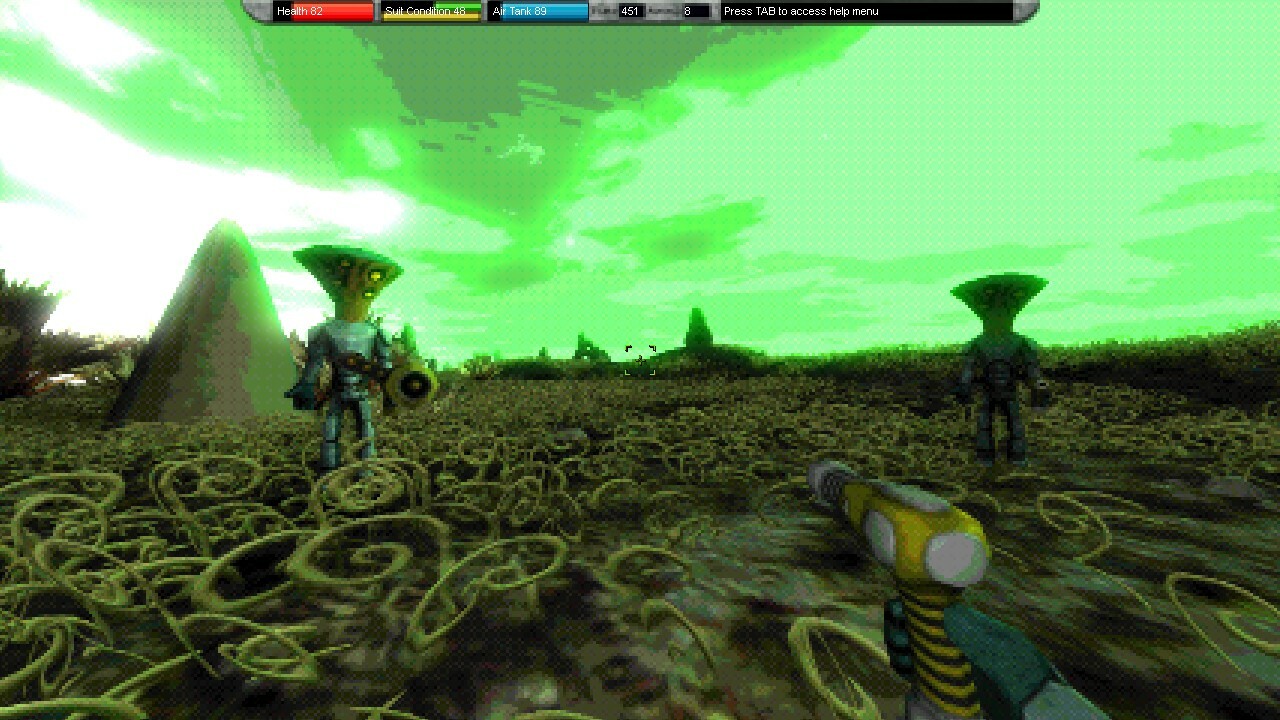
The good news is that since the bugs have been isolated, any new planets you land on should not cause the crash. Also, any planets you landed on previously with bipedal aliens, without crashing, should continue to load as before, with the aliens intact ... unless you killed them.
Star Explorers Updated to Version 5.2.7
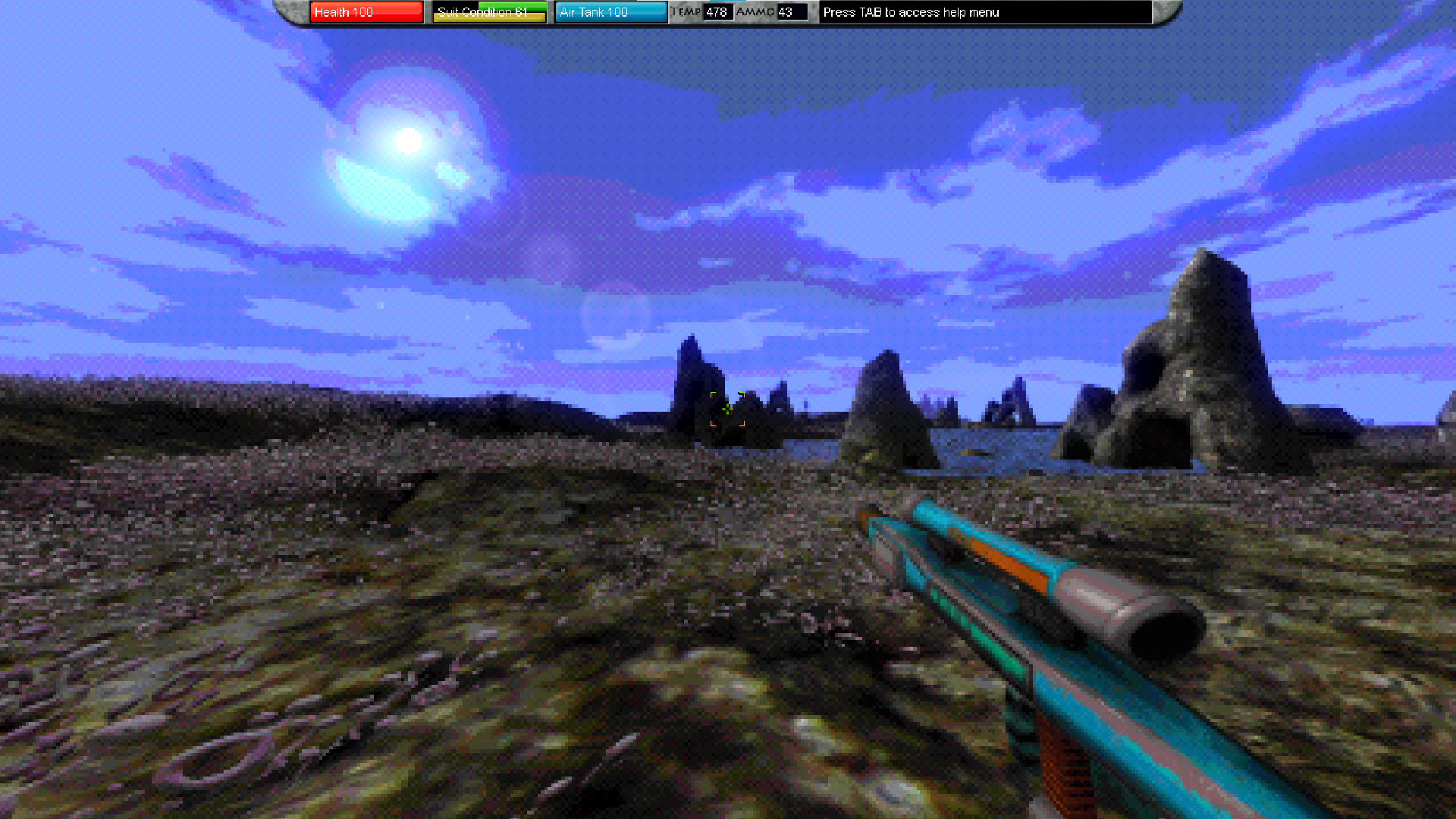
For those of you who enjoy higher resolution and more colors, you can always disable these. But, honestly I don't think the game has ever looked better. To each their own.
Here are a few images with the latest shaders...


Star Explorers Updated to Version 5.2.6b
I have fixed the issue and tested it to confirm it is working as intended, as demonstrated in the following screenshots:
I encountered this robot in the depths of the UFO...
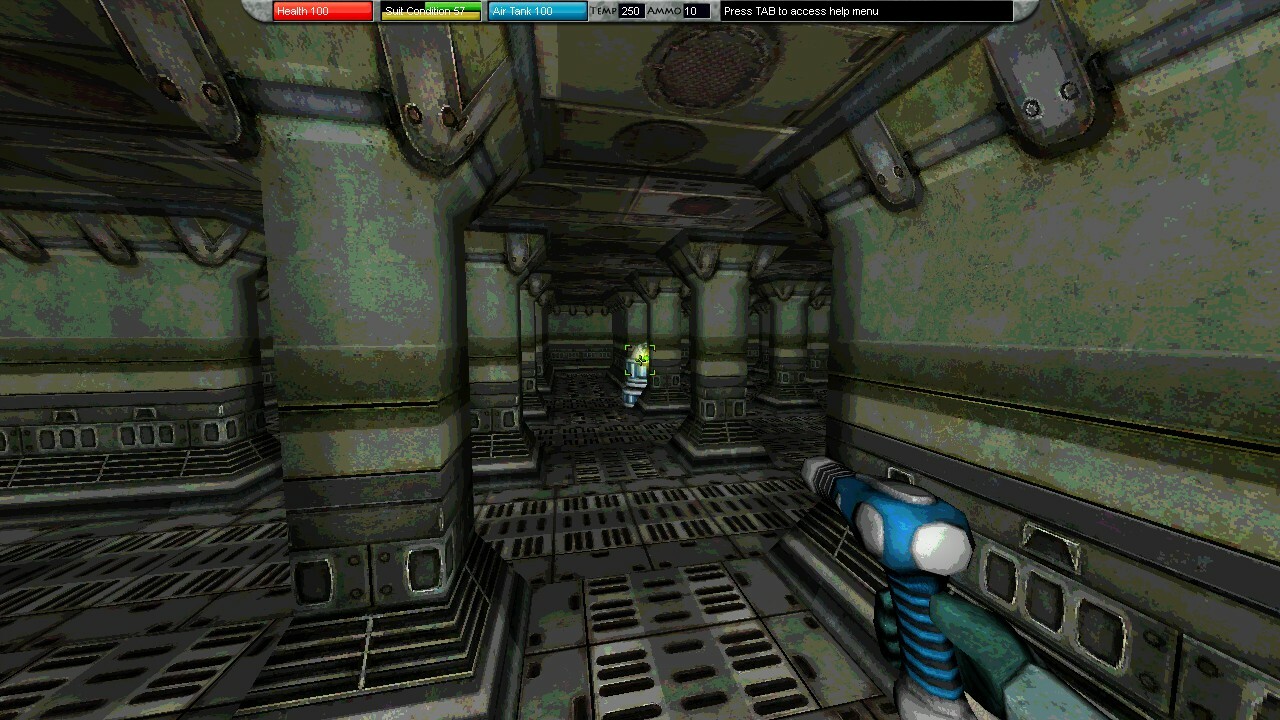
I managed to destroy it, with no crash...

Along with this one...

And this one...

This is unrelated to the issue with bipedal aliens, which still might cause an error. However, as far as I am aware that error does not crash the game, but simply disables the alien, causing it to freeze and stop reacting to the player.
Star Explorers Updated to Version 5.2.6a
I have updated the game to allow for a kind of full screen maximization.
The old border option is still there, so if you prefer that you can still use it.
How to Activate Full Screen with UI Scaling
However if you do not want to see the border, you can un-check "border" in the video options menu. Then, when you restart the game, it will be in a borderless window. Press F10 to maximize the window and get a full screen with UI scaling. F11 will reduce the window size back to it's original setting.
What is all This?
For any of you who are already using the game's full screen mode, and don't understand all the fuss, it will make more sense if you have a very high resolution monitor. The normal full screen mode does not increase the size of menus and text, so they can become unreadable if you are using a 4K monitor.
With the method mentioned above, you will actually be setting the game's resolution to a lower value (like 1280 x 720 - the default minimum screen size for Star Explorers) and maximizing it, which will stretch out the pixels to fill the screen. So this method stretches out menus and text along with the pixels, giving you a lower resolution, but more readable game.
Ultra Wide Support
This should also work for ultra-wide monitors, as long as you set the resolution to match the ratio of your ultra-wide monitor. For instance, if your monitor is 3840 x 1600, you can set the game's resolution to about half of that (1920 x 800) - make sure it is set to window mode with the border off before you hit restart - then press F10 to stretch that window out to full screen size.
Star Explorers Updated to Version 5.2.6
Alien Interactions
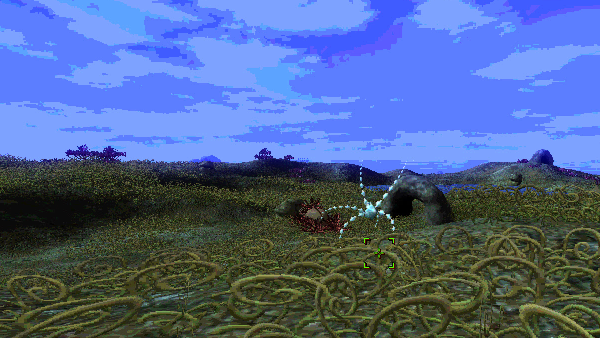
Aliens will now interact with each other. They might fight each other, they might run away from each other ... they might do stuff that makes little sense, but that's the point! The goal is to have more emergent gameplay. This, combined with other things like the more robust explosions added last week, will slowly build Star Explorers into a much more dynamic environment.
Here is a strange animal confronted by a star shaped floater
Additional Revisions since 5.2.5a
I've made a few tweaks since the testing branch release a few days ago. Most notable are the increase in alien distance from one another, they used to spawn really close to one another, but now they will be spread out a bit. A couple of other minor issues were also addressed.
- I adjusted how flashing messages work. They flash on and off like before, but I extended the on period and shortened the off period, so they are more readable.
- The game now prevents the gun from firing when clicking on tutorial messages in the interactive guide.
- Non-lava planets can now have volcanoes.
Weapon Tiers
I have updated the whole weapons system, now weapons have three tiers. Yellow weapons represent the lowest quality weapons. Blue are the middle quality, and red are rare, and highly powerful weapons. From a gameplay standpoint, these kinds of weapons, in terms of the increase in firepower, already existed in the game, but they were not color coded and all looked the same.
I think it adds a certain level of comprehension, so you can tell at a glance which weapons will be more useful. I also might actually update the models, so each tier has more interesting looking weapons, but for now color coding was a fast and easy way to get this system started.
Here, you can see two different color laser pistols (yellow and blue) among other things

Alien Weapons
Bipedal aliens have been given an upgrade. Instead of just standard laser pistols, they can now have assault rifles and even rocket launchers! I have abstained from giving them access to sonic cannons because they would be likely to kill off their friends.
Weapon Costs
Weapons now have a working system of differentiating the cost of the weapon from the cost of any ammo that has been loaded into the weapon. You can still buy and sell loaded weapons. But if you unload them, the price drops accordingly. Rocket launchers and sonic cannons are considerably more valuable when loaded.
Star Explorers Testing Branch Updated to Version 5.2.5
Alien Interactions
Aliens will now interact with each other. They might fight each other, they might run away from each other ... they might do stuff that makes little sense, but that's the point!
I was still getting a rare, occasional bug, but nothing game breaking. Also, it hasn't happened in a while and I suspect it might have been resolved. At worst, what might happen (with this bug in particular) is that one of the bipedal aliens might freeze and stop interacting.
I plan to release it to the main branch by the weekend but I figure this is something I should continue testing a bit longer. These are pretty significant changes, so who knows what else might go wrong...
Here is a strange animal confronted by a star shaped floater
Weapon Tiers
I have updated the whole weapons system, now weapons have three tiers. Yellow weapons represent the lowest quality weapons. Blue are the middle quality, and red are rare, and highly powerful weapons. From a gameplay standpoint, these kinds of weapons, in terms of the increase in firepower, already existed in the game, but they were not color coded and all looked the same.
I think it adds a certain level of comprehension, so you can tell at a glance which weapons will be more useful. I also might actually update the models, so each tier has more interesting looking weapons, but for now color coding was a fast and easy way to get this system started.
Here, you can see two different color laser pistols (yellow and blue) among other things
Alien Weapons
Bipedal aliens have been given an upgrade. Instead of just standard laser pistols, they can now have assault rifles and even rocket launchers! I have abstained from giving them access to sonic cannons because they would be likely to kill off their friends.
Weapon Costs
Weapons now have a working system of differentiating the cost of the weapon from the cost of any ammo that has been loaded into the weapon. You can still buy and sell loaded weapons. But if you unload them, the price drops accordingly. Rocket launchers and sonic cannons are considerably more valuable when loaded.
Testing Branch
If you want to try out the latest version, navigate in Steam to "Star Explorers > Properties > Betas" and enter the code "rocketship1234" to unlock the testing branch. Please report any bugs or issues to me, or better, record your play session so I can see exactly what went wrong. I hope nothing goes wrong, but I'm trying to anticipate these issues before they happen.
Coming Soon - Alien Interactions!
https://youtu.be/7sRhgyqcavI
You may also have noticed some robots outside of the crashed UFO ... that's new too.
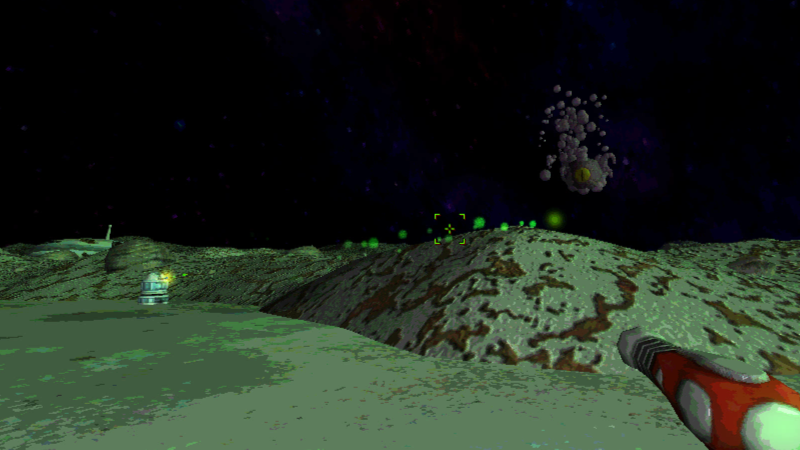
It is somewhat hard to see what's happening in the video, so as an example, in the following image, you can see a robot shooting at two tentacled "floaters." In this image, one of the floaters has been hit, and it is in the process of exploding into little bits (also new).
There are still a few loose ends and possible bugs to tie up, but I hope to have something ready by this weekend. Please feel free to share any thoughts or suggestions on this. It's the first time I have attempted anything like this, so player feedback is important.
Star Explorers Updated to Version 5.2.4a
Explosions now damage the player.
To be fair, some explosions did damage the player previously, namely exploding aliens and meteors. However, the rocket launcher did not damage the player at all if you fired it at close range. Now it does, as do the exploding fuel crystals seen in the last update.
You can see how it works here:
https://youtu.be/40swfyAk8v0
ALSO:
I think I finally fixed the Sonic Cannon. It was working, but sometimes it didn't always register a hit, so it seemed a bit faulty. I found out it was calculating direction incorrectly, and now it should actually hit stuff when pointing at it.