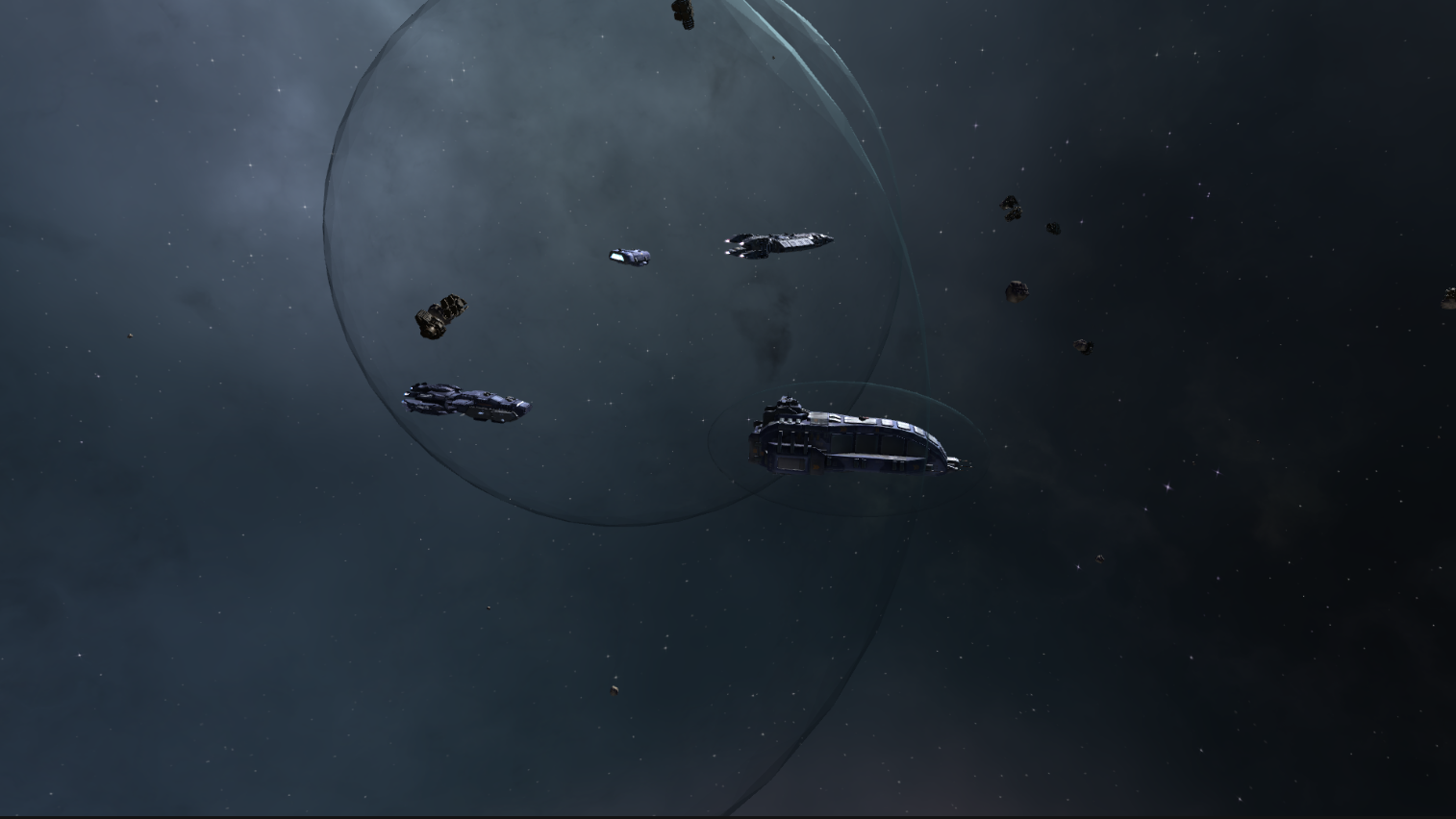
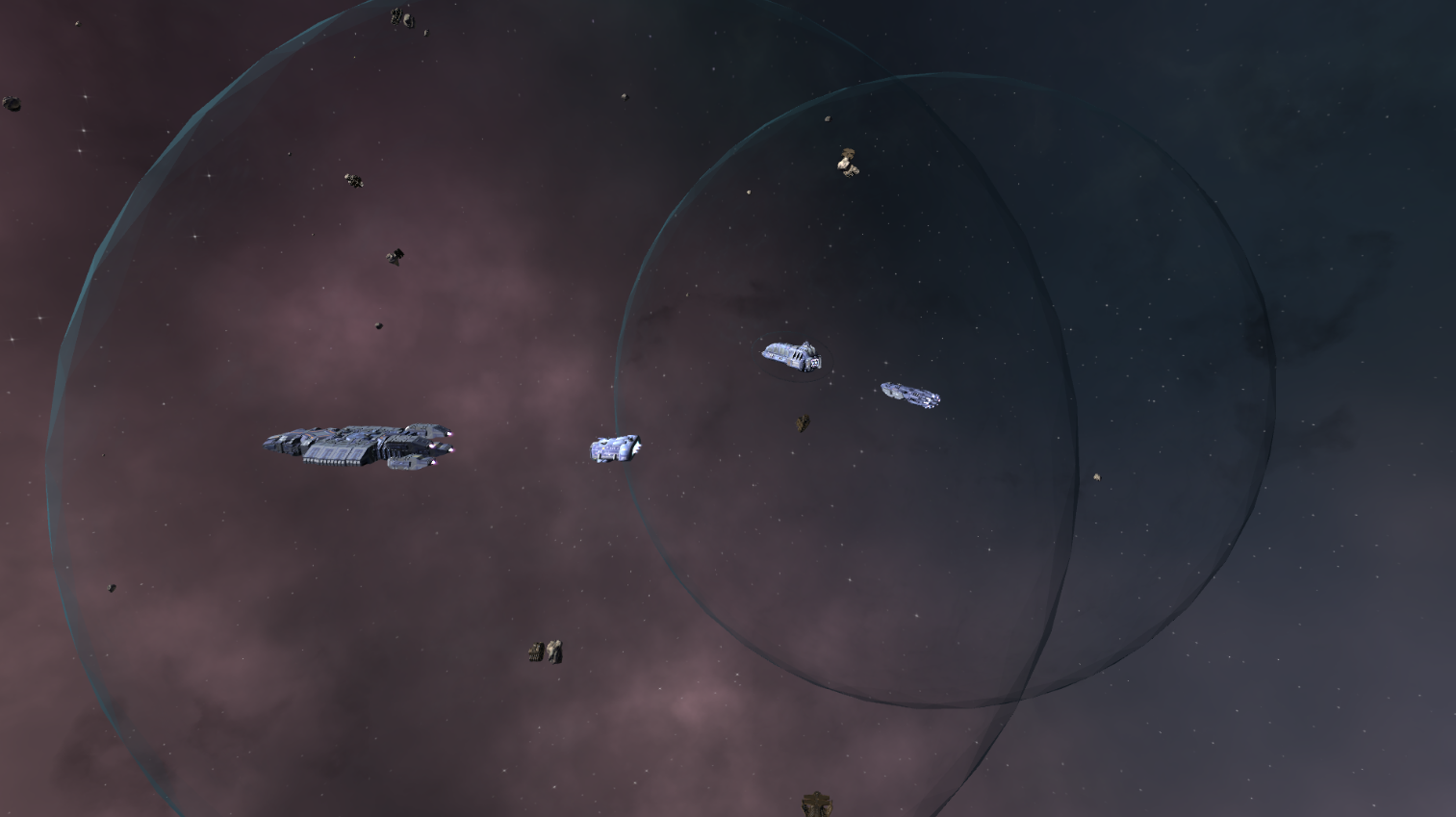
[p]This update represents one of the largest gameplay overhauls so far for Stellar Warfare.[/p][p]Over the past months we have rebuilt the camera and navigation systems to properly support commanding fleets in true three-dimensional space.[/p][p]Previously the control model behaved closer to a traditional ground RTS projected into space. With this update, fleets can now be commanded naturally across vertical space, allowing battles to unfold across multiple altitude layers with much clearer control and visibility.[/p][p]Several parts of this overhaul directly address feedback we received from players about:[/p]
[p]Camera behaviour during large battles[/p]
[p]Difficulties controlling fleets at high altitude[/p]
[p]Spatial orientation in complex engagements[/p]
[p]Navigation clarity when commanding multiple units[/p]
[p]Many players also asked for a camera system closer to the classic Homeworld-style orbit camera, which is now fully supported.[/p][p]The result is a much smoother and more readable experience when commanding fleets during large-scale space battles.[/p][p][img src="https://clan.akamai.steamstatic.com/images/35421124/bacc9f767b3c4d7dbc025d9e370e996008c7b719.png"][/p][p]Alongside this overhaul, many surrounding systems were updated or rewritten including:[/p]
[p]Camera focus behaviour[/p]
[p]Movement indicators[/p]
[p]Unit placement tools[/p]
[p]UI feedback[/p]
[p]Mission scripting safeguards[/p]
[p]Spatial reference elements in the environment[/p]
[p]These improvements form an important foundation for future gameplay systems that will further expand fleet combat and large-scale battles.[/p]
Key Improvements
True 3D Fleet Navigation
[p]Fleet control has been redesigned to work more naturally in vertical space.[/p]
[p]Players can now more easily command units at different altitude levels while maintaining clear visual awareness of the battlefield.[/p]
[p]Several improvements were made to how units move, respond to commands, and interact with camera depth during combat.[/p]
Rebuilt Camera System
[p]The camera system has been significantly expanded and improved.[/p]
[p]Players can now use both the original camera mode and a Homeworld-style orbit camera, allowing more flexible control over how battles are viewed and commanded.[/p]
[p]Focus behaviour, zoom logic, and camera transitions were also redesigned to reduce unexpected jumps and improve overall control.[/p]
Better Spatial Awareness
[p]Large space battles can now be read more easily thanks to additional environmental reference points and improved visual indicators.[/p]
[p]New debris fields and spatial elements help provide orientation within the battlefield while updated movement indicators make unit commands clearer.[/p]
Improved Unit Placement and Height Control
[p]Building and unit placement tools have been improved to make managing structures and fleets at different altitude levels more consistent.[/p]
[p]New height indicators and improved placement stability help reduce confusion when operating above or below the primary battle plane.[/p]
Mission and Camera Stability Improvements
[p]Several campaign missions and scripted sequences were updated to ensure camera behaviour remains consistent during cinematic moments and gameplay transitions.[/p]
[p]Safeguards were also added to prevent missions from getting stuck in unintended camera states.[/p]
Full Patch Notes
Camera System Overhaul
[p]Implemented a redesigned strategic camera with both Homeworld-style orbit camera and original camera fully supported[/p]
[p]Major fixes to ensure core camera functions now behave correctly in both camera modes[/p]
[p]Reworked focus system so the camera can reliably focus on any object without unintended zoom jumps[/p]
[p]Improved orbit focus behaviour so camera jumps to targets without spawning inside objects[/p]
[p]Added multi-stage focus zoom behaviour for orbit camera[/p]
[p]Added logic to correctly return to the player’s preferred camera after temporary scripted camera changes[/p]
[p]Added safeguards to ensure missions restore the correct camera after forced follow sequences[/p]
[p]Camera now initializes correctly on game start with the intended camera mode[/p]
[p]Improved camera switching behaviour and removed several edge cases where the wrong camera could remain active[/p]
[p]Refactored camera input handling to use the input system rather than hardcoded keys[/p]
[p]Improved zoom behaviour and camera snap logic to prevent incorrect intermediate zoom levels[/p]
[p]Increased maximum tracker camera distance from targets[/p]
[p]Improved smoothness of camera transitions and zoom behaviour[/p]
[p]Added reset camera functionality[/p]
Full 3D Navigation Improvements
[p]Reworked navigation behaviour to better support commanding units across vertical space[/p]
[p]Improved camera depth handling and object focus behaviour[/p]
[p]Units can now be positioned and commanded more easily at different altitude levels[/p]
[p]Improved camera control while operating at high altitude[/p]
[p]Added additional environmental reference points such as space debris to make spatial orientation clearer[/p]
[p]Improved movement handling so units respond more predictably when navigating in three-dimensional space[/p]
[p]Added improved behaviour when focusing new targets without needing to switch camera modes[/p]
Tracker Camera and Targeting
[p]Implemented tracker camera functionality that allows following selected objects[/p]
[p]Tracker camera can now track both units and asteroids[/p]
[p]Added support for switching to tracker mode via input commands[/p]
[p]Improved focus targeting logic for enemy units and objects[/p]
[p]Added support for focusing new targets directly while already using the orbit camera[/p]
[p]Improved target distance calculations when focusing different unit types[/p]
Unit Movement and Command Improvements
[p]Improved movement responsiveness for units[/p]
[p]Adjusted formation behaviour and movement transitions[/p]
[p]Improved focus transitions when switching targets during combat[/p]
[p]Units now zoom to preset distances depending on the type of object selected[/p]
[p]Improved movement circle indicators and path visualization[/p]
[p]Added new line renderer for selected unit movement paths[/p]
[p]Updated movement indicator visuals for better readability[/p]
[p]Improved bottom-left selection indicators so they correctly show selected unit names and camera focus targets[/p]
[p]Added asteroid resource value display to selection indicators[/p]
[p]Polished multiple GUI elements for clarity and consistency[/p]
[p]Updated instruction texts and UI field descriptions[/p]
[p]Hid focus-target GUI elements when the main GUI is disabled[/p]
[p]Added translation labels for new objectives[/p]
[p]Updated localization entries for camera options and related UI elements[/p]
Mission and Scripting Stability
[p]Fixed camera issues in several campaign missions[/p]
[p]Added safeguards for missions to restore the correct camera after scripted events[/p]
[p]Fixed cases where missions could remain stuck in cinematic camera mode[/p]
[p]Fixed issues related to forced follow sequences[/p]
[p]Improved mission camera transitions during scripted events[/p]
Environment and Visual Elements
[p]Added additional space debris and environmental objects[/p]
[p]Adjusted skybox settings and rotation values[/p]
[p]Converted dust mote effects into prefabs[/p]
[p]Added dust particle visual effects[/p]
Gameplay Balance
[p]Adjusted Offender metal cost and power cost[/p]
[p]Adjusted Starspear Torpedoes cooldown and damage values[/p]
[p]Reduced alpha damage while increasing fire rate[/p]
[p]Reduced cost of Eradicator and Eradicator V2 units[/p]
Performance and Code Improvements
[p]Optimized height indicator scripts[/p]
[p]Moved rendering logic out of OnGUI for improved performance[/p]
[p]Refactored several camera and control scripts[/p]
[p]Improved structure of camera manager systems[/p]
[p]Renamed variables and methods for clarity[/p]
[p]Removed unused variables and legacy code[/p]
[p]Cleaned up several camera helper functions[/p]
[p]Optimized resource loading behaviour for certain gameplay systems[/p]
[p]Improved script organization and separation of responsibilities[/p]
Additional Fixes
[p]Fixed bug where selecting a single unit would not play its selection voice line[/p]
[p]Fixed minimap behaviour that could cause unintended zooming[/p]
[p]Improved behaviour when switching focus targets quickly[/p]
[p]Fixed edge cases related to camera snapping and target distances[/p]
[p]Numerous smaller stability fixes across camera, UI, and mission scripts[/p]
[p][/p]
Looking Ahead
[p]Development of Stellar Warfare is continuing actively, with several additional gameplay improvements and content updates currently in progress.[/p][p]If you haven’t played the game in a while, this update significantly improves how commanding fleets in true 3D space feels during large battles.[/p][p] [/p]
Winter Sale & Updated Height system, Object Density and new AI preparations
[p]Hey everyone![/p][p]Here’s a quick rundown of what we’ve been working on recently. This update focuses mainly on performance optimizations, UI fixes, and continued progress on co-op, even if some features are temporarily being held back until they’re ready. The main changes have been done in a new height system that makes navigating a bit easier, preparing groundwork for a brand new AI, as well as making the Zabu and Asteroid field more detailed![/p][p][/p][p]Building & Map Constraints[/p][p]⦁ Preparation has been done for a new AI system where there are various sizes maps to try as well as automated economy, battle, or both (optional!)[/p][p]⦁ Height clamping added to make the battlefield more condensed and ready for future mods[/p][p]⦁ The battlefield now feels more full and detailed[/p][p]⦁ Building placement height is now properly clamped to vertical map bounds[/p][p]⦁ Scroll height limits are now properly clamped to vertical bounds[/p][p]⦁ Destination altitude scrolling has been limited to prevent invalid or unintended values[/p][p]⦁ We intend to add an optional camera system in the style of Homeworld as well at a later stage to make navigation easier for those who are more used to that type of controls[/p][p][/p][p]Performance & Optimization[/p][p]⦁ Loot crate performance overhaul[/p][p]⦁ Optimized the loot crate system to eliminate performance spikes when opening crates. All required images and prefabs are now preloaded into a cache at game start, preventing intermittent freezes during gameplay.[/p][p]⦁ Resource loading improvements[/p][p]⦁ Loot crate resources now load only once when entering the in-game UI, instead of repeatedly during play.[/p][p]⦁ Reduced redundant loading[/p][p]⦁ Further optimization ensures certain resources are loaded a single time only, improving overall runtime performance.[/p][p][/p][p]Co-op spawn safety[/p][p]⦁ Added a height clamp to the Atrix co-op spawn system to prevent spawning issues.[/p][p][/p][p]UI & UX Improvements[/p][p]⦁ Updated co-op splash screen[/p][p]⦁ Building menu resized[/p][p]⦁ Slightly increased the size of the Building Menu for better readability.[/p][p]⦁ Ultra-wide display fixes[/p][p]⦁ Corrected control button orientation on ultra-wide monitors.[/p][p]⦁ Progress bar fix[/p][p]⦁ Progress bar resizing now uses a fixed delta value for consistent behavior.[/p][p][/p][p]Controls & Localization[/p][p]⦁ Reset keybinds button added[/p][p]⦁ You can now reset keybindings directly from the keybinds menu.[/p][p][/p][p]Localization hotfix[/p][p]⦁ Fixed localization issues in the keybind menu, including proper translated labels.[/p][p][/p][p]Multiplayer & Co-op Status[/p][p]⦁ Co-op vs AI temporarily removed (we are working on a new system for this)[/p][p]⦁ The Co-op vs AI option has been removed from the multiplayer menu for now. There are still several issues to resolve before it’s ready to go live, and we’d rather ship it polished than rushed.[/p][p][/p][p]Ongoing branch merges[/p][p]⦁ Continued integration work between development branches to align co-op, Atrix, and Aber systems.[/p][p]That’s it for this update! The next update will most likely be regarind the new AI system, but it depends on what we get done first and how satisfied we are with the result![/p][p]As always, thanks for your patience and support while we keep improving stability and laying the groundwork for upcoming features—especially the new AI we're working on. More news soon! 🚧✨[/p][p]— The Dev Team[/p]
Loud intro fix + skip intro button
[p]After someone told me the skip intro button didn't work I went and investigated. Actually a few things were unset for some reason, and I've managed to fix it. [/p][p]The intro video is loud in any case. So I've now set the volume for it a lot lower. No need to make anyone deaf! That said, it does sometimes seem to still revert to the old volume. Luckily the skip intro button should now work again, so it should be able to get skipped from the options menu for those still experiencing issues (just scroll down in the options menu and tick the box 'skip intro'). [/p][p]More updates are coming and a few of them are quite large. We're doing the best with the tools we have currently and we'll keep you guys posted on anything significant! [/p]
🛠️ Devlog Update – New Bulwark Variant + Resolution Fixes!
Dear Admirals,
We’ve got a quick but solid update for you today, featuring a new unit variant and an important quality-of-life fix for players with high refresh rate monitors.
🔧 New Unit: Bulwark Type B Say hello to Bulwark Type B, a new variant designed for players who prefer a more balanced resource cost profile and slightly different customization:
⚙️ Balanced Metal/Power Cost: Unlike the original Bulwark, Type B has a more equal metal/power cost ratio, making it easier to fit into flexible builds.
🛡️ 1 Extra Turret Slot: Lay down more firepower and tailor your defenses just a bit more.
🧩 1 Fewer Module Slot: In exchange for that extra turret, you’ll need to be a bit more strategic with your module choices.
This variant opens up new strategic possibilities and gives players more ways to adapt their loadouts based on playstyle.
🖥️ Resolution Dropdown Selection – Fixed! We’ve fixed an issue where the resolution dropdown was showing up empty for some players—especially those with high refresh rate monitors (like 144Hz or above).
What was wrong? We were filtering out duplicate resolution entries based on refresh rate, but not all refresh rates were being accounted for. That meant players with high-refresh monitors weren’t seeing any options listed.
What’s fixed? The filtering logic has been updated to correctly recognize and include all valid refresh rates. Now your full resolution list should appear as expected—no more empty dropdowns!
That’s it for this update! Let us know how the new Bulwark Type B plays, and if the resolution fix helped your setup.
Until next time — The Development Team
AI Tweak, audio enhancement
Gameplay Updates - AI Skirmish Behavior Improved - AI ships in skirmish now spawn properly with the correct orientation from the shipyard
Audio Enhancements - Loot discovery feedback reward sound added. Added a new sound effect when finding loot to make those moments even more satisfying!
Multiplayer Adjustments - Save Option Removed from Multiplayer: it was never supposed to be there and thus it never worked. To maintain game integrity and avoid sync issues, saving is now disabled in multiplayer game modes.
Balance & Stats Pulverizer Stats Reset. We’ve reset stats related to the Pulverizer to accommodate upcoming balance changes. In case you missed it last time ;)
🌍 Localization New Font Support Added default Latin and Polish font support to improve readability across supported languages.
🕳️ Campaign Fixes Mission Bug Squashed Fixed an issue where a campaign mission could trap players in a “black hole” state. You should now be able to progress smoothly.
Small Patch Update and Upcoming Major Update news.
Hello, space fleet Admirals!
While we’re hard at work on a larger update, we’ve accumulated a number of smaller fixes and improvements that we know many of you would prefer to see sooner rather than later. So, we’re rolling out this small patch today!
And for those eager for what’s next—here’s a little spoiler: We’re working on an input rebinding system and a multiplayer skirmish AI that can fight alongside players in the same team! Stay tuned for more updates.
Now, onto the patch notes:
Changes and additions
Reduced ship speed construction boost applied by Matter Converter module from 20% to 10%.
Added ability to rotate the camera in direct ship control mode by holding Left Control
Bug Fixes
Fixed Black Hole bug in the last three campaign missions where they appeared inactive
Removed unintended custom Hz options being set or displayed in the dropdown list.
Localization Fixes
Fixed various mistakes in Ukrainian and Russian localizations.
Fixed Polish localization font issues.
Fixed Japanese localization issue where module descriptions and flavor text were mixed up.
Fixed Mirror Optics displaying incorrect stats in descriptions across all languages.
Localisation Update Patch Notes
Greetings, players!
In order to avoid spamming your library and store feeds with a lot of smaller patch notes, we decided to compile everything changed since January 17th into this update post. Have a nice read, and enjoy playing Stellar Warfare!
Text localisation for 14 new languages
The most noticeable part of this update was the addition of text localisations for the following 14 languages:
Dutch
Japanese
Swedish
German
Ukrainian
French
Spanish
Portugese
Polish
Turkish
Russian
Simplified Chinese
Korean
Italian
If you do not see your language here—don't worry, this list isn’t final. If we have the opportunity to support more languages, we will.
On that note, if you are a fluent Arabic speaker or know someone who is, please contact us on Discord. We will require your help testing the Arabic localisation.
If you find anything wrong with the existing translations, please report them here: https://steamcommunity.com/app/1113030/discussions/0/758393776033074242/?snr=2___
New features
Auxilium and Dome Cruiser have received new capabilities. These two support ships, in addition to still being great versus carrier strike crafts, now feature built-in shields that expand beyond their own "zones of comfort" to cover nearby allies from incoming fire.
A new weapon damage-boosting module, "Weapon Overload," has been added. For each unit of this module installed on your ship, it will receive +15% weapon damage but lose -20% of its total health points. Players who love their glass cannon builds will surely find this module interesting.
Balance changes
Heavy ships now grant +100% fire rate boost to mounted weapons.
Medium ships now grant +33% fire rate boost to mounted weapons.
The cost of the Unmaker super weapon was reduced to 3000 metal and 3000 power.
New storage buildings now grant +750 metal and +750 power by default (previously +500).
Quality of Life changes
The Left and Right Shift, Control, and Alt keys now have the same functionality.
Players can now access Ship Tester mode and Single Player campaign menu from the Fleet Editor.
Improved UI for the main and in-game options menus.
Fixes
Added veterancy rank and health information to tooltips.
Fixed the issue in bridge cam (direct-control) where spinal weapon projectiles were firing towards the center of the map.
Fixed tactical icon states not reverting after exiting bridge cam (icons now stay as they were before entering the mode).
Fixed the "Don't remind me" popup not disappearing on game start.
Fixed the tutorial popup hiding the "Don't remind me" toggle on extra-wide and ultra-wide screens.
Fixed scaling issues with the main and in-game options menus on extra-wide and ultra-wide screens.
Fixed scaling issues with mod menus on extra-wide and ultra-wide screens.
Fixed the “ship order refund” money exploit.
Fixed several minor localisation mistakes and bugs.
Big language update, insights & Steam RTS fest
Commanders,
As we gear up for the Steam RTS Fest, we’re thrilled to bring you one of Stellar Warfare’s most international and community driven updates yet! Here’s everything you need to know about the latest changes launching alongside this major milestone:
Global Translation Update The galaxy is getting bigger and better! With 4,000 lines of text now translated into 14 different languages, players from all over the world can experience Stellar Warfare in their native tongue. We went over every text field in the game that we could find, and added translations to each of them.
The following languages will be included:
Dutch
Japanese
Swedish
German
Ukrainian
French
Russian
Spanish
Portuguese
Polish
Turkish
Chinese
Korean
Italian
The community has been essential in this endeavor. Many of you have helped submit translations for areas of the game, which we've all implemented. Since this is a community effort, there are chances of inaccurate translations here and there. Especially since we had to add some last-minute keys for some translations that were missing here and there due to us finding a few more text fields that previously escaped our attention. Should you notice any odd translations please feel free to inform us via steam or discord and we'll make sure to resolve these for the next patch!
We have set up a steam community board for this at this location: https://steamcommunity.com/app/1113030/discussions/0/758393776033074242/
See anything weird? Let us know! As an extra reminder, please, if you see any translations that you think could be improved or be more accurate in your native language please let us know.
Gameplay Enhancements For ages now building small ships has been the meta for both raids and full blown space battles. This made medium and heavy ships less relevant. That has now been changed by improving the fire rate of both medium and heavy ships.
An upgrade was returned to the player's shipyard that allows it to passively regenerate health. This should slightly reduce or increase the shipyard's chances of surviving enemy raids.
A refresher We also want to share some facts that a lot of the players don't know about. Things that could give you the advantage in a fight... ⦁ Selecting a ship and pressing B allows you to directly control them. And allows ramming them into enemy ships and structures, where they will deal damage, and take damage, equal to their health values ⦁ Pressing C enables the cinematic camera ⦁ Building a defensive structure next to a Zabu Plant, Zabu Generator or Zabu Complex increases the damage these defenses deal ⦁ You can build Matter Refiners and Energy Boosters next to Zabu's and production buildings to drastically increase the amount of resources they generate ⦁ There's a button for 'neutral projectile colors' in the bottom right of the screen, which allows you to play a slightly more realistic and less colorful game ⦁ Upgrading the shield generator structures shield values increases the shield strength of the overshield, meaning you will be able shield all structures inside of it more effectively ⦁ The Unmaker, deals friendly fire when launched. For this reasons its best to build it just outside your base. But not too far, because building it too far out from your base makes it easy to be destroyed and countered. Upgrading the health of nearby structures can prevent their demise however...
Meta Goals This patch is all about encouraging creative playstyles. By refining balance and improving combat depth, we’re ensuring every fleet type can shine. Mix and match your builds, refine your tactics, and dominate the stars your way!
Bugfixes 1. Added veterancy rank and health information to tooltips 2. Fixed a direct-control and bridgecam issue in which projectiles got fired to the center of the map 3. Fixed the 'dont remind me' popup not going away on gamestart 4. Fixed tactical icon state not being reverted after exiting bridgecam (now if they were on before you entered that mode they stay on, if they were off they get turned off again after exiting) 5. Fixed a bunch of menu and scaling issues (although we will keep doing this over time, since there are many different screensizes and ratios and we want to cater to most of them as well as we can)
Prepared for the RTS Fest Whether you’re a new player or a seasoned fleet commander, this is the perfect time to jump in, explore the updates, and experience the thrill of galactic warfare.
Some clips from the latest updates and the gamedev test Catch a sneak peek at the changes in action by watching the latest developer commentary here: https://youtu.be/Nim_ugDoJsg
See you among the stars, Commanders! 🌌 The Stellar Warfare Dev Team
Happy Hour drop rates & balance patch!
We're currently working on adding various languages to Stellar Warfare. In the meantime we felt like a balance patch was well overdue as well as some other changes.
We fixed a bug in the fleet editor causing an overload of brightness, making the entire scene blinding when rotating certain ships engine trails. That is now fixed.
We added a 'Happy Hour' 3x per day, in which the drop rate is up to 3x higher! This should help those of you who don't have a lot of time to play to have specific moments in which this is a little easier.
The following ships and weapons have been updated:
Ships: Type-D Health 1300 to 1500
Hive Changed health from 4400 to 4600
Stinger Changed health from 80 to 90
Weapons: Auto Brawler Damage changed from 22 to 28
Azauri MK2 Damage changed from 72 to 80
Buckshot Damage changed from 24 to 29
Double Barrel Xati Damage changed from 32 to 40
Duo Cannon Damage changed from 32 to 40
Ion Cannon Damage changed from 78 to 86
Medium Cannon Damage changed from 20 to 25
Mini Cannon Damage changed from 28 to 35
Multi-ion Damage changed from 20 to 24
Plasma Repeater Damage changed from 12 to 15
Rail Artillery Damage changed from 6 to 9
Railcannon Damage changed from 12 to 15
Railgun Damage changed from 24 to 28
Raquor Damage changed from 7 to 9
Repeater Barreler Damage changed from 8 to 7
Repeater Cannon Damage changed from 12 to 10
Repressor MKII Damage changed from 16 to 20
Repressor Damage changed from 8 to 12
Sarkuth Damage changed from 4 to 6
Tiamat Damage changed from 60 to 75
Wrecker Damage changed from 20 to 25
Weldcannon Damage changed from 90 to 100
Modules: Mirror Optics Speed debuff increased from -10 percent to -15 percent Range bonus increased from 7.5 percent to 10 percent
See you on the battlefield!
Skirmish saves hotfix
Fixed a rare bug preventing some players from saving their games in Skirmish and some Campaign missions.
Stopped most in-game hotkeys from triggering while players were typing in a save file name.