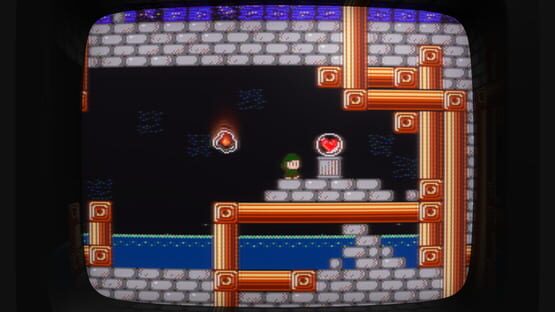
French translation now available and more improvements on the way
Hi all! Super Win the Game is now playable in French, thanks to a fan translation from David Didier Massé.
You can download the string tables here: https://drive.google.com/folderview?id=0B44SXAKseAXofjJjWTg0eXhpenNSV3FYaFJFQ2I5QWRhY1ZVQW50S0ZLZmtrTW13Nk5XVUE&usp=sharing
I've included instructions below for downloading and using string tables from the internets, but I'm also going to be updating the game soon to support shipping translations as part of the game so they don't have to be downloaded separately. (I will also continue to support the legacy path and provide clearer instructions in-game for anyone else who's interested in doing their own fan translation and having it added to the build.)
To use, copy these text files to your Localization folder. Depending on your OS, this will be located at:
Windows: [My Documents]\My Games\Super Win the Game\Localization\
Mac OS X: /Users/[User]/Library/Application Support/Minor Key Games/Super Win the Game/Localization/
Linux: /home/[User]/.local/share/Minor Key Games/Super Win the Game/Localization/
When you open the Language menu in the game, it will look for the name of any subfolder under Localization and present it as an option.
New Features! New Content! New Low Price!
Hi everyone! It's a big day for Super Win the Game! The update I've been spent the last couple of months working on is now live!
By popular demand, I've added a minimap to the whole game! Never get lost again, probably!
You can also view the full map of the area that you've uncovered and see how many gems are left to collect. Gems that you haven't yet collected are marked on the map as red dots.
In the Town of Lakewood just east of the start of the game, you'll find a new vendor has set up shop. This is the Hall of Speedruns, where you can race against the clock or player ghosts on one of five new courses.
Your best times will be written to the Steam leaderboard, where you can view other players' times and choose to race their ghosts.
To celebrate this update, we've also permanently dropped the price of the game! Please see the store page for prices in your local currency.
Super big thanks to everyone who gave the beta build a try and helped me iron out some bugs there! I look forward to seeing you all on the speedrun courses!
—Kyle
Help wanted! (Beta build now available)
Hi all! The new update isn't quite ready to go live yet, but it's getting very close, and I need your help testing some of the online features.
I've published a beta build containing all the new features. If you're interested in trying it out, please follow the instructions below.
1. Right-click on Super Win the Game in your Steam library and open Properties.
2. Go to the "Betas" tab.
3. Enter the beta access code "iacceptallresponsibility" and press the Check Code button. You should now have access to the "dev" branch.
4. Select "Dev" from the dropdown box and close this window.
5. The update should start automatically, but if not, try reopening Steam or verifying the integrity of the cache.
You can find the Hall of Speedruns in the Town of Lakewood. (Head right on the overworld map from the start of the game. Once in town, look for a sign marked with a stopwatch icon.) There are five speedrun courses, and each has its own Steam leaderboard.
I'm looking for help making sure these leaderboards work correctly. After completing a course, you'll be given the option to write your time to the leaderboard, and the game should warn you if your previous time was faster. You can view the results by interacting with the board inside the Hall of Speedruns. You should see the usual "Global Rank" / "My Rank" / "Friends' Ranks" options, and you should be able to page through these. (If you're using a gamepad, LB/RB and LT/RT will switch views and pages.)
Selecting an entry in the leaderboard will allow you to race that player's ghost (including your own). This is where I need the most help! I've tested this feature as thoroughly as I've been able, but there's only one of me. I'd encourage you to play through each course and try racing against any ghosts that are available. (At minimum, mine should already be up there.) Please report any bugs in this thread, or by email (kyle.pittman@minorkeygames.com) or Twitter (@PirateHearts). Thank you!
Please note, although this build should be fully compatible with previous releases, you may wish to back up your saved game and config settings before playing. I can't do anything about lost data if something goes wrong.
This beta build is currently only available for Windows, but Mac and Linux builds will be available as soon as this update is out of beta, if not sooner. This beta build is now available on Windows, Mac and Linux.
Update and price drop coming this summer!
Hi y'all! I announced this week on the devlog for my upcoming game Gunmetal Arcadia that I'm taking some time to come back to Super Win the Game, address some frequent complaints and add some new content, and relaunch the game at a lower price.
Russian translation and better in-game language support now available
Hi y'all! I've updated Super Win on all platforms today to add a new menu for changing the game's language at runtime. (In the past, this could only be done through a config file as described in this thread: http://steamcommunity.com/app/310700/discussions/0/613937306626569922/)
Super Win can now be played in Russian, thanks to a fan translation from Eugene Kutyin. You can find the translation files here: https://drive.google.com/folderview?id=0B44SXAKseAXofjJjWTg0eXhpenNSV3FYaFJFQ2I5QWRhY1ZVQW50S0ZLZmtrTW13Nk5XVUE&usp=sharing
To use, copy these text files to your Localization folder. Depending on your OS, this will be located at:
Windows: [My Documents]\My Games\Super Win the Game\Localization\
Mac OS X: /Users/[User]/Library/Application Support/Minor Key Games/Super Win the Game/Localization/
Linux: /home/[User]/.local/share/Minor Key Games/Super Win the Game/Localization/
When you open the Language menu in the game, it will look for the name of any subfolder under Localization and present it as an option.
Red/blue 3D mode and bug fixes
If you've been keeping up with recent gaming news, you might've seen some announcements about the future of 3D gaming, and I'm excited to be bringing that technology to Super Win the Game! No, not virtual reality headsets, I'm talking about cutting-edge 1980s technology! That's right, I'm talking about
RED AND BLUE 3D GLASSES
Previously only available in the limited edition IndieBox release, this mode (toggleable from the Options menu) brings Super Win the GameSCREAMING INTO THE THIRD DIMENSION!!
(Red/blue glasses not included. Check your local hobby shop if you need a pair!)
Also included in this change is a fix for UTF-8 text rendering which should help facilitate translations into other languages. If you're interested in translating Super Win the Game, please see this thread.
UPDATE: As I mentioned in the comments below, I've also scheduled a weeklong sale for next week (March 9), so if you haven't picked up the game yet, now's your chance! :)