Cross-platform play between Steam, Android, and iOS is almost ready. Getting closer.
Meanwhile, still improving stability, and addressing some cheating that's been happening.
Thanks for your continued patience and support.
– Chris
GAME BANS
Due to a small number of players cheating, a ban system has been added.
For Steam, the Valve Anti-Cheat system (VAC) is now enabled.
Examples of cheating include:
Manipulating saved games, souls, character levels, and memory values using an external application.
Submitting illegitimate leaderboard scores.
If your account receives a ban:
Information will be listed in your Account tab.
Your game will no longer submit scores to the leaderboards, and existing scores will be removed.
You will not be able to play online.
FIXES & IMPROVEMENTS
Doors:
You must now be facing a door to open the door.
Online Co-op:
Added handling for unknown message IDs.
Improved handling for invalid object data.
Improved handling for malformed JSON strings.
Treasure Chests:
Fixed particle streaking issues during loading, especially for Elite Chests.
Logging:
Fixed a crash that could happen if "Verbose Stats & Achievements" was enabled.
Version 0.3.5c
FIXES & IMPROVEMENTS
Menus:
Pagination dots have been replaced with page numbers for clarity.
Couch Co-op:
Fixed an error when trying to load a game with 3 or 4 players.
Steam:
Fixed a crash when trying to submit a leaderboard score but unable to communicate with Steam's servers.
Version 0.3.5a
WEAPON INFO VISIBILITY
Weapon info now has three visibility modes:
Full info
Basic info
Icon only
New action: Toggle Weapon Info
Allows you to change the visibility mode.
Default keyboard binding: T
Default gamepad binding:
You can also click your weapon info to change the visibility.
New advanced options: Weapon Info Visibility
Weapon info can now be minimized automatically.
For desktop, the options are disabled by default.
Options include:
Enemy Checking (Left Side of Screen / Whole Screen)
Minimize When Attacking
Minimize When Jumping
Minimize When Using Shield
Minimized Mode (Icon Only / Basic Info)
Maximize After Combat
The new options apply to single-player and online co-op games.
Couch co-op games hide weapon info more aggressively, and info is often hidden rather than minimized. Still, the "Toggle Weapon Info" action lets you switch between full info and basic info.
OTHER FIXES & IMPROVEMENTS
Gamepads:
When using the Weapon Selector, you can now press or to navigate your weapons.
UI:
Menu items with long titles now fade on the side, rather than being truncated with "...".
Prompts for "Skip cutscene?" have been made smaller.
Other:
Fixed an error with the internal aim target system.
Version 0.3.5
Getting closer to the cross-platform release for mobile.
– Chris
FIXES & IMPROVEMENTS
Online Co-op:
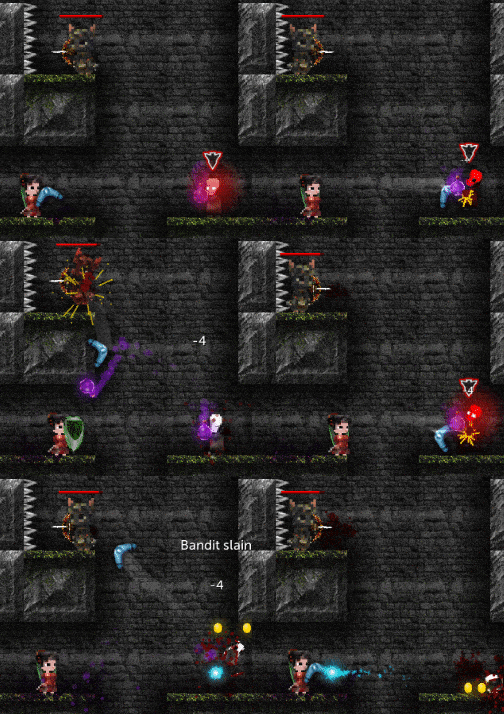
Ranged weapon attacks are now synced properly across all clients, regardless of screen resolutions, aspect ratios, and creature visibility differences.
Bow aiming, Multishot procs (especially for Boomerang), and Storm Cloud attacks are now properly synced.
Souls:
If a soul spawns too deep within a corridor, the soul now moves closer to the door to ensure it can be collected.
Sound Effects:
Reduced the volume of the Tallowmere's Keep entrance sound after using a waypoint.
Tilted:
Walking calculations in Tilted rooms, for both players and AI, have been greatly improved.
Creatures now walk smoothly up inclines.
Improved wall checks and ledge checks for AI.
UI:
Added progress bar animations to various alert boxes.
Over the past couple months, development on the game has largely been spent getting the mobile version finalised, with support for cross-platform co-op with Steam.
0.3.4 is scheduled to be the initial mobile release when ready, but I am rolling this out to Steam first.
Final mobile testing is underway. Stay tuned.
– Chris
NEW
Hold to Jump:
Added option: "Hold to Jump". Available under Options > Advanced.
Privacy:
Privacy policy is now available under Options > Account.
Added account option: "Delete Data". This removes any statistics and analytical data that is linked to your account.
CONTROLLERS
Desktop:
Xbox One Controller is now the default fallback controller type.
Improvements:
Left Stick Button (aka L3) and Right Stick Button (aka R3) are now bindable.
Improved detection and support for 8BitDo controllers, Nintendo Switch Pro Controller, PlayStation 4 controllers, PlayStation 5 controllers, and Xbox controllers.
Improved menu navigation if a controller uses BAYX layout instead of ABXY.
Added warning messages if actions are assigned to buttons that are not detected.
macOS:
InControl Legacy is now the default controller module type, rather than InControl Native. The latest macOS 12.3 Monterey update seems to be less compatible with InControl Native.
The 12.3 Monterey update seems to severely break Xbox controller support.
Recommended controllers are now 8BitDo, PlayStation 4 (USB), PlayStation 5 (USB), and Steam Controller.
FIXES & IMPROVEMENTS
Couch Co-op:
Improved camera positioning and zooming when inspecting treasure chests.
Player weapon UI now hides after jumping, shielding, drinking, opening the weapon selector, or throwing a key.
Fixed an issue where players couldn't attack if their creature was behind their weapon UI.
Fixed an issue where treasure chest item pop-ups could show info for the wrong chest.
Fixed an issue where player weapon UI would sometimes not appear.
Improved overflow prevention to check for 10 recent repeated messages, rather than 1 recent repeated message.
Online Co-op:
Final preparations for cross-platform play between mobile and desktop clients have been added. Stay tuned.
Fixed an issue where a key could be incorrectly held by multiple players.
Fixed an issue where disconnection alerts were not visible during a room transition.
Improved error handling when applying player creature data when joining a game.
Other:
Camera positioning is now improved if treasure chest UI exceeds top screen bounds.
Changelogs are now translated in-game (for recent and future versions).
Controller Debugger window now scales text to fit.
Feedback and bug report submissions now timeout after 10 seconds, rather than 7 seconds.
Fixed a raycast issue with many creatures where eye-check points were positioned on foreheads rather than eyes.
Fixed an error when applying poison particle effects.
Fixed an error when creating healthbar render textures.
Fixed an error with creature states.
Fixed an issue where local options could get reset during startup.
Fixed an issue where arcane arrow particles would linger too long.
Fixed an issue with the Loadout tab where weapon info could overlap description text.
Updated Unity to version 2021.2.16f1.
Updated Unity Post Processing package to version 3.2.1.
Version 0.3.3
FIXES & IMPROVEMENTS
Online Co-op:
Fixed an issue with saved games from previous sessions where enemies and objects could fail to spawn.
Improved data syncing when server vacuums an old room.
Lightning Bolts:
Fixed an error where damage could be 0 if its casting creature had died.
Version 0.3.2a
FIXES & IMPROVEMENTS
Leaderboards & High Scores:
Times for entries longer than 24 hours are now formatted correctly.
Creatures:
Added measures to ensure unique creature states can only exist on the state stack once.
Improved clean-up methods after drinking potions.
Online Co-op:
Added measures to ensure multiple potions can't be consumed in quick succession.
Added measures to prevent creatures getting stuck in a soft-lock state with potions and keys.
Graphics:
Updated Unity Post Processing package from 3.1.1 to 3.2.0.
Version 0.3.2
FIXES & IMPROVEMENTS
Boomerang:
Fixed and improved many collision and positional checks.
Boomerang + Multishot:
Added a max distance check of 3.25 blocks when seeking an additional enemy. This prevents the boomerang from traversing across the screen too far undesirably.
Online Co-op:
Increased debug logging, especially for room transitions – still investigating a rare error that can occur.
Added checks to ensure master NetIDs can't be created client-side when playing online.
Zaeries:
Improved collision detection with shields and walls.
Added minimum bounceback velocities when the buzzsaw collides with a creature, shield, or wall. Zaeries should bounce back more reliably now.
Fixed an issue where saving a game with a death-spiralling Zaerie would have the Zaerie be alive when the saved game was loaded.
Other fixes:
Improved hit detection for projectiles and flail balls.
Fixed an error in the menus when a category became empty.
Fixed an error when a Stun Bomb collided with an enemy on first frame.
Fixed an error with creature states.
Fixed sprite ordering issues with giblet body parts.
Version 0.3.1a
Thank you for continuing to submit bug reports and suggestions!
FIXES & IMPROVEMENTS
Blood:
Improved layer ordering for blood splats, chest items, and doors.
Damage:
Fixed issues with Elemental Spinner Traps, Flails, and Leaf Shield where position checks were not reset between room transitions. This caused improper collision sweeps during the first frame after a room became ready, causing creatures to receive damage incorrectly.
Keys:
White keys no longer warp inappropriately when dropped against a wall or door.
Improved interaction priorities when multiple keys are near each other while also near a door.
Fixed an issue where a key could respawn after loading a saved game with key being held then unlocking a door.
Online Co-op:
Improved handling if a room transition occurs while using the Demon Statue, Magic Mirror, or Weapon Rack.
Fixed a sync issue where the "Auto-equip Loot" option would apply to non-local players.
Added checks to resync if a player reconnects just as a chest is being looted or a door is being opened.
Added sound effect when resyncing.
Steam Leaderboards:
Removed pagination buttons for Nearby and Friends entries.
Weapons:
Improved hit detection for Leaf Shield and Stun Bombs.
Fixed an issue where Bow rotation would not reset after drinking a potion or if their owner became incapacitated.
Fixed an issue where weapons could be held at a weird angle after resuming a saved game.
Fixed issues where weapons remained visible while shield was raised or while holding a key.
Other fixes:
Handled an error if an audio clip fails to load.
Handled an error when attacking.
Improved handling if the Discord module fails to initialise.





 or
or  to navigate your weapons.