Techtonica 1.0 ‘Going Up’ Out Today – 34% off for launch week!
Fire Hose Games is excited to announce to Groundbreakers both new and old that Techtonica has launched out of Early Access and is available now in 1.0 for Steam, Xbox Game Pass, and PlayStation 5! To celebrate the occasion, Techtonica on Steam is 34% off through launch week.
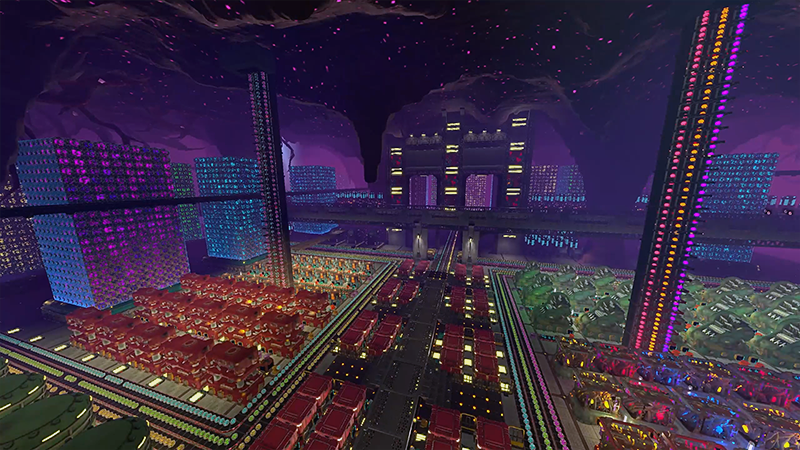
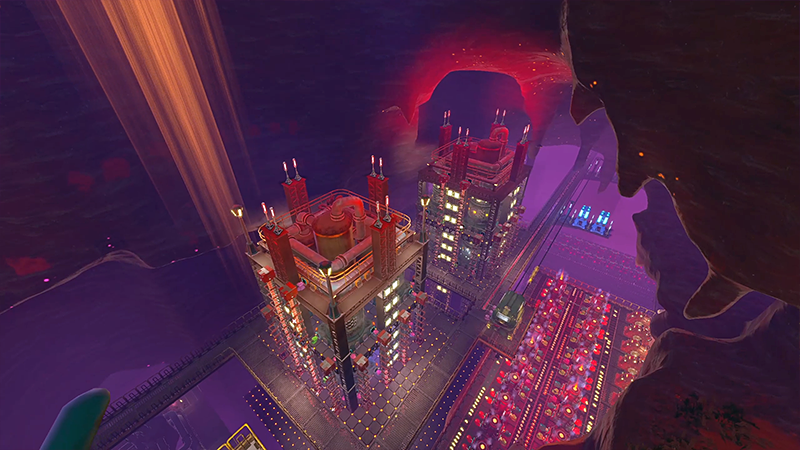
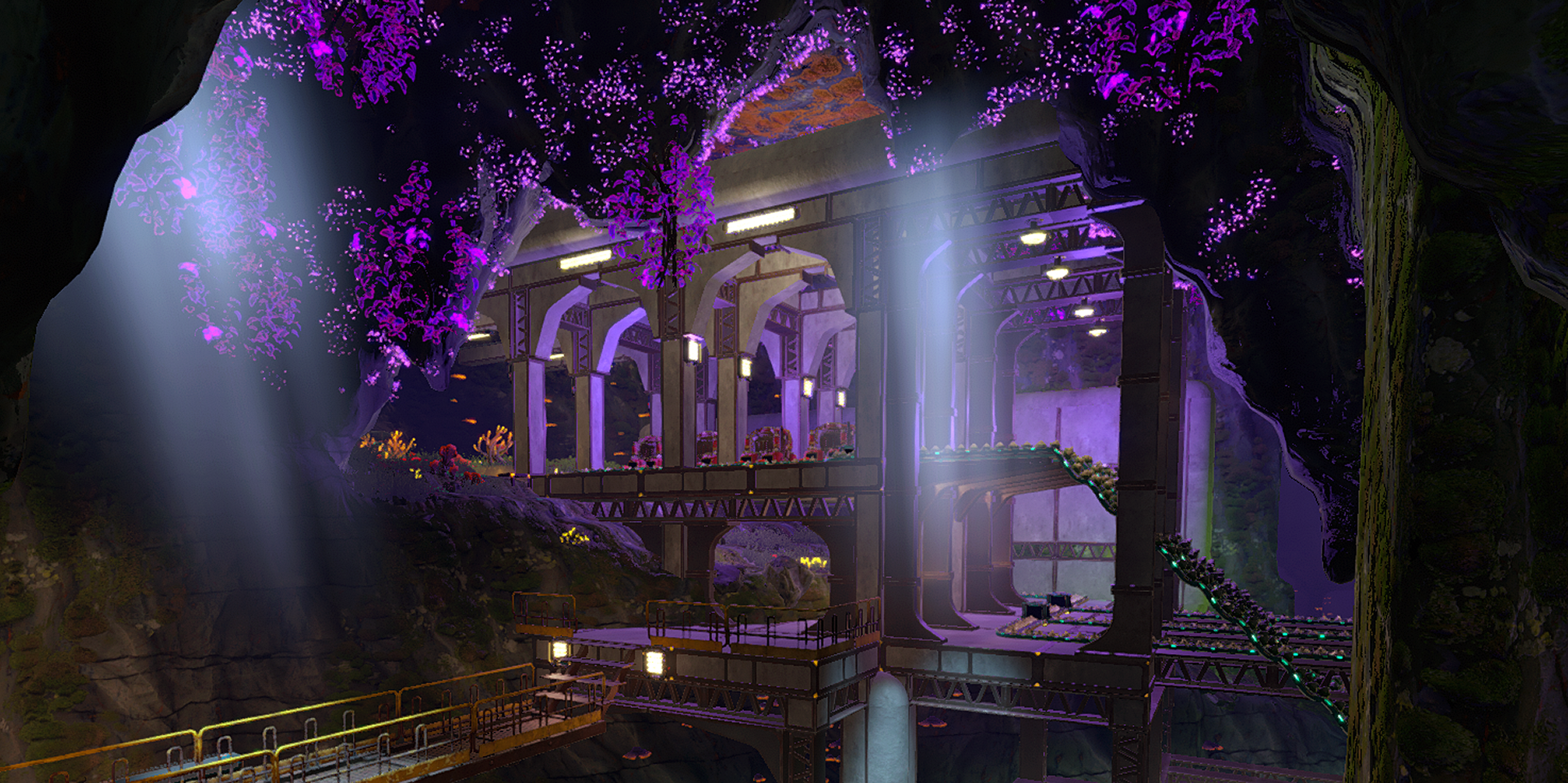
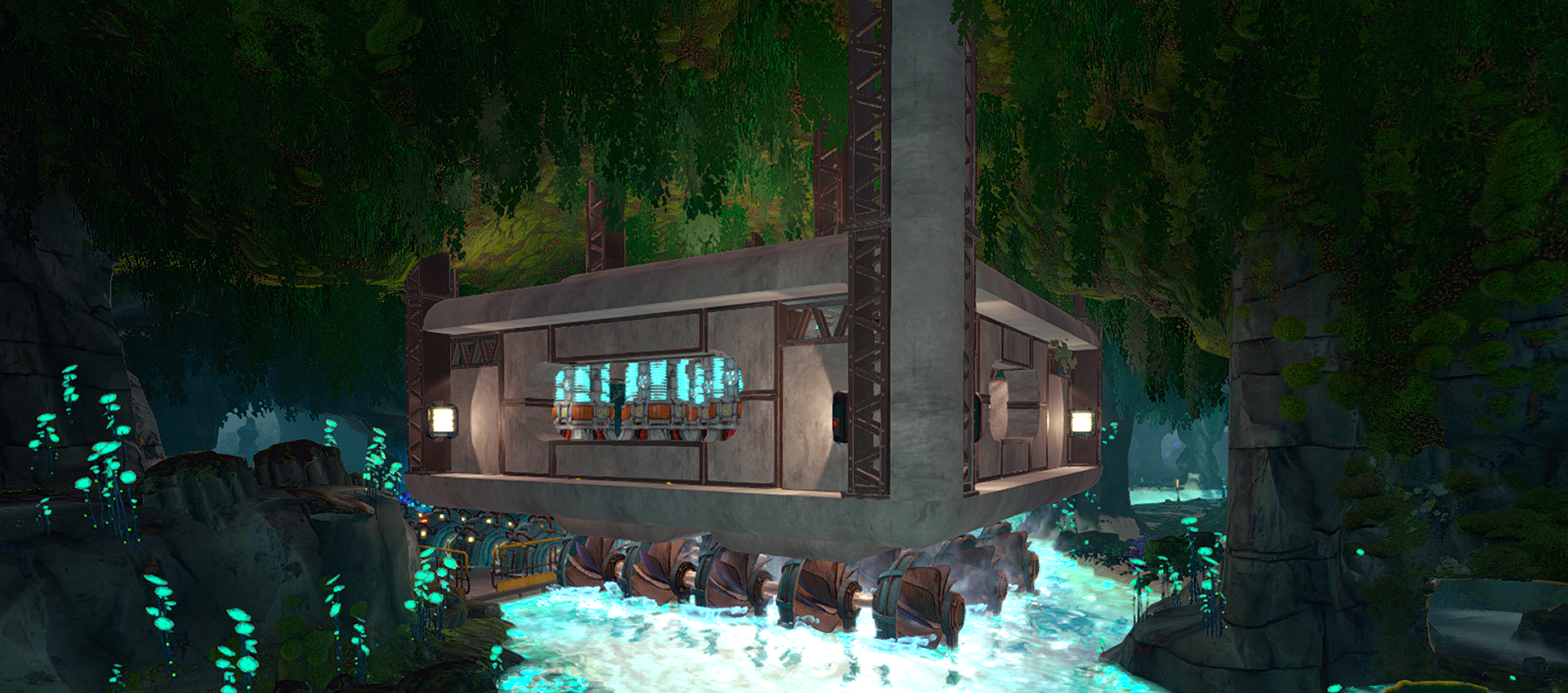
Techtonica is a first-person factory game with a gripping sci-fi mystery about mining your way out from the depths of an alien planet. Explore bioluminescent caves, mold destructible terrain with a black hole gun, and construct a massive subterranean factory.
Dig your way toward answers and discover the secrets of Calyx alone or with friends in up to 4 player co-op. Gather resources, uncover new areas, and build your machines in the only factory automation game to offer a fully voice-acted narrative campaign that gives you a reason to forge ahead. ⛏️
Techtonica 1.0 Highlights
The massive Techtonica 1.0 release “Going Up” has been over a year in the making and brings a ton of new features to the game, including:
A complete sci-fi mystery narrative for players to unravel
New Desert Biome
Traveling between Floors with the Freight Elevator
Jetpack Upgrade
New Machines, Production Loops, Intermediates, and Resources
Many player requested QoL and performance improvements
You can find a full list of patch notes hidden below:
[expand type=details expanded=false]
Headliner Features
Completed Narrative
All mysteries revealed!
New story related cutscenes, and improved cutscenes for major plot reveals
New Desert Biome
Sand Sea mechanics
New resources: Sesamite, Scrap Ore, Carbon Veins
New narrative
Use the Freight Elevator
The original map has been made better, faster, and stronger - split up into multiple levels, there’s more to explore than ever before!
16 levels to explore & industrialize: 11 River Biome levels, 5 Desert Biome levels
Doubled overall explorable area
Transfer materials and power between levels through the elevator
New machines: Crusher & Sand Pump
New desert-related power source
Even more machines!
Electric Smelter
Long Stack Filter Inserters
Fast MKII Planters
Big MKII Containers
Core Composer Redesign
1x1 Research Cores
Green and Yellow Research Cores
Complete machine and recipe rebalance
New Jetpack upgrade: Fly to any height!
Omniseeker gets a much improved redesign
Highlighted Changes
MKII Assemblers buffed to output 4x resources per recipe instead of 2x.
Extensive removal of most Protection Zones/Areas.
Adjusted all recipes to have more friendly throughput rates.
All fuel rates now show up to two decimal places when needed in the inspector - you’re welcome.
Improved Core Boost mechanics
Removed clearance rules on Mining Drills, Monorail Depots, and Containers.
Base Crank Generator Duration has been buffed from 5 to 10 minutes (and yes, it stacks with CrankSpan). Enjoy your extra exploration time!
Placing drills is smoother now.
Most UI Menus in game have received a major facelift.
Hidden crates around the map can now be deconstructed after they’ve been emptied. Enjoy your clean Echosketch.
Machines
MKII Assemblers buffed to output 4x resources per recipe instead of 2x.
Added Crusher, a large, high utility machine that can create and split apart resources in addition to generating power when given the right ingredients.
Removed clearance rules on Mining Drills, Monorail Depots, and Containers.
Added Sand Pump, a towering oil rig-like machine that drains sand, but has a big appetite for fuel.
Added Electric Smelter.
Added Long Stack Filter Inserters.
Added fast MKII Planters.
Added big MKII Containers.
Core Composers now reserve space for their Cores when built, and come in 3 variations (2k, 4k, and 8k). These changes also help optimize cores and core composers.
Research Core size is now 1x1 instead of 2x2 (!!!).
Added Green and Yellow Research Cores.
Adjusted Blast Smelter and Blast Drill to be non-destructive towards finite resources.
Placing drills is smoother now.
Updated visuals for the Beacon.
Added Blast Smelter Overlay Mode Support.
Molten Lava Effect for the M.O.L.E disappears when it is not in use
Improved textures for numerous machines.
Tools
Added a Jetpack Upgrade for the Hoverpack enabling unrestricted flight.
Hoverpack now allows sprinting. 🏃
Redesigned Omniseeker
Omniseeker now highlights distance and direction to tracked objects
Omniseeker tracks all types of ores, fragments, upgrade drives, and hidden chests.
UI
Most in-game UI Menus have received a major facelift.
All fuel rates now show up to two decimal places when needed in the inspector - you’re welcome.
The entire contents of a Save Slot can now be deleted as a group.
Added Crusher recipes to the crafting menu for items which are not crafted anywhere else.
Loading screen now has an animation and reports what is being loaded in.
We upgraded some icons in game to make them more representative.
Assembler Recipe Picker UI now shows the quantity yielded by a recipe.
Activating technology in the Tech Tree now has a flashier notification for other players.
Stripped ability to rename Monorails and Nexuses in order to prevent a localization issue which could brick save files for players using wide font characters including Japanese, Chinese (Simplified & Traditional), and Korean. Sorry, and you’re welcome.
Sparks should be orange in the log, and now she is - System has taken her old color.
Other small and miscellaneous UI tweaks and adjustments.
Tech Tree
Redesigned Core Boost technology to function exclusively with late game Yellow Research Cores.
Significant changes to ordering of technologies and pricing within the Tech Tree.
CrankSpan and CrankConnect are now available earlier in the Tech Tree.
Introduced 8 upgrades that boost the in-air speed of the Groundbreaker.
Introduced 2 late game resource sinks for post-game rewards.
Introduced 5 additional Accumulator upgrades, now capping out at a 1000% charge capacity increase.
Introduced 2 additional PowerTrim upgrades for Assemblers, Drills, and Threshers.
Introduced 2 new Mining Drill Speed upgrades, now capping at a 400% mining speed increase.
Introduced 2 new Smelting and Threshing Speed upgrades each, now capping at 300% speed.
Recipes
Over 40 new recipes.
Over 25 new intermediates.
Adjusted all recipes to have friendlier throughput rates.
Moved Biobrick Diesel Refinement Loop to the Crusher.
New Seed Pod Loops for converting Kindlevine to Shiverthorn and vice versa.
New Seed Pod Loops for generation of infinite seeds.
New Scrap Ore Loops for salvaging advanced parts.
New Sesamite Ingot Mutation Loops for generation of abundant amounts of Iron, Copper, Steel, and Atlantum Ingots.
Map
Added 2 new ore voxel types, Carbon Veins and Scrap Ore Veins.
Added Sesamite Sand Sea to Desert Biome caves, a drainable sea of sand which can be used to extract the valuable Sesamite resource.
Wholesale removal of most Protection Zones.
Hidden crates around the map can now be deconstructed after they’ve been emptied. Enjoy your clean Echosketch.
Added a significant number of new caves within the River Biome across all levels.
Removed the extra maps accessible via custom games. They are not supported with the new elevator system. Sorry friends!
Broken Light Stick fragments now emit a small amount of light.
Adjusted all ore veins to be friendlier, and provide ‘boxier’ surfaces to build mining drills against.
Upgraded waterfall splash visuals to be smoother and more natural. 🌊
Restored missing glowing pink vines near Hydro facility.
Narrative & Quests
Quests have been reordered and refactored to accommodate new elevator-based progression.
Moved Assemblers to be the first technology loop learned in VICTOR. Planters and Threshers have been moved to the Warehouse. Related voice lines have been removed.
Unlocking Laser Games is no longer required/flashed as a tutorial.
The conditions to reach the Freight Elevator Cutscene have been made easier and adjusted to work with the new Freight Elevator design.
Added yellow highlighting to the warehouse office door and initial mining charge use quest.
FTUE quest will now check if the player has laid down 3x3 OR 5x5 platforms before Sparks warns you about having Generators and Assemblers without floors
The “All Scans Complete” quests that notified players of a fully scanned facility has been disabled. It was behaving poorly.
Optimizations
Optimized belts!
Added optimizations for voxel terrain.
Rendering system optimizations.
Optimized and reduced memory footprints, reducing crashes on lower end hardware.
Optimized the lighting system.
Added many other performance optimizations.
Save File sizes have been dramatically reduced.
Balance
Conveyor Belts have been nerfed. Sorry, they were too powerful.
MKI Conveyor Belts now move items at 240 -> 120/min.
MKII Conveyor Belts now move items at 480 -> 360/min.
MKIII Conveyor belts remain at 720/min.
MKI Mining Drills now dig 25 -> 10 digs per minute.
MKII Mining Drills now dig 38 -> 15 digs per minute.
Buffed base Crank Generator Duration from 5 -> 10 minutes (this stacks with CrankSpan to make the upgraded duration from 30 -> 60 minutes).
MKI and MKII Crank Generators now fit 10 Cranks to every 1 Water Wheel.
MKII Crank Generators now generate 1200 -> 1000 kW.
MKI Assemblers now consume 50 -> 150 kW.
MKI Threshers now consume 200 -> 400 kW.
MKII Threshers now consume 1200 -> 4000 kW.
Monorail Depots now consume 42 -> 1 MJ per batch and consume 50 -> 450 kW.
Significantly reduced and simplified the Production Terminal upgrade quotas.
Rebalanced over 100 existing recipes. NOTE: MK II Assemblers yielding 4x output means that from mid-game on some recipes have been slightly nerfed.
Machine Recipe Changes
Assemblers now use 2 Inserters and 2 Iron Frames instead of Copper Wire, Mechanical Components, and Kindlevine Powder.
MKI Conveyor Belts now use 4 Iron Ingots and 3 Copper Wire in place of Mechanical Components.
Crank Generators now take 4 -> 8 Copper Components and 10 -> 4 Electric Components and take 30 -> 5 seconds to craft.
Fast Inserters no longer require Processor Units.
Inserters now take 2 -> 1 Mechanical Components.
MKII Mining Drills now take 2 -> 4 Mining Drills, use 8 Cooling Systems and 10 Processor Units in place of Iron Frames and Electric Components.
Monorail Depots now use 4 Iron Frames and 16 Kindlevine Powder in place of Mechanical Components and Accumulators and take 6 -> 3 seconds to craft.
Intermediate Recipe Changes
Advanced Circuits now use 1 -> 2 Processor Units, 1 -> 2 Cooling Systems, 2 -> 4 Atlantum Ingots, and take 6 -> 1.875 seconds to craft.
Biobricks now make 5 -> 10 items, and take 25 -> 30 Plantmatter and 50 -> 60 Limestone and take 5 -> 30 seconds to craft.
Biobricks (Mass Alt) now makes 250 -> 125 items, and uses 1 Carbon Powder Brick and 2 Sesamite Gels in place of Plantmatter Bricks and Limestone Bricks.
Cooling Systems now make 1 -> 3 items and take 4 -> 10 seconds to craft.
Electric Components now take 2 -> 1 Iron Ingots and take 3 -> 10 seconds to craft.
Mechanical Components now make 2 -> 8 items, take 4 -> 2 Iron Ingots, and take 4 -> 3 seconds to craft.
Processor Units now take 2 -> 15 seconds to craft.
Relay Circuits now takes 100 -> 50 Advanced Circuits and takes 12 -> 60 seconds to craft.
Relay Circuits (Alt) now take 5 -> 15 seconds to craft.
1x1 Glow Blocks, 1x1 Calycite Floors, 3x3 Calycite Floors, 1x1 Calycite Ramps, 1x1 Hanging Lamps, and 7x2 Hanging Lamps now use earlier game resources having been bumped to earlier in the Tech Tree.
Iron and Copper Ingots now take 2 -> 4 ore and take 4 -> 8 seconds to smelt.
Kindlevine and Shiverthorn now take 2 -> 4 minutes to grow.
Kindlevine Stems and Shiverthorn Buds now take 6 -> 12 seconds to thresh.
Other miscellaneous balance fixes.
Misc.
Fixed numerous issues with auto-saving.
Steam players should now properly see 30 auto-saves with mostly recent saves and a few older saves.
Auto-saving has a new 3 save system on Microsoft platforms and PS5.
You can now toggle the Groundbreaker’s headlamp. Find the option in the settings menu.
Players on Xbox will now see all Post Processing effects, including most of our lighting.
Popping out of the world now respawns the player.
Added Glass into Filter Inserter Menu at the appropriate unlock.
Disabled auto-saves during cutscenes.
Placement holograms are now disabled while teleporting, respawning, and changing levels.
Bug Fixes
Fixed an issue with save data where backed up Monorails could prevent players from loading their save.
Fixed an issue with loading saves causing Monorails to lose in-transit batches.
NOTE: Due to the nature of Monorails and this specific bug, we had trouble consistently reproducing the issue. Based on community reports and our own internal investigation, we believe we have solved this in most cases.
Fixed issues with Drill visual effects.
Fixed issues with Nexus teleporting causing crashing and terrain vanishing.
Fixed issue where Nexus connected to power through HVC were not consuming energy and appeared unpowered.
Fixed issue where horizontal Hoverpack movement speeds were inconsistent.
Fixed issues with recipes showing higher tier recipes in the crafting menu.
Fixed issue with Thresher inspector not working after loading a save.
Fixed issues with Thresher not accurately reflecting its state in overlay mode.
Fixed bug where players could assign tools without owning any via the crafting menu.
Fixed issue with selecting inventory slot items in certain rows of the scrolling inventory menus on machines not working (usually the 8th row).
Fixed issue where scrolling the mouse wheel while holding a material stack would simultaneously scroll the inventory and adjust on-hand quantity.
Fixed schematics UI reporting the incorrect output quantities for recipes with multiple outputs.
Fixed target buildable UI name changing when assigning a buildable to the active slot while mid-quick copying.
Fixed localization issues with custom game settings in custom game modes.
Fixed issue when activating Erase Mode, player was prompted with the option to go “Back to Copy” even if there were no copied items.
Fixed issue where changing languages caused the Research Core requirements listed for Tech Tree entries to all say 888.
Fixed issue where Laser Games UI could appear over the Carousel Menus.
Fixed issue where opening the Assembler Schematics screen for the first time displayed all contents scrolled down.
Fixed Green Glow Blocks to unlock with the other glow blocks.
Fixed issue with large boulders in water near Hydro facility not allowing clearing and building.
Fixed issues with a few terrain textures generating black spots.
Fixed issues with terrain lighting looking flat in certain angles.
Scannable computer in Freight Elevator office now has its screen back as well as a scannable shine.
Fixed issues where Voxel Terrain doesn’t render or generate colliders properly near the edge of the map.
Fixed issue with Cauldron Giant Sconce textures.
Fixed instances where facility doors would shut after being opened when reloading a save.
Fixed issue where Achievements were not being unlocked on Easy Mode.
Fixed issue where loading a manual save could trigger the Build 100 Conveyor Belts Achievement early.
Fixed issue where Vertical Belts quest was not clearing properly.
Fixed snapping rules when aiming at objects through the floor.
Fixed issue where snapping items to the terrain wall would jump around unintuitively.
Fixed issues with voxel crack effects appearing in weird places.
Fixed issue where music would sometimes not play after the music for finding PT VICTOR was played.
Fixed issue where Inserter Databank entries listed incorrect cycles per minute.
Fixed issue where several Databank entries implied incorrect power functionality for machines.
Fixed issue where changing graphics settings from Low to Max or vice versa caused terrain to lose collision.
Other Miscellaneous Bug Fixes
Known Issues
Inserters attempting to put items into Crushers that are full of that item show a Red X.
In Overlay Mode, the Crusher does not properly display what item it is working on without items in its inventory.
The Omniseeker box highlights for fragments, upgrades, and hidden chests are positioned at the bottom of the items rather than encasing the item.
When building Vertical Belts from the top down when there is only 1 belt in the entire hologram chain, the direction of the belt flips.
In some complex edge cases with Conveyor Hubs, turning Conveyor Belts can result in prioritizing rotating off the more recently built belt.
Sometimes, a turned belt visually appears to be connected to other belts and hubs incorrectly. Traveling and returning to the level or saving and reloading will fix the visual issue.
Traveling to PT Sierra can occasionally cause a 5 second to 3 minute reduction in framerate on some graphics cards.
Nexus icons appear for Nexuses on all levels when you are playing Nexus Capture laser game. Just ignore them.
The Excavation menu has some translation issues.
Some small Korean characters have transparency issues.
The Load Game option in the Pause Menu is grayed out until you create a manual save or load an auto-save.
Switching languages from Japanese to Polish causes TEMP icons to appear.
Players can hear other player’s Laser Pointer pings on different levels.
The Core Composer machine inspector text does not line up for non-English languages correctly.
The Light Stick fragment to the right of the makeshift camp on Level 3 - Storage cannot be scanned easily. You’ll have to work for this one.
Aiming at floors that are at the exact same level as voxels can cause the toolbar text to glitch between aiming at the floor and the voxels.
The “(Hold) Deactivate” suggestion can sometimes get stuck in the Tech Tree menu until the card it was triggered on is revisited.
The Groundbreaker can get stuck standing on certain objects within the facilities. Respawning is the only way out of these scenarios.
Placing a large number of floors under certain conditions can inconsistently cause clients in a multiplayer to get disconnected.
Rotating inserters with items on them does take the item, but does not report the item was taken in the HUD’s System Log. Don’t worry, you got it.
Until the player has interacted with the game at least once, the Main Menu takes input from the player even if they are focused on a different window.
The incorrect button icon shows up on the button to Start Laser Games
A certain end-game item only produces as a single item in the Assembler, instead of using the output multiplier.
Along with the aforementioned additions, Techtonica 1.0 brings a wild amount of new content, numerous new mechanics, and a full story with voice acting.
Here’s to the next era in Techtonica – we hope you enjoy and happy building Groundbreaker!
Creating Dynamic Music in Techtonica
Hey Groundbreakers! My name is Brandon (aka Cityfires) and I've been working as a dedicated (and the only) member of the Audio Team here at Fire Hose Games for several years! Today I wanted to just chat a little bit about my experience working on the music and sound for Techtonica!
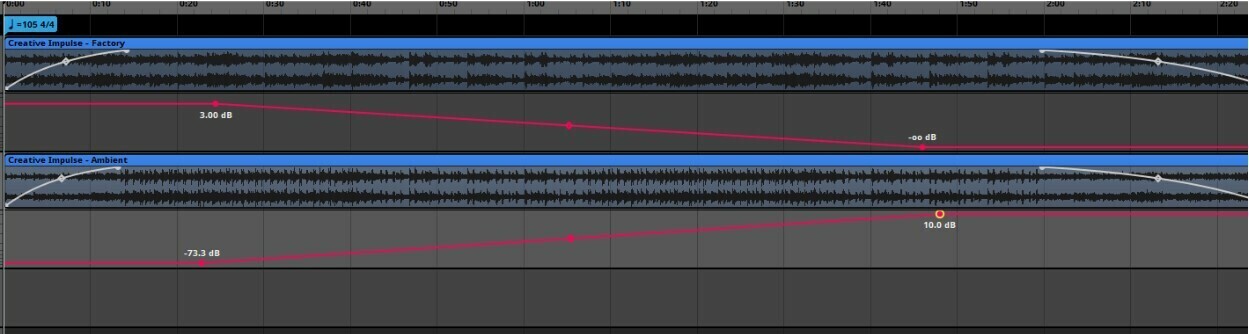
The goal for Techtonica's music was always to have a relaxed, ambient feel to the soundtrack when you were out exploring Calyx. But our game director Richard really was hoping we would have some way to distinguish the music when the player was in their factories. With too many assemblers and smelters in the area, the music would potentially not quite match the vibe of what's happening on screen.
Dynamic music is something a ton of games have, but our unique situation was deciding what it means to be "in your factory". So we tried several different ways to track this sort of information, and ultimately we landed on counting the number of "loud machines" near the player at any given time. We defined a "loud machine" as anything that was visually big and/or produced substantial noise. We then had each of these machines track if you were within their music activation range, and if the number was greater than the requirement, the music would swap! This ended up working very seamlessly, because it meant that the music could change as you enter and leave different areas in your game, it could suddenly swap when all your machines become active, or the music could "power down" along with your factory if you experienced sudden power issues.
After we did some video tests to confirm that everything made sense and was worth doing, we had to work on building a prototype! Our game uses a very popular audio middleware called FMOD to handle audio events, so I worked for a while to build a system that worked entirely through FMOD and didn't really use any Unity code to trigger it. The results were...... "successful". It turns out you should use programmers to help you implement your advanced audio triggering, but for what we needed at the time for a prototype, it worked surprisingly well. Honestly it was a really wonderful experience in how to build an early concept, present it to your producer, then schedule programmer time to get it done correctly!
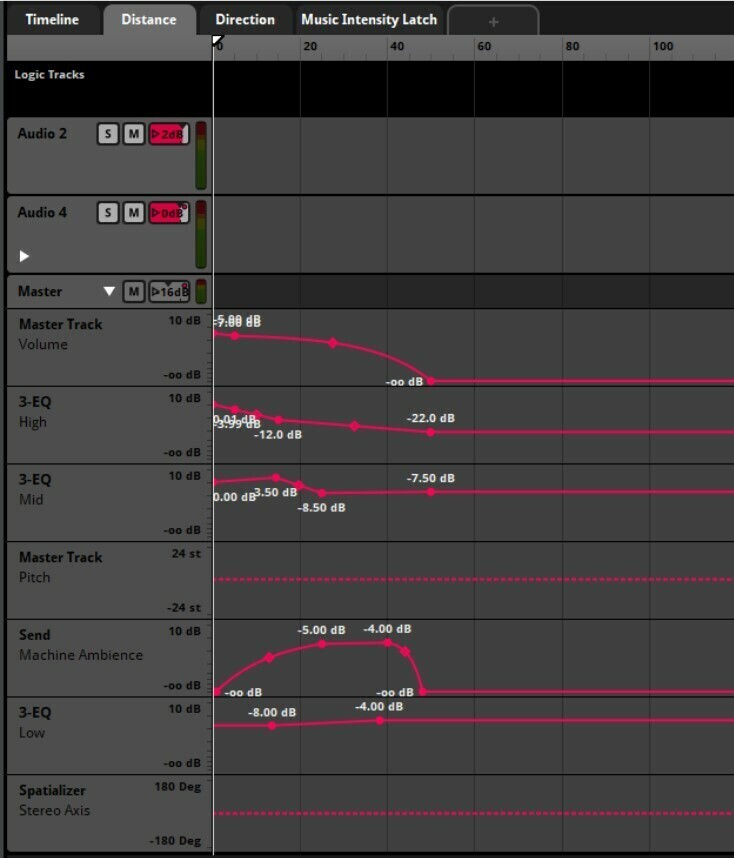
Once we finished getting that concept implemented, we took a lot of time to balance how far away machine audio would activate. It was really important to make sure you could hear everything from the correct distance, and we did a lot of manipulation to control how far away different parts of machines could be heard. We also added a reverb mix for all machines that could be heard between the cutoff points, so when you're standing in the distance you can hear the large cloud of machine audio all around you.
Creating a functional dynamic audio system in a sandbox game had a lot of challenges, but I had a lot of fun figuring out all the right ways to control things!
All the new music for 1.0, including the desert biome playlist and several narrative music tracks, will be available on Steam and Bandcamp when 1.0 launches on November 7th! And we’ll make sure it gets added to streaming platforms as soon as we can after launch.
Thanks everyone for the support, and we hope you enjoy playing AND listening to the game when it launches next week!
Techtonica 1.0 Streams on Twitch through November
Groundbreakers – we’re less than a month away from Techtonica 1.0! As we approach our November 7th launch date, we’ll be streaming every Thursday on our Twitch channel (around 1p Eastern) to show off and go over some of the major features and changes arriving next month.
ICYMI, last week on our twitch channel we had our game director Richard on to deep dive into some of the fundamentals and features of the Desert biome. You can find the VOD here.
This week we’ll be taking a look at the Freight Elevator in all of its 1.0 glory with our narrative designer Will. Join us in chat if you have a chance, otherwise be sure to check the VOD afterwards – and of course be sure to join our Discord for more community discussion!
Techtonica 1.0 Optimization
Hello Groundbreakers! I’m Greco and I’ve been working on optimization for Techtonica since I joined the team in January. I'm going to explain some of the optimization work that has been done in previous updates and what’s coming next for 1.0.
One may ask what does optimization mean in practice? Fundamentally program optimization is about reducing the amount of resources we need to achieve the same result, this includes memory usage, CPU usage and GPU usage. Usually this is achieved through a combination of better algorithms and taking into account the “low level” hardware details, the main constraint in modern PC and console hardware is memory bandwidth, therefore most of the optimization efforts focus on improving the memory layout of the data so that we can maximize the throughput of the core game loops. One great way to learn about this is to study Data Oriented Design, here’s a good video introduction:
The Unity game engine has some technology built around this concept of DOD, in Techtonica we’re mainly using 2 things: The Burst compiler and the Job System.
Unity has a separate compiler from the built-in .NET Mono compiler and the IL2CPP compiler called Burst, this compiler is built on top of LLVM which tends to produce much better x86-64 code compared to Unity’s Mono JIT compiler, “burstable” C# code also has a lot more constraints, such as no managed memory and containers not being allowed to alias which allow the compiler to emit better code. If you’re a programmer and are interested in learning more about Burst you can watch the following talk:
The Job System allows us to more easily add multithreading to the game, it works with native memory and integrates easily with Burst, oftentimes Techtonica needs to process X amount of independent items, (usually called “embarrassingly parallel”) so the job system is a perfect fit for this.
Techtonica was initially released as a pure managed Mono C# game, but we’ve been slowly migrating our most data intensive systems to a DOD approach, some of these optimizations include:
Most of the streaming systems have been rewritten to be more performant (around 5x-10x faster), these include streaming of rendering for plants/environmental objects and visuals streaming for all the machines, this reduces stutters when moving around the map.
Mesh generation for Monorails has been almost entirely rewritten to both be faster and to reduce the amount of memory they occupy, from gigabytes to just a few megabytes.
Streaming textures from disk on Xbox and PS5 to reduce the total amount of memory used and therefore reduce the amount of game crashes caused by out of memory errors.
Overall memory usage for machines has been reduced.
Large rewrite for most of the rendering systems, using an optimized approach for uploading matrix data and performing culling on the GPU.
Deferred lighting has been significantly optimized by using a tiled renderer, this significantly reduces GPU usage.
Reduction of the amount of memory and CPU used by all the plants and environmental objects.
Various optimizations to reduce the loading time of save files, including machines and environmental objects.
Optimizations for specific machines such as conveyors to reduce the overall amount of CPU usage.
We’ve made some pretty big improvements to the way we handle research cores for core composers, making them much more performant.
Terrain mesh generation has been rewritten to be much more performant, this impacts both loading times and runtime modification of voxels such as when using the M.O.L.E
These optimization efforts have enhanced Techtonica’s performance and stability, by leveraging Data Oriented Design, the Burst compiler, and the Job System, we’ve managed to reduce memory usage, improve CPU and GPU efficiency, and minimize loading times. As we continue to refine and optimize, we look forward to delivering an even smoother and more immersive experience in the upcoming 1.0 release. Thank you for your support!
‘Techtonica’ 1.0 Launches November 7th!
We’ve got some big news - we'll be launching Techtonica out of Early Access on Nov 7 for Steam, Xbox Game Pass, and newly announced PlayStation 5!
The Going Up update (previously 0.6) has grown and morphed into full launch with a massive content release that's over a year in the making! We’re introducing a new desert biome, a world map revision and expansion, access to the elevator, the jetpack upgrade for the hoverpack, as well as new machines, production loops, intermediates, resources, and much more. And most importantly, a complete narrative with an exciting ending!
The dev team have been pouring their hearts into Going Up and we're truly excited to get this into your hands. In particular we want to thank our community for all their feedback during the Early Access period - the suggestions we’ve received have been the basis for much of the content we’ve added, and we wouldn’t have been able to make Techtonica without you. We’d also like to thank our secret cabal of experimental testers for trialing all these changes early and helping us fine tune everything for the general population.
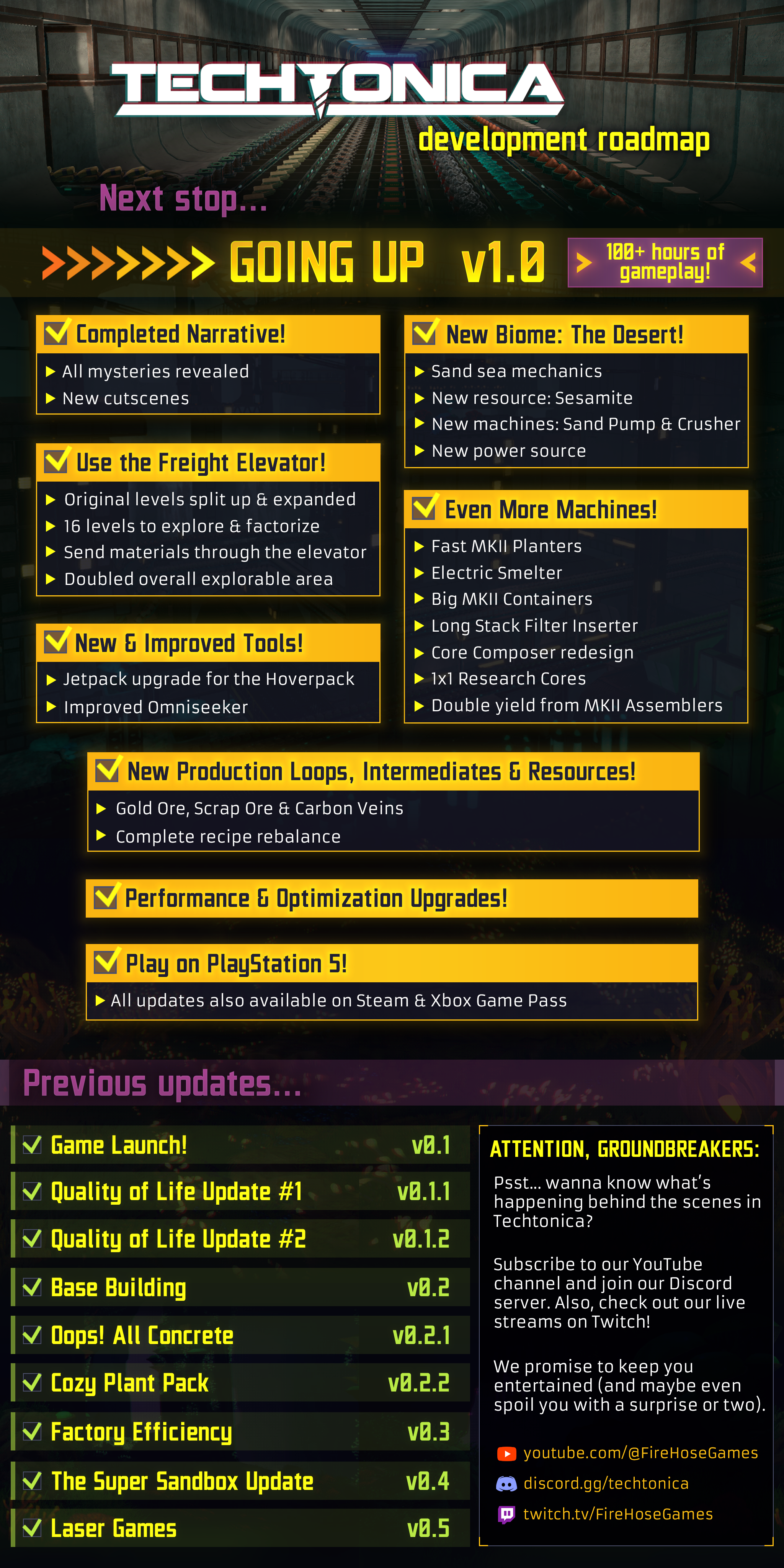
And with that let’s dive right into the 1.0 Road Map and Preview Video so you can see what’s new!
Please note: there is a LOT of additional content and bug fixes included in this update that we aren’t listing here. We don’t want to spoil all the details for you so you can experience the new content organically. Additionally, we’re sorry to say that 1.0 will break saves from Early Access - you’ll need to start a new save file for 1.0 content.
We’ll be coming out with a lot more detail about 1.0 in the coming weeks leading up to launch. If you’re excited and want more information join our Discord where you can talk directly to our development team!
Building Beautiful Bases in Techtonica
We all know that the heart of Techtonica belongs to sprawling factories and clever logistics chains, but what happens when we step back from our creations and think “Why does this look like a pile of spaghetti that’s been barfed up by the dog and then covered in rivets and rusty paint?” Well Groundbreakers, we’re here to tell you that you’re not alone. Here are 9 helpful tips on how to build aesthetically pleasing structures in your very own playthrough!
Build Bigger
Nothing is worse than building out a whole structure and realizing that you’re a few spaces short of the perfect machine layout. They say measure twice, cut once, but really, who has time for measuring? Just build huge instead! We promise that once you’ve fit all of the embellishments, decorations, lights, and supports your bases need to look beautiful, that factory floor isn’t going to be quite as big as you thought it would be. Just throw down a few more of those 5x5 Floor pieces and you won’t regret it. Make that ceiling just a bit higher than you think, and your bases will start feeling airy and effective, rather than cramped and oppressive. We might be living in a cave, but we’re not dwarves, we’re Groundbreakers!
Mixing Materials
Now you may have noticed that the majority of base building pieces in Techtonica are made of two distinct materials, concrete and steel. That doesn’t mean that you’re stuck making bland boxes of gray walls with brown lines all over them! By mixing up your ratios of concrete pillars and metal beams, or pairing concrete walls with metal catwalks, you can create interesting patterns that outline your machine layouts in visually pleasing ways. In the Oops All Concrete! Pack we’ve even given you the ability to forgo metal supports altogether, allowing you the flexibility to frame your factories the way you want, where you want.
Lots of Layers
If there’s a single word that defines beautiful base building in Techtonica, it’s “layers”. What’s that? What does that even mean? Why do you keep saying it over and over while I’m just trying to build my main bus in peace? Well, it’s because that main bus could be a beautiful bus if you just listen! The key to crafting truly attractive outposts is all about creating patterns on top of patterns, supports in front of walls, beams under walkways, and wallplants overtop those very same beams. This is the reason you should be building bigger because that 1-voxel thick wall suddenly balloons into a 3-voxel thick facade that also somehow looks even better with a 5-voxel thick matrix of pillars and angled supports in front of it.
Repetition Repetition
The architectural assets in Techtonica are largely inspired by the design sensibilities of the Brutalist movement in the 1950s and 60s. The style is characterized by raw concrete, simple geometric shapes, and repeated patterns. The same holds true for building in Techtonica, and each base building piece lends itself to being used in large quantities. Why use 6 walls when 24 will look more imposing? Why design a 2-floor structure when you can build 8? Repeating patterns by spacing the same piece out over and over can not only help your buildings look sharp but also help you expand your buildings quickly and easily when it comes time to grow your factory.
Mesmerizing Motifs
Repeating one type of piece can boost your look, but what should you do when you want to enhance your architectural aesthetics even further? Try creating small designs out of multiple pieces, keeping in mind the previous tips about mixing materials and layering pieces, and using that design in different parts of your buildings. Build a 10x10 facade using walls, pillars, beams, and angled pieces, then repeat that design over an entire 20x50 building for a cohesive and pleasing look.
Level Up Your Lighting
While the bioluminescent flora is enough to illuminate much of the wilderness of Calyx, it’s often not enough to illuminate your more industrialized sectors. Using the various light assets in Techtonica is a great way to not only show off your factories and bases but also enhance them with bright points of interest. Hiding colored lights behind walls or in recessed pockets between pillars is also a great way to direct yourself or other Groundbreakers through your factories with subtle cues. Try rotating your lights using the Variants feature to create dramatic uplighting along your walls, or downlighting to highlight your machines! And remember that vast factory floors will require an equally vast number of lights, so don’t forget our tip about repetition!
Elevating Elevation
With the release of the Factory Efficiency Update, it’s never been easier to build up, and up, and up. Why limit yourself to two dimensions when the possibility of creating a towering city of steel spires is so enticing? And while your factories don’t necessarily need proper support structures to hold them up, you can elevate your designs by reinforcing your floors with a variety of pillars and brackets. While a concrete cube may not look compelling on its own, two concrete boxes stacked on top of each other with some pillars in between starts to look like a deliberate design choice, and in the design world, intent is half the battle.
Don’t Forget Decorations
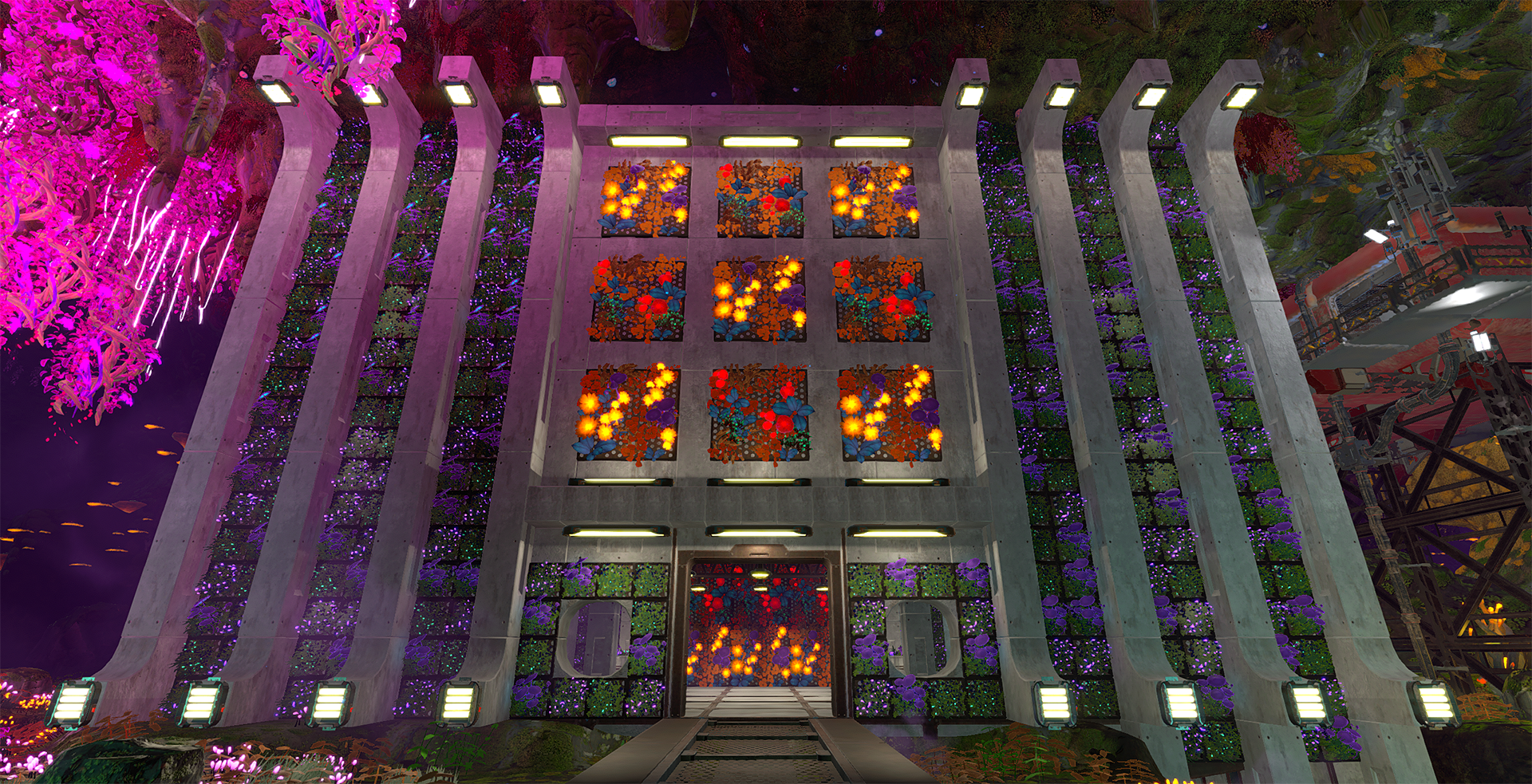
Don’t forget to festune your factories with the many decorative pieces available to you in Techtonica, from angled support struts, to wall planters, to tiny bonsai versions of the flora that appears naturally on Calyx. Tired of bare metal girders? Try adding some hanging plants to cozy them up! Bored of concrete? Checkerboard your vast walls with the various living wall pieces to add some plush plantification! And don’t forget to throw some lights above your bonsai to let them really shine.
Break the Rules
Last but certainly not least is the tip that overrides all of the others, but only after you’ve learned them! While the previous guidelines can point you in the right direction, we’ve tried to design the base building pieces in Techtonica to allow you to express your industrialist architectural self in ways we couldn’t have anticipated!
We hope that by following these tips help you to realize your full potential when it comes to building bases in Techtonica. Feel free to drop by our Discord and show off your creations in the #show-off-your-factory or #base-showcase channels! We look forward to seeing what you come up with, Groundbreaker! Now, let’s get to work.
Creating New Characters in Techtonica
Hello, Groundbreakers! My name is Will O’Neill. I’m credited as ‘Narrative’ on Techtonica, and that is more precise than you might think.
Unlike a larger (AA / AAA / AAA / AAAA / AAAAA?) studio with a dedicated team of writers in addition to specialists in story structure, quest design, casting, worldbuilding, voiceover production and beyond, my responsibility at Fire Hose Games is to wear all of those hats while collaborating closely with other many-hatted individuals. This kind of role isn’t for everyone, but I like it.
Best of all is that it affords me the credibility to walk you through one of the most exciting processes we go through: Adding a new character to the game!
Auditioning a New Voiceover Talent
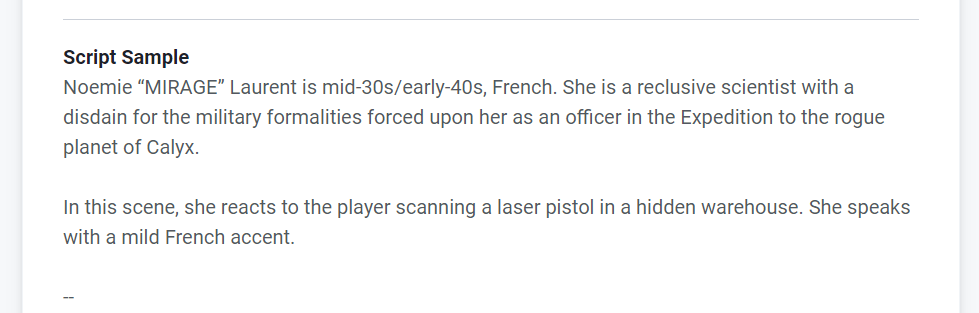
A slice of the briefing provided to performers auditioning for MIRAGE
To ensure that we recruit the right performer, our process begins by utilizing an online platform built exclusively for connecting talent with a wide variety of voiceover jobs. As a small indie studio, it isn’t realistic for us to hire celebrities, hold live auditions, or spend months making decisions, so doing everything efficiently and online is crucial.
For performers, auditioning for a new role is fairly straightforward - we ask them to record a brief monologue from the script for their character. However, this audition script is often a slightly altered version of what the actual lines will be, as we are also using the audition process to ascertain how a performer approaches specific challenges related to the role.
For example, because our new character (MIRAGE) for 0.5 was French, we inserted several extra lines into the audition that required them to utilize a French accent while speaking both French and English, as well as make use of several English expressions where it would sound natural for the character to ‘drop’ the accent somewhat. We’ll also move bits and pieces of a script around to get a feel for how performers transition between different tones and emotions that we know they’ll need for future character developments.
Once all of the auditions are received, we typically compose a shortlist of around five performers to discuss internally before making our final decision. In the case of a character like MIRAGE, part of that evaluation also involves consulting with a native French speaker to evaluate the authenticity of the accent.
One additional thing I will say about casting is that it is extremely competitive not only from a performance standpoint but from a baseline equipment perspective as well. Because we record our sessions remotely, the performer we hire must have access to professional gear - this often includes a high-quality microphone, preamp, isolation booth, and the software and hardware that puts it all together.
The Recording Session
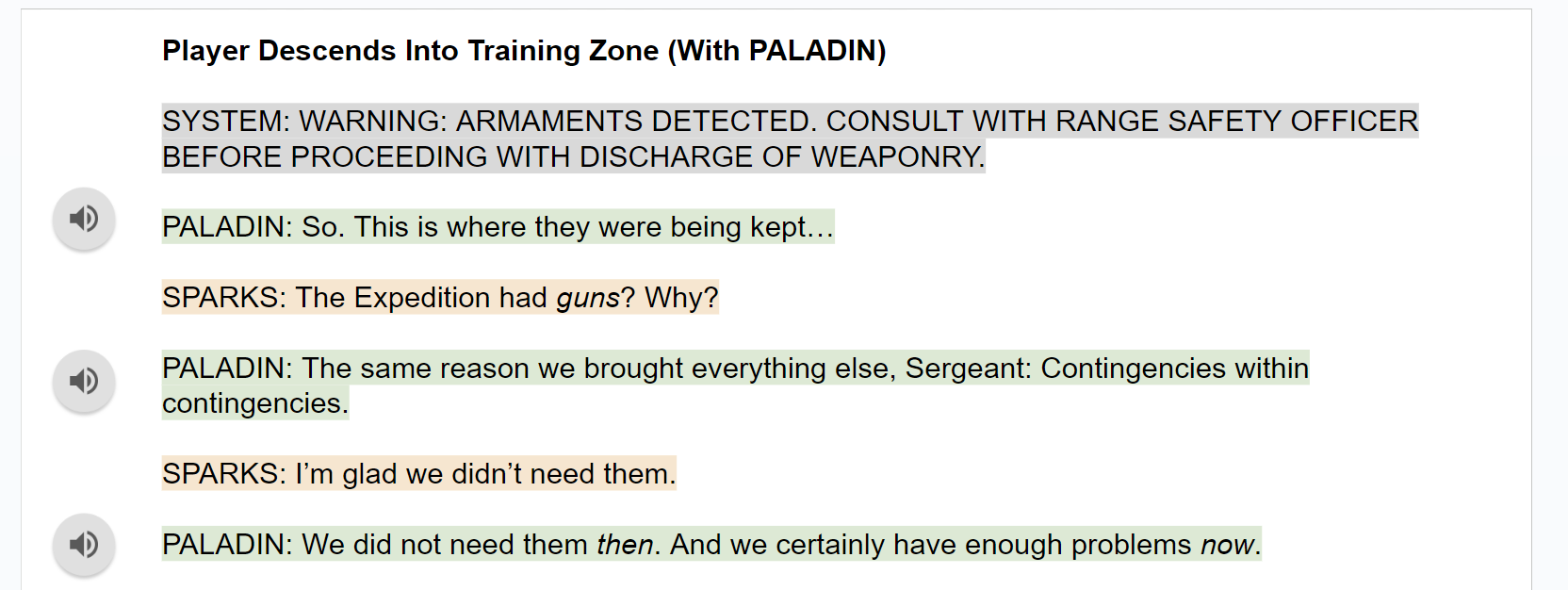
Excerpt from the September 2022 recording session script for SPARKS
Once a new performer has been selected and the script finalized, we are ready to begin! Typically, we record in sessions between one and two hours, as we are only doing incremental additions and revisions to our narrative throughout Early Access. Another nice thing about Techtonica is that it doesn’t require our performers to repeatedly undertake melodramatic reactions to various forms of violence, so our sessions are pretty light on vocal fatigue.
As a voiceover director, my background is more in corporate voiceover stuff, so I probably wasn’t raised right as a voiceover director for games. That said, I’d say my general principles are to always take things all the way through on the first go, trust the performers to find interesting possibilities that I hadn’t considered, and to be thankful that we are living in a digital age where it is easy to record as many options for a given line or scene as we want. There used to be people with razor blades and glue and gigantic reels of tape! I’m sure there still are.
I’ll say as well that performers also do a ton to prepare their minds, bodies and voices for a recording session, and that I appreciate it.
Selection and Implementation
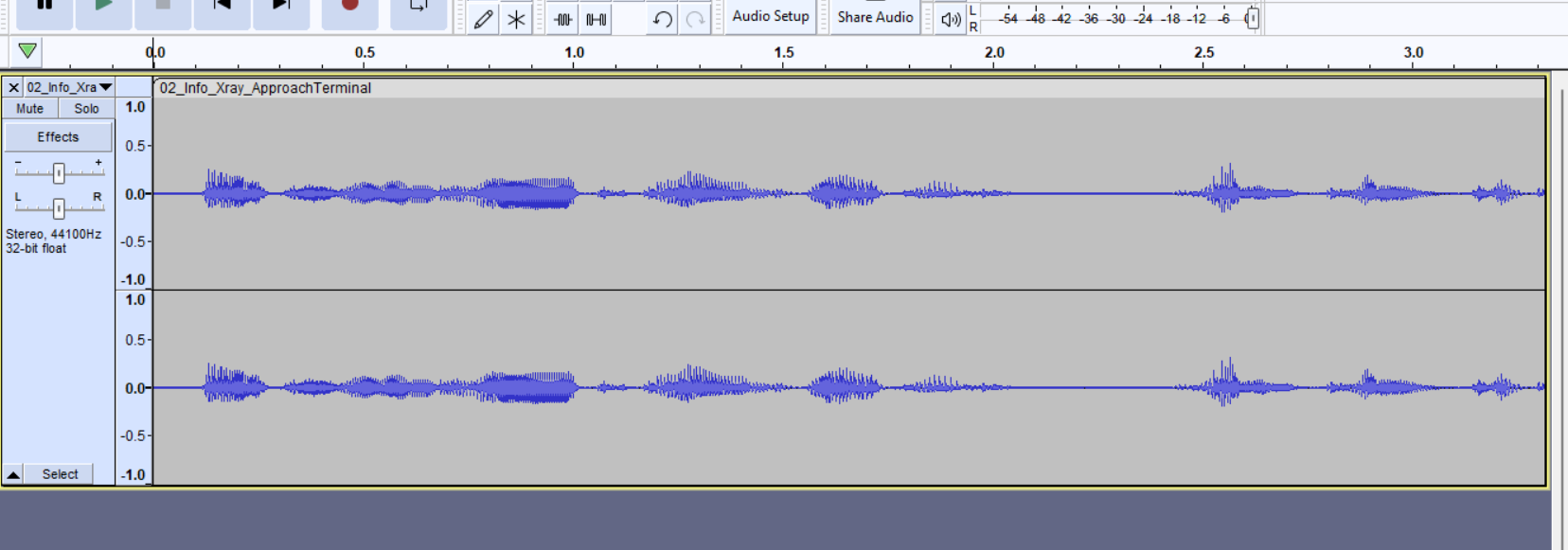
Raw waveform from a section of the October 2023 Recording Session with PALADIN
A few hours after recording, the performers will send us a single file that contains the entire session. From here, we go straight into editing - splitting things up as needed, choosing the best takes, splicing them all together, and then implementing them into the game itself.
Making careful selections and determining which individual reading of a line is the best one is, in my opinion, the most important part of this entire process. I think being both the writer and director makes a big difference here, as I have a seamless understanding of what a line sounded like in my mind as I wrote it, where to go looking for it while directing a performer, and how to bring those things together in an intangible kind of synthesis that makes my ears perk up at one tiny but meaningful variation of a line read over another. I know which takes to choose because I know what it should be, if that makes sense. Anyway, my point is that AI is trash and cannot do this.
Finally, rather than being ‘added’ to the game at this stage, the finished files replace existing placeholders that you may have listened to if you've ever played on our PTC branch. These synthesized ‘robovoice’ files allow us to put new narrative events into the game for testing and feedback before the final voice files are ready. It’s important to get a feel for the pacing and flow of the narrative events themselves - especially when they coincide with gameplay elements - so these placeholders are invaluable!
My final step is to hand the baton over to our musician / audio overlord / sound-hat-guy Brandon to ensure that everything vibes and sits right in the game. Post-processing and stuff like that is done in FMOD, which is that thing with the logo you see everywhere.
At that point, I’m done! I don’t have to work anymore! Until I have to start all over again!
Thanks!
Techtonica $10 off for a limited time
Techtonica is 34% off on Steam for the next two weeks!
Grab our factory automation game today for only $19.79 and start building your own – or build with friends (up to 4-player co-op)
Be sure to stay tuned for new Tectonica announcements coming later this month as well, until then Groundbreakers!
A massive Roadmap update!
Techtonica launched into Early Access 1 year ago, and what a year it’s been. With 5 major updates and 4 minor updates, we’ve been chugging along with development as fast as we can. We truly appreciate the support of all our Groundbreakers!
In honor of that, I’m pleased to announce our largest update thus far, Going Up. Let’s check out the Roadmap.
Over the coming months, we will start peeling back the curtain on what this update entails, but we’ll leave you to speculate for now. We mentioned previously that we’re switching to a longer development cycle for this one, so blogs will also slow down. As soon as we can show you the new content, we will!
Techtonica & Astro Colony bundle now available
Hey folks! Now you can get two great games, bundled, at a 10% discount on Steam.
We’ve partnered up to bundle Techtonica and Astro Colony.