Patch version 1.0.45: Greater gamepad support, more vivacious visuals!
Greetings, tactics fans! February may be the shortest month, but as you'll soon observe, I've been incredibly busy racking up a ton of welcome changes to Telepath Tactics Liberated.
This month sees lots of small graphical improvements; a lot of fixes and improvements relating to the UI (with a special focus on gamepad support); new AI capabilities; miscellaneous bug fixes; an improved Disarmed status effect; and lots of new tools for campaign creators. Let's get into all the changes!
First up, we have graphical improvements, equipment usage by the AI, and more:
-- adjusted the height of the Pyro, Cryo, Shadow, and Light Blast explosion animations to properly align with their projectiles.
-- fixed a graphical glitch involving the left- and right-facing visual effect animations for Light Breath and Light Breath 2.
-- cleaned up the graphic for the 2D particle "Sparkle."
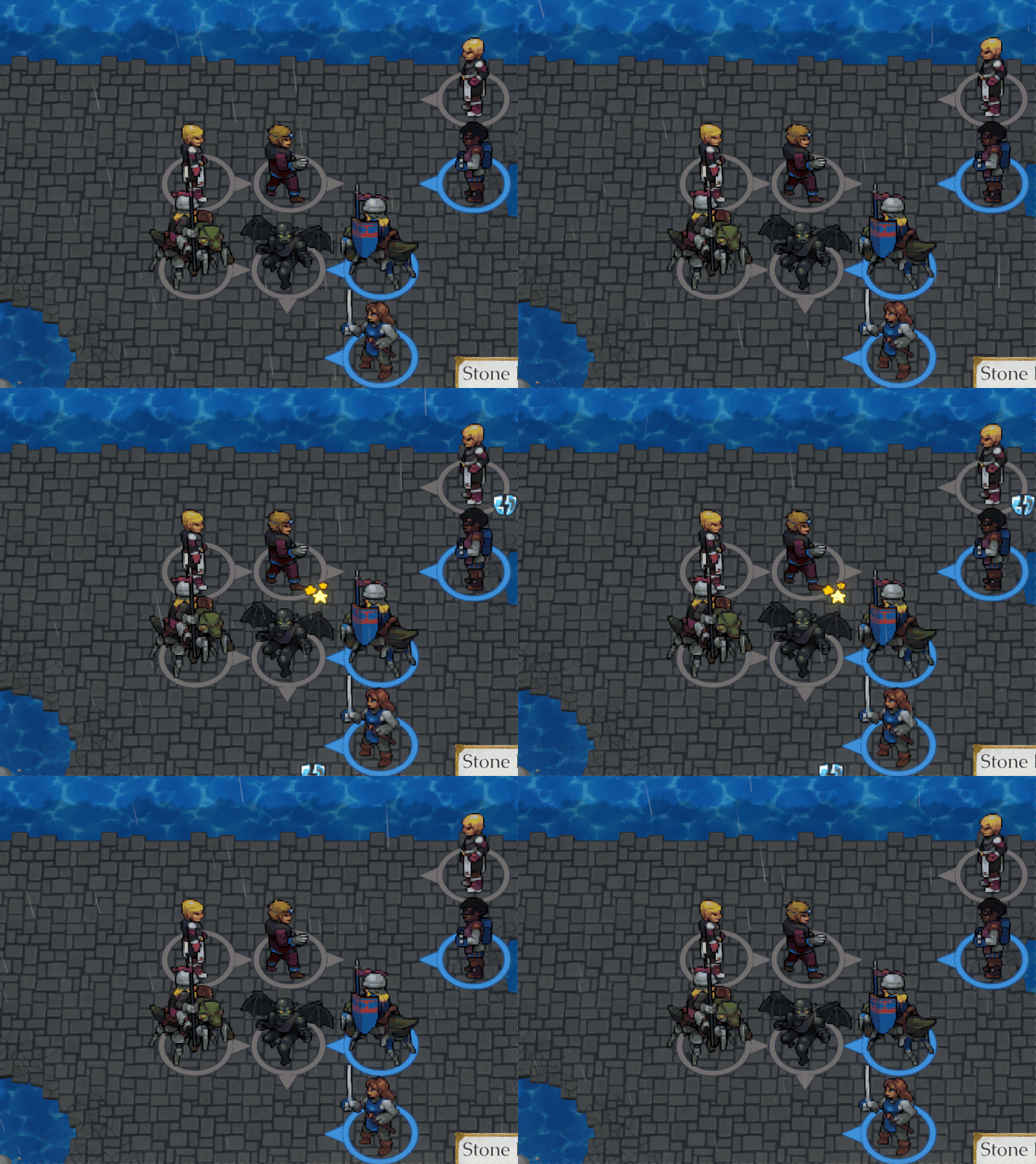
-- finally fixed that annoying bug where stray 2D particles could end up "stuck" at the top-left corner of the battlefield.
-- improved the look of the game's rain particles in battle.
-- fixed: it was sometimes possible to see the "corners" of the weather particle emitter box in battle under certain conditions.
-- improved the shop tutorial; it is now nicer-looking, spread across two pages, and provides more relevant information.
-- the game now remembers if you've completed the shop tutorial and won't show it automatically on subsequent playthroughs.
-- fixed: things which caused a character to be instantly placed on a specific space in battle (e.g. undoing) could sometimes mess up that character's z-sorting.
-- the AI will now equip weapons, armor, and other items if its characters (a) have something equippable in their inventories and (b) they have the relevant equipment slot unused.
-- successfully switched the cut scene backgrounds over to an asset bundle streaming system. This sort of thing is supposed to reduce build times, and can theoretically help with memory management on more resource-limited systems.
-- improved background image compression; converted the background asset bundle to use chunk compression.
-- fixed: the Escape button would not act as a click on the report screen in cut scenes.
There are a lot of gamepad improvements and fixes:
-- created sprites for the A, B, X, and Y gamepad buttons; integrated them into the engine as text sprites.
-- updated the game's various tutorials to now use gamepad button glyphs and instruct the player on gamepad-specific controls if it detects the player is using a gamepad (or playing on Steamdeck).
-- the game now uses "Press (A)" instead of "Click" for continue prompts in the dialogue menu and cut scene narration box when the player is using a gamepad.
-- fixed: the gamepad cursor was misaligned for the screenshake adjustment buttons in the settings menu while on the title screen or in battle.
-- fixed: the gamepad cursor had become misaligned for character screen elements while in cut scenes.
-- fixed: after using the start button to open the main menu in cut scenes, the game incorrectly treated game settings as the current menu for purposes of gamepad navigation.
-- fixed: the gamepad cursor could navigate to the "switch page" buttons in the reserve supplies screen even when they were invisible.
-- fixed undesirable gamepad cursor behavior when switching between dialogue branches with multiple replies and those without multiple replies within dialogue trees.
-- added gamepad controls for the options menu and settings screen in cut scenes.
-- added gamepad support to the info bar.
-- fixed: in cut scenes, gamepad focus would not be restored to custom menus when backing out of other gamepad menus.
-- made the options button selectable with the gamepad when in a custom menu.
-- fixed: the game treated invisible custom menu elements as selectable with the gamepad cursor.
-- fixed: gamepad controls for the report screen did not function properly in cut scenes.
-- fixed: in the character screen in battle, you could start the process of giving an item to an adjacent character by selecting Give for an item, then immediately reopen the character screen, use or drop the item, and finally return to the battlefield and click the red give tile to give a pristine copy of that item to an ally.
-- fixed: upon returning to the title screen from a game, remaining on the screen in a submenu for the length of the intro movie while using gamepad controls would result in the game inappropriately pulling gamepad focus onto the main menu.
And finally, we have more goodies for campaign creators, including an overhaul of the Disarmed status effect:
-- the NewBackground script action now allows you to load backgrounds in battle! They will appear behind the battlefield.
-- new background added: Arena_Interior.
-- prettied up heart portrait particles.
-- the Run reply type now supports passing multiple parameters.
-- new script action: LevelUpArmy. Works like LevelUp, but it affects an entire army at once instead of just one character.
-- the skill editor now has a checkbox that can be used to toggle whether a skill is considered a weapon skill by the game for purposes of the Disarmed status effect.
-- the game can now distinguish between weapon-based skills and non-weapon-based skills, and will now prevent characters from counterattacking with weapon-based skills while subject to the Disarmed status effect even if they don't have a weapon explicitly in their inventory.
-- created a Disarmed icon; the game now displays the Disarmed status effect for the rest of the turn when an enemy is disarmed.
-- changed the Disarm skill's element from Mental to Slash, increased the base chance of success to 100%, changed the cost to 4 and made it end the turn.
-- new skill: Disarming Strike. Deals basic sword damage with a 60% chance to disarm the target; can be used once per turn and doesn't end the turn, but it costs 6 energy.
-- the spirit's Possess skill now causes the user to become Hidden until their next turn.
-- fixed: the game would strip Hidden status from attackers at the conclusion of an attack even if the skill they attacked with was the thing that gave them Hidden status to begin with.
-- fixed: the -ATTACKER- special character was inappropriately referencing the attack target instead of the attacker when used in skill scripts.
-- in skill scripts, the skill target is now treated as the triggering character and the user of the skill is now the secondary character.
-- new special character: -ROSTERNUM-. Gets changed to whatever the number of the current roster is.
-- fixed: head 12 in lissit portraits was missing data for mouth 8.
-- improved documentation of the LoadConv reply type.
-- fixed some outdated info in the in-game documentation relating to generate unit-type actions, specifically with respect to the first salary parameter.
-- fixed: a Wait action queued up after a WaitForDialogue action would cause the wait timer to run concurrently with the wait-for-dialogue condition; and if the wait timer counted down to zero before the dialogue finished animating, the game would proceed with executing actions anyway! The game now waits for dialogue to conclude if a WaitForDialogue action was executed before commencing the countdown for a subsequent wait timer.
-- fixed: SkillProgToList would not always generate the list in ascending numerical order of the level the skills are learned.
-- fixed: the game was not recognizing when a dialogue branch was marked for input text within PersistentDialogue.xml.
-- new script action: GenerateItemName. Causes the game to randomly generate a (hopefully) cool-sounding name for a unique weapon, then sets custom string _UniqueItemName with the name generated.
-- greatly improved documentation for the CreateUniqueItem script action.
-- fixed: a typo in the logic for CreateUniqueItem was causing it to disregard mandatory tags.
-- new script actions: ShowCalendarButton and HideCalendarButton, which can be used to toggle visibility on a button the player can use to examine the in-game calendar during cut scenes.
-- you can now scroll through characters in the character screen while within the army overview screen using the mouse wheel (or, if in gamepad mode, the shoulder buttons).
-- fixed: the reverse match method in CullListByList was not working properly.
Annnnd that's about all for now when it comes to TTL! I've been working extremely hard getting Together in Battle ready for its April 25th launch, as it has to be ready to go out to reviewers next month. It's been a real whirlwind of rounding up things that I've been putting off completing and then getting them good and done.
I really think you all are going to love Together in Battle; it has nearly everything that makes Telepath Tactics Liberated special, plus a much more open structure with a lot of latitude for player choice and (gasp) actual role-playing. This time, we've got loads of character customization via the in-game trainer, and tons of replayability via the...well, everything.
You see a lot of "strategy roguelikes" these days, but they're mostly just card games focused on short "runs." It's rare to get one that leans into providing a true long-form role-playing adventure, and pretty much unheard of to get one that's also a deep SRPG at its core. I think that makes TIB pretty special.
Anyway, enough of my blabbering--I have a game to prepare! See you all in a month or two. 😉
Tactically yours,
Craig
Patch version 1.0.44: Prettier particles, better balance!
Greetings, tactics fans! Over this past month, I've made some further improvements to the engine, prettying up some more aspects of the game's visual presentation and adding a variety of other improvements to boot.
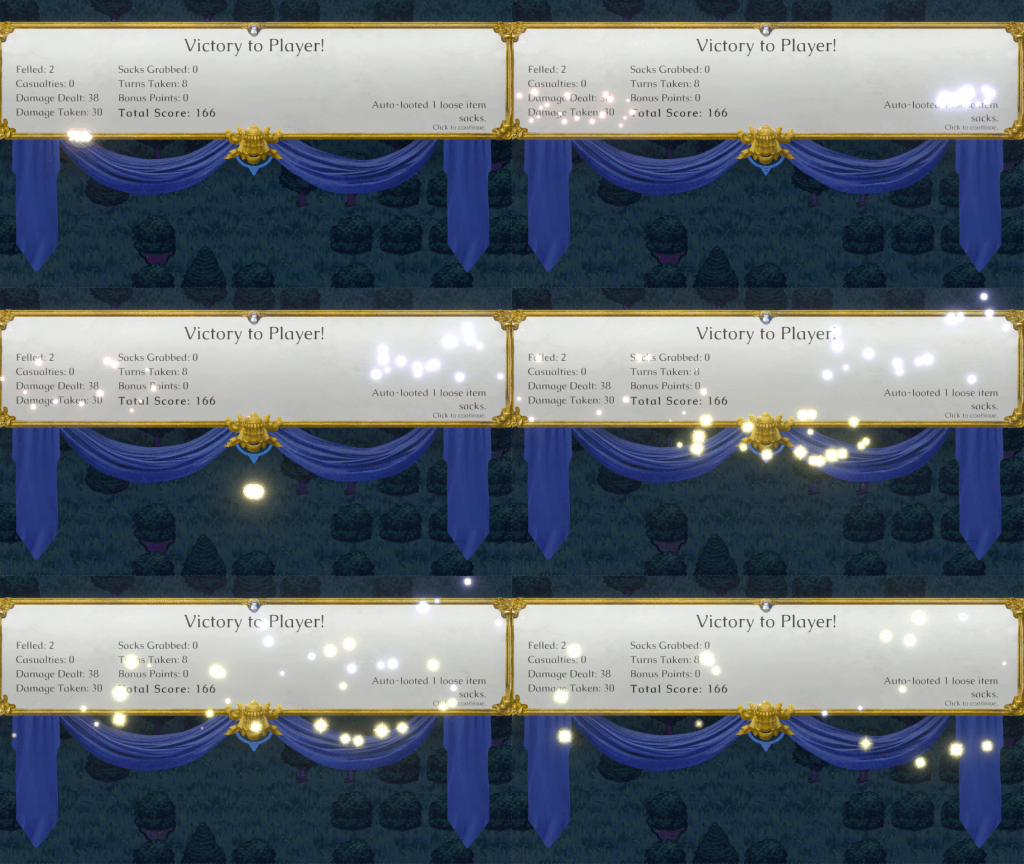
Perhaps the biggest graphical change this patch is a fix to something that was holding back 2D particle effects: namely, shader settings for different particles were transferring between particle materials, leading to inconsistent (and sometimes glaringly incorrect) emissive lighting. This was the culprit behind victory screen fireworks abruptly not glowing anymore partway through the animation, as well as spark particles during level-ups not glowing as intended. If it moves and glows and it's part of the UI, it now looks much nicer!
Apart from that, I added a new setting to tone down (or turn off) screenshake for players who dislike that effect, made a few more balance improvements, added some further graphical flourishes, and fixed a few obscure bugs. Here's the list of changes:
-- added a new setting to the Settings screen that lets you halve the strength of the game's screen shake effects (if you prefer them to be subtler) or to just turn them off entirely.
-- toned down the magnitude of default screen shake for some of the heavier attacks.
-- level scaling now works more aggressively in favor of characters who are behind the level curve, making it easier to train up underleveled characters. (Characters who are overleveled compared to their opponents still get a 10% penalty per point of level difference, but characters who are underleveled now get a much higher 15% experience boost per level that the opponent has over them.)
-- raised the cap for each instance of scaled experience to 300% of unscaled experience. (For instance: if a move would have granted the character 45 experience normally, experience scaling can now cause it to grant as much as 135 experience.)
-- massively increased the power of Defiant Stance: it now gives +100% strength until the user's next turn, making it much more viable as an alternative to simply attacking.
-- increased the base chance of applying Frozen status with Cryo Cross from 50% to 75%, making it less dangerous (and more beneficial!) to use near large groups of enemies.
-- boosted the spread of sparkle particle effects on the supplies button upon acquiring a new item in the shop interface, making it harder to miss.
-- reduced the speed of the "spending money" animation in the info bar so it's more satisfying (and harder to miss).
-- fixed: the game would default the gamepad cursor to the dialogue box on branches with multiple replies.
-- fixed: members of army 99 (i.e. most destructible objects) with status effects, upon reloading a mid-battle save, would inappropriately step their status effects an additional time.
-- fixed: a character receiving both non-Shield damage and Shield damage (typically, healing) from multiple sources simultaneously would cause the game to lock up. (For instance: at the start of the turn, a character with both Burning and Regenerating status effects active at once would make the game throw an error.)
-- fixed: the level-up screen was keeping "None" onscreen as part of equipment mastery text even after first learning an equipment mastery.
-- fixed: tooltips for physical attributes in the character screen were not displaying correctly when playing in gamepad mode.
-- fixed: it was possible for custom list data to bleed over from a saved game when starting a new game.
That covers the changes that impact the main campaign, but there are some treats here specifically for custom campaign creators as well!
-- new script action: InterfaceArmyColor. Lets you change the default army color used in cut scene interface elements like the recruitment screen or the reserve supplies screen from Blue to any other supported color.
-- the game now supports creating arbitrary stats for characters using the SetStat action! These won't appear in the UI, but they can be used to invisibly store integers specific to each character (e.g. enemies they'll slain, days they've been on the team, etc.). These, in turn, can then be referenced by other script actions.
-- now supported: a reply UI for dialogue where instead of showing text options, the game displays a list of the player's characters by portrait. Clicking a character will immediately set them as the trigger character for the dialogue going forward, then register a click on "reply 0" for dialogue tree navigation purposes. (To make use of this, use the special character -ShowUnits- as the text of the first reply in the dialogue branch where you want this special reply UI to appear.)
-- Run (and all IfXRun-type script actions that support passing script parameters) can now take an unlimited number of script parameters; just keep adding more name-value pairs onto the end until you're done!
-- added support for passing script parameters to IfItemRun.
-- added support for a new dialogue trigger type: OnPanCam. This triggers dialogue as soon as the player pans the battlefield camera using the mouse or keyboard and releases the relevant mouse button/key. One optional parameter: turn number.
-- added Species to the attributes supported by the IfAttribute script actions.
-- the game now processes special characters in the warning messages for custom menu buttons.
-- created a new "WhistleDown" sound effect that's intended to signal a character's worsening emotional state (rather than signal a character falling down a bottomless chasm).
-- new skill available to use: Trade. It's essentially Twirl, but it only works with allied characters (whereas Twirl can be used on enemies).
That's all for TTL this month, folks. In other news, I just announced Together in Battle's release date yesterday: it's coming to Steam April 25th, so mark your calendars--it's gonna be a doozy! 😉
Until next time...
Yours in tactics,
Craig
Patch 1.0.43: better water, better level-ups, and more!
Hey there, tactics fans! I'm back with another update adding a bit of extra graphical polish, fixing a few bugs, and even including a few presents for people making their own campaigns. (It is that time of year, after all!)
Here is what's new in version 1.0.43:
-- a massively improved water and lava shader. Liquid terrain now undulates!
-- the level-up screen is now animated, with stat changes and new skills appearing sequentially instead of just being there all at once when the screen opens. (Clicking will skip the sequence and display everything all at once.) Each change is accompanied with a new sound effect and some nifty particle effects!
-- fixed: the game camera was cropping out important information when zoomed in to combat exchanges occurring on the bottom row of the battlefield.
-- fixed: rotating a unit while an attack tile for a self-use skill with an asymmetrical AOE pattern (like Hold) would result in the character rotating but the AOE pattern not rotating to match.
-- fixed: the game was determining facing incorrectly for AI-controlled characters using 0-range skills with asymmetrical AOE patterns (e.g. Hold).
-- fixed: the game would sometimes initiate babble speech for the first branch of tutorial or event text even though no "speaker" character existed.
-- fixed: when reloading a mid-battle save with holds active on the field, the holds would be placed but would not be visible to the player.
-- updated the end credits with additional sound effect credits.
We also have miscellaneous goodies for campaign creators, including a bunch of fixes specifically with respect to proc gen maps:
-- improved the visuals for Twirl: added a character animation, improved the skill timing, and made the swapping occur visually (rather than via an instantaneous teleportation a la Juxtapose).
-- new script action: SwapUnitPositions. This causes two named characters to visually swap positions on the battlefield as described above for Twirl.
-- new parameter added to SpawnFloatingText and SpawnFloatingTextAt script actions: word wrap. Set to false to force pop-up text to remain single-line.
-- improved the backup routines for placing faraway enemy units in proc gen battles so they're less likely to end up being placed completely at random.
-- fixed: there could sometimes be range errors when setting distance values in proc gen maps.
-- fixed: the game would sometimes fail to overwrite the scene display name upon loading a proc gen map, leading to it not generating a random name for the map.
-- fixed: the game wasn't correctly applying phase, particle, and impact sound properties to spaces in proc gen maps.
-- fixed: the game was not saving and reapplying the map seed for proc gen maps to mid-battle saves correctly.
-- fixed: the "random drop" spawn algorithm wasn't playing nice with proc gen maps, resulting in units placed via the GenerateUnit and GenerateUnique script actions with coordinates of -1, -1 sometimes not spawning at all.
-- fixed: the ItemDrop script action wasn't functioning properly on proc gen maps.
-- fixed: the game was keeping the map seed for a proc gen battle in memory after beating that battle, meaning that any subsequent return to that proc gen map would reproduce the same battle from the saved seed.
That's all we've got for this update--all the other work I've been doing this month is secret work on Together in Battle. As always, thanks for your support! And if you haven't left a review yet, please consider dropping one: positive reviews help a lot.
Yours in tactics,
Craig
Nominate Telepath Tactics Liberated for an award!
Greetings, tactics fans! Some of you know the story behind Telepath Tactics Liberated, but I imagine that many of you don't.
I started working on Telepath Tactics all the way back in 2011 as an experiment in creating my "dream combat engine" as I put the finishing touches on Telepath RPG: Servants of God. Once TRPG:SoG released, I went through two separate Kickstarter campaigns to get Telepath Tactics funded--one failed, one successful--and then spent years more finishing the game even as I continued working a full-time job.
I finally released Telepath Tactics in 2015, only to realize that the game had some major flaws baked into the engine. I spent roughly half a year laboring day and night trying to fix all of the issues, but some were just too difficult for me to pin down.
This March, just shy of 7 years after the release of the original Telepath Tactics, I released Telepath Tactics Liberated. I gave the remake away for free to all owners of the original game, too. In the eight months since, I've continued to push dozens of free updates to TTL, adding new skills, new items, two full new game modes, gamepad support, Steam Deck support, AI improvements, and loads of quality-of-life features.
"Fine, Craig," you might say, "that's great that you worked hard for many years to make this game reach its full potential: but what does this have to do with the Steam Awards?" Good question! I happened to take a look at the Steam Awards categories earlier and noticed that there is one called "Labor of Love," described as follows:
"This game has been out for a while. The team is well past the debut of their creative baby, but being the good parents they are, these devs continue to nurture and support their creation. This game, to this day, is still getting new content after all these years."
Well! That sure does sound a bit like Telepath Tactics, doesn't it? I'll leave it up to you whether you think Telepath Tactics Liberated deserves the nom--but if you do, I'd certainly be honored if you chose to nominate it for an award. Thanks for reading, and have a great Thanksgiving (or regional equivalent, if any)!
Yours in tactics,
Craig
The Steam Deck compatibility patch!
Greetings, tactics fans! As you may have noticed, Valve recently designated Telepath Tactics Liberated "playable" on Steam Deck. With that designation comes new fans eager to play the game on Steam Deck--and with them, reports of issues unique to that platform.
As you know, I developed TTL for Windows: I never received a developer Steam Deck from Valve, and I didn't have the opportunity to test the game on Steam Deck before Valve marked it playable. However, I'm nothing if not motivated to make fans happy! So I went ahead and bought a Steam Deck with my own money to test the game out and fix issues.
This latest patch primarily addresses display and control-related problems that were holding the game back on Steam Deck. (Special shout-out to user janichbumbelby for offering detailed feedback on this!) Here are the specific changes I've made so far:
-- the game now auto-switches to gamepad controls upon starting up if it detects that it's running on Steam OS.
-- new feature: when in battle in gamepad control mode, the game now treats mouse wheel movement as an impetus to focus on the actions bar and scroll through the action-bar buttons. You can configure the Steam Deck's track pad to register clockwise and counterclockwise circles as mouse wheel input for this purpose.
-- fixed: the cursor indicator was appearing in the wrong spots on certain menus (primarily on the title screen and save game screen) when the game was running in resolutions other than 1920 x 1080. In the Steam Deck's native 16:10 resolution of 1280 x 800, these menus were all but unnavigable. Now they work as intended in all resolutions.
-- save slots once again highlight when they're moused over, and now engage in this same highlighting behavior when the gamepad cursor is moved over them to further eliminate any visual ambiguity.
-- fixed: the right joystick was mapped to the wrong axes for Steam Deck (and XBox 360) gamepad controls, preventing proper independent panning of the battle camera.
-- fixed: the text overlay box had incorrect scaling settings for 16:10 resolutions.
-- fixed: the gamepad control graphic was incorrectly scaled for 16:10 resolutions.
-- fixed: the gamepad controls screen was showing incorrect info for the shoulder buttons. The left shoulder button is bound to Next Unit, while the right shoulder button is bound to Auto-Skill On Target (i.e. if you press it when a character is selected, your selected character will attempt to use an appropriate skill on whatever unit the selector is presently overlapping, independently moving into range if they can and they need to).
-- extended the "snap the selector to an attack tile containing a valid target" gamepad behavior so that if no characters are in skill range, the game will instead default to snapping the selector to a space containing a destructible object.
-- when using a gamepad and ending a character's move, if there are no attack targets in range and the character is on top of an item sack, the game will now auto-focus the cursor on the Grab button in the actions bar for more convenient sack-grabbing.
-- fixed: when in battle using gamepad controls, the game was overriding give tiles with move tiles after selecting the Give option on an item in the character screen, making it impossible to successfully give another character items during battle.
-- fixed: when ending a battle scene in gamepad mode, the selector would pop back up on the battlefield as the scene faded out.
-- new in 1.0.42a: when using a gamepad and ending a character's move, if there is an adjacent unit the character can talk to, the game will auto-focus the cursor on the Talk button in the Actions Bar.
-- fixed in 1.0.42a: the shop tutorial text overlay didn't fully fit onscreen in 16:10 display resolutions.
-- refactored the menu-switching code in the gamepad navigator class as of 1.0.42a to fix issues with tooltips not appearing on the element selected when first opening a menu. (I am pleased to report that this worked.)
-- fixed in 1.0.42a: when using a gamepad, the cursor arrow would continue to be visible in the bottom-right of the screen after ending the player's turn.
-- fixed in 1.0.42a: when using gamepad controls, the auto-equip confirmation window in the reserve supplies screen wasn't gaining focus upon spawning.
-- fixed in 1.0.42a: when using gamepad controls, exiting the shop was still shunting focus to the dialogue window rather than the exit confirmation window.
-- fixed in 1.0.42a: when navigating a dialogue tree, the gamepad logic would not consider replies above the last-chosen reply to gain focus when the number of available replies shrank upon reaching a new dialogue branch, making it so that you could inappropriately invoke the last-chosen reply from the previous branch by simply hitting "A."
-- fixed in 1.0.42b: using the gamepad "character screen" button (Y) in the reserve supplies screen only showed the character screen for whomever was first in the character roster.
-- fixed in 1.0.42b: gamepad L3 and R3 inputs did not undo or rotate, respectively, if focus was in the actions bar.
-- fixed in 1.0.42b: when in gamepad mode, menus in cut scenes were double-counting presses of the cancel button (B).
And here's a regular bug fix unrelated to Steam Deck:
-- upon destroying an object with fly-only passability resting on stairs suspended over a hazard tile, the game would drop the stairs into the hazard as though they had been resting atop the object. This is now fixed.
That's all we've got for now, folks. Thanks as always for supporting the game; it means a lot to me!
Tactically yours,
Craig
Patch version 1.0.41: graphical and gamepad improvements!
Greetings, tactics fans! I've got another update for you with a long-awaited graphical improvement and some bug fixes.
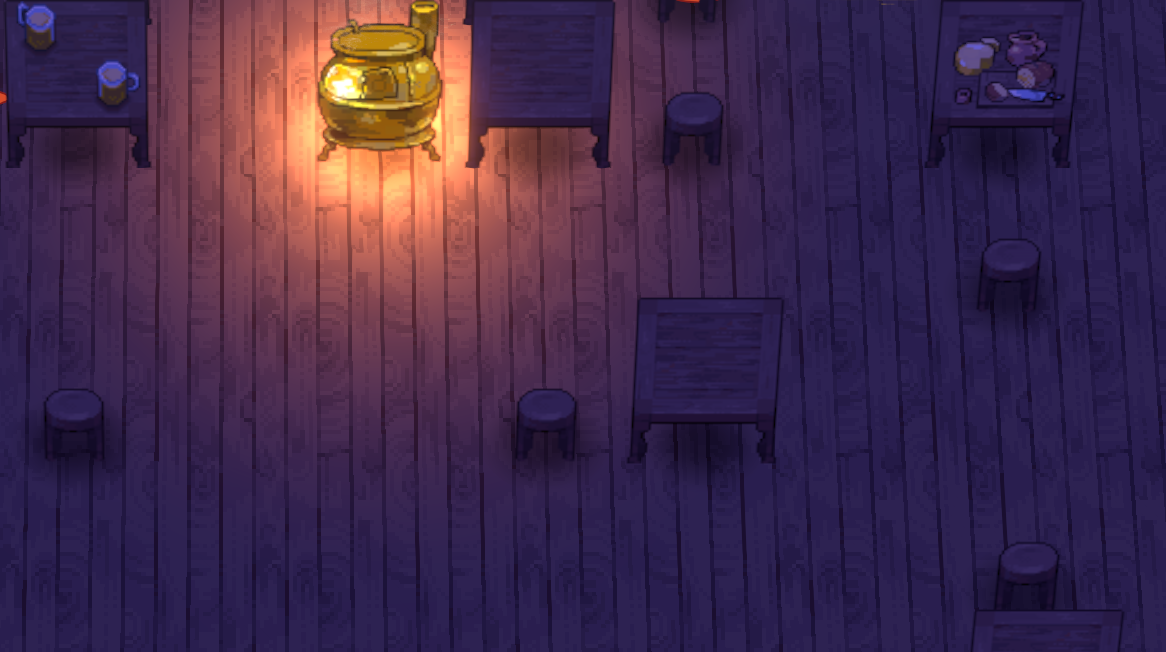
Our most visible change this update involves, quite literally, tables. Due to the way Unity's perspective camera handles 2D sprites, sprites near the edges of the area visible onscreen tend to skew outwards. This looks pretty normal for characters and objects that are relatively tall and narrow (like trees), but not so much for longer, squatter objects--like tables. As you can see, when those skew outwards, it looks like they're positioned counter to camera perspective:
You may recall that in the last minor update, I improved how "flat" sprites like traps are displayed. Tables aren't strictly flat, however--they have more dimensionality, and so required a different approach. Well, I finally took some time, got good (enough) at Blender, and figured out how to actually texture and export 3D models and get them working in-game!
This meant modeling a 3D version of the basic table, adapting the existing 2D pixel art for tables to create textures for every table variant in the game (basic, with food, with beer, with dice, with books, with map, with papers...), and importing them into the game. It sounds simple when I type it out, but this was days of work! And here's the result:
Pretty neat, eh? Now that I've now definitively fixed the issue of table sprites skewing near the edges of the screen, I can use this technique to address other such issues going forward (as well as to create brand-new 3D objects!) It's a small thing, but I'm quite happy about it.
But wait, there's more--let's run through some other improvements I've made to the game with this update:
-- a recent change in the code designed to prevent Together in Battle from connecting to Steam as though it were Telepath Tactics Liberated apparently broke achievements for Telepath Tactics Liberated. This is now fixed.
-- the mouse cursor is now fully locked, disabled, and rendered invisible when loading or starting a new game with gamepad controls enabled. This way, you can't accidentally mess with the cursor by bumping your mouse when in gamepad mode.
-- fixed: when in gamepad mode, the game was displaying a selection arrow over the new turn box at the start of AI-controlled turns, then leaving the cursor arrow onscreen after the new turn box faded from view.
-- fixed an exploit involving skills with an after-attack effect of "Can Move" (such as Lance or Bow) granted by a weapon with a remaining durability of 1. When using such a skill with a 1-durability weapon, it would break the weapon, after which the character could equip another weapon granting that same skill to use the skill a second time in the same turn.
-- fixed: the character creator was auto-marking weapons as equipped even if a different weapon was manually marked as equipped via "[E]" notation in the inventory field.
-- fixed: in cut scenes in gamepad mode, the Options button would sometimes inappropriately gain focus and open the options menu when selecting something else onscreen.
-- added in some code so the game can now detect if it's being run on Steam Deck. (This doesn't do anything just yet, but it will allow me to diagnose and fix issues with the the game when it's running on Steam Deck going forward.)
That's all we've got this time, folks. Thanks again for all your support!
Tactically yours,
Craig
Patch version 1.0.40
Hey folks! We've got a relatively small patch this time around focused on fixing some graphical jank, fixing a few bugs, and adding in some improvements for our intrepid campaign creators! Here are the changes:
-- improved the way that certain destructible objects are displayed, particularly those which shouldn't cast a shadow (e.g. wildflowers, reeds, and spike traps) and those which are supposed to lay relatively flat (e.g. floor buttons, rubble, snare traps, iron jaw traps, and caltrops).
-- added two new attributes to units: hasShadow and laysFlat.
-- new destructible object added to the game: Rug.
-- tweaked the save slot formatting to better accommodate long scene names.
-- improved procedural terrain generation in both the map editor and proc gen battles generally.
-- the game now saves proc gen battle battle names at the start of combat, meaning that the save slot won't display "RANDOM" prior to mid-battle saving anymore.
-- adjusted the numerical calculation for status effect icons in the character screen to more accurately match up with the rounds remaining.
-- fixed: undoing a flyer's move off of a fly-only object would result in them being reset to the wrong elevation.
-- added a new skill to the game: Twirl. Switches positions with an adjacent target character. Costs no energy and ends the turn when used.
-- added a new optional parameter to RemoveFromList: stop after. This allows you to easily remove only the first X entries in a list that match a string.
-- fixed: using CombineLists when the first list was not already set would cause an error. (Now when this happens, the game auto-creates an empty list to serve as the first list.)
-- fixed: using CombineLists when the second+ list was not set would cause the game to not create the destination list at all. (Now when this happens, the game simply clones the first list to the destination.)
Patch version 1.40
Hey folks! We've got a relatively small patch this time around focused on fixing some graphical jank, fixing a few bugs, and adding in some improvements for our intrepid campaign creators! Here are the changes:
-- improved the way that certain destructible objects are displayed, particularly those which shouldn't cast a shadow (e.g. wildflowers, reeds, and spike traps) and those which are supposed to lay relatively flat (e.g. floor buttons, rubble, snare traps, iron jaw traps, and caltrops).
-- added two new attributes to units: hasShadow and laysFlat.
-- new destructible object added to the game: Rug.
-- tweaked the save slot formatting to better accommodate long scene names.
-- improved procedural terrain generation in both the map editor and proc gen battles generally.
-- the game now saves proc gen battle battle names at the start of combat, meaning that the save slot won't display "RANDOM" prior to mid-battle saving anymore.
-- adjusted the numerical calculation for status effect icons in the character screen to more accurately match up with the rounds remaining.
-- fixed: undoing a flyer's move off of a fly-only object would result in them being reset to the wrong elevation.
-- added a new skill to the game: Twirl. Switches positions with an adjacent target character. Costs no energy and ends the turn when used.
-- added a new optional parameter to RemoveFromList: stop after. This allows you to easily remove only the first X entries in a list that match a string.
-- fixed: using CombineLists when the first list was not already set would cause an error. (Now when this happens, the game auto-creates an empty list to serve as the first list.)
-- fixed: using CombineLists when the second+ list was not set would cause the game to not create the destination list at all. (Now when this happens, the game simply clones the first list to the destination.)
The spit-polish update: patch version 1.0.39!
Hey folks! Here's another update for you with some highly requested quality-of-life features, bug fixes, balance changes to encourage greater use of knockback mechanics, some additional resources for folks making their own campaigns, and lots of little bits of polish. Here are the changes:
-- status effect icons in the character screen now display a number representing the effect's remaining duration, so you no longer have to guess how much longer a status effect will last!
-- the "shift-click to auto-move and attack" behavior can now be accomplished by simply double-clicking an enemy while you have a character selected.
-- tweaked some of the AI's move-valuing formulas to further cut down on instances where the game thinks it's a good idea to have characters attack bits of scenery.
-- fixed: the Coria cut scene (which plays immediately after the Coria Bridge battle) was missing a Recover condition, causing Emma and friends to arrive in Coria without their wounds healed or energy restored. (If Emma or Sabrina arrived with very low health and the player then unequipped a shield from them in the shop, this could result in the character's health going below 1 and the game treating them as dead for deployment purposes.)
-- added 1 space of knockback to Trueshaft and slightly lowered base damage.
-- bumped up the knockback on Kinetic Gale to 3; created a new kineticist skill called Kinetic Wind with knockback 2 to replace it for proc gen kineticist characters.
-- added a new stone golem skill: Hurl. It's basically Throw, but it goes 4 spaces and deals twice as much damage.
-- adjusted the proc gen stone golem skill progression so they start with Shove at level 1 and gain Toss or Throw in the early levels following.
-- changed the Avalanche prestige class for stone golems; instead of getting Charge, they now get to use Toss without ending the turn and get 50% off the energy cost of Throw.
-- added a new weapon trait to the pool for the highest tier of proc gen weapons: "Colossal." Colossal weapons add +1 to knockback on all skills which depend upon the weapon.
-- adjusted proc gen spriggat portrait scale to more accurately reflect their true size.
-- fixed: the tooltips for the item buttons for individual character inventories within the Reserve Supplies screen were formatted slightly differently than the tooltips for item buttons everywhere else in the game, causing them to not display the third line of text for longer item descriptions.
-- added a specific sound effect that plays when small plants are destroyed.
-- added a specific sound effect that plays when objects made of stone are destroyed.
-- added a specific sound effect that plays when trees and objects made of wood are destroyed.
-- fixed: the game wasn't saving or loading unit-specific particle effect settings. (This wasn't a problem before, as they weren't being used for anything--but now they're used to determine which destructible objects should make the above sound upon being destroyed.)
-- fixed: bonus damage from colliding with a damaging object (e.g. Spiked Barricades) was not being applied when the character had been knocked back multiple spaces due to the game checking the wrong space for purposes of "counterattack" range.
-- massively increased the speed of the "fade out" animation for menus, making it much harder to notice proc gen character portrait elements going transparent during the fade.
-- fixed: the game was creating cosmetic connectors on land tiles for bridges being built at elevations above the land.
-- fixed: the game would delete the player's saved game after losing a battle in ironman mode even if the battle lost had a "defeat scene" specified.
-- fixed: levitating characters moving onto a fly-only object, then moving off of it after Levitate wore off would sink into the ground. Flying characters now display above fly-only objects when they move onto the same space as them, the same as non-flying characters.
And here are the things added for the benefit of modders:
-- a huge variety of improvements to procedural map generation, most significantly to the placement of enemy units. Proc gen maps now spawn enemies in groups based on how many turns away from the player they are. Proc gen maps feature a new "aggressiveness" parameter that alters (a) how large each enemy group is, and (b) how many of them it will mark as Passive to start off the fight.
-- new sound effects usable: Crowd Booing, Plant Destroyed, Stone Breaking, and Wood Breaking.
-- added an "associated feeling" parameter to the NPCsToList action, allowing the game to narrow NPCs by whether a character associates happiness, sadness, or anger with them.
-- added an "associated feeling" parameter to the -NPC:X- special character, allowing the game to narrow NPCs by whether a character associates happiness, sadness, or anger with them.
As always, thanks for supporting the game! Your support means the world to me. :)
Tactically yours,
Craig
Together in Battle demo up for Next Fest!
Imagine Telepath Tactics Liberated with team management, random events, emergent relationship-building, and tighter fights. That's Together in Battle, the SRPG roguelite coming to Steam early access next year! This trailer should give you the general gist of it:
As part of Steam Next Fest, I've put a meaty demo online for you to play for free. It'll only be up until next week, though, so make sure to check it out while it's online--and don't forget to wish list Together in Battle! 😉