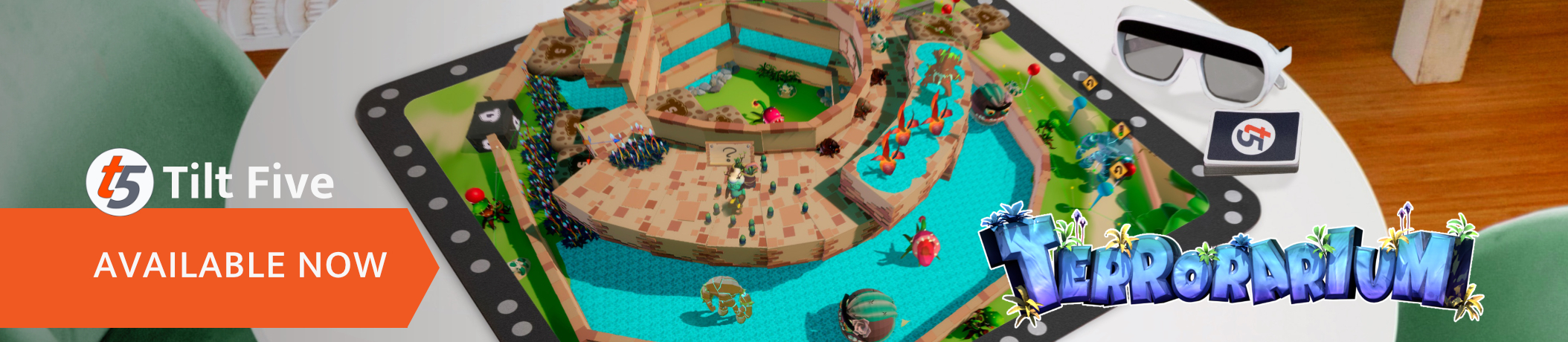
Terrorarium is now available for the Tilt Five AR System!!!
Now your Terrorariums burst to life with the Tilt Five Holographic Gaming System!
We're so excited to be working on this new version of the game with the incredible AR glasses designed by Tilt Five. Honestly we could hardly believe it the first time we saw the game through the glasses - it jumps straight out of the tabletop and you can look at every level from any angle. Words can't really capture the magic here - we just want you to try it so we're offering the Tilt Five version FREE for everyone who owns the PC game! Just download the game and choose 'Play Terrorarium on Tilt Five' after you've connected your AR glasses.
Many thanks to Ontario Creates and Interactive Ontario for joyfully organizing a world-class collection of games from Canada's largest province that includes Games by Stitch's very own TERRORARIUM!
There's still time to discover more cool games and livestreams from Ontario's studios.
Play the North: discover Ontario Games on Steam! https://store.steampowered.com/curator/42151261/sale/gamesfromontario2022
BTS Terrorarium: the Bluish-Green interview
Games by Stitch level designer David D’Orazio chats with game dev streamer Bluish-Green on Tuesday, Sept 13 @ 7:30pm EST at https://www.twitch.tv/bluishgreenproductions
Games by Stitch Twitter: https://twitter.com/gamesbystitch
POSTPONED: BTS Terrorarium: the Bluish-Green interview
Games by Stitch level designer David D’Orazio chats with game dev streamer Bluish-Green on Tuesday, Sept 13 @ 7:30pm EST at https://www.twitch.tv/bluishgreenproductions
POSTPONED: Please stay tuned for rescheduled details!
Games by Stitch Twitter: https://twitter.com/gamesbystitch
Come stop by Games by Stitch's Terrorarium livestream on the 8th of September from 5pm-6pm to learn new tips and tricks when designing unique levels for Terrorarium. Access Livestream Here
See more cool games and livestreams from Ontario here
Play the North: discover Ontario Games on Steam https://store.steampowered.com/curator/42151261/sale/gamesfromontario2022
Terrorarium just got a mighty update!
We took all the feedback from our players and redesigned the game- We call it our BLOOD OCEAN update and it’s finally the way we always wanted to play.
Here’s our top 10 list of updates: 1. Respawn at Checkpoints! No more frustrations mid-level! We even place a little ghost granny in every spot you’ve died before so you can remember those difficult moments. 2. A proper campaign with over 50 levels across multiple planets 3. PERSISTENT GORE - it’s everywhere now and accumulates each replay 4. Gooey Moogu do so much more now! Stick monsters in place and build fuses 5. Maker Mode works so much better now with height adjustments to make more complex levels. Assigning paths to creatures is much smoother too. 6. Fixed so many mechanics - Beckon plants aren’t annoying now and monsters have clearer hitboxes. There’s even a poison cloud and tornado now! 7. Every level starts with a flyby animation that lets you see what you’re about to conquer. 8. 100+ new assets in Maker Mode - we found them between the couch cushions and figured why not? 9. New and improved animated cutscenes - honestly we’re just better at 3D now. 10. You actually have to confirm before we delete your Maker level. This was a stupid one that’s totally on us. RIP all those accidentally deleted levels.
It just got bigger, bolder, and better!
Terrorarium releasing July 28th, 2020
Terrorarium will be leaving Early Access and fully releasing on July 28th, 2020, less than two weeks from today!
We shared our Early Access game just over a year ago, and thanks to all of you, our earliest gardeners, Terrorarium has blossomed during that time. The feedback from fans (and haters, what’s up?) during this time has been inspiring; it’s all really helped us to cultivate the best parts of our game and weed out the worst. We wouldn’t be where we are today without everyone who took a chance and bought our weird little maker game about murder gardening.
An extra special thanks goes out to everyone who participated in our level design contest this spring. The Inaugural Intergalactic Murder Gardening Contest was a huge success, and a real pleasure to run. We had over 200 incredible levels submitted to the contest that you can download and play right now (!), from Steam Workshop. The top 15 entries are baked right into the game in a special menu to highlight their achievements, and the grand prize winning level even made it into our story campaign.
We are so excited to unleash Terrorarium on the world, and we can’t wait to see all the beautiful gardens, grueling gauntlets, and ridiculous puzzles that you come up with next.
Some important notes:
We are not able to support a Mac OS version of Terrorarium at launch time. It is something we will look into in the future.
Some very old Workshop levels are no longer compatible with the game, and have been hidden. All levels created since the March 2020 update will work as expected. If you made a level in the distant past, we'd love to see an updated version!
We have added additional metadata to Workshop published levels. Levels submitted between March and April 2020 will not display the level designer’s name when subscribed. This can be resolved by re-publishing your old levels.
Terrorarium is all grown up. We can’t thank our community enough for their feedback, support and enthusiasm; this weird game is so much better for all of you being a part of it. As we take this massive step into the future with our official launch, we are so excited to bring you this version of the game. Onward to gardening victory!
Workshop Integration & Bug Fixes
Workshop Integration
This update unlocks the ability for users to download and play levels that have been published to Steam Workshop by other players. At this stage, the UI for this feature is temporary and bare-bones, but functional.
Under the "Maker Mode" menu item, select "Browse Community Levels"
Use the Workshop overlay to browse, subscribe to, or unsubscribe from community levels
You can also manage your Workshop subscriptions directly in Steam, or via your web browser
Subscribe to up to 25 levels at a time, which will appear in-game on the next load
If you are subscribing to levels from the in-game Workshop overlay, you MUST restart your game before they will show up
Navigate back to "Browse Community Levels", close the Workshop overlay, and your subscribed levels will be available in a list. Click any item to load and play it
Unsubscribing from a level in Workshop will remove it from your game on next load
This build also contains various minor bug fixes.
Bug Fixes & New Features
This update fixes a few critical bugs, and adds 2 community requested features that should greatly improve quality of life in Maker Mode.
- Added an autosave toggle in Maker Mode - Added the ability to stack breakable items in Maker Mode
Bug Fixes
- Fixed Shroomovator so Thick Moogu no longer lower it when walking beneath - Fixed an issue where the Gardener would get stuck on top of breakable items. - Fixed collider issues in the Northern Mists map that allowed the Gardener to walk up walls - Fixed some audio looping issues that would play SFX across scenes.
Bug Fixes - Feb 26th
An update that includes fixes for some of the most significant bugs identified by the community.
Fixed a number of issues that caused monster paths to drift after saving a level. Monsters will no longer move during edit mode, and always default to the start of their path when you enter quickplay to preview your work.
Added protection against edge cases where a path may drift that prevents monsters from walking outside of the map.
Improved the functionality of the “Toggle all paths” button. Paths are now toggled OFF by default
Fixed a number of issues with the preview snapshot generated when you publish a level to Workshop. Paths will no longer appear in these snapshots, and items that are in your level should always appear in snapshots now.
The quickplay button now automatically deselects itself after the user clicks it. This prevents the user from unintentionally exiting quickplay by hitting spacebar to beckon while previewing a level.
Updated colliders on a number of assets to prevent Moogu from getting stuck on their edges. We addressed the worst offenders first. This will be an ongoing process.
Added missing colliders to certain Moogu Corpse sizes
Fixed a bug where Gooey Moogu blobs would sometimes kill the gardener.
Updated the functionality of stacking objects. You can now select and delete objects from within a stack to delete them more reliably. This allows you to create things like walls with doorways for mazes, or structures with upper and lower levels of walkable terrain.