Auto-Fire: Hold down Fire button to use Auto-Fire.
Taking Notes Achievement: Find all Hidden Documents in Chapter One.
Adjustments
Loading Screen: New background for loading Screen.
Interaction: Adjusted Interaction Zone for easier interactions.
Death: Player death has been adjusted to allow animation and physics to ragdoll.
Bug Fixes
Title Screen: Fixed cursor disappearing when clicking on background.
Surface Effects: Fixed outdoor footstep sounds.
Thank You for playing, Tim tseymore@slycatgames.com
Version 1.8 Live
Version 1.8 is now live on the default branch and ready to be played.
Achievements
Fear Blaster
Dimensional Shift
Just a Dream
New Damage System
Added critical hit chance to all enemy and player attacks.
Adjusted old damage values to work with the new system.
Loading Screen
Fixed BUG that allowed the player to be damaged while loading.
Moved the main story text to the loading screen.
Press any key to continue.
Title Menu UI
Updated Title menu to use dynamic panels.
New Boiler Room Design
New Bedroom Floor
Enemy Health Bars
Can be enabled/disabled from game settings.
Thank you for playing, Tim (tseymore@slycatgames.com)
Version 1.8 Beta Testing
Version 1.8 Beta Testing
I have been working on the new version 1.8 update. This update will include achievements, new game mechanics, and an updated UI. Live updates are now being sent to the Play-Test branch for beta testing. The update is expected to be finished and live on the default branch by the end of this week.
<*>New Boiler Room Design <*>New Title Menu UI <*>Enemy Health Bars (Enable/Disable in Settings) <*>Damage System with Critical Hits <*>Three Beginner Achievements
Fear Blaster: Kill one enemy using Fear Blast
Dimensional Shift: Close one inter-dimensional portal
Just a Dream: Awaken from the nightmare one time
To opt into the Play-Test branch, please use the password SlyCatTester.
Thank you for playing, Tim
Version 1.7.2
Version 1.7.2 Update Notes
New Features / Changes:
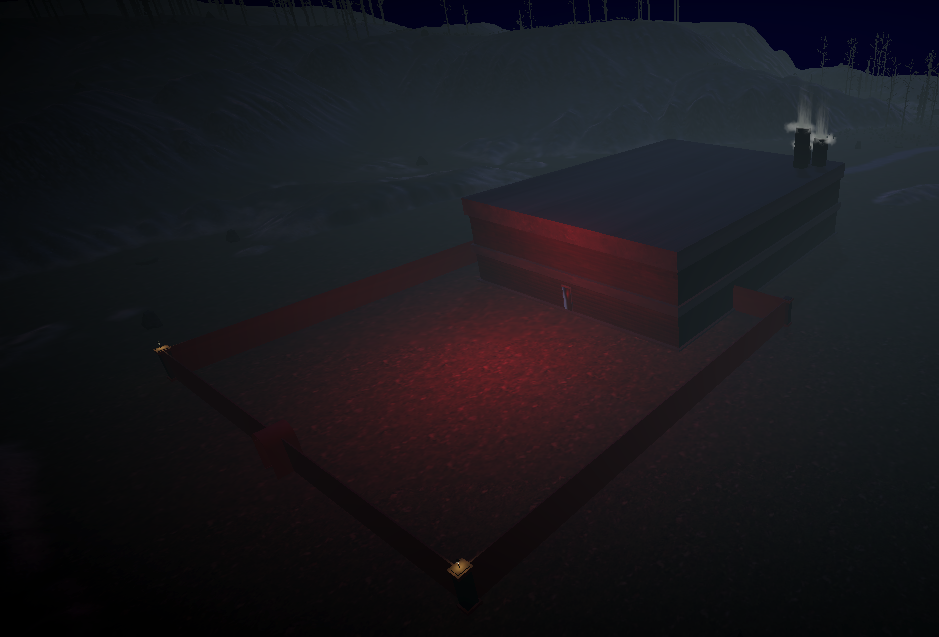
Created a new model for the Abandoned Factory.
Player Stat - Most Enemies Killed: A count of the highest number of enemy kills in one dream.
Player Stat - Most Portals Closed: A count of the highest number of portals closed in one dream.
HUD: The number of current enemy kills and portals closed during the current dream will be tracked using the player's HUD.
Journal: The bedroom journal will track the Most Enemies Killed and Most Portals Closed stats.
Updated the main font to have a blue glow outline.
Added a camera shake effect on player damage.
Checkpoints: Each time you enter a new room, a checkpoint will be created. There is a confirmation panel when interacting with the bed to start from the last checkpoint or restart from beginning.
Changed the background color of the confirmation panel in the Pause Menu for better visibility.
Bug Fixes:
Portals will spawn enemies correctly even if more than one portal is open.
Enabled interaction with previously found documents in tables.
Enemies will stop their ambient visual effect once killed.
Crosshair will disable while text panels are open.
Game will pause when any text panel is open.
Red Room portal will not trigger right when the player enters the room.
If you are experiencing any issues please email me ( support@slycatgames.com ).
Thank you for supporting independent developers, your satisfaction is our highest priority. All user input and concerns are greatly appreciated.
Version 1.7 Beta Live
I've been working on adding a new Pause Menu, with in-game options, which is now ready for testing. I also started creating new shaders for the enemies and some environmental objects. Check it out by unlocking the play-test beta with the password SlyCatTester
Thanks for playing, ~ Tim tseymore@slycatgames.com
Version 1.6.4 Update
Version 1.6.4 Update Notes
New Features:
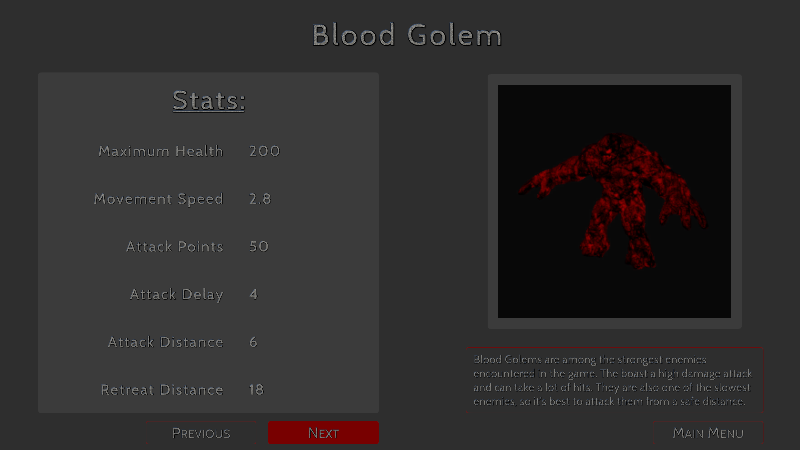
Enemy Info Screen: You can access the new info screen from the Title Menu and check out all of the enemies found in the game along with their stats!
Enemy Retreat: Enemies will retreat from the player if they are spawned or damaged within the Retreat Distance of the player. No more surprise spawn attacks! You can check the retreat distance of all enemies in the new Enemy Info Screen.
Changes:
Resized the trigger area for the Portal in the Study, so that you can enter the room without triggering it right away.
If you are experiencing any issues please email me ( support@slycatgames.com ) or drop a message in the #issues channel in the Discord server.
Thank you for supporting independent developers, your satisfaction is our highest priority. All user input and concerns are greatly appreciated.
Enemy Info Screen And Improved A.I.
This week I am adding an Enemy Info Screen and improving the enemy AI for version 1.6.4. You can access the Enemy Info Screen through the Main Menu. The enemy A.I. is being improved and I will be tweaking the stats to make the combat more balanced.
You can get early access to this and other new features by joining the play-test beta and using the password SlyCatTester.