

The Case of the Golden Idol
Update Notes for September patch for the Lemurian Vampire
We have made a small patch fixing some typos and visual glitches for the Lemurian Vampire.
Thank you for reporting these issues and if you notice more, let us know!
The Lemurian Vampire DLC is out now!
We are so happy announce launch the second expansion for The Case of the Golden Idol
Surprise! It's live now!
https://store.steampowered.com/app/2377001/Golden_Idol_Mysteries_The_Lemurian_Vampire/
(Also we're launching it at a 10% discount).
The new DLC - called Golden Idol Mysteries: The Lemurian Vampire - is the piece of the puzzle that connects The Spider of Lanka to the main game. Where DID the Golden Idol come from, and what led to Oberon's ultimate demise at the grubby hands of Albert Cloudsley? These three mysteries will answer all that and more.
Here's a trailer showing a little more:
Put on your thinking caps, because these three puzzles might just be the most challenging yet~

A civilisation lost in time
Follow the perilous journey of the Lemurian delegation to Monkey Paw Island in their search for riches and the truth about the legendary fountain of youth. Will their greed and curiosity be rewarded or does a dark fate await them?
Unravel the truth of an ancient civilisation, lost in time through three brand new scenarios, filled with death, deceit, and ancient rituals.
A hidden Truth
Investigate a new cast of characters to discover their motivations and darkest secrets. However, they will not give away their secrets easily. Prepare to push your deductive reasoning to its limit.

Please let us know what you think!
Love,
- Andrejs & Ernests
Summer Sale is here! 30% off!
Hello Detectives,
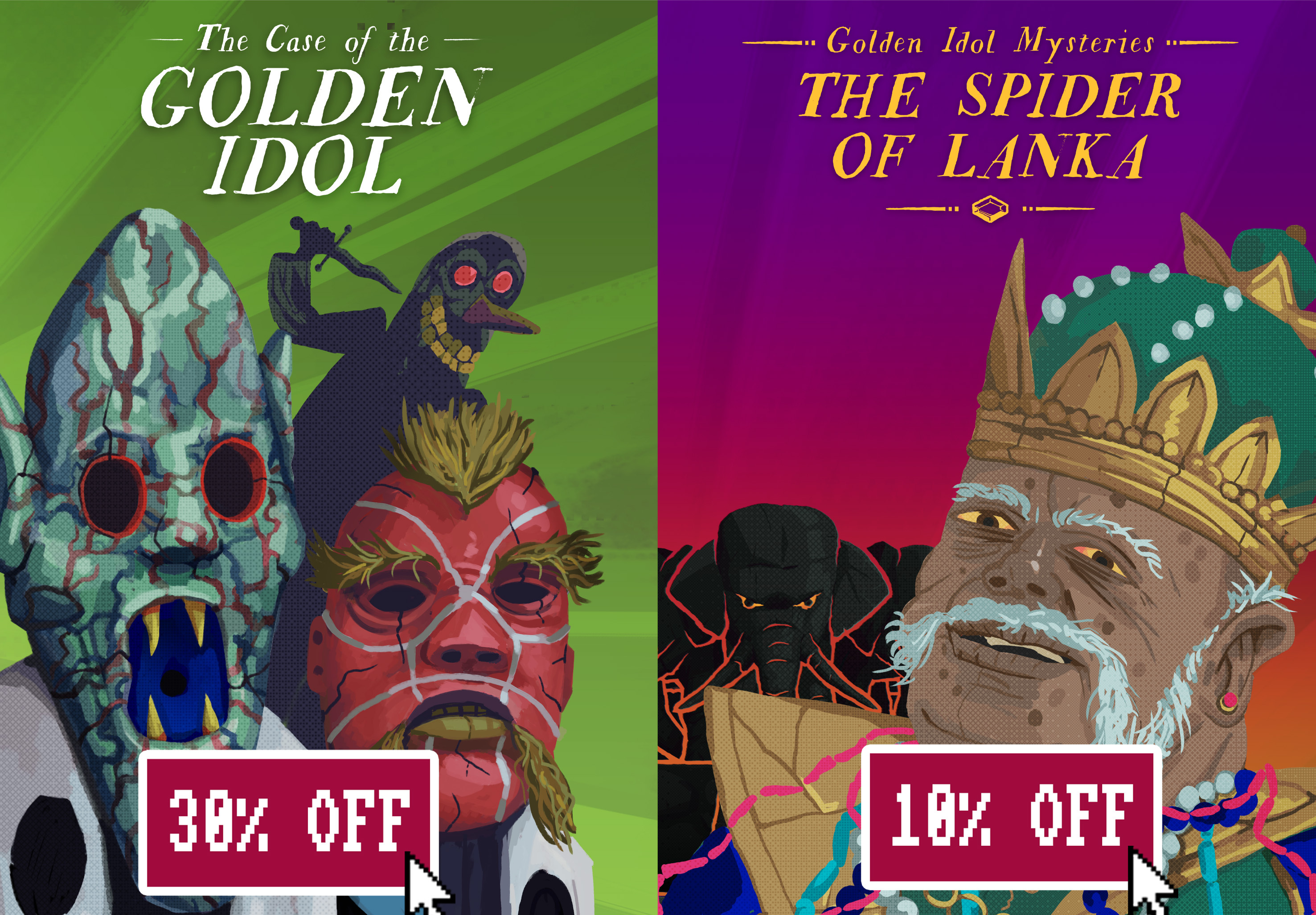
Exciting news awaits during the Steam Summer Sale! Prepare to immerse yourself in the world of The Case of the Golden Idol, now available at an enticing 30% off discount. Don't miss this opportunity to engage in a unique detective experience where your investigative skills will be put to the test.
Our newly released DLC, Golden Idol Mysteries: The Spider of Lanka, is also on sale at 10% off!
Pick them up today before the sales ends!
https://store.steampowered.com/app/1677770/The_Case_of_the_Golden_Idol/
https://store.steampowered.com/app/2377000/Golden_Idol_Mysteries_The_Spider_of_Lanka/
DLC support added for macOS users!
The latest patch adds DLC support for macOS players! We're happy to announce that Mac players can now enjoy solving the three new cases in Golden Idol Mysteries: The Spider of Lanka.
Notice for macOS users:
Due to revisions we made on the Mac version, old save files from before the update will need to be copied over manually. Please follow these recovery instructions for MacOS:
- Locate the following folder:
~/Library/Application Support/Godot/app_userdata/The Case of The Golden Idol/- Find file local_savegame.save and a file with your steamid (long string of numbers) followed by savegame.save (example: 76562187998383791_savegame.save)
- Open local_savegame.save in any text editor and copy its contents over everything in the savegame starting with your steam id.
- Save this file and you should now have a functioning savegame that the game will read.
Thank you to our fans on macOS for your patience.
Note: We're aware of achievement and performance issues related to MacBook models with the Apple M1 processor and are investigating the matter. We appreciate your patience.
Please feel free to let us know your feedback in the discussions or in our Discord.
Small minor bug improvement patch 1.0.7
1. An alternative additional method to check for DLC presence
2. Visual bug fixed in Scenario 2 of DLC
3. Clue bug fixed in Scenario 3 of DLC
💀 Our first DLC has landed!
We are very excited (and terrified) to launch the first ever expansion for The Case of the Golden Idol.
It's live now! Take a look:
https://store.steampowered.com/app/2377000/Golden_Idol_Mysteries_The_Spider_of_Lanka/
(Also we're launching it at a 10% discount).
The new DLC - called Golden Idol Mysteries: The Spider of Lanka - offers three brand new scenarios to untangle.
Here's a trailer showing a little more:
We've been testing the game with super-fans and volunteer testers on our Discord, and we are extremely happy with the very useful feedback.
Our aim is to provide players with some of our most challenging murder cases yet - do let us know if you think we've pulled it off.

In The Spider of Lanka there will be familiar faces for sure, but for this DLC we wanted to take the story far farther afield from the rainy hills of Blackfield.
Instead, you'll be transported to an ancient kingdom in a state of transition. Here, you can delve deeper into complex personalities and conflicting motives at play as you scour the courtyards, throne rooms, dockyards and back alleys for clues behind the grander mystery.
We hope you'll enjoy this expedition to Lanka and that the new scenarios will satisfy your Detective brain!

Golden Idol Mysteries: The Spider of Lanka is available for Windows now. The Mac version will be released on a later date.
Love,
- Andrejs & Ernests
LudoNarraCon -- The Spider of Lanka DLC Stream!
Join us on Friday May 5th (7am PT / 3pm UK / 4pm CET) for an exclusive streamed playthrough of the latest DLC Golden Idol Mysteries: The Spider of Lanka with commentary!

❇️ Golden Idol Mysteries: The Spider of Lanka Coming 4th May! ❇️
https://store.steampowered.com/app/2377000/Golden_Idol_Mysteries_The_Spider_of_Lanka/
Fixed achievement, savegame and DLC logic for Steam Deck
- Controls
- Achievements
- Savegame cloud loading
- DLC unlocking
Update 2023.04.25-1 DLC 1.0.1
We have just issued a patch in preparation for Golden Idol Mysteries: The Spider of Lanka's arrival on May 4th.
This patch adds a new button that links to the DLC's new store page. In future, this button will be used to access the new scenarios.
Please let us know in the discussions if you run into any problems.
We Won IGF Award! 🏆

Hey Detectives!
We are super stoked to share some awesome news with you! We've won the "Excellence in Design" award at IGF23!
All the nominees were incredible, so to be recognised in this way is a huge achievement. It really means the world to us, and we're so grateful to the judges for giving us the nod.
Our debut game, "The Case of the Golden Idol," has been an incredible journey, and we're so excited to see where it takes us next.
Thanks so much to everyone who has supported us along the way!!
Check out the ceremony (26:30 for Excellence in Design!)
👉 https://m.twitch.tv/videos/1772921136
