We just wrapped up a beta weekend with several players trying out our new Steam controller fix build, and everyone has reported back it is working for them. So we have taken it out of Beta and released it as Version 1.29 of the game. Your game should automatically update to this version.
This build should also should fix much rarer cases of Xbox controllers not working. We also included some fixes to the difficulty system, as well as some more tuning to our guards and how responsive they are.
And to go along with this latest update, we've also put the game on sale all this week!
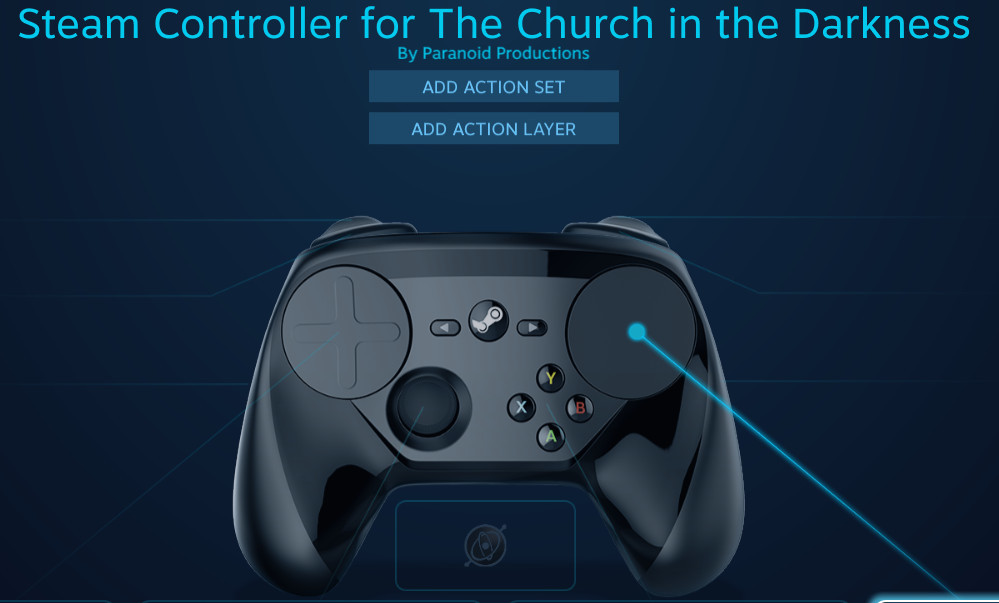
This primarily fixes problems with the Steam controller sometimes not allowing the player to shoot their gun - this was a problem that mysteriously popped up post launch, perhaps due to an update to the controller API. Our fix is a combination of this new version of the game plus a "recommended" custom controller configuration specifically for the Steam Controller. With your Steam controller turned on and connected, before launching Steam should automatically pick our controller configuration "Steam Controller for The Church in the Darkness by Paranoid Productions". To check that this controller is selected, visit the controller configuration screen for the game in Steam's Big Picture mode. The Steam controller has always worked if you connect it after the game launches, and that should still work as well.
If anyone has trouble with any controllers with this build, please let us know in the comments or community forum.
This was something that ended up taking much longer to solve than we anticipated, and is one of those moments in game development where you look back and wonder "should we have focused on something else with this time?" But we like our Steam controllers and we know people who like the Steam controller really like it a lot, and we'd committed to finding the best solution to this problem we could.
And now that this controller issue is out of the way, it frees us up to look at a few other features we've had our eye on. If there's other bugs or anything else that still bugs you, let us know in the community forums.
LudoNarraCon Streams
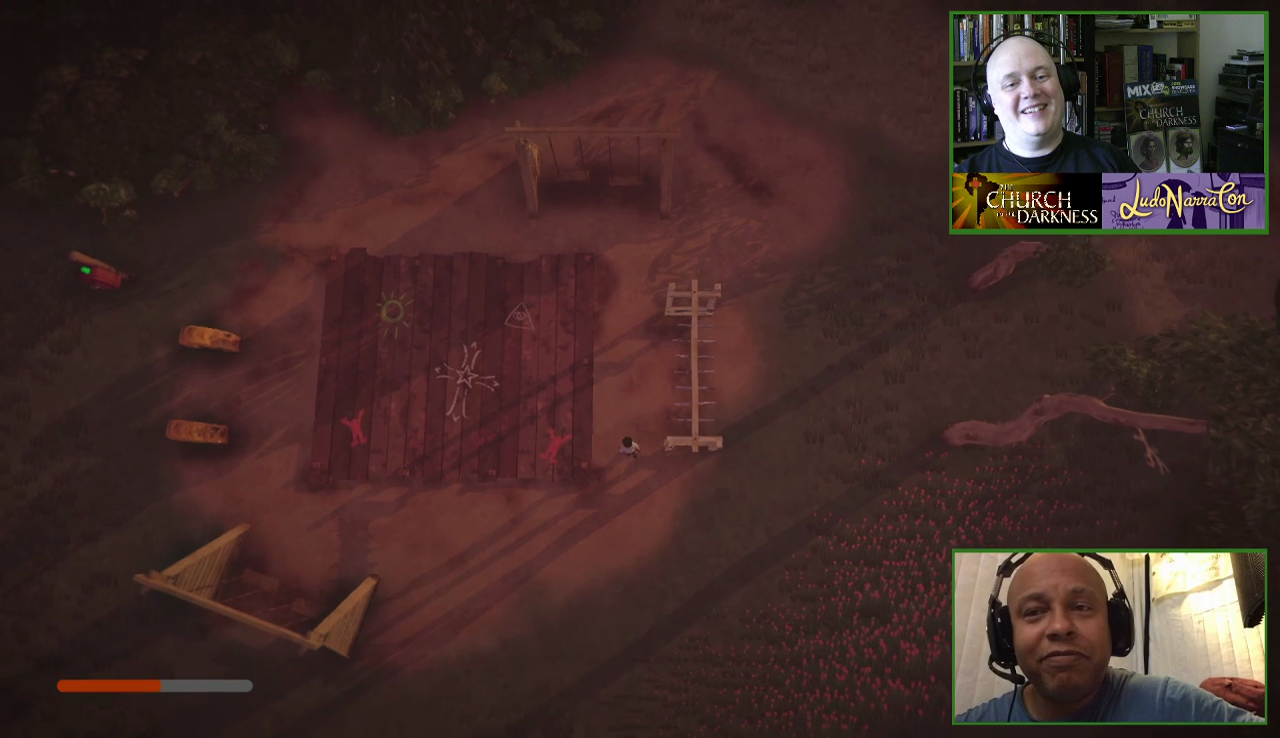
We had a great time doing streams back at the LudoNarraCon Steam games festival a few months ago, and if you missed it live you can catch up on our Streams from that event on YouTube. These include talks with our actor Arif S. Kinchen (also from Saint's Row and The Suffering) as well as cult-expert Brock Wilbur. Each also go into some tips and tricks for the game as you can watch me try to explore less well traveled corners of the game.
https://www.youtube.com/watch?v=BUmG_VV0zNs
https://www.youtube.com/watch?v=_6mT2UFGOaE
Hope those show you some insight into other corners of the game. Thanks to our guests, and let us know what you think!
- Richard Director/Designer/Writer on The Church in the Darkness
Steam Controller Beta Build
Hi everyone,
We've had a few bug reports come in the last few months about Steam controllers not working correctly with the game, specifically players not being able to hold the left trigger down and then fire with the right trigger. A similar problem happened This has been a really baffling bug for us to fix, as it was working at launch and broke sometime after that for mysterious reasons.
We got some helpful feedback in our forums that helped lead us in the right direction and we think we now have a fix! It's a combination of a "recommended" custom controller configuration for the Steam Controller and a new build of the game. Right now we're trying this out in a beta branch. If anyone wants to jump in and see if it works for them before we set it live for everyone.
To try it, go to Properties on The Church in the Darkness in your Steam library, go to the Betas tab, then select the branch "publicbeta" (which does not require a password). With your Steam controller turned on and connected, before launching Steam should automatically pick our controller configuration "Steam Controller for The Church in the Darkness by Paranoid Productions". To check that this controller is selected, visit the controller configuration screen for the game in Steam's Big Picture mode.
With that, you should be able to aim (left trigger) and fire (right trigger) without trouble.
We think this will also fix a similar problem people sometimes (rarely) had with wired Xbox 360 controllers.
Those of you who love your Steam controllers probably know more about the intricacies of this setup than us, so feedback is very much welcomed. Let us know if you try it and if it works for you!
- Richard Director/Designer on The Church in the Darkness
This Weekend: Sales, Streams, & Giveaways for LudoNarraCon
This is the weekend - April 24th-27th - for the online convention dedicated to fascinating narrative games, LudoNarraCon, and we'll be participating in a number of ways we think you'll like.
Get The Church in the Darkness for 50% Off
For the duration of LudoNarraCon, you can pick up The Church in the Darkness for half off!
Game Streams with Arif Kinchen and Brock Wilbur
As part of LudoNarraCon, we'll be doing two streams hosted on our Store page which will loop all weekend. Each will have me (Richard) playing the game and showing off some advice and tips players may not know about. And with me I'll welcome two very special guests:
First up we have Arif S. Kinchen, the voice actor who plays Alex, Charles and Scooter in the game. Or you may know him as Miles from The Suffering: Ties that Bind, or as Pierce Washington in the Saint's Row games. He's also taken up streaming our game over at twitch.tv/askblooddrive, so also look for him there.
Next up we have Brock Wilbur: journalist, knower of cults, and as it happens a big fan of our game. He will be on to talk about the game and ask me some questions about why the game is like it is, while we discuss other cults they find fascinating.
Also, as part of LudoNarraCon you can head over to the main page to see The Evolution of Game Narrative panel. This is moderated by myself and features three of the guest writers from the game: Steve Meretzky, Brian Moriarty, and Brenda Romero, along with narrative design specialist and scholar Clara Fernandez-Vara. We'll be talking how game narrative has changed over the years, and with that lineup it should be a fun conversation. The panel will debut at noon Pacific Time on Friday, and then will repeat over the course of LudoNarraCon weekend.
Though LudoNarraCon is an online convention, one of our favorite parts of the in-person cons we attend is getting to give away some Church themed items to folks who come by our booth. We like making them and we like giving them out.
But online events don't normally have that! But we figure we can still mail a few goodies out. We've got revolutionary pins, recruitment brochures, and a few Isaac/Rebecca Walker devotional cards signed by Ellen McLain and john Patrick Lowrie...
If you'd like to be entered in our random drawing to receive some convention swag in the mail, please fill out this form to give us your mailing info.
Hope you like LudoNarraCon and enjoy a weekend of unique narrative games. And if you haven't been to our jungle utopia yet, now is the perfect time to come visit. And stay.
- Richard Director/Designer/Writer of The Church in the Darkness
We're exhibiting at LudoNarraCon April 24-27!
LudoNarraCon is a free digital festival running April 24 - 27 here on Steam that celebrates narrative games like our’s! Tune in to see behind-the-scenes streams from over 40 narrative games, download and play over 20 demos, and watch live panels from narrative developers. We hope you’ll visit our Steam page during the event: we’re excited to livestream 3-4 hours of behind the scenes content for you. It’ll replay on a loop for the duration of the event, so come anywhere and anytime starting April 24th until the 27th.
As part of LudoNarraCon, nearly half of the exhibitors will be offering free demos...! Enjoy a taste of these games from the comfort of your home on your schedule.
Developers and publishers will stream live on their games' Steam store pages with behind-the-scenes content, couch chats, and demo gameplay. We hope you'll tune into our stream during the event!
A main theatre stream will feature 12 hours of live panels with game developers, writers, journalists, and other industry influencers. Panels will cover everything from narrative design, game localization, how to create player empathy, and much more.
The LudoNarraCon Sale launches on Steam during the event, with more than 50 story-rich games participating.
ATTEND FOR FREE, FROM ANYWHERE, ANY TIME
All live streaming content will replay on a loop for the rest of the event, making it easy to check out everything from the comfort of your own home on your schedule!
Excited and don't want to miss out? Visit this Steam page to set a calendar reminder.
Update v1.25 Available
Our latest build update v1.25 is now live on Steam! This has a number of improvements we've been working on:
Reworked Alex's follow behavior. In particular this fixes cases where he could box the player into a corner and there would be no way to get out without knocking him out or killing him. Now you have no excuse to not get him out of Freedom Town! Unless you think he should stay in that playthrough... (And if you ever see him blocking you with this new build, please let us know.)
Per request, on the Graphics Settings menu added custom settings for Shadow Quality, Anti Aliasing Level, and Lighting. To access these go the Settings menu, then look for the Graphics Settings sub-menu.
Played with some guard behavior modifications to vary up gameplay a bit more. In particular, tuned the "Red Hat" Guard's behavior to be more aggressive - be careful when you try to get past them. And remember to always look at a guard's hat to get an idea how much trouble they're going to give you.
For controller players, fixed bugs where cancelling out of menus would sometimes lead to a state where no item was selected and you'd have to switch to mouse to progress.
Fixed bug with Charles' sight cones being the wrong colors if you were using the alternate/color blindness UI settings.
Also, if you've been having issues with your Steam controller and our game, we recently discovered that sometimes gun firing does not work if the controller is on when the game launches. The quick fix to this is cycle the power on/off on your Steam Controller once the game is already launched. Steam Button + Y turns it off, and then Steam Button turns it back on and you should be good to go. Let us know if you see any other issues with the Steam controller.
Of course this new version 1.25 also rolls up all our previous updates, including:
Camera/Controls Changes - New camera control feels a lot less "floaty". Now when the player stops, the camera stops, which we think feels a lot more tight. But there's also an option on the Settings menu to turn it off if you prefer how it used to play.
Alternative UI Colors - Also on the Settings menu, this new option lets you change the color on UI elements, specifically the sight cones. This was something we had numerous requests for, as the original colors are particularly hard to read for people with colorblindness.
Our non-Permadeath mode if you’re playing on the “Interloper”/Easier difficulty level - lets you save the game and load from that save multiple times if things don’t go the way you want, or you want to experiment with getting different endings.
And as a last thought, when all the world seems mad, let our utopia deep in the jungles become your home. As Preacher Isaac tells us, "Is life worth living if you are not living in truth? We shun the lies of everyday life, the denial, the hypocrisy. There is only one truth, and here it is clear for everyone to see."
We welcome you now, more than ever.
- Richard Director/Designer/Writer on The Church in the Darkness
On Sale This Weekend! Returning to LudoNarraCon April 24-27!
Last year we had a fantastic time exhibiting at LudoNarraCon, the free digital convention hosted on Steam that celebrates unique narrative games. Now it's coming back on April 24-27, and we're happy to be returning.
And to celebrate, this weekend we've got our game on sale - great time to pick it up, or to get your friends to join our cult.
LudoNarraCon Returns April 24-27
For LudoNarracon 2020 we're working on interesting content to feature, including more talk about cults, looking at hidden bits of the game with streamers, and maybe even giving away some merch. It'll be just like one of the big physical conventions we've done, but with it being online, no matter where you are, you can attend as well.
LudoNarraCon will include 30+ narrative games exhibiting on their Steam pages, great sales on lots of games, along with 12 hours of live panels. And it's all available free to the public on Steam. Check out this montage of some of the interesting games being featured: https://www.youtube.com/watch?v=zjnumLK9LyU
To see more about LudoNarraCon or to sign up to its mailing list, visit: www.ludonarracon.com
Looking Back at LudoNarraCon 2019
For a refresher, last year at LudoNarraCon we featured a gameplay stream with Undead Labs' Geoffrey Card and myself:
https://www.youtube.com/watch?v=xsqL5aM0tRM
And we also had a long and very fun interview with our own cult leaders, actors Ellen McLain and John Patrick Lowrie. Check out our archive of those streams below:
https://www.youtube.com/watch?v=RzUOraASA9Q
What would you like us to feature at LudoNarraCon this year? Let us know in the comments. We look forward to seeing you there.
- Richard Director on The Church in the Darkness
Update v1.2 Available + Last Days of the Winter Sale
Update v1.2
After our quick beta test, we've completed our bug fixing/polishing and our update to Version 1.2 has been posted for all to play as the Steam main build. Here's what you can find:
Camera/Controls Changes - New camera control feels a lot less "floaty". Now when the player stops, the camera stops, which we think feels a lot more tight.
Update to the Swing Camera - We also updated the "camera swing" feature - which you use to look farther around your character and access with the arrow keys (by default) or the right stick. This now feels a lot more "under control" as well and doesn't automatically swing back over your character until you start moving.
Control Options - The above camera features are on by default. However, if you want the camera back the way it was before, we have that covered too. Go to the Settings menu and you can tick the "Re-Center Camera After Moving" and "Swing Camera Re-Centers" options and it will feel the same as it did previously. You can mix and match which of the features feels best to you.
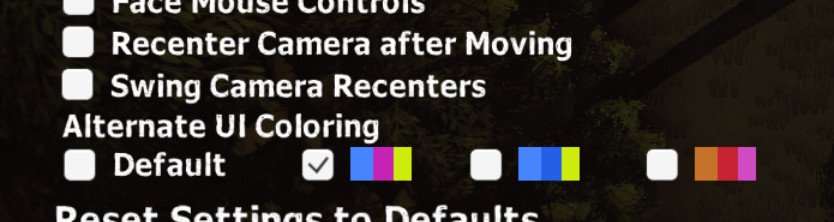
Alternative UI Colors - Also on the Settings menu, this new option lets you change the color on UI elements, specifically the sight cones. This was something we had numerous requests for, as the original colors are particularly hard to read for people with colorblindness. Here the default is still the same, but we've added three different alternate color schemes that hopefully provide an option that works for you. But if not please let us know and we can keep refining them in a future update.
Of course this new version 1.2 also rolls up all our previous updates, including:
Our non-Permadeath mode if you're playing on the "Interloper"/Easier difficulty level - lets you save the game and load from that save multiple times if things don't go the way you want, or you want to experiment with getting different endings.
Steam Cloud Saves now enabled as well as various fixes to our save games.
Also, as the year ends now would be a good time to pick up the game, or tell someone else to pick up the game, or make it a festive New Year's gift, because we are on sale in Steam's magnificent Winter Sale.
Come everyone - our compound in the jungle may be inexplicably and impossibly surrounded by snow, but inside we are warm. Gather close and we will tell you the greatest truth, that now is the time to come to our light. Or gift us to a friend to have them join our community shining through this winter darkness.
- Richard Director/Designer/Writer on The Church in the Darkness
Beta Build for UI Colors & Camera Options
Hi everyone,
We've been working away on our latest update and feel we have it pretty close to done, but want to do a little more testing before we update the main branch of the game.
But we realized maybe some of you would like to test it out and give us feedback.
Specifically, this is because one of our changes has to do with changing the colors of the UI, of particular interest to players who have some version of colorblindness, something we've had numerous requests for. We've included three different alternate color schemes (in addition to the default) that hopefully will cover most people. But if you want to see how well it works for you, we'd love to hear about it. Once you have the beta, just go to the settings screen to try out the different options.
The other big change for this build is we have changed how the main camera in the game works, to make it a bit less swooshy - when you stop, now the camera will immediately stop as well. Also the "Swing Camera" feature (accessed from the right stick or the arrows by default) will also not swing back over the character until you start moving again. I like this chane a lot - if you try this out we'd love to know what you think.
If you'd like the camera back the way it was, we have that covered too - just go to the Settings menu and you can tick the "Re-center Camera After Moving" and "Swing Camera Re-centers" options and it will go back the way it was.
To try out any of this, you need to opt-in to access the beta. To do that, right click on the game in your library list, go to Properties, then select the "Betas" tab. Then you want to select the one labeled "publicbeta" (no password required) close the dialog box, and it should automatically start downloading. Once you are in the game, look for "1.19Beta" as the build version in the upper left on the settings screen.
There's a few small bugs we know about, but you may not even notice them. If all goes well, we plan to have these features a little more tested on our end, hear anything anyone picks up on, and then have the game on our main branch by the end of the week.
- Richard Director/Designer/Writer on The Church in the Darkness
On Sale This Week! + Update on our Next Update
A quick post that in case you haven't picked the game up yet, we are on a pretty nice sale this week, so it's a great time to venture into the jungle if you haven't yet.
Also, for those of you who have already played the game, a quick status on our next update - we've been playing with some controls and camera tuning that we think you are going to like trying out. We're planning to make them an option to turn on, but may make them the new default.
For this next update, we're also getting some more graphics options in, including something for our colorblind players.
We'll share more once we post the update, we're definitely aiming for before the holidays.
And if you've already played the game and are waiting for that next update, I wanted to bring you one of my favorite streams about the game. On launch day we had Seattle streamer Blonde Viking stream the game on our Steam page. Then a few weeks later, I went on his show talking about the inspirations, challenges of development and patches that were coming (at the time - basically everything I discuss in the video is now in the build). And of course this was all while his viewers lobbed us questions. Check it out here, but watch out, it's quite long:
https://www.youtube.com/watch?v=P8kw_GYC26w
As usual, if you have any questions post them below! Look for another update from us soon.
- Richard Director/Designer/Writer on The Church in the Darkness
Update v1.1.3 Available - with Non-Permadeath Option
We have just posted our update v 1.1.3, which implements a new non-permadeath mode. We wanted to get this in to coincide with us going 30% off as part of Steam's Halloween sale!
The non-permadeath mode (permalife mode?) is available if you play the game in the easiest difficulty - Interloper. The way this works is simple - when you play the game on the Interloper difficulty you will be able to save the game and continue playing. If you then die or decide to quit, you can load up that save again.
We've had several requests for something like this - though we thought permadeath was important to the higher difficulties, we knew players who found the game hard enough could really benefit form giving a second (or third, or fourth...) chance. It can also be helpful if you want to explore some different endings without having to replay a whole game.
But keep in mind this only works if you use those Save game options on the pause menu. If you play and die without saving your progress at any point, you'll be starting a fresh game just like before. You are still limited to just one save file, and if you start a new game at a higher difficulty it will wipe your old save (as it always has). Note this is just referring to saved games, not saved settings: your unlocks and endings progress which will be preserved as they always have.
We are currently marking this feature as experimental. We have tested it and don't know of any issues, but with save game files there can always be surprises. Please let us know if you find anything and we can fix it in our next patch.
Some other items included in this update:
Steam cloud saves are now working and will automatically backup your save files and transfer them to other places you may use Steam.
Fixed a few existing bugs with save games that is also a bit of a performance boost in some situations.
A little adjustment to the controls, working toward a more extensive refinement in our next build.
As always, let us know what you think in the comments. For those of who want it, the jungle just became a little more forgiving - and for the rest of you, have you finished a game on the higher difficulties yet?