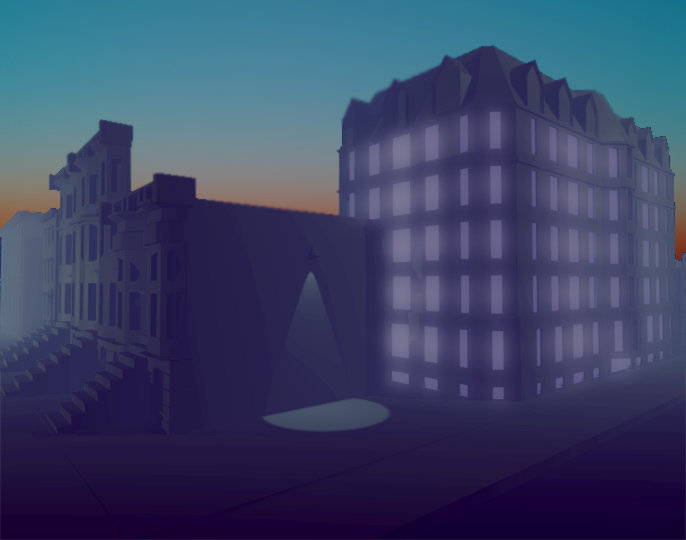
To all the new players who got The Norwood Suite from this month's Humble Monthly Bundle and are like... What is This?
Thank you for taking The Norwood Suite out for a spin. I'm assuming you probably weren't expecting or even asking for this game in your bundle. Perhaps you've decided to play it on a whim. Perhaps you're thinking it's going to play like *insert adventure game of choice here*. Perhaps not...
For maximum enjoyment of this game, I'd recommend turning the lights down, grabbing your favorite beverage, and letting the whole experience wash over you. This game can be played in one evening (90-120 minutes).
It's not a puzzle game, but it wants you to explore it, open it up at your own pace. It emphasizes flowing through the hotel and uncovering its secrets. It gives you space to ruminate on its themes and ideas. It's meant to be interpreted freely. I encourage you to just roll with it.
Also, the Soundtrack can be listened to on its own here: https://cosmoddd.bandcamp.com/
FYI, this game is a sequel of sorts to my last game, Off-Peak, which can be played for free (~20 minutes playtime) here:
http://store.steampowered.com/app/467360/OffPeak/
What's going on here?
The Norwood Suite is featured in the February Humble Monthly bundle.
Not only is the game itself on sale on Steam, but if you get it in the bundle, you get access to a ton of other great games. Really strong stuff.
https://www.humblebundle.com/monthly
Since there's going to be a continued influx of new players from the Bundle this month, some of them have called an issue to my attention that I'll probably patch in soon - a volume slider. [Update - I patched it in: https://steamcommunity.com/app/696480/discussions/0/1699415798776322605/ ]
Beyond that, I'm moving ahead with new projects and ideas. Some of which I've already revealed. https://steamcommunity.com/app/696480/allnews/
stay tuned and thanks for your support
A Glance at What's Next
A Glance at What's Next
Hi.
I wanted to pull back the curtain on some very preliminary screens of a next game. My goal for this year is to find support for this vision and build on what I was able to achieve with The Norwood Suite.
In this new game, players are turned loose on a city block, reminiscent the neighborhood I've called home over the past few years. You'll converse with people using the dialog system I had going on in The Norwood Suite. Exploration, discovery and interweaving narratives will persist. At least one new layer of gameplay will be implemented.
That's all I'll say for now. In the meantime, enjoy these preliminary screens.
Cool Ghosts Video Feature, Gamasutra Interview... Norwood gets around the internet.
Hi everyone.
Norwood Suite got around the nets a bit more than usual last week. I'll share some highlights...
Cool Ghosts is Matt Lees and Quinn Smith, who review board games in their day-to-day, also leave room for video game criticism and discourse, through their video channel Cool Ghosts. They work their magic on The Norwood Suite at 16:43. They're wacky guys and we seem to be on the same wavelength.
**
I did an interview with Gamasutra about the way I implement music into The Norwood Suite... if you were wondering how that facet of the game evolved and what my thought process was behind implementing sound as I did, check this link:
Seems like everyone walks away from the game with something different. That was my intent, and I'm glad it happened.
So what did you come away from the game with?
-cosmo d
Demo Now Available
Greetings, Norwood Suite fans.
In the spirit of accessibility, I've prepared a Demo for The Norwood Suite. You can access it from the Norwood Suite's main page on the right-hand column.
If you are on the fence about whether or not to invest in the game, here's a chance to explore it up-front. Savegames will transfer to the full-version, too.
And, as ever, you can contact me at support@cosmod.net if you run into any issues.
Dive in!
Cosmo D
1.1 Update
Hi,
Just wanted to say the 1.1 update is now live. Patch notes:
-Added AA
-Added V-sync
-Added a Brightness slider
-Added invertable Y-axis
-Upgraded certain textures
-Optimized rooms 308, 214 and 216.
-Fixed some dialog issues
-Fixed a few issues where you could clip through the world.
I have more fun in-store as Halloween approaches. Technical notes from my prior post can still be found at:
The Norwood Suite - Released + A Some Technical Notes
As I type this, The Norwood Suite is being made available to you!
I hope you enjoy it.
A few things to note:
Save Game Locations:
Your save game files are located in this folder (Windows):
[ROOT DRIVE]:\Users\[YOUR USER NAME]\AppData\LocalLow\Cosmo D Studios LLC\The Norwood Suite
If you delete those files, the game will reset and start from the beginning. Those files are also deleted upon starting a new game.
Resolution Control on Startup
For those of you who have multiple monitors or unique display situations, the game might not know quite what to do about that. As a workaround, you can hold down the 'ALT' key when starting up the game, to access the Unity Engine's own resolution selector and full-screen toggler.
Keep in mind, this is a situational workaround - I intentionally left out the Unity startup screen for immersion purposes. I recommend it only be used in the event that you can't select your resolution in-game.
Blurry / Low Textures
This is due to the fact that the quality settings defaulted to Low before the build went live. My bad! I'll have this sorted in the next patch, but in the meantime, same deal as above: you can hold ALT while starting the game and manually change the settings from Low to Med or Hi. Med is the standard - HI doesn't offer a noticeable difference yet. You'll see the biggest difference with these textures as they apply to art on the walls.
Running this game on a laptop?
Be sure to set your battery "Power Plan" to HIGH PERFORMANCE.
Find a Bug?:
You can email your issue, along with your save game files, to this address: