
 Genre: Role-playing (RPG), Simulator, Strategy, Adventure, Indie
The Riftbreaker
Live on Twitch
- overriding walls
- resource rendering on the minimap
- sentries not working
- last DLC mission bug
www.twitch.tv/exorstudios
Introducing Intel XeSS + Maintenance Update!
Hello Riftbreakers!
First of all, apologies for being so quiet lately. Unfortunately, the flu season has sidelined some of our developers for quite some time. However, we are back in full force now, and we have something special coming your way!
This update introduces hot new tech in the form of Intel Xe Super Sampling - Intel XeSS for short. This technique allows you to get a massive performance boost while maintaining high visual fidelity. Thanks to XeSS, the game can run at a lower internal resolution and then reconstruct the image in full with the use of an AI-based upscaling algorithm. What does this mean in human-readable form? Well, the game can run and look better, especially if your GPU couldn't quite get to those sweet 60FPS beforehand.
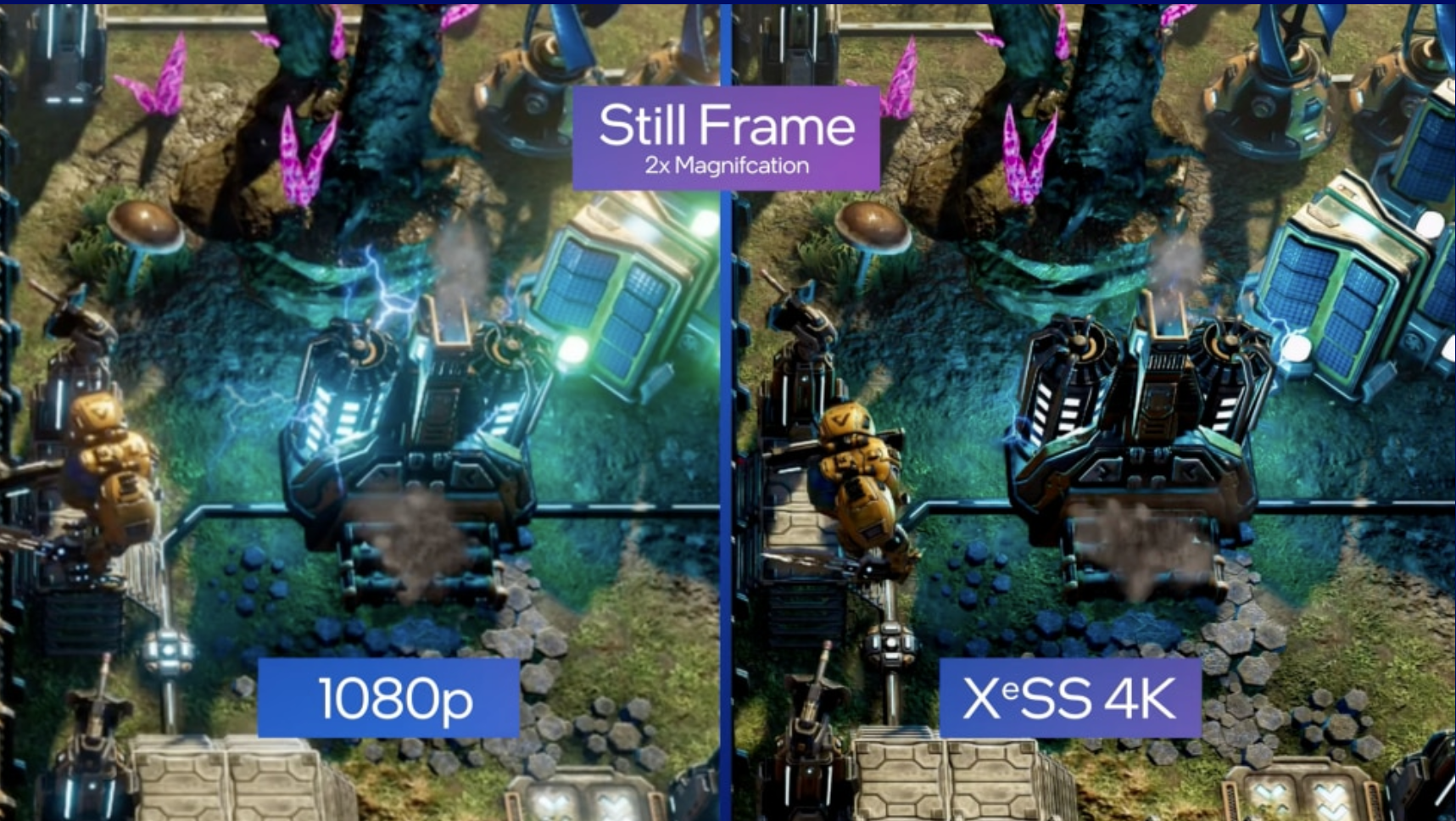
Intel XeSS technique is very similar to the AMD FSR that has been available in the game for quite some time. It’s based on the same premise - render a cheaper, lower resolution image and use a bunch of clever tricks to achieve a high-quality upscaled image. Now you can compare the results of the two and choose the one that looks better for you or gives you more performance. Please note that XeSS and FSR are mutually exclusive - you can’t run both at once! The world would implode if you did.
Additionally, we have introduced a bunch of fixes and changes to existing features based on your suggestions and recommendations. We highly encourage you to leave suggestions at https://riftbreaker.featureupvote.com - we check all suggestions daily and monitor their progress all the time. We’re also going to publish an article with our first insights very soon!
Have fun with the update. If you need any help, we’re available at www.discord.gg/exorstudios
The Riftbreaker XeSS Implementation Update, October 5th, 2022. Package #220, Binaries #598. Changelog:
FEATURES
- Added support for Intel XeSS. XeSS (Xe Super Sampling) enables you to enjoy gaming with great visuals thanks to AI-enhanced upscaling, enabling more performance with high image fidelity. Powered by hardware acceleration and an AI-based algorithm, Intel XeSS delivers high image quality and more FPS even in the most demanding conditions. XeSS is optimized for Intel graphics hardware, but it is designed with all gamers in mind, unlocked to work on widely available hardware from all GPU vendors.
CHANGES
- We have implemented a new, intuitive navigation system for the building menu. You can now use keyboard shortcuts to turn pages within building categories - Q and E by default. When there is no page to turn, the system switches to the next category.
- Added a new cheat command: cheat_unlimited_ammo. Use it instead of cheat_unlimited_money if you want to keep your economy intact, but have the urge to shoot stuff. Infinitely.
- Speaking of cheats - cheat_unlimited_money now works in the Crafting Screen.
- Bioanomaly drop names are now color-coded to reflect the rarity of the item that you found.
- Regular walls can now be replaced with Energy Walls and vice versa. Thanks to this, you no longer need to sell your old walls to upgrade.
- Buildings that do not consume resources (Solid Material Storage, for example) can no longer be switched off.
- Support for AMD FidelityFX Variable Rate Shading and Contrast-Adaptive Sharpening has been dropped. With the introduction of new rendering technologies, such as AMD FSR and Intel XeSS, the performance gain provided by these two options was marginal. Moreover, enabling those options could cause potential problems with FSR and XeSS.
FIXES
- Fixed an error that caused the mod list in the inventory to appear empty.
- The minimap will no longer break after changing the graphics settings.
- All buildings should now properly display the 'disabled' icon after manually turning them off.
- Minor fixes for rendering the terrain around liquid pools.
- Fixed a visual glitch that caused pipelines to connect to buildings on all sides instead of just the input/output port.
- All resource icons should now be displayed properly on the Rift Station building.
- A lot of small optimizations and additional fixes for obscure crashes.
Vote for New Features!
Today we would like to introduce you to a new tool that should make the communications between EXOR Studios and the community much faster and clearer. It’s called Feature Upvote. It’s a very simple suggestion board that you can use without creating any accounts or other artificial barriers. We believe that thanks to this website, we can simplify the process of giving feedback on the current state of The Riftbreaker and make tracking outstanding issues much easier.
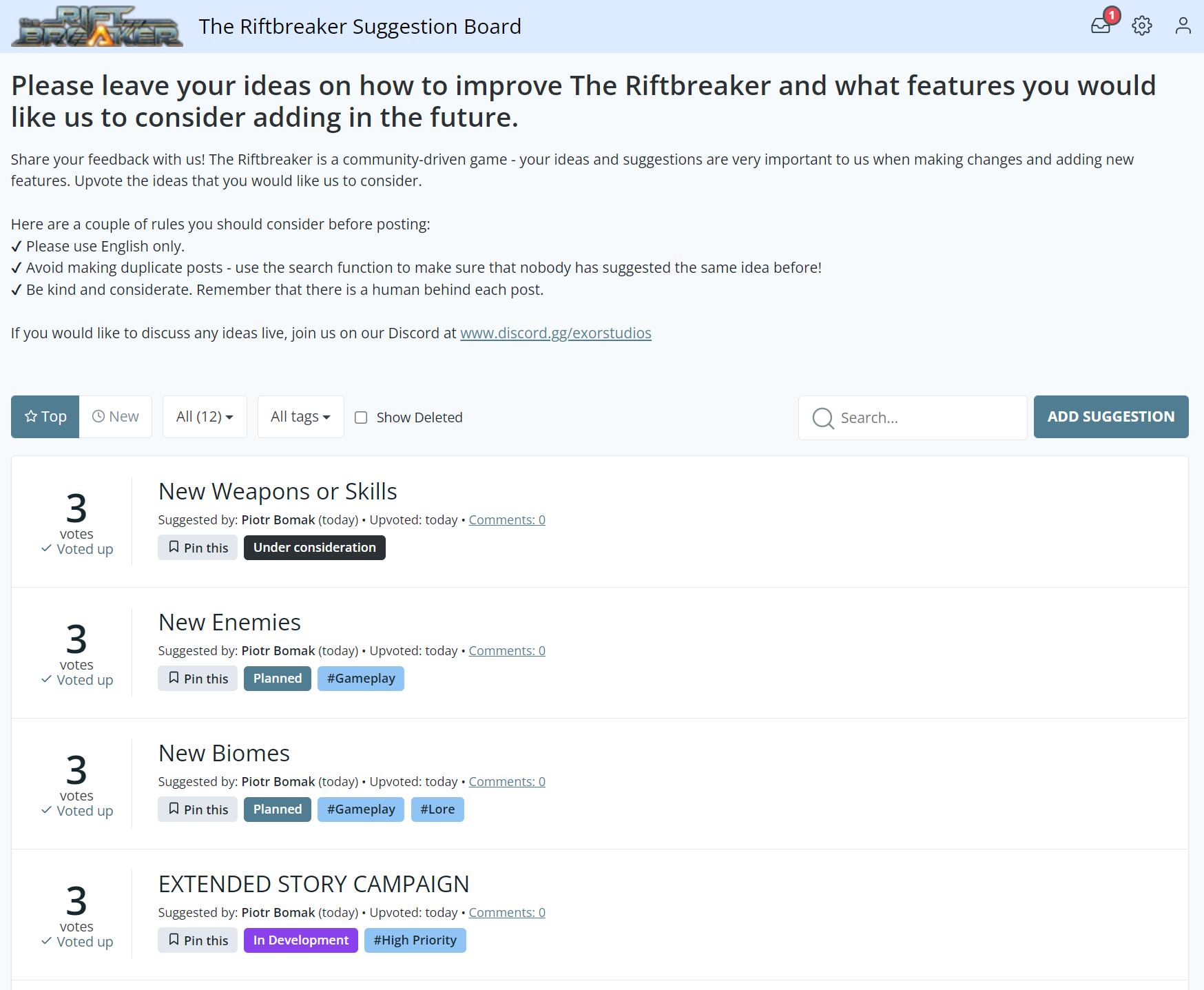
It's a bit empty here, add your own ideas and suggestions!
Visit and bookmark https://riftbreaker.featureupvote.com. The idea behind this service is really simple - the first thing you will see is a board with outstanding suggestions from the community. If you read something that you like a lot and you think it would improve the game, simply click ‘upvote’! This way, the best ideas and the most pressing matters will naturally ‘float’ to the top and let us know that we should pay attention to them. The board also has a built-in comment section where you can discuss the ideas in much more detail with the rest of the community.

First, click the idea that you like...

...then, click 'upvote!' Simple as that - no login, no hassle.
You can also add your own suggestions. Please make sure to use English! We want this board to be accessible to the broadest spectrum of users possible while maintaining relative order and quality, and this is the only way it can happen. Also, make sure that your idea is not a duplicate of another post - use the ‘search’ function. If you’ve met both of these conditions, just click the ‘Add Suggestion’ button. Give your thread a title, create a short description, and you’re good to go! As soon as we go through your post, we will assign it proper tags, and other users will be able to upvote your idea.

You only need to provide your email if you post a new suggestion or add a comment to an existing one. This way, you can get notified about replies.
You can filter the messages on the board by date, the number of upvotes, and a couple of tags that we will manually assign to each suggestion. As the number of topics on the forum grows, we will add new tags to make searching easier for you. You can also create topics with suggestions on how to improve the Feature Upvote board itself! We are doing this to minimize the communication boundaries between you and us. Let us help each other!
We have pre-populated the board with items from our roadmap. Feel free to upvote and comment on those - we would like to know which of our milestones and ideas are the most important to you. You can think of the Feature Upvote board as an interactive roadmap that you and other users can shape. Give it a try at https://riftbreaker.featureupvote.com.
If you prefer a more direct communications approach, you can also always catch us on www.discord.gg/exorstudios - all feedback is welcome!
Have a great weekend!
EXOR Studios
EXOR Mesh Exporter tutorial
In the roadmap that we published last week, we highlighted extended modding support as one of the major milestones that we want to achieve with The Riftbreaker in the nearest future. Today we are taking the first step towards reaching that goal. This article will teach you how to prepare 3D models to be imported into the game. We’ll show you the basic requirements a model needs to comply with and how to use our tailor-made EXOR Mesh Exporter plugin for Blender.
Please bear in mind that this article is not a modeling tutorial. You won’t learn how to create, sculpt and texture 3D models today. If you want to learn how to do those things, we encourage you to try out some free tutorials on YouTube or other video-sharing sites. It’s not as difficult as it might first seem, and it can be a great pastime activity. Plus, there is no entry barrier - Blender is free for home and commercial use. There are also plenty of ready-made models on the web that you can try importing into The Riftbreaker using this tutorial if you’re not into preparing models yourselves.
Another thing worth mentioning is that despite its name, the EXOR Mesh Exporter is not a tool used to extract 3D models from within the game. It is used to export models from blender in a format that contains only the information required by the game. Thanks to this software, we can reduce the disk space necessary for the game and the amount of data the engine has to read.
With this short introduction out of the way, let’s dive into it!
One of the tools that we use for creating 3D models for The Riftbreaker is Blender. It’s a great, open-source, and highly expandable tool. Almost all hard-surface models for the game (buildings and weapons, for example) are made using this software. As mighty as the program is, its functionality can be further expanded, making it an excellent platform for developers. Blender can export models to many different formats, but none are quite right for our game. That’s where the program’s open nature truly shines. We have created a custom plugin to export the models in a format optimal for the Schmetterling engine.
You can find the tool right here, on our GitHub.
We can confirm that the plugin works in Blender versions 2.93 and 3.1.2. It might also work with newer versions of the program, but it is not guaranteed. Follow the instructions in the included readme file to install and enable the plugin in Blender. Then, use the instructions in this article as a reference to avoid some of the most common problems.
Let’s kick things off with the simplest model you can encounter in the game - a static, indestructible prop, a rock, for example. You can download a blender file with one of our boulders to follow along right here.
- Create or open your ready-made 3D model.
- Set the scale of your model. By default, the size of the Blender grid is 1x1 meter. However, one building grid in The Riftbreaker has a size of 2x2 meters. This means that if you want your prop to fit within one in-game grid, it needs to be the size of 2x2 meters in Blender.
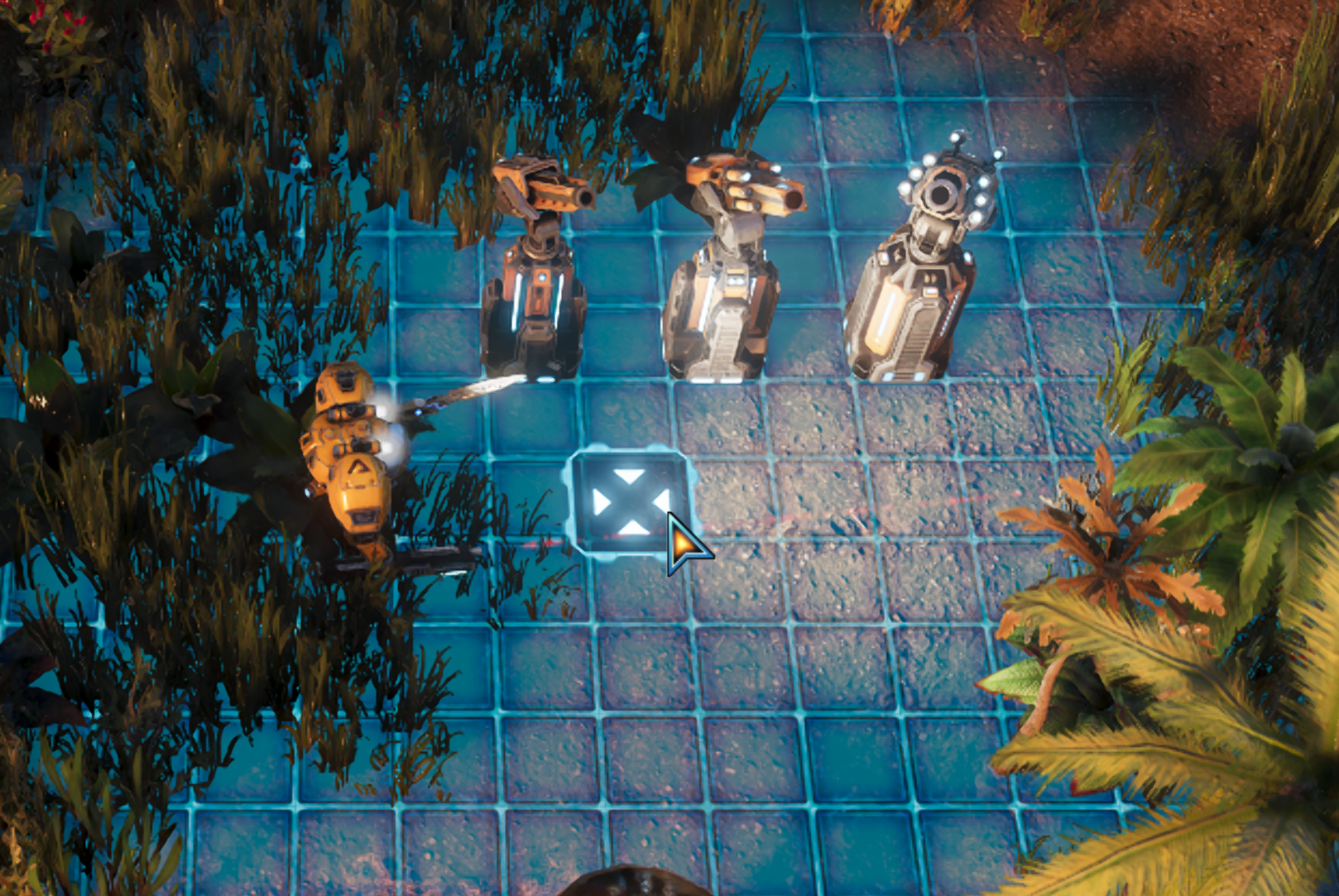
The bases of these towers are 1x1 grids, which equals to 2x2 meters.
A 2x2 model in Blender is a perfect match for our 1x1 grid. - Triangulate your meshes. Follow these steps:


- Normalize all transforms. The scale needs to be set to 1 : 1 : 1, and the rotation to 0 : 0 : 0. The model also needs to be centered on the scene. Set the pivot point to 0.0.0. Then select your mesh, press ctrl + a, and click ‘All Transforms’.
- Prepare collisions for your model. Collision models in the Schmetterling Engine are usually convex shapes to simplify physics and make collision calculations easier.

This video explains the difference between the two https://www.youtube.com/watch?v=NlHqdwTtcCY
Collision models are prepared in Blender, just like visual models. To create a convex hull in Blender, select your mesh, go to edit mode (tab), select all your faces, and then open your search bar (F3 or space, depending on your settings), then use the search option to find Convex Hull and click it. It doesn’t have to be very precise - some clipping is perfectly fine, and the simpler the shape of your collision, the better.
The model in our example blend file has a concave shape, so it has to be split into two convex collision shapes. Try to limit the number of collisions and their poly counts - the more convex hulls you include, the more performance-heavy your model will be.
The exporter will use the names you applied to your models in Blender. Set a name for your model, for example - test_rock_01. The collisions for that model need to be named in a specific manner so that the game knows which collision belongs to any given model. You do that by adding a _cX suffix to the name like this: test_rock_01_cX, where X is the number of the collision convex. The first collision for that object gets the _c1 suffix, the second - _c2, and so on. What is essential - collision naming for each model starts from c1 and goes up! - Prepare a UV map for your model. Here’s an excellent tutorial to get you started on that: https://www.youtube.com/watch?v=XeBUfMKKZDo
- Texture your model in any texturing software. We mainly use Substance Painter. We have a custom texture exporter plugin for this software as well - you can download it here. This plugin is confirmed to work with Substance Painter version 2019.3.3.

Here are the Substance Painter export settings.
If you would like to use any other program, here’s how to manually prepare textures to work in The Riftbreaker:- You can download the example set we prepared for you - the steps will be easier to follow.
- Prepare a set of these textures: albedo, DirectX normal map, roughness, ambient occlusion, metallic, and - optionally - emissive and opacity. (folder 1_SeparateTextures in our example).
- Combine the textures in graphics editing software that supports channel use, for example, Photoshop, Krita, or Gimp. Here’s the naming convention and the required channels:
- texturename_albedo : Albedo on RGB channels, Opacity on the alpha channel
- texturename_packed : AmbientOcclusion on R, Roughness on G, and Metallic on B.
- You do not need to combine other textures.
- texturename_albedo : Albedo on RGB channels, Opacity on the alpha channel
- At this point we should have 3 or 4 texture files for our model:: texturename_albedo, texturename_packed, texturename_normal, texturename_emissive (optional). You can find the example in the 2_ReadyForDDS folder in our example.
- Open the combined textures using the NVIDIA Texture Tools Exporter.
- Change the texture formats using the list at the top of the left panel. Follow these instructions for each texture type (screenshot FormatDDS.png).
- albedo - BC3
- normal - BC5u
- packed - BC1
- emissive - BC1
- albedo - BC3
- Click Save As. Choose the directory and the name for your texture. Remember the naming convention. Click save. Repeat for each of your textures.
- You can download the example set we prepared for you - the steps will be easier to follow.
- The finished product should look like our example in the 3_FinishedDDS folder.
- Export the model using the File > Export > EXOR Mesh Exporter option in Blender.
Create the corresponding .ent file to see your model in the game. It’s best to use an existing .ent file from the game to make sure you have all the necessary components in there. If you want to add a new rock - just copy an existing one and change the parameters.
Naturally, this checklist only covers the necessary steps for static and indestructible props, but those are not the only models used in the game. We have uploaded examples of several other types to our Dropbox - destructible crystals, trees, cacti, a fully animated creature, as well as a tower set. We will cover how to prepare those models for export in due time. However, if you want to do some tinkering and reverse engineering - feel free to use those files as examples of adapting your models for use in The Riftbreaker mods.
If you have any additional questions or suggestions, feel free to let us know here in the comments or on our Discord - www.discord.gg/exorstudios. You can also create requests on our GitHub page. The Riftbreaker World Editor suite and the accompanying tools are going to be expanded over time, which is why your feedback is really valuable to us!
EXOR Studios
September 2022 Roadmap Update
Hello Riftbreakers!
We hope that you’ve enjoyed what the Metal Terror World Expansion has brought to The Riftbreaker so far. This release doesn’t mean we’re going to slow down, though. Far from it! Here’s an update to our development roadmap and a short presentation of our plans for the future.
A lot has happened already since the launch of The Riftbreaker. We have released a total of 18 updates, both big and small, leading us to where we are today. With the first two major items on our old list checked off, we can talk about the next one - which is online co-op. This is THE hot topic regarding The Riftbreaker. We have already published a detailed article about it, but we can reiterate some basics for a quick tl;dr. The multiplayer mode has been in development since the beginning of this year. While a part of our programming team has been helping with developing the first World Expansion, others started reworking underlying game systems to accommodate multiple players. As of right now, we can tell you the following:
- We have the game running on multiple PCs connected over a network. There are still a lot of systems we have to port and lots of optimizations to be done.
- The project is far from over, but the most important things are already in place.
- The current implementation of co-op is really bare-bones and not ready for public scrutiny.
- We have shifted more programmers to the multiplayer project.
- We still don’t have any dates that we could announce in terms of when it’s going to be available for testing.
You can find the in-depth article about the development progress of the co-op mode right here: https://store.steampowered.com/news/app/780310/view/3381659291157676103
…but hey, that only takes up the work time of the programmers, so what are the rest of you going to do?
We are continuously working on improving the overall game experience and expanding the world of The Riftbreaker. You can still expect regular updates and patches from us. When it comes to the bigger picture, we have mapped out a few of the most important developmental milestones that we are working on in the general order that we expect them to be finished.
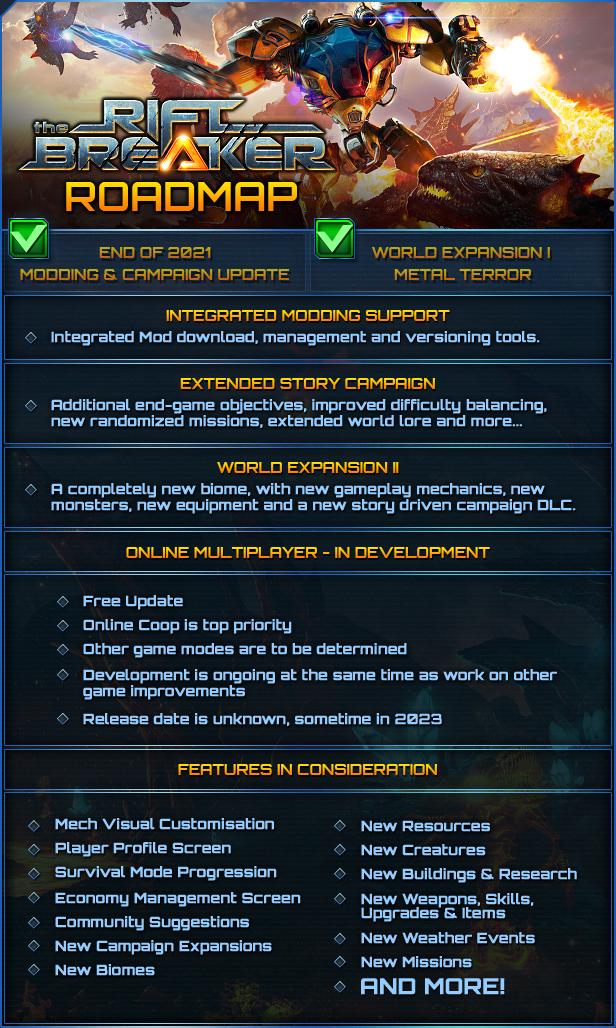
EXTENDED MODDING SUPPORT
Allowing our players to freely mod The Riftbreaker has always been very important for us. Many of you have already tried the possibilities that the Schmetterling Engine and our World Editor Suite give you with amazing results. However, we agree that mod distribution through Discord and multiple external websites is not the optimal solution. Not only does it limit mod discoverability, but also leads to a multitude of problems after a game update makes a mod incompatible with the game.
We are working on integrating an in-game mod browser that will benefit both mod users and mod creators. Users will be able to discover the latest mods and download them with just a couple of clicks. The built-in mod manager will let them choose which mods they want to run and inform them about any incompatibilities or potential issues. Creators, on the other hand, will no longer have to wonder where to upload their mods. They will also be able to easily update their mods as the development of the game progresses.
We are also planning to make modding even easier for you. The Riftbreaker World Editor Suite is a set of tools that we used to create the game. It is already available for download either through the Steam Tools section or directly through our GitHub - https://github.com/exorstudios/riftbreaker-tools. Thanks to all the feedback we’ve got from you on these tools, we have been able to make major improvements to our editors, introducing a multitude of new functions, as well as stability and performance improvements. The Editor Suite will keep receiving updates, extending its capabilities even further. We are also planning to release our Blender plugins for exporting/importing custom 3D meshes into the game. And for those of you in need of some guidance - more tutorial videos are coming to our YouTube channel. Subscribe not to miss them!
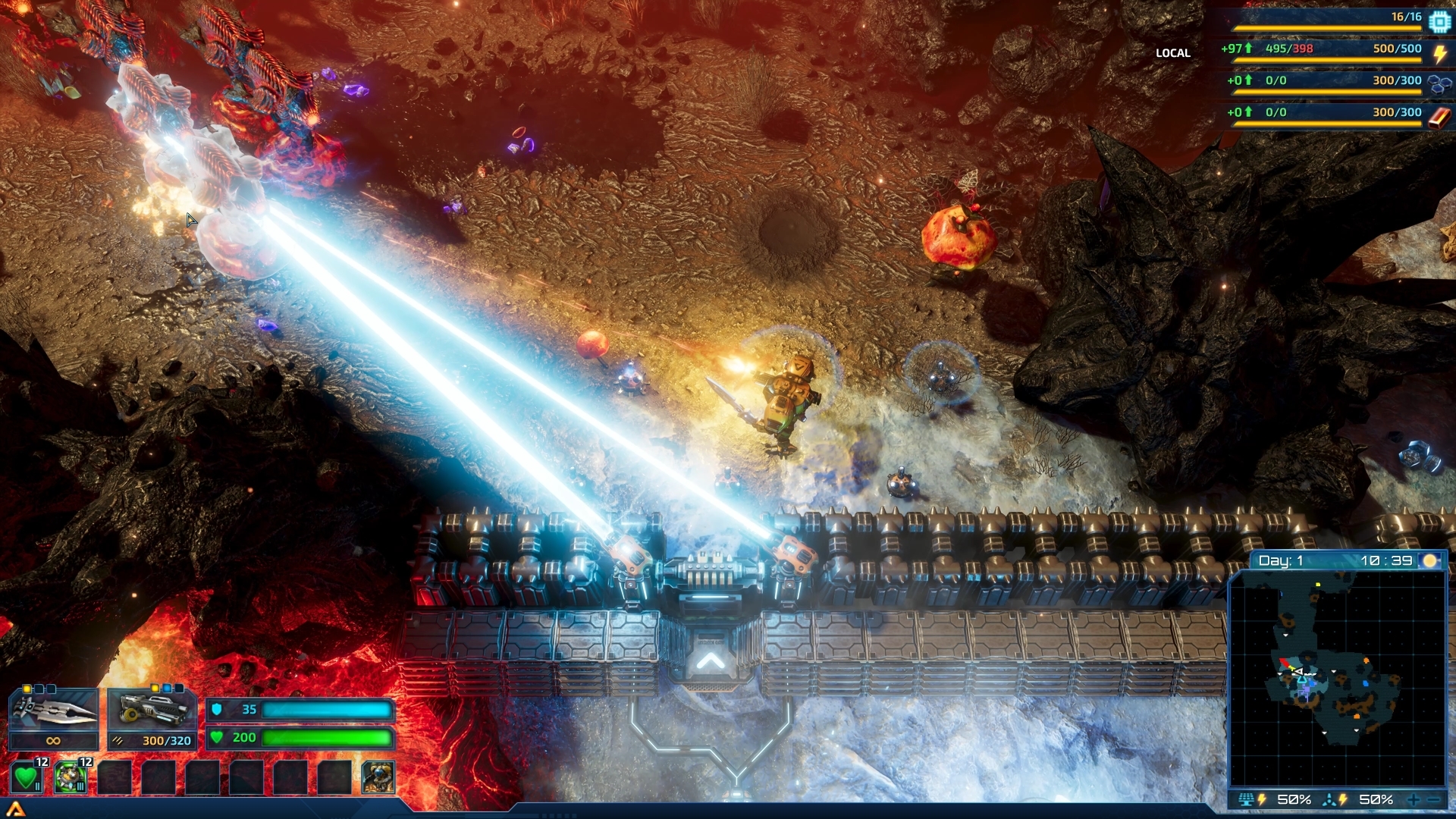
EXTENDED STORY CAMPAIGN
The Riftbreaker is the kind of game where you can spend hundreds of hours optimizing your bases, fighting alien hordes, and searching for the last possible resource deposit to mine out. Some players are happy to do just that, but there are also those who have signaled to us that there is not much to do after the main storyline is finished. We agree - there is a lot of room for improvement and expansion when it comes to the Story Campaign mode.
We are planning to introduce new, far-reaching campaign goals and a new system for generating additional randomized missions through the Orbital Scanner interface. We have received a lot of feedback stating that the Metal Terror campaign branch is much more varied and interesting than the base campaign. We’d love to bring the campaign missions to this level of quality or beyond.
Naturally, such missions would not be much fun if they didn’t pose any kind of challenge, and, let’s be honest, in the endgame, not many things could stand in the way of a fully powered Mr. Riggs. We are planning to continue rebalancing Campaign Mode difficulty, including a major difficulty management system rework. This does not mean we are going to make the game harder for everyone - you will still be able to enjoy the relaxed pace of the Campaign on lower difficulty levels, while long-time veterans should be able to enjoy a real challenge on the higher settings.
Such major changes to the Campaign structure are also a great opportunity to add more world-building elements to the storyline. We heard your feedback - we know it’s been lacking at some points. We would like to tell you more about the world of Galatea 37 as well as Ashley’s motivations for going there. What are the strange bioanomalies that are encountered around the planet? Why are there so many moons around the planet? What’s causing the strange magnetic field anomalies?...
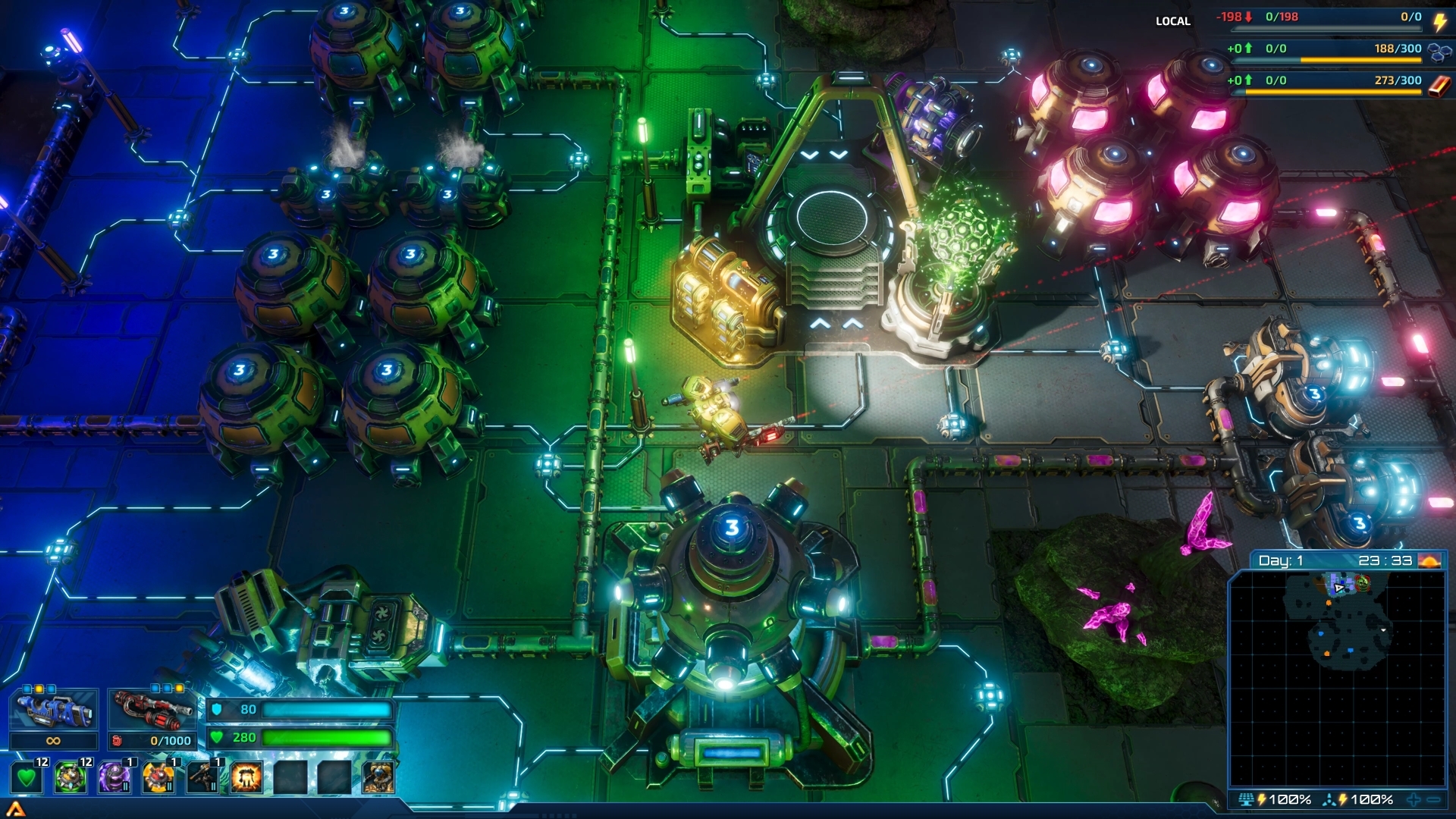
WORLD EXPANSION II
Finally, we are also working on a new World Expansion update. This time we will take you on a trip underneath Galatea’s surface in search of the source of an anomalous crystalline growth that keeps infecting the Galatean wildlife and posing a threat to your presence on the planet. The mission will be long and dangerous, but the plentiful rewards will more than make up for your efforts.
The World Expansion II will be released in the same formula as Metal Terror. Once the expansion is launched, all users will receive a free update, adding all the new technologies, weapons, buildings, and creatures into the game. You will be free to use them in Survival Mode, as well as in your own mods. The story part of the World Expansion will be available as an optional paid DLC.
This time we would like to take a less secretive approach to the development of the next World Expansion. We are working on new gameplay mechanics that we’d like to expand with our community through early playtesting on the experimental branch. We don’t have a release date for the new World Expansion at this time, but since the first one took about 6 months to develop, we expect this one to take a similar amount of time to finish. At this point, we can only share some early concept screenshots of the underground biome to give you a general feel of where we’re going:
https://store.steampowered.com/app/2108630/The_Riftbreaker__World_Expansion_II/
You can expect regular updates on our progress and all the new features that we’re planning to add. Be on the lookout for those in the future!

That wraps it up for today. Thank you for the continued support of The Riftbreaker! None of these things would be possible without your input and willingness to work with us to make the game better. We are very grateful for all your suggestions and feedback. Join us at www.discord.gg/exorstudios to always be on top of all things Riftbreaker.
Cheers,
EXOR Studios
Optimization and Maintenance Update
After a period of testing on the Experimental branch, we are releasing a new patch introducing a large number of improvements and optimizations to CPU performance and memory consumption. If you have noticed memory or CPU-related issues during gameplay, this might just be the patch for you. Naturally, the potential performance gain will depend on the gameplay situation, but we're optimistic about these changes. More optimizations to come!
The Riftbreaker - Optimization and Maintenance update, September 8th 2022. Binaries #580, Package #202 Changelog:
Changes:
- Added custom minimap markers for meteors and comets of all varieties.
- Arachnoid Boss' projectiles now leave an acid stain behind. It will damage and slow you down if you walk through it.
- The game will now always display its version number if modified content is found. This will help us identify bugs caused by mods.
Fixes:
- Optimized memory usage reducing the overall memory footprint by about 500MB
- Optimized frame buffer memory formats improve GPU performance by up to 10%
- Introduced various optimization during map generation steps in order to optimize memory usage.
- Many sound samples are now streamed to optimize memory consumption.
- Added instance limits for monster idle sounds - to optimize memory consumption.
- Fixed lights and other effects in various props - you can guess why.
- Implemented Target Finder Throttling in drones. Thanks to this change, you should see a large CPU performance uplift in bases that utilize a large number of drones (repair towers, cultivators, minelayers, etc.). It should also fix gameplay 'hiccups'.
- Optimized the UpdateEnvironment component of the TimeOfDay system. Depending on the circumstances, it can save up to 5ms of logic calculation time. In human terms - it can save you a lot of CPU performance!
- Introduced extensive optimizations of the LuaSystem that can increase both stability and CPU performance.
- Introduced a large number of small optimizations in various other game systems. Taken individually, the performance gains from them are negligible, but as a whole, they should free up a decent amount of resources for the game and make it run better as a result.
- Fixed a memory leak in TerrainAffectorSystem that caused performance degradation when loading old save files.
- Fixed an error that could potentially unlock research rewards before the relevant research item has been discovered.
- Fixed building grouping errors in the new building menu screen.
- Fixed an issue that could cause save file corruption if a player died after they completed a mission during the campaign.
- Fixed an obscure crash that occurred while disassembling items.
- Fixed collisions in small metallic crystals - they will no longer block Mr. Riggs' movement.
- Sentry Gun and Sentinel Tower projectiles should now be able to hit the Metallic Valley alien towers.
- Fixed a visual bug that prevented pipes from connecting to Geothermal Power Plants.
- Fixed Phirian dash screen shake effect - the effect would affect the player's screen regardless of distance.
- Fixed death effects for small units by lowering their scale - previously, the effect would cover up the entire unit.
- Enemies should no longer be able to shoot their projectiles over tall buildings - we fixed their collision heights.
- Fixed 'Resist All' function not always working properly.
- Fixed drexolian_medium_03 tree - the TreeDesc now has a proper mesh name in it.
- Fixed a couple of missing voiceover lines.
EXOR Studios
Conquer a planet - this time with beavers!
Hello Riftbreakers!
From time to time, we try to share with you a selection of games from other indie developers. The games we choose are usually similar to The Riftbreaker in some aspects - the genre, the setting, or the general ‘look and feel.’ The game we want to share with you today seems to be totally unrelated, but we think that despite the different setting, it might just be the right choice for you. Meet Timberborn - the first ever lumberpunk beaver city builder!
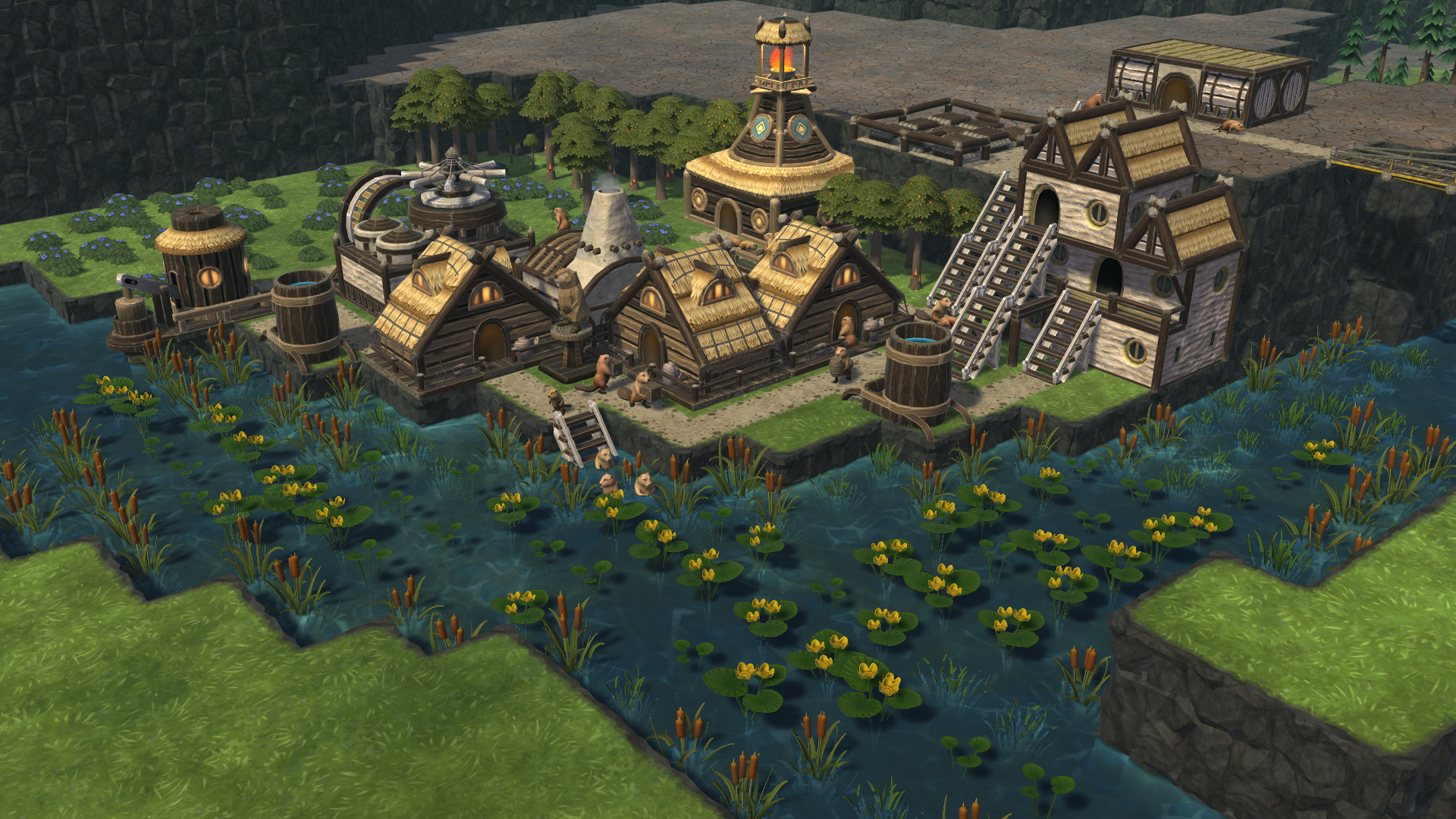
The action of Timberborn takes place long after mankind has done its job on Earth - they turned our beautiful planet into an almost dry and semi-inhabitable shell of its former glory. Luckily, one industrious species with a very particular set of skills has adapted very well to these new conditions - beavers. These ingenious little rodents have been honing their engineering skills for a long time and are now ready to take over the world. If they survive, naturally. Your job is to manage a colony of beavers and guide them to global domination. To do that, you will need to make use of a lot of skills, from city design, through economic planning, to water management.

Despite evolving into a highly intelligent and industrious species, beavers can’t escape their nature - they want to live near water and need it to survive. That is the first challenge your colony will face - the suitable living area near bodies of water is rather limited, and you won’t be able to grow your city forever. At least not horizontally. In Timberborn, you can create highly complex metropolises that grow upwards, not sideways! Stack buildings on top of one another, build walkways, platforms, and bridges. Crush that population density metric!

All the citizens of your new colony will need food and water to survive. Unfortunately, the Earth’s climate has changed a lot, and we only have two seasons now - dry and wet. Those names do not reveal the full scope of things, though. The dry season always brings a drought of catastrophic proportions and the wet season barely brings in enough water to sustain life. That is a problem since you need water to grow food and keep your beavers happy. However, if beavers are good at one thing, that is for sure building dams. In Timberborn, you will be able to construct highly complex systems of dams, canals, and reservoirs. Redirect the flow of entire rivers. Control the ebb and flow of water to irrigate your fields and keep your colony alive.

A beaver can sustain on food and water only for so long - they also need a way to enrich their daily lives in some other ways. Allow your beavers to express themselves by building monuments, decorating the streets and parks with statues and flowers, and allowing them to take part in social activities. A happy beaver is a productive beaver!
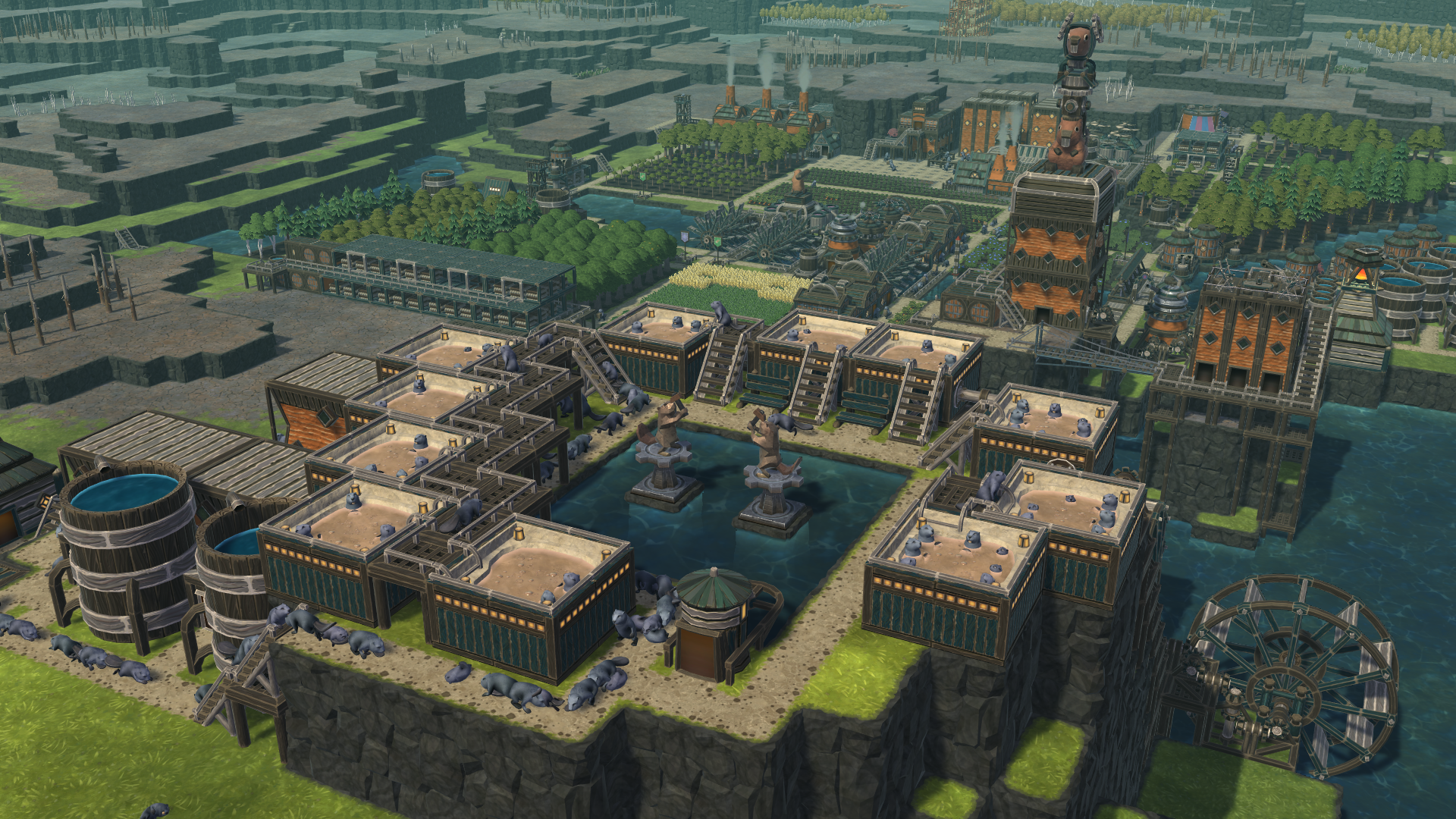
Oh, and have we mentioned they’re about to drop a huge update with robotic beavers?
If you enjoy The Riftbreaker you might appreciate the in-depth and relaxed colony management aspect of Timberborn. For a limited time, you can pick both these games up in a bundle at a 10% discount! And if you already own one of these games, you can also pick the other up, also at a discount.
https://store.steampowered.com/bundle/27433/Timberborn__The_Riftbreaker/
Give Timberborn a shot!
EXOR Studios
Optimization and Maintenance update - Experimental 2
Hello Riftbreakers!
We have just published a patch to the experimental branch of the game with a bunch of additional performance-related fixes. This also includes a potential fix for stuttering/hiccups in large bases with high numbers of drones. Give it a shot!
Since we haven’t fully finished testing this update yet. We strongly recommend you to back up your save files before moving onto the experimental branch.
How to join the experimental branch:
- create a backup copy of your save folder (Documents/The Riftbreaker)
- disable Steam Cloud save backup
- go to your Steam Library
- right-click on The Riftbreaker
- select 'Properties,’ then 'Betas,’ and use the following password: IknowWhatImDoing
After that, you will be able to choose 'experimental' from the drop-down menu. Download the update, play the game and let us know if you encounter any issues. We also have a channel on our Discord: #rb-experimental-feedback - we highly encourage you to join in and share your feedback.
The Riftbreaker - Optimization and Maintenance update, Experimental, September 7th 2022. Binaries #580, Package #202 Changelog:
- Implemented Target Finder Throttling in drones. Thanks to this change you should see a large CPU performance uplift in bases that utilize a large number of drones (repair towers, cultivators, minelayers etc.). It should also fix gameplay 'hiccups'.
- Optimized the UpdateEnvironment component of the TimeOfDay system. Depending on the circumstances, it can save up to 5ms of logic calculation time. In human terms - it can save you a lot of CPU performance!
- Introduced extensive optimizations of the LuaSystem that can increase both stability and CPU performance.
- Introduced a large number of small optimizations in various other game systems. Taken individually, the performance gains from them are negligible, but as a whole they should free up a decent amount of resources for the game and make it run better as a result.
- Fixed a memory leak in TerrainAffectorSystem that caused performance degradation when loading old save files.
- Fixed an error that could potentially unlock research rewards before the relevant research item has been discovered.
- Fixed building grouping errors in the new building menu screen.
EXOR Studios
Optimization and Maintenance update - Experimental
We have just published a patch to the experimental branch of the game aimed at optimizing the game's performance and memory consumption. If you have noticed memory-related issues during gameplay, this might just be the patch for you.
Since we haven’t fully finished testing this update yet. We strongly recommend you to back up your save files before moving onto the experimental branch.
How to join the experimental branch:
- create a backup copy of your save folder (Documents/The Riftbreaker)
- disable Steam Cloud save backup
- go to your Steam Library
- right-click on The Riftbreaker
- select 'Properties,’ then 'Betas,’ and use the following password: IknowWhatImDoing
After that, you will be able to choose 'experimental' from the drop-down menu. Download the update, play the game and let us know if you encounter any issues. We also have a channel on our Discord: #rb-experimental-feedback - we highly encourage you to join in and share your feedback.
The Riftbreaker - Optimization and Maintenance update, Experimental, September 2nd 2022. Binaries #578, Package #198 Changelog:
Changes:
- Added custom minimap markers for meteors and comets of all varieties.
- Arachnoid Boss' projectiles now leave an acid stain behind. It will damage and slow you down if you walk through it.
- Added Heightened Wall Floor building levels 2 and 3. Higher levels of these platforms have more hitpoints and will not get destroyed by late-game enemy artillery so easily.
- The game will now always display its version number if modified content is found. This will help us identify bugs caused by mods.
Fixes:
- Optimized memory usage reducing the overal memory footprint by about 500MBs
- Optimized frame buffer memory formats improve GPU performance by up to 10%
- Introduced various optimization during map generation steps in order to optimize memory usage.
- Many sound samples are now streamed to optimize memory consumption.
- Added instance limits for monster idle sounds - to optimize memory consumption.
- Fixed lights and other effects in various props - you can guess why.
- Fixed an issue that could cause save file corruption if a player died after they completed a mission during campaign.
- Fixed an obscure crash that occurred while disassembling items.
- Fixed collisions in small metallic crystals - they will no longer block Mr. Riggs' movement.
- Sentry Gun and Sentinel Tower projectiles should now be able to hit the Metallic Valley alien towers.
- Fixed a visual bug that prevented pipes from connecting to Geothermal Power Plants.
- Fixed Phirian dash screen shake effect - the effect would affect the player's screen regardless of distance.
- Fixed death effects for small units by lowering their scale - previously the effect would cover up the entire unit.
- Enemies should no longer be able to shoot their projectiles over tall buildings - we fixed their collision heights.
- Fixed 'Resist All' function not always working properly.
- Fixed drexolian_medium_03 tree - the TreeDesc now has a proper mesh name in it.
- Fixed a couple of missing voiceover lines.
EXOR Studios
Co-op when? A couple (thousand) words on the subject
Hello Riftbreakers!
Today’s article is one that many of you have been eagerly waiting for. We will discuss the progress of the promised co-op mode for The Riftbreaker. In this article, you will find out what you can expect from our multiplayer module, what challenges we’ve overcome so far, and what still needs to be done. Strap yourselves in. This is going to be a long one!
There are some screenshots and gifs in this article. Most of them contain bugs and glitches and they do not represent the final quality of the co-op mode. We've only included them to show you what we are working with. Things will look a lot better when we give you access!
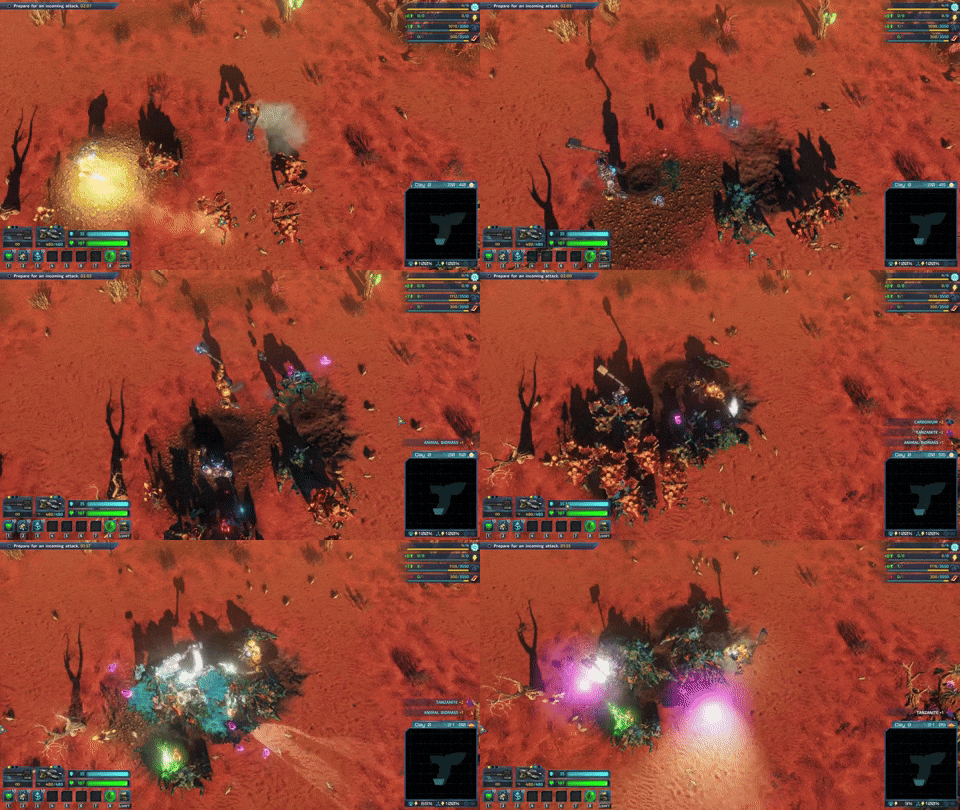
HAMMER TIME
INTRODUCTION
Let’s start with the basics. The Riftbreaker runs on our proprietary game engine - The Schmetterling 2.0. We have always enjoyed working with our own technology, as it gives us an unparalleled degree of freedom when it comes to choosing the right tools for the project. You can implement basically any feature you want, which is why we were able to significantly improve our game with technologies such as raytraced shadows and ambient occlusion, which were not available when we first started working on the game. The one caveat is that you need to implement all the changes yourself, and while some are pretty straightforward, others can be slightly more challenging.
The Riftbreaker project officially began in February 2018. Since we are an entirely self-funded Small Indie Company™, we knew that implementing co-op was just beyond our reach. We decided to limit the scope of the game to single-player only. However, thanks to The Riftbreaker’s popularity and your support, we were able to pull the trigger and start working on the multiplayer mode after the game’s 1.0 launch. We know that making this decision this late in the development cycle wasn’t the perfect solution. It would come at the cost of refactoring a substantial portion of game code and restructuring the engine, but we believe it will be well worth it.
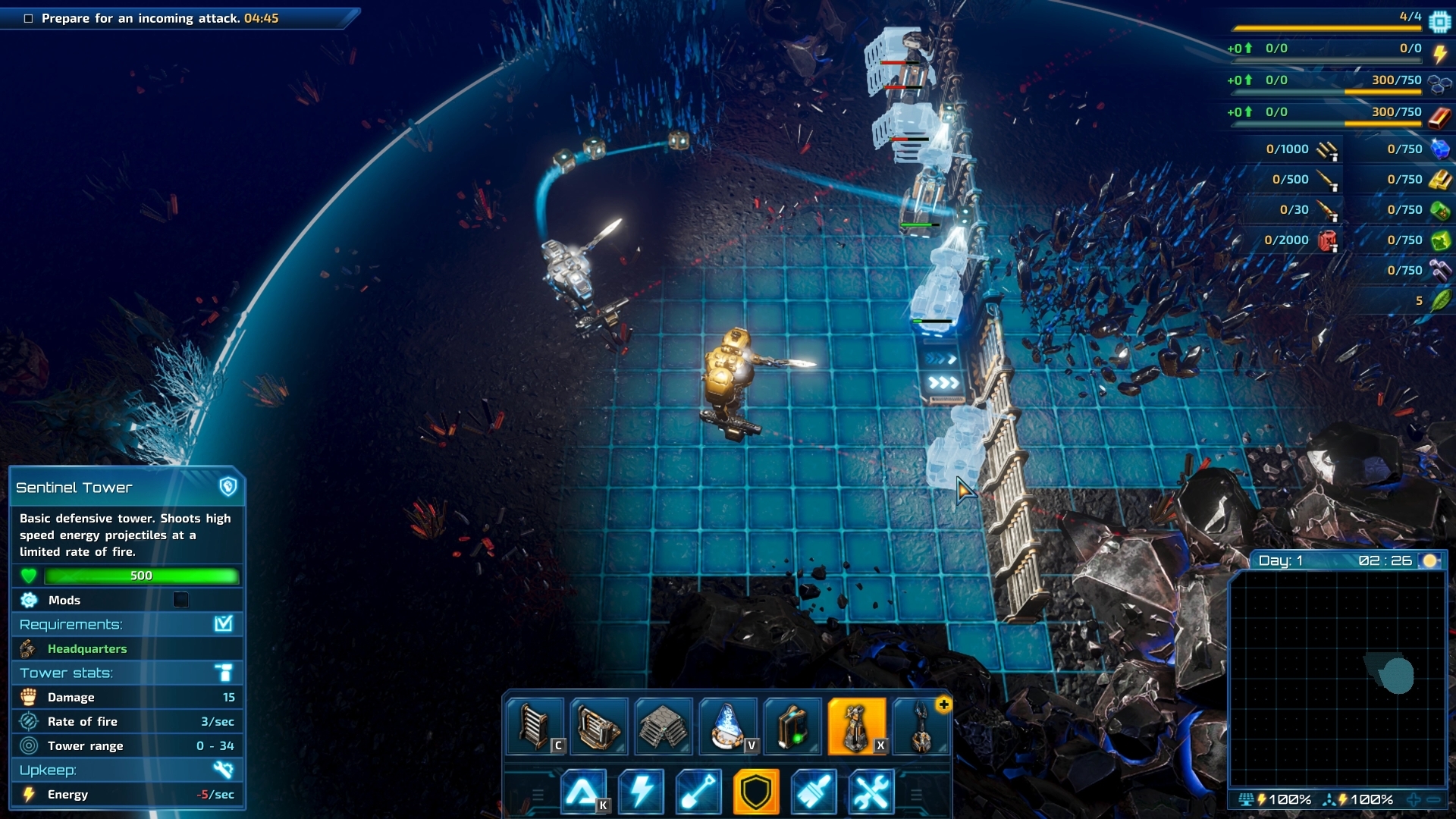
Building is more efficient when there's two of you!
Before doing any kind of development work, we had to settle on the sort of architecture the multiplayer module was going to run on. We were faced with two alternatives:
- Client-server - in this case, one computer is the session's host. It stores all data regarding the game state, conducts the majority of calculations, and relays the relevant information to other computers - the clients.
- Determinism (or peer-to-peer) - all computers involved in the multiplayer session carry out the same operations, resulting in exactly the same game state on every client (in the case of this technique, there is no client-server division).
The latter option would require us to make absolutely sure that the game would always behave in the same, 100% predictable manner. For example, we would need to guarantee that a group of creatures attacking your base would always follow the same path and behave the same way (provided that all other conditions were the same in all cases). We were unsure whether we could pull this off or even if it was possible in the first place. A lot of things are simulated in The Riftbreaker every second, and ensuring determinism seemed very difficult. This is why we decided on the client-server architecture, eliminating that issue. However, this method comes with many problems we have to deal with anyway - but more on that later. If you would like to dive even deeper into the world of multiplayer game architecture, here’s an article we can recommend - https://gafferongames.com/post/what_every_programmer_needs_to_know_about_game_networking/.

Let me solo her.
THE ROAD SO FAR
After settling on the client-server architecture, it was time to start laying the groundwork - the process began in February 2022. The first step was to port and implement the Valve Networking Sockets library into the Schmetterling engine. It’s an open-source solution that you can check out here: https://github.com/ValveSoftware/GameNetworkingSockets. Don’t be afraid of the name ‘Valve’ there - this library is cross-platform and is not tied to the Steam ecosystem. We made sure that it would support all platforms. This library allowed us to establish a connection between two game instances - we first achieved that in mid-April 2022. We started small - simply by running two Riftbreaker apps on the same PC. Each ran independently, which was a significant milestone but still far from our goal. As soon as that was one, we started the process of synchronizing entities between the two worlds.
The first layer of the game that we started transferring was the visuals. Step by step, we began synchronizing models, particles, and animations. That alone revealed how much work we had ahead of us. Synchronizing an empty map with just two mechs running around took as long as 400 milliseconds per update! This was, of course, the first “brute force” prototype. That’s when the first optimizations started materializing. Instead of synchronizing the entire client’s world with the server, we limited the number of entities by including just the ones currently visible on the screen. We reduced the frequency of updates. We switched from synchronizing snapshots of the entire world to updating only the entities that changed in a significant way.

You look smashing today.
The method of only synchronizing changes in the game world is much more efficient but requires us to solve a couple of interesting problems. What kind of change in state for any given entity is significant enough? How often do we need to synchronize the client with the server? How do we monitor and track changes in the game world? There are no clear-cut answers to these questions. We will likely be tweaking all of these aspects until the end of the development cycle. At present, detecting and synchronizing changes in the world state is by far the most significant performance overhead for The Riftbreaker. No effort we put into optimizing this task can be too much.
After we had the foundations for a co-op game in place, we could finally start making attempts at creating a session between two PCs. To do that, we had to give the client a very significant upgrade - the ability to control the mech. It might seem simple at first, but it’s one of the most important systems when it comes to the title's playability, so there is no room for mistakes here. It would seem logical to send the inputs from the client to the server, make the server calculate the results, and send the info back to the client.

Instead of transferring raw inputs, we have a couple of systems to handle controlling the mech on the client PC in a more elegant way. When the player presses any key on the keyboard or gamepad, that input is received by the ActionSystem. The purpose of this system is to translate the button press to a game action according to the key bindings. For example, pressing ‘w’ is translated by the ActionSystem onto ‘move_up “1”’ command. Now that’s an understandable command that we can send to the server and call it a day, right?
Not exactly. To turn a ‘move_up’ command into an actual movement that you can see on the screen, we need to use a specialized system - something that we call the MechSystem (not the most original name, we know). The MechSystem is the manager of all events concerning the player-controlled mech. It’s responsible for movement, using weapons and items, health management, and all other things. The MechSystem will decide whether a client’s player can move their mech and their final position. Since the data came from the server itself, it is guaranteed to be correct and doesn’t need to be verified further. The action is carried out, and the mech moves up. But wait, isn’t this exactly like ‘sending inputs’ that you said wouldn’t be good enough a couple of paragraphs earlier? Again, not exactly. By sending the information about the command to the server instead of inputs, we avoid any ambiguity. Pressing ‘W’ might mean different things on the client than on the server, but this way, we ensure consistent results.

We will have to adjust our lighting system to this new client-server situation. By the time we're done, co-op will offer the same graphics as the single-player part of the game.
Another area that we realized we could easily optimize was the BuildModeSystem. The system is responsible for displaying the building menu for the player and allowing them to place structures on the map. It quickly became clear that we do not need to inform the server every time one of the players enters the build mode. Instead of doing that, we only send commands such as ‘build a solar panel at coordinates X, Y’ with simple events, just like we handle mech movement and abilities. Not only did this solution work great, but it also proved to be easily done in the case of multiple systems. We plan to adapt many more systems to work similarly. The first candidates for that are our menu screens, such as research, crafting, and inventory. More optimizations like these will undoubtedly have to be added to the list.
Naturally, we have done a lot more work behind the scenes - so much that if we were to describe all of it, we would end up with a book instead of an article. However, that brings us, more or less, to the point where we are today. To sum things up:
- We decided to follow the client-server architecture for the co-op mode in The Riftbreaker.
- We created a very rudimentary, brute-force prototype of the multiplayer mode. It connected several instances of the game launched on the same PC. It served as a basis for further development and indicated some early issues.
- We moved attachment creation from the SkeletonComponent to the Skeleton resource itself and refactored the Model Editor to reflect that change. This removes the necessity of synchronizing skeleton attachment creation and removal between client and server.
- We extracted the UniformComponent out of the MeshComponent. Uniforms hold parameters for shaders, and those change quite often, unlike materials and names that are parts of the MeshComponent too. By extracting this element, we eliminated unnecessary synchronizations.
- For similar reasons as above, we extracted the information about animations from the SkeletonComponent to the AnimationComponent.
- We had to create a division between client and server entity IDs. It was necessary to avoid conflicts between clients and the server. For example, if one of the clients created a local entity, such as a particle effect or a giblet, and gave it the same ID as one already on the server, the server could overwrite client data.
- We have successfully implemented Valve Networking Sockets - a library that allows us to establish a client-server connection between computers over a network.
- The server can run a regular game client or in ‘headless mode’ - without any visual representation.
- We can play the game on two different PCs with two players controlling their own mechs.
- Some of the systems run independently on both the client and the server PCs, only synchronizing key elements. The ones we’ve already re-worked for this architecture are:
- BuildModeSystem - responsible for handling the building menu, as well as building, upgrading and deconstructing structures in your base,
- ActionComponent - handles most of the players interactions with the game,
- HealthBarSystem - displays the percentage value of hitpoints of any given entity in the form of a colored bar,
- HudSystem - responsible for displaying the GUI elements on the screen during gameplay,
- DisplayRadius - shows the working range of towers in the game,
- GuiTimerSystem - counts the time and progress of building construction, upgrades, and repairs,
- ResearchClientSystem - responsible for everything related to the Research Screen,
- GridRenderableSystem - displays the terrain grid and marks grids as empty, occupied, or filled with resources,
- SelectableSystem - allows you to highlight objects in the game and check their stats,
- BuildModeSystem - responsible for handling the building menu, as well as building, upgrading and deconstructing structures in your base,
- We have started optimizing game systems to ensure acceptable data transfer levels and reasonable calculation times. Minimizing both these costs will result in significant performance improvements.
- We have identified some of the problems we are going to have to face when synchronizing the two game worlds. We will describe those in the next chapter.
WHERE TO GO NEXT

- Even though we have already made a lot of progress, there is still much to be done. At every step of the way, we learn about new potential problems and take measures to prevent them from becoming severe issues in the first place. Here’s what we are currently working on and some of the issues we still have to solve:
- Separating events and their visual effects to reduce data transfer and optimize performance. We aim to adapt most of our systems to work this way. Up next, in no particular order, are the following:
- DestructionSystem - responsible for changing textures on models as they get damaged, spawning effects and creating gibs and debris,
- FogOfWarSystem - covers the unexplored parts of the minimap and keeps track of the area that is visible to the player,
- VegetationSystem - handles vegetation growth cycle and dynamic foliage reactions to external forces such as wind and shockwaves,
- AnimationGraphSystem - handles animation playback, transitions, and events connected to them,
- MechSystem - responsible for all actions of the player’s avatar.
- DestructionSystem - responsible for changing textures on models as they get damaged, spawning effects and creating gibs and debris,
- Introducing a lag compensation system, which will require us to rework our PhysicsSystem.
- Synchronizing our large data structures to prevent the need to transfer the entire component.
- Adding support for disconnecting players from the session.
- Making sure that the game considers players to be a part of one team.
- Disabling bullet time effects in multiplayer.
- Moving the simulation of VegetationSystem to the client PC.
- Introducing measures that will compensate for packet losses.
- Adding in-game chat options.
- Adding a player lobby screen.
- Creating a robust save system. This will also require us to decide who can actually save the game. Should the clients be able to do so?
- Fixing rendering issues. We are currently experiencing severe problems with shadows and lighting. Raytracing does not work at all.
- Updating the game’s overall design to encompass mutiple players - should resources be shared or separated? How should biome travel work? How do balance game difficulty?
- …and many more.
The list above is just a simple generalization of the work that still needs to be done. Each of these bullet points is a very broad task on it’s own. Let’s go a bit deeper on a few of the grander topics.

Why did you destroy them all by yourself?! You should have waited for me!
Step by step, we will separate more systems into client and server parts. Our end goal is to simulate all the events that do not directly affect gameplay on the client side. Let’s take a grenade explosion as an example. One of the players throws a grenade. The server has to calculate where the grenade will land, when it will explode, how much damage it will deal, and which entities will be affected by the explosion. That information is relevant to all players, so it has to come from the server side. However, all the rest can be easily simulated on a client’s machine. We don’t need any additional information to spawn the explosion particle effect, the sound, the gibs from destroyed enemies, or debris from destructible props. This will further reduce the strain on the server and the amount of data that needs to be synchronized.
As we adapt more and more systems to be suitable for use in the multiplayer context, we will have to support an increasing number of interactions between systems. The world of The Riftbreaker is very dynamic - hundreds of entities can change at any given second. We will have to take that into account and introduce a lag-compensating prediction algorithm. You can learn more about prediction in the article we linked before - https://gafferongames.com/post/what_every_programmer_needs_to_know_about_game_networking/. This will allow us to prevent many latency-related issues. For example, let’s say that you are using a railgun to take out a group of enemy creatures. You aim at them and press ‘fire.’ We send the ‘fire’ command to the server - it checks that you have the weapon, the ammo, and your mech is alive. The shot is fired. Thanks to a prediction algorithm running on the client PC, you can clearly see your weapon firing. The railgun projectile hits enemies instantly. You can see that a group of creatures you were aiming for has taken damage. Yet, they didn’t die, even though they should. Why?

Got your back, buddy.
The answer is simple - they weren’t at the spot you were aiming for anymore. They moved a little bit to the side on the server, and when the information about you firing your railgun reached the server, there was no one there to kill anymore. We will have to introduce a lag compensation system to solve issues like these. we plan to keep a record of entity positions and their states as a reference for the server. Thanks to the historical data, the server will be able to make corrections and compensate for the delay in communication between the client and the server. Naturally, this will require us to change some systems. We need to allow our PhysicsSystem to ‘travel’ back in time, which will require us to refactor and simplify many of its components to ensure consistent results. The WeaponSystem will require significant refactoring as well.
Some problems stem from the fact that The Riftbreaker was initially designed as a single-player game. Several components worked perfectly fine in that setting but did not make much sense when it came to multiplayer. Many of those are what we call data components: the mission log, the journal, the database, and research trees. Currently, the only way to synchronize those components between the server and the clients is to send a copy of the entire component, which can get very big over time. Let’s take the mission log as an example. There are many timed missions in The Riftbreaker. We display a countdown to a certain event, ticking down every second. That needs to be reflected on the client’s side as well, so we need to synchronize it with every game logic tick. Every 33 milliseconds. The entire 3 MB of it. The problem is quite clear here - this is not a reasonable amount of data, and there is no way this could work. Therefore, data components are next in line for a rework.
Another example of a problem that we are going to have to face is the case of the TerrainGridComponent. Each level is mapped onto a simplified game logic representation that we call the “Grid” - it is comprised of small 2x2m squares that define the smallest chunk of terrain that can have an individual game logic state. Those squares can be empty, blocked, populated by resources, or have a building on top. In the base version of the game, the entire terrain grid information was held in one data structure. That is another 3 MB of data on just a basic survival map, which is 1280x1280 meters. Maps in The Riftbreaker can get much bigger than that - up to 3072x3072 meters, exponentially increasing the data amount. We have already introduced a basic optimization for that. The multiplayer version of the TerrainGridSystem is divided into 64x64 meter chunks. The system only synchronizes those chunks which are relevant to the gameplay state, however, this solution is far from perfect, and there is still a lot of room for improvement here.

This is the grid that is the base of many important elements of the game, such as building and resource mining.
We said earlier that we would like to run all the visual aspects of the game locally on a client’s PC. Unfortunately, it is not always possible. Such was the case with animations. Every animated model in the game has a skeleton - a structure of interconnected points, fittingly called ‘bones.’ The animation graph is programmed to move certain bones within the model. Without the bone structure, it has no reference point and can’t move the model.
Animating objects in the game in the client-server architecture requires us to carefully consider the balance between performance and the amount of data transferred over the network. Since The Riftbreaker was designed to be a single-player game, a large part of the game logic and object behavior had been tied to the animation state. Let's take one of the most basic units in the game as an example - the Arachnoid. The unit's primary attack is shooting an acid projectile from the tip of its tail. What happens in the backend is quite simple - when the tip of the tail reaches a certain point in the animation (also known as an 'event' trigger), the game receives the signal to create a projectile. There are thousands of instances where animations are an integral part of object behavior in the game. This means that animations are not only a part of the visual representation but also an integral part of game logic. This forces us to simulate most of those on the server, which poses a question: how do we synchronize the animation states between the server and the clients?
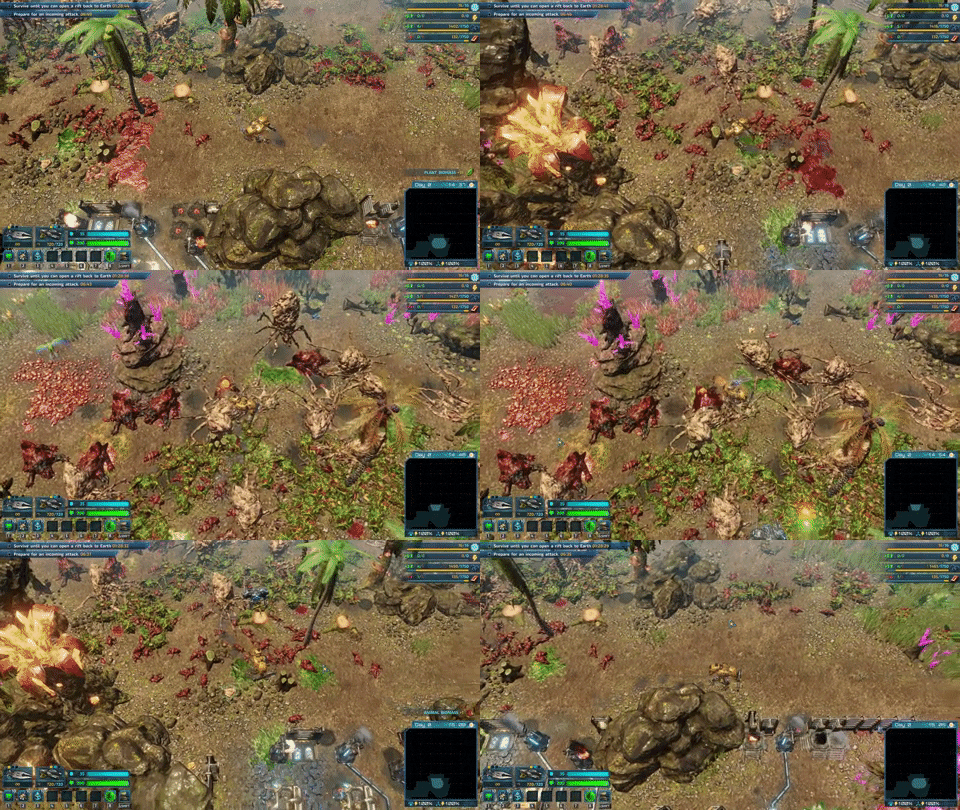
One of the funnier bugs with the AnimationGraph at the moment. When a corpse leaves the screen and appears in the game view once more after a while, it will play the death animation again. You can do it over and over.
We can't simply synchronize the state of all skeleton bones of the simulated object. Each skeleton can consist of dozens of bones. Each bone stores information about its position, scale, and orientation. That's way too much data to transfer in the case of a game that often displays thousands of units on the scene. Another approach to this is to reconstruct the state of the skeleton based on metadata, for example, movement speed, aiming direction, is the unit attacking or not, and what kind of attack it is using. Based on that information, the client can attempt to reconstruct the animation state from the server. This reduces the amount of data transferred but doesn't come without its own fair share of issues. The animation system, or more specifically the AnimationGraph that we currently use in The Riftbreaker, will have to be simulated both by the server and the clients. If the server is also being used to play the game (not running in the 'headless mode' described earlier), it will have to pay the performance cost of that. Another issue is that animation states between the server and clients can drift and desynchronize over time. This is one of the most significant issues we are trying to fix now. Compensating for animation drift requires us to implement a system to detect desynchronizations and take steps to bring things back in order.
We can also solve the problem of calculating the AnimationGraph both on the server and clients by removing the AnimationGraph from the server altogether. This drastic measure will require us to completely separate the game logic from the animation states. In order to do that, we will need to rework all the units in the game. This effort will take a couple of months but bears the promise of performance gains and further reduction of data transfer. This will also allow us to replace animation metadata with some higher-level instructions. Instead of synchronizing the animation state between PCs, we will be able to instruct units on what we expect them to do - for example, start eating grass in 2 seconds, fire a projectile in 0.5 seconds, or play the idle animation version 3 in 5 seconds.

Player 2 reduced to the role of a human-driven mini-miner.
As you can probably guess from the above explanation, solving entity animation update problems within the client/server architecture is one of the most significant problems that we’re facing. There are a few solutions to this problem, and we’re currently researching the best path to take.
CONCLUSION
One thing is obvious - there is still a lot of work to be done. We must rework multiple systems before the game can be played through a network connection. The good news is that we have created solid foundations to build on. Another aspect worth mentioning is that a rework of our systems is also an excellent opportunity to introduce even more optimizations and improvements to the entire game, so even if you’re not interested in playing The RIftbreaker online, your single-player experience will benefit from the additional layers of polish that we’re introducing.
One thing that you might have noticed missing from this article are timelines and specific features, like the maximum player count, cross-platform availability, which game modes co-op is going to be available in, etc. The reason is very simple - we don’t know these things yet. It will all depend on how much of our plans we manage to implement. Our first goal is to get the game playable online in its most basic state. All of our plans and estimates up to that point will have a considerable margin of error, and we don’t want to promise any specific dates or features until we are confident that we can achieve them.
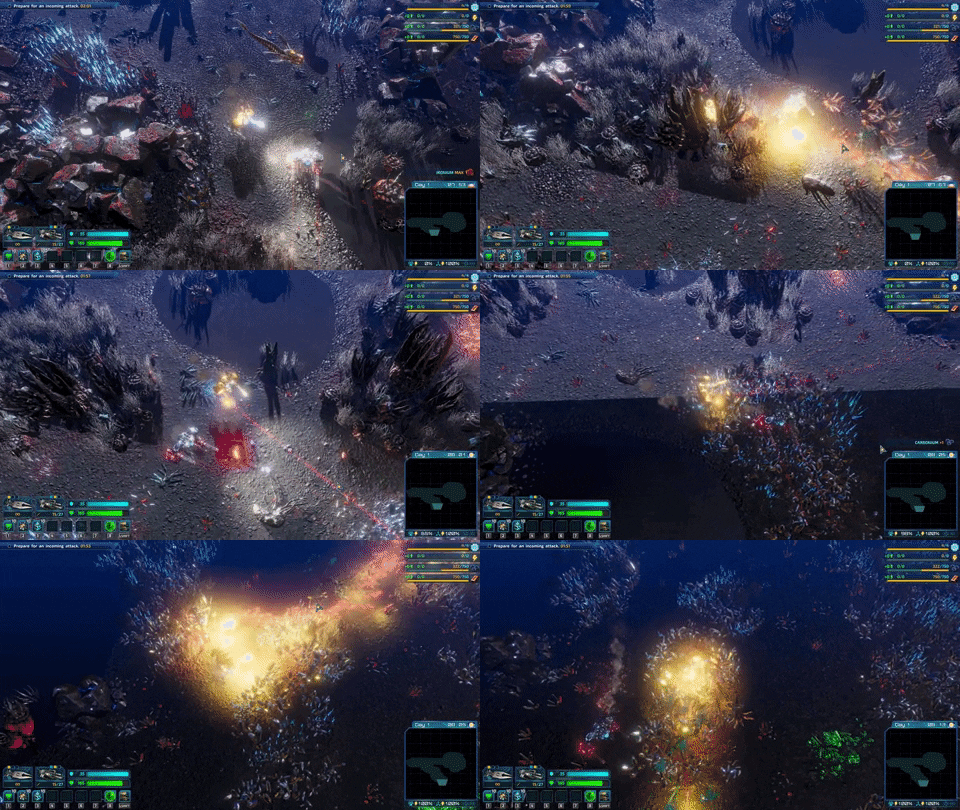
It's alive! Well, most of it. The lighting disagrees.
All in all, we are pretty happy with what we have managed to achieve already when it comes to implementing the co-op mode in The Riftbreaker. We have a clear plan and a list of things that need to be done, and we’re going through them one by one. We hope this article will provide more transparency into how our work on online multiplayer is moving forward.
As always, we are waiting for your feedback and questions! Post the here or on our Discord: www.discord.gg/exorstudios. We would also like you to know that as soon as we have a playable version of the co-op mode, we will start running closed beta tests. We will take applications on our social media channels, Discord server, and Steam Forums. Follow us not to miss any news on that!


A gift we got from one of the fans. We know you want it!
See you next time!
EXOR Studios