We are thrilled to announce that EXOR Studios Discord server has been accepted into the United Servers of Discord Alliance! The Alliance is a joint effort from several communities, working together to maximize the enjoyment of our members. It incentivizes active participation within the community and encourages the discovery of new, high-quality servers.
This is all made possible through the use of several bots that help with cross-server communication. Don’t worry though - they are confined to their designated channels and won’t bother you with any pings or DMs unless you specifically ask them to. Let’s have an overview of what this brings to the EXOR Studios server.
First of all, there is the #alliance-chat channel. All messages you send in this channel will be copied and embedded in partnered Discords. This way we can all communicate with each other, without server-hopping and completely seamlessly, all thanks to the Alliance Chat Bot. A team of moderators monitors the chat to make sure that everyone follows the Code of Conduct (available on EXOR Discord in the #important-stuff channel).
Next, we have the #alliance-trivia channel. Every 8 hours, at 12 AM, 8 AM and 4 PM UTC the bot will pick another member of the Alliance for us to go against in a battle of trivia. Everyone can participate! The team that reaches 25 points the quickest wins. It’s a great way to show off your knowledge, learn something new and win bragging rights (and perhaps some other prizes as well).
Then, we come to the real star of the show: #alliance-events channel. This is where you will get the chance to participate in both EXOR Studios and other Alliance members’ events. These events are an opportunity for you to get to know people from other servers a little better PLUS win some amazing prizes, such as Discord Nitro subscriptions and Steam game codes.
As we move forward, we will come up with more ways for you to find new communities and take part in exciting events. We hope that by joining the Alliance we will improve our Discord even more and provide you with even more entertainment and networking opportunities.
TL;DR - Join us at www.discord.gg/exorstudios - it’s more fun than ever!
Campaign Overview
Hello Riftbreakers!
We have an exciting new video for you today. It is an overview of the Campaign Mode that you will get to experience in The Riftbreaker. We did our best to give an impression of what the campaign flow is like, its structure, and the scope that you can expect from it. Give the video a watch, it’s spoiler-free!
[previewyoutube="pU1WU78f6UI;full"]
TL;DW:
The main mission in the campaign is to open up a portal back to Earth. In order to do so, you must construct a Rift Station and its additional components.
The components of the Rift Station require rare resources
Rare resources are located all over Galatea 37
You will explore and gather required resources in various biomes, where you can set up additional mining outposts
All bases that you build during one playthrough stay there and keep working as long as they can
You choose the order in which you do things
Maps are randomized, no two playthroughs are the same
So, how do you like it? Have you got any more questions? Let us know in the comments or join our Discord at www.discord.gg/exorstudios and ask us directly.
EXOR Studios
Weapon Mods
Hi everyone!
Today we’d like to take a look at the weapon modding system in The Riftbreaker. It’s a feature that allows you to customize your crafted weapons with various pieces of alien materials that affect the combat properties of your precious toys. Mods can turn the tide of battle by giving your weapons crazy additional stats and abilities. Let’s have a look at how they work, what they require, and where to find them.
A right combination of mods can turn a pretty straightforward minigun into homing chaos machine of doom MK 2.000.000.
As you know, you can craft weapons in The Riftbreaker in four different quality levels. Apart from the base stats, they differ in the number of available mod slots that come with them. The most basic weapons offer no room for modifications, but you gain one with each quality level. In total, you can have up to 3 mod slots in your ‘extreme’ quality weapons. The same is true for defensive towers. You can install mods in them as well. The only difference is that they come in 3 levels, so mods slots are there from the get-go.
When you finally get a weapon with mod slots, it’s time to start looking for something to put into them. Mods can be found by defeating Galatean creatures, investigating objectives, or loot containers. The higher your knowledge about the planet’s creatures, also known as ‘familiarity level’, the better your chance to get a great mod drop. You can increase your familiarity level by either killing or scanning the wildlife and gathering samples.
Flamethrower lacking range? We can fix that, too!
There are three main categories of mods that you can find. The first of them is Damage Increase mods. They come in a couple of forms. They can for example boost your critical hit chance (critical hits deal twice as much damage as the regular ones), or add damage over time effects (often with elemental effects, such as acid or fire damage added on top). And then, there is also the good, old +X% damage mod, that can also come with the added benefit of elemental effects. Easy enough.
Things get more interesting in the second category - weapon properties. These affect the way your weapon handles. They can either increase your weapon range, decrease the ammo cost for each shot, change the bullet spread… There are many possibilities. However, the ones we like the most are “increase projectiles per shot” and “increase projectiles per burst”. The first one will fire more projectiles every time you pull the trigger, and the second will fire an additional salvo with each click. Combine them and you may get interesting results.
Today, dear Riftbreakers, we learn the true meaning of 'excessive force'.
The last category is projectile properties. This is where you can turn your bullets, or rockets, or plasma bolts, whatever you like into auto-aiming, homing harbingers of doom. If that’s not enough, you can also grant your projectiles the ability to pierce through targets, explode in a larger radius, or even spread into additional projectiles on impact! You will surely find a combination that suits your needs.
Not all mods fit every weapon, though. Decreasing spread on a flamethrower or giving the railgun even more piercing properties wouldn’t make much sense. For that reason, we hide all the mods that are not available to use with your current weapon. However, you can always browse through the list of all the cool stuff you’ve collected through your inventory screen.
Pay attention to hidden treasures on Galatea 37. You can find lots of goodies in them!
You can already check the mods out in the Prologue, and if you’d like to play with them some more, then join our Discord to get opportunities for Beta access - www.discord.gg/exorstudios. See you there!
EXOR Studios
Riftbreaker Beta Stability and QoL Update: 8th of July 2021
Hello Riftbreakers!
We're pushing a small update to address the issues with stability and quality of life. These changes apply to the Beta build and the Prologue version (where applicable). We hope that it will improve your experience with the game.
Changes:
Fixed Hammerroceros damage due to double inheritance, decreased their damage and collision width (Alpha and Ultra are now a lot less effecive against walls)
increased HP for Hammerroceros Alpha and Ultra by 30%
decreased damage reflect values
optimized memory and CPU usage
ResourcesSpawner: resolve minimal required amount of volumes first, then try to fulfill max amount - should fix problems with nonexistent sludge pools
fix labels display for resource veins
do not save world transforms - reduces save size by a lot
fixed navigation generation on smaller maps
fixed memory leaks in CachedMovements
fixed show_grid cmd crash
added missing flow fields - reduced chance of creatures getting stuck inside walls or other objects
fixed double melee weapon deadlocks
new effect for the "lost weapon marker"
rare element mine is less effective
VideoAdapterAPI: add GetMonitorName - game launcher now displays the monitor name apart from the adapter number - it's now easier to launch the game on the display you want
disabled VRS when FSR is turned on
multiple fixes for crash bugs
Let us know if you have any questions.
EXOR Studios
Win Beta Access
Hi everyone!
This week we are running a competition, in which you can get access to The Riftbreaker Beta!
We would like to ask for your help with achievements. We could easily come up with 150 'gather x of resource y' kind of achievements, but that would get old really quick. Instead, we want you to get creative. I would like you to come up with the most fun ideas for in-game achievements you can. They can be exciting, challenging, meme-y, whatever - as long as they relate to The Riftbreaker it's fine!
The format for this competition is as follows:
NAME: The name of the achievement - really short and to the point, 2-3 words work best DESCRIPTION: A longer description of the achievement. It can describe what the achievement is for, but it can be more cryptic, so that players have to figure it out themselves. METHOD: How to get the achievement - step-by-step instructions
Example:
NAME: Hardcore Sunbathing DESCRIPTION: You have no need for any UV filter. METHOD: Complete all Campaign Desert missions without downloading 'Environmental shielding: Sun' technology
Post your ideas on our Discord at www.discord.gg/exorstudios in the #rb-achievements channel. We won't take any other entries into account!
One entry per message. The message must contain all the components: name, description and method. No discussions in the channel - entries only.
Winners get Beta keys, eternal glory and a spot on the credits list!
ENTRIES CLOSE MONDAY
Have fun! EXOR Studios
The Riftbreaker is now in beta!
Hello Riftbreakers!
It is our greatest pleasure to announce that The Riftbreaker is officially out of Alpha! We have completed the entire game’s structure and it’s playable from start to finish, which makes it… A BETA! To celebrate this fact, we are rolling out a new update to both our testers in the closed Beta and the generally available Prologue. The update has some sweet new tech, some of which you have never seen before. Let’s dive into the contents of this patch.
First of all, we are thrilled to tell you that as of today The Riftbreaker supports the brand-new AMD FidelityFX Super Resolution technique (or FSR, for short). FSR is a technique that allows the game to render at a lower internal resolution and then upscales the image to your chosen resolution. FSR reconstructs the image to maintain as much quality as possible, and we think it does it really well. You can test it yourselves using one of 4 available presets - Performance, Balanced, Quality and Ultra Quality, all of which have different rendering resolutions. We’ve seen great results with this technique and encourage you to tell us how this option affected your FPS. FSR works on all GPUs, regardless of the manufacturer (AMD, Nvidia, Intel, or anything else that can run the game). This image upsampling technique is especially great if you want to run The Riftbreaker with raytracing effects enabled at very high resolutions or if you have a lower tier GPU that doesn’t run the game at 60FPS. Fidelity FX Super Resolution is available in both DX11 and DX12 rendering paths.
Another technological novelty that we are adding to the game is temporal anti-aliasing (TXAA). This technique uses temporal information to reduce the effect of ‘jagged edges’ that sometimes occurs during gameplay. The result is a very sharp, defined and detailed image at almost no cost. TAA is now the default anti-aliasing option for The Riftbreaker. It looks a lot better than FXAA that we used before and we think you are going to like it, too!
Apart from these new features, this patch also brings a lot of smaller changes to gameplay and balance. The full list of these changes is available at the end of this post. Please note that most of these changes affect only the Closed Beta version of The Riftbreaker, but the two most important ones - FSR and TAA are also available in The Riftbreaker: Prologue - available for free.
FEATURES
We are super happy to announce that this version of The Riftbreaker supports the brand new AMD FidelityFX Super Resolution technique. We have 4 different presets available - try them out and see how it affects the framerates and image quality. We are very happy with the results, and adding this technique is highly beneficial to players with less powerful PCs. Oh - it works on all GPUs.
Temporal Anti Aliasing (TXAA) - We have added a temporal anti-aliasing technique to the game. It looks infinitely better than FXAA. This setting is always enabled.
Automated Crafting is back - you no longer need to go to the crafting screen in the middle of the fight to get more grenades. The armory produces them for you at a constant rate.
Added Statistics screen with lots of gameplay stats. It's not the final version, it looks bad, but it's functionally sound
The headquarters are indestructible when being built for the first time.
Optimized CPU usage, especially for longer playthroughs.
CHANGES
Advanced resource veins have been added to survival mission (Uranium, Palladium, Titanium, Cobalt). You are guaranteed to have all rare resources available to you during each survival run.
Completely rebalanced weapon and building costs.
Added working Power Fists, Spears and Hammers. They are OP and unpolished, but you can try them out!
Reduced wind turbine cost and increased performance - 40 carbonium, 12 energy per second. They're viable now!
Comms hub lvl 4 and lvl 5 added - you can now upgrade it and set up a new hub after each HQ upgrade.
Building limit added to ammunition storage.
Repair consumable cooldown is reduced from 30 to 25.
Added support for different cost values in different game modes to balance the survival and campaign.
New models for small buildings - wind turbines, solar panels, energy storage, pumps.
Massive number of balance tweaks in weapons and weapon mods.
All upgraded weapons consume more ammo to match their power.
Mods and upgraded statistics are more balanced (damage output) - some have been buffed, some have been nerfed.
Rare element mine is less effective.
Bestiary has been renamed to database, as it contains much more info than just animal descriptions.
Click-and-drag wall-building has been tweaked to support longer walls and to get around corners a little better.
Changes to resource drop rate types for some props with new group features.
Sword slash ribbon now follows the actual model and can be used in other types of melee weapons - it's parametric now.
Attachments with level numbers added to many buildings for easier identification.
A lot of missing particle effects have been added to buildings.
Inventory Screen tooltips improved in many places.
New version of damage resist - if the player tries to melee an enemy invulnerable to physical damage, they will get staggered.
The player can get stunned if they're hit really hard. Watch out!
Improved effect for invisibility.
Minerals are now mined in smaller chunks - 1 unit instead of 5. The rate stays the same - you still get 1 unit per 1 second of mining.
The save button is blocked when the game is saving already.
Props now get highlighted when they are hit.
The mech has increased ammo storage.
Reduced ammo consumption in shotgun.
Updated game credits screen.
A lot of cleanup for flora familiarity, specimens and localizations.
Added highlight if an item is scannable.
Reduced the number of gnerots on normal difficulty in survival_jungle.
More resources on Hard and Brutal in Survival mode (removed negative multiplier) to compensate for fewer possible resource spawns.
Minimum range added to artillery and heavy artillery towers.
Reduced death penalty (funny every time)
-- weapons dropped on hard 2 -> 1
-- weapons dropped on brutal 3 -> 1
Reduced environmental creatures' difficulty scaling on hard and brutal.
Added new projectiles and effects to many new creatures.
Dropped weapons are now autoequipped in the same slot they were dropped from upon pickup (if possible).
Flora cultivator requires 10 water to operate.
Updated crafting costs of most tech. (added advanced and rare resources to costs)
Added new front drill animation to the player character (for treasure drilling)
Sunrise and sunset tweaked slightly for performance reasons.
Research descriptions added to all research items. Wildlife descriptions added to the database.
Reworked a lot of the pipe resource system - should be a lot less buggy now.
Excluded unused textures form the demo to save space.
Heavy artillery now needs charged plasma to work. RIP Vinnymeta.
Removed heat resistant floor from research (feature dropped).
Light bloom effect has been optimized to consume less memory.
SOUNDS
New Footsteps and sounds for the mech (different floor types result in a different sound).
New sounds for a lot of creatures.
Mech servo sounds added.
FIXES
Prevent empty research queue announcement if comms hub is not built yet.
Fix for frozen mech dash pose.
Detect and do not load incompatible game saves in order to avoid conflicts and crashes.
Fix saves with non ascii characters in the file path.
Print error code in save error popup instead of an error message.
Creature navigation has been cleaned up - it now works much faster and consumes less memory.
Limit character number in save names.
Fix minimal time value in streaming options for consistency (from 30 to 15).
Fixed damage in proximity and nuclear mines - advanced, superior and extreme. They used to do the same amount of damage.
Fix building after loading while saved when building. Sounds weird, but if you encountered it, you know what it was.
Hundreds of bigger and smaller fixes for various issues and crashes.
As always, we encourage you to join our Discord at www.discord.gg/exorstudios and our stream at www.twitch.tv/exorstudios. It's the best way to get fresh info on the game's development and also to get a chance for a Beta access key. (We're live right now, wink, wink)
EXOR Studios
Building Levels: Redesigned
Hello Riftbreakers!
During the development cycle of the game, the schedule has to remain flexible. Some tasks take more time than others, new priority issues come up, and you never really know what the next week is going to be like. This often causes delays, which unfortunately made us miss our initial release window. On the other hand, being flexible allows us to fix things before they become an issue for end-users. It is a double-edged sword and today we’re going to tell you one such story.
Apart from being oriented the wrong way, these numbers simply didn't work really well.
The most commonly used buildings in The Riftbreaker have got separate models for each advancement level. Let’s look at them and talk about why we decided to do it.
New and improved windy bois - they got a buff, too!
The stats from almost all gameplay sessions in The Riftbreaker show very clearly that some buildings are placed en masse, far more often than others. These include basic walls, basic power plants, as well as energy storage buildings. None of them take up a lot of space on their own but seeing dozens of them in one scene is a common sight. In fact, when those buildings appear, they usually cover most of the area on the screen. That is not a problem on its own, though - it’s just the nature of these things.
There were a couple of designs for solar panels, but we decided we wanted a much more simple solution.
An issue arises when we add building upgrades into the mix. We decided not to introduce separate models for each level of a building in The Riftbreaker - we want our buildings to be easily identifiable, and if they changed their appearance with every upgrade it would be quite easy to get lost amid the chaos of your own base. Instead, we added small attachments with a level number on top of the original model - that way you can easily identify buildings that you have upgraded already. It’s easy to do in the case of large buildings, but what about the smaller ones, like walls or towers?
This is the final design of solar panel levels - really simple and effective.
All of a sudden, after upgrading your renewable energy sources, you were greeted with a field of ‘2’s or ‘3’s, according to the building level and it did not look great. In the vast majority of cases, there was no way to attach the numbers to them, so we decided to make separate models for all walls, gates, and defensive towers. Attaching numbers to Solar Panels, Wind Turbines, and Energy Storages was doable, but their tendency to appear in large groups came to bite us.
The energy storages get beefier with each level, giving you a much better sense of their capacity.
Luckily, our graphics department runs on a more relaxed schedule than the rest of us. That meant they could squeeze in a couple of extra models of buildings into their plans. It was important for us to make sure these were done in the spirit of the original models so that you could tell at a glance what the purpose of any given building is. That’s how we managed to avoid the ‘number spam’ and still allow you to know what level your buildings are with just a glance. While we were at it, we have also redone the liquid pumps, so that they get more massive with each level.
Pumps didn't really need a visual update, but hey, since we're already doing it, we might as well show them some love.
The final result. Yay or nay?
Join our Discord at www.discord.gg/exorstudios for more behind-the-scenes stories and developer insights. We also stream twice a week, where we try to answer as many questions as possible. Join us Tuesdays and Thursdays at 3 PM CEST at www.twitch.tv/exorstudios.
See you next time!
Shield Generators
Hello Riftbreakers!
Last Wednesday we told you about an entirely new kind of defensive tower, that is not only bigger and more powerful, but that also requires liquid resources in the form of plasma. This is a part of our effort to ensure that liquid storage and transportation is not just a niche requirement of one tech branch, but a full mechanic on its own. Today, let’s take a look at another building that utilizes liquids and for a good reason - the Shield Generator.
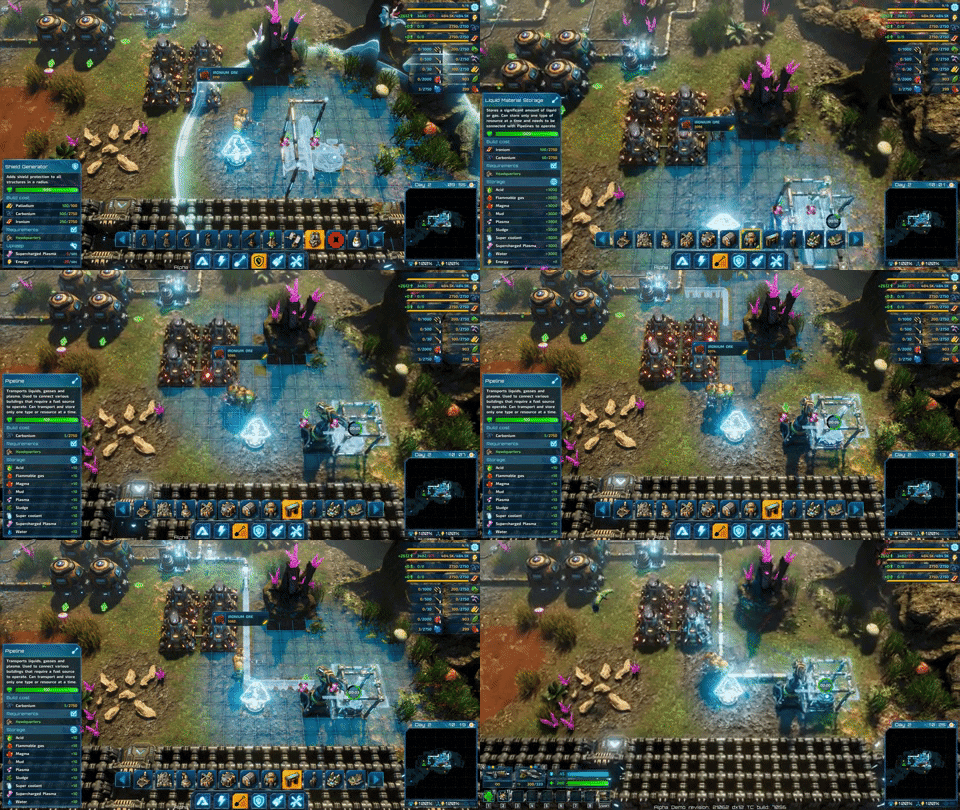
As the name suggests, this building is a defensive structure that will try to help keep your base alive. It envelops all buildings within its area of effect with a layer of supercharged plasma, protecting them from any outside interference. It needs to get that fancy, enriched plasma some way - that stuff does not grow on trees, and that’s where the pipes (among other things) come in.
Laying down pipes can be an interesting puzzle, make sure to leave some space between your buildings - you may need it in the future!
You must first get your hands on regular plasma. That is quite easy to come by - it is produced by the Fusion Power Plant, for example. Then you can turn it into the supercharged state using a specialized Plasma Converter. The supercharged plasma can be stored in regular Liquid Resource Deposits, or transported directly to your Shield Generators.
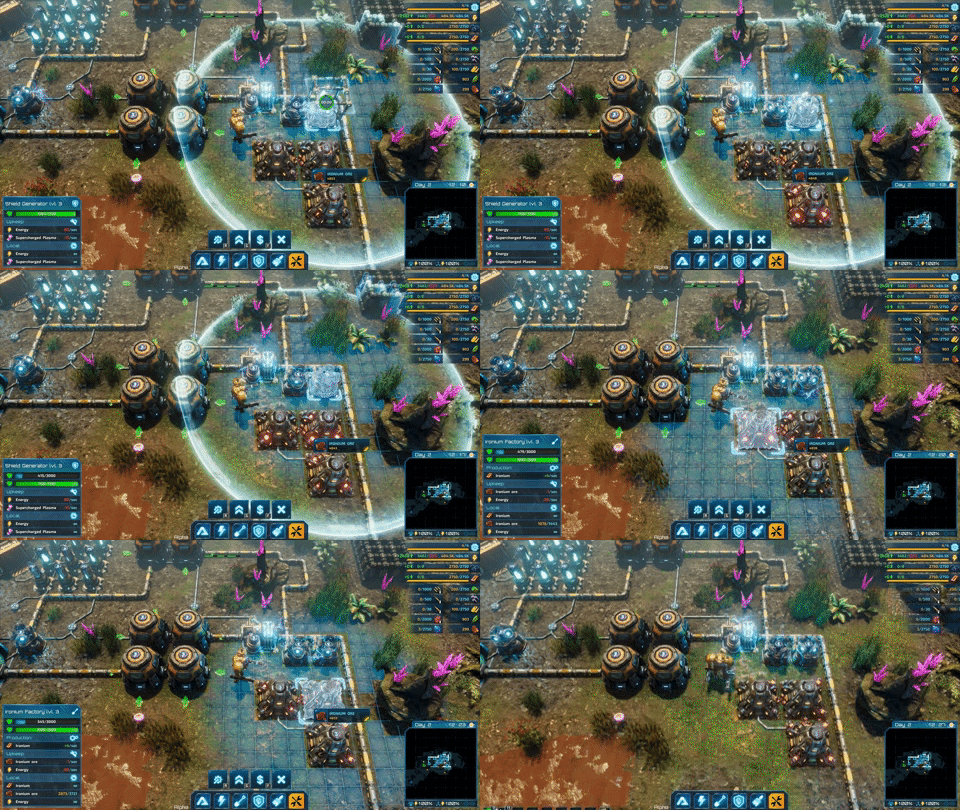
You can check how much of the shield is left on any building in the radius of the Shield Generator. By the way, they stack!
Once you supply the Generator with everything it needs, it starts doing its magic. All Riftbreaker structures within range now have a protective layer over them. However, they all draw their extra hitpoints from one common ‘shield pool’ of the generator. If one building takes enough damage then the shield is broken, all others lose protection as well. After that, the Generator will take some time to build up a new charge and start working again, similar to the Energy Shield on the Mecha-Suit.
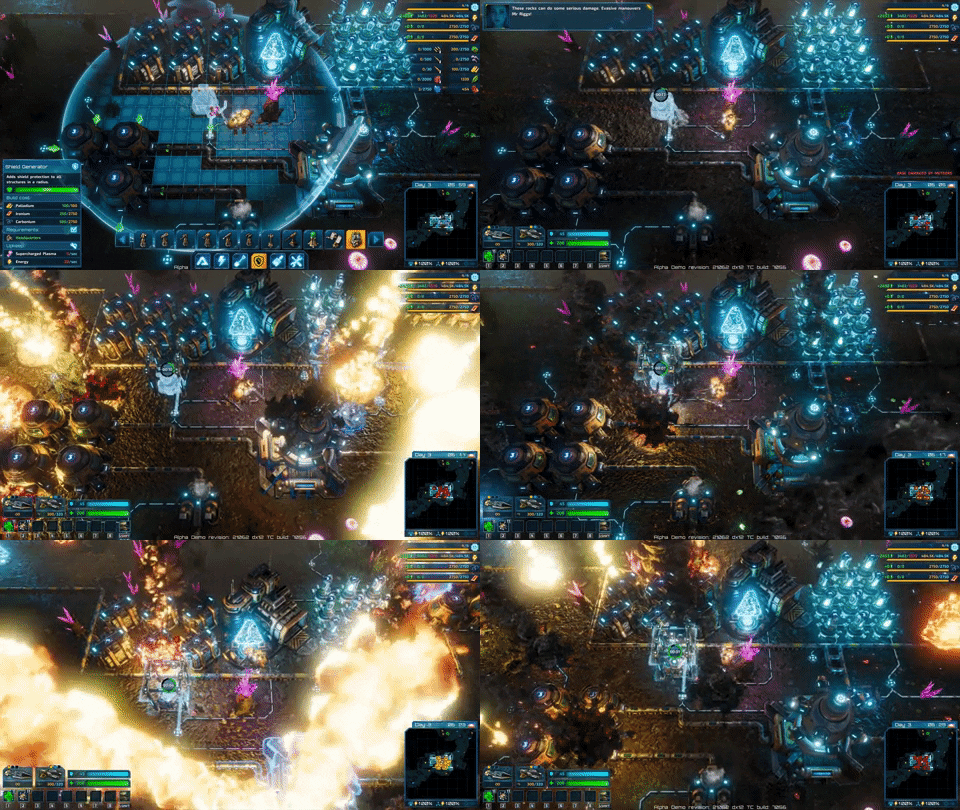
Shield generators can soak up a lot of damage from environmental hazards, such as a meteor shower.
The Shield Generator can be used to give your walls a degree of extra protection, but that is not where it shines. Instead, you can use it to protect the key components of your base or buildings that are critical for some process you are trying to complete. For example - if you need your Uranium Centrifuges to keep working no matter what because you REALLY HAVE TO get your new Mini-Nuke Launcher (for science!), the shield Generator will ensure that they do.
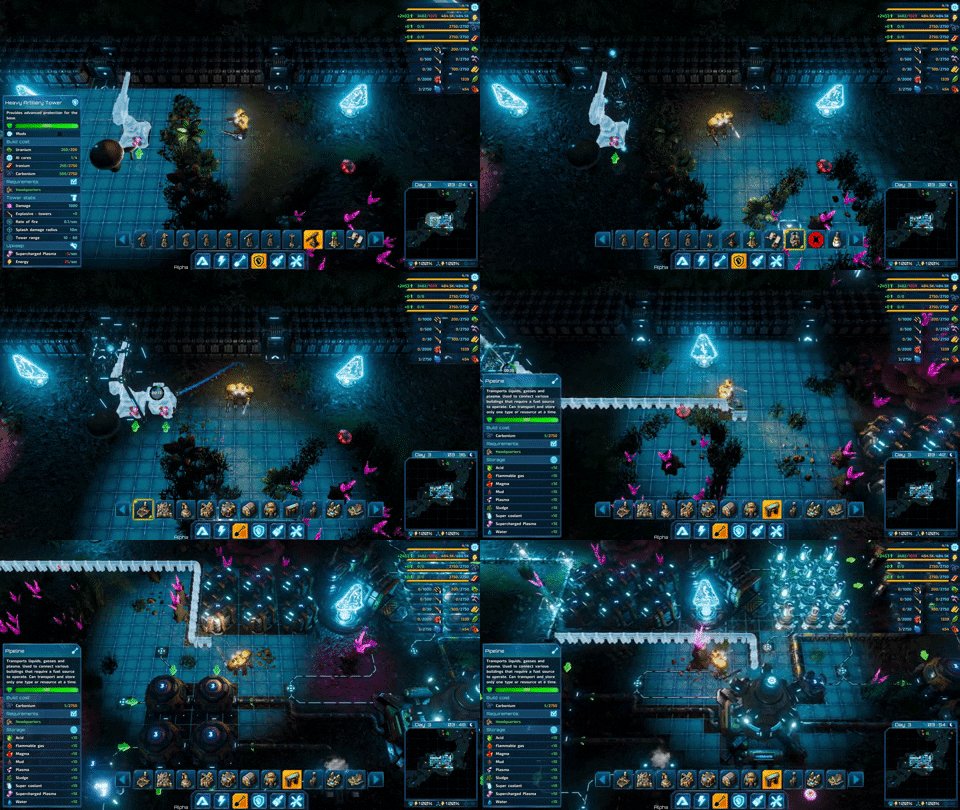
Shield Generators and Heavy artillery are best buddies, since they both use supercharged plasma. 2 for 1!
Naturally, there are a lot more buildings like this to come and we hope that you are looking forward to the logistic puzzle of distributing liquid resources around the base. As always, you are welcome to join our Discord if you’d like to find out more about The Riftbreaker - www.discord.gg/exorstudios. We also stream twice a week - follow our Twitch channel to get notified when we go live - www.twitch.tv/exorstudios. More exciting things to come!
Heavy Artillery Towers
Hello Riftbreakers!
Long time no see! We’re sorry for the lack of updates over the course of the past couple of weeks. We have been working on some spicy things that will be revealed soon. We also managed to snag some awesome prizes - Best Desktop Game and the Grand Prize at DevGAMM 2021, as well as the 2nd place in the Pro category of Game Development World Championship 2020. No time to celebrate, though, we have a game to finish! Check out what we’ve been working on lately.
A couple of months back we told you about the new defensive towers that made their way into the game. As fun and effective they are, they are still variations of the classic, 1x1 Sentinel Tower that has been with us since 2018. Well, this one is a bit different. Not only does it take more space, but it also requires a connection to a source of plasma via a pipe. We promise - the extra hassle is worth it. Meet the Heavy Artillery Tower.
Like a couple of proud parents standing right behind their children!
Heavy Artillery takes a long time to aim, and even longer time to reload, but there is a decent chance that you will never need the second shot - this beast of a cannon launches plasma-enriched nuclear shells on the heads of unsuspecting enemies from a great distance. The power of the resulting blast is high enough to wipe out almost all Galatean creatures and the large area of effect creates gaps in the structure of the attacking hordes, allowing you to reach creatures at the back more easily.
So many pipes, so many liquids!
We might have oversold the power of the Heavy Artillery a little. It will not singlehandedly solve all your problems on Galatea 37. Nor will it destroy literally everything that ends up on the wrong side of the barrel. It’s even possible to render it almost useless - if the creatures come too close to this tower, it simply won’t be able to shoot at them. However, it is definitely worth having access to at least a couple of these towers in the critical spots around your base, for all those moments when you need a little extra firepower.
Not the most optimal use case, but boy is it fun!
As we mentioned before, the Heavy Artillery Tower requires an additional resource to operate in the form of plasma. You will have to connect a pipeline directly to the tower in order to make use of it. This is a part of the larger plan to make liquid resources more relevant in The Riftbreaker. The feedback we got during our Alpha test showed us that apart from the gas power there was no real need to lay down the pipes, so we’re changing things up a bit. Hope you like what comes out of it!
Never have I been so happy to see a nuclear shell flying towards me.
If you would like to join our Closed Alpha (that it THIS CLOSE to becoming a Closed Beta) you should hang out with us on www.discord.gg/exorstudios. Being active in the server increases your chances of getting a key. You might also catch some awesome streamers live during some of the giveaway streams that take place more and more often. See you there!
Magma Biome Overview
Hello there!
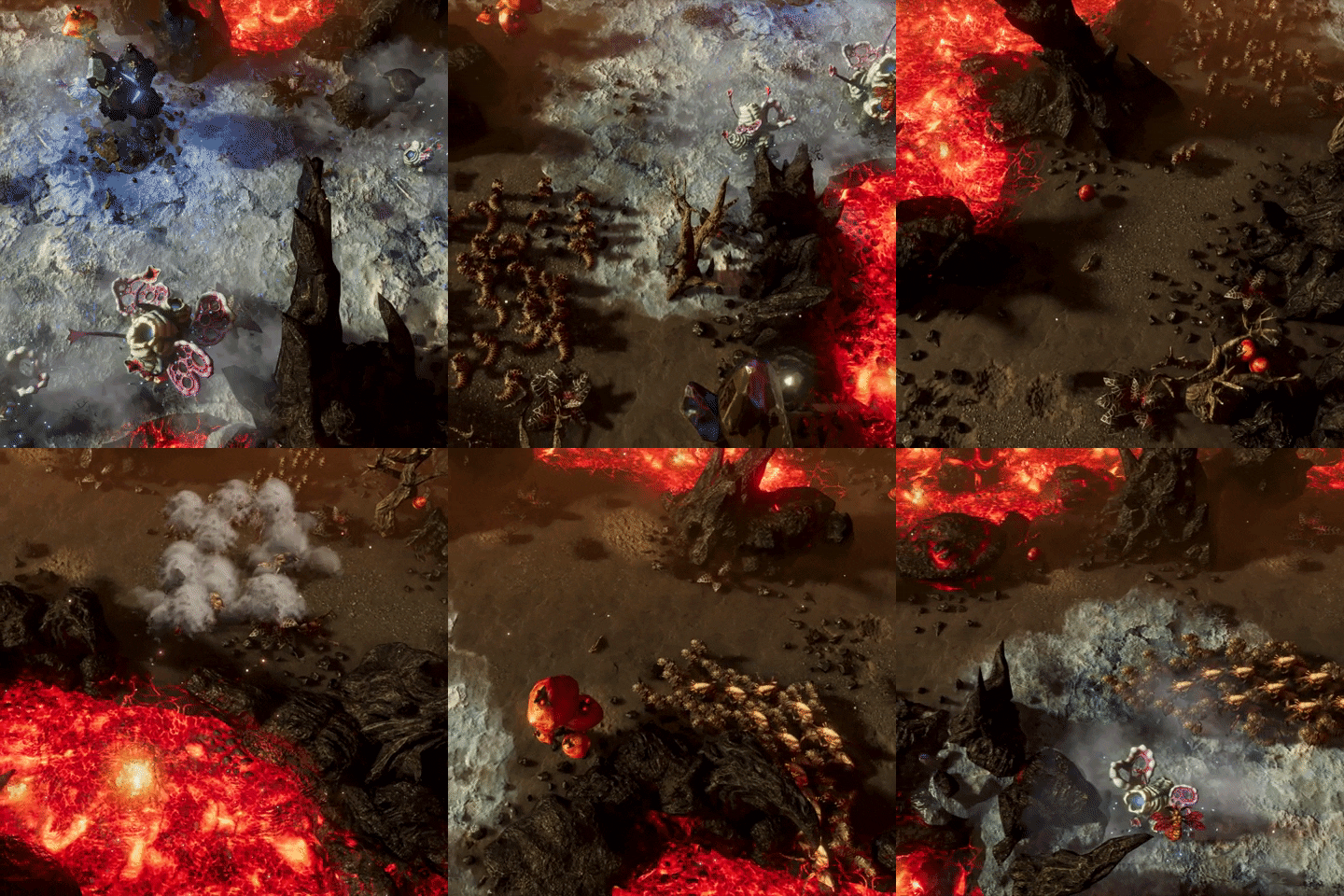
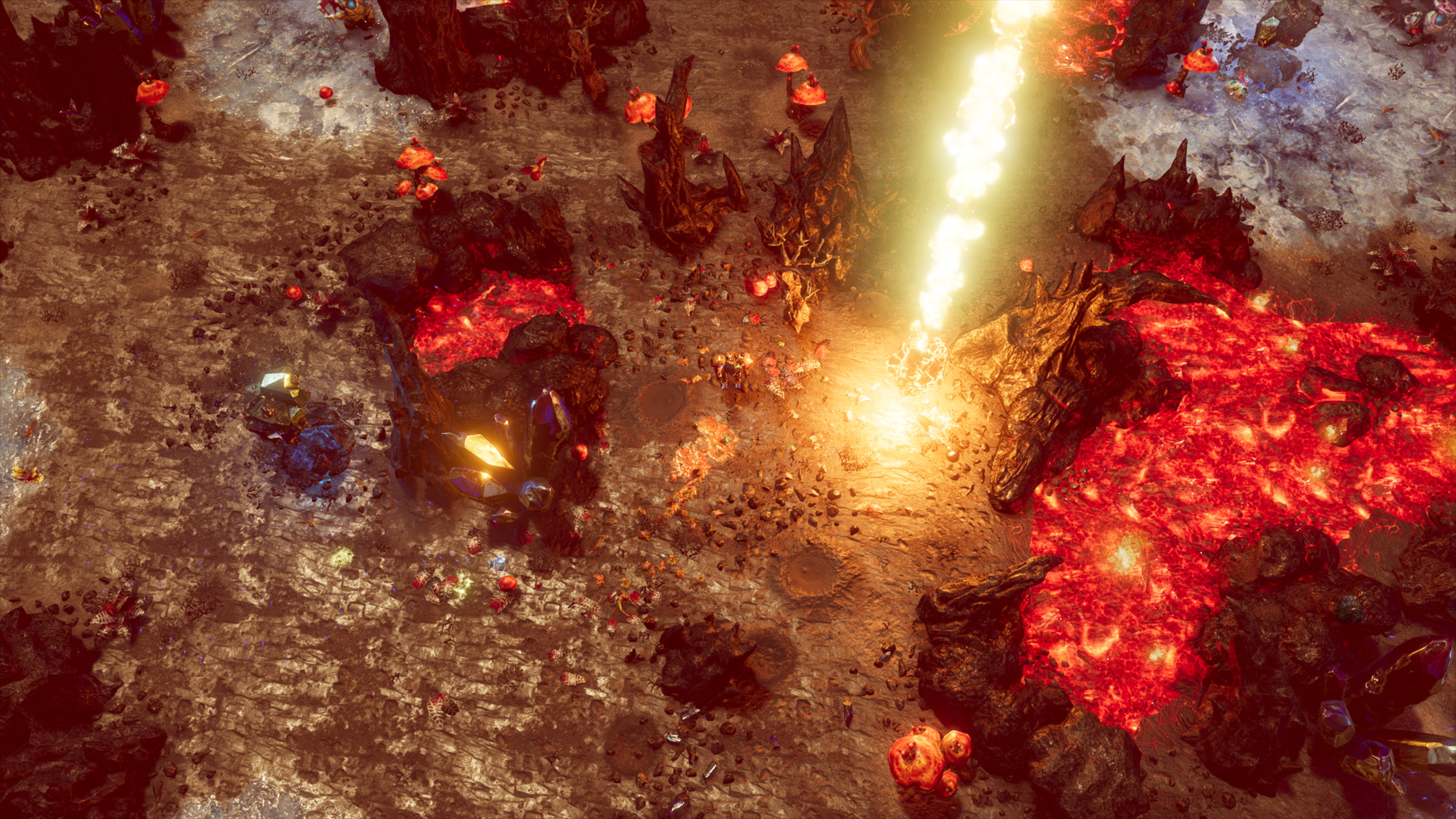
After our little trip to the acid biome, it is time to go even further. Today we will take a look at one of the most dangerous places you can find on Galatea 37. ‘Why would we want to go to an even more dangerous place than the previous one?’ you may ask. Well, the answer is simple - some of the resources required to construct the rift portal back home are only available there. Pack up some fireproof protective clothes because today we’re going to the magma biome.
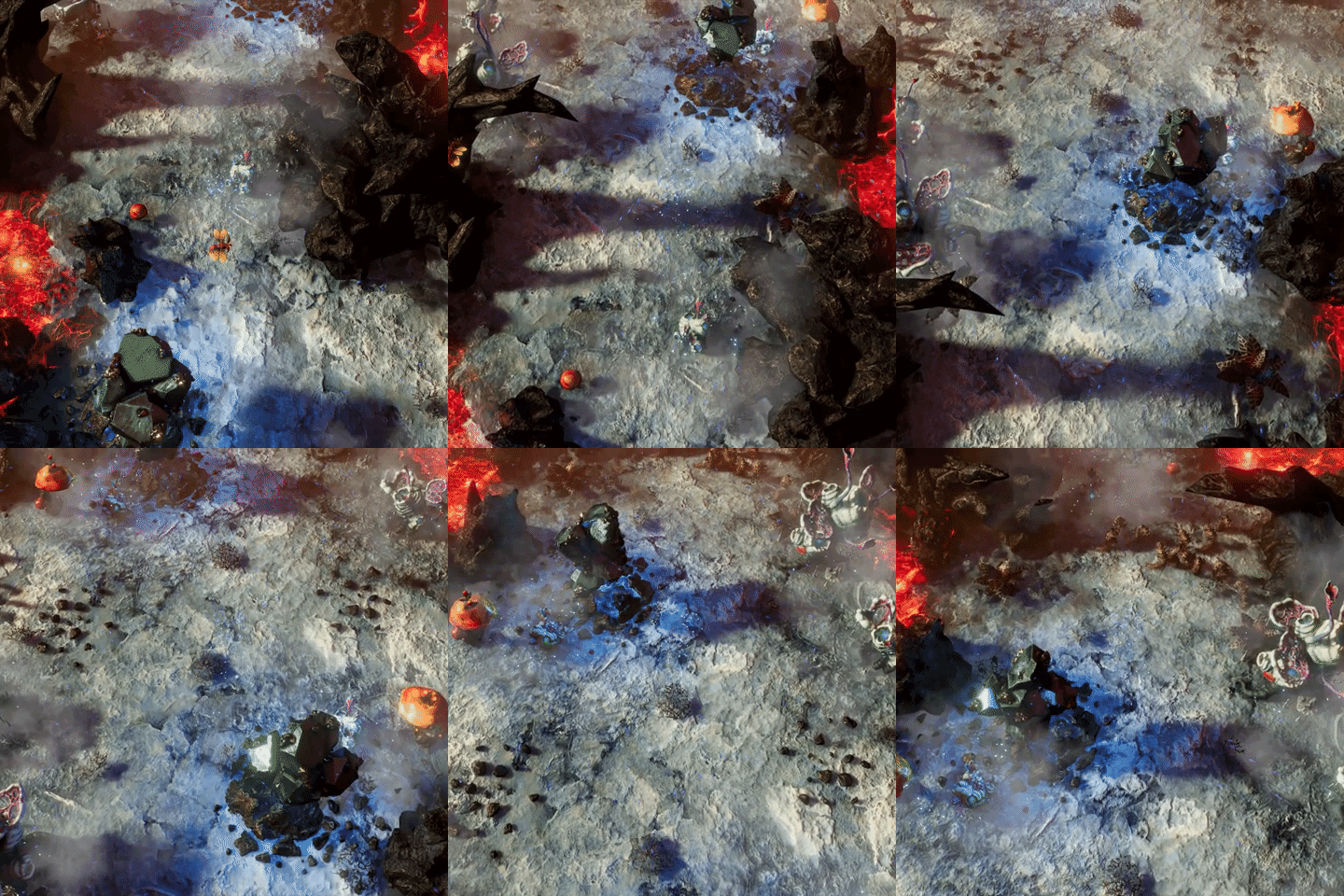
As luck would have it, rich deposits of Titanium are only available in the areas of intense volcanic activity on Galatea 37. This biome bears many scars from countless eruptions. Lava-filled craters of various shapes and sizes pose an interesting challenge for Ashley and Mr. Riggs - how are they supposed to build up an outpost with all its infrastructure in such a constrained building space? That alone will require a lot of creativity, and we haven’t even tackled the most obvious problem yet - the heat.
As you would expect, being in close proximity to an active volcano makes the ambient temperature significantly higher than normal. Even the robust and well-tested Riftbreaker technology starts breaking down over time due to the heat. In order to build any structures, you will have to find a way to bring the temperature down a notch. Oddly enough, nature has found a way to sustain life even here, so perhaps you should look for inspiration in your surroundings?
Nothing is ever easy on Galatea 37. Even in this hellish biome, there are lots of creatures that will see you as a threat to their existence. We have shown you some of them before - Morirots and Hedroners are right at home here. Either try not to get under their skin too much, or mod your guns to utilize their weaknesses, otherwise your magma biome adventure might get tough. Luckily, not all creatures are hostile - just look at these cuties!
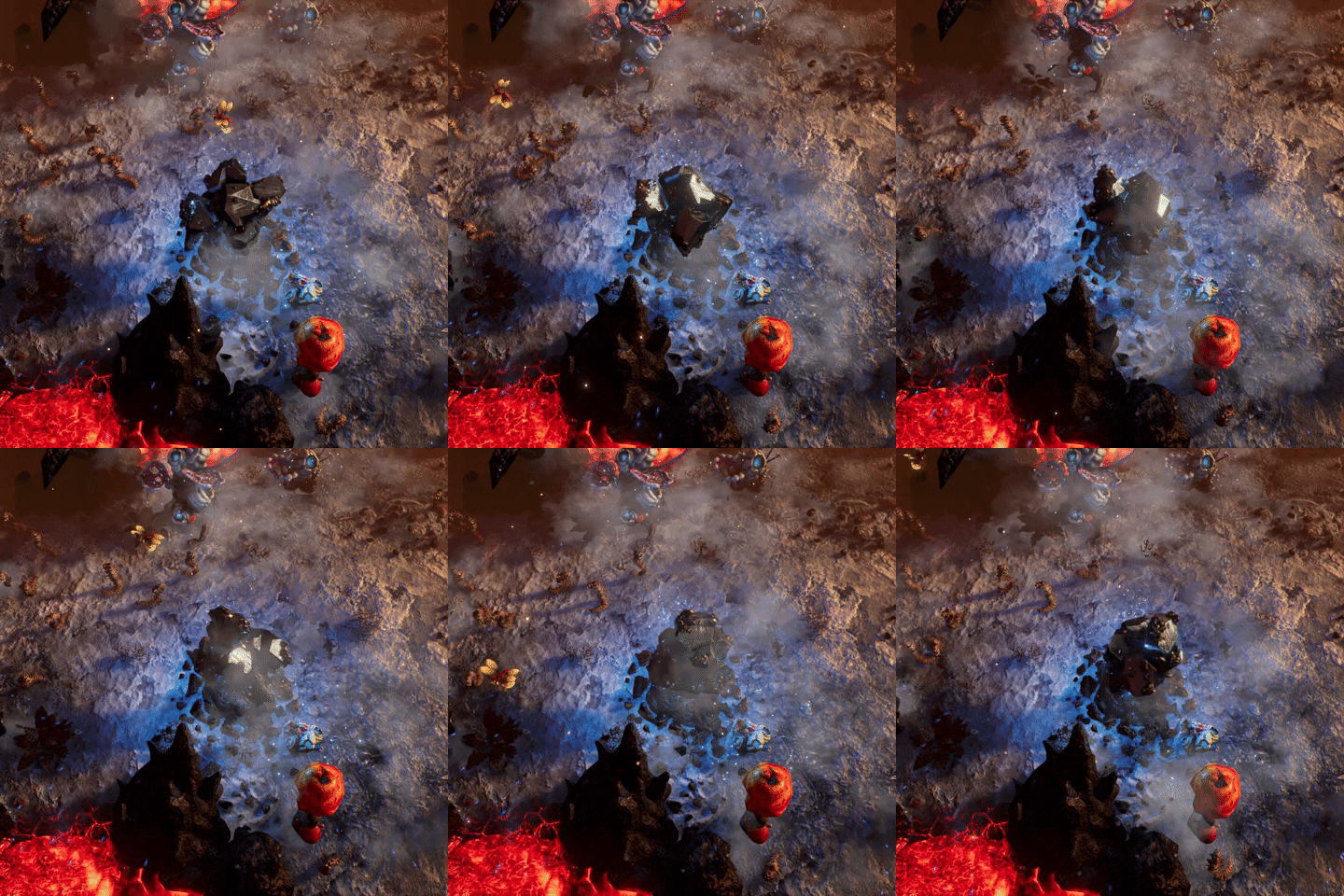
There is one more thing to mention. Volcanic activity in this region is quite unpredictable. This results in frequent eruptions of ash, magma, and debris. In the best-case scenario, your outpost will be drowned in thick volcanic ash, severely limiting vision and solar power collection. If you’re a bit less lucky, large chunks of volcanic debris will bombard your base and there is plenty of evidence of their power in the surrounding area. It also seems that some rocks spewed out of the volcano get strange magnetic properties. We will have to investigate that.
When you finally overcome all the problems we just mentioned, you will be rewarded with access to amazing mineral deposits, boosting your economy by a lot! Best of all - power shouldn’t be a big issue for you here, as you can put magma to work in your brand new Magma Power Plants. We promise - it’s all worth it. That’s enough info for now - if you want to know more, join our Discord at www.discord.gg/exorstudios and visit our streams (www.twitch.tv/exorstudios). More exclusive materials and inside knowledge await!