Work has continued on small enhancements. Some of them have been pending for months and weren't scheduled earlier because of some of the complexity, but now it was time to tackle them.
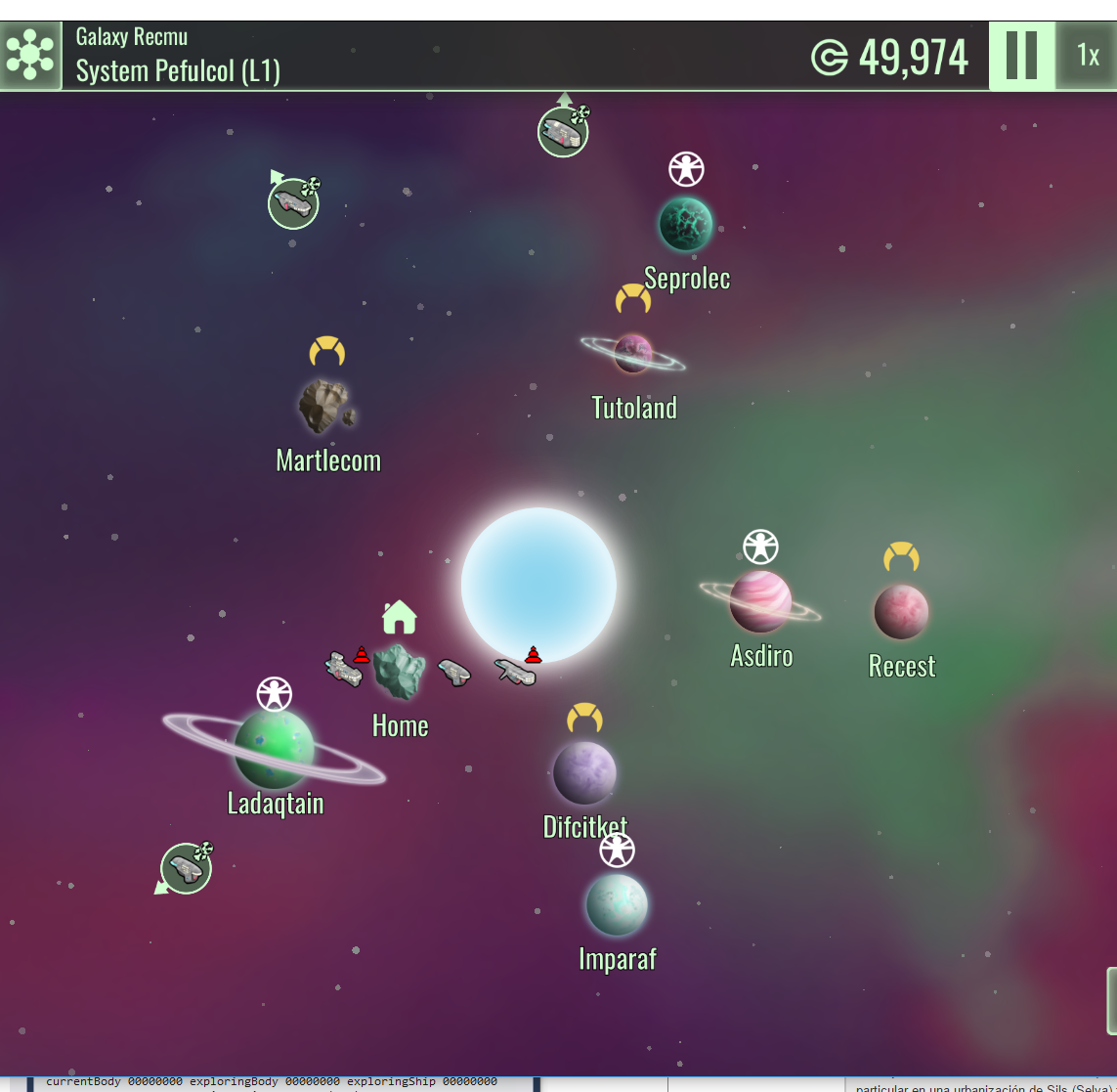
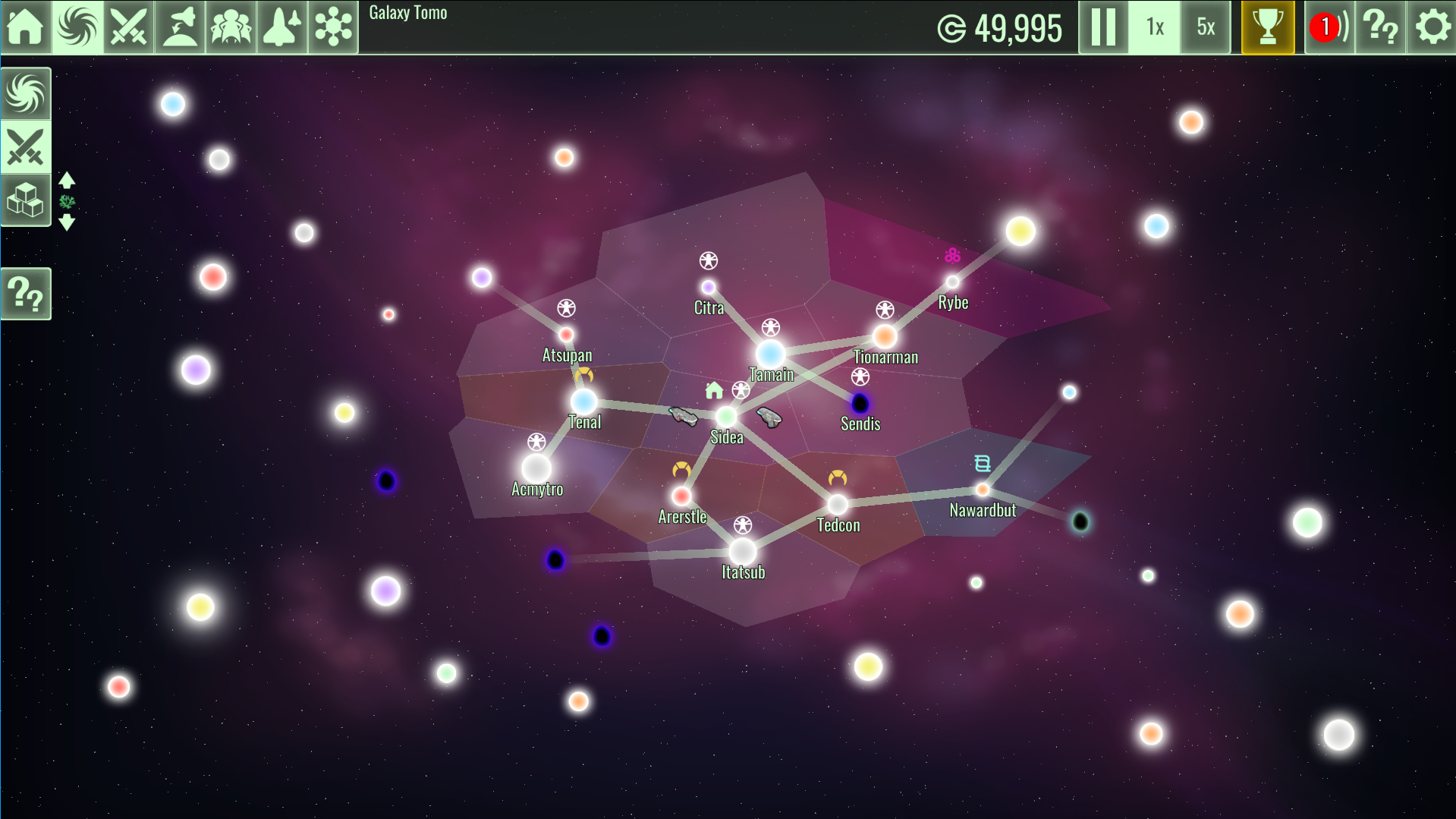
Autopilot visit icons in planets
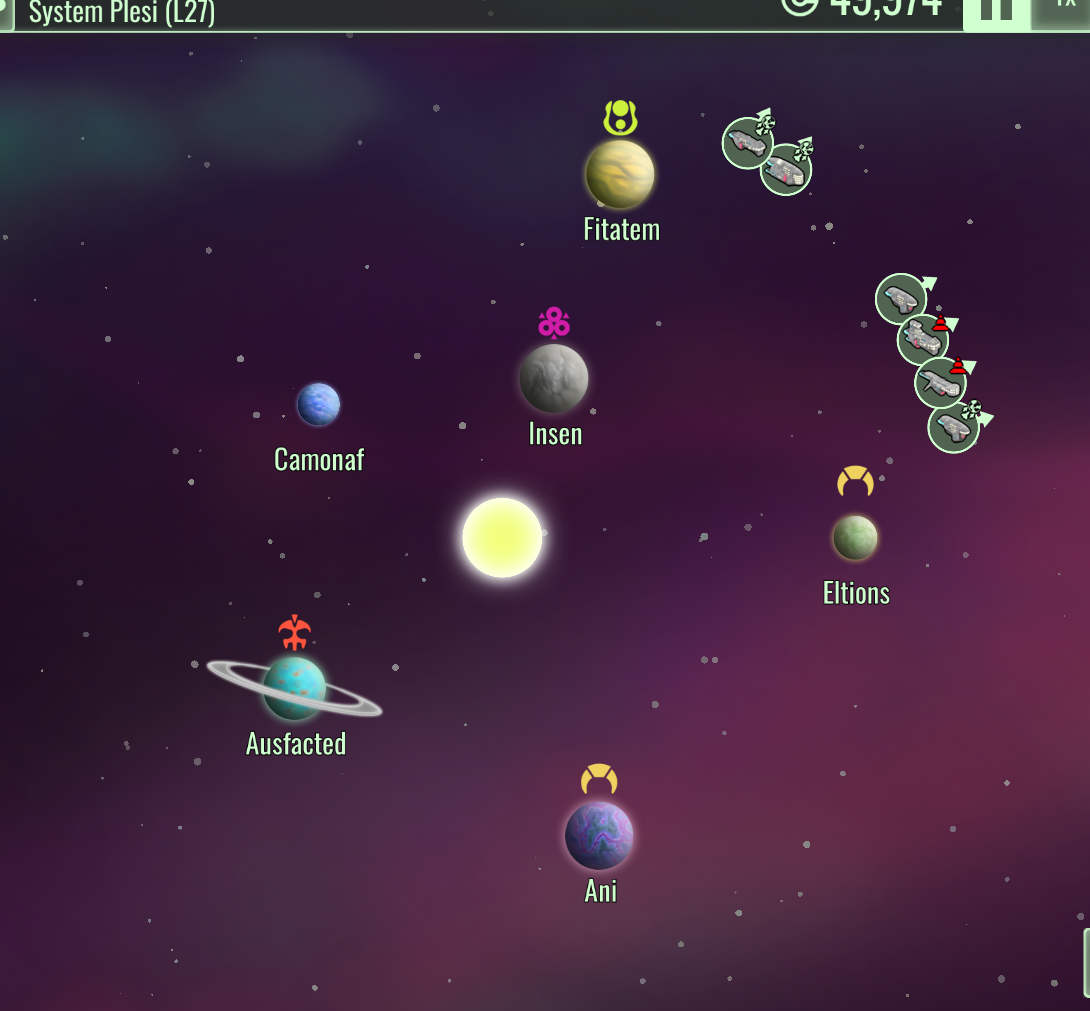
The system view in the galaxy screen will now display an icon next to the planet to indicate if any ship has an autopilot order that visits that planet, plus the number of ships that do so. This will be very helpful when planning autopilot routes, so you can see quickly what planets are visited by your fleet and avoid making unwanted visits.
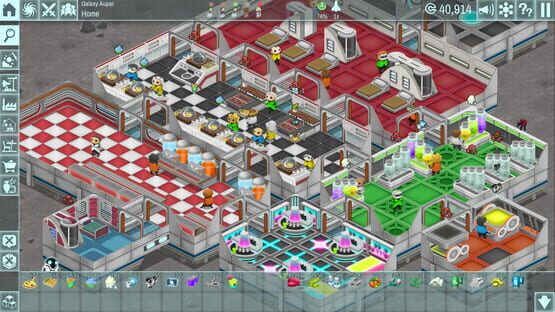
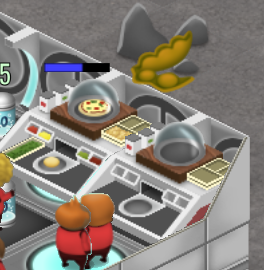
Warning icons and progress bars for jobs
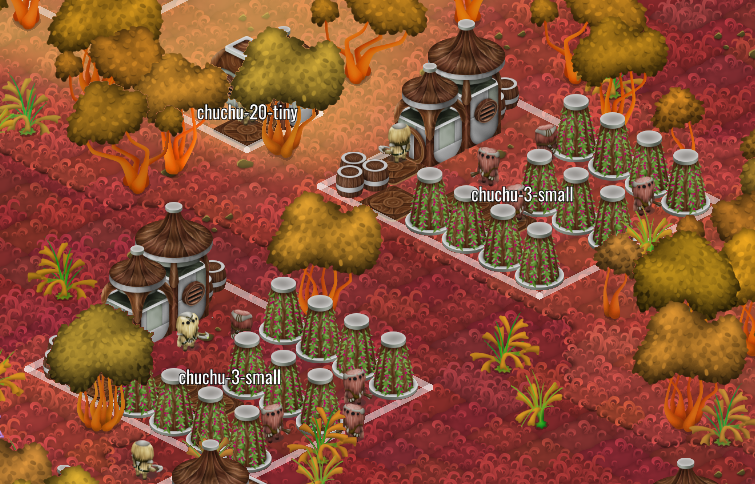
Jobs now have an on-map progress bar to quickly glance how long is going to take. Consumption actions also display this progress bar.
Jobs that have been stopped or have some kind of status warning will now also display an icon on top of them. Clicking the object will give more information, as before.
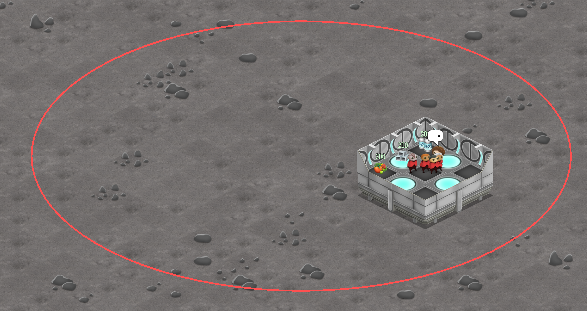
Raid landing area hint
It has been requested that there should be some indication of where a raiding party is going to strike. While we agree it's a good idea, having the exact position would cheese up too much the game, since then it's very easy to isolate it by removing corridors, for example. But we still wanted to add such a feature to the game, so now a big wide circle will be displayed. The raiding party will spawn inside this circle, but the exact position will be random inside its area.
Invaders shuttle
Raiding parties will now arrive by shuttle and stop just over the spawning area, to make this station event a nicer feeling. The shuttles are unique for each civ. We really want to go back to adding new station events, and making a better design of the current ones is a first step.
Development update 2016-11-03
Work has started on v3.4. We are first starting with small enhancements and content updates that have been waiting for awhile to be integrated into the game.
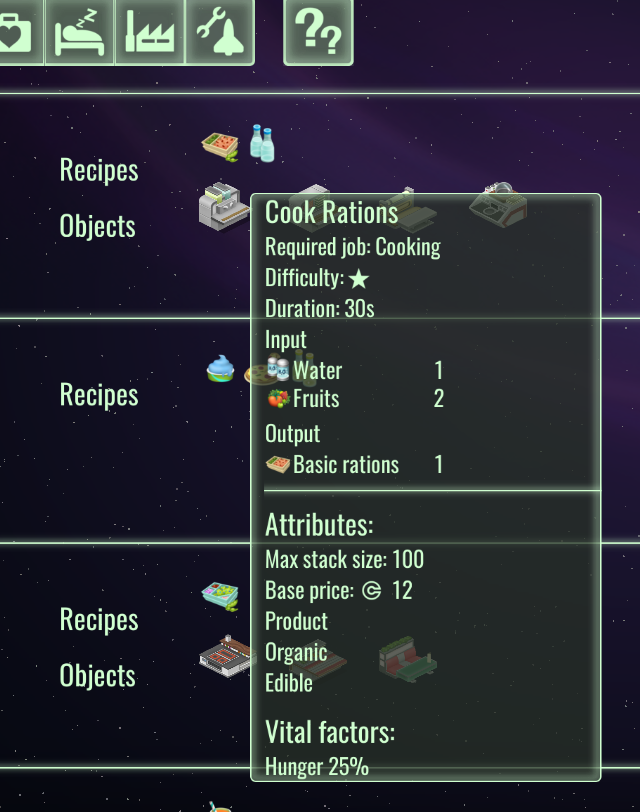
Much more informative tooltips in research screen
The research screen icons representing objects and recipes now display a lot more information. Before it was just the name, now it's:
This is a very often requested enhancement so it's good to have it now in-game.
Recipe and ingredient info for resources
Products will now display a simplified recipe information when displaying their information. And raw resources will also display a list of icons for the recipes they are an ingredient of:
New civs!
The main body of work for the week has been adding two new civs to the game:
Meet the medus and the chuchus! Those names are obviously temporary while we find better ones. But the entire set of visitors, enemies and architecture is now in-game.
The medus are aquatic creatures that live inside a glass balls. Aided by their technology, they can enjoy your station amenities or vaporize your officers just fine.
The chuchus are a formerly brutal species that got a bit more civilized in the past millennia. Unlike currently brutal species they can be convinced to buy your shinny baubles in peace.
Development update 2016-10-27
After the v3.3 release two weeks ago we made a break to rest a bit and to plan our next releases. V3.3 was an important milestone since it marked the equator of the Early Access development phase of Galactology.
V3.4 and beyond
Unlike previous releases, which focused on one or two large, major new game systems in isolation from the rest, for v3.4 we are taking a look at the remaining roadmap as a whole to plan several new releases in advance, up to launch day. The reason is that we have reached a point where the remainder of the roadmap requires a more cohesive release, with more integration between existing systems and whole new systems.
Finalizing tourism is the best example of this. To implement it we need to at least finish civs and reputation, and also implement more production recipes and flesh out research.
The rough outline for v3.4 is:
- Finalize combat with more attack types
- Revamp the alert system
- Final tourist system with archetypes
- Civ spaceships
- 2 new civs
- Diplomacy and reputation systems
- Station events (block 1)
- Review recipes, products and their research tiers
Work has already started on v3.4, check again next week for the first development update.
Build 3.3 is now available
A new major build of The Spatials: Galactology is now available!
The main new feature in V3.3 is the item system. Your officers can now manufacture and wear items like pieces of armor or guns. These items have a variety of effects, like increasing the max officer health and causing more damage. And they increase in power the higher their level. A new factory, storage system and research tiers have been added to support the item system.
As always other minor changes and features have also been added to the game. Check out the new galaxy visualizations for ships outside a system and for the star influence areas or the new right mouse button actions in a context menu.
V3.3 is not save game compatible with v3.2 save files. But your saves are still there! If you want to keep playing them you can opt out of v3.3 by right clicking Galactology in your Steam library listing, select Properties, select Betas, then select the v3_2 branch. This will force your game installation to be v3.2 forever. When you are done make sure to go back to the default branch to keep getting updates and new features.
New fleet visualization in galaxy screen: "ship bubbles"
A major eye sore in the galaxy screen is the ship panel or toolbar, located in the lower left area. It also has UX issues, with duplicating the ship avatars and being a limit to how many ships can be in your fleet unless some complicated scrolling is introduced. But not anymore!
The new fleet display concept is "ship bubbles". In the zoomed out galaxy nothing has changed. It will still display all the ships next to their current system or en-route in a wormhole. But the zoomed in system view now displays far away ships in a circle around the planet orbits, in the same overall direction the ship is relative to the star system. This new visualization also has automatic layout code to handle ships in the same system or close to each other:
This is a practical and more usable solution to the problems posed by a static toolbar, and is flexible enough to also support NPC ships in the future. Finally, to make the screen even cleaner, a new mode that displays only the galactic bodies and ships has been added:
Civ clustering and influence areas
Civs are now distributed in clusters, and own the entire system. This radically simplifies the civ structure in the galaxy and feels a lot more natural. To support this a new visualization mode has been added to display the extents of civs domains over the star systems you've discovered:
Random patrols for robots
Robots will now have a new idle system that compels them to patrol much further than they currently do. This is still compatible with the patrol point, so you can combine both for optimal patrolling behavior.
Map interaction revamp
The big item for 3.3 is revamped map interaction and combat, plus the initial implementation of skills. Work has been started in this area with the interaction revamp. Now right click is devoted for giving direct walking orders (by popular demand, no more walk key!), and when the target area has multiple options, a neat popup menu is displayed:
It's easy to go overboard with this and start adding too many things to the context menu, so special care will be taken to only add options where it makes sense. In particular actions that have a subject-verb-object structure are prime candidates, as in the example ownership action. Combat actions will be better served by the dedicate action bar, which has been improved to display key bindings when they exist:
New item system
After devoting most of the version cycle to their design, the V3 item implementation has started. We've finally decided to go with on-map items and random loot, which exist as any other entity. Going with abstract skills felt too limiting and less interesting than V2. We will make sure the UX for equipping them is fast and smart, foregoing logistics where appropriate, so it doesn't become tedious to keep your staff gear up to date.
Max has prepared a first batch of item art. We will need guns, lots of guns:
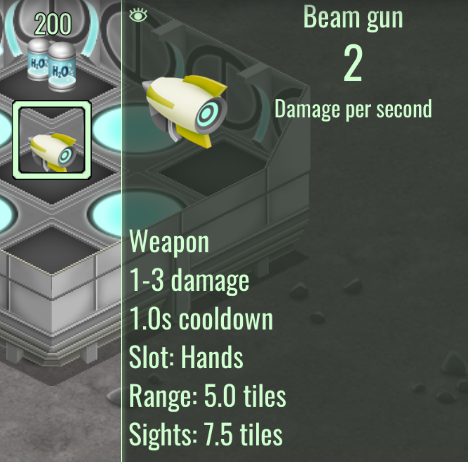
The data model for items is the first part code-wise, and it also will influence changes in the existing combat system. There's now a specific info panel for items:
There's a lot of pending work in this area and it won't be finished in v3.3, but starting this work is a very important step and a big part of the gameplay.
Work orders in context menus
Any entity capable of work can now be directly ordered to work, as long as the job giving object is not busy:
For now most work orders have been enabled as a direct context action. We will keep adding new actions if they make sense.
Logistics improvements: exclusive sources and restocking minimum
Shops and pallets can now be linked to other pallets or storage areas as their exclusive source:
For players that desire to micromanage their resource chains this allows for precise flow control to the consumer shops and for making intermediate pallets more useful.
The "min stock" feature supported by pallets has been replaced by a "restock at" amount, and also enabled in shops. This means that shops and pallets won't advertise a restock task unless they match or go under the "restock at" amount. This will cut down on useless restocking jobs.
Toggle factory recipes for global production
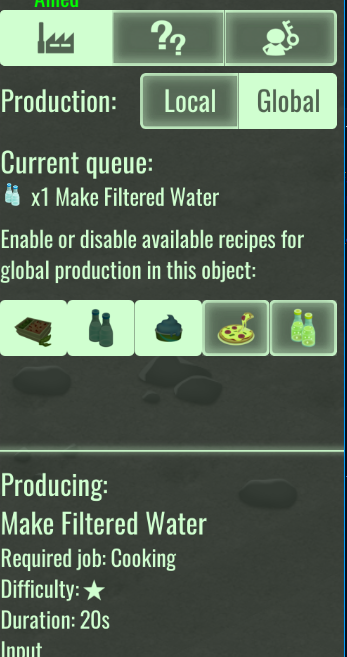
It's now possible to disable unwanted recipes in a factory to not make them available for global production:
This enables very precise control over production, even when using global stock automation.
Storage area filters
One of the most requested features is now in game:
The filtering is additive/substractive. Instead of selecting resource categories, you are always editing the resource list. But you can use the filters to make bulk editing. For example, to only stock food and drinks, you first Exclude->All, then Include->Drinkable and again Include->Edible.
First mod translation
XANA-Umbrella has provided a French translation and it is available in the Workshop:
This is the first user-provided translation for Galactology and we want to say thanks!
Cooldown support for actions
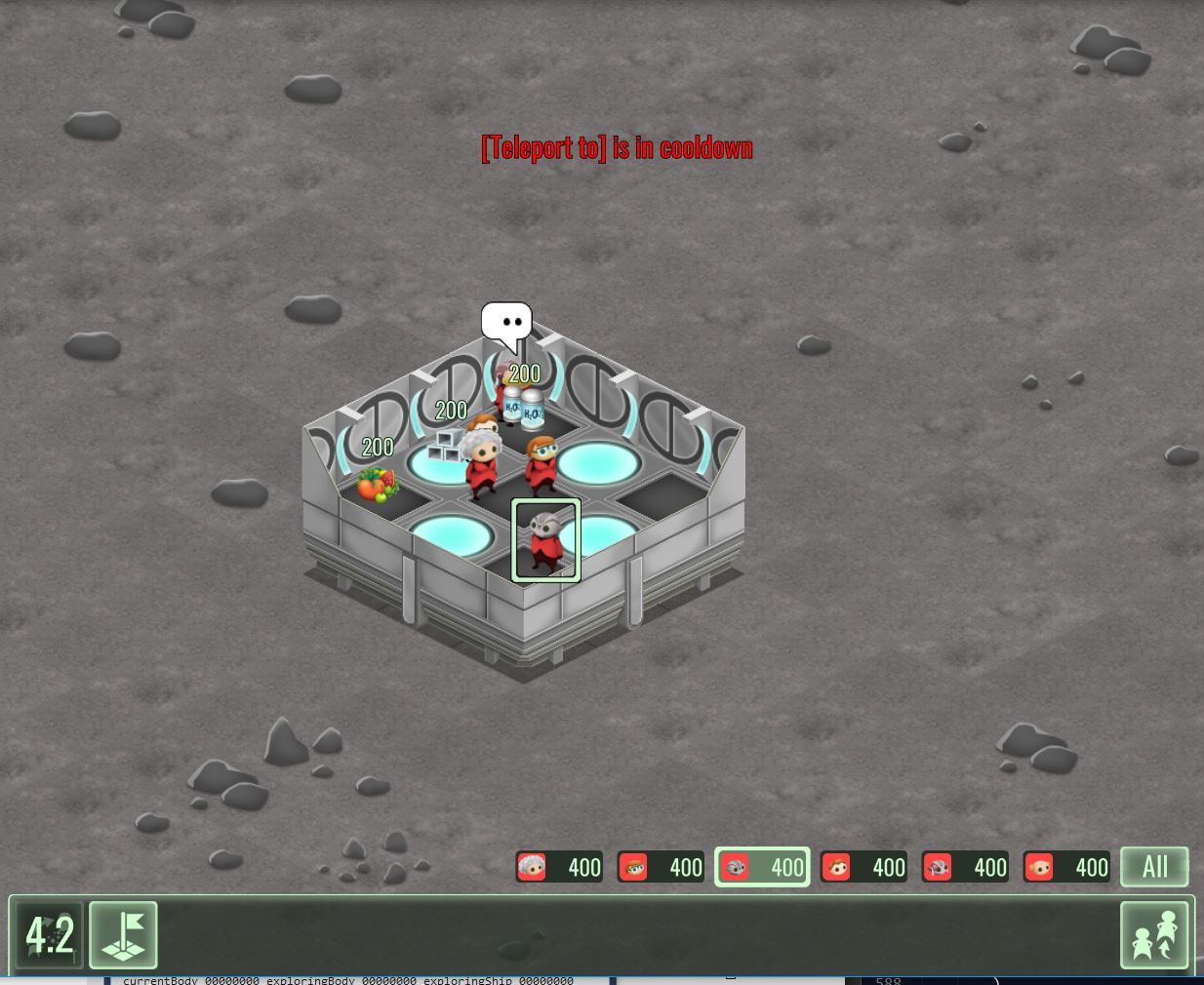
Actions can now export a cooldown value, visible in the toolbar:
The teleport action was the first one to test, and it's here to stay, to balance it better vs. walking orders.
Active wearable items from squad members now display an action
A first new piece of the combat update was added to the UI:
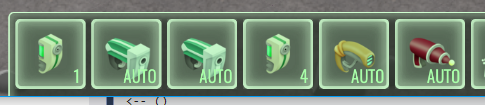
The action bar will display all the available actions for the selected entity, plus the action of the active wearable item of the squad members, as long as they are in the squad selection. This makes it possible for the player to interact directly with those actions. Which leads to...
Auto and player mode for officer active items
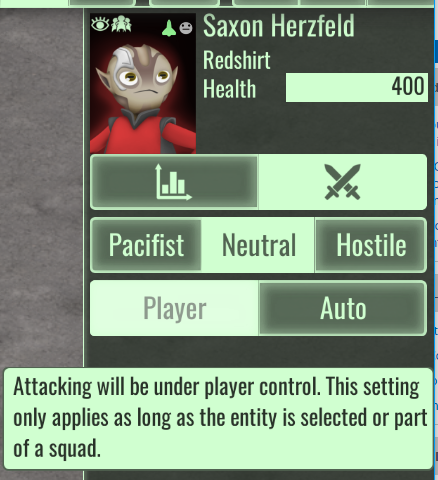
It's finally possible for the player to disable the attack AI and take control of an officer attack. The player can shift-click an action to toggle auto AI behavior, or change the option in the combat info panel for the officer. The UI will also automatically pick a shortcut key for the manual actions.
Healing items and healing AI
Active healing items are now possible, both targeted and untargeted. The attack AI was adapted to also be able to track friendly hurting entities and to try to heal them, with the same support for range, line of sight and chasing behavior.
Combat exclusive mode for squad
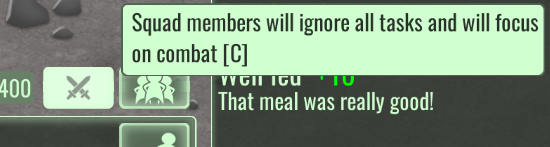
Having an active squad doesn't mean they will *only* do what the player wants. The AI is still active and may make an officer go work on a nearby task, for example. This may be fine in peaceful times, but when there's combat going on in the station, it's better to make sure your squad focuses only on fighting invaders.
This new mode will prevent any officer currently in the squad from going away to work somewhere, or to satisfy their vital needs. Remember to disable it when the danger is gone!
More item art
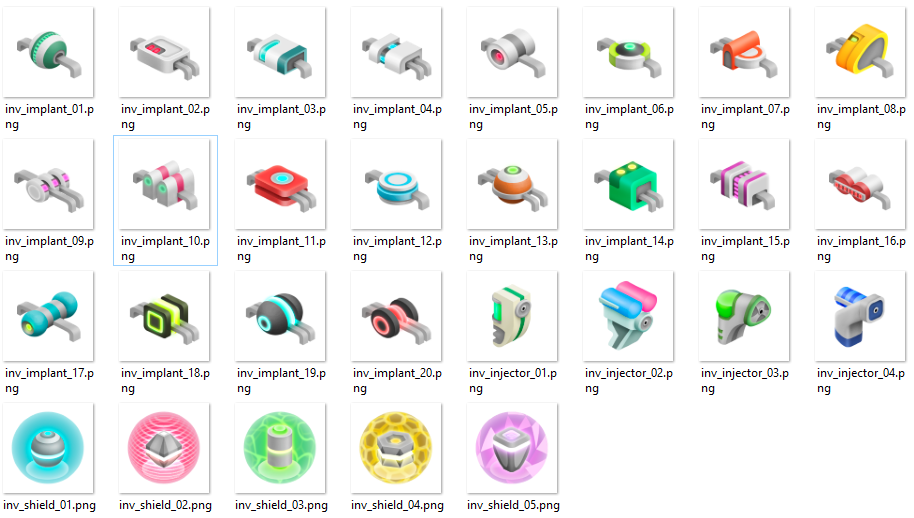
Max has drawn dozens of new items:
The new art is meant to represent of implants (passive items that enhance damage or healing actions) and support active items (for healing and damage shields).
Starting work on the wearable inventory for officers
Officers can now equip passive items in addition to their active item:
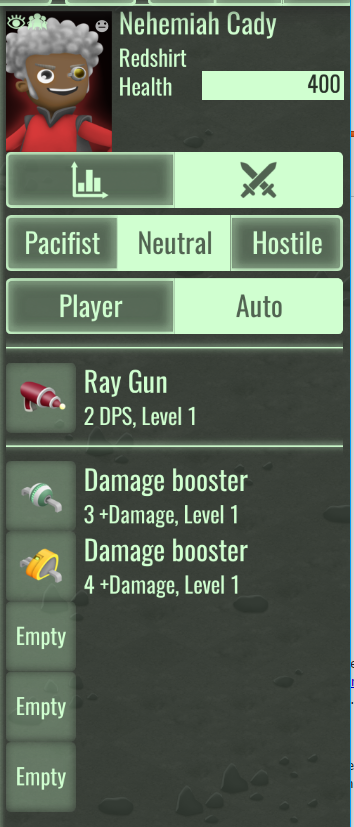
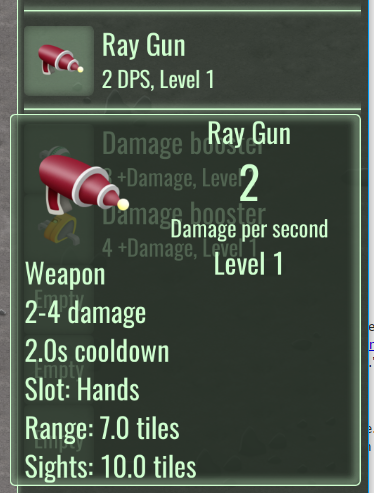
This is very much a work in progress and there's still no formalized stat model for them, this goes next. But the basic model work and UI is now in a good shape. Hovering the mouse over the item slots displays a full info tooltip:
More items by Max
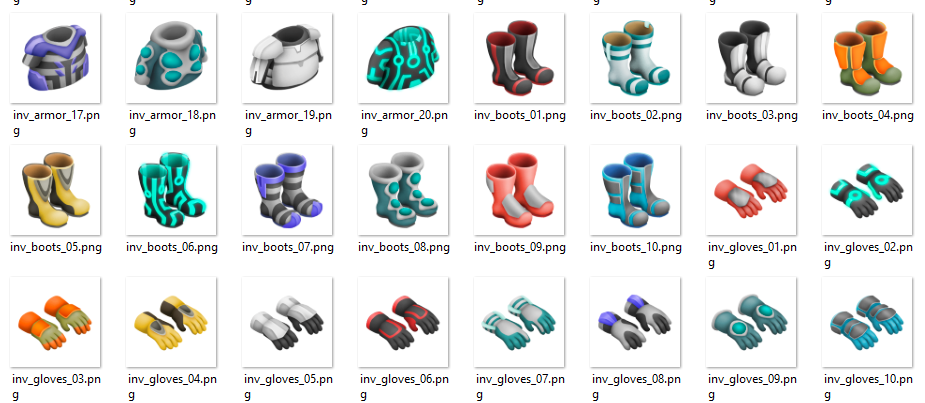
Max has drawn the last batch of items for this version, with sets of chest, feet and hands armor:
There's now 85 items in the game.
Random and scaling loot
Loot is now always instanced, with its stats based on its level and changed randomly over the default value. Different pieces of loot have a different roll bracket. Some of them can roll very high, almost doubling the normal power for an item of its level. They also have a rarity value, which will be used later on for random drops and manufacturing.
Directly equipping items from the map
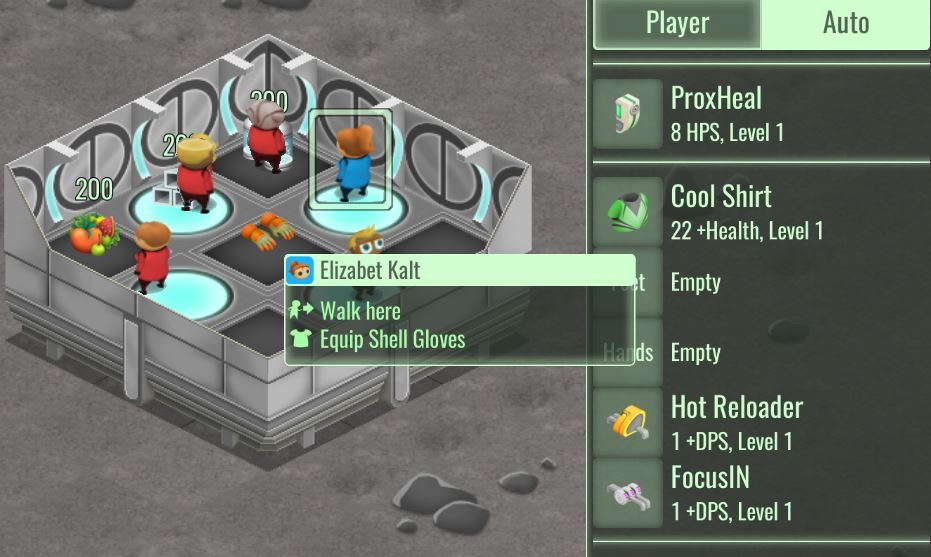
The first equip capability is the most direct one:
Just select the officer, then right click an item. The context menu will offer the option to equip it, and also give you an error message in case the officer is unable to equip the item. Like in V2, items are forever bound to the officer who equips them, and destroyed when replaced.
Equipment matrix
Having to keep your staff equipped by finding items all over your station would be a nightmare. An efficient UI is required:
The equipment matrix displays all the current equipped items by your officers on the left, and all the items in your station on the right. To equip an item just drag it from the right panel onto the left panel. You don't even need to aim for the correct slot, the game will automatically recognize it and prompt you before the item is replaced. It still needs a bit more work, to add item filtering and officer sorting by item quality.
Technical development notes
- remove the multi recipes for rations since it confuses the global queue

- randomize freaking debuf a bit

- bubbles around screen concept for ships in system view

    ships not in the zoomed system are displayed by using bubbles around the limits of the screen

    will need so scale down the system orbits

    bubbles appear in the rough direction of the ship, with an arrow

    code avoids bunching them up when too close

    this allows to remove the shelf toolbar and allows for a lot more ships while keeping the screen usable

- separate civs icons from default galaxy view ("civs view")

- random idle patrol system for robots

    like idle walk but for a random path 10 tiles away, for example

    as a busy system so it says "On patrol"

    watch for interaction with rally point

- polish action interactions

    allow rmb for a single action (undefined results when more opt in)

        rmb drag still pans the map, click is assumed when the down-up distance is short

        identical logic to left click

    disable the sticky modal flag in the current actions

    make rmb cancel left click modals

- robots must be able to be controlled by walk and teleport actions

- key labels for actions

- bug: it's possible to change crew assignments while the ship is not in home

    make checks more robust

    re-check after picker is done too

    as a last resort support disembarking straggled officers

        may come handy in the future for special missions

- voronoi regions for galaxy map in civ mode

    change civ conquest model to use proximity to a point to decide the entire system civ

        add sanity check to at least have N systems for a civ

            3 closest must have the civ. if already have civ, continue checking next closest

            after 3 for every civ, remaining systems use closest

    precalc voronoi polygon for every system

    GalaxyLayer::reset keeps a draw node for the polygons, discards and redraws, use color from most civ in system

    the filter reset must show or hide the draw node

    draw node must go with zoom, like other layers

- enable fade and colorization for vector nodes

- add darken layer for the more info heavy modes in galaxy

- fix galaxy tutorial, still mentions fleet panel

- scroller in galaxy for the act of loading and unloading cargo

    delegate for GUIListing now preserves scroll position during a change notification

- missing shop component in robot recharger and consumerist shops

- use new ray-grid hit testing, this new one actually works correctly

- allow direct diagonal movement when there's no obstacles

- change pathfinding

    no need to look up the current step, trust the internal index

    fixes to allow direct diagonals with more than 1 tile length

    automatic slowdown is now based on distance, not tile step

    remove some of the staircase pathing

- support "fat" ray test by default (needed for combat revamp)

- ModalPopup

    fix anchors and screen bounding

    right click should dismiss too

- allow non-button actions on right click with context menu

    if only one action matched and is rmb-direct execute it

    otherwise build a context menu with all the options

    context menu options opt in by running its own entry validation and can keep a ref from an entity hit list

    highlight referenced entity for each menu option

- fix: #@bar-served counter is broken

- target actions

    work on

        many cancellation and stickiness issues

            add a busy check, allow only when workable is not busy

            on busy it displays scrolling text with error

    check work on proxies (hospital bed, bar, repair)

        introduce job-proxy-hint-component

- lower patient prio to 20

- change pallet min amount to "restock at" amount

    means to not issue a restock job unless the amount is equal or lower than it

    and restore it for shops

- support text edit keys in PC numpads

- single source for pallets

    allow to select an entity as the source for any pallet entity

    allow exclusive or preferential link

- fix must-have-findable-resource for pallets

    it wasn't properly using the sourcing preferences, even for pre-3.3 features

- storage area: filter by kinds

    include and exclude buttons with popup for all + every category

- block clicks passing thru in some overlapping UI areas

- combine mind and vitals panel

    people are ignoring mind value and feelings, believe vital bars are the main view of officer status

        a reason they are so worried about aesthetics despite its influence being very minor

- allow to enable or disable factory recipes in global mode

    keeps a separate list for this

- item model: divided in blocks, shared by various systems

    kind tags (as current resource kinds)

        used to pick correct AI, action mapping and equipment slot

        Active

            Weapon, Crowd Control, Medical, Shielding

        Passive

            Armor, Implant

    common blocks

        bonus power mod block

            + damage

            + healing

            + absorb

        reqs block

            valid officer specs or none

            valid slot

    active-only blocks

        mechanics block

            actor pose

            fixed point

            cooldown

            cooldown-id

        power block

            damage

            healing

            absorb

        range block

            sight-range (allow #f for default value, override for things like snipers)

            attack-range

            near-range

        procs block

            proc-sym

            action-sym

            proc data (open structure)

                sprite

                speed

                sound

                duration

                color

                ...

- registry and maker for item model metas

- maker for item entities

- update item info panel to support equipment items

- aggressor sm and support code must be based on item model now

    port the test beam and projectile code too

    change make-aggressor and attack-model-component to carry item meta before actual equipable inventory

- port melee, turret, beam to new item meta model

- proc makers for each kind

- add guns for all current projectile damage attacks

- add per-world cooldown to teleport action

- display cooldown in action bar buttons

- action must respect cooldown and display error

    introduce AlertFlash

- planet: disable all idling for officers

- display active items in action toolbar for selection and squad selection

    add support for optionally delegated button model creation for actions

    it can return a listing of entire new action models to create 0 to N buttons

- hook cooldown for actions

- hook attack order for actions

- flag in aggressor-component for auto mode for active items

    procs for control

    add shift-button callback for toolbar toggling

- display AUTO for auto actions instead of keybiding

- consider target-less actions for manual control

    add model in item meta

    button model proc must disable modal cursor

- adapt "attack" sm for defensive skills (heal and shielding)

    healer mode introduces minimal branching

    pick the right entity aspect for matching targets

        make sure only hurting targets are picked

    proto a targetless heal

- enable keybindings for multibutton

    declare a set of fixed action bindings

    use them on demand and in the same order of the action buttons

- fix: auto flag is ignored

- exclusive combat mode

    a toggle button, next to "All", with a binding

    makes all squad entities ignore all busy tasks under aggressor-sm priority

        natural with a busy system, but when aggressor-sm takes over it could leave a window open

        add phase 0 system to force a busy status

- item inventory model at entity level

    display slots in combat info

        use rich tooltip for item info

    wearing-component for passive slots

- item inventory model for officer model

    centralize equip procs to keep in sync

    'item-active

    'items-wearing

- keep stat sum in wearing-component, including the active attack model

- passive items must be able to raise health max value

    stat sum for health is applied on every item change, hp kept proportional

- attacks must check the wearing-component bonus stat and change their power

- vis for wearing-component stats

- scaling item models

    procs for base values based on power law

    item-scale proc: given a level 1 item, scale all relevant values for the desired level

    item-meta-scaling

        rarity: for drops

        min-scale, max-cale: to roll a random factor after level scale has been applied

- internal attack model for NPCs

    use a maker proc to apply a level scale to them

    also scale base-health

    update make-npc

- simple test npc scaling for test invasions

    use number of opened planets as max value

    disable for now!

- add npc scaling to match planet level

- add some npc healers to test invasion

    fixed 1 healer, no more

- temp balance

    make level progression curve much softer

    make station obj hp in the middle of it

- declare a new item model for every item gfx, different names, using helpers, varying item-meta-scaling

    make some items clearly better in their scaling, but rarer

- formalize slot model

    each slot has a kind ID and a locked flag

    pass data in make-can-wear-items

    proc for enabling slots depending on tier spec

- item equipping on map

    right click action for equipping

    if item exists for the slot, prompt about replacing

    implants replace lowest level

- formalize slot limits by spec tier

- idea: equip matrix

    like job matrix, but the cells are the equip slots for each officers

    at the right of the matrix a station inventory of all items is displayed

    user can drag and drop to equip items

    all items have rich tooltip

- equip matrix: save scroll pos for items

- equip matrix: item filter

    by slot

    by power

    remodel the comps to allow this

- equip matrix: item sorting

- equip matrix: better align of item list

- AlertFlash must have higher Z

- RoomSpec

    make tilemapImage and tilemapColorLayerImage aliases

- disable squad edit on planet

- item storage

    storage pallet in station

    keep items inside as entities

    auto organizes as a 3x3 grid, so max 9 items per pallet

    make sure the limit is respected

- allow tile recolor by rebuilding on top of it with same floor

- item production in station: item forge

    one recipe for each slot

        times one recipe for each 5 levels bracket

        this makes it natural to increase both required skill and required materials

    item produced is random among available items in the slot, using the rarity value

    item level is random within the bracket

- add flag to disable drops for some items

- fix: rolls look bad

    add more mudflation

- fix: too many recipes will cut the info panel in item forge

    use popup menu for recipe selection

- fix tutorial for recipe menu

- at game start only spawn 2 default officers with healing item

- test level progression on invaders based on tech level for producing items

- item disposal

    can set a min level in recycler, it will send out tasks to deliver and recycle all items at or lower than

    this needs special handling in the item finder for the recycler

- new art for recipe gfx and pallet

- goals and counters related to items production

- goals and counters related to items equip on officer

- equip matrix: sort officers by slot power

- empty slot labels are wrong

- fix vitals tutorial, no more mind tab

- fix mentions to walk button in tutorials

- bump save version number

- gastrodisaster is interrupting too much officers with healing item

    remove periodic -delta

- fix: interrupted job-transport-sm workers do not drop their held item

- set vsync to off by default

- fix: missing frame in item forge anim

- test: enable right mouse button scroll

- fix: autopilot can cause silent failure when replacing items in equip matrix

- make xp gain faster (or lower xp tiers) for professions in general
Development update 2016-10-06
Work has progressed on the implementation of wearable items, with a focus on usability given the predictably large staff sizes.
More items by Max
Max has drawn the last batch of items for this version, with sets of chest, feet and hands armor:
There's now 85 items in the game.
Random and scaling loot
Loot is now always instanced, with its stats based on its level and changed randomly over the default value. Different pieces of loot have a different roll bracket. Some of them can roll very high, almost doubling the normal power for an item of its level. They also have a rarity value, which will be used later on for random drops and manufacturing.
Directly equipping items from the map
The first equip capability is the most direct one:
Just select the officer, then right click an item. The context menu will offer the option to equip it, and also give you an error message in case the officer is unable to equip the item. Like in V2, items are forever bound to the officer who equips them, and destroyed when replaced.
Equipment matrix
Having to keep your staff equipped by finding items all over your station would be a nightmare. An efficient UI is required:
The equipment matrix displays all the current equipped items by your officers on the left, and all the items in your station on the right. To equip an item just drag it from the right panel onto the left panel. You don't even need to aim for the correct slot, the game will automatically recognize it and prompt you before the item is replaced. It still needs a bit more work, to add item filtering and officer sorting by item quality.
Development update 2016-09-29
Work has continued on the new wearable item system, along with combat improvements. V3.3 is shaping up to be a more complex update than previous ones, so we may finish it a bit later than usual.
Cooldown support for actions
Actions can now export a cooldown value, visible in the toolbar:
The teleport action was the first one to test, and it's here to stay, to balance it better vs. walking orders.
Active wearable items from squad members now display an action
A first new piece of the combat update was added to the UI:
The action bar will display all the available actions for the selected entity, plus the action of the active wearable item of the squad members, as long as they are in the squad selection. This makes it possible for the player to interact directly with those actions. Which leads to...
Auto and player mode for officer active items
It's finally possible for the player to disable the attack AI and take control of an officer attack. The player can shift-click an action to toggle auto AI behavior, or change the option in the combat info panel for the officer. The UI will also automatically pick a shortcut key for the manual actions.
Healing items and healing AI
Active healing items are now possible, both targeted and untargeted. The attack AI was adapted to also be able to track friendly hurting entities and to try to heal them, with the same support for range, line of sight and chasing behavior.
Combat exclusive mode for squad
Having an active squad doesn't mean they will *only* do what the player wants. The AI is still active and may make an officer go work on a nearby task, for example. This may be fine in peaceful times, but when there's combat going on in the station, it's better to make sure your squad focuses only on fighting invaders.
This new mode will prevent any officer currently in the squad from going away to work somewhere, or to satisfy their vital needs. Remember to disable it when the danger is gone!
More item art
Max has drawn dozens of new items:
The new art is meant to represent of implants (passive items that enhance damage or healing actions) and support active items (for healing and damage shields).
Starting work on the wearable inventory for officers
Officers can now equip passive items in addition to their active item:
This is very much a work in progress and there's still no formalized stat model for them, this goes next. But the basic model work and UI is now in a good shape. Hovering the mouse over the item slots displays a full info tooltip:
Development update 2016-09-22
This past week was focused on finishing a few ofter requested small features, work orders in context menus, and breaking ground on the V3 item and skill system.
New item system
After devoting most of the version cycle to their design, the V3 item implementation has started. We've finally decided to go with on-map items and random loot, which exist as any other entity. Going with abstract skills felt too limiting and less interesting than V2. We will make sure the UX for equipping them is fast and smart, foregoing logistics where appropriate, so it doesn't become tedious to keep your staff gear up to date.
Max has prepared a first batch of item art. We will need guns, lots of guns:
The data model for items is the first part code-wise, and it also will influence changes in the existing combat system. There's now a specific info panel for items:
There's a lot of pending work in this area and it won't be finished in v3.3, but starting this work is a very important step and a big part of the gameplay.
Work orders in context menus
Any entity capable of work can now be directly ordered to work, as long as the job giving object is not busy:
For now most work orders have been enabled as a direct context action. We will keep adding new actions if they make sense.
Logistics improvements: exclusive sources and restocking minimum
Shops and pallets can now be linked to other pallets or storage areas as their exclusive source:
For players that desire to micromanage their resource chains this allows for precise flow control to the consumer shops and for making intermediate pallets more useful.
The "min stock" feature supported by pallets has been replaced by a "restock at" amount, and also enabled in shops. This means that shops and pallets won't advertise a restock task unless they match or go under the "restock at" amount. This will cut down on useless restocking jobs.
Toggle factory recipes for global production
It's now possible to disable unwanted recipes in a factory to not make them available for global production:
This enables very precise control over production, even when using global stock automation.
Storage area filters
One of the most requested features is now in game:
The filtering is additive/substractive. Instead of selecting resource categories, you are always editing the resource list. But you can use the filters to make bulk editing. For example, to only stock food and drinks, you first Exclude->All, then Include->Drinkable and again Include->Edible.
First mod translation
XANA-Umbrella has provided a French translation and it is available in the Workshop:
This is the first user-provided translation for Galactology and we want to say thanks!
Development update 2016-09-15
After launching v3.2 we went back to triaging small and medium improvements to start the v3.3 series. Here's the work in this area for the past week.
New fleet visualization in galaxy screen: "ship bubbles"
A major eye sore in the galaxy screen is the ship panel or toolbar, located in the lower left area. It also has UX issues, with duplicating the ship avatars and being a limit to how many ships can be in your fleet unless some complicated scrolling is introduced. But not anymore!
The new fleet display concept is "ship bubbles". In the zoomed out galaxy nothing has changed. It will still display all the ships next to their current system or en-route in a wormhole. But the zoomed in system view now displays far away ships in a circle around the planet orbits, in the same overall direction the ship is relative to the star system. This new visualization also has automatic layout code to handle ships in the same system or close to each other:
This is a practical and more usable solution to the problems posed by a static toolbar, and is flexible enough to also support NPC ships in the future. Finally, to make the screen even cleaner, a new mode that displays only the galactic bodies and ships has been added:
Civ clustering and influence areas
Civs are now distributed in clusters, and own the entire system. This radically simplifies the civ structure in the galaxy and feels a lot more natural. To support this a new visualization mode has been added to display the extents of civs domains over the star systems you've discovered:
Random patrols for robots
Robots will now have a new idle system that compels them to patrol much further than they currently do. This is still compatible with the patrol point, so you can combine both for optimal patrolling behavior.
Ongoing work: map interaction revamp
The big item for 3.3 is revamped map interaction and combat, plus the initial implementation of skills. Work has been started in this area with the interaction revamp. Now right click is devoted for giving direct walking orders (by popular demand, no more walk key!), and when the target area has multiple options, a neat popup menu is displayed:
It's easy to go overboard with this and start adding too many things to the context menu, so special care will be taken to only add options where it makes sense. In particular actions that have a subject-verb-object structure are prime candidates, as in the example ownership action. Combat actions will be better served by the dedicate action bar, which has been improved to display key bindings when they exist:
Build 3.2 is now available
A new major build of The Spatials: Galactology is now available!
The central theme of this build was adding depth to the job system and adding a system of job experience for officers. Officers can now gain experience in individual jobs and get better at them as time goes. But nothing is free and as they get better, they will demand more from the station management. Also included are better tools for officer and job management, the ownership system, new art for station decorations, and as always many small details and fixes.
V3.2 is not save game compatible with v3.1 save files. But your saves are still there! If you want to keep playing them you can opt out of v3.2 by right clicking Galactology in your Steam library listing, select Properties, select Betas, then select the v3_1 branch. This will force your game installation to be v3.1 forever. When you are done make sure to go back to the default branch to keep getting updates and new features.
Freaking out debuff
When officers hit rock bottom and cannot take it anymore, they don't handle it well. One possible debuff was already in game, making them turn their weapons on their own friends, but it was too destructive, so its chance of happening is low. A less destructive one was needed, so there's now a debuff with random low damage melee attacks with a funny walk included:
It will also be useful for other future effects, like drunks.
Decorations revamp
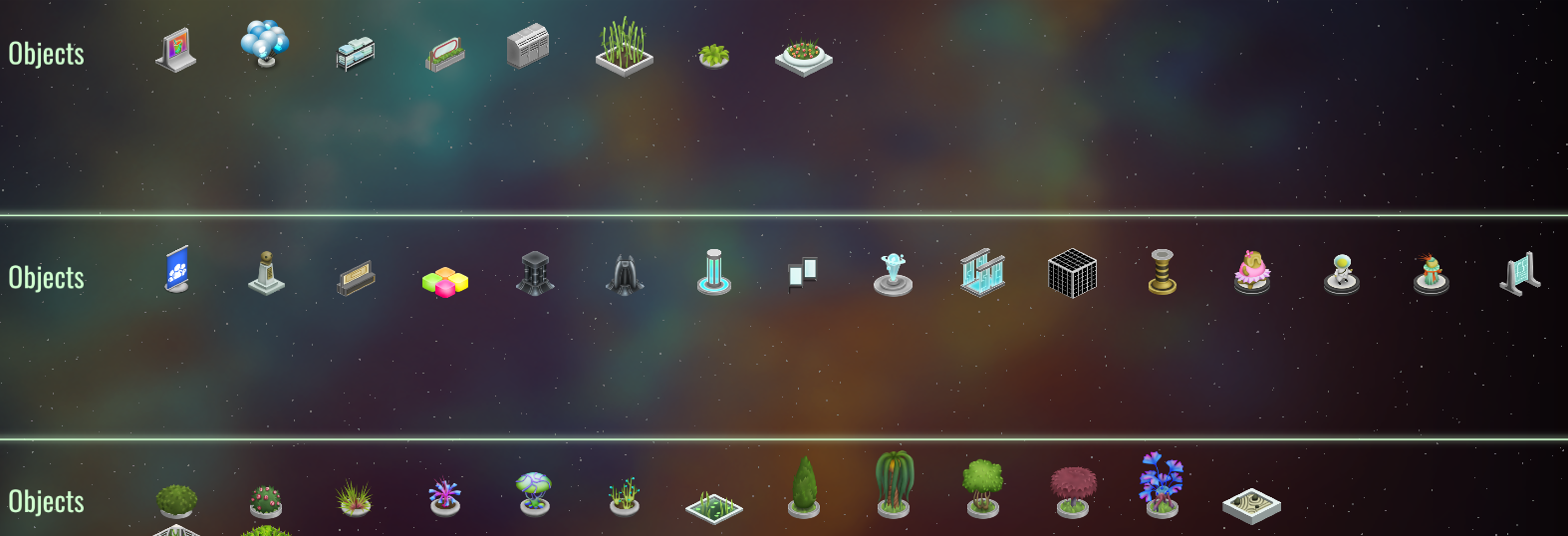
Max has reviewed all V2 decorations and has adapted them for V3. Some decorations that were too specific or that didn't play well with V3 concepts have been removed, and some others have been redrawn to better match V3.
Global production control based on stock keeping
It's now possible to set your factories to be controlled from a global queue. Once you do this, they will receive production orders from the inventory system. In the inventory window you can now set a minimal amount for produced resources. If you have set the appropriate factories to global production, they will start receiving production orders for those items until the minimal amount is reached.
Per-job per-officer job priorities
It's now possible to (optionally) input a priority value for a job for an officer. This allows for very fine tuning of labor in your stations. You can also see in the screenshots the start of work on job experience. The cell background in the table will be more intense the more the officer is experienced in that job.
Job XP has been implemented. The more officers perform a job, the more experienced they become in that job, adding 1 XP point for each task performed:
This in turn can give some bonuses, depending on the job. Many of them will receive a speed bonus. Some others, like production-centric jobs (cooking in the screenshot) now divide their recipes into difficulty tiers, and you need more experience officers in order to reliably make more difficult recipes.
But getting to high levels of expertise involves being specialized and some sacrifices, like in real life. This leads to a new major feature, officer specs.
Officer specs
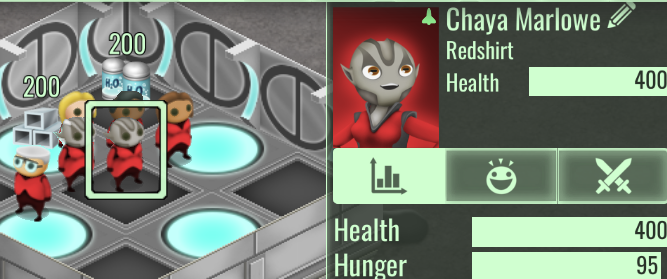
The concept of an "officer spec" is now in the game, and all officers start in a certainly familiar one:
Redshirts are jack of all trades, masters of none. The spec of an officer dictates what jobs they can perform, and initially there's no restrictions, but it enforces a cap on how much XP (and thus benefits) can be gained from a certain job.
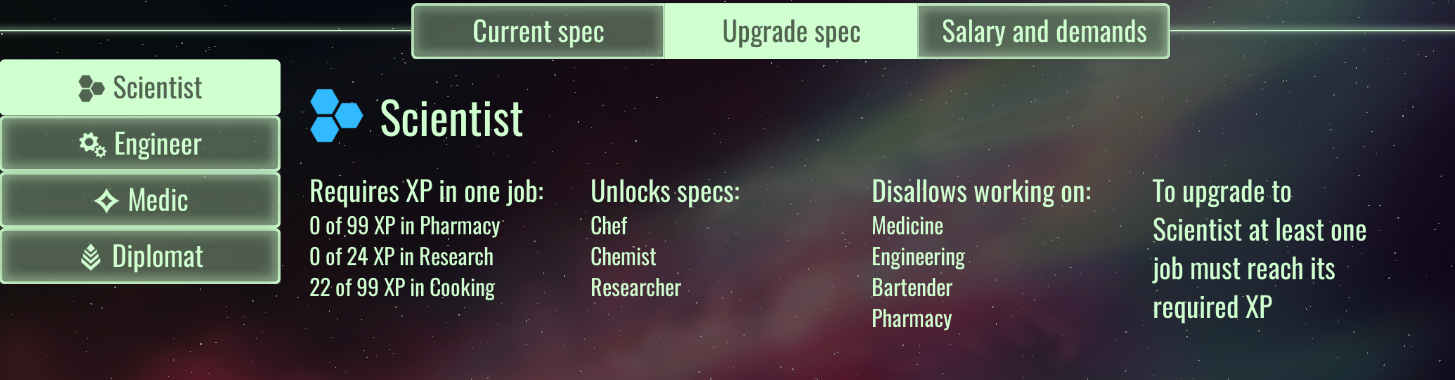
The staff UI now exposes the possible upgrades to the current spec:
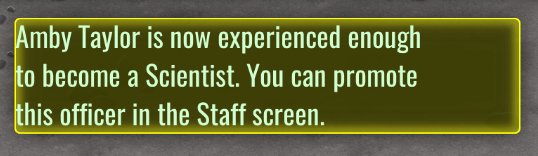
In the screenshot, the redshirt officer has 4 possible upgrades, but none of them is ready yet. They must first reach a certain amount of XP in one or more jobs to make the cut. For example, to make a scientist, we can set one officer to be a fulltime cook in our kitchens. After it reaches the required XP, a message will pop up:
We can now visit the staff screen again and see that we can now perform the upgrade:
After the upgrade some jobs will become forbidden for the officer, but the XP cap for some others will be raised, enabling them to tackle more difficult recipes and to work faster. And it will also allow the to further specialized one more time, into a very focused tier 3 spec if desired.
Meta jobs
The concept of meta jobs has been added. Most jobs in the game are about performing tasks in the station, but some others go beyond. For example, combat tasks are not only performed in the station, and they are not part of the work system. For this reason a new kind of job has been introduced, one that's not exposed in the job matrix.
The first two meta jobs are combat and navigation. Combat still needs work and will be the subject of another patch, but navigation has been implemented.
When officers gain experience flying on a space ship, they will contribute to increasing its speed. Redshirts will be very limited in this experience, but if you spec your redshirts into diplomats and then navigators, a large potential speed bonus will be possible.
Ownership
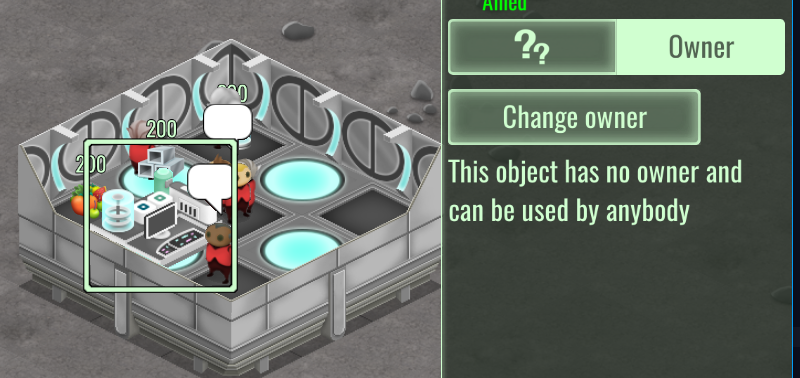
A new game system, the ownership system, has been implemented. Some objects are now able to be setup to use for anybody:
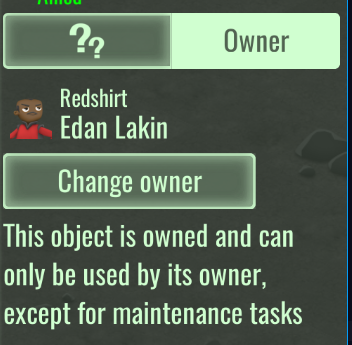
Or, if desired, to be exclusively used by only one officer:
Only the ownership part has been implemented for now, with the usage exclusivity pending for this week (the reason is the complexity of object usage in V3. If you want to make a private shower for only one officer, is the officer also supposed to handle the soap restocking? Or its repairs? Master level specs may not even allow such tasks to be performed by them).
Demands system
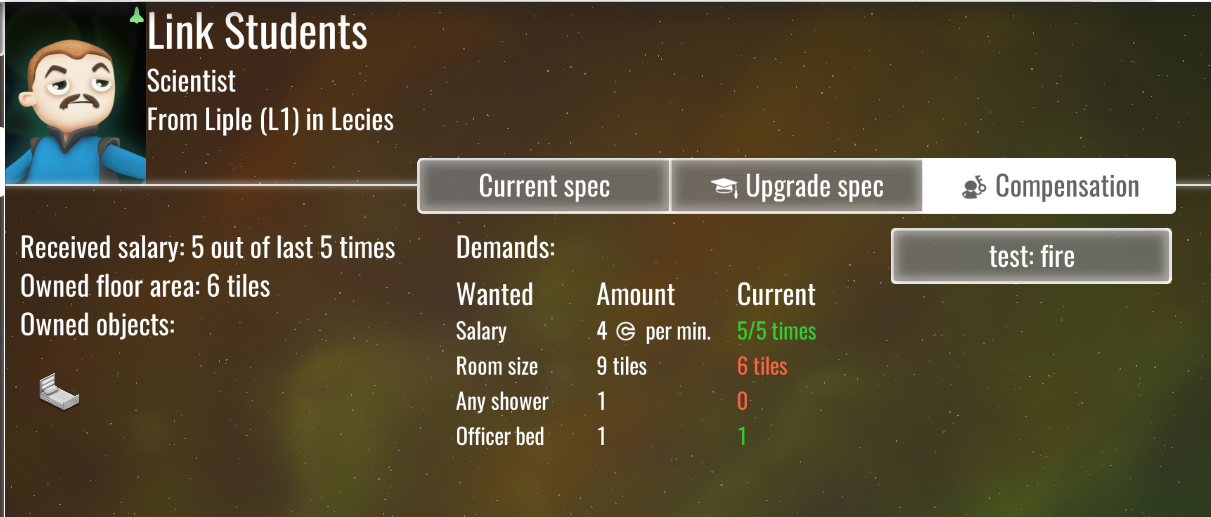
Demands, as opposed to vitals, are material needs that officers develop as their prestige and experience grows. Redshirts only demand a low salary, but graduates and masters demand a furnished room. For example:
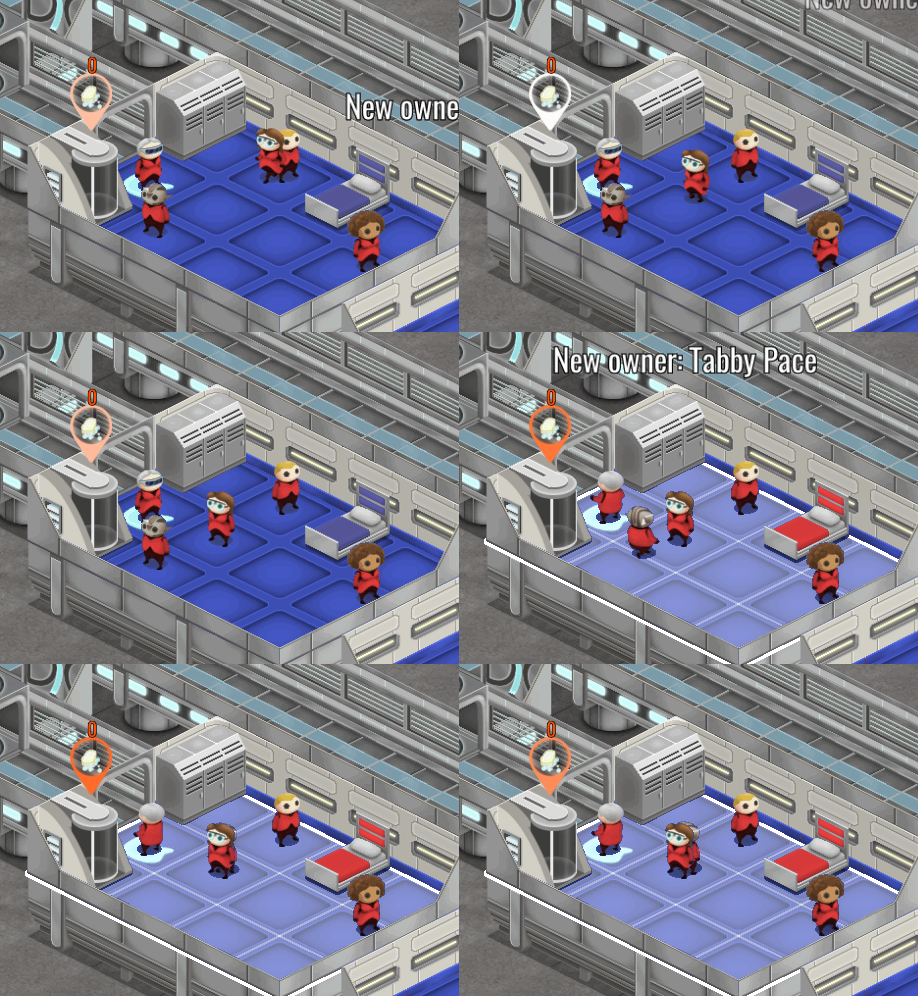
Providing a room is done by assigning a new kind of bed to the officer, which fills the delimiting area, and automatically changes ownership of all objects:
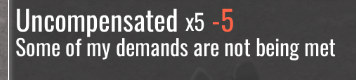
Not catering to all of the demands of an officer can give them negative feelings:
This is a stacking negative feeling that goes down faster the less fulfilled the demands of an officer are. If you let it go down too much, officers can even go on strike:
Striking officers will refuse to work and will randomly break objects around them, but are otherwise fully abled. The will still satisfy their vital needs and will participate in combat.
Having expert officers in your station will be a balance act, between making sure you can provide to their needs and wages, and how expendable labour is for you.
And more decorations
Max has also prepared new decorations. Some of them will have gameplay purpose and become a specific demand from your most experienced officers:
Some others, well, we now have exploding space rugs.
Technical, raw development notes
- vsync default/on/off options in video options

- add tooltip to non-button mode for officer slots in bridge view

- always enable construction and destruction while on a planet for all officers

- non-violent miserable feeling does not stop activities in general

	change to exclusive high lvl busy with some animation

	like dancing but random

	add some low damage melee too

- building costs are not being applied for planet construction

- production control: global queue

	toggle factories into global or local queue

	UI on inventory window

	a global condition like "stock of X is under Y"

	logic based on querying current state of global factories

		bin them by ability to make products

		then pick one by one based on pending products

		also substract queued products to not overproduce

	regular tick from InventorySystem

- reports of fuel cell shelves stealing from other shelves

	fix: inmediately mark deliveries to shops as in-shop

- new decors

- job matrix

	new cell states

		officer X job

			cell is not available for officer

			cell is available

				experience plus per-job prio

				experience plus enabled/disabled

	vis

		cell bg intensity is experience level

		with circle means enabled, with optional number for the prio

	model

		remove jobComponentKinds and use job IDs instead

		enable per-job prio in officer

		per-job prio

		per-job experience

		allowed jobs

- job matrix

	button for toggling per-job prio settings

	while per-job prio is enabled, click on job should prompt for prio

- worker system must handle officer per-job prio

- add max stack size to resource info

- visitor dock on off panel

- make electric area weapon suck less

	remove sound

	smaller area, shorter duration, higher damage

	keep a spark fx in the center, only spawn other fx when damaging something

- repairable object actions

	trigger broken on purpose to call a repair

	self destruction

- fire now records incremental efforts so it can be extingished in more than one attempt

- don't deliver over target max amount, or max stack size

- force a stock system update for the target object after every delivery job

	avoids useless hauling jobs and keeps min/max values real

- model for specs

	add finalization to officer

- job difficulty

	some recipes have a difficulty rating now

		keep it simple, 1 to 3, to match rookie-class-spec

	proc for getting officer expertise tier based on the job xp

	can fail production

		do red scrolling text, do not produce, still get xp

- fix spec-delta-job-xp

- job xp

	xp is expresed in amount of finished jobs

	counter proc call in job sm

- specs raise the xp ceiling for some jobs at the cost of not being able to perform some other jobs

	model for this, cap is now for all spec jobs

- officer tick phase checks jobs xp in order to flag one of the children spec as unlocked

	alerts when a new spec is ready

- test ui in staff to apply a new spec

- solve the problem of rookies trying to make too dificult recipes

	extra filter in job search to avoid picking too difficult jobs

- display difficulty capabilities in job matrix

- remove tiers from jobs that don't need it

- don't display job matrix difficulty for one tier jobs

- for research use one tier, to at least allow speedup

	and then arbitrary values for officer progression

- remove xp system from jobs where it doesn't make any sense

- make job matrix a window

- keep the job component on a job after a cleanup to avoid useless walking and to make sure priorities are considered

- job speed

	opt-in in job model

	use total xp? use job tier like factory does?

	phase times a factor depending on job difficulty vs worker experience

	can be done out of step nodes but affect how many calls they get, interact with phase

	check the step nodes in all job sm in case they do useful work (research, doctor)

		make research delta on finish, not on ticking

		pass the doctor speed to patient sm

- job experience influence, recipe influence

	cooking-job-component: speed, diff

	research-job-component: speed

	chemistry-job-component: speed, diff

	engineering-job-component: speed, diff

	doctor-hospital-job-component: speed

	pharmacist-job-component: speed, diff

- add icons for specs MiniSuit\materialgrafico\iconos\clases\set003\subclases

- specs

	rookie

		scientist

			chef

				cooking-job-component

			chemist

				chemistry-job-component

			researcher

				research-job-component

		engineer

			industrialist

				engineering-job-component

		medic

			doctor

				doctor-hospital-job-component

			pharmacist

				pharmacist-job-component

					fix recipe for this

		diplomat

			PR

				bartender-job-component

- sorting job matrix also by xp

- staff ui for specs

	info ui display for spec data

	show current spec

	show possible child specs, with a button for the unlocked ones

		click applies spec, warns about no undo

- remove OfficerFrame and do it in scheme

- officer frame for listing: display spec instead of obsolete level

- badge on officer portrait when an update is pending

- darker color for officer bg

- redo staff ui header

- show xp info for recruits

- rookies should have some initial job xp on some jobs

- introduce meta jobs

	jobs registered as usual, but not do appear as a station job in the matrix

	they can gain xp and appear in the staff screen

- meta job for ships: navigation

	low cap for reshirts, can get higher for diplomats

	navigator spec for max cap

	ships increase their speed based on the sum of the navigation xp of its crew

		appears in the crew display in the fleet view

	display navigation xp and combat xp in crew picker

	add xp deltas for ship actions

		parking on a planet

		per travel tick delta

- job matrix: remove buttons for not allowed jobs

- need differentiation for PR job

	only bartender for now, more in later patches

	add extra fun increase based on bartender xp

	increase price

- new style job logistic sm with conservative job component deletion appears to deadlock

	both object and officer

	pre-check must remove busy (and do a proper clean overall) when no more stock is needed

- other pending specs pending on combat xp

	add meta job #@meta-combat

	fix specs xp caps for combat and navigation

	only the soldier spec is pure combat min xp

		dont try to add specs to soldiers, for now it's just a placeholder

	other specs need first some station work, then can spec into a base class + combat

		also still a placeholder but needed to test mechanics

		engineer-sapper

		medic-combat surgeon

		diplomat-ambassador

	add xp deltas for

		any attacking direct hit (no LAC empathy, but AOE OK) 0.1

		killing blow 1.0

- galaxy ship tooltips

	display distance to current system if applicable

	display if under autopilot

- change color of explore button when exploring a planet

- fix very old leak in ButtonGroup (!)

- add subtitle and desc to specs

- generic ownership system

	set of entity IDs or refs per officer

	owner-component

	all are references to station entities

	model API to add remove

		must remove previous ownership if applies

	a tick removes destroyed or invalid objects

	remove ownership on officer death or firing

	also keeps a room size value for room defining owned objects

	add can-be-owned-component and propagates-owner-component to subset of station objects

	info inspector to show and pick owner

	display owned objects in staff ui

		add button to center and select in station view

	display owned objects in also in picker

	need rules for uniqueness about owned objects (only one bed per officer)?

		NO, it doesnt matter

	need rules that disable or "mark bad" an owned object (a room with two beds)?

		NO, just do it on building time. if the player messes up on purpose, the room will be bad anyway, since objects are single-owned

- a system automatically propagates ownership to objects inside owned flood fill rooms

	add info text to objects that behave like this

	in order to reduce player surprise, add a scrolltext over the object when ownership changes

		with name of officer and originating object

		also make flood fill area appear for a few seconds, while the the scroller is in screen

- new entry level bed

	reemplaces old entry bed. generic for all

- new quality bed for tier 2+ officers

	defines a room

	doesnt allow more than one in the same room

	has ownership area system

- officer preference for using owned objects

	vital systems and job systems must always query first over the owned object list

		and when none matches, the normal query must avoid owned objects

		this can be done using the custom ordering and filtering support in ecs-query

			ordering: collect a hashtable of owned ids, if entity id matches, add extra prio

			filtering: if entity is owned and owner is not actor, filter it out

		not all systems want this

			vitals: all

			jobs: all factories, research

			all others: not supported

- make lockers have min z

- display owned room area in ui

- ownership concept icon

- new decors

	rug, mats and carpets

	spec-specific high status object

	new lamps and small tables

	redone some cabinets and wardrobes

	new plants

- officer demands: structure

	base

		nothing

	graduate

		low salary

		9+ tiles room

		officer bed

		shower

	master

		high salary

		15+ tiles room

		officer bed

		shower

		officer status symbol (for their spec)

		2 other decors

- officer demands checker

	tick that sets a cached state for the demands satisfaction

	tick that pays the salary if possible and sets the satisfaction

	room size

	objects

		they must be assigned to officer (N or more)

		must match the demands model name or component plus amount

- staff ui for listing demands and check status

- missing officer demands must have negative feelings

	demands sentiment is gathered from cached demand checker

		each item can have a weight so salary is more important

	initial feeling is low impact

		stacking feeling without timeout

		stack amount is delta at a fixed rate

		max stack is determined by how bad the sentiment is

	if it gets too bad, then officer goes on strike

		uses stack size, can start happening even if not at max

		put fist icon on head

		timed so it's not too bad

		refuses to work, still has vitals covered

		can do acts of sabotage per strike period (set objects to broken mode)

- extreme feelings (with sprite icon) have their icon displayed next to the title in the feelings panel

- optional busy icons

- new goals and counters: act of upgrading officers

- bump save version

- fix: after game load or new game, staff ui may show diff focus officer vs detail view

- fix: officer recruit screen

- fix: have to hit escape twice to get out of placing a building

- increase default build priority

- fix: stuck research sm

	make very sure to take a de-owner-ing path in the wait-for-resource loop

	also fix base sm to stop advertising the job in the de-owner case, and fix repair sm and research sm

- fix: officers stuck in strike mode

- new gfx: self destroy, break, portrait backgrounds

- slower buildup for demands feeling

- fix: production tutorial not detecting opening job matrix window

- add sound to order creation

- fix: test fire button is not a test anymore

- reduce required exp for some manufacturing

- increase test tourist wallets

- increase some entry level prices

- fix: do not change floor color on already built tiles

- fix: chemistry is not pharmacy

- fix: properly remove strike busy status

- put officer gold bg in more places

- make staff icon gold while one or more officers is pending an upgrade

- slash salaries

- reintroduce reciprocal auto destroy for job-giver BusyC

- add sound to acts of sabotage

- introduce modal popups

	like modal dialog but passes clicks outside of itself

		and cancels itself

	also captures esc for cancel

	determine screen anchor from a node tag

	flow logic to keep inside screen

- various filters and sorters for staff lists

	filter by

		No filter

		needs demands

		pending upgrade

		specs

	sort by

		alpha

		mind vital (cached)

	display in

		staff view

		officer picker

			fix mouse events and priorities (not autoclosing on outside click, but buttons work?)

		job matrix

- disable mouse hover effects when modals are displayed, except for the modal content

- center on map button info header in map

	20px button over portrait

	remove action

- focus-on-staff button for info header in map

- focus-on-map button for staff ui

- increase random chance of sickness

- decreease again tier reqs for pharmacy, engineering, chemistry

- make robots and ship tasks 1 star rated

- graduates want 6 tiles

- move officer bed to higher tech tier

- remove firing of officers, since it removes all risk from bad feelings

- increase initial cash to 20k

- longer phase for low intensity melee

- add cash scroller when spending money

- tourists pay entrance when landing

- idea: when tooltip parent dies, detach tooltip and keep it around for some seconds

- global production: allow interleaving products into an already used factory

	otherwise cannot do simultaneus orders for the same kind of factory

- idea: lazy changed update for non-visible

	gui-observer and the listing observer check parent chain

	on dying is always run

	if any parent or self are non-visible, they wont refresh, but set a flag as pending

	when the node is visited for drawing, it's implicitly known it is visible

		clear the flag and call the delayed update proc

- make mind visible in info header

	use cachedMind with the old morale icons

- fix: stale tooltips

- further increase initial credits

- further lower required xp in some tiers

- officers flagged as missing demands when they are not

	object counter wasnt considering min 0

- remove shower from graduate demands

- nerf xp rate for combat, research

- introduce system for pasive check of item stack busy status

	if target is not busy, remove busy

	if target is busy and job-sm, and its item-ref is not us, remove busy

- increase disease and miasma chance

- too much initial points for some levels or jobs

- increase tier 1 research xp

- add some explanation about ownership

- staff button doesnt go gold sometimes

- cannot build extractor in tutorial

	clear camp area for resource nodes

- ships get stuck approaching planets
Development update 2016-08-31
The main feature development work for the next build is now done, and now it's time for testing and polishing. There's still a few extra UI features that are planned but pending (like officer list filtering), but the build is on track for next week.
The past week has seen the implementation of the demands system. Demands, as opposed to vitals, are material needs that officers develop as their prestige and experience grows. Redshirts only demand a low salary, but graduates and masters demand a furnished room. For example:
Providing a room is done by assigning a new kind of bed to the officer, which fills the delimiting area, and automatically changes ownership of all objects:
Not catering to all of the demands of an officer can give them negative feelings:
This is a stacking negative feeling that goes down faster the less fulfilled the demands of an officer are. If you let it go down too much, officers can even go on strike:
Striking officers will refuse to work and will randomly break objects around them, but are otherwise fully abled. The will still satisfy their vital needs and will participate in combat.
Having expert officers in your station will be a balance act, between making sure you can provide to their needs and wages, and how expendable labour is for you.
Max has also prepared new decorations. Some of them will have gameplay purpose and become a specific demand from your most experienced officers:
Some others, well, we now have exploding space rugs.