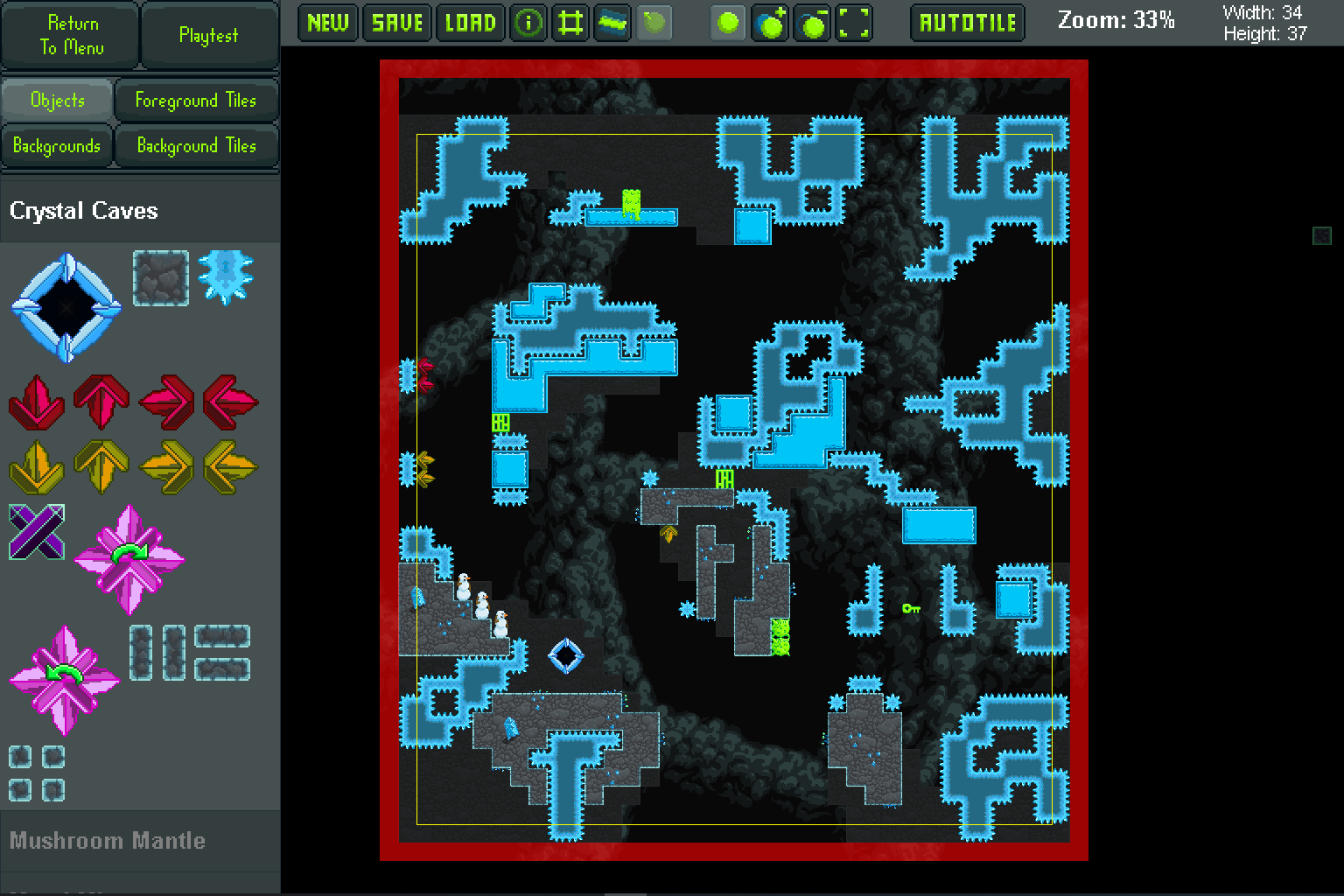
Changelog v1.6.1 - Performance improvements and bug fix
Changes and Additions:
Added background plaque around the filter and page browsing section of the quick play.
Performance improvements:
Dart spawners now deactivate when outside the view (this has no noticeable effect, since darts would destroy themselves if outside the view).
Purple on/off crystals now deactivate when outside the view.
Changes to make the game deterministic:
Darts spawner blocks now use a global timer to determine when to fire darts.
Red and yellow lasers now use a global timer to determine when to fire the laser.
Purple on/off lasers now use a global timer to determine when to turn on/off.
Bug fixes:
Fixed bug where game would crash when pressing the last page button in Quick Play before logging into the level exchange.
Changelog v1.6.0 - Quick Play Story Mode Levels
This update brings the final major feature to the Quick Play with the re-introduction of Story Mode levels. You can now race each other for fastest times on 120 of the Story Mode levels. The bonus levels and boss levels are not available in Quick Play because they aren't really time-based levels.
https://www.youtube.com/watch?v=YOEvNbUuIRk
Additions and Changes:
Story Mode levels (that have been beaten in Story Mode on any profile) can now be played in the Quick Play area. Like with the community levels, the Story Mode levels also have fastest time leaderboards.
Added Quick Play filter option for "Last 7 Days".
Added Quick Play filter options for "A-Z" and "Z-A".
Added pages to Quick Play level select, including the ability to jump to any desired page.
Added sprites for the wall mushroom when it is in the air and when it is touching two walls.
Quick Play "Easiest" and "Hardest" filters now not only take into account completion percent, but also take into account how many people have completed the level. For example, a level with 40% completion rate and 3 completions is rated easier than a level with 40% completion rate and 2 completions.
Bug fixes:
After getting a new personal record in Quick Play and returning to level select, the level card and level high score display wasn't showing updated data. It now does, no longer requiring you to refresh the page to view the updated stats for the level.
Fixed issue with Quick Play level select not remembering the level browse settings when exiting from playing a level to level select through the pause menu.
Fixed issue with Quick Play "fastest" time (in upper-left) not updating while in level when you get a new fastest time.
Fixed issue with server not correctly tracking level completion percents, causing the "Easiest" and "Hardest" level browsing filters to not work. The level completion percents have been recalculated for all levels and now the "Easiest" and "Hardest" filters are working.
Fixed issue with player primed jumping (jumping at the start of a level by just holding the jump button) not working because the input controller was prohibiting inputs while the game was fading in.
Buddy slime blocks now blink. They already had the code and graphics for blinking, but it wasn't functioning.
Fixed issue with slime buddy achievement unlocking in level editor and Quick Play areas.
Meteors no longer make explosion sound when they are destroyed from being too far outside the view.
Fixed issue with slime king movement/jump dust being placed one pixel into the walls. Now it is flush with the walls.
Fixed issue where there could sometimes be a 1 pixel gap on the Story Mode profile display cards where the profile name is.
Known bugs:
If "Allow window resizing" is off, resizing the window on the top or left side makes the window move. This seems to be due to how the following GameMaker functions work with windows: window_set_min_width(), window_set_max_width(), window_set_min_height(), window_set_max_height(1).
Quick Play replays/deaths cannot be deleted.
Replays don't display the correct positions when screen shake is applied to the view.
Level editor doesn't remember all settings when switching between playtesting and editing.
Some objects are still autotiled by the chunk loader when the room starts (such as the colored key blocker objects). These objects can occasionally tile incorrectly if their neighbors haven't yet been activated by the chunk loader.
Changelog v1.5.1 - Heart Achievements
https://www.youtube.com/watch?v=7fM3xqjWRNQ
Additions and Changes:
Overworld doors now have a heart display that lights up if you beat the level without using extra lives.
Added 6 achievements for beating all levels in each zone (and one for beating all levels in Story Mode) without using extra lives. I apologize for those of you who have already beaten Story Mode levels without using any extra lives; you will have to beat the levels again in order to get these achievements. Before this update, I hadn't implemented any way for the game to determine whether a level was beaten without using extra lives, and so there is no way to grant these achievements after implementing this feature.
Fixed shading on all overworld locks.
Changed shading on some of the foreground tiles. Also added a 1 pixel buffer around the edge so the tiles don't leave gaps between the tile and wall when the screen is stretched.
The collision detection between rain and bees uses to use a point at the center of the bees, but now uses a circle (with a radius of 15 pixels). This means the bees will not be able to penetrate into the rain to kill the player if the player is sitting in the rain, since the bees have a collision radius of 14 pixels when interacting with the player.
Increased thunder volume from 0.5 to 0.75.
Performance improvements:
Partially complete: Reworked texture groups to make performance more stable across all areas of the game. The texture pages for the game fell out of organization, and in combination with newly added features and content areas, caused the game to slow down significantly in some areas. I reworked the texture pages to increase performance across a range of areas in the game. The most notable increases to performance are in the Story Mode bonus levels and in Quick Play levels with a wide range of objects and tiles. Previously, there were areas of the Story Mode (and some Quick Play levels) that had over 300 texture swaps per second (this was very noticeable in the bonus areas), which would cause the game to run under 60 FPS for some computers and on Linux (using Proton). After implementing some fixes, the highest number of texture swaps I now experience is between 50 to 80 per second, which should hopefully provide a consistent 60 FPS to most computers (including Linux using Proton). I'm not completely done with fixing up the texture pages, but things should overall be better now than before.
Bug fixes:
When coconuts destroy walls/enemies, the surrounding walls/enemies now re-tile.
Coconuts no longer make the exploding sound when they are destroyed from falling off the bottom of the screen.
Fixed issue with storm clouds being able to move into squares occupied by walls and thorns.
Fixed issue with player priming the jump button before the character spawns. The collision sound with the ground wasn't playing, and priming the jump button also would let the player jump off through ground without technically touching the ground, allowing the player to avoid triggering blocks (such as buttons) under the player.
Fixed issue with replays getting created for the quick play validation area.
Fixed issue with some foreground tiles being shifted by a pixel when placing the tile in the level editor. This issue was introduced in update v1.5.0. Unfortunately, this bug fix will not change any tiles that were off on levels that were uploaded to the Level Exchange.
Fixed issue with background transitions in the overworld displaying the wrong background colors in the transition area. This bug was introduced in update v1.5.0.
Fixed issue with the game only allowing one functional end goo in a level. You can now have more than one end goo, and the level will count as completed when the player gets to any one of the end goos.
Fixed issue with level editor player spawn location not updating on level resize.
Known bugs:
Clouds can sometimes be pushed in the incorrect direction if the player is in just the right position when hitting the cloud.
If "Allow window resizing" is off, resizing the window on the top or left side makes the window move. This seems to be due to how the following GameMaker functions work with windows: window_set_min_width(), window_set_max_width(), window_set_min_height(), window_set_max_height().
Replays don't display the correct positions when screen shake is applied to the view.
Level editor doesn't remember all settings when switching between playtesting and editing.
Quick play doesn't remember the level browsing settings when switching between level selecting and playing.
Some objects are still autotiled by the chunk loader when the room starts (such as the colored key blocker objects). These objects can occasionally tile incorrectly if their neighbors haven't yet been activated by the chunk loader.
Changelog v1.5.0 - Seasonal Content and Amulets
I meant to get this update out 2 months ago in the spring, but I had some other stuff come up, and also I also moved.
This update brings the final big update to the story mode, with new seasonal areas that hold 20 additional levels. There are also now amulets that are not only fun to collect, but they grant the player bonuses to make the story mode easier. You don't have to collect the amulets (and I've added an achievement for beating story mode without collecting any amulets), but the amulets are there to help level the playing field for all players.
This video shows off a lot of the new features in this update. For a full list of features, see the changelog below.
Tiki masks and tiki balls now deactivate when outside view.
Now that there is the faucet system for teleporting through the overworld, the portals (that used to facilitate fast travel) now lead the player to seasonal areas.
Each zone corresponds with a different seasonal area:
Echoing Entrance: spring
Crystal Caves: winter
Mushroom Mantle: fall
Metal Mines: summer
Secret Shadowsphere: stellar
Each seasonal area has 4 levels (adding a total of 20 levels to the Campaign). Completing the levels in a seasonal area unlocks special power ups within story mode:
(4) Wondrous Amulet: -10% goo required to unlock access piles
(3) Nimble Amulet: -1 levels required to unlock locks
(3) Lucky Amulet: +1 bonus goo per level
(3) Pensive Amulet: +100 starting goo per level
(4) Life Amulet: +1 extra life per level spawn
Most of the amulets are found in the seasonal areas, but 4 are scattered elsewhere.
The existing portal achievements have been renamed to seasonal unlock achievements.
Added an achievement for collecting all amulets.
Added an achievement for beating the game without collecting any amulets.
Added a secret story mode level that is only accessible from the teleporter map (thanks to Kaddykins for coming up with this idea).
Added undo/redo buttons to the level editor.
Added "New World Record" and "New Personal Record" displays to Quick Play.
Ice no longer allows slow wall sliding. This means that even if you are holding left/right into the wall, you will accelerate downward at the speed of gravity.
Level editor sidebar scrolling speed changed from 16 to 24.
Portals to the home level now have interactable glow and show tooltips.
Changes to make the game deterministic:
Darts no longer collide with falling darts.
Bug fixes:
Previously, horizontal fiction applied to the player would bring the player to a stop if the player's horizontal speed was less than the ground friction value (regardless of whether the player was on the ground or not). Now, the player is only brought to a stop when their movement is less than the current friction being applied. This means that changing directions in the air, on the ceiling, and on ice may take an extra frame or two, but overall, this should help provide a more consistent physics experience. For reference, here are the friction physics values (in terms of pixels per frame):
Ground friction: 1
Ceiling friction: 0.25
Air friction: 0.35
Ice friction: multiplies the ground or ceiling friction by 0.15
Fixed issue with pressing 'back' in quick play instant replay bringing up the pause menu rather than returning to the level select.
The level editor "Force Autotile" option previously only worked for objects. It now also works for foreground tiles and background tiles.
Fixed issue with level editor sometimes crashing when resizing the level when background tiles are present.
Fixed issue with the level editor menu buttons (objects / foreground tiles / backgrounds / background tiles) not showing the correct active button when switching between playtesting and editing.
Fixed issue where the game would save to file the window position even if the window was outside of the screen. This would occasionally cause the game to randomly save the window position far outside of the screen upon closing the game.
Fixed issue with the player's fastest time not displaying in the upper-left times display for quick play levels.
Fixed issue with the "Last Time" display being one frame behind the time submitted to the level exchange. This was due to the game still incrementing the time variable for one frame after the level had been completed.
Fixed issue where pressing the "Back" button during quick play instant replay would not return to level select but would instead bring up the pause menu.
Fixed issue with snow blocks being able to be triggered twice in one interaction with the player. The snow blocks now have a timer that makes it so they can only be activated every 20 frames.
Fixed issue where the player could get stuck dying in level editor playtest mode with only a narrow window of time to press the back button to escape into edit mode.
Snowmen now deactivate when outside view.
Known bugs:
The level editor doesn't remember what tile the player had selected when switching between playtesting and editing.
If "Allow window resizing" is off, resizing the window on the top or left side makes the window move. This seems to be due to how the following GameMaker functions work with windows: window_set_min_width(), window_set_max_width(), window_set_min_height(), window_set_max_height(1).
Replays don't display the correct positions when screen shake is applied to the view.
Level editor doesn't remember all settings when switching between playtesting and editing.
Some objects are still autotiled by the chunk loader when the room starts (such as the colored key blocker objects). These objects can occasionally tile incorrectly if their neighbors haven't yet been activated by the chunk loader.
Changelog v1.4.0 - Expanded Options Menu
I started on this updated as soon as v1.3.4 was released (on January 9, 2021). I knew it was going to take a long time and that I was going to break a lot of things that would take a significant amount of time to fix, but it's all been worth it. I cleaned up a lot of the backend systems in the game to make development and bug fixing easier. This allowed me to fix a few bugs I was battling with for quite a while. I've also continued to increase performance and managed to find a solution to the Windows update issue that plagued some users causing the game to run at about 45 FPS instead of 60FPS (more details on this below).
As stated above, I made a lot of backend changes in this update. I've thoroughly tested the game as much as I feasibly could and haven't noticed any remaining bugs, but I'm sure there's something I missed, so please let me know if you notice anything weird!
That said, I want to warn players that I've renamed a few of the options settings in the save files. If you notice any options aren't set to what you left them at previously, you'll just need to update them in the new options menu after launching the v1.4.0 of the game. The other thing that you may notice is that Quick Play replays/deaths from previous version won't load. The Quick Play replays/deaths were never fully functional, and with v1.4.0, the way they are stored (folder structure) has been changed (more info below), which is why past replays/deaths are not loaded and why it's non-trivial to just write some code that moves them from the old locations to the new locations.
The biggest changes made in this update are the new menu system and the new options menu with a bunch of new options. Check out this video to see all of the major new features added with this update.
[previewyoutube="0T4neMQb-OM;full"]
Story mode level changes:
Removed the right side floor on lvl_1_3 in order to force the player to stick to the ceiling to complete the level.
In game time stops counting up when the game is paused.
All play time after the player collects the final crown (after beating the final boss) no longer counts toward the in game time. The reason for this decision is that the player no longer has control over the character, and this would mark the end of a speedrun, so I wanted to end the in game timer at this point.
Deaths in tutorial level now count toward total profile deaths.
Changed how story mode level end goo is rewarded. Before, there was a set amount of goo available at the start of the level, and if you reached the end before the goo reached zero you would get the remaining goo. Now, there is a base amount of goo awarded at no matter what time the player gets when they finish. The base goo is 8% of the previous goo available at the start of the level. The new goo available at the start of each levels is 92% of the previous goo available at the start. This does not change how much goo is awarded for any times faster than when the goo runs out, but it makes it so that if the goo runs out the player still gets some base amount. The result of this is that just for completing the levels players will get 19% to 31% of the goo needed (depending on the subzone) to fully extend the goo access pile.
Goo transfer rate from levels to goo access piles used to be a flat rate but is now proportional to the amount of goo required to fill a pile.
Added a glass goo container graphic to display each level's goo score above the level doors in the overworld.
The story mode overworld pipe teleporter map cursor now only snaps to doors in subzones that are unlocked. It used to snap to any door anywhere on the map (including non-visible doors).
Portals now act as checkpoints (like doors) in that if the player goes through a portal, it records their overworld position at the portal and the player will be respawned there in the future when entering the overworld (until the player enters another door/portal).
Added GUI information for how to interact with the faucet system to select a destination.
Moved a few of the overworld lock blockers by 16 pixels (up/down) so their glow sprite would line up with walls and not just be over empty air.
There was no overworld faucet for lvl_4_5. A faucet has been added.
Bonus goo used to be applied directly to the goo access piles. Now it is transferred to the access piles via goo particles (just like now the completion goo amount is transferred to the access piles).
Options changes and additions:
Removed the options sidebar because there are now too many options to fit on the sidebar. Removing the sidebar will also help with game performance and will help to declutter the visual field during gameplay. I may re-implement the sidebar later on with the most commonly used options. If I do this, players would be able to toggle the sidebar on/off as an option in the regular options menu.
Expanded the options menu and increased the number of areas it can be accessed from. Added options to toggle/change the following: show level timer, show game timer, minimap opacity slider, show in-game achievements, save replays, save deaths, resolution resizing with typed numbers, enable manual window resizing, show particles, enable wall glow, enable screen shake, master volume, keybind for up, keybind for down, keybind for pause, keybind for back, controller deadzone size, controller virbrations.
Add a keybind options for up and down, since they is used in the menu systems and teleporting system.
Pause menu now has a button for restarting the level.
Profile data "settings.ini" file has been renamed to "data.ini". The game should automatically rename the profile data files for all your profiles when you launch the game.
Level Editor changes:
Added "*" indicator on the "Save" button in the level editor when there are unsaved changes.
Added a new button in the level editor that allows players to place a temporary player spawn point in the level. When playtesting, the player will spawn from that location instead of from the door location.
Quick Play / Level Exchange changes:
The default level browsing filter is now set to "Newest" (was previously "Most Played").
Added back button to quick play level select room.
Added tip text in quick play when the pause menu is brought up.
Since players no longer need to load a profile before accessing quick play, the quick play replays are no longer saved within the profile folders. Instead, they save within a user_id folder (with the user_id of the current in user logged into quick play). The quick play replays are also now saving under a different folder scheme, so your past quick play replays won't show up any more (although the files haven't been deleted).
Performance improvement:
Moved a bunch of the development testing code out of the main controller object and into its own object. This should slightly increase performance on the non-developer version of the game, since the controller won't have to continuously check whether it is in developer mode.
Optimized the wall code some to increase performance.
The chunk loader's function for activating objects within the view was computationally expensive. It used to run every step of the game, but now it only runs every 3 steps. This should provide a slight increase to performance.
Moved some code from the overworld wall object create events to their initialization events (which only triggers when the chunk loader loads them). This slightly speeds up the load time of the overworld.
Moved some code out of the overworld door object create events to their initialization events (which only triggers when the chunk loader loads them). This slightly speeds up the load time of the overworld.
Moved some code from the overworld wall object draw event to the initialization event to save on computation. This increases performance in the overworld.
Profile story mode data used to save at the end of every level. Now it only saves as necessary. This should slightly speed up the time it takes to reload levels and the time it takes to go between levels.
The replay/deaths surfaces are now only the size of the viewport, rather than being the size of the entire room. This should slightly increase performance on larger rooms.
Optimized the replay/deaths save files a little bit to help increase performance, load/save times, and reduce replay/deaths file sizes. Old replays/deaths are still compatible with the new system and will get loaded and displayed normally.
Slightly improved speed of loading replays/deaths.
General changes and additions:
Added more screen fading in/out transitions between rooms.
Added very short animation for slime king entering doors.
Reduced the volume of the clicking sound in the end_level_goo sound (which is also used for going through doors). The clicking was supposed to sound like a secondary splat, but at the volume it was at, it sounded more like an audio glitch.
Player splat sound now scales in volume (from 0.6 to 1.0) with how fast the player was moving just before colliding with walls. Before, it was a randomly chosen volume between 0.6 and 1.0.
Added snow particles when the snow blocks crumble.
Added drop shadow to the title screen text "The True Slime King".
End goo pile depth is now in front of the player object.
Instant replay GUI now fades in (it used to abruptly pop in).
Bug fixes:
Player movement used to allow for sub-pixel movement into walls. That has been fixed so that now player movement checks at minimum 1 pixel in the direction of movement and so that when players collide with walls, their position is snapped to the nearest pixel. This results in the player being completely against walls on collisions, with zero sub-pixel positioning on either side of the wall. Eliminating this sub-pixel movement into walls also fixes the issue where moving blocks could push the player into walls.
Since the player used to sub-pixel clip through floor blocks, it allowed the player to have extra frames they could jump in (most of the time; it wasn't fully consistent), because the game thought the player was essentially coming out of a wall when they run off the side of a platform. To provide the same feeling in the new system, and to make it consistent, the player is given the same 4 frames of "coyote time" to jump (while in the air) after leaving a platform.
Fixed an issue affecting some Windows users after one of the Windows updates in 2020. I tried fixing the issue with a Windows DLL (https://github.com/omicronrex/gms_scheduler_fix) and with a GameMaker extension (https://github.com/skyfloogle/gmsched), but neither of those seemed to work on the computer I was testing on. The only solution that worked was to set the GameMaker sleep margin from 1ms to 10ms. Having the sleep margin set at 10ms instead of the 1ms will mean the game will utilize more CPU. More info:
Windows slowdown: https://forum.yoyogames.com/index.php?threads/slowdown-fix-for-windows-10-scheduler-patch.82867/
My computer's resource usage at the title screen with 1ms sleep margin: 3% CPU; 8.5% GPU.
My computer's resource usage at the title screen with 10ms sleep margin: 8.5% CPU; 8.5% GPU.
Fixed issue with stretched resolution graphic artifacts. Issue: When screen was stretched by a non-integer multiple, tiles could draw parts of neighboring tiles. See this GameMaker: Studio documentation page for more information: https://docs.yoyogames.com/source/dadiospice/001_advanced%20use/more%20about%20backgrounds/designing%20tiles.html. The issue was fixed by adding a 1 pixel border around some of the tiles used in the game. This required all levels (story mode and level exchange) to be re-tiled (which was done programmatically) to make them use the new tile grids for the tilesets that now have 1 pixel borders around each tile. There is still backward support for loading older level versions into the game through the level editor or quick play area.
Fixed issue with goo not transferring to the correct coordinates on some goo access piles.
Fixed issue where teleporter pipes could cause the view to go beyond the edge of the room.
Fixed issue with the game overriding the mouse cursor icon when near the edge of the window. This has been fixed by only setting the cursor when it is within the window area.
Fixed issue with the in-level door tooltip being drawn behind walls (making it not visible if there is a wall directly above the in-level door).
Fixed issue with some lines being drawn in game only drawing 1 pixel on the screen (no matter the size of the game). These instances now draw one pixel relative to the game surface (the GameMaker functions used to be draw_line() and were converted to draw_line_width()).
Fixed issue with slime buddies not snapping orthogonally to the blocks they collide with.
Made the "Delete Replays/Deaths/Profile" box larger so that the deleted data text didn't spill over the sides of the box.
Fixed issue where player could jump on button blocks without activating them.
Fixed issue with zone text displaying behind the black fog of the overworld pipes, making the zone text not visible.
Fixed issue with the mouse coordinates not updating when the mouse was outside the window, which allowed for the mouse to get stuck hovered over buttons near the edge of the window even if the mouse was outside the window somewhere completely different.
Fixed issue with replays/deaths not working for quick play levels.
Fixed issue with game window not centering in the display on a new game with no previous settings file.
Fixed issue with pipe teleporter not updating the zone and music when going between zones and the subzone remained the same (for example from the Echoing Entrance bonus area to the Crystal Caves bonus area).
Known bugs:
If "Allow window resizing" is off, resizing the window on the top or left side makes the window move. This seems to be due to how the following GameMaker functions work with windows: window_set_min_width(), window_set_max_width(), window_set_min_height(), window_set_max_height(1).
Replays don't display the correct positions when screen shake is applied to the view.
Level editor doesn't remember all settings when switching between playtesting and editing.
Some objects are still autotiled by the chunk loader when the room starts (such as the colored key blocker objects). These objects can occasionally tile incorrectly if their neighbors haven't yet been activated by the chunk loader.
Changelog v1.3.4 - Story Mode Cosmetics and General Bug Fixes
I did a lot of code restructuring in this update. I tried to thoroughly test everything, but I might have broken something somewhere that I didn't catch. If you come across any issues, make sure to let me know so I can get it fixed as soon as possible!
Here are some videos of a few of the graphics improvements in this update:
https://www.youtube.com/watch?v=gRsE7njGJoY
https://www.youtube.com/watch?v=Mw2aWAOy5ow
https://www.youtube.com/watch?v=pLgAatq9b9g
Changes and additions:
When you reach the end goo in the level editor, it now completes the level and takes you back to editing.
The metal mines outer walls and cosmetics are now darker to make it easier to distinguish them from spikes.
Reworked the sprites for Acetal's legs to be slightly more forgiving (2 pixels extra wall space on each wall section). This better matches the areas it looks like you should be able to land on.
Made exploit on lvl_5_6 more difficult.
Changed type of mushroom near the goo access pile for levels 3_1 - 3_5 to make it no longer possible to skip the access pile with precise movement.
Extenders no longer attempt to extend if they cannot extend at all.
Added firefly particle to Crystal Caves overworld.
Added background particles to the Secret Shadowsphere overworld.
Enlargened key hitboxes (by 2 pixels on the left and right sides) to make the hitboxes more accurately reflect the shape of the keys.
Since the key hitbox have been changed, keys on the following levels have been slightly moved to preserve the difficulty of the level (and to not allow cheating the keys): lvl_3_14, lvl_4_14, lvl_4_15
Reaching the end goo while playtesting in the level editor now causes the goo sound to play and returns the player to edit mode.
Added beads circling the player during the fountain animation in the story mode start level.
Added uniquely colored particles to all the boss title screen rooms.
Added sound effect to the boss title screen rooms.
Cosmetic changes:
lvl_4_6
lvl_5_8
Fixed issue with autotiling on-off blocks on the following levels (these levels hadn't been rebuilt since the autotile script changed):
lvl_5_7
lvl_5_8
lvl_5_11
lvl_5_12
lvl_5_13
lvl_5_16
lvl_5_17
lvl_5_19
lvl_5_20
Bug fixes:
Fixed a few memory leak issues.
Fixed issue with several of the mushroom bugs not being set up to destroy the player upon contact.
Descender blocks weren't updating the variables used to decide whether to deactivate the object, so if the descender got out of view of its original location, it would constantly toggle between active and deactivated, causing issues with the player interacting with the descender blocks.
Metal Mines bonus thorns now tile with the normal walls.
Moved one of the Metal Mines bonus level faucets closer to the level because it was activating for the incorrect level.
Added faucet for lvl_5_1 (there was no faucet for this level).
Fixed issue with game freezing when canceling new profile create.
Deaths in quick play and level editor no longer count toward profile total deaths.
Fixed issue with the chunk loader only initializing objects within view at the start of the room (rather than initializing all objects in the 9 active chunks). This issue would cause objects at the edge of the room (when the room started) not to tile appropriately with their neighbors. Since the chunk loader was activating an arbitrary section of the room and not specific chunks, the chunks would also not get marked as loaded and would then be loaded later on, causing unnecessary extra computation.
Some objects would wait until they were initialized to deactivate, but now deactivate at the start of the room before even initializing. This should speed up the loading of both levels and the overworld.
Fixed issue with all the overworld bonus wall objects not deactivating once outside the view.
The chunk loader is more streamlined and only runs the necessary functions when in levels. This should speed up the loading of levels.
Fixed issue with story mode overworld and in-level music falling out of sync. The files were renamed to replace spaces with underscores in one of the previous updates, and the code that synced the files was still looking for files with spaces.
Fixed issue with some cutscene text not displaying. This issue was introduces a few updates ago when the view variables were consolidated into global variables. The issue was that the view wasn't updating in the cutscene rooms.
Fixed issue where achievements for dying 100 times and dying 1000 times would only trigger when reloading the profile (instead of immediately upon dying).
Fixed issue with objects being initialized at the start of the room that didn't need to be initialized.
Fixed issue with overworld door glow being in front of the player sprite.
Fixed issue with some particles not getting destroyed when the room ends / restarts.
Fixed issue with the pause menu where bringing up the pause menu while the screen was fading would cause the pause menu to not be visible. This was resolved by placing the depth of the pause menu in front of the depth of the controller object that controls the fading.
Fixed issue with the goo score coming out of the end goo pile being one less than the actual goo awarded for the level.
Fixed issue with the "last time" variable not getting reset when going from one level to another through the overworld or in quick play. This was causing the last time variable to not be set until beating a level.
Changed the horizontal speed of the blue slime buddy from 2 to 2.1 to match the horizontal speed of the yellow slime buddy. Because of this change, lvl_2_8 was modified to maintain a similar level flow.
Fixed issue where multiple slime buddies could land in the same square.
Known bugs:
Replays aren't loading correctly in the quick play area. You have to toggle them on/off to get them to work.
When screen is stretched by a non-integer multiple, tiles can draw parts of neighboring tiles. See this GameMaker: Studio documentation page for more information: https://docs.yoyogames.com/source/dadiospice/001_advanced%20use/more%20about%20backgrounds/designing%20tiles.html
When holding a sidebar slider and the screen shakes, the slider moves.
Changelog v1.3.3 - Level Editor Improvements
The level editor is nearly complete! There's only one more feature left that I want to implement (being able to select multiple instances and move them around). I'm super happy to introduce an undo/redo system to the level editor in this update! This is something I've wanted for a long time, but because of the way instances in the level editor work, it's been quite the task to get the undo/redo system fully working. I also managed to find a bunch of small bugs and squash them in this update :)
Level Editor Improvements:
Added undo/redo system to the level editor. Note: playtesting a level resets the undo/redo history.
Added "New" button for creating a new blank level without having to exit and re-enter the level editor.
If trying to create a new level or load a level and there are unsaved changes, the level editor now warns the user.
Information display now has a transparent black background to make the information text easier to read.
General Changes and Additions:
Quick play now displays "New Record" if you beat your previous fastest time.
Quick play now displays the player's fastest time in the upper left.
The upper left times bar now displays sub-second times in milliseconds (rather than as decimals).
Removed background parallax effect in the level editor edit mode.
Added pink crystal laser that rotates counter clockwise.
Added fading transitions between the menu and the level editor, quick play, and story mode.
Snowballs now explode when hitting player.
Bug Fixes:
Fixed bug where beating a boss would crash the game. This was caused by the game trying to reference levels files that had been removed in one of the latest patches.
Fixed issue with game not being able to accept input from non-Xbox controllers.
Darts are now destroyed when off screen so they don't clip through walls.
Fixed issue with moving the music slider. The music controller was not tracking the change in music volume properly, and moving the sliders too fast could cause the music volume to not be updated at all.
Fixed issue with extender blocks being able to clip through offscreen walls. Now extender blocks only extend if they end point of the extension is within the active view area.
Removed collectible goo from level editor objects. It was accidentally added to the goo object section of the level editor objects in one of the latest updates.
Cutscene volume no longer automatically maxes out (it stays at the music and sound volumes the user had set). This also fixes the issue with the volumes not getting reset properly after cutscenes.
Fixed issue where pressing the keyboard button to toggle the level editor information made the grid button light up instead of the information button.
Fixed issue with lasers not stopping at ice blocks (if the ice block is outside of the view at the start of the room).
Fixed issue with the menu selected button history not updating when going into quick play or level editor (meaning when you come back out of the quick play or level editor areas, the selected button would be on story mode).
Fixed bug where the global stage name wouldn't get updated when going into the level editor, so if the player went into a level in Story Mode, that level name would carry through to the level editor. This caused the in level doors to have goo on them if the player had beaten that level.
Fixed bug in tutorial area for the white slime player dust. The dust sprite was be green (instead of white) for both the white slime and the green slime.
Fixed a few small memory leaks.
Known Bugs:
When screen is stretched by a non-integer multiple, tiles can draw parts of neighboring tiles. See this GameMaker: Studio documentation page for more information: https://docs.yoyogames.com/source/dadiospice/001_advanced%20use/more%20about%20backgrounds/designing%20tiles.html
When holding a sidebar slider and the screen shakes, the slider moves.
Untitled
Additions and Changes:
Added dripping go to menu system.
On lvl_1_3, reduced number of deaths needed to trigger tutorial text from 3 to 2.
Performance Improvements:
Fixed issue (introduced in one of the last patches) where objects at the edges of chunks could continually activate/deactivate. This was due to object deactivation boxes being set incorrectly. This fix should help bring back stable performance for anyone that was still experiencing issues.
Slightly increased performance of chunk loading.
Slightly increased performance in the player object's code.
Bug Fixes:
Fixed issue where the tutorial object in lvl_1_3 would cause the game to crash.
Fixed issue introduced in v1.3.1 where the view variables wouldn't get set correctly when returning from the level editor to the menu, which could cause some of the wall objects to not be displayed.
Bat deactivation boxes now follow the object, so they will now deactivate based on where they currently are as opposed to where they were when the level started.
Fixed issue where goo access piles would deactivate before going fully out of view, causing them to continually activate/deactivate, resulting a flashing visual appearance.
Known Bugs:
Extender blocks clip through walls that are offscreen at the time of activation.
Skipping the cutscenes can occasionally cause the audio volumes to not get reset back to the values they were at before the cutscene.
When screen is stretched by a non-integer multiple, tiles can draw parts of neighboring tiles. See this GameMaker: Studio documentation page for more information: https://docs.yoyogames.com/source/dadiospice/001_advanced%20use/more%20about%20backgrounds/designing%20tiles.html
Moving the sound or music slider too fast doesn't update the volume.
The main focus of this update is to bring performance improvements throughout the game. In addition, the game is on sale for Halloween and bats have been added to increase the possibilities for Halloween-themed levels. A new level "Bat Cave" has been added to the level exchange to showcase the new Bat enemies.
[previewyoutube="EzZ3H7GAosI;full"]
Changes and Additions:
Added Bat enemy to the game (can be found under Seasonal Blocks in the level editor).
The audio data files have all changed to omit spaces. Since local profiles save the filename of the currently playing song, when entering story mode for the first time after updating, no audio will play until moving to a new zone or subzone (since the game will be trying to play a nonexistent file).
Performance improvements:
Slightly improved performance of code that deactivates objects outside of the view. This code affects many of the objects in the game, and should provide a very small improvement to performance across the entire game.
Some of the view related variables are now stored in global variables so that they don't have to be calculated individually by many different types of objects throughout the game. This should provide a small improvement to performance across the entire game.
Removed various occurrences of variables being set every step in the game when they only needed to be set at specific points. This should provide a small improvement to performance across the entire game.
Stretched block autotiling now only tiles uninitialized sections each time the autotiling script is called. It used to autotile each 32x32 section within the stretched block (even if some of these 32x32 sections had already been initialized before). Stretched blocks are only used in the Story Mode Overworld, so this will only affect performance in the Overworld.
Overworld faucets (introduced in update v1.3.0) caused a bit of a hit to performance. Faucets now become inactivated when not needed in order to minimize effects on performance.
Bug fixes:
Quick play display times have been fixed. Display times were incorrect if they were longer than one minute. For example, a time of 1'25"82 was displaying as 1'85"82, because the seconds variable wasn't taking 60 seconds off for the time that was being counted toward the minute variable.
Pressing the cancel button on the profile create popup no longer locks the game.
Using the pause menu to return to the main menu from inside of a quick play level no longer crashes the game.
Snowballs now destroy when hitting each other. Before, only one of the snowballs would get destroyed.
Added quick play song back into the quick play area.
Known Bugs:
Extender blocks clip through walls that are offscreen at the time of activation.
Skipping the cutscenes can occasionally cause the audio volumes to not get reset back to the values they were at before the cutscene.
When screen is stretched by a non-integer multiple, tiles can draw parts of neighboring tiles. See this GameMaker: Studio documentation page for more information: https://docs.yoyogames.com/source/dadiospice/001_advanced%20use/more%20about%20backgrounds/designing%20tiles.html
Moving the sound or music slider too fast doesn't update the volume.
Changelog v1.3.0 - Level Exchange
This update brings the much anticipated online level exchange (for sharing and playing community-made levels directly in-game). There has also been a big update to the story mode, with the addition of faucets that let you teleport between any completed levels. This teleportation system should alleviate frustrations of having to navigate through tricky sections the overworld, since you now only have to navigate these sections once. https://steamcommunity.com/sharedfiles/filedetails/?id=2235416932
In order to access the level exchange, you will need to create a slime king account. https://steamcommunity.com/sharedfiles/filedetails/?id=2235337169
Once logged in, you can browse through endless pages of levels (well... there are only 7 levels on the level exchange right now, but you get the idea). https://steamcommunity.com/sharedfiles/filedetails/?id=2235334743
Use the left and right arrow buttons to navigate through the pages of levels. https://steamcommunity.com/sharedfiles/filedetails/?id=2235335631
Sort the levels by using the filter options to find the perfect level to play for any occasion. https://steamcommunity.com/sharedfiles/filedetails/?id=2235336301 https://steamcommunity.com/sharedfiles/filedetails/?id=2235336560
Submit your own levels (created in the level editor) to the level exchange so that other people can play them. https://steamcommunity.com/sharedfiles/filedetails/?id=2235337647
Make sure to give a 'like' to any levels you enjoyed playing. https://steamcommunity.com/sharedfiles/filedetails/?id=2235342460
Also, thanks to Forrest Leon for the large Slime King blinking animation that's been added in this update! https://steamcommunity.com/sharedfiles/filedetails/?id=2235330299
Changes and additions:
Added Forrest Leon to credits.
Completely reworked quick play to include an in-game online level exchange with high score boards. Upload, browse, and fight for the fastest times on community created levels. The level exchange currently requires mouse and keyboard, but levels can be played with a controller. For now, quick play doesn't support playing levels offline, but future updates will bring this feature back. The keyboard functionality will be improved with the next update which will bring full controller/keyboard support to the entire game.
Added faucets to the Story Mode overworld. Faucets allow players to teleport between any completed levels.
All interactable objects (overworld doors, in level doors, and faucets) now have an display popup (if the option is turned on) and display a glow animation when the player is able to interact with them. Added option for turning on/off the interaction display for interactable objects (interactable objects used to only be displayed as a tutorial).
Changed controller deadzone size from 0.04 to 0.25. This should solve most controller deadzone issues for now. Customization options for controller deadzone size are planned for the full controller support update.
Until full controller/keyboard support is provided for the level editor and quick play areas, the mouse cursor is now always visible in these areas (even if the controller is plugged in), allowing for easier use of the controller while playtesting levels when playing levels in quick play).
FPS display is no longer obscured by the instant replay GUI.
Buttons and button blocks are now affected by the colorblind options.
Increased resolution of large friendly slime sprites.
Large slime king in menu now blinks.
Known bugs:
Skipping the cutscenes can occasionally cause the audio volumes to not get reset back to the values they were at before the cutscene.
When screen is stretched by a non-integer multiple, tiles can draw parts of neighboring tiles. See this GameMaker: Studio documentation page for more information: https://docs.yoyogames.com/source/dadiospice/001_advanced%20use/more%20about%20backgrounds/designing%20tiles.html
Moving the sound or music slider too fast doesn't update the volume.