Exciting news! The Mac port beta is now available! In addition, we've got some small Pixel Lobby fixes, hawk adjustments, and proper notes for an intended but undocumented Velvet change that accidently slipped out under the radar in the last update.
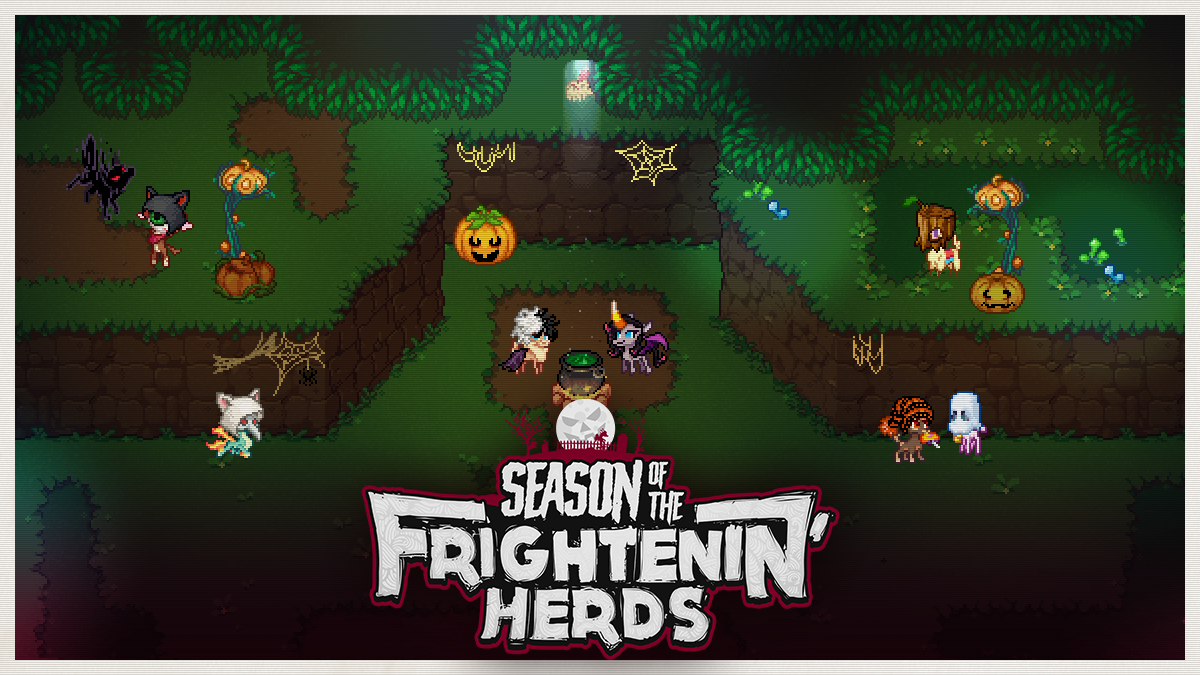
Reminder that this year's Halloween event is currently on until Tues Nov 2nd. Be sure to grab the new accessories and zombie palettes while they're hot!
This patch requires Pixel Lobby hosts to update their servers!
Mac Beta Now Available!
The wait is over! Them's Fightin' Herds now runs natively on macOS!
How Do I Get It? Easy! If you own TFH, just install it like normal. No additional purchase or special download is necessary.
Is Anything Different? Not really! The Mac version is effectively the same as the other PC versions (minus a few very small platform-specific differences, like how and where files are saved).
Crossplay? Yes! All players regardless if they're on Mac, Linux, or Windows can play with each other. Your Pixel Lobby and Story Mode progress is saved to your Steam account.
Can I Host A Pixel Lobby Server? Not at this time. Servers can only be hosted on Windows and Linux.
Does It Work On Apple Silicon? Though Rosetta, yes! We do not have immediate plans to build native for Apple Silicon, since we don't think it will matter for performance and we have concerns about how it would affect the game's determinism (which is very important for online play).
Why Native Ports? Linux and Mac ports were promised as a stretch goal during our crowdfund campaign. Native runs significantly better since there's no need for a compatibility layer (like Wine or Proton) which eats up resources. In addition, the work that went into these ports will make consoles easier to do, should we ever get the opportunity.
NOTE: This initial release is a beta build. It's fully playable and functionally complete, but players may still encounter platform-specific bugs. You can report bugs by emailing support@mane6.com or by posting in our Discord. It's the best way to help us discover and fix these unique issues, as there are many different hardware configurations and operating system versions out there that we simply don't have access to. Thanks in advance for your understanding and help!
Pixel Lobby
Fixed the unnecessary force field in front of the central tree in Oleander's lobby.
Changed both wolf hood accessories (from the new Halloween batch) from face slot items to hat slot items.
Gameplay
NOTE: The following change was present in version 2.1.6 but was undocumented (we apologize, it was an honest mistake). We've also gone back to those patch notes and edited it in.
Balance
Metergain from Magic Eruption has been reduced to standard multihit rates. (Previously it was being treated as several individual attacks, giving significant amounts of meter on each use).
Hawk
NOTE: Undocumented work-in-progress changes to the hawk's attack properties were present in version 2.1.6. The following changes supersede them.
Developer's Notes Previously hawks had access to many methods of disabling the player (through knockdowns and staggers) no matter which attack it landed. This quickly became a source of frustration at all levels, which was not the intention, especially for such a common enemy.
We've adjusted the hawk's attack properties more towards a focus on counterhits. Now, all attacks done to the player will be counted as regular forms of hitstun, without the ability to combo (and rack up damage) unless the player is counterhit. This way, players still have to play carefully with their anti-air tools, but will spend less time tumbling around the screen from stray hits while doing so.
Cosmetic
Added swipes, dust clouds, and other visual effects to various moves to improve polish.
General
Fixed broken/missing counterhit windows on several attacks.
Hurtboxes adjusted to allow more meaningful anti-air vulnerability for all attacks.
Various animation/movement/timing adjustments to bring this predator more in line with the others.
Horizontal Attack
No longer causes tumble.
No longer (effectively) travels fullscreen.
Damage increased.
Hitboxes adjusted to be slightly easier to crouch underneath.
Now has a proper recovery period on whiff.
Diving Attack
Damage increased.
Now only causes groundbounce on counterhit.
Now lands on the ground, granting vulnerability window if the attack misses.
Triple Peck Attack
Damage increased.
No longer causes stagger on normal hit.
Now causes stagger only on counterattack.
Claw Grab Attack
Now lands on the ground, granting vulnerability window if the attack misses.
Season of the Frightenin' Herds - Version 2.1.6
Halloween Event 2021
Thur Oct 21st - Tues Nov 2nd
All Pixel Lobby maps have updated appearances and ambience for spooky season!
New Halloween-themed accessories are available at Cap'n'Cash's on rotation during the event, including zombie masks for all characters!
The new items can also be awarded from chests in the Salt Mines (along with all other accessories), and will go in with the general catalog when the event is over.
Special infight zombie palettes are available for unlock on all characters!
Unlock condition: play an overworld chest match (win or lose) during the Halloween event to unlock the zombie palette for the character you played.
After the event is over, the ingame unlock condition will no longer be available; but the zombie set can still be acquired by purchasing a DLC package on Steam, similar to the shadow palette DLC (though it won't be available during the event!)
Pixel Lobby
There is now an AFK timer for the "fight slots" on Battle Shrines (spectators are not affected). Players inactive for 2 minutes will be automatically kicked off a shrine. (As always, you can clear your AFK flag with any input).
Salt Mines stage: updated the appearance of Oreo's backer character.
Revised text of the Salt Mines entrance portal (for first activation).
The flavor text for the "Fancy Monocle" accessory has been updated.
Training Mode
Added a setting under Save State Options to change the Training Utility function from "Reset Position" to "Round Restart", which allows players to practice roundstart situations.
Character Select
Fixed character portraits layering on top of each other when moving the cursor quickly.
Added a "Day Only" option for random stage select.
Note: This feature is functional, but will receive UX revisions in a future update.
How it works in this patch: "Random (Day Only)" is its own separate entry in stage select.
How it's going to work: "Day Only" and "All Stages" will be variations of a single "Random" entry (with "Day Only" being the default).
Story Mode
Revised dialogue in the Prologue.
Gameplay
General
Bugfixes
Wallsticks no longer run out of hitstun during the impact and fall portions, allowing all types of attacks to connect properly, particularly grabs that can be used during combos.
Balance
All non-magic stomps now deal true damage (damage that is never scaled) on the first hit. Previously, this only applied to Stomp A. Due to this change, Stomps B and C do a slight bit more damage overall.
EDIT (10/27/21): The following change was always present in this version but was previously undocumented (our mistake).
Balance
Metergain from Magic Eruption has been reduced to standard multihit rates. (Previously it was being treated as several individual attacks, giving significant amounts of meter on each use).
Cosmetic
Paprika's edible gifts now have different shades based on her chosen palette. (Apples will always be a shade of red, Broccoli will always be a shade of green).
All other gifts have also received unique coloring based on palette, with larger variance.
Colors and lines for the bouquet in [4]6B have also been updated.
Bugfixes
Teleports can no longer be affected by attacks/actions that lift her off the ground. (This was causing strange placements and dangerous floating alpacas).
Cosmetic
Smoothed out a variety of animation bugs.
Bugfixes
Fixed an issue causing certain combos involving j22D to not work for player 2.
Fred's inputs now have a buffer window.
Bugfixes
Fixed Momma dog not being able to counter Arizona's Magic Stomp (and other unblockable attacks).
Throwing a CC'ing opponent no longer causes Pom's dogs to slow-mo forever.
Cosmetic
Tianhuo has a new victory animation. (Known: her fire still freezes when she speaks. That's a more in-depth fix.)
Tianhuo's neck scales have been filled in (as originally intended, though they are still not perfect in every animation).
Improved the appearance of Tianhuo's mouth symbols (in the 3/4ths view).
Smoothed out a variety of animation bugs.
Cosmetic
Shanty no longer becomes a cow during certain animations performed as a round ends.
Patch Notes - Version 2.1.5
This small update adds Steam Cloud support and fixes a few minor issues.
NOTICE: Private server hosts should update their servers!
Steam Cloud Support
TFH now supports Steam Cloud! If enabled, it will save your Gameplay options, Training Mode options, and Story Mode checkpoint. It will not save Sound options, Video options, or button configuration.
Pixel Lobby
Took down the redundant lamp post in Arizona's lobby.
Classic Lobby
Fixed an issue where joining and playing in a Classic Lobby with more than 2 people, then leaving and creating a lobby, would populate the lobby slots with fake users without usernames.
Training Mode
Fixed an issue that caused the Dummy action to reset to "manual" after setting a recovery recording.
Grand Stampede 2021
Grand Stampede, the summit international online tournament event for Them's Fightin' Herds, will take place on Aug 28, starting at 11am PDT.
Registration is free and open until Wednesdat, Aug 25. Add your name to the bracket on smash.gg here.
Everyone within an eligible region (see smash.gg for details) may register. There is no entry fee and no participant cap.
Grand Stampede is NOT an invitational! Circuit Points are being used to determine seeding, by total number, in ranking order, according to the number of points each player has.
We'll be streaming the whole thing on Twitch. Hope to see you there! We'll have raffles! Get ready to see some of the best TFH this year!
Tournament Prizes
Cash
Earnings from the Matcherino prize pool will be distributed to top 8 at this ratio:
50% for 1st
20% for 2nd
10% for 3rd
8% for 4th
4% for 5th (x2)
2% for 7th (x2)
Physical Medals
Top 8 will each receive a physical Stampede Tournament Circuit medal denoting the player's place in Grand Stampede.
Digital Trophies
Top 3 will each receive a unique in-game trophy to wear in the Pixel Lobby according to their place: bronze for 3rd, silver for 2nd, and gold for 1st. They will be distributed in an award ceremony after the grand final.
Custom Palette
The grand champion will work with Mane6 to develop a custom palette (for the character of their choice) to be added to the game, credited to them.
Themed Hit Box
The grand champion will receive a custom art Hit Box from one of the following options.
Contribute $5 or more to the Matcherino for a chance to win one! No region restrictions. The winner will be selected Monday after the tournament.
Patch Notes - Version 2.1.4
This update contains a few small bugfixes here and there, just some stuff we're working on in the background while progress on level 3 supers continues!
Pixel Lobby
The game now displays a message during the post-match experience screen if it failed to connect to the stats server.
Fixed Pixel Lobby passcodes only checking relevant "slots". Example: previously, inputting 86862482 would work if the server passcode was 8686. Now, only the exact passcode will work.
Salt Mines
The wave progress bar on the HUD now works as originally intended: the color for the next level expands over the previous level instead of shrinks (this has been incorrect since the launch of Salt Mines 2.0).
Training Mode
Fixed a strange issue with dummy recording where pressing select to gain control would instead make a recording if the dummy was in the middle of an air tech.
Combo Training
When entering the Save Combo menu, the cursor position now resets to the top of the list, to prevent accidental overwriting of files.
In the Save Combo menu, fixed an incorrect hintstripe while hovering over an already saved combo. It now correctly says "Save Trial" instead of "Start Trial".
Fixed Shanty's short hops not being listed in combo trial recipes.
Fixed a phantom confirm button input showing up on the input history list after starting a recording (even though it wouldn't actually show up in the combo anywhere).
Replays
Fixed a crash when pausing very early after entering replay playback.
Fixed a rare issue with replays failing to enter playback, causing a softlock.
General
Fixed a "phantom" meter gain issue on minimal combat HUD.
Fixed the post-match timer showing up in Arcade Mode sometimes.
Patch Notes - Version 2.1.3
64-Bit Update
TFH on Windows has been upgraded to a 64-bit application (the Linux version already enjoys 64-bit goodness). As a result, the game should now be more stable.
Developer's Notes: The primary reason for this upgrade is stability. With the 1080p update, we were running into issues related to memory limits that could not be resolved any other way. We'll be keeping a close eye on things as we roll into the last few STC events this month.
NOTICE: As of this patch, the game is no longer compatible with 32-bit versions of Windows (which are very uncommon). According to Steam's June hardware survey, only 0.31% of Steam users are still running some form of 32-bit. If this does affect you, please contact us.
Story Mode
We've done substantial changes to the backend of Story Mode (on Windows) to improve stability. There should not be any noticeable difference, but if there is please let us know!
Pixel Lobby
In Text Chat, fixed text shadows showing up on lines they don't belong on.
Patch Notes - Version 2.1.2
This update addresses a few bugs introduced in the last update and adds some small but important Pixel Lobby quality of life changes we've been meaning to get to for awhile!
Servers hosts will be required to update, and despite there not being any gameplay changes there may be some compatibly issues between replays in this version and last.
Remember that STC Event #3 takes place this Saturday! For details on how to watch or sign up, go here.
Known Issue: "Palette Bug"
We're aware that some players are occasionally seeing scrambled character palettes, which look as if one character has copied the colors of the opponent and applied it to their own color zones, which don't match up.
We don't know exactly what's causing it yet, but in this update we've added some diagnostics to help us smoke out a solution.
These palette errors will now look VERY ugly and obviously broken, but contain coded information for us. Please report these horrifying palettes mixups when you see them! They'll help a lot!
General
Button Config (infight only): Fixed the Button Display Type option not having arrows (to show it can be toggled).
Fixed players showing a 4K resolution in Video Options despite not having a 4K display.
Fixed a variety of rare crash situations.
New Main Menu Options
V-Sync (in Video Options).
Leaving V-Sync ON is recommended for all players to prevent screen tearing. Disable only if FPS is capping at 30 or if G-Sync/FreeSync options are available.
Previously, we had been advising players experiencing the 30fps cap to enable exclusive fullscreen to fix the problem, but now we encourage players to try disabling V-Sync instead.
Controller Deadzone (Gameplay Options). Previously this was locked to 30%.
This option allows the player to adjust the amount of force required to input directions using an analog stick. Does not affect menus. Applies to both players, currently.
Controller Select
More Controllers. The game now officially recognizes up to 8 controllers plugged in at once. Previously, the game only saw 2.
This was causing players using controller emulators like vjoy to not be able to make it past the initial controller select screen. Now, it shouldn't be a problem.
The controller select screen has a new look.
In this UI revision we had to remove the "controller type" artwork (a casualty of the 1080 update), but we plan to put in proper artwork in a future update.
Replays
Fixed slow-mo playback causing slow pause menu unpausing.
Training Mode
There is now a launch parameter to disable the onscreen recording status icon during dummy recordings: -disable-record-status-symbols.
Combo Training: Fixed short hop input displays not adapting to side.
Classic Lobby
The Classic Lobby now provides more detailed error messages when connections fail. Previously it would say "version mismatch" for everything no matter what.
Pixel Lobby
General
The names of server mods are now colored yellow on the overworld like they are in Text Chat.
Fixed Arizona having a small line through her neck in the Wardrobe preview.
Refixed a wall/pot layering issue in Paprika's Lobby.
Online Training: The bottom hintstripe has a new look.
Messaging
New Feature: Spam Protection. Sending 3 messages in Text Chat or Quick Chat (emotes) within 3.5 seconds locks a player out from chatting for 6 seconds. Mane6 staff and server mods are exempt from this restriction.
Muting players now extends to Text Chat, Quick Chat, and status popups. Previously, it only affected Voice Chat.
The Text Chat now displays twice the amount of lines when open.
The Text Chat UI now shows a button glyph nearby that conveys how to open it.
Fixed not being able to use the mouse to open and scroll through Text Chat (we had broken this in the last update, sorry).
Fixed Text Chat not respecting international characters that were previously supported (Hiragana/Katakana and Cyrillic.)
Fixed the outer stroke of Text Chat characters layering over other letters.
Fixed a strange Text Chat appearance when position is set to "Right".
Fixed not being able to Quick Chat during certain phases of matchmaking.
Salt Mines
Fixed the wave progress bar not being reset on subsequent entry.
Known issue: It is still not displaying the correct colors exactly. It should be showing the color from the next level underneath, but currently it's showing the previous. Should be fixed in a near-future update.
Remodeled the Salt Mines exit room in Oleander's lobby, primarily to fix a strange issue causing the player sprite to disappear mysteriously when positioned in certain sections of the room.
Fixed doors in the Salt Mines triggering too early.
Characters
Fixed a color zone error on Arizona's leg (for gradient palettes) during her low gethit animation.
Fixed various minor, miscellaneous defects across a few animations.
*(Edit 7/16/21)
Paprika now more accurately and consistently emerges from the center of the basket, regardless of stage or screen position. This should make the opponent's required blocking direction more consistent.
Fixed missing underbelly color zone on jC animation.
Fixed misaligned leg piece on outro animation.
Fixed misplaced color zone on intro transition animation.
Patch Notes - Version 2.1.1
This hotfix is to address some issues that popped up during the release of the 1080 update. We're still working through some larger things.
Notice: this requires a server update.
General
Fixed the level 2 super meter bar being more yellow than intended.
Changed the font of the combat HUD timer to be more similar to the original before the 1080-ification.
Fixed some localization errors in video options hintstripes.
Story Mode
Fixed Story Mode portraits being blurry after the 1080-ification.
Pixel Lobby
Fixed a faulty jump point in the Salt Mines exit room of Oleander's lobby.
Fixed PS4 glyphs being too large on the overworld HUD.
Fixed text chat losing support for non-english input methods and scroll wheel functionality after the 1080-ifcation. The text chat should now behave like it did before 2.1.
Fixed Pom and Paprika's identity crisis in the Salt Mines HUD.
The HD Update - Version 2.1.0
Full HD Update
We have reexported all the artwork in the game to a native resolution of 1920x1080, up from 1280x720. This results in clearer, sharper, smoother visuals across the entire game, even at resolutions beyond 1080p.
As part of the upgrade, we've updated the look of many smaller UI elements.
Developer's Notes When we originally received the Z-Engine, it operated at a native resolution of 1280x720. Moving to 1920x1080 seems close enough that it wouldn't make much of a difference at face value. But when you multiply the numbers together, you'll see that the increase between 720 and 1080 is more than twice as many pixels total!
We stated in Development Update #5 that we expect the resolution upgrade not to affect performance much, but there will be a difference. Players with lower-power computers should continue using the video settings appropriate for their hardware and report any issues they encounter.
We have no plans to include native support for ultra-HD resolutions (like 4K). This should suffice for now!
Video Settings
The Video Settings menu now has a Graphics Quality toggle to help players choose the best settings for their computer.
Settings: Low (everything off, 2D backgrounds), Medium (Sun Rays, Stage Weather Effects, and World Shadows off), and High (everything on).
Individual graphics settings are now labeled "Advanced Settings" and have been reordered for better organization.
The "Use Minimal HUD" option has been renamed "High Quality HUD" so that the "on" toggle (which is the highest-quality setting) is the rightmost option.
The "GPU Stress" option has been removed and is now a launch parameter:
The parameter is -gpuloading N, where N is a number from 0 to 100. It clamps, so any value is safe.
Resolution settings now default to fullscreen at 1080.
Steam Rich Presence
TFH now supports Steam Rich Presence!
General UI
Fixed matchmaking banner not showing up in Training Mode and other places.
The post-match screen for online fights now shows how much time remains before a selection is forced.
A few lines of text in various button configuration menus have been changed for better clarity.
Pixel Lobby
Mods of self-hosted Pixel Lobby servers can now use the /announce command to push server-wide notifications. We've added details to the server hosting guide.
In the Pixel Lobby text chat, you can now use the arrow keys to scroll through a really long message you're typing.
Replays
Fixed an issue causing replays to desync despite version matching.
Fixed an issue causing a softlock when pressing Play and Delete on a replay on the same frame.
The Replay Browser has received some quality of life improvements:
When replays are imported, the cursor now snaps to the top of the list.
When deleting a replay, the cursor now remains on the numbered position the deleted replay was on instead of snapping to the top of the list.
When returning from a replay back to the browser, the cursor now always snaps to that replay regardless if the replay changed positions in the list. (Previously, the cursor was looking for the numbered position the replay was in. This would cause it to land on the wrong replay if the player returned to a sorted list after importing a replay).
Training Mode
There is now an "Infinite Avast!" toggle for Shanty in the Training Options menu. (Sorry it took us so long to get this in).
Characters
Fixed Arizona's leg looking disjointed from her body in her stand idle animation.
Fixed color patches on Arizona's far eye during 3C that made it look like her eye was open.
Fixed instances of Wind effects affecting characters during their super.
Fixed Fred's 4D not stopping even though Oleander was hit before his fist left the second portal.
Fixed a situation where Magic Spark would get hit but instead of being destroyed it would turn invisible and retain its hitbox.
Fixed small, miscellaneous model defects in various animations.
Fixed counterhit damage bonus for Stampede! extending into subsequent attacks. (argh!)
Fixed instances of Big Papa rapidly flip-facing when Pom blocks.
Fixed instances of missing bandana stripes on various animations.
Patch Notes - Version 2.0.5
This small update fixes some important non-combat bugs and adds Anniversary Celebration accessories for the Pixel Lobby. Replay files from 2.0.4 should be fully compatible. Privately-hosted servers will need an update.
Anniversary Celebration
It's been one whole year since TFH released from Early Access into 1.0. To help celebrate, we've added party accessories to the Pixel Lobby!
These items were originally intended for the crowdfund referral contest and were limited to those who earned a certain amount of referrals, but we've decided to expand the availability of them so we can all party together.
Summary
The Classic Party Hat and Balloons have been added to all players' inventories as common items. Additional styles of Party Hat are available for purchase at Cap 'n Cash's.
The Tiny Toot (a face-slot item) automatically unlocks for backers who earned the Backer Flair Kit perk (tiers $55+).
Toot sound effects have a short cooldown to avoid spam, and they can be disabled altogether in the Pixel Lobby Sound & Voice menu.
The Super Toots are still going to be ultra-exclusive items going to the top three winners of the referral contest, but they are not available yet. We're still working on a system to distribute unique items that go to individuals or very small groups of players.
Notice: If you contributed $55+ to the crowdfund and you don't have the Backer Flair Kit DLC on Steam, or you have another question related to this update, please email contact@mane6.com and we'll help get you sorted.
Pixel Lobby
Mane6 staff can now push short, text-based, server-wide notification messages in Pixel Lobbies. They also show up in fights. We intend to use these for maintenance-related messages only, such as when a server is going down for an update. We do plan to extend this capability to private server mods in the future.
The "Attack" button is now called "Action/Attack" to better describe what it's for (since we added Toots).
Fixed the shop inventory stocking different items on Windows vs Linux servers.
Fixed an issue in The Grove where entering the area with the Salt Mines entrance then leaving it causes the ambiance to cut out completely.
Classic Lobby
Fixed an issue causing spectators to drop unexpectedly out of matches. (Mostly affected Classic Lobbies, probably also Pixel Lobbies.)
Fixed a crash when accepting a Classic Lobby invite from the match end screen.
Replays
The replay browser no longer sees files inside subfolders within the replays directory (they would crash the game every time they were loaded). We do want to add proper subfolder support at some point!
Fixed replays not being able to frame-reverse in certain circumstances.