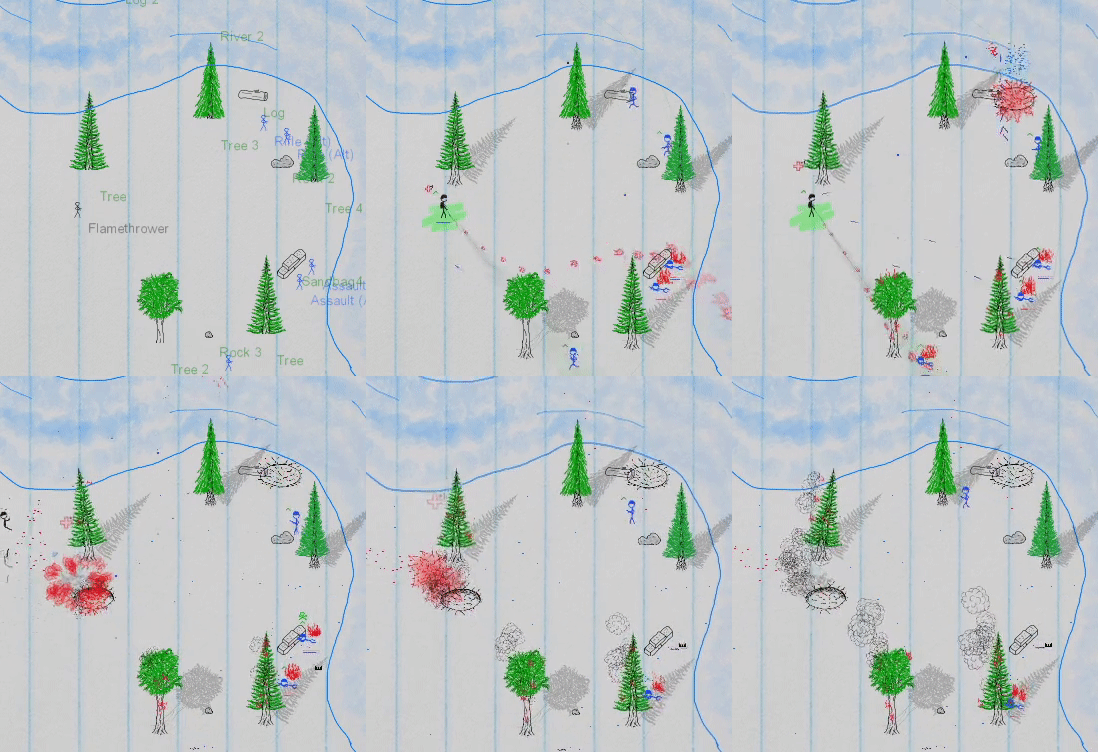
There is a new There Will Be Ink update out today, featuring mostly some quality-of-life updates. I was going to hold off until beta 5.1, which will feature Act II of the campaign (8 more missions), but I got a bit carried away and just about every new level has a new mechanic or unique feature, so it is taking a bit of time. So, in the meantime, here are some other new things!
Sights Update
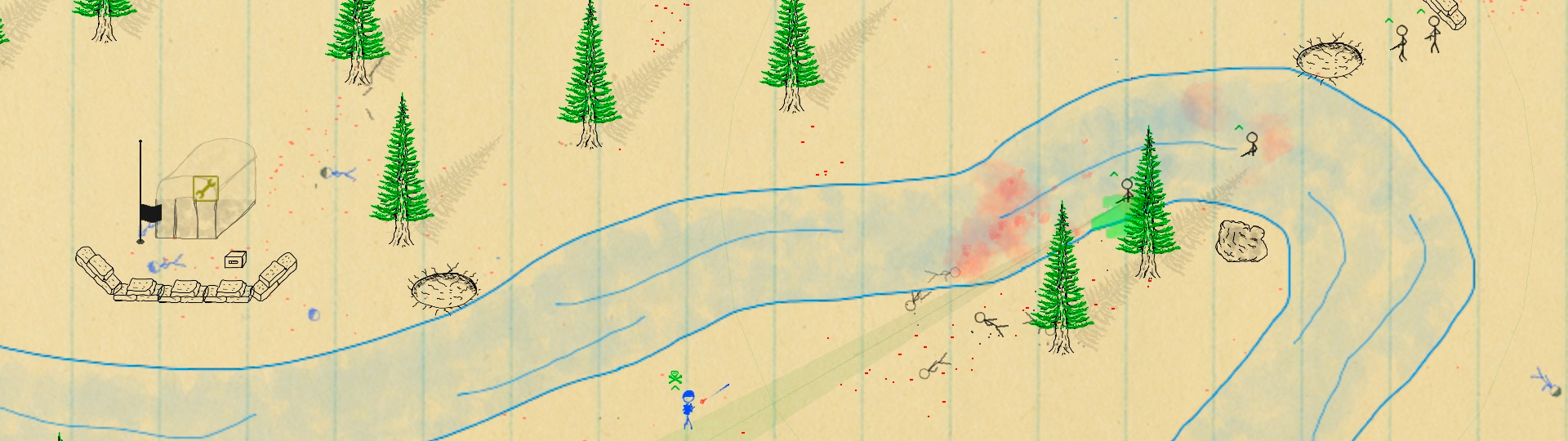
The player GUI, showing ammo, rank, etc, is presently up on the top of the screen, but it can be a pain to glance up there just to check on ammo levels. No more! I’ve added a an indicator directly below the sight to show how many clips and rounds are remaining, like such:
It is a subtle effect but so far proving to be handy. It is essentially three overlapping bars: one full bar, the colour of the player highlight, one partial bar indicating magazines (or rounds, for single round weapons) remaining, and a third overlapping bar for rounds remaining. It also fills up when the unit is reloading.
Counter Countdown
It is now much more obvious in countdown-style missions that the time is counting down. To achieve this I’ve made the counter much larger in such cases, and it displays below weather info. In addition to that, it starts of red and fades to orange, then yellow, then green as it nears zero/victory.
AZERTY?
That’s right! I’ve added AZERTY keyboard support for any friends rolling with that keyboard layout. Keyboard layout can be changed from the Options page.
Other Thangs
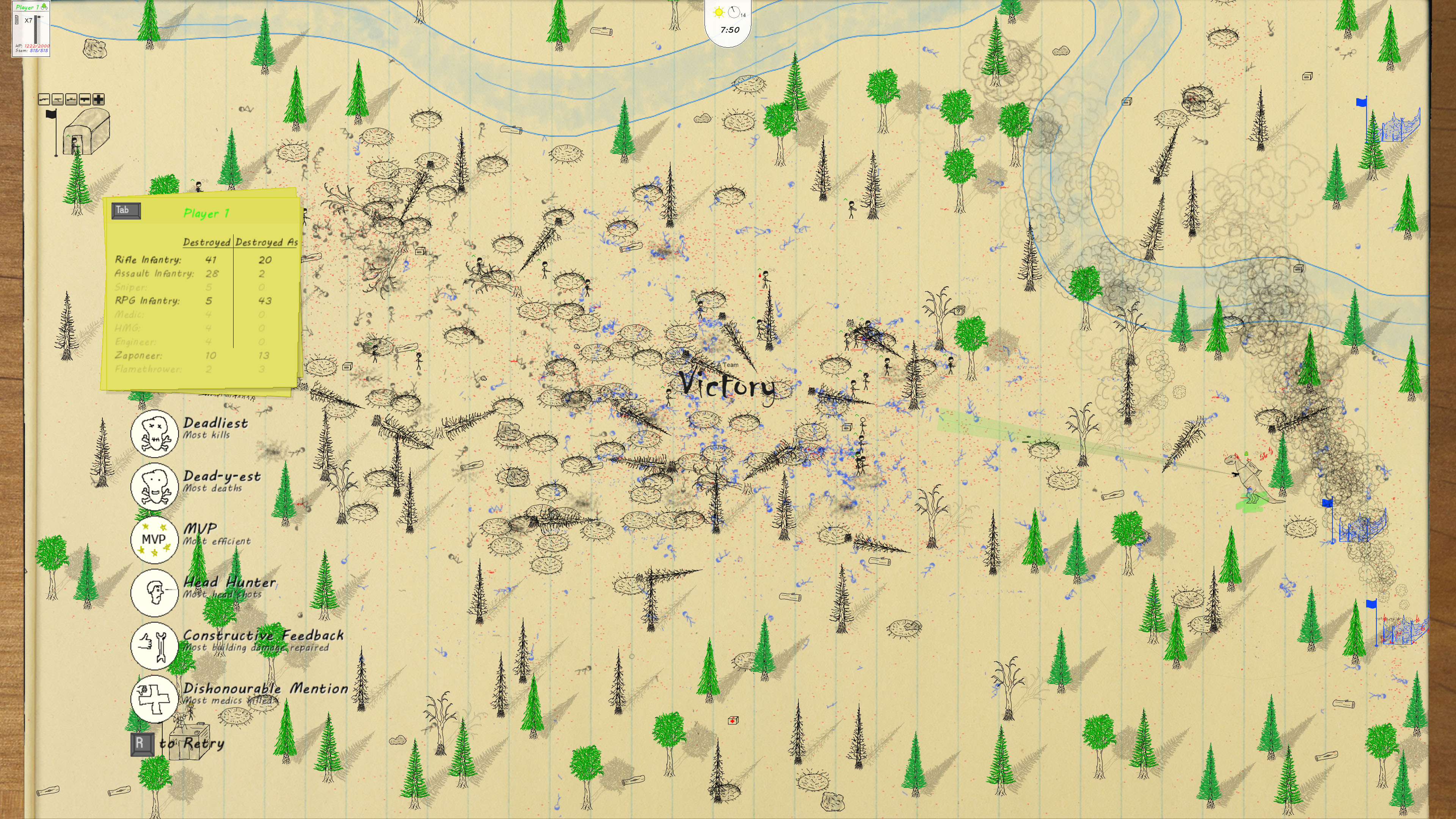
There are several other changes and enhancements, like the player GUI items becoming transparent when blocking a player unit, a slightly re-worked destroyed/destroyed as end-of-battle stats page, floating crates, new terrain objects and art here and there, and slightly less hateful heavy machine gunners. Check out the full list below if you’d like. Now, back to working on that tank prototype!
Changelog
New Features & Content
Added bar indicator below sight indicating how many rounds/magazines the player has and whether they’re reloading
Added new terrain objects to Map Editor: River 6, rock 4, rock 5, log 3, log 4, skull sign, cactus 2
Added AZERTY keyboard support to Options page
Changes & Enhancements
Player GUI items on top of screen now draw at half opacity when covering a player-controlled unit
On countdown missions, timer is now displayed large and down below weather/wind
Timer text fades in and starts off red, transitions to yellow and then green upon victory
Added game option to disable weather/timer HUD or to show timer only
Added “burnt out” sprites for cacti
On Barracks page, locked units no longer show unit name or icon (new “?” icon is shown instead)
End-of-battle stats (pg3) now display rows darker or lighter depending on how many units of that type were destroyed or destroyed as
Crates now float in deep water
AI: HMG units no longer fire while moving to cover
Added new sprites for RPG smoke (and randomized angle for greater variety)
Crater puddles now only put out fires if they are big enough (40% full and up)
Map Editor item lists are now cleared out upon exiting (to free memory)
Bug Fixes
Fixed bug where incapacitated units would become controllable after victory
Fixed bug where cargo plane would sometimes fly vertically when making drops
Game no longer pauses when the Steam overlay is brought up if the battle is over
Beta 5.0.2 - Bloody Clean Water Update
Hey there!
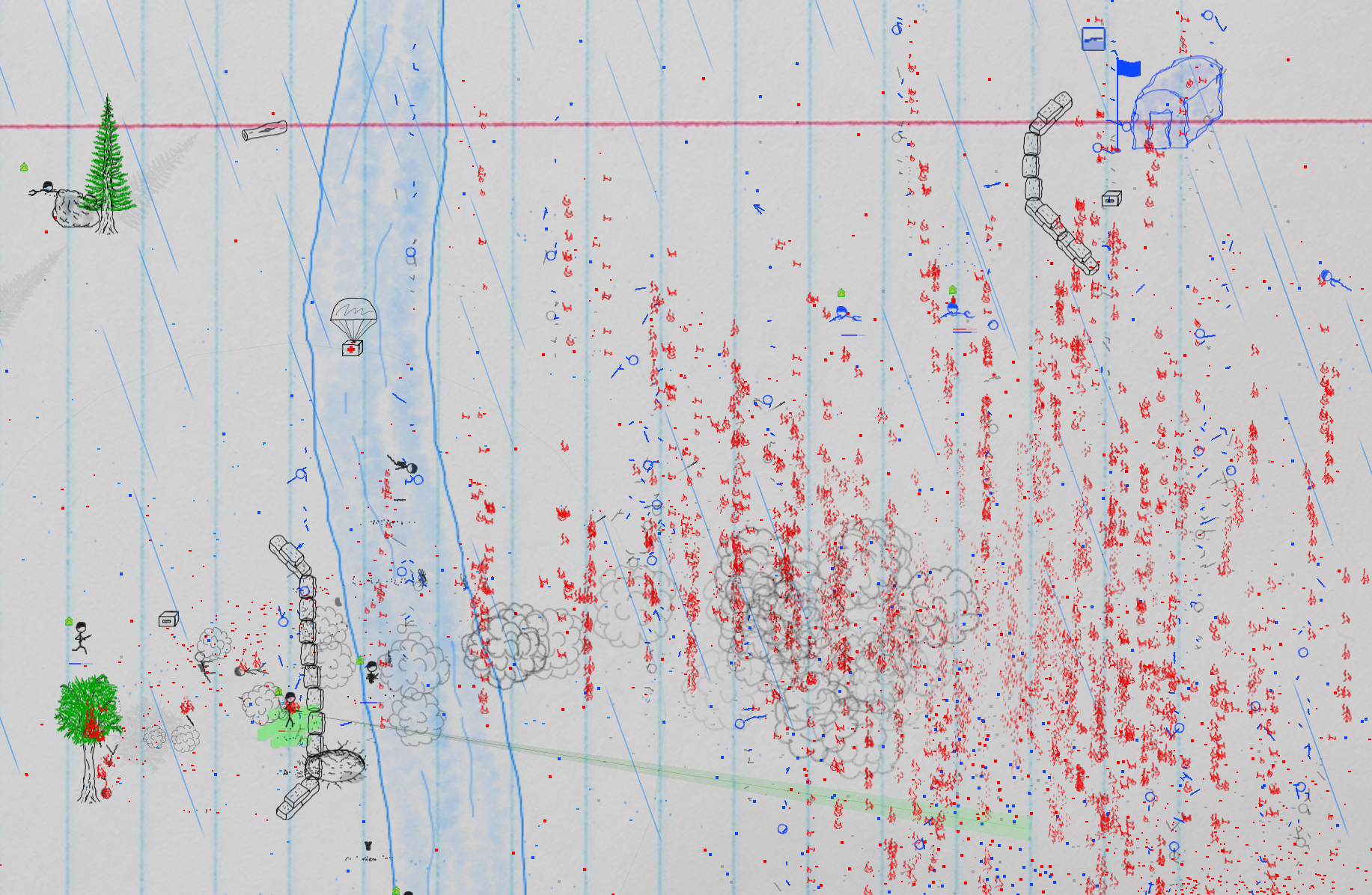
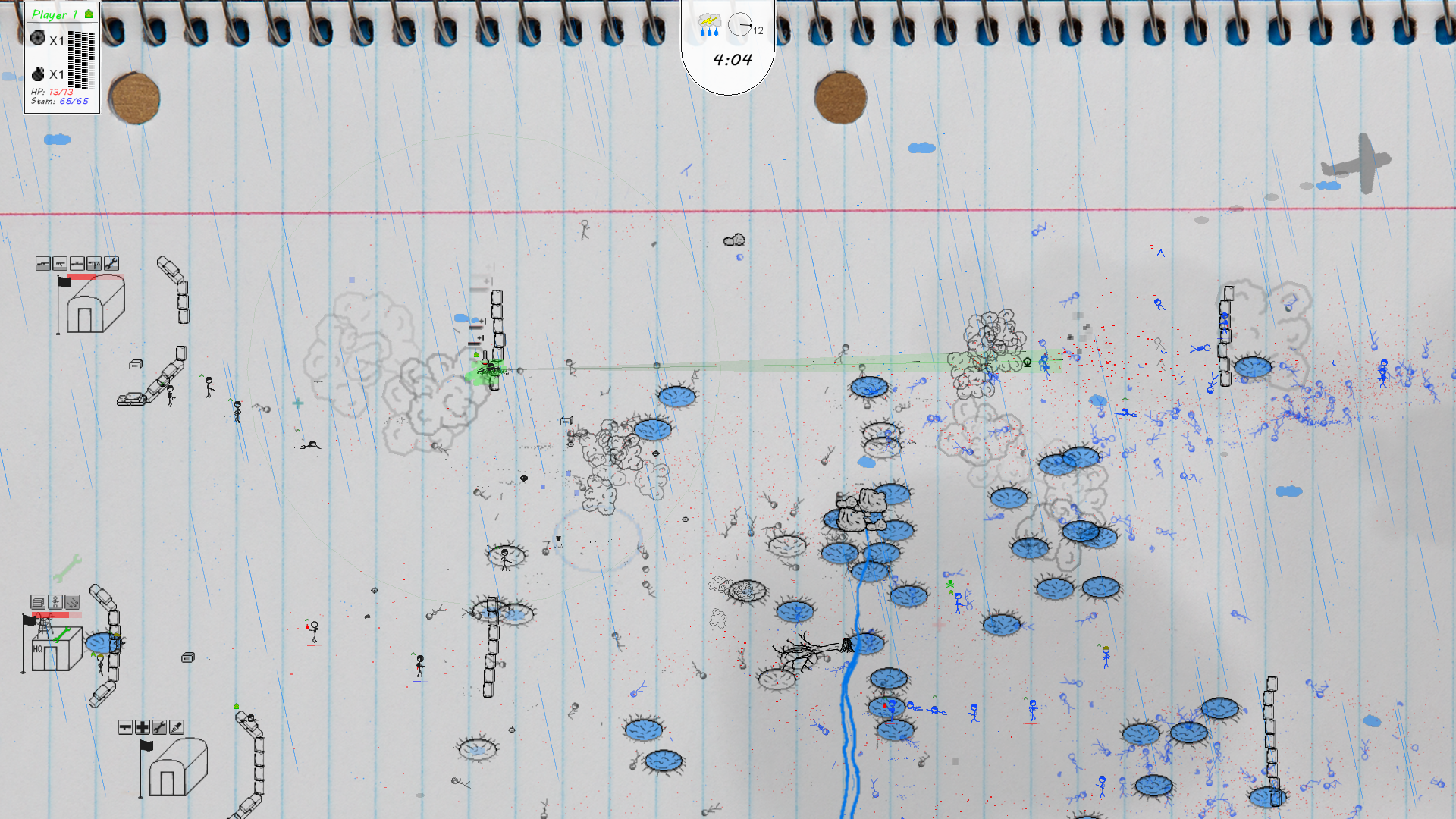
A smaller update is now live. Aside from several bug fixes, the update mostly concerns how objects like shells, helmets, corpses, and blood spatter interact with water. Everything sinks now, except blood spatter, which dissipates outwards in a watercolour effect (see screenshot below). Check out the full change log below. Other than that I’ve been hard at work on Act II of the campaign. Tally ho!
Changelog
New Features & Content
Blood spatter now turns to “blood water” when landing in water
Added new beach variation to Map Editor (and upcoming missions): Beach 1b
Changes & Enhancements
Corpses/shells/helmets/etc now sink in and disappear under water
Units with Defensive behaviour will now keep an eye out for danger up to a greater distance
Changed default campaign in new game to "There Will Be Ink"
Puddles will no longer generate on large bodies of water (rivers etc)
Oversized units (eg T-Rex) can no longer bleed out
Balance: Slightly reduced point cost of medic (from 30 to 25)
Performance: Slightly optimized collision detection with heads
Bug Fixes
Fixed crash bug on Tutorial 3 when Barracks is activated
T-Rex can no longer shoot itself
Fixed bug where sprite/angle for units bleeding out was sometimes incorrect
Fixed bug where battlefield was no longer shaded with cloudy/rainy/stormy weather
“There Will Be Ink” (official campaign) no longer shows up as a loadable campaign in Campaign Editor
Units who are parachuting will no longer go prone when hit
Units (particularly those in defensive mode) will no longer continue to attack incapacitated targets
Parachuting units are no longer drawn behind trees
Helmets are now always drawn over heads
Fixed a text spacing issue on “Tips” page
There Will Be Ink – Beta 5.0 – Major Update & Roadmap
Hey there, amigos!
I’ve got a big new There Will Be Ink update out now on Steam. The first “Act” of the main campaign is now available. The enemy this time around is made up of an alternate set of units with their own art, weapons, sound, etc. There’s a new tutorial mission available, and, since the game has changed a lot both mechanically and visually since the old Beta 1 trailer, I recorded a quick “tour” of the game. Watch it below and bask in the awkwardness of my narration!
[previewyoutube="MIo0LTUcY6A;full"]
Many other features and content have been added, changed, rebalanced, and fixed. Some highlights include new abilities, sounds, stats, badges, terrain, new unit states like “Prisoner” and “Bleeding Out”, and even a boss fight! I’ll jump into a some of the new features in detail, but check out the changelog down below for a full list. I’m also narrowing down a release date, which I’ll cover in the “Road Map” section below.
New (Partial) Campaign: “There Will Be Ink”
The new campaign contains a story that sees the player up against a new enemy known as the “Alt Write”. The true nature of the enemy isn’t revealed until after the first act, so for that one player out there playing TWBI for the story, you will just have to be patient! The first mission throws you right into the action. It eases off a bit after that but then ramps up again pretty quickly. I set out to make this campaign a little easier than the Beta campaign, to be a little more gentle on new players, buuut I couldn’t help but veer back towards the true spirit of the game, which is to be difficult but fair, a game that takes practice to master. I suppose it will be up to the player to judge the new campaign’s difficulty, so if anyone has any feedback, I’d be happy to hear your thoughts. I’ve also been laying out some mission-specific game mechanics in the new campaign. One such feature is the new “prisoner” unit state, which can be toggled for units in the map editor as well. A prisoner will sit in place, tied up, until an ally rescues them. Another mission sees an endless stream of enemy paratroopers landing in the area. Without spoiling the details, there is also a boss fight at the end of Act I.
New Unit Set: Alt Write
The new unit set is essentially an analog to the base unit set. The new units and all weapons have their own art, sounds, and stats, and the new Alt HQ & Barracks have their own art as well. I drew them with my left hand, which turned out to be a very uncomfortable process. I guess I am not ambidextrous. While pretty similar to the base set, the new units offer a bit of variety and, perhaps more importantly, lay a foundation for adding additional sets in the future (sci-fi set? Fantasy set? cat set?). In addition to being able to fight against the Alt set in the new campaign, the new units and buildings are also available in the Map Editor and in Quick Battle.
Grabby Mode
The aptly titled “Grabby Mode” allows the player to relinquish control of a unit to observe the battle and control a giant hand that can be used to select, or “grab”, and take control of another (friendly, non-incapacitated (“capacitated”?)) unit anywhere on the battlefield. Since someone playing with keyboard & mouse can already take control of units by middle-clicking them, Grabby Mode is mostly relevant to players using a gamepad, where previously the only way control a specific unit was to use the d-pad to jump to the next nearest unit on either side. Three cheers for Grabby Mode!
Bleeding Out
Units who die from wounds will now enter a “bleeding out” state, where there is a short period of time (10 seconds, plus 2 seconds per rank level) where the unit can still be saved if a medic heals them in time. Units dying by “conventional” means also have a 10% chance per rank level of going into a bleed out state. This new mechanic makes medics a little more valuable while also giving ranked units a slight chance of living a little longer.
AI Boost: Advanced Training & Expert Training
Units of rank 2 and up will now roll when moving to cover or in order to avoid incoming rockets. Units of rank 3 and up will do the same (and a little better) while also running when approaching their target or doing an ammo run. The new “Advanced Training” and “Expert Training” start all units off at level 2 and 3 respectively. These abilities cost a lot of points. I wouldn’t expect Expert Training to be put to use during the first playthrough of a campaign but perhaps on subsequent playthroughs. That being said, the campaign isn’t finished yet, and I’m aiming for 24 missions, so who’s to say! Units who level up on their own during battle will also take advantage of these new behaviours. Check out the video above at about the 7:38 mark to see Expert Training in effect.
Stats & Badges
The Barracks page now has two sheets of campaign stats and now includes campaign-wide stats for Comrades Destroyed, Longest Streak, Longest Kill Streak, Time in Battle, Deaths Avenged, Grenade Kills, Mine Kills, Damage Repaired, and Mines Defused, in addition to those that were already present. The two Streak stats are now tracked each mission and a notification is given at the end of a mission if a new record is set. “Time in Battle” is also a brand new stat that tracks the total time spend in battle. This stat wasn’t previously tracked, so it will start at 0 for all campaigns whether in progress or not. Also added are a few new badges relating to boss fights and friendly fire.
Road Map
I’m finally starting to feel confident that I’ve shaped There Will Be Ink into a finished game. I don’t intend to add any new major features before version 1.0 of the game (though there will certainly be more to come after that). I was considering a June release, but with the pressure of big summer sales around the corner and given that the game still needs a good bit of polish, I’m looking to spend a few extra months on finishing the main campaign and improving the aspects of the game already in place. For instance, I’d like to review each unit in the game and make sure it is fun and worthwhile to play as that unit (I’m looking at you, Engineer!). The Campaign Editor is still a little rough as well, and while I’ve tidied up the Map Editor and added some shiny “stickers” in place of the bland labels of yore, I’d like to fancify that up some more too. That being said, there will be some additional mission-specific mechanics that will appear in upcoming campaign missions. I won’t go so far as saying there will be tanks, but There Will Be Tanks! Wait, I should clarify that. There will eventually be tanks, probably. Since the game’s inception I wanted tank (they were an integral part of the doodles of yore), but I dismissed them pretty early on as being out of scope and being too much work to implement, especially to draw at the amount of angles that would be needed to fit in (given the hand-drawn graphics of the game). One thing working on this game has taught me, however, is that I ain’t afraid of no work! I will probably tackle that beast post 1.0, but in the meantime I already have some simpler vehicles in the works for other missions.
But alas, I digress. What this all comes down to is that I’m aiming for a tentative September 2020 release. It may be sooner; it may be later. Nobody knows! In the meantime, thanks for reading and thanks for playing. As usual, I’m happy to receive any and all feedback you might have. Cheerio!
Changelog
New Features & Content
Added first “Act” of main campaign, consisting of 8 missions and a boss fight (including between-mission story text)
Added new Alt units set (including new art & sound): Rifle, Assault, Sniper, RPG, HMG, Zapperhead, Flametosser
Available in Map Editor and in Quick Battle
Added new “Grabby Mode” – Allows the player to relinquish control (Alt on keyboard, Select on gpad) and then select a unit anywhere on the map
New unit state: Prisoner – prisoners will stay put until liberated by a friendly unit (can be toggled in Map Editor)
New unit state: Bleeding Out – Units who are bleeding out are incapacitated and can be revived by medics if reached in time
New Tutorial Mission (#3): “Barracks, HQ, HQ Abilities, & Unit Selection”
New General Ability: Advanced Training – Costs 15 points, starts all friendly units at rank 2 (and enemy at rank 1, 2 in Hardcore mode)
New General Ability: Expert Training – Costs 50 points, starts all friendly units at rank 3 (and enemy at rank 2, 3 in Hardcore mode)
New Flamethrower Ability: High Pressure Tank – Increases velocity of flamethrower, effectively increasing range
Added three sounds for friendly fire deaths (when killed by player-controlled unit)
Added new campaign stats to Barracks page (and split to two sheets): Comrades Destroyed, Longest Streak, Longest Kill Streak, Deaths Avenged, Grenade Kills, Mine Kills, Damage Repaired, Mines Defused
Added new campaign stat: Time in Battle
Added three new badges:
Team Slayer: Most friendly units killed
Boss Slayer: Killing shot on a boss
Actual Boss Slayer: Most damage done to a boss (if boss was defeated)
New ‘tree’ type: Cactus
New water type: Beach (added to Map Editor)
New water type: River 5 (added to quick battle & Map Editor)
Changes & Enhancements
AI: Units ranked 2+ will now roll when moving to cover and to avoid rockets
AI: Units ranked 3+ will now run when approaching enemy or resupplying
AI: Rank now increases the range by which a unit will watch for enemy fire (makes ranked units better at taking cover and dodging rockets)
AI: Made units more effective at detecting enemy fire (previously they would sometimes note friendly fire and then ignore enemy fire)
AI: All units now go prone when hit (if they can go prone)
AI: Medics will now consider all wounded comrades before considering fortifying healthy units
Weapon sight-line now turns red when a friendly unit is in the way (if friendly fire is enabled)
Made gamepad aiming more smooth when aiming vertically (regular mode only, not precise mode)
Quick Battle: Added “Set” tabs to unit & building selection
Quick Battle: The number of troops initially spawned now scales up with the number of gamepads connected
Campaign Editor: If a map file in a loaded campaign is missing, the map name will be set to “**File Not Found**”
CE now looks for maps in “\Maps” folder instead of “\\Maps” folder
Map Editor: Replaced mini-notes for Terrain, Units, and Buildings selections with new hand-drawn stickers (replaced “Battle” button as well)
Map Editor: Buttons/Tiles are now faded unless moused-over (in order to better see the map)
Map Editor: Buttons (eg Save, Load, Name, etc) no longer respond if an object is selected to be deployed
Map Editor: Updated Timer settings to include 90 second option (instead of jumping from 1 to 2mins)
Added watercolour-style shading to buildings
Updated Controls page to include controls for jetpack, Grabby Mode, call for backup/medic, cycle left/right, and unit type quick select
Balance: Slightly decreased base cover of large rock (from 110% to 100%)
Balance: Slightly decreased the base weapon error (ie slimmed down the cone) of the Assault Rifle
Balance: Doubled rank bonus granted to flag raise/lower speed
Balance: Increased range of raising/lowering flags by 50%
Engineers with defensive behaviour will now be “activated” if called as backup from nearby units
Added end-of-battle messages for when a new kill streak or survival streak record is set
Detached helmets now cast a shadow
Reduced fade rate of end-of-battle messages
Drew “squiggle” graphic (and fixed alignment) for unit selection on Barracks page
Added paper clip graphic for mission selection on Missions page
Increased cost of Basic Training from 3 to 5
Added “spawn-on-demand” functionality to Barracks (spawns new unit from finite pool when a friendly unit is killed, as in new cam mission 3)
Optimized active unit draw code some
Made additional optimizations to unit code
Improved performance relating to blood spatter
Removed precise collision detection from standard helmet (slight performance improvement)
Campaign Editor: When saving a campaign, old map files are now backed up to “\Backup” subdir in campaign folder
Updated/optimized map file data structure (backwards compatible with old maps)
Decreased the amount of flame that is emitted by corpse objects
Reverted Alpha & Beta campaigns to white notebook
Bug Fixes
Tree stumps are now drawn in the Map Editor
Fixed crash bug that occurred when loading maps with medical crate present
Fixed bug where shadows were not being draw for paratroopers until they were on the map
Fixed bug where units would ignore friendly fire rules when moving to cover and firing
Fixed bug where end-of-battle messages (eg unlock notifications) were written over top of each other
Fixed crash bug that occurred when trying to save campaign progress (from Main Menu) when campaign map filename had changed
Fixed crash bug that occurred when trying to load a campaign in CE while currently loaded campaign is missing map files
Fixed bug where T-Rex had regular recruit head (?)
Fixed bug where T-Rex could enter HQ
Fixed bug where blood spatter kept moving when game was paused
Fixed bug where detached helmets kept moving when game was paused
Fixed bug where player could advance to next mission after failing by going to Barracks at end-of-battle and then to Missions
Fixed bug where Engineers would run strangely (ie jitter) when approaching a destroyed building
Fixed positioning of end-of-battle messages on resolutions that aren’t 1920×1080
Fixed bug where Blue team HQ was showing black on Quick Battle page
Fixed bug where destroyed & blueprint Alt Barracks was spawning as normal
Friendly units killed with grenades now go towards “comrades killed” stat
Friendly-fire kills no longer go towards ranking up a unit
Flamethrowers now obey Friendly Fire rules
If campaign stat “Shots Fired” is 0, Barracks page now shows 0% for hit percentage instead of error text
Fixed bug where units with no grenades (eg. Sniper) will get confused if there are no enemy units left
Fixed bug where blood spatter wasn’t always drawn to background at right location
Fixed bug where typing s, d, or w in filename of a map (in Map Editor) moved objects as well
Fixed bug where Alt Barracks was spawning Base units
Map Editor: Fixed bug where team colour couldn’t be selected if a map item was behind where the tile is clicked
Steam Key Giveaway
Don’t yet have a copy of the game? Check out the Summit Fever Twitter account for a giveaway around the time of this posting.
Beta 4.3 - Hopeful Edition
Oh hey there! I hope you are well. I’m calling this version of the game “There Will Be Ink: Hopeful Edition”, because it’s not likely that anyone is going to be able to take advantage of 8-player local multiplayer during these pandemic times, but I’m hopeful that won’t be the case for too long a time.
8 Player
I should mention that 8 Player multiplayer is a somewhat theoretical feature, as, for physical distancing reasons but also because I’m a one person team (and don’t have enough friends to play 8-player with, hah! Aw…), my 8-player play-testing consisted of me playing all 8 players simultaneously with keyboard & mouse. What a wild Sunday afternoon that was! I ran into nary a bug though, so far, once everything was in place, other than having to adjust the placement of some GUI items. More fine tuning will likely be needed, but I’m excited to one day test this out (or hear of someone testing it out) in the real world.
8K
Hey hey, another theoretical feature! 8K aside, I was able to real-world test the heck out of There Will Be Ink in 4K, and it looked pretty good, pret-ty pret-ty good. I mean, it was still poorly drawn stick figures and trees and rivers and so forth, but dang were those squiggles sharp! The majority of the sprites in the game were drawn at a 2x scale with 1920×1080 resolution in mind when zoomed right out, in order to preserve some detail when zooming in. Moving to 4K, there was the happy accident that sprites are rendered at 1x scale when zoomed out, and given the larger size (28″) of my 4K monitor (compared to my 10+ year old 23″ monitor), I found myself not needing to zoom in at all while retaining max detail. I bet it would play pretty nice on an even bigger 4K TV (or, theoretically, an 8K TV!). If, on the other hand, you have a 3K/4K monitor but aren’t keen on playing at that resolution, I’ve added resolution settings to the Options page. The game will detect your display’s native resolution and default to that, and all lower resolutions will be available for selection. There is also now the option to toggle between windowed and full screen mode, and windows can be dragged to resize at your leisure. I’ve not been able to test the game on super widescreen displays, but if anyone out there has been able to do so, fire a screenshot to hi@summitfevergames.com and I’ll send you a Steam key! (uh, and try to make the game look good in super widescreen).
In testing out the game at various resolutions, I encountered some scaling issues, which have since been fixed. The worst scaling issue I encountered was that the pause menu buttons (exit battle, surrender, etc) were not even visible at 4K. Unforgivable! It is all fixed now. Ok, I forgive me. For the most part the GUI does not scale, but given the minimal amount of GUI items I didn’t see it as a problem. Please let me know if that’s not the case for you. The game *should* scale up to 8K, but again I don’t have the means to test this. At any rate, no detail is likely to be gained going beyond 4K (hopefully not too great a number of There Will Be Ink’s several pairs of fans rushed out and ordered a 8K displays before reading this full post). One last note: while performance during battles is mostly unaffected at high resolutions, it may take a dip when navigating between menus (the page flippy effect). Lame! I know. But fret not, for I’ve added an option to disable the page flippy effect on the Options page. I’ll see if that can be optimized in the future, so the people who only play the game for its menus can enjoy it in 4K as well.
Other Stuff
This update isn’t made up of only theoretical features, no indeed. There was a pretty noticeable bug relating to performance on maps with lots of trees when one or more trees caught fire. That has been fixed, and I did a good bit of related optimizing around trees and fires and smoke. Also, fallen trees can now catch on fire, because why not! There is also a snazzy new alternate background, the yellow paper pad. For the time being I’ve set it as the default on the Alpha & Beta campaigns. It can also be selected from the Campaign Editor. Enjoy it in all its pale yellow glory! Random map generation via Quick Battle has been improved to avoid wacky tree patterns and also trees spawning on top of rivers. Tooltips for units and HQ abilities have also been added to the Quick Battle page (thanks for the suggestion, ResExsention), and mission tags on the “Missions” page are now a bit bigger and have been tidied up. That’s pretty much it for the big things. Check out the changelog below for a full list.
In addition to the above I’ve been thinking about single player badges, Steam achievements, new abilities, and an additional unit. I’m also trying to figure out the new campaign, and I’ve been making maps and an alternate set of units along the way. Three of the new units are actually in the game and can be tested out, if you know where to find them 😉
Changelog
New Features & Content
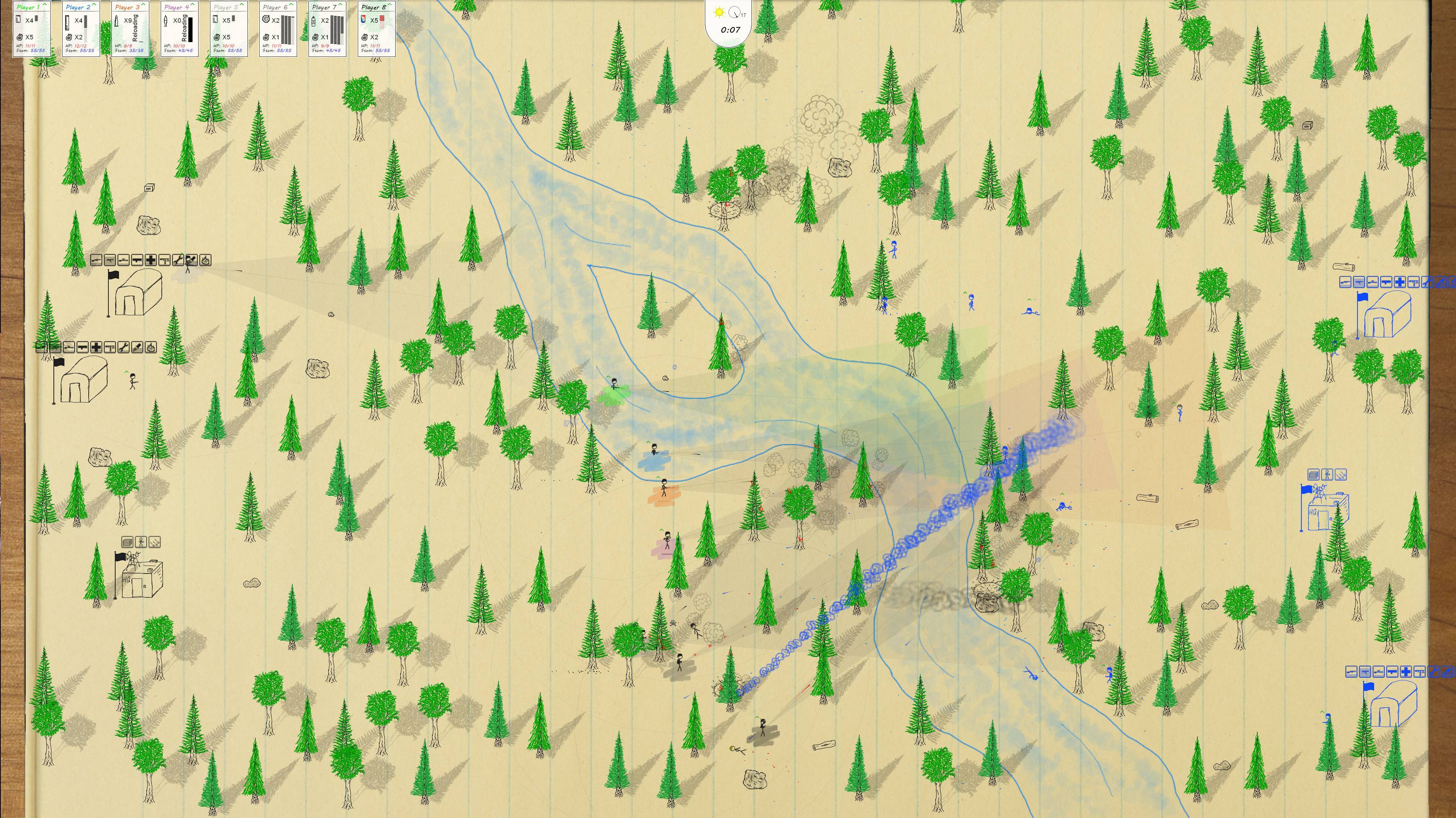
Added support for up to 8 players (local multiplayer & Steam Remote Play)
Added support and optimization for 4K (and, theoretically, 8K) displays
Added new background: Yellow paper pad (can be assigned in Campaign Editor)
Added display resolution settings to Options page
Max resolution will be detected and set as default (“Auto”); lower resolutions can be selected
Also added option to disable “Page Flip Effect”, which relates to menu navigation. Disabling will improve performance on high resolutions.
Added support for windowed mode and the resizing of the game window
Changes & Enhancements
Significantly improved performance when trees are burning and there are many trees on the map
Optimized how fire/smoke affects performance
Optimized how trees and tree shadows are drawn
Added tooltips to Quick Battle page for units and HQ abilities
Adjusted placement of end-of-battle stats to scale with player count (up to 8 player)
Updated Mission Tags on Missions page (larger, with text & icons formatted to properly fit)
Improved random map generator (ie Quick Battle) (should avoid odd patterns and trees & debris spawning on rivers)
Fallen trees can now catch fire
Slightly increased cover amount provided by fallen trees
Lasers are now visible in Hardcore mode
Adjusted positioning of rank & behaviour icons on player GUI so that they don’t overlap
Updated art for cargo plane shadow
Optimized how draw depths are determined eg. when units go behind trees
Bug Fixes
Fixed crash bug that occurred when para-units tried to fire when Friendly-Fire was disabled (including in Arcade Mode)
Fixed bug where flamethrower could be used to put out fires (?)
Fixed bug where the wrong campaign name was being shown on the main menu after a campaign was saved in the Campaign Editor
Saving a campaign in the CE no longer resets the default campaign to Beta
Fixed bug where pause menu options were displaying at incorrect location for resolutions other than 1920×1080
Exiting Campaign Editor now clears the currently loaded campaign settings
Game credits and victory/defeat text now displays at center of screen on non-1080p resolutions
Fixed bug where fire continued to rise when game was paused
Fixed bug where powerup/etc text and icons continued to rise when game was paused
Beta 4.2 - There Will Be Fire!
Hee haw!
First off, I hope everyone is staying healthy out there. These are strange times.
I’ve been working on a few aspects of There Will Be Ink, many of which are out today in the new update, live now on Steam. In addition to that, TWBI is 30% off until Monday, March 30th! Perhaps the biggest feature of this update is friendly fire. I’m also happy to have finally added a Flamethrower unit to the game. I’m still working out the balance, but so far it is a pretty fun unit. Explosions now set any resulting corpses on fire, which in turn can spread fire to units, trees, and buildings, and fire can spread between all of those as well. It adds a nice bit of colour to the game, and such much fire of course!
Aside from that, I’ve been working on some new campaign missions and deciding where to go with that. I will likely wait until the new campaign is complete (or nearly so) before releasing it. In addition to the Flamethrower, I’ve been working on alternate versions of Rifle, Assault, and Sniper units. As there are no new campaign missions, you’ll need to fire up the map editor or use Quick Battle to create a random skirmish in order to take the Flamethrower for a spin. Quick Battle has been spruced up a little (details in the changelog below), and there is now a slider for rivers for further customization. I’ve laid down a new music track, called “The Frantic March”, which I feel is not quite finished but which I’ve included to freshen up the existing soundtrack a little. Other new features include new stats for “Deaths Avenged”, “Comrades Destroyed”, and “Friendly Fire Deaths”, along with a new badge for the player with the most deaths avenged. Some balance changes have been made, such as adjusting the movement speed for Rifle, Assault, and Sniper units. Abilities on the Barracks page can now be de-selected to have ability points refunded, effectively allowing for unit respec. In Hardcore Mode, instead of enemy spawn rates being doubled, friendly spawn rates are halved. This makes things a little less chaotic and puts more emphasis on player survival than just kill count.
Friendly Fire
That’s right! Now you’ve got to watch where you’re shooting (or not). Friendly fire is enabled by default in Sim mode but can be toggled in the Options page if it’s not to your liking. It doesn’t shift the balance or difficulty to any great degree but adds another level and some fun stats to compare at the end of a match. The AI mostly avoids friendly fire, but not so much that they don’t occasionally make mistakes. Snipers are at an advantage, that their rounds will not hit friendly units, even when Friendly Fire is enabled. Friendly fire is always disabled in Arcade mode and always enabled in Hardcore mode.
Flamethrower
The new flamethrower unit is maybe about what you would expect, but there are some details to keep in mind. Flames will pass through cover objects, like trees, rocks, and sandbags, but range will be affected in such cases. Flames do less damage as they near their range, but they have a good chance of catching units and buildings on fire, which will continue to do burn damage over time. Walking into a body of water will quickly put out a fire! Flamethrowers explode in a fireball upon death and leave a scorch mark on the battlefield.
Changelog
New Features & Content
Added new game mechanic: Friendly Fire
Always off in Arcade mode, always on in Hardcore, and can be toggled for Sim mode (on Options page)
Added new unit: Flamethrower!
Added new music track: The Frantic March
Units can now catch and spread fire
Fire can be spread between units (dead or alive), trees, and buildings
Added stat: Deaths Avenged
Added stat: Comrades Destroyed
Added stat: Friendly Fire Deaths (displayed in parentheses next to total deaths)
Added new badge: Vengeance Award (player with most deaths avenged)
Changes & Enhancements
Quick Battle: Added “Rivers” slider to Quick Battle (allows to cycle between no river and 3 variations)
Quick Battle: Building placement now varies somewhat on the x plane
Quick Battle: Trees generated now include variations 3 & 4
Quick Battle: “Rocks” slider renamed to “Cover” and now generates logs as well as rocks
Quick Battle: Tree & Cover sliders now show between 0 and 10 of their object type based on slider value
Balance: Changed Hardcore Mode so that friendly unit spawn time is doubled instead of enemy spawn time halved
Abilities on the Barracks page can now be deselected, in which case ability points are refunded (ie ability respec)
Updated AI to avoid friendly fire (when enabled)
Sniper rounds only hit enemy units (eg. when friendly fire is enabled)
Players can now cycle end-of-battle stat pages independently
“Battle Efficiency” stat now takes “Comrades Destroyed” stat into account
Balance: Reversed move speed of Assault & Rifle Infantry (Assault now faster)
Balance: Reduced move speed of sniper
Engineers can now only defuse one mine at a time
Added keyboard quick-select keys for Zaponeer (8) and Flamethrower (9)
Increased the corpse object rotation speed of units killed by explosions, why not
Added confirmation sound when saving a map in the Map Editor
Bug Fixes
Enemies Killed By Mine stat now properly tracks whether mine layer is currently alive/player-controlled or not
Same fix for grenade kills
Fixed bug where campaigns made with Campaign Editor were not advancing past second mission
Fixed bug where mine defusing didn’t work when the other team had an engineer present
Quick Battle: Trees will no longer appear over HQ or ammo crates
Quick Battle: Ammo crate can no longer appear over buildings and should generally be in a more visible space
Fixed crash bug that occurred when playing map with parachuting Zaponeer where Zaponeer jetpack has not been unlocked
Fixed (for real this time) bug where units killed by RPG were not animated properly
Getting vengeance reward now clears “reloading” state of weapon if reloading
Fixed bug where bullet+ GUI sprites (when ammo is > 100) were drawn at double scale
Fixed bug where MCODES were being added to subsequently loaded maps in the Map Editor
Beta 4.1 – Fancification Update
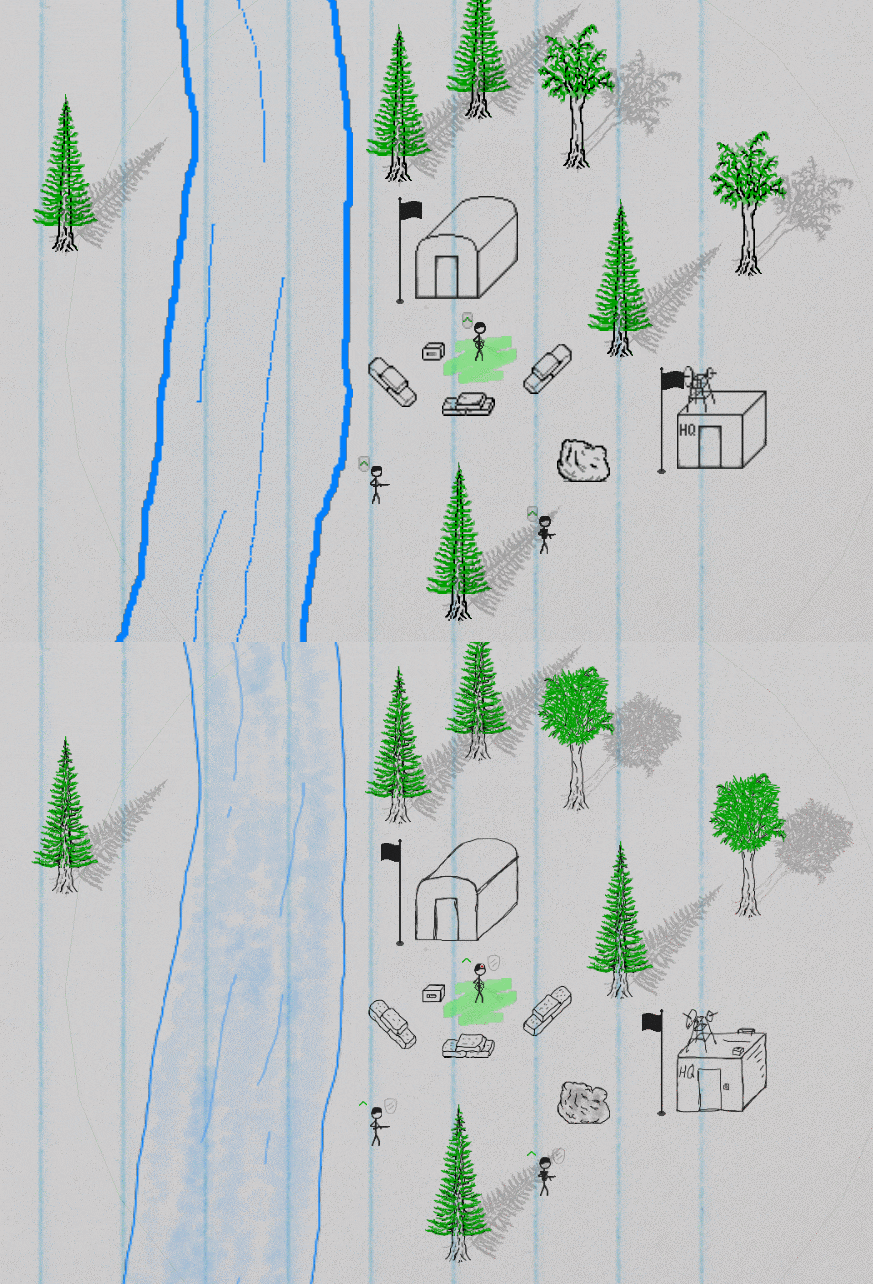
Hey there! This update is mostly a visual one. Gone are the old, pixelated, mouse-drawn graphics of old. In their place are just short of 200 hand-drawn images, for everything from unit animations, weapons, trees, rivers, rocks, explosions and fire, buildings, GUI items (like magazines, bullets, etc), the T-Rex (of course), and more. The new graphics fit the theme much better. Here is a quick before and after shot featuring a few elements: A lot of the sprites were also re-done at double the resolution, making them considerably less chunky when zoomed in.
In addition to the new visuals, I’ve fixed some bugs that were brought about by the previous update, the worst of which was a crash bug for new games. Sorry about that, new players! See the change log below for a full list of fixes and minor changes & additions.
I’ve also been working on new units and levels, but that is a topic for a future update. Cheerio!
Changelog
New Features & Content
Added 192 hand-drawn sprites for existing (and a few new) visuals
Added two new tree variations to the Map Editor
Changes & Enhancements
Buildings now use same fire effect as do trees
Medics now have a first-aid patch on their helmet
Corrected collision box for tree stump (now slightly larger)
Shadows now move with trees as they fall
Unit behaviour icon is now drawn to right of unit (instead of overlapping with rank on left)
Rifle Infantry is now once again unlocked by default
Bug Fixes
Fixed crash bug that occurred when navigating to Barracks page with gamepad (on new game at least)
Fixed bug where badges were being displayed in single player regardless of option to disable them
Fixed bug where bounding boxes were too large in map editor
Fixed bug where tress cast shadows over top of themselves
Fixed bug where tree stumps and tops (when fallen) were drawn twice
Fixed bug where units were drawn both standing and rolling when performing a roll
Oodellllally! There are quite a few new things in store this month, and we’re now on the road to version 1.0.
Campaign Editor
I’m not sure how much use it will see, but for a long while I’ve wanted to add a campaign editor to There Will Be Ink. At last, that day has come!
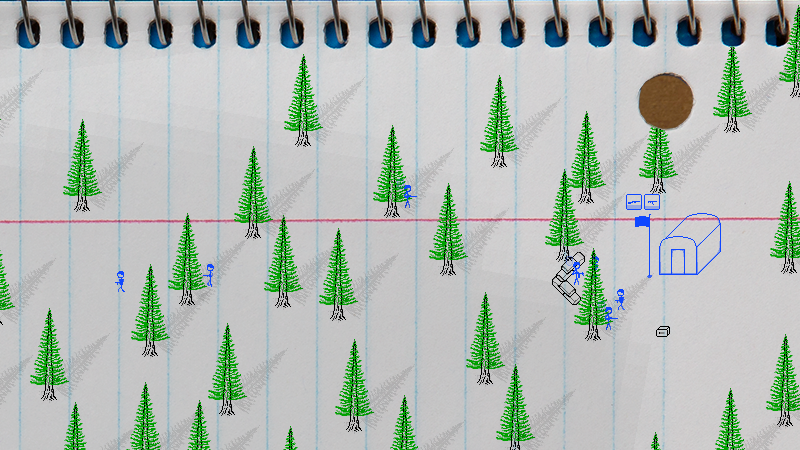
The Campaign Editor allows players to string together missions (made with the Map Editor) into a campaign. Each campaign tracks a separate set of stats and allows for campaign-specific unit progression. You’ll note on the screenshot above that there is a list of units on the right. The checkboxes can be toggled between disabled (unit will not show up on Barracks page), enabled (unit shows up on Barracks page, unlocked), and locked (shots up on Barracks page but has to be unlocked, usually by destroying one of that unit type in a mission). A list of available maps/missions is listed in the middle, and those mission tags can be dragged to the campaign list on the left and reordered from there (drag & drop). The campaign name, difficulty, and description can also be entered by clicking on the appropriate fields and entering text. Please note that, as with the Map Editor, the Campaign Editor is keyboard & mouse only (no gamepad support). In case anyone made any campaigns using the old method of dropping a bunch of map files at %localappdata%\ThereWillBeInk\Campaigns\\Maps\, those campaigns should still work. If anyone wants to share any campaigns or missions with me, I’d love to check them out! Just zip everything in the folder and send it along to hi@summitfevergames.com. I’m thinking there should be a downloads section on this site where players can download user-created maps/campaigns, so please let me know if you’d like your creations shared.
Badges
Badges! These are awards of sorts that are presented at the end of a battle for such things as highest accuracy, most grenade kills, most deaths, etc. I don’t want to spoil them all so I’ll say no more except that there are currently 15 available to discover. I find the badges are a nice little touch for multi-player matches and add a bit of friendly competition. Also, check out that expert artwork! Badges are disabled by default in single player but can be turned on from the Options page. I may yet add some single-player specific badges (or just a subset of the existing badges) so not to leave anyone out.
Misc New Features and Changes
In addition to the big changes above and below, there have been a lot of smaller additions, changes, enhancements, and bug fixes. A full list can be found in the changelog below, but highlights include new seasonal content (Valentine’s Day only!) with a new music track, ability point progress at the end of battles, pulse grenades and two new abilities for Zaponeers, new stats, graphics updates, quality-of-life improvements, and many a bug fix.
Beta Campaign Completion and The Road to 1.0 (and beyond) Three (actually kind of two and a half) new missions have been added and the Beta campaign is now complete with 18 missions. It is kind of a wacky campaign, to be sure, but not out of line with the spirit of the game. With all of the game’s major features now in place, my focus is on polishing things up and adding new content. There will likely be a new campaign for version 1.0. I’m presently trying to decide on whether to use the existing unit set (with perhaps another unit added) or to create a whole new set. I’ve had ideas for three other sets of units for a while, but maybe it makes sense to finish the core game and then release them as free content updates. Either way, there is much work to be done. Onward we march!
Changelog
New Features & Content
Campaign Editor – Players can now string together campaigns of existing maps (made in map editor)
Includes ability to add and re-order missions (drag & drop), choose units available for upgrade, save/load campaign, and enter campaign name, description & difficulty
Added 15 end-of-battle badges for various feats, featuring out of this world artwork (disabled by default in single player, but can be enabled from Options page)
Completed Beta campaign with three new missions: “Out Of The Woods”, “Peace Talks”, and “End Times”
Added end game credits
Added new Valentine’s Day seasonal content (one day only! can be disabled from Options menu)
Added new music track: “Comrades In Arm In Arm”, presently only used on final Beta campaign mission and some seasonal events
Added unit progress bars at the end of battle, including an indicator for when a new ability point has been earned
Zaponeers now throw pulse grenades, which have a larger explosion area and instantly kill units but do less damage to buildings than do regular grenades
New Zaponeer ability: Fuel Efficiency – Reduces stamina cost of jetpack
New Zaponeer ability: Self-Charging Rifle Cell – Adds ammo regen of 1 per second to laser rifle; stacks with hi-tech ammo regen ability
Added new end-of-battle stats for units killed with grenades and units killed with mines
Changes & Enhancements
Replaced green progress bars on Barracks page with squiggly lines used at end of battle
Units now refresh the nearest resupply crate each time they run out of ammo (should make ammo drops more effective)
Changed end-of-battle note to show killed/killed-as stats as separate page (instead of separate note below)
Added indicators for changing page of stats note at end of battle (TAB for keyboard, dpad l/r for gamepad)
Changed font used on Main Menu and Options pages, and added paperclip icon as selection indicator
Added “Tutorial” as a separate option on the Main Menu (though Tutorial campaign can still be set as the active campaign)
Set “Beta” campaign to be the default campaign
Balance: Super Powerups are now disabled in Hardcore mode
Quick Battle: Dragging the tree & rock sliders past their min & max values now sets them to their respective min or max value
Added Misc Tip about ability points being earned on campaign missions to Main Menu
Added mini page flip sound when flipping general abilities notepad on Barracks page or end-of-battle stats
Increased distance a unit can be from flagpole to raise/lower flag
Balance: Reduced ability point cost of RPG Infantry (from 100 to 50)
Balance: Reduced ability point requirement for Medic
Disabled interpolation between pixels on 1080p+ resolutions (already disabled on lower resolutions)
“To the barracks!” option at end of battle now only comes up if a new point was earned that battle
Navigating up or down on Barracks page will now go to the nearest item above or below respectively if no item lines up
Slightly reduced volume of “Paratrooper Glide” music track
Bug Fixes
Fixed bug where T-Rex’s body had mysteriously disappeared
Fixed bug where grenade aim (gamepad) was defaulting to top left
Fixed bug where units would sometimes leave the map when attempting to resupply (sometimes making a mission impossible to win)
Fixed crash bug that sometimes occurred when changing campaign and then re-visiting Barracks page
Hit Percentage and Battle Efficienty stats will now show 0% instead of trying to divide into 0 and showing err text
Fixed bug where going to Barracks page from Main Menu with gamepad selected first note pad
Fixed bug where legs of jetpacking units would keep moving when game was paused
Fixed bug where sounds sometimes play after battle is left
Fixed bug where active note pad wasn’t highlighted when first visiting the Barracks page
Fixed bug where Engineer unlock info was instead based on another unit (HMG)
Fixed bug where “life restored” stat was lower than it should be (sometimes going negative)
Beta 3.1.2 - A Big Boring Update
Hap-py New Year!
I've started the year off right-ish by fixing a couple significant memory leak bugs that I'd previously overlooked, along with some smaller bug fixes, optimizations, and enhancements. The memory leak fixes probably won't be noticeable to those with lots of RAM (except perhaps on long sessions), but players with lower end systems should notice a big improvement and no more 'out of memory' crashes. The enhancements are mostly quality-of-life changes for the main menus, and I've also created a new tutorial mission that covers weapons, grenades, cover, and evasion.
For anyone interested, the main memory leak was related to the battlefield redraw process in There Will Be Ink. Background: Because every unit, bullet, shell, blood spatter, and shot-off helmet is a separate object in TWBI, I needed a way to handle all the thousands of objects that pile up in a battle if I wanted them to remain for the duration of the battle. This was done by having a process that checks the framerate every 10 seconds (and alternately runs regardless once per minute) and calls a redraw process as needed. This redraw process takes all the shells, corpses, spatter, and helmets lying on the ground, draws them to the battlefield image, and then deletes the game objects to free up memory and processor cycles. The bug that I'd long overlooked was that the game wasn't freeing up the memory used by the old background image, so each redraw would eat into more RAM, eventually causing a crash. Since I fixed that issue, memory usage is much more lean, and such crashes should no longer occur (but, as always, please let me know of any issues). It's worth also noting that the "Persistent Battlefield" mentioned above can be turned off in the game options, which leads to objects slowly fading away instead of remaining on the battlefield.
I know, this is all pretty boring stuff, but I need to keep the foundation sturdy before piling on new content. Though, to be fair, I also get great enjoyment out of fixing bugs and picking up a few extra fps where I can.
Anyhow, below is a boring change log to go with this boring update! Next time around I should have some more exciting things to show you. Cheerio!
New Features & Content
New Tutorial Mission: Guns, Evasion, Cover, Grenades!
Changes & Enhancements
Made several small optimizations to unit AI and draw procedures
Adjusted texture group organization to reduce texture swaps
Added process to clear textures on battle start to further reduce texture swaps during battle
Added 'squiggle' outline to highlighted note on Barracks page
Added d-pad navigation support to Options, Missions, and Barracks pages
Added swipe sounds when cycling menu pages with mouse
Bug Fixes
Fixed significant memory leak relating to battlefield redraw process
Fixed memory leak relating to page-flip effect when going from battle to map editor
Fixed minor memory leak relating to team colour sprite in Map Editor
Fixed bug where flag sprite was drawn white on buildings that start off destroyed
Pressing 'B' (keyboard) at end of mission to go to Barracks page no longer also calls backup
Fixed bug where pressing 'A' (gamepad) on first-run intro/disclaimer page jumped straight to mission select
Fixed bug on main menu where campaign selection's collision box was too small
Barracks flags and spawn icons are no longer visible on edge of map for mission 10 of Beta campaign, "Hold Steady"
Beta 3.1 - Sale, Yeti, Tactical Commands, New Sounds
Hey there! There Will Be Ink is now 25% as part of the Steam winter sale. Also out today is a new update!
This is a small update with a potentially big impact. Players can now order units to hold position ('h' on keyboard, press left analog button on gamepad). Doing so will have the current player-controlled unit's behaviour set to hold position, meaning they will only only move to resupply ammo, and control will be passed to the nearest available free unit. This adds a new level of strategy, as they player can set sentries at well covered locations and then, for example, flank around for a better angle. There are also now icons indicating if a unit's behaviour is set to 'hold position' or 'defend'.
Don't forget also that you can call for backup ('b'/gpad-up) or for a medic ('m'/gpad-down) as of Beta 3.0, giving further tactical options to the player.
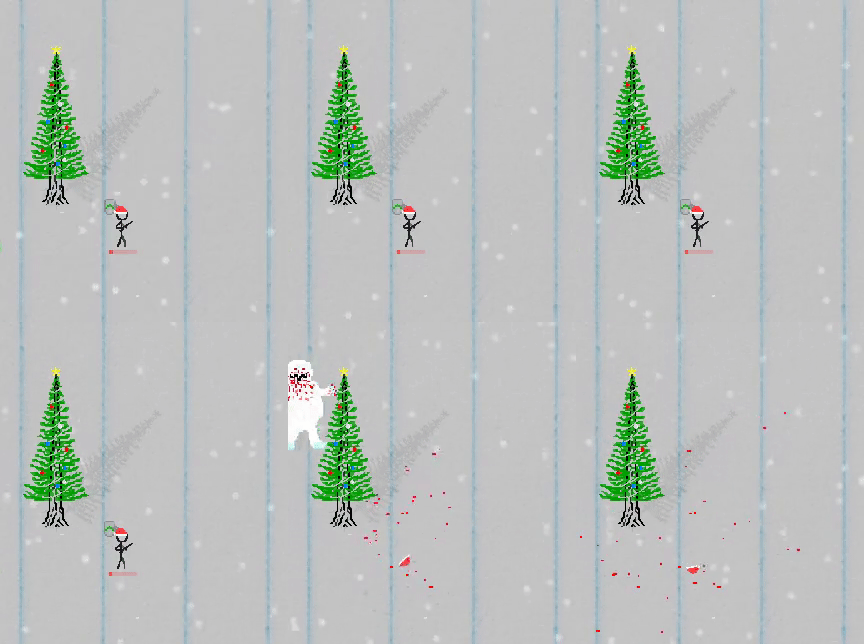
Also added as part of "Jolly Edition" is the yeti. Injured units beware!
Six new death sounds have been added to the pool (at 16 now) along with sounds for holding position and calling for backup or a medic. Check out the full change log below!
New Features & Content
Players can order a unit to hold position ('h' on keyboard, press left analog button on gamepad)
Added new random occurrence: Yeti (Jolly Edition only)
Added 6 new death sounds, 2 sounds for hold position, and sounds for 'call backup' and
'call medic'
Changes & Enhancements
Sniper rifle now shoots snowballs (instead of white bullet) in Jolly Edition
Added icons (next to unit and in player GUI) for 'defend' and 'hold position' behaviours
Bug Fixes
Jetpack units will no longer fly when attacking if in "hold position" behaviour
Fixed bug where choosing 'exit' from pause menu using the gamepad would exit the battle but then start the first mission of the active campaign
Calling medic with gpad no longer also sometimes selects nearest unit
Fixed issue on "Out on the River" map (alpha campaign) where river 2 was in wrong position
Update - Beta 3.0.2
Heyo! I pushed out a small update yesterday to fix a few bugs. Also included below is the changelog for 3.0.1, which came out shortly after the Beta 3 release. Please let me know if you encounter any issues or have any other general feedback. Thanks!
0.3.0.2
Bug fix: Fixed bug where Zaponeer was unlocked based on sniper unlock requirements
Bug fix: Fixed a typo and modified some wording in Tutorial 1
Bug fix: Fixed crash bugs that occurred when unlocking powerups (hp/ammo/dino drops)
Bug fix: Fixed bug with "River 2" & "River 2b" where positioning was off on existing maps with those assets
0.3.0.1
Jolly Edition: Rockets now leave behind glitter instead of smoke
Jolly Edition: Added snow particle effect for maps in which it would normally be raining
Added arrow icons to "Campaign" item on main menu to indicate it can be cycled
A/D on kbm and left/right (analog or dpad) on gamepad can now be used to cycle current campaign
D-pad up/down now works on main menu navigation
Bug fix: Fixed bug where active campaign was not saved when playing with gamepad