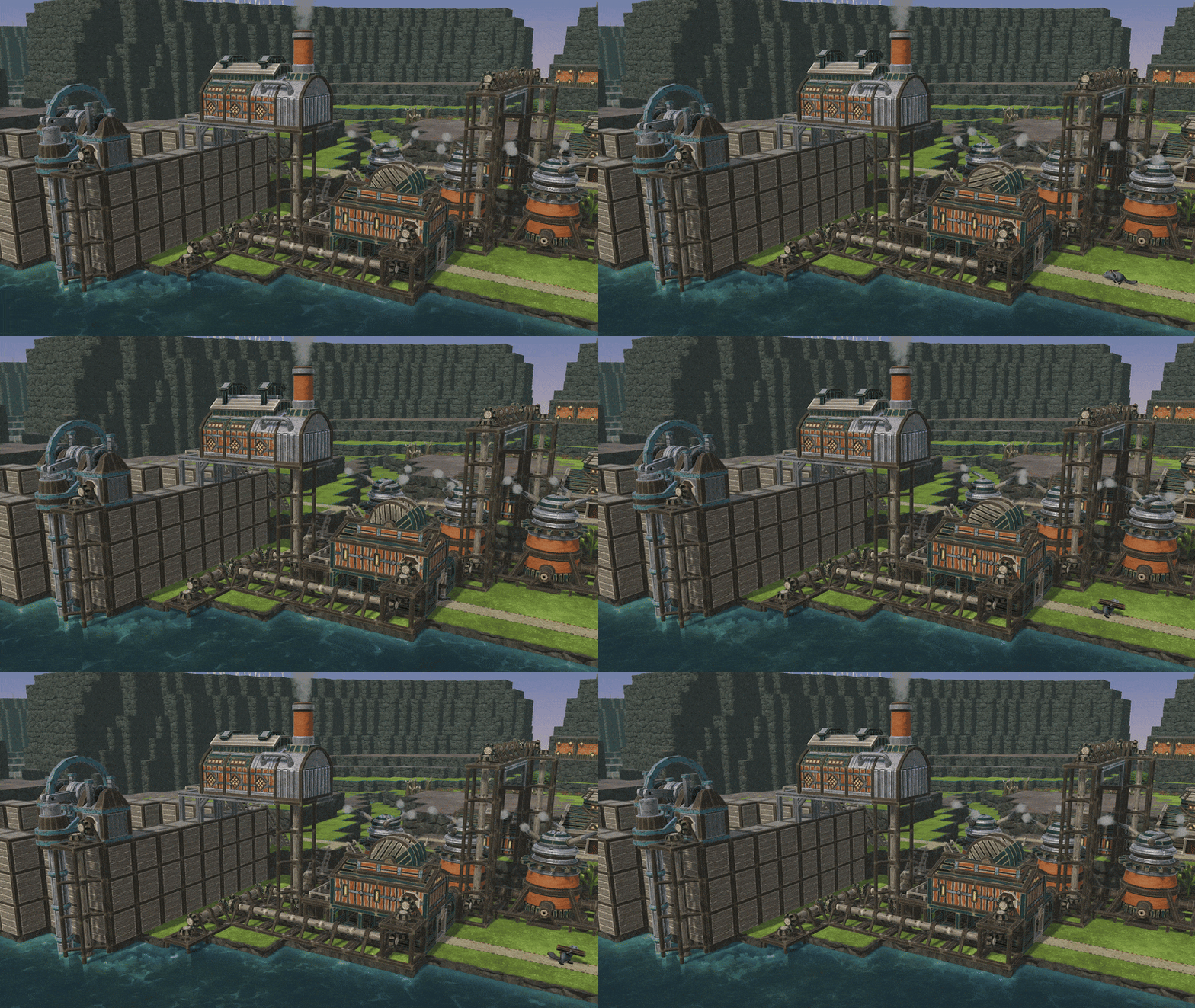
Updated buildings: Engine and Large Power Wheel. Following a similar change to windmills, it is now possible to attach a Vertical (or Upward) Power Shaft to the central bottom tile of these power-producing buildings. They can also power up Solid buildings placed directly below (such as the Bot Part Factory).
Updated buildings: Mine, Efficient Mine, and Underground Pile. These buildings’ entrances are now at the ground level.
Misc.
Added the ability to assign keybindings for upward and downward camera rotation.
The camera position is no longer saved in the map editor.
Added warnings for Downward and Upward Power Shafts when you’re about to block their connectors.
The game no longer warns about blocked power connectors when there’s at least one connector still available. And if all connectors are blocked, the warning says just that.
Added a tooltip to the grayed out “Delete” button when the building cannot be deleted because of other structures placed above.
Updated icons for the Local indicator on the map and mod selection screens.
Updated shaders for some crops.
Added flavor texts for both factions’ wonders.
Bugs
Fixed a relatively common issue related to the player.data file that would crash the game at launch.
Builders carrying goods were once again reminded not to ignore paths. Safety first!
Cleared the 0,0 camera position saved as the default restorable position on Plains and Helix Mountain.
Fixed a bug with beavers creating a moshpit right at the Underground Pile’s entrance.
Water particles on Buildings such as Water Dump or Mechanical Water Pump no longer clip through Impermeable Floor, Levees, Dams, Sluices, or even ground.
Water Sources are now hidden when using the layer-hiding tool.
Fixed plant life not changing its status after being flooded in the map editor.
Fixed a bug with paths attempting to connect to Stairs from the side. We know, we know.
Beavers no longer pretend to be ghosts and cannot enter buildings through walls.
Fixed the missing Network power supply / demand header not appearing for the first group of buildings listed in the Power tab of the Settlement Panel.
Water Gauge and Badwater Rig no longer clip through other buildings.
Fixed the occasional overflowing on the Canyon map.
Fixed some minor water oscillations on the Cliffside map.
Bot builders no longer feel superior and won’t act like they don’t need hammers to work.
Fixed power shafts rotating even when there was nothing consuming power.
Fixed building highlights that sometimes wouldn’t disappear.
Covered water sources no longer continue to produce water during badtides or badwater during temperate weather.
Patch notes 2024-07-05 (hotfix, experimental)
3D Water Physics
We expect today's changes to help with the "invisible water" bug on some older configurations. If you've experienced this, please let us know if the problem persists, or if it’s gone, on your hardware.
Made further tweaks to water rendering.
Patch notes 2024-07-04 (hotfix, experimental)
You didn't think we'd end the day without an extra hotfix, did you?
Misc.
Halved the new building times.
Bugs
Buildings placed on top of the Upward Power Shaft now connect to roads properly.
Fixed evaporation being calculated incorrectly in some scenarios.
Patch notes 2024-07-03 (experimental) - Vertical Power Shafts and a new map!
Hi, everyone!
We've had our share of hotfixes, so it's time for some extra Update 6 content! Today, Cliffside joins our official map roster - and it's a perfect choice for the enthusiasts of smaller settlements! Also, we're adding Vertical Power Shafts to the game. With 3D water physics now available, the demand for vertical builds skyrockets, and these things are very handy!
Patch notes 2024-07-03 (experimental)
As a reminder, to play on the experimental branch, follow the steps described here:
The old way of running power between elevations was a little clunky - both in tight spaces and when you needed to cover a great height distance. Today, we're replacing the old High Power Shaft with three separate modules. Vertical Power Shafts stack vertically one atop another, and they can even power up buildings through the floor. There are also some other tweaks.
New building: Vertical Power Shaft (40 SP; 2 logs, 2 planks, 1 gear; Solid; must be placed above ground). Use this shaft to build vertical power lines and, thanks to its integrated platform, to power up buildings through the floor.
New buildings: Upward Power Shaft and Downward Power Shaft (20 SP; 2 logs, 2 planks, 1 gear each). These are used in connection with Vertical Power Shafts but since they’re separate buildings, power lines can now turn in any direction without wasting space.
Updated buildings: Mechanical Fluid Pump and Deep Mechanical Fluid Pump. Power shafts can now connect from front and back (or even bottom!), and not just from the sides. Also, the Pump’s lower part now acts like a three-block levee, blocking water.
Updated buildings: Windmills and Large Windmills. When placed on Vertical Power Shafts, windmills' power output is transferred directly downwards.
3D water physics
We absolutely love what you're doing with the updated water physics system, so we wanted to expand it a little more. Keep your crazy builds coming!
When a fluid reaches the ceiling above a covered fluid source and there’s a way for it to escape, for example to the side and upwards, it will do just that. In short, this means that you can now assemble pipe-like setups.
Water Sources can now be built over Natural Overhangs in the Map Editor.
Platforms covered with Impermeable Floors no longer allow water to pass through from below.
Maps
We're adding our thirteenth official map, Cliffside, to the game. It's on the smaller side, making it an interesting - but a little more forgiving - choice for Diorama enjoyers. It is also our first official map featuring Natural Overhangs, encouraging you to play with 3D water physics.
After you’ve had a chance to play on the new map, please share your feedback on our Discord, in the thread we pinned in #experimental!
Added the new map to the game: Cliffside (100x50).
Misc.
Extended building times for most buildings so that you can enjoy the view of beavers hammering away a little more often.
When using the layer hiding tool, hidden layers of terrain are now more prominent so that it's easier to notice the tool is active.
When placing multiple Levees at once, you can now draw rectangles rather than just lines. Go crazy with the aqueducts!
Icons in the Power category on the toolbar are now more consistent color-wise.
Reduced the RAM and VRAM usage related to 3D water physics.
Bugs
Fixed a bug with Sluices that would stop being one-directional (again!).
Impermeable Floor no longer blocks building a Lido or Swimming Pool above.
Fixed ranges not displaying correctly for buildings placed on platforms.
Fixed some broken text in the mod uploader.
Fixed textures on Floodgates.
Fixed a crash caused by deleting Detailer.
Fixed the incorrect construction site for the Badwater Rig.
Fixed the Large Water Wheel so that it’s possible to build Overhangs above its connection
Updated water particles for the Fluid Dump and the Mechanical Fluid Pump.
Patch notes 2024-06-28 (hotfix, experimental)
We've got two more little tweaks for the experimental branch to start the day. Thanks for the reports!
Fixed a bug with Sluices that had Levees on top that stopped being one-directional when switched to Open.
Fixed a bug with previews for the Wonders that wouldn't appear when placed on unfinished buildings.
Patch notes 2024-06-27 (hotfix, experimental)
Here's a hotfix to kick off the day.
Fixed a crash when starting a new game or loading an existing save.
Patch notes 2024-06-26 (hotfix #2, experimental)
Having taken care of the most burning issue earlier today, here are several other tweaks. Thank you for your reports, everyone. <3
Misc.
Floodgates’ key binds can now be held so that changing the height values doesn’t take forever!
Updated the arrow displayed on the Sluice. It should now be easier to tell on which side the water comes out.
Bug fixes
Fixed the visual artifacts in the water on certain GPUs. If you are still experiencing the problem, please let us know.
Fixed a bug with the Sluice not opening correctly after switching from Auto to Open.
Fixed the settlement name input field disappearing on ultrawide monitors.
Fixed a bug with the Mark resources for demolition tool selecting objects outside of the originally selected layer.
Fixed a bug with stumps blocking path placement.
Patch notes 2024-06-26 (hotfix, experimental)
Hello, everyone!
Thank you for your initial feedback on the experimental Update 6 build, please keep it coming! The first hotfix is now live.
Fixed a crash caused by newly built attractions.
Update 6 - now on the experimental branch!
Hi, everyone!
The experimental build of Timberborn Update 6 is now live. While you have already heard about the wonders and the official mod support, we saved the most exciting stuff for today. Hop onto the experimental branch right now to also try three-dimensional water physics with automated sluices and new tools such as overhangs! We now also have customizable beaver tails, new animations, updated maps, three more languages, and more. Yee-haw!
Patch notes 2024-06-25 (Experimental)
To play on the experimental branch, follow the steps described here:
One of Timberborn’s hallmark features is water physics. Yet, until now, we’ve used a cleverly designed 2.5-dimensional system. Our water had variable depths and formed waterfalls, but it was like a sheet thrown over the map’s topography. Today, we’re implementing the results of our months-long work on true, three-dimensional water physics.
The possibilities this opens are endless. Without the constraints of old physics, we can add more complex interactions with fluids. We’re starting by enabling water canals to be built one atop another, and by adding sluices. Who knows where this will take us in the long term?
Fluids on the map now use three-dimensional physics. This, among other things, means it is possible to have horizontal layers of water or badwater atop one another, with buildings in between. And how do you even assemble a casserole like this? Read on!
Reworked the way water is rendered. Fluids now spill over more fluidly, and no longer look like their edges could cut through one’s tail. Falling water now looks better. We also removed these visible but not real “leaks” in the corners of dams and terrain.
Water Wheels no longer slow the water flow. We originally introduced this mechanic to prevent players from building a perpetuum mobile, but the side effect - water wheels that would sometimes just stop working - was causing way too much confusion.
Updated the way water layers are displayed when using the layer hiding tool.
Verticality
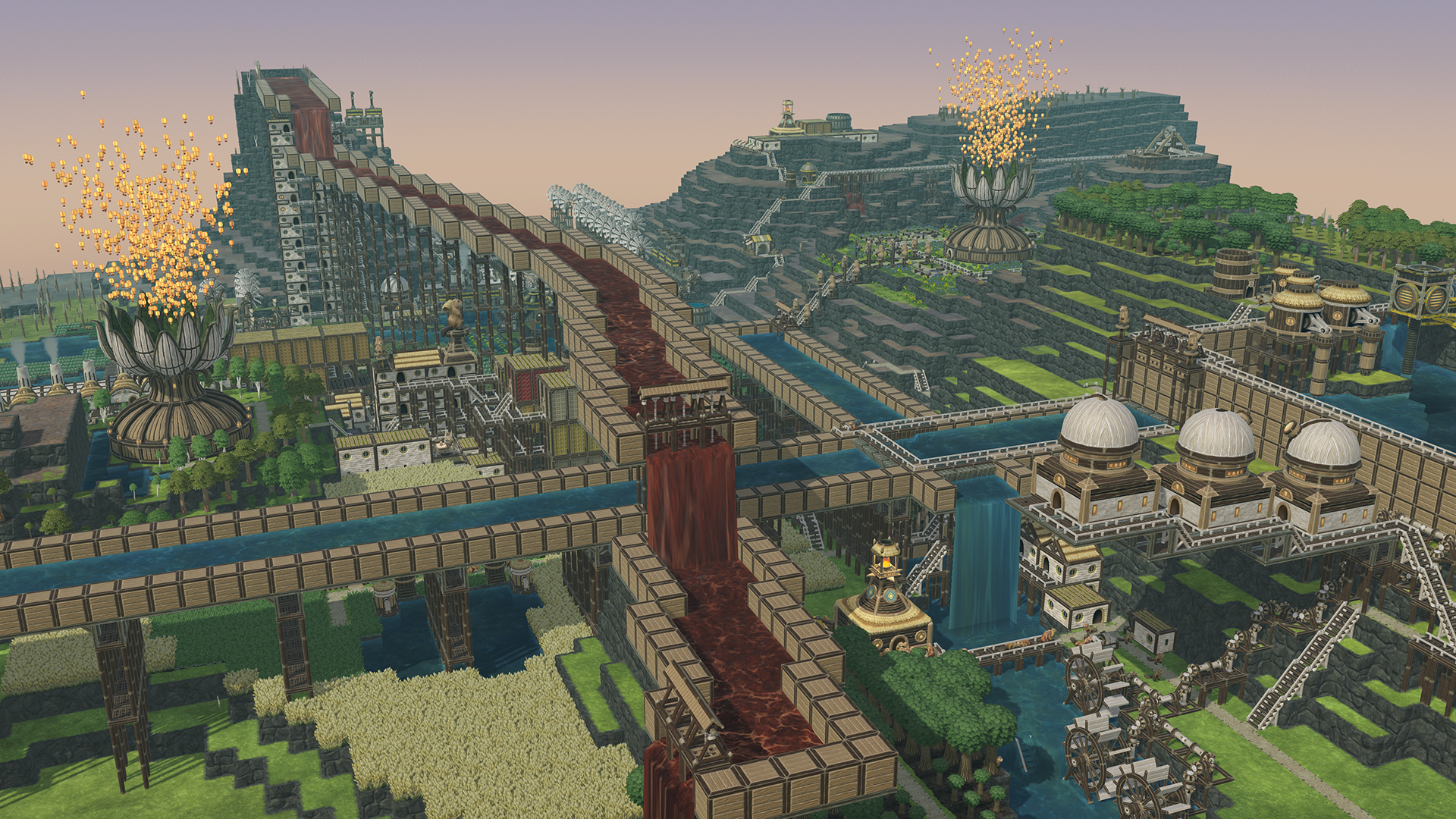
Three-dimensional water physics just asked for cool new toys! So, in Update 6, we’ve allowed Dams and Levees to be built anywhere, remade the existing Metal Platforms, and added Overhangs - including natural ones available in the map editor. There’s also the Impermeable Floor that allows you to run water on top of lodges and other solid buildings. Combine these tools to create every beaver engineer’s fever dream: aqueducts!
New buildings: Overhangs (available variants: 2x1, 3x1, 4x1, 5x1, 6x1; costs include increasing amounts of SP, logs, planks, and metal blocks). These platforms need to be supported from one side, similar to suspension bridges. You can build on them, and they’re not ground-only, which means you could chain them almost ad infinitum.
New building: Impermeable Floor (200 SP; 1 Metal Block). This is more of a modification. You put those on any Solid surface (could be a platform, an overhang, a lodge’s roof etc.) and water will not pour through. And yes, you’re correct: that means the ability to assemble aqueducts! You can still run your paths on the Impermeable Floor.
It is now possible to build Dams and Levees anywhere, for example on platforms. This also means you could form a wall with lots of Levees and a Dam block in the middle.
Updated buildings: Metal Platforms. These are now equally available to both factions, and available in two sizes (3x3, 5x5; costs updated to 1000/2000 SP and 30/90 Metal Blocks, respectively). They now have much shorter “legs” but are no longer ground-only, so you could put them on platforms or even pile them one atop another, up to the map’s height limit. Just do not ask us how this doesn’t collapse. That’s beaver engineering!
Updated buildings: Suspension Bridges. Because of the addition of overhangs, we’ve rebalanced costs for all six bridge sizes. In short, they’re all much cheaper than before, and they no longer use metal.
Updated buildings: Water Pump and Deep Water Pump: max pipe length increased to 5 and 8 tiles, respectively. With all the aqueduct shenanigans now possible, it made sense to give beavers more freedom in creating their water transportation setups.
New objects: Natural Overhangs (2x1, 3x1, 4x1). These are available in the map editor. It is possible to build on them, but crops won’t grow on them, and they do not transfer irrigation and contamination. Builders can destroy them, just like the blockages.
Automated sluices
The new water physics system finally allowed us to add one of the most often-requested building blocks to Timberborn, the Sluice. And it’s automated!
New building: Sluice (400 SP; 5 Planks, 5 Metal Blocks; Solid). This 1x1 building passes water through in one - unchangeable - direction. Notably, sluices may be used at the bottom of a larger dam. Adjacent sluices can be synchronized, just like floodgates.
Sluices can be set to be open, closed, or automatically operated. The automation opens or closes the sluice depending on contamination levels and downstream water levels picked by the player. This should remove lots of typical micromanagement headaches!
When synchronizing floodgates, all neighbors will synchronize to the same height.
Floodgates’ height can now be adjusted accurately, with 0.05 increases.
Wonders
Timberborn is a highly replayable sandbox experience with self-imposed goals - and we stick to that! However, we’ve also heard your requests for more clearly defined end-game objectives. Hence the addition of faction-specific wonders - large, expensive buildings that can be activated to “complete” the run if you wish. Check out this preview for more details on this new feature.
New feature: wonders. These very advanced structures are larger and more expensive than anything else in the game, and because of that they even go through five visible construction stages. A finished wonder can be activated for an extra cost, resulting in “completing” the map. You can build multiple wonders on the map.
New building: Earth Recultivator. (20 000 SP; 2000 gears, 2000 treated planks, 1500 metal blocks; Folktails-only). Our expert farmers’ primary goal is to turn the entire planet green again - and this huge seed bank helps achieve that! Since the preview, this wonder’s model was tweaked to plug some holes in its initial visual design.
Earth Recultivator can be activated for 500 Extract and 500 Paper. When activated, it sends out balloons with extra-durable tree seeds. This effect is visual and lore-bound only. On top of that, a huge boost to well-being is added to all beavers in a large area.
New building: Earth Repopulator (20 000 SP; 1500 Gears, 2000 Treated Planks, 2000 Metal Blocks; Iron Teeth-only). Our industrious faction uses this war machine mechanized beaver ejector to rebuild civilization across the troubled globe.
Earth Repopulator can be activated for 500 Treated Planks and 500 Berries. The building’s workers hop into gliders and fly away to start new settlements elsewhere in the world. This effect is visual and lore-bound only… but the pioneers are not coming back. There’s also a huge boost to the well-being of all beavers in a large area.
After the first activation of the wonder on the map, the game displays a congratulatory pop-up with statistics of the current playthrough. After that, you can continue playing.
When a wonder is activated for the first time, a faction badge is added to the current map on the map selection screen. The flexible start is also unlocked - see below.
Flexible start
Your playing experience on a map may differ vastly depending on where you start. Now, after you complete a wonder, you can change the starting location for future runs on the map.
Activating the wonder for the first time on a map on any faction unlocks a flexible start for both factions. Further playthroughs on that map will allow picking a different location for the initial District Center.
Modding support and Steam Workshop
With Update 6, we’re adding official mod support and launching Timberborn Workshop on Steam with the in-game integration. To see and use the Workshop during the experimental phase, you will need to join this public group. See this guide for all the details.
We’ve also remade the modding system to make the most common modding tasks easier to accomplish, less prone to errors, less prone to compatibility issues, and overall, make the game more fun to experiment with. If you’re a mod creator, read the documentation on Timberborn Wiki and check out the GitHub repository with some sample mods and tools.
Made very significant changes to how mods are supported by the game.
Added a built-in mod manager accessed via the main menu that allows you to turn mods on and off, and to rearrange their launch order. If you have any compatible mods installed, the manager also launches before the game.
It is now possible to upload maps to Steam Workshop directly from the map editor.
The built-in mod manager also enables uploading mods to Steam Workshop directly from the game.
Added an official sample mod to the Workshop called Shanty Speaker. This is a simple, not-very-serious Iron Teeth building that continuously plays “Shores of Beaver Bay”, the song we recorded with our community back in 2022. After you joined the group, find the Shanty Speaker here.
Tail customization, a.k.a. detailing
High fashion finally arrives at Timberborn thanks to the most punny building, the Detailer! You can pick from a few default faction-specific designs and have them temporarily tattooed on the visitors’ tails. Or, you can add your own custom images! (Just the SFW stuff, please).
New building: Detailer (1000 SP; 15 gears, 5 treated planks, 10 metal blocks). This new attraction satisfies Fun while making your beavers’ tails prettier with floral-ish designs.
Custom images can also be used in Detailer. Transparent 1024x1024 PNGs are preferred, but the game also accepts JPGs and lower resolutions.
More fun in the mud
Beavers like mud, but some more than others. We’re giving Folktails a larger new building, the Mud Pit. The Iron Teeth retain the old Mud Bath.
New building: Mud Pit (1800 SP; 60 logs; 40 treated planks, 20 wheat; Folktails-only). This 3x3 building allows Folktails to chill out even more, with a larger leisure area and several comfy spots to choose from.
Updated building: Mud Bath. This building is now Iron Teeth-exclusive. They just don’t mind being squeezed in like that.
Maps and map editor
Badwater has been available to everyone for a long time now, so we’ve had another quality pass for several maps. Whether it was improving badwater interactions or bringing the detail level up to par with newer maps, it meant a better experience across the board.
Updated Plains, Lakes, and Terraces.
Added faction badges to the map selection screen to show the “completed” maps.
Added separate tabs for official and custom maps to the map selection screen. Within the Custom Maps tab, maps are marked as local or downloaded from Steam Workshop.
Removed that sad, lonely, and dead blueberry bush from Mountain Range. ;(
Removed some underwater resources on Helix Mountain.
Rotated water sources a little more on Craters.
With the Natural Overhangs added to the map editor, it is possible to put Ruins on them.
In the map editor, hidden plantlife no longer reappears when it changes its state, for example when irrigation reaches it.
In the map editor, it is now possible to flip Blockages and Water Sources. By default, these objects are now randomly flipped and rotated upon placing, but you can disable that behavior with a checkbox.
Visual
You may have seen some of that in the wonders’ preview, but beavers, bots, and their animations have received extra love from us! There are also some tweaks related to the three-dimensional water physics.
Farmers (both beavers and bots) now don cute little hats.
Farmers now use new farming animations.
Builders (both beavers and bots) now carry hammers.
Builders now use new, hammer-y building animations.
Builders and Foresters now also use hammers to demolish, um, whatever they demolish.
Updated terrain blocks to look better with the new water.
Updated Blockage to be less contrasting and use fewer polygons since we now expect them to be used in higher numbers, for example when placing “natural aqueducts” on Natural Overhangs.
Kits are now slightly smaller compared to adults.
Backpack straps now use textures rather than 3D models.
Some small textures are no longer compressed, resulting in better looks on Low graphical settings.
Spadderdock now has a smaller range of possible height so that it looks better at certain depths.
Performance
Our water physics rework as well as several other optimizations resulted in more gains on the performance front.
Added support for VSync and the ability to set a frame rate limit.
Decreased loading times thanks to fixing a certain well-hidden bug.
Reduced VRAM usage, especially on larger maps.
Revised all in-game particles to improve the game’s performance.
Optimized water and beaver simulations to slightly increase the game’s performance.
Optimized textures for some crops and buildings.
Analytics
We want to better understand how you play the game, and descriptive feedback is much more useful when paired with some hard data. That’s why when you open the game after the update, we will ask you to agree to the collection of data from your playthroughs. This helps us a lot but it is optional - and if you change your mind, you can always withdraw your consent and delete your data via the in-game settings. You can review our updated privacy policy here.
Added optional analytics to the game. The first time you launch the game after the update, a prompt is displayed asking you to agree to data collection.
Added a checkbox to settings that enables analytics.
Added a button to settings that deletes all your collected data.
Localization
Timberborn is now available in a whopping 15 languages - and the original localizations should be improved. Please let us know how you like these changes!
Added Traditional Chinese, Turkish, and Thai language versions.
Made a quality pass across all existing in-game translations, fixing multiple errors and inconsistencies across all languages.
Updated the fonts in Simplified Chinese, Japanese and Korean to make them always legible.
Misc.
It is now possible to build dynamite on paths. This is a quality-of-life feature, and NOT a way to play whack-a-beaver, you psychos.
The camera now also follows units vertically.
Updated the default clipping plane to reduce the camera’s clipping through objects and terrain.
The layer-switching tool’s UI is now more prominent when the tool is in use.
Beavers are now granted a slightly randomized life expectancy at birth.
Forward compatibility for saves was limited. This is mostly to prevent a surge of crashes when players try to load their new experimental saves on the older main branch build.
Marking an area with a tool no longer marks areas at different levels.
Added a warning text when trying to build something beyond the map’s height limit.
Removed tile highlights under selected buildings.
Pines no longer scale up to the point where they clip through bridges etc.
Dandelions swapped places with Blueberries on the toolbar.
Made some other minor UI tweaks.
Added mouse wheel zoom speed slider to the settings.
Added the winners of the Build-a-Map Contest 3 to the credits.
Added new Eager Beavers to the credits.
Added the game’s translators to the credits.
Added new names to the game, chosen in cooperation with content creators who finished our toughest DareDrops challenge around the release of Update 5 - Badwater.
Bugs
Fixed a memory leak caused by warehouses.
It is now possible to place the Underground Pile on terrain blocks that are still under construction.
Stumps are no longer highlighted instead of trees when unmarking the tree-growing areas.
Metal Platforms no longer unmark areas marked for planting.
Fixed some erratic behaviors seen in beavers reaching ruins and construction sites.
Fixed water wheels that would not stop during a drought. No more free power!
Fixed a bug with some buildings not blocking in-game tools such as the demolish tool.
Builders should now correctly build off bridges and corners.
Builders should no longer build from within buildings.
Paths drawn on yet-to-be-built terrain blocks now correctly display as connected.
Scavengers should no longer pretend they have nothing to do when there is something to do (just very little).
Fluid Dump’s bored workers no longer play hide and seek.
Fixed badwater that would turn into clean water on evaporation. Talk about miracles!
Newly built Breeding Pods should no longer start with negative progress in the Settlement Panel.
Removed zombeavers from the game status icons such as “Hungry” displaying over beavers that had already dropped dead.
Dead beavers are no longer resurrected assigned to districts upon loading the game.
When the game is out of focus, it should now correctly pause water simulation.
Having the game paused in the map editor no longer prevents auto-saving.
Units should no longer enter the idle animation in between other animations.
Fixed a bug with incorrectly displayed custom unit names.
It’s now more difficult for the builders to get stuck in place.
Plants and trees that died will now correctly include the cause of death in their status. ;(
Fixed the Dirt Excavator drill that was sometimes unattached from the shaft, threatening structural and emotional damage in the area.
Fixed the incorrect door shape in the Iron Teeth’s Badwater Pump.
Fixed a ground tile sticking through the Underground Warehouse’s floor.
Fixed the tiling on the badwater texture.
Updated Slope to not stick out on the terrain’s edges.
Patched up a small hole in the Slope.
Fixed the beavers doing a little shuffle dance when entering and leaving buildings.
Fixed the notifications wrapping incorrectly on some non-standard UI scales.
After unlocking bot worker slots for a building via the Settlement Panel, all other buildings in its category will now correctly also appear as unlocked.
Inventory percentages should now be correctly calculated.
Selecting a save in the Save Game window now correctly updates the name field.
It is now possible to build a working Badwater Pump directly over a Badwater Source.
Underground Ruins should correctly block units from happily prancing over them.
We heard you like to send crash reports when you crash, so the crash screen should now open more reliably when you crash.