0.13.1.1 available on the Tester's Branch (Mod Loader)
Hello! As mentioned in the previous post new post, this update features the revised loaders, and most interestingly, the official mod loaders.
This is on the tester's branch first because redoing the asset loading on the back end is a pretty dramatic change. It's one of those things that ideally, people won't notice, because that means it all still works correctly.
The Mod Loaders
Starting with this version, data/asset mods can be created and loaded by putting them into a "Mods" folder located in the game's base directory. There's no UI to indicate loaded mods yet, but something very basic will be coming soon.
To create a mod:
If it doesn't exist, create a folder names "Mods" (without quotes) in the game's base directory. You can get here by right clicking on the game in Steam -> Manage -> Browse local files.
Inside the Mods folder, create a new folder with the name of your mod.
Inside your mod's folder, create a new text file called Mod.json with the following contents { "Name": "A-10", "DisplayName": "A-10 Mod", "Description:": "Adds the A-10A", "Assets": [ ] }
Modify the above contents to fit your mod.
Create a Data folder and then add any JSON files you wish to overwrite or add to the game. The folder structure should mirror the game's own Data folder as found in TinyCombatArena\Arena_Data\StreamingAssets\Data.
A better version of this with images will be posted separately as a Guide, but this is enough to get started. As stated in the previous news post, the asset bundler still requires some work before it can be released, and it's kind of a weekend side-project to be honest so I'm not willing to give an ETA beyond "soon".
As for Steam Workshop, as I've said before, it's still not in my immediate plans, but I've not ruled it out yet. The work done in this patch would have been one of the steps necessary to support Workshop. It might eventually happen, but no promises, and not soon.
Changelog
New features:
- New mod loading system
- Mods can be loaded on top of each other
- Core game is now a hardcoded "mod" that gets loaded first

Improvements:
- Unified loaders for all JSON data
- Text adjusted to work better at low (800x600) resolutions

Balance:
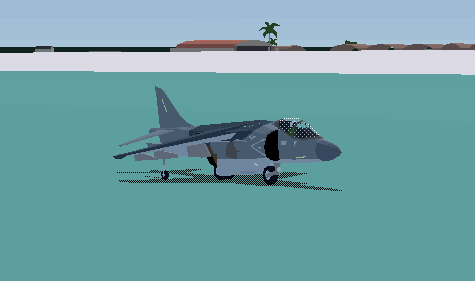
- AV8B roll rate increased 140 -> 180

JSON:
- In Loadout definitions, "Aircraft" renamed to "Name"
- In Loadout definitions, "Loadout" renamed to "Loadouts"
September, Loaders, and Mod Tools?
Hello! Between being out of town, getting sick when I got back, then a water heater related crisis, I've had precious little time to work on the game these past few weeks. However, that doesn't mean nothing exciting has happened!
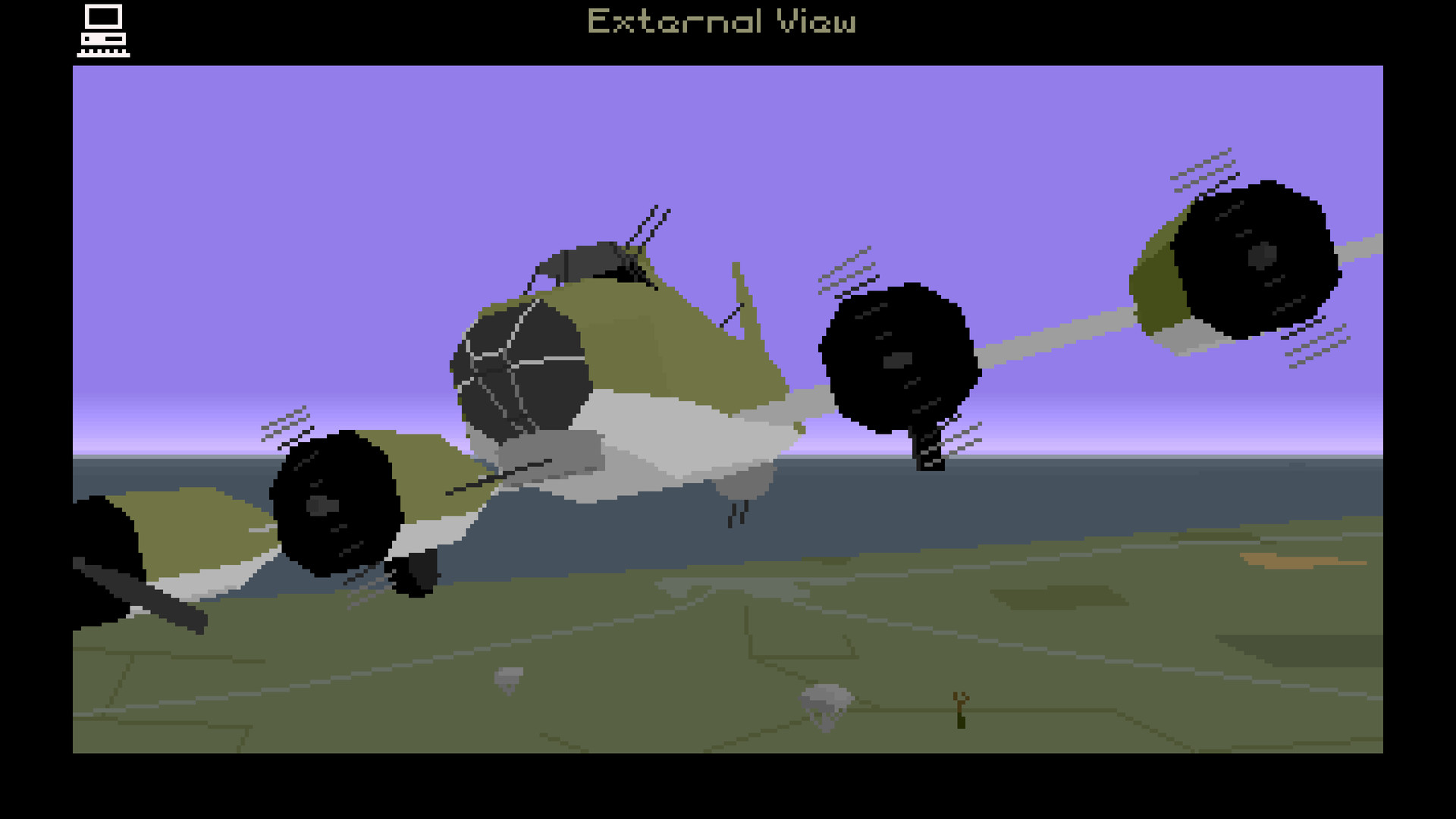
For quite some time now, I've been on and off investigating and working on how to expand mod support. I've been really excited to see modders pushing the boundaries of what I thought was possible, even up to creating their own tools and pipelines for importing new models. I originally came from a modding background (Battlefield and Freelancer mostly, but not exclusively) so I love to see it.
Screenshots courtesy of nuclearstonk and giantenemycrab from the MPS and TCA Modding Discords
Between being inspired by the work the modding community has been doing, and the work I happened to be doing at the time, things had lined up in such a way that I could do something about the most difficult part of modding TCA: importing new assets.
The Problem of Loading Data Files
This is a very back-end problem, but it's important to mention because it gives context to the fun part. In the beginning of September I began work on expanding the mission scripting and trigger system to build out the first campaign, and remove the placeholder dev-test one currently in the game. This was going to require some edits and likely additional data files.
The way in which the game loads data files (JSON files, to be exact) is bespoke and unique across basically every single object type that uses it. This was mostly a product of me learning as I went, since I was unfamiliar at the time with how best to structure this all. Since then, the process has solidified, and in game jam style side-projects, I'd come up with a generic solution worked best.
In TCA's current system, whenever I needed to load a new set of data, it requires a bespoke loader. The past 4-5 of these (most recently weapon related) have basically been completely copy/pastes of each other, further strengthening the argument for the unifying them. Redoing the loaders probably wouldn't take that long, since most of the data is already pretty uniform, but I had other motives for this well, relating to improving mod support and future developments.
For the record, rewriting and unifying all the loaders took only about a week.
The Mod Loader
With all the game's loaders and data now conveniently consolidated, putting together a mod system in which the base game's content is now a "mod" for the game that is simply hardcoded to load by default was fairly straightforward. Additional mods, with their own content and data, can be loaded on top from a new Mods folder. This means that instead of player created mods requiring overwriting of the game's own data files (which will always be wiped on an update as well), mods can coexist in their own folders.
A mod for TCA uses the following:
Mod.json used to define some metadata about the mod
Data folder with all of its JSON data in a directory structure matching the base game
Asset file(s) used to add new content (e.g. models and textures) to the game
Any new data entries get added to the game on top of the Core data. If a conflicting entry is spotted, it will overwrite the Core's (or a previously loaded mod's) data, making it so that changes to base content are still possible.
There not currently any UI for this mod loading process, but some will be added soon.
The Bundle Exporter
While the data for the game has always been exposed, the "missing link" for being able to truly add content to the game has always been a method to add new assets: models, textures, and animations. This was always going to be the trickier part, since Unity's model importers are only available at edit-time, and even in the best of cases imports will usually involve some fiddling with the model to map materials and animations post-export regardless.
The solution: asset bundles, a shockingly under-documented Unity feature that is critical for many games to deliver live content, that can similarly be used to pack content for mods. Sky Rogue's ancient post documents this method and it's been living in my head rent free for many years. Earlier this week I finished up a custom asset bundle tool designed specifically for Tiny Combat and the new mod system. This method of building models for the game has several big advantages:
Since this runs in Unity, with Tiny Combat's own shaders, you can preview exactly what the model will look in any lighting conditions.
Tiny Combat requires that that the axes for transforms and objects are aligned correctly such that Z is forward, X is right, and Y is up. Being able to preview the model natively allows you to be sure of their alignment and debug any issues in the import process.
Animations can be created using the same pipeline as the game, meaning support the game's built in animations (only landing gear at the moment, but this will be expanded in the future as needed)
The project still needs to be cleaned up, but it will be uploaded to GitHub has a self-contained Unity project for 2019.3.30 LTS (the version the game is built on). I've been testing the workflow using the A-10 model that I've been sitting on. It still needs work before it's game ready, but that's exactly why it's been such a good guinea pig.
The Next Patch
Very soon, a new patch to the game will be released on the tester's branch. While this will have the mod loaders, the main purpose is to make sure that the game still functions normally. The loader changes were pretty low level, and while it should just work, you can never tell with these things, especially because Steam adds another layer of unknowns to this.
I plan on writing a more detailed article (perhaps in the Guides section of the game) for how to create mods. It's a very straightforward thing to do, so it shouldn't be too complicated. The asset bundle tool however will be much more involved, and its own separate guide. As stated above, the bundle tool still needs some cleaning up before it's ready for public release, and may take some time to write up the documentation necessary.
0.12.2.5 New Island terrain, water improvements, and munition fuzes!
Hello, the new island is finally available on the tester's branch. Keep in mind, that it's still a work in progress, so not all features are in yet. Most notably, the new island map cannot be used in the Arena as there's some pending Arena work to handle the more varied terrain.
New Island Terrain
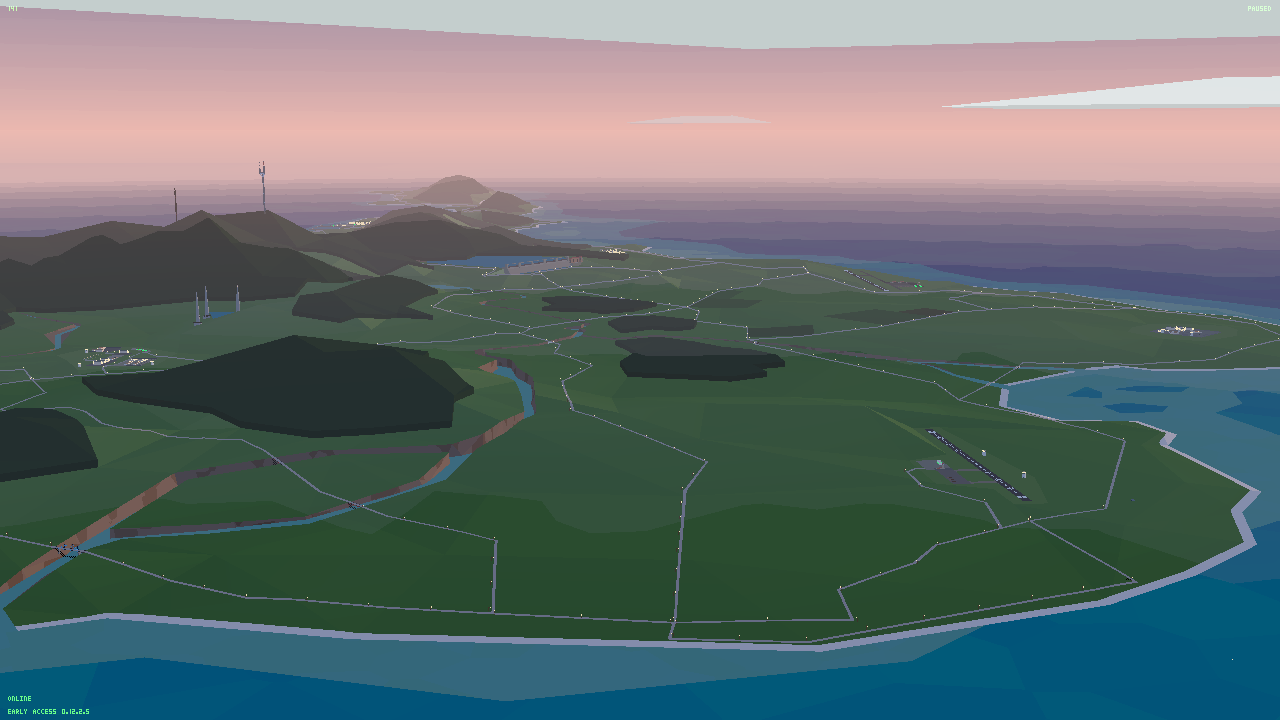
The biggest addition in this patch is the new island terrain. This is the culmination of months of new work using new tools specifically designed for making terrain like this. I've already previously written about this, so check out the original news post for more details.
Once again, the new map is currently not usable in Arena, but this is where the next major's patch's focus will be. This is to support the first campaign, which will essentially act as a tutorial to show off all of the mechanics available for Arena missions.
Improved Water Collisions
As the mechanics of the game are getting closer to finalized, many loose ends are getting tied up. One such example was how the game treats water.
Previously, it was simply recolored terrain, and only some specific weapon-related effects really cared about them. From the aircraft's perspective, water was basically identical to terrain. For a plane that spends a lot of time near water, this isn't acceptable for the final game.
Water now damages aircraft, and when planes smack into water you it's a splash instead of a thud with dirt. In addition, a plethora of new water related effects for collisions and weapons have been added to the game to round out its depiction.
Airburst and Proximity Fuze Improvements
While the game did have airburst fuzes, they were only really supported for cluster bomb canisters. They didn't really quite work correctly with normal dumb bombs, and even when they did, the resulting visual effects could be confusing. Variations of most of the explosion effects in the game have been added to support both air bursting and splashing against water. There are even new interactions with explosions that happen low above the ground (or water!) and the terrain below it.
Munitions now respect arming time. For most bombs and missiles you probably won't notice this, but in the event that a weapon hits something before being armed it won't explode. However, it can still cause damage through the raw kinetic energy of the impact!
An Mk82 variant with an airburst fuze has been added to the game under the "Convoy Attack" loadout in preparation for a future feature. Airburst bombs trade off penetration damage for a much wider area effect of splash damage. This makes them perfect for attacking unarmored targets such as APCs and soon to be in the game trucks.
I wasn't planning on doing this yet, but it resulted from the above water material changes. This is a long, but interesting, story. If you missed it the first time, check out this post for how it all came together!
Night Preview
Before the 1.0 release, the plan was to support night time. The game has had a working time of day system since practically its inception, but because of a lack of night lighting, it's never been enabled for the game. The PAPI lights were only the beginning. Work on night time lighting has been happening in parallel with the terrain development, night time building lights, and now street lights.
While the game isn't yet ready for a full night time setting, the Evening time preset in instant action has been changed to just late enough that city and street lights start to turn on so you can check out where this is going! The plan is not just for night, but for something that works best under the cover of dark.
Changelog
New features:
- New island terrain featuring hills, rivers, bridges, and a tunnel
- New line rendering used on roads, runway markings, landmarks, and scenery objects
- New buildings featuring LODs to maintain consistent detail density
- LODs updated for many existing buildings
- New fog rendering
- Bases moved around
- Murasa is now a large airbase
- New scatter system using pre-defined scatter positions (Still EXPERIMENTAL!)
- Faux "HDR" when looking at the sun darkens objects
- Lit windows at night time
- Effects when aircraft "slide" on water
- Engine wash effects for water
- Flyover effects over land
- Effecs for fuselage collisions with water
- Debris hitting water splahes and gets destroyed
- Water applies damage over time
- Air and water explosion effects for use by vehicles and weapons
- When killed by water, camera is closer and looks at impact
- "Dud" munitions when weapons impact something before their ArmTime
  + Dud munitions play collision impact effects on impact
  + JSON: "SplashWater", "SplashHard", and "SplashSoft" added to "WeaponEffectProperties, used for dud impacts
  + Duds create Rigibdody impulse proportional to kinetic energy of impact
  + Duds do impact damage proportional to the kinetic energy of the impact
- Effects for when a munition airbursts low over ground or water
- Effects for when munitions explode from airburst/proximity fuzes
- Effects for when munitions impact water
- Buildings have meshes for lights at night time
- Mk82 Airburst
  + Mk82 with increased splash radius and 30m airburst fuze
- "Convoy Attack" loadout which uses the new Mk82 Airburst
- Streetlights added to main roads with lights visible from a distance
- Modular helipad models created and populated around the island

Improvements:
- Building shadows made optional
- Map selector handles longer names better
- Arena runs in its own independent scene (back end dev change but hopefully doesn't cause bugs)
- When in arena map, fog is disabled
- Scattering code 50% faster
- Water made "slippery"
- Flyover effects triggered by airspeed rather than throttle setting
- Flyover effect handled per-airframe rather than per engine nozzle
- Optimizations to Flyover and engine wash effects
- All collision impact effects (hard, soft, dirt, ground impact, and impact explode) tweaked
- Debris hitting the water
- Bright water splash effects for weapons
- Fence shadows added to Kogasa
- Inroads for Kogasa/Nazrin
- Buildings baked into navmesh
- Terrain colliders centered terrain meshes to improve physics precision (fixes wrong material detected for weapons/collisions)
- Removed base offset from vehicles now that navmesh is way more accurate
- Grass colors tweaked
- Old islands color palette tweaked to match new islands
- Wire roads added to old islands
- Old island buildings use new prefabs
- "Evening" time of day made late enough that lights are on
- Added buildings to populate the small islands
- Larger new version dialog

Bugfixes:
- Fixed typo on instant action Strike not allowed button
- Removed the random debug M113 groups spawning on the old island map
- Ocean has collision again.
- Removed ocean ghost trees
- Landing gear non-functional on water
- Navmesh for big island continuously connects roads and bridges
- Fixed misaligned navmesh areas
- Terrain sorting prioritizes grass over water
- Improved terrain material detection
- Multi-select dialog wouldn't show second page under certain circumstances
- Flexible select dialog doesn't change size when going between pages
- All strategic targets have correctly assigned airfields again (fixes rearming in instant action)
- Fixed NRE from explosions near buildings
- Fixed NRE from proximity explosions on large terrain objects
- Airburst explosion damage now centered on explosion instead of ground splash
- More accurate raycasting, fixes airbursts sometimes having the wrong effect
- Ejecting pilots have collision disabled for just long enough to clear the plane
  + Prevents ejected pilots from instantly dying when ejecting from grounded planes
- Fixed "Middle Bridge" having its collisions ignored
- Fixed tail/fuselage slime lights on right side of F-4E not rendering correctly

JSON:
- Renamed "Mk82Snakeye" to "Mk82SE"
- Added SplashWater", "SplashHard", and "SplashSoft" to "WeaponEffectProperties, used for dud impacts
0.12.2.4 is now available on the Tester's branch
Changelog
Bugfixes:
- Airburst explosion damage now centered on explosion instead of ground splash
- More accurate raycasting, fixes airbursts sometimes having the wrong effect
- Ejecting pilots have collision disabled for just long enough to clear the plane
  + Prevents ejected pilots from instantly dying when ejecting from grounded planes
- Fixed "Middle Bridge" having its collisions ignored
- Fixed tail/fuselage slime lights on right side of F-4E not rendering correctly
0.12.2.3 Hotfix
Bugfixes:
- Fixed NRE from proximity explosions on large terrain objects
0.12.2.2 Hotfix
Bugfixes:
- Fixed NRE from explosions near buildings
0.12.2.1 Now available on the Tester's branch
Collision handling with water and the VFX have been vastly improved. Airburst variant of the Mk82 and dud munitions have been added. New evening lighting effects!
Changelog
New features:
- Effects when aircraft "slide" on water
- Engine wash effects for water
- Flyover effects over land
- Effecs for fuselage collisions with water
- Debris hitting water splahes and gets destroyed
- Water applies damage over time
- Air and water explosion effects for use by vehicles and weapons
- When killed by water, camera is closer and looks at impact
- "Dud" munitions when weapons impact something before their ArmTime
  + Dud munitions play collision impact effects on impact
  + Duds create Rigibdody impulse proportional to kinetic energy of impact
  + Duds do impact damage proportional to the kinetic energy of the impact
- Effects for when a munition airbursts low over ground or water
- Effects for when munitions explode from airburst/proximity fuzes
- Effects for when munitions impact water
- Buildings have meshes for lights at night time
- Mk82 Airburst
  + Mk82 with increased splash radius and 30m airburst fuze
- "Convoy Attack" loadout which uses the new Mk82 Airburst
- Streetlights added to main roads with lights visible from a distance
- Modular helipad models created and populated around the island

Improvements:
- Water made "slippery"
- Flyover effects triggered by airspeed rather than throttle setting
- Flyover effect handled per-airframe rather than per engine nozzle
- Optimizations to Flyover and engine wash effects
- All collision impact effects (hard, soft, dirt, ground impact, and impact explode) tweaked
- Debris hitting the water
- Bright water splash effects for weapons
- Fence shadows added to Kogasa
- Inroads for Kogasa/Nazrin
- Buildings baked into navmesh
- Terrain colliders centered terrain meshes to improve physics precision (fixes wrong material detected for weapons/collisions)
- Removed base offset from vehicles now that navmesh is way more accurate
- Grass colors tweaked
- Old islands color palette tweaked to match new islands
- Wire roads added to old islands
- Old island buildings use new prefabs
- "Evening" time of day made late enough that lights are on
- Added buildings to populate the small islands

Bugfixes:
- Landing gear non-functional on water
- Navmesh for big island continuously connects roads and bridges
- Fixed misaligned navmesh areas
- Terrain sorting prioritizes grass over water
- Improved terrain material detection
- Multi-select dialog wouldn't show second page under certain circumstances
- Flexible select dialog doesn't change size when going between pages
- All strategic targets have correctly assigned airfields again (fixes rearming in instant action)

JSON:
- Renamed "Mk82Snakeye" to "Mk82SE"
- Added SplashWater", "SplashHard", and "SplashSoft" to "WeaponEffectProperties, used for dud impacts
The Water Bug Stack: A Story of Gamedev Problem Solving
While I'm waiting on a part to get my development PC back up and running, I thought it would be a good time to detail the work I did last week. The goal was simple enough: make it so you can't land on water like it's normal terrain. However the process of fixing this was chasing one thing after another, which then cascaded down into warheads getting some cool improvements for future weapons.
The Problem:
For physics and damage purposes, water is treated the same as any terrain. The only thing unique about it is that the weapons sometimes check for water in order to trigger the appropriate visual effects. For the most of the physics and interactions in the game however, water is treated the same as any other terrain.
The upcoming Arena work was blocked by some required pathfinding fixed (which is done as of the end of last week) so I figured it would be a good time to finally tackle this.
Just make the water do damage!
First things first, it had to be decided how water should interact with the aircraft. Initially I wanted to have some basic buoyancy model, but that was quickly ruled out due to the terrain not reliably having something under the water. Sometimes there's actually land just below it, and the possibility of the camera going underwater raises many more questions than I think are worth answering.
Instead, water should essentially function as slippery lava. You can touch it, but only briefly, and it'll do damage over time. This is preferable to water being a simple kill floor (which is how most flight games treat it) because the player should be able to perform a last minute save in case they happen to touch the water during a botched vertical landing.
I quickly added an effect for when the plane slides on water, same as it does on land. Unfortunately when near the water, the "water flyover" effect was active, even at low speeds, completely obscuring whatever was happening to the plane as it "slid" on the water. I've been meaning to optimize that effect anyway so.
Updated flyover effects
The flyover effect is actually so old that it predates Tiny Combat Arena in its current form, and is one of only a handful of things carried over from the Legacy game. Somewhere along the line, the trigger for the effect became the throttle rather than speed. That was always a quick hack to deal with hovering over water.
The flyover effect is now:
Tied to the airframe and not the engine nozzle
No longer doubles up for twin engine (or twin nozzle in the case of the AV8)
Triggered only by airspeed instead of engine state
Has a land-based counterpart to kick up dust over land
With this out of the way, I could return to handling what happens when the plane touches water. High speed impacts should simply destroy the aircraft, and that already worked using the same code as terrain impacts. What I was most interested in was if you just touched the water. My test method was usually to come into a slow hover over the water and then touch down. Now that the flyover effect wasn't playing anymore, it looked weird that the plane's engine's weren't disturbing the water.
New engine wash effects
There's not too much to say about this new effect other than it looks cool and was somewhat inspired by the scene in True Lies where a Harrier takes off vertically over the water. This also involved a couple other minor optimizations to the engine effects.
Now that hovering over water looked fine, I could get back to adding water specific effects for impacting and sliding along the water to replace the dirt being thrown up on contact with the water. Those new impact/sliding effects were pretty unremarkable, but when the plane exploded it revealed a new problem...
New debris and weapon splash effects
When debris hits the water, it just sits there and makes dirt impact effects. The fix was simple enough, making debris time out instantly if they come into contact with water, but having them disappear was pretty anti-climactic. I re-used the water collision impact effects I made for aircraft collisions and it turned out great!
However that wasn't the only effect that needed adjusting. At present, there's really only one VFX used for basically all explosions, including when an airplane explodes on water. It's called "ExplosionGroundMedium" and as you might be able to guess from that name, I meant to create air and water equivalents of this at some point.
The biggest issue this effect has assuming it's occurring over the ground, and so when its debris hits terrain (regardless of what it is), it plays a terrain collision effect. Without some really sweeping and low level changes to the game, there isn't a way for a particle system to tell if it hit water or not, so new explosion effects are needed. An ExplosionWaterMedium, and may as well add an ExplosionAirMedium while I'm at it...
New explosion, updated gear, damage, and camera
After making new effects for air/water explosions and testing them, I noticed that you could still land the plane on water. So, naturally, I went to change the landing gear to ignore water. Which was nice, but now plane could comfortably sit on its belly on the water. As originally planned, I implemented the damage over time when the aircraft or destructible parts (wings mostly) came into contact with water. When the player died though, the camera was expecting a huge shower of debris. This made water crashes confusing because the camera wasn't really looking at the splash. A new exception for when player dies from water had to be added so you get an alternate view point.
I shot a few missiles while testing just because it was fun, and it reminded me that their effects needed to be adjusted for water too. Now that I had air and water explosions, I could use those instead. So I switched the effects, shot a missile into the water, but it didn't play the splash effect? Not only that, but upon closer inspection it didn't even touch the water.
Turns out, working as intended. Missiles actually use a proximity fuze which is affected by terrain all the same as it is aircraft and vehicles. I also tested this with bombs, since I was curious what this looked like over land. It required a very long arming time to prevent the bomb from proximity fuzing on myself. So long in fact that the bomb was hitting the ground before it armed.
Except, it was still exploding on impact even though the fuze hadn't armed yet. So I fixed this bug, and added handling for if a weapon impacts something before being armed, it'll impact it as a "dud" munition. This needed some appropriate effects, so I borrowed the collision effects I created for aircraft colliding into things. The end results speak for themselves!
Duds don't mean no damage gets applied either. They still carry kinetic energy and both damage apply force to the things they hit, proportional to their mass and relative speed.
Though, one thing was bugging me about the air bursts. When they would explode over terrain, due to a lack of shadow, it wasn't clear that they didn't impact the ground. In fact, it was pretty misleading because it looks like it hit the ground, but the ground is actually a lot lower than you think. It could confuse the pilot into thinking they were higher than they actually were. In keeping with all the recent changes with engine splashes and terrain checks, if any weapon airbursts and its warhead is large enough, it'll also create a splash on the ground.
Why don't you just..?
Oftentimes changing something will have knock on effects on various other aspects of the game or codebase, and those changes can potentially cascade further into other their own issues and so on. Many times these are predictable by somebody experienced with the codebase and can be scheduled around, but sometimes they aren't, and it can cause a snag of unknown time in the process.
With experience you can learn to predict, plan for, and mitigate these kinds of problems. With regards to this water damage stuff, the only real surprise was fixing some old munitions bugs and improving on those features. The rest I had a pretty good idea of what it would involve, and why I had been putting this off for some time. It wasn't really a high priority yet, and it wasn't going to be a trivial change.
Every time a feature is proposed or planned, I'm always doing the math for how much would this cost to implement. Not just the feature itself, which can sometimes be fairly simple (e.g. getting water to do damage to the aircraft took only a couple hours) but in order for a feature to be truly implemented, in a way which meets and hopefully exceeds expectations, there will almost always be additional work and polish.
Ghosts in the Night
If you made it this far, thank you for taking the time to read through what was honestly a pretty average (and thankfully fun) chain of events that not only led to fixing some long-overdue bugs, but also a couple cool new features that have given me ideas for future weapons, units, mechanics, and balance. I leave you with a cool WIP teaser image of work that's actually ahead of schedule!
0.12.1.3 Changelog
Improvements:
- Scattering code 50% faster

Bugfixes:
- Removed the random debug M113 groups spawning on the old island map
- Ocean has collision again.
- Removed ocean ghost trees
Island Terrain Progress Update: Playable on Tester's Branch
The new terrain is getting integrated into the game. In its early status, it'll be missing features and still needs development, but I'm excited to finally share it. Terrain has long been a really difficult problem for the game. I had a very specific style in mind, and terrain tools simply moved in a totally different direction from that.
A few months ago, a new tech artist was brought on board to specifically help with this and the work they've done has been stellar. The tools that I always said would have to be created in order to get this terrain, have been created, along with many new graphics features I didn't have the time or ability to do myself.
The new map is now available on the Tester's branch!
The new map has been made available on the Tester's branch of the game while the kinks are still being worked out. It's not fully featured yet, and most significantly does not have any Arena missions for it yet, but they are coming soon.
This small(ish) island is where the game's set of small and straightforward tutorial missions will take place, each introducing the different mechanics that are at play in Arena. The final game will feature an additional map on which the Arena missions will be set.
In Tiny Combat Arena these lines are now part of the model and terrain import process. Roads and runway markings are now drawn with them, so that a distance they don't flicker and alias in a way that makes them unreadable. Various scenery objects around the map such as the bridges also use them to add details like railings and doors when seen from up close.
This is a very old fashioned trick from when every triangle mattered, and drawing lines was cheap. Ironically, today, drawing lines and incorporating them into models is a very non-trivial manner! However with the new tooling it only requires a specially named object made of lines, then a custom importer takes care of the rest.