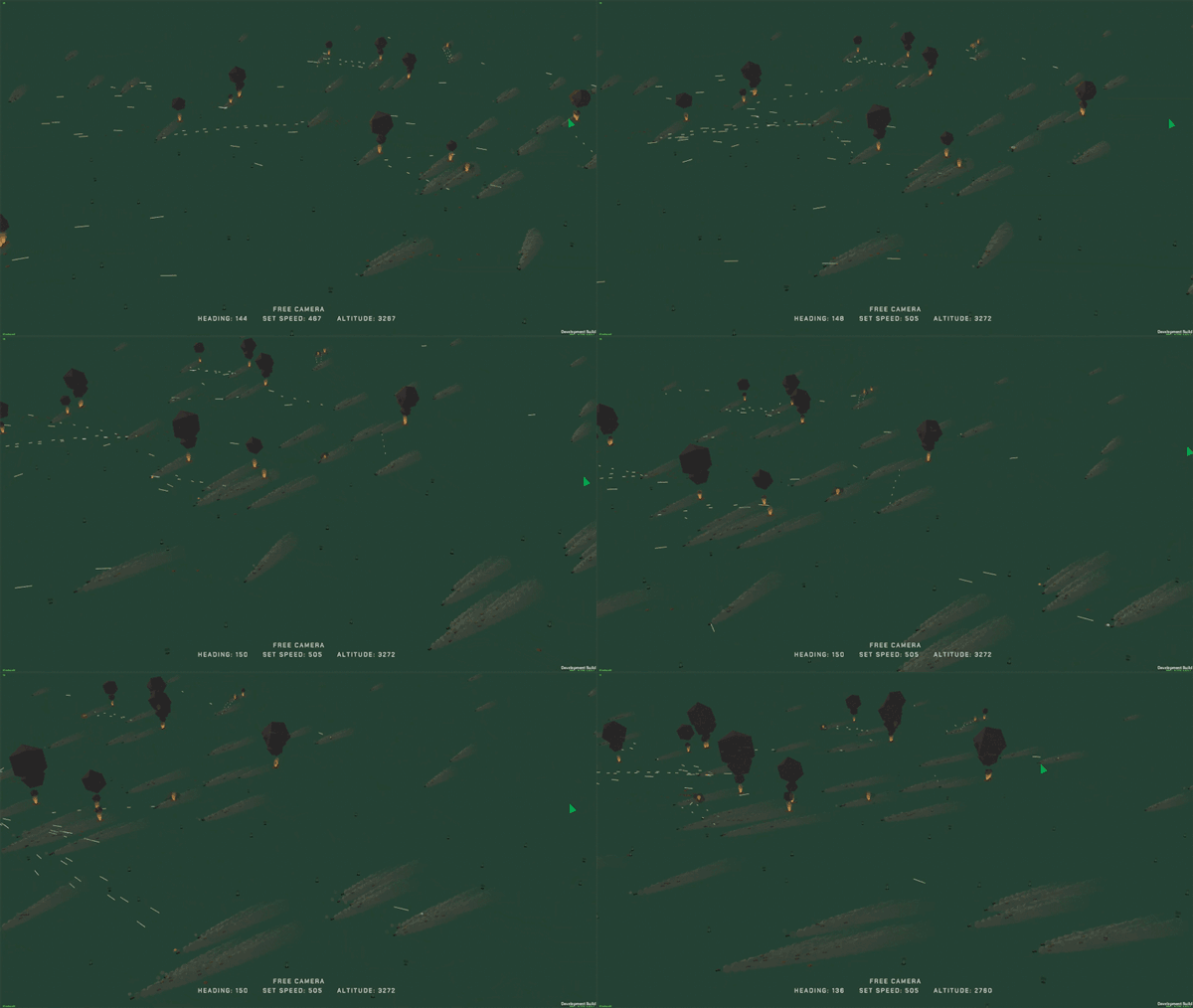
Hello! It's been a month since the last release. I try to keep a monthly release schedule but this month's work has ballooned into something large enough that a release at this very moment (even on the tester's branch) is not possible. However, there is good news and progress that I'm very excited to share.
In summary, vehicles are in the middle of a large refactor to fix blocking issues preventing more interesting maps, but has expanded to include big optimizations for guns, bullets, and their visual effects.
Pathfinding
The above video shows ~500 vehicles doing pathfinding on a map that is (theoretically) 100km across, at 200 FPS. Vehicles have never, and could never, drive across a bridge like this before.
The core feature I was interested in was pathfinding for the vehicles. At first, I was planning on writing this myself and applying it only at the formation level. However, a friend pointed me to the Unity pathfinding package. I was skeptical because of my previous experience with Unity packages, especially those marked experimental, but this proved to be shockingly effective and easy to use.
After some quick prototyping, I found out that this could not only be used for pathfinding, but as a replacement for the current, and very expensive vehicle physics. Put simply, rather than vehicles running their own kinda strange physics, they can instead just follow the navmesh which is a "good enough" approximation of the map, bypassing the need for expensive ground clamping and physics calculations.
With the integration of proper pathfinding, not only does this mean that vehicles can correctly path their way around mountains, buildings, and airfields, but their performance is dramatically improved. There were some very big scares in the implementation particularly with regards to the game's floating origin, but those hyper-critical issues have been resolved enough (navigation takes place in something like a parallel universe 😂) that this is a way forwards.
Gun/Bullet optimizations + Externalization of Data
In the process of updating the vehicles, I accidentally ended up doing that turret/bullet refactor I've been dreaming about. Bullets are pooled in a much smarter way, which in particular effects AAA, and all the many little bugs they had (such as disappearing tracers) are now fixed. This was a pretty deep rabbit hole that has resulted in new particle effects for most of the bullet based weapons along with new and improved sound effects, especially for bullet flybys. Please keep in mind that several effects are still WIP, since right now the tanks are using machinegun impacts.
This rework also allowed bullet data to be loaded from JSON like everything else. They can be edited by anybody, it's easier for me to make new ones, and most importantly, no longer rely on hardcoded and unmodifiable prefabs.
The current arena demo, which featured ~120 vehicles, was already at the tipping point of what I was comfortable with performance-wise. There wasn't room to go bigger from there. My original target for active vehicle counts has been around 500 vehicles. While that isn't Falcon 4.0 numbers of vehicles (thousands...), I was never going for that. An upper limit of ~500 units on the map sizes I intend the game to have affords both the scale and "living battlefield" feel that I'm aiming for.
One of my primary goals for Tiny Combat was for the player to feel like they were instrumental in winning a larger battle taking place on the ground rather than isolated dogfights in the clouds. This is one big step closer to that.
2. Much more interesting maps
The new pathfinding code comes with many new features I am so excited about, some of which I wasn't expecting to ever be solved. Bodies of water such as rivers and lakes can block unit movement. Vehicles can correctly drive over bridges. They will prefer to drive on roads when possible, and avoid driving over the runway! They can even drive through tunnels. Oh yeah, and they aren't restricted to flat ground anymore.
One of my biggest anxieties with the game has been map design and terrains. A combination of technical and design issues has made terrains the most difficult subject for me to approach because of both specific technical limitations regarding the game's style, and how vehicles could possibly be incorporated into them. Even something as simple as a base being on higher ground than another base was pretty much off the table until now, let alone having the AI navigate around mountains, through ravines, and over bodies of water.
A great weight has been lifted from my shoulders with this, allowing me to focus more on producing interesting maps, scenarios, and content to fly around (and through 👀) without isolating ground vehicles from the action. There's some dream ideas I've had for maps since the project began that are now possible and I thank you all for sticking with me through this journey. There's still work to be done before this can be re-integrated fully into Arena, but it's getting close.
0.8.3.4 Hotfix
Hello, this is a small patch meant to address some issues found after the last release. None of these are critical, but they were low hanging fruit. Since the next patch will involve some pretty heavy lifting, I figured it was worth putting out a hotfix rather than having these wait on a big and unrelated patch.
Balance:
- Minimum radius for splash damage calculation now 33% from 25%, increasing the lethality of all splash damage

Improvements:
- Mk82, Mk83, and Mk84 have small, medium, and large explosion visual effects respectively
- Explosion crater size pulled from JSON data files

Bugfixes:
- IR missiles can no longer lock onto buildings
- Chaff/Flares reloaded when rearming/refueling
- Vehicle dust trails no longer disappear the instant the vehicle is destroyed
- Fixed error caused by missile seekers tracking an expired flare
0.8.3.3 is now on stable! Weapons camera, Improved TWD, and tougher air defense!
Snakeyes
A new bomb has been added to the game, the Mk82 Snakeye. These are high-drag bombs designed for high speed passes at low altitude. Their slow fall speed allows you to leave the blast area before they detonate on the ground or on a target. The new bombs can be found in a new loadout named "High Drag Bombs".
Threat Warning Display and Cockpit Switch Audio
You will now receive audio cues from the Threat Warning Display when:
A radar has been detected (short beep)
A radar now has you locked (constant beep)
This is meant to help prepare the game for the upcoming SAMs, by giving the player more tools to understand when they're in danger. This also ties into changes made to the ground vehicles to make them more threatening.
In addition to the threat audio, nearly all actions have switch audio cues to help provide feedback. It's minor, but I love the immersive feeling it gives when doing actions such as adjusting weapons or targeting.
Weapons Camera
A feature that has been on the backlog for a while, you can now watch munitions you've fired all the way to impact. This is a really fun way to get cool footage and see the effects of your weapons.
Balance Updates
While the tools to detect when you're in danger have gotten better, so have the threats themselves. AAA vehicles now use radar to detect and engage targets. Their fire is more accurate, and their ammunition now uses proximity fuzes.
In general, how deadly something is should be correlated to how much warning you get. The radar directed Shilkas and Vulcans in the game right now are more on the high end of what AAA should be, so they appear visually and audibly on the Threat Warning Display. In the future there will more variety to anti-aircraft fire.
The full patch notes are below.
Patch notes
New Features:
- Added four-stage weapon camera, default key: F6
  + Before launch: camera gives a view of the currently selected weapon under the wings
  + After launch: camera follows weapon from third person to the target
  + Before impact: camera cuts to a flyby to show the impact
  + After impact: camera follows what was hit by the munition
- Once weapon camera starts following a weapon, the normal external/chase/flyby cameras work on it as well
- Added Mk82 Snakeyes and High Drag bomb loadout
- AAA now hooked into sensor system and uses radars to detect and lock targets
- M163 and Shilka now have radar hardpoints their radars are mounted to
- Added NAV mode accessible by holding the "select next weapon" bind, or with the new default keybind: `
  + When in NAV mode, HUD reads NAV, and all weapons are safed
  + When in free flight, aircraft defaults to NAV mode
- New "select previous weapon" keybind added (defaults to mouse scroll up)
- Added chaff/flare counter inside the AV8B cockpit
- Added chaff/flare counter to the Threat Warning Display
- Icon size for both Radar and TWD can now be adjusted in settings (defaults to 75%)
- Option added to hide allies from the TWD and Radar
- TWD HIDES allies by default, radar SHOWS allies by default
- New audio levels available for tweaking in settings: Missile growl, interior engine, warning tones, cockpit effects
- When performing actions such as flaps, targeting, etc. various switch sounds will be heard for audio feedback

Balance:
- Proximity fuze on AAA bullets increased from 1 to 10
- Blast radius on AAA bullets increased to from 10 to 15
- "Fulda" houses have greatly reduced HP (100, 200, 300 for 1, 2, and 5 respectively)
- AAA is more accurate, but less precise

Improvements:
- Unity updated to 2020.3.30f1
- Reduced minimum allowable setting for camera smooth speed to 1
- Smoothed switch between padlock camera and cockpit camera
- Slight optimizations for all viewable objects
- Stores are now viewable with the camera system
- Cluster munitions "fake explode" so they can be tracked easily with a camera
- Indicated airspeed displays only positive value
- Updated credits with new music and sound contributions
- Center of mass offsets from destroyed wings greatly reduced (experimental change!)
  + Should make the plane act less weird after losing a wing?
- Pressing the nav mode hotkey while in nav mode leaves nav mode
- When leaving nav mode by selecting next weapon, the last selected weapon will still be selected
- Wording of range on the threat warning display and radar changed to clarify that it's miles
- Slight change to the threat warning display design
- Lower cloud layer is lower and more numerous
- High cloud layer uses larger Clouds
- Support for arbitrary number of cloud layers (no player-facing change)
- Ranging logic shouldn't put contacts at the very edge of the Radar/TWD anymore
- Minor stylistic updates to the radar display
- Audio sliders now snap in increments of 5

Bugfixes:
- Cockpit view shoulder peeking matches smoothing settings
- Camera no longer pans across the seat when looking over shoulder at opposite sides
- Fixed chase camera producing incorrect audio when the look at target has died
- No more "ghost page" in multi-selector dialog when exactly 10 items appeared on a page
- When a cluster bomb explodes near a building, the log is no longer spammed with warnings
- Removed unused hangar mode scene
- Fixed tracers going weird on origin shift (known issue: tracers can disappear for a single frame during origin shift)
- IR growl no longer continues after player death
- IR growl can no longer be heard in third person
- G text updates correctly in third person camera stats
- Switching weapons while in weapons camera will update the camera text correctly
- Fixed bug where bomb fall line could appear when looking 90 degrees off the nose
- Threat warning audio no longer plays after death or sortie end
- Threat warning audio can be heard and correctly updates regardless of if the HUD is visible (e.g. third person)
v0.8.3.3 is now available on the Testers Branch
v0.8.3.3 is now available on the testers branch. This patch was to specifically address the biggest complaint that the weapons camera had, which is not being able to view munitions you've already launched/dropped.
This also fixes another bug that specifically happened with bombs dropped in the weapons camera. It was pretty difficult to track down, but it also lead to fixing the source of several other problems the CCIP bomb piper had so it was worth it.
Improvements:
- Weapons camera can view the most recently launched munition

Bugfixes:
- Weapons camera no longer sometimes looks at the wrong location
- CCIP bomb fall line no longer glitches to "no solution" for random frames
- CCIP bomb sight should be slightly more accurate
Patch 0.8.3.2 is now live on Testing Branch!
Hello! Patch 0.8.3.2 is now live on the testing branch.
The cockpit switch audio was something I wanted to sneak in before I made the final patch release. Most actions the player has now have associated audio with them. It's easier to hear if you turn on the cockpit filtering (which deafens out the window audio as it would in reality) and turn up the new sliders for internal internal audio.
The Threat Warning Display also saw some minor visual revisions, and filters out friendlies now to reduce clutter. If you'd like to re-enable this though, it can be done in options, along with hiding friendlies from your radar display.
The public patch release will be up in a couple days if things go well. If you'd like to get on the testing branch, see this post from the Steam forums.
Comms Check
Originally I had said that I would only do news posts related to patches if they were big ones, but in hindsight that wasn't a good idea. I've been keeping tabs on community discussions and it's definitely not clear to Steam users (where the game is sold) what's being worked on and what the status of the game is. To that end, I'll be making Steam patch notes for every patch, regardless of if it's on the testing branch or not.
I have other thoughts regarding how to best communicate what's going on and what's coming up, but I'll have more to say about that that once this patch is on the public branch and I can focus on the next big task.
Patch notes
New Features:
- Added chaff/flare counter inside the AV8B cockpit
- Added chaff/flare counter to the Threat Warning Display
- Icon size for both Radar and TWD can now be adjusted in settings (defaults to 75%)
- Option added to hide allies from the TWD and Radar
- TWD HIDES allies by default, radar SHOWS allies by default
- New audio levels available for tweaking in settings: Missile growl, interior engine, warning tones, cockpit effects
- When performing actions such as flaps, targeting, etc. various switch sounds will be heard for audio feedback

Improvements:
- Pressing the nav mode hotkey while in nav mode leaves nav mode
- When leaving nav mode by selecting next weapon, the last selected weapon will still be selected
- Wording of range on the threat warning display and radar changed to clarify that it's miles
- Slight change to the threat warning display design
- Lower cloud layer is lower and more numerous
- High cloud layer uses larger Clouds
- Support for arbitrary number of cloud layers (no player-facing change)
- Ranging logic shouldn't put contacts at the very edge of the Radar/TWD anymore
- Minor stylistic updates to the radar display
- Audio sliders now snap in increments of 5

Bugfixes:
- G text updates correctly in third person camera stats
- Switching weapons while in weapons camera will update the camera text correctly
- Fixed bug where bomb fall line could appear when looking 90 degrees off the nose
- Threat warning audio no longer plays after death or sortie end
- Threat warning audio can be heard and correctly updates regardless of if the HUD is visible (e.g. third person)
It's worth mentioning that compared to the public branch, this is in addition to features added in 0.8.3.1. The main features of that patch were the weapons camera, audio for the threat warning display, the new Snakeye bombs, and some rebalances to make AAA more dangerous.
The full notes for that are listed below:
New Features:
- Added four-stage weapon camera, default key: F6
  + Before launch: camera gives a view of the currently selected weapon under the wings
  + After launch: camera follows weapon from third person to the target
  + Before impact: camera cuts to a flyby to show the impact
  + After impact: camera follows what was hit by the munition
- Once weapon camera starts following a weapon, the normal external/chase/flyby cameras work on it as well
- Added Mk82 Snakeyes and High Drag bomb loadout
- AAA now hooked into sensor system and uses radars to detect and lock targets
- M163 and Shilka now have radar hardpoints their radars are mounted to
- Added NAV mode accessible by holding the "select next weapon" bind, or with the new default keybind: `
  + When in NAV mode, HUD reads NAV, and all weapons are safed
  + When in free flight, aircraft defaults to NAV mode
- New "select previous weapon" keybind added (defaults to mouse scroll up)

Balance:
- Proximity fuze on AAA bullets increased from 1 to 10
- Blast radius on AAA bullets increased to from 10 to 15
- "Fulda" houses have greatly reduced HP (100, 200, 300 for 1, 2, and 5 respectively)
- AAA is more accurate, but less precise

Improvements:
- Unity updated to 2020.3.30f1
- Reduced minimum allowable setting for camera smooth speed to 1
- Smoothed switch between padlock camera and cockpit camera
- Slight optimizations for all viewable objects
- Stores are now viewable with the camera system
- Cluster munitions "fake explode" so they can be tracked easily with a camera
- Indicated airspeed displays only positive value
- Updated credits with new music and sound contributions
- Center of mass offsets from destroyed wings greatly reduced (experimental change!)
  + Should make the plane act less weird after losing a wing?

Bugfixes:
- Cockpit view shoulder peeking matches smoothing settings
- Camera no longer pans across the seat when looking over shoulder at opposite sides
- Fixed chase camera producing incorrect audio when the look at target has died
- No more "ghost page" in multi-selector dialog when exactly 10 items appeared on a page
- When a cluster bomb explodes near a building, the log is no longer spammed with warnings
- Removed unused hangar mode scene
- Fixed tracers going weird on origin shift (known issue: tracers can disappear for a single frame during origin shift)
- IR growl no longer continues after player death
- IR growl can no longer be heard in third person
Testers Branch
Hello, I'm in the middle of releasing the next patch, but before it comes out I want to let everybody know about the tester's branch that is available.
Before pushing patches to the live branch for everybody, I usually test them out on the tester's branch. If you want to play with new features/content ASAP and prefer your builds with extra bugs and jank, this one's for you.
I want to emphasize that this branch exists mainly to help find bugs. If you find bugs while on the tester's branch in a tester's build, considering posting about it in the Bug Reporting forum about it, or preferably, join the MicroProse Discord and talk about it in the #tca-bug-reports channel. I'm more active on Discord, and it's easier to debug issues that way.
Switching to the Testers branch
In Steam, right click on the game, then click on Properties. In the Properties window, click the Betas tab, in the beta's dropdown select testers.
0.8.3 is currently in testing
Patch 0.8.3 is currently active on the tester's branch. When it's released proper, there will be a post about it as usual. As mentioned above, if you want to check it out early, consider leaving feedback on the forums or on the MicroProse Discord.
Road to 1.0 Release
Hello everybody! Tiny Combat Arena released into Early Access about a month ago. The first month post-release development was focused on addressing the biggest playability issues that the game faced, and to stabilize the build. This culminated in the 0.8.6 patch, which has gone over well.
What comes next is "the rest of the game." The following list are a sample of the features that I feel the game absolutely must have before I feel the game can be considered 1.0, and move out of Early Access. This work focuses on Arena and features to support Arena, and is the space with which I am most interested in hearing feedback throughout development. While the implementation details of all of these points might change, these are the high level features that I feel are essential to the Arena experience.
While I haven't specifically outlined much in the way of content, be aware that content will necessarily have to be built out to support these features.
Important Disclaimer!
This is not everything I feel the game needs. It covers things that I not only feel the game absolutely needs to be complete, but are also things that at this point in development I'm confident in talking about them. Plans change all the time during development due to new ideas or unexpected issues. Based on post-launch feedback, I've already made some adjustments.
Expanded Arena Map UI
The current Arena UI is barebones. It's my intention that the Arena UI, seen between sorties, can be used to get an accurate strategic picture of what's happening so that you can plan your next sortie accordingly. There is a lot of missing information, and I think the game benefits from its mechanics being as transparent as possible.
Campaigns
The "Arena Demo" mission is a single Arena mission. In the final game, these missions will be strung together to make an "Arena Campaign", with each mission focusing on some specific area of the map.
The final game will have two campaigns. The first will take place on the "Sand Island" map, and is meant to be very short and introductory. A second campaign will take place on a larger map, with its own string of missions. Details on that second campaign, as well as its associated map, will come later.
Finished Sand Island Map
The Sand Island map started as a simple test environment with one small island an airfield. However, it has since been repurposed into a sort of "tutorial" map. Only one of the islands in the chain is fully filled out. The rest are in various states of development. Some have "forests" and buildings, while others are completely barren.
Air Defense and Defensive Structures/Units
At the moment, Strategic Targets in Arena are always undefended. Bases must have the ability to defend themselves against incoming vehicles, and some Strategic Targets might be focused on air defense entirely. The game has a lot of interesting radar and combat mechanics that I feel are being underutilized without stronger opposition and map locations to take advantage of them.
Improved Offensive and Defensive Missile Combat
The fundamentals for all the missile related combat are in the game, but are missing details. For example, chaff and radar guided missiles are underdeveloped. However the biggest of these is how missiles relate to the AI. The game cannot be complete until the AI start firing missiles at the player and each other.
Custom Loadouts
One of my favorite features in combat flight sims is tweaking the loadouts. At present, the player can select from a series of presets, but custom loadouts is a feature the game absolutely must have. Being able to specifically customize your loadout to your mission and play style should be cornerstone of the game.
With More to Come
As mentioned before, this is not a comprehensive list, but it is a list of the items that I feel are both most important and least likely to change throughout development. There's still a lot of work to be done and I'm excited to be back to working on new stuff for the game after a month of bugfixes and planning.
Hello everybody, I'm happy to announce that 0.8.2 is out of testing onto the main branch. This patch is meant to address and stabilize the often reported camera and control issues that many have had since the game was released.
Before, we started though, I recommend that everybody re-run the Quick Setup from the System Settings, and reset their bindings to defaults. A lot of settings change changed, and keybinds moved around. While nothing should 🤞 break if you don't, you might have some weird, conflicting, or confusing control inputs.
Onto the patch! Here's some of the highlights:
Mixed Mouse and Joystick/Keyboard
[previewyoutube="_gRFoO-YJUs;full"] A quirk of the way the old virtual joystick system worked made it so that pitch/roll inputs coming from the bindings screen (e.g. keyboard binds and joystick axes) were mutually exclusive with using mouse flight controls. This has been rectified, so now a combination of control schemes can be used.
For example, a control scheme many had requested was to be able to use the mouse for fine-tuning aim, while making large stick movements using keyboard keys. This is now possible, and so mouse joystick is enabled by default in all control schemes now.
There's also been tweaks to how input from the mouse gets registered, so mouse joystick controls should match the responsiveness of gamepad/joystick controls. When using momentary control modes, it should also make sustained turns easier.
Mouse-Driven Free Look
[previewyoutube="IVi9CP0gCmk;full"] Another highly requested feature was some kind of mouse-driven free look. There several ways to configure this, but the default should be similar to how you might have seen other games do it. When you hold (by default) Left-Alt, the mouse can be used to freely pan around the cockpit, or in external views. Important to note: while you are using free look, the virtual joystick input is locked, so that you can continue to turn while glancing in a direction.
Another new feature is that both the cockpit and external cameras now have an adjustable field of view. The default FOVs can be setup in the new camera settings tab, but you can also adjust the FOV in real time using the normal zoom in/out keys, as well as by binding zoom to an axis. There is even a new "quick zoom" toggle (or hold, if you prefer) which will instantly set the FOV to some preset (and configurable) zoom level to get a quick close look at something out the window.
Camera Options
An entire new camera page has been added to the settings menu. There's enough new options that this page actually needed a scroll bar! Please experiment with the new control and camera options to see what you like. I've tried to accommodate as many of the out-there configurations for how people like to fly. Different combinations of settings can produce pretty different results.
What happens now?
With 0.8.3, I feel the game has stabilized. All the major known crashes should be taken care of, and the game feels like it's at a good baseline when it comes to camera and controls so that hopefully it meets peoples' expectations a little better.
This also means, that I should have more time to focus on the game itself. There are many things I need and want to do to make Arena feel like a more complete experience. Much (though not all) of this is visible on the game's Trello board.
I'm sorry for not being able to get a roadmap post out as soon as I wanted 🙏 I've been very busy trying to address crashes, bugs, control, and camera issues as soon as they came up because these were major problems that were preventing people from playing the game. If the worst problems the game has are a lack of content or Arena being too simple, that's a good place to be, a great place to grow from. I prefer working from a solid foundation.
Thanks again for supporting me and this game! I promise there will be a roadmap to 1.0 post, Now that everything isn't on fire anymore, I should be able to breathe a little and find the time to write it.
And finally, for completeness, here is the entire changelog. It's a big one!
New Features:
Loadouts save between sorties
Default loadout defined in Arena scenario definition
Added option in system settings to enable/disable TrackIR loading
One-time dialog to ask if the player is using head tracking
Mouse controls can be used in combination with stick inputs from the binding menu
Mouse-specific curve added for use by continuous mode axes
Sensitivity settings are now specific to momentary and continuous modes
Running quick setup dialog will also reset to default control settings (does not affect bindings)
Mouse horizontal axis acts as nosewheel steering when on the ground
New default sensitivty values for both mouse axes and input modes
Renamed many control options for clarity
Simplified descriptions for some of the control settings
Fixed many typos and missing settings descriptions
Double tapping throttle up/down keys will set throttle max/missing
New hotkeys added for min/max throttle (unbound by default)
When weight on wheels, and auto flaps set to both, toggling gear will only toggle flaps
New camera page on settings screen
Default FOV for the cockpit and external cameras can be set
FOV for cockpit, external, and chase can be adjusted ingame in real time with zoom keys
Momentary flight inputs don't reset immediately to zero
Mouse driven free look added to the cockpit, external, and chase views
Free look key restored to bindings menu with default of Left Alt
Cockpit and chase views can be set to automatically recenter themselves
Mouse look blocks mouse input, but not joystick input
Options to invert pitch of mouse look
Mouse look sensitivity slider
New "quick zoom" behavior which when activated will override current FOV with a preset FOV
Quick zoom preset FOV can be adjusted in camera settings
Camera zoom has smoothing applied to it
Camera smoothing options can be adjusted or disabled entirely
Moved camera options that previously existed on the gameplay tab to the camera tab
Throttle sensitivity setting added to change how quickly the throttle moves
Throttle shortcut setting added to enable/disable the throttle shortcuts
Option to hold virtual joystick pitch while free look is enabled (on by default)
Improvements
Flat turns by AI should result in less lost altitude
Rookie AI is a bit more competent and less likely to spiral to the floor
All AI will try to fight in the vertical sometimes
When low on energy, AI should try a shallow drive to gain speed
New "Light Attack" loadout is new Arena default to make taking off easier
M163 uses identical bullet to Shilka
AAA shells self-destruct earlier
Pressing padlock key while in padlock mode will reset cockpit to looking forwards
Padlock locks forward when there is no target
Engine spools down faster than spooling up for increased responsiveness
Harrier "RCS" system requiers engine thrust to operate
Text rendered slightly cleaner in cockpit
Mouse controls now enabled on all quick setup presets
Moved default keybind for chaff to 'C' to make room for new camera controls
"First time setup" renamed to "Quick Setup" and moved to the System tab on settings
MKB preset in quick setup now sets autocenter for cockpit and chase cameras
Re-ordered realism settings so that more realistic options are to the right
New version popup appears before any other startup popups
M163 and Shilka accurate out to a longer distance
M163 and Shilka max range increased
1 M163/Shilka added to M60/T-62 units
2 M163/Shilka added to M1/T80 units
M163/Shilka units now contain 4 of each instead of 2.
Bugfixes
Attacker aircraft (AV8B) no longer ignore fighter aircraft
Locking a ground target with radar guided missiles no longer freezes HUD
Afterburner key bind hidden since it's non-functional
Base damage percents shouldn't round to >100% anymore
"Being Captured by Enemy" should no longer appear for a split second after capturing a base
Starting a new Arena mission resets the "Mission Complete" text
Centered mission messages (e.g. X has been captured)
Loading an empty setup file won't freeze the game on startup
Fixed typo in R-24T database description
FPS counter won't error if frames take an inordinate amount of time
Engine cannot throttle up while spooling up
Cockpit view can now be panned while the game is paused
Cockpit and external cameras cannot be controlled while escape menu is open
Scroll wheel functions correctly in settings menu
Fixed many typos in the settings descriptions
Disabling invert pitch no longer inverts horizontal mouse axis
External/chase camera correctly respond to zoom axis input
Free/photo camera zoom are not blocked by zoom axis input (they shouldn't be affected by it at all)
Fixes to various typos in the settings descriptions
Fixed "Block Free Cam Input" selector not syncing up correctly with the setting
Fixed Arena bug where plane would revert to Clean loadout on second sortie if player never changes their loadout
Default for mouse look is now mouse button 4 (moved off of nonsensical RMB)
Default for chaff/flares is now mouse button 5 (off from mouse button 4)
0.8.1.5 Hotfix
Version 0.8.1.5 Hotfix is now live!
This fixes the most critical and game-breaking bugs I could fix in a short timespan. The more complicated issues (e.g. mouse look) will have to be in a larger update since those are essentially new features, or otherwise more difficult to fix.
From a usability perspective, the bindings screen should work a lot better, and a lot more consistently now. I'm able to easily bind axes that I had a lot of trouble with, e.g. pitch.
I don't plan on making big announcement posts for hotfixes like this, but this is a special one that should take care of some of the biggest issues that the game released with. I think it was important enough to call it out.
New features:
- Added unused smokeless variants of all three motors (E.g. SmallSmokeless)

Improvements:
- Renamed Toramaru hangars to simply "Hangar"
- Selected cockpit view while already in cockpit view recenters the camera
- Early access warning appears only when there's a new patch
- Bigger "no solution" X on CCIP bomb sight
- Brake indicator now based on input rather than brake state

Bugfixes:
- Fixed typo in dogfight quick mission description
- Joystick X/Y axis no longer navigates control bindings screen
- Negative brake axis no longer results in feedback loop of forward thrust
- Removed debug key to launch flares on every aircraft all at once
- Throttle/Brake/Nozzle angle no longer zero when game window loses focus
- Fixed bug where shooting then pausing the game could cause the gun to keep shooting when unpaused
- Formations should no longer stop short of a base they are trying to capture
- No more "ghost drag" when afterburner is commanded on AV8B
Tiny Combat Arena Is Now in Early Access!
What a day!
Hello, everybody! I am the main developer of Tiny Combat Arena. Thank you all so much for the amazing support you've all shown. I really am humbled at the response. There's far more than the 5 or 6 people I originally expected to be into the game!
This has been a crazy day. It started with last night, where I accidentally had the wrong build set to go live, so the for the first ~6 hours of the game's release was running an older pre-release build (0.8.1.1) with a bunch of really important crash fixes missing. Oops. It was a bit of a shock to wake up to bug reports on things I know I definitely had fixed. 😅
Stabilizing the Game
I've spent all day closely monitoring and responding to people across Twitter, the Steam Forums, and the MicroProse Discord to see what the most outstanding issues are. The development Trello board, which I use to keep track of what needs doing has been updated with everything actionable.
For the very near future I will be prioritizing these particular bug fixes and pain points so that I can once again shift development back towards the game and expanding its features and content. I want to have a strong base to build from, and avoid trying to add a haphazard pile to a shaky foundation. 🙏
Currently my highest priorities are:
Mouse free look controls
Refining keyboard/mouse controls
Smoothing out the rebinding screen experience
Game breaking bugs like infinite speed and Arena capturing being spotty
I want to remind everybody again of the development Trello board. This is what I use to keep myself organized. In the interest of transparency, especially for something like Early Access where trust between the developers and community is critical, I keep it open to the public.
The Future
Very soon, I'd like to put out a Roadmap listing the features and content that I feel the game needs before I can in good conscious call it a 1.0 and move it out of Early Access. To set expectations: it will be very conservative and list only the essentials, as plans can and always will change in game development, but I think there should be some exciting stuff in there.