"Anniversary Recipes" Available! Get 8th Anniversary Limited Equipment!
Examples of Equipment Craftable at the Blacksmith
[table][tr][td][/td][td][/td][/tr][/table] The recipes for powerful and stylish anniversary limited equipment are out now! Challenge the boss battles in the arenas and collect the special items to create your powerful anniversary equipment at the blacksmiths or with your Smith Skills!
How to Create Items with Limited-Edition Recipes?
Talk to the Blacksmith in "Sofya City", "El Scaro" or "Hora Diomedea", tap "Create Equipment" and select "Limited-Time".
Let's Make Use of the "Mats Search" Feature!
[table][tr][td][/td][td][/td][/tr][/table] Use "Mats Search" to check the materials required in a crafting recipe.
[table][tr][td][/td][td][/td][/tr][/table] Besides, you can also tap the monster shown on the top of the mini map to see the list of items the monster drops.
It's a useful feature that will definitely make crafting items more convenient than ever, so please make use of it!
Available Period of the Recipes
From: 07/13/2024 after the maintenance Until: 08/31/2023 before the maintenance
★THANK YOU ALL★ 8th Anniversary Event Begins!!
Thank you for playing Toram.
We are celebrating Toram Online's 8th Anniversary on 7/17/2023. In order to thank you for your continued patronage, many celebration events will be held!
Toram Online will continue to evolve and bring you many more exciting contents even after the 8th Anniversary Event, so stay tuned as there's much more to come!
8th Anniversary Event Period
From: 07/13/2023 after the maintenance Until: 08/24/2023 before the maintenance
*Some events and promotions end on different dates. Please check each official announcement for the details.
8th Anniversary Arenas! Win the Battle Against Bosses!!
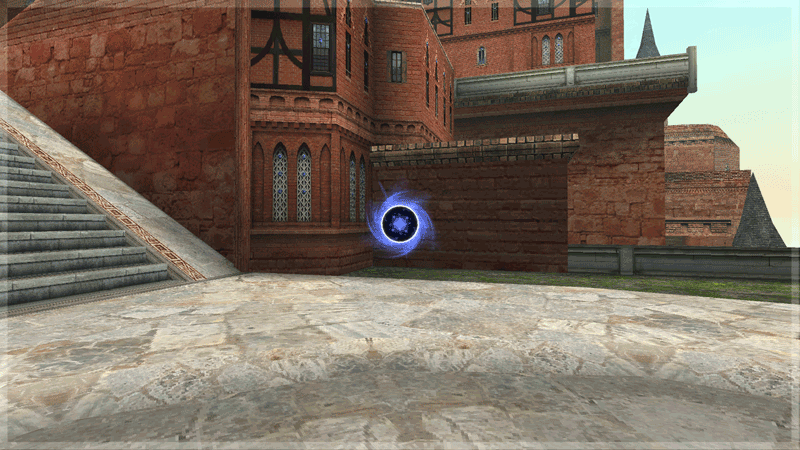
[table] [tr] [td][/td] [td][/td] [/tr] [tr] [td][/td] [td][/td] [/tr] [/table] You can go to the Anniversary Arena from the wormhole in “"Sofya City", "El Scaro", "Hora Diomedea", and "Draco Town".
During the event period, 8 types of Anniversary Arena appear as event maps and you can challenge many boss monsters! The battles are totally different from the normal boss battles!
The boss battles from the 1st-7th Anniversary Event that can be challenged at the 1st-7th venue are also brought back!
What to Expect from the Upcoming EX Arena?!
You can get body armors and additional gears that are released to celebrate the 8th Anniversary at the new EX Arena!!
*A limited number of 8th Anniversary additional gears can also be obtained with the "Anniv Festive Ticket" you get from the 1st-7th venue. *You can now let your mercenary, pet or partner join EX Arena.
Let's Open 8th Anniversary Boxes!!
During the Anniversary Event, players will get "8th Anniversary Box" when defeating boss monster which difficulty level can be selected. Open the box and get random items!
*Mini bosses on normal maps such as Moonlight Potum and Arcoiris will not drop the box. *Even after the period above, the items will not be deleted, and you can open them.
Epic Toram Birthday Emblem!!
You can get 4 types of "Toram Birthday!" emblem during the following period. The emblems grant you special effects and rewards to enjoy the game more!
7/4(Tue) 12:00 PM GMT+9 is the Toram Online Official Live Stream of Bemmo(Asobimo)
Live Program Web Pages
Live Contents
[In this program, foreign MC Sarah learns to Toram.] [The data used in production is borrowed from the development team.]
Let's Visit Your Land
VS Venena Coenubia
[table] [tr] [th]Featuring[/th] [td]Sarah(Asobimo EN Toram English MC)[/td] [/tr] [/table]
※Please note that schedule of live streams, content, and presenters may be subject to change without notice.
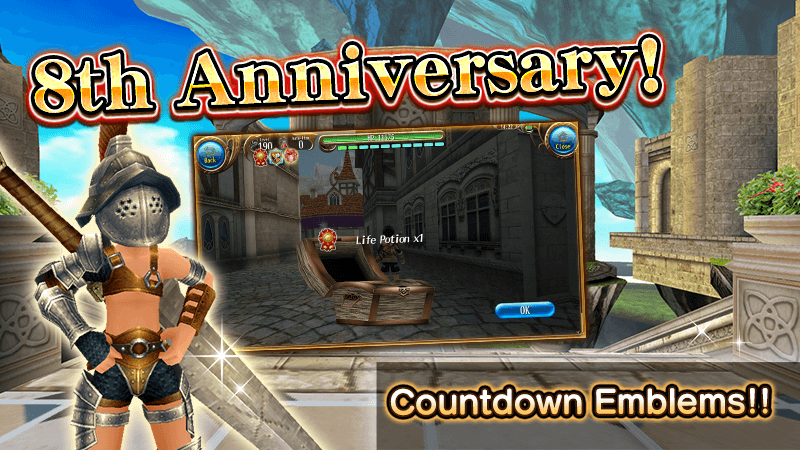
8th Anniversary Countdown Emblems with an Array of Gorgeous Items are Coming!
Thank you for playing and supporting Toram Online. We will be celebrating our 8th Anniversary on 07/17/2023.
In order to express our gratitude for your patronage, we have prepared emblems that give you gorgeous items every day.
If you receive all of the emblems every day during this period, you can get a total of "Life Potion x 12", "Revive Droplet x 24", and "Ticket Piece x 600"!
We look forward to your continued support as we continue to work toward improving Toram Online!
8th Anniversary Countdown Emblems
During the event period below, you can get special emblems!
[table][tr][th]Emblem[/th][th]Condition[/th][th]Reward[/th][/tr][tr][td]8th Anniversary Countdown A[/td][td]Logged in to the game[/td][td]Life Potion x 1[/td][/tr][tr][td]8th Anniversary Countdown B[/td][td]Defeated 100 monsters[/td][td]Revive Droplet x 2[/td][/tr][tr][td]8th Anniversary Countdown C[/td][td]Played for 1 hour today[/td][td]Ticket Piece x 50[/td][/tr][/table] Make sure to play Toram Online every day and get various handy items!
8th Anniversary Countdown Emblems Available Period
From: 07/01/2023 at 5:00 AM (JST/GMT+9) Until: 07/13/2023 at 5:00 AM (JST/GMT+9)
Please note that the emblems are reset at 5:00 AM (JST/ GMT+9) every day, so please don't forget to claim and receive the rewards once you have cleared the condition.
*You can claim and receive emblems after clearing the conditions from [Menu > News > You've got Emblem].
Notes
*Please note that the available period may be shortened or changed. *Limited-time events or promotions may be held again in the future on different conditions after they have ended.
Application Update
Thank you for playing Toram Online.
We would like to announce the update for the app.
For details, please check the following.
Update Contents
The following issues have been fixed.
Guild Recruitment Board is not displayed correctly in certain languages.
Under certain conditions, an error occurs when loading the game data.
*Maps with stairs are not functioning properly
Notes
* If you cannot start the game, please add the game to the exclusion list of your security software. For details on how to add it to the exclusion list, please refer to the website of the security software you are using.
Let's Use Guild Recruitment Board to Join a Guild and Recruit Guild Members!
Guild Recruitment Board is a feature in the game to recruit guild members or find and join a guild that is looking for members.
You need to be at least Lv40 and you must have completed Story Mission Chapter 1 to search for guilds that are looking for members.
You can use the Guild Recruitment Board feature from the Guild Staff to recruit guild members.
*Guild Staff is available when your guild reaches Lv15. *Only the Guild Master and the Vice Master can edit the Guild Recruitment Board.
Search for a Guild That Is Looking for Members and Join the Guild!
If you are currently not in a guild, you can search for a guild that is looking for members and join it from the Guild Recruitment Board. You need to be at least Lv40 and you must have completed Story Mission Chapter 1 to search and join a guild that is looking for members.
Finding a Guild That Is Looking for Members
You can do it from Menu > Community > Guild > Join Guild.
When searching for a guild, you can enter the name and requirements set by the guild.
[table][tr][th]Membership Approval[/th][td]Not Specified / Auto / Manual[/td][/tr][tr][th]Requirements[/th][td]Not Specified / Max Level / Play Time / Story Progress[/td][/tr][tr][th]Search Guild Name[/th][td]You can enter the name of the guild you want to find.[/td][/tr][tr][th]Search Guild Master Name[/th][td]You can enter the name of the guild master of the guild you want to find.[/td][/tr][/table]
Select "Search Guild" and the guild that matches the requirements or name you enter will be shown.
[table][tr][td][/td][td][/td][/tr][/table] If there is a guild you would like to join, you can do so from Join Request > Send Join Request .
*If the guild's membership approval is set to "Manual", you need to wait until your request is approved to join it. You can also cancel your join request if it has not been approved.
Using Guild Recruitment Board to Recruit Guild Members
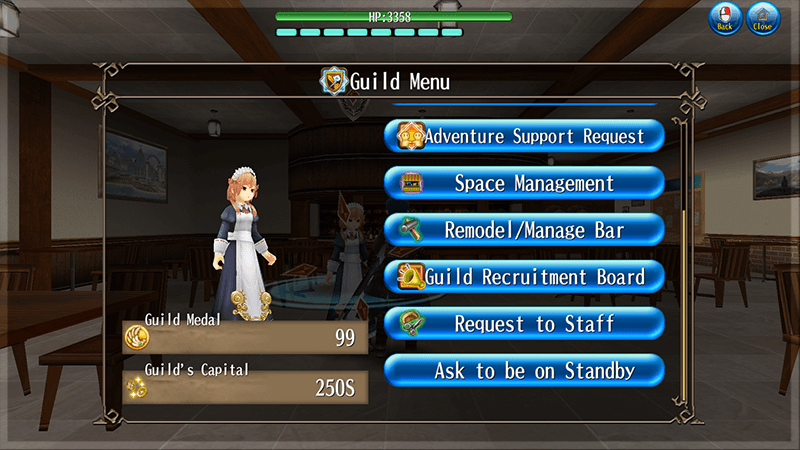
If your guild is eligible to use the Guild Recruitment Board, you can use the feature by talking to the Guild Staff. Go to Guild Menu > Guild Recruitment Board.
*Guild Staff is available when your guild reaches Lv15. *Only the Guild Master and the Vice Master can edit the Guild Recruitment Board.
Set Your Guild's Requirements on the Guild Recruitment Board!
You need to set the requirements below to start the recruitment of guild members on the Guild Recruitment Board.
Membership Approval
[table][tr][th]Auto[/th][td]Approve join requests automatically.[/td][/tr][tr][th]Manual[/th][td]Approve or reject join requests manually.[/td][/tr][/table]
Requirements
[table][tr][th]Max Level[/th][td]There level can be set from level 40.[/td][/tr][tr][th]Play Time[/th][td]The time can be set from 1 hour.[/td][/tr][tr][th]Story Progress[/th][td]The progress can be set from Chapter 2 Episode 10.[/td][/tr][/table]
Comment
You can set the comment to be displayed on the guild search screen.
Approving a Guild Join Request
[table][tr][td][/td][td][/td][/tr][/table] If it is set to manual, you can check the join requests from Menu > News > You've received a join request! after you start recruiting. You can also check them from Community > Guild > See Guild Requests.
The Guild Master and Vice Master will receive a notification when the guild receives a join request.The players can also view the join request through this notification.
Select approve to allow the player to join your guild or select ☓ to reject.
If you would like to end the guild members recruitment on the Guild Recruitment Board, you can talk to the Guild Staff and select Guild Menu > Guild Recruitment Board > End Recruitment.
*The join requests that have been sent for your guild will remain even after you end the recruitment.
*The recruitment on the Guild Recruitment Board will end automatically for the following conditions. ・The guild becomes full. ・The maximum number of applicants has been reached. (100)


 [/td][td]
 [/td][/tr][/table]
 [/td][td]
 [/td][/tr][/table]
 [/td][td]
 [/td][/tr][/table]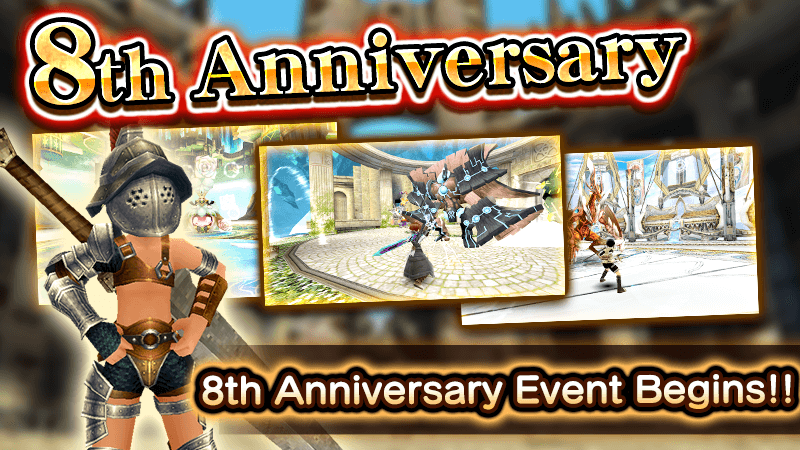




 [/td][td]
 [/td][/tr][/table]

 [/td][td]
 [/td][/tr][/table]