Every Relic Active and Passive skill has tier levels which make them more powerful, providing additional means of support or damage.
Because Relics have been completely incorporated into their own skill tree, they no longer are leveled up like they previously were. The Reliquary is no longer a functional fort decoration, but will now serve as an exclusive Early Access gift that will serve as a reminder of ‘a bygone era.’
Because Relic skills are part of the class skill trees, you can use Respectacles to respec your skill points at fort skill stations if you want to tinker with your Relic skills.
We are extremely excited to hear about the new class builds that players are creating and how the new Relic skills play into group mechanics. We’ll continue to tune and balance skills and combat and we’ll be watching http://tl3feedback.echtragames.com for feedback and technical issues. Again, we really appreciate all the suggestions and bug reports you are submitting.
- Echtra Bean
GENERAL
Created ability for linked Arc account to enable customer support (work in progress).
Updated engine version to use the network fixes for high frame rate users.
Status effect & trait network optimizations. Additional updates to various skills to reduce memory and increase performance.
Reduce outgoing bandwidth related to achievement quests. We now have cheaper messages that we can send to the client for achievement updates.
We now prevent MulticastSkillListUpdated() from getting called every time you do a kill, which should stop excessive data.
Fixed an issue where the game becomes temporarily unresponsive after rapidly clicking the 'Reset to Default' button in the 'Video Settings' menu.
The game user settings now better defaults for good performance without overheating (see expanded note in intro above).
Fixed several different crashes on the server when a path could not be found.
Fixed a crash that could occur when serializing some kinds of status effects (blood drinker active missiles skill)
Fixed a hitch when opening the death screen for the first time. This was caused by loading all the empty inventory slots in the lifebound items lost section.
Fixed crash when fighting Strongtusk.
Fixed server crash in GetHasApplied().
Reduced a loading hitch in the Sadista fight when summoning netherim.
Optimized the witch summoning skeletons, the netherim spellbreakers/spellslingers summoning netherlings and Sadista summoning netherlings to avoid a hitch.
Fixed a hitch loading level up skill.
Fixed a hitch loading missiles.
Fixed hitch in MonsterSpawner Pick Spawn Component or spawning monster.
Railmaster train skills preload the cars that they use to prevent a hitch.
Fixed a hitch caused by GC.
Fixed a hitch in CritterSpawner after regenerating navmesh.
Fixed a hitch with loading APN-selected props and gadgets.
Traps triggering both monsters and hazards should no longer cause a hitch.
We now preload characters before entering the game to help prevent hitching.
Updated skill effects that were potentially affecting server performance.
Fixed UI screens that were responding to events while they were hidden and causing performance problems.
Fixed an issue where performance briefly drops when the player selects a Legendarium skill slot.
Fix auto disconnect of new characters due to not finding quest data for those characters, which is expected.
Removed excessive internal logging.
Oodle compression is now enabled for PC.
Fixed an issue where Achievements were not showing when completed.
Heavy Metal achievement can now be completed upon collecting Metal Nuggets (instead of Copper Nuggets).
Fixed an issue with the "Terminator" achievement that could potentially not track all Automaton kills.
Fixed an issue with the 'Savant' achievement not unlocking upon meeting its requirements.
Fixed an issue preventing the "Rotten Core" achievement from completing.
Removed three Relic based Achievements.
Fixed Exterminator achievement not counting Hyvid kills.
USER INTERFACE
New batch of localization imported and compiled.
Fixed an issue with async-loading the level before trying to travel to it, so the loading screen covers the first part of warping to a new location.
Fixed an issue where players were unable to go back to title after failed login.
Replaced the red x icon with a remove icon and reformatted the "New Hero" button to be less prominent.
Added the controller help screen. Will display only when the controller is connected.
Fixed Sharpshooter class description so that they are identical despite switching customization settings.
Fixed issue where the Dusk Mage's skill 'Spirit Well' is missing its description during the character creation process.
Fixed "New Hero" button so it can be better clicked.
Fixed a redundant '+' PC button is displayed next to the button icon responsible for creating a new hero.
There are now quicker state changes and more contrast on selected and hovered difficulty panels.
The difficulty panel now has 2 clicks to accept the new difficulty (a highlight and select state).
Increased the amount of time until we give up on allowing party members to revive you from 45 sec. to 2 minutes.
Fixed an issue where uninformative messages displayed when attempting to join a full party. Now displays a message when trying to invite when you have a full party or when you try to join a full party.
Fixed an issue where occasionally players would not see nearby players listed in their nearby list. We no longer require that the other player is close. They should just be on the same zone server.
Fix for not enabling audio in the party channel after the first party member switches to a role of speaker.
Fix for audio not enabling for existing party that had none after the first player changed voice role to speaker.
Steam Party nickname invites now filter the search to only examine players on the current platform.
Fixed an issue where players are able to speak to each other even after going to the character select menu.
Fixed an issue where navigating through other players' panels in the Nearby tab of the Social menu does not highlight them.
Added 2 more skill slots. New slots added to settings key binding menu.
Changed Relic skill slot UI/text for Skill Slot 6.
Added new Relic background images, Relic HUD icons, and updated all Relic UI for the new Relic Subclasses, including help text, skill icons (some may be temporary), tooltips, etc.
Moved the warning message lower to avoid overlaps with other HUD elements.
Increased the size of Buff/Debuff icons in the HUD skill bar area.
Polished up the enemy HUD to make sure messages never overlap other UI.
Increased the size of the affix text of the boss target info.
Fixed an issue where there was no description for Antidote Potion displayed while hovering over the item's icon in the HUD.
The order of skills on the HUD bar now matches the order in the skills menu bar.
Fixed an issue where critical strikes text appears even when the player deals no damage with no weapon.
Added Difficulty level shield to HUD.
Added Challenge Level on the HUD.
Modified font style of level up banner text. The stroke was too thick.
Modified font style for Contract level number. The stroke was too thick at this font size.
Removed the message "Your attacks are ineffective".
Fixed an issue where players received 'Equip Weapon to Deal Damage" message in combat, even with a weapon equipped.
Gamepad can now use all 9 skill slots. The Left Trigger should now toggle between two sets of four skill slots. The gamepad also adjusts the order of the skill slots so that the default skill is on the far right and uses the Right Trigger. Skill hotkeys don't show over skills that can't currently be pressed - which is a console requirement.
Fixed an issue where the skill bar covers up the gamepad swap bar key.
Fixed an issue where there is no option to Exit from the title menu with a gamepad.
Fixed an issue with the gamepad where the item tooltip obscures the button guides in the Enchanter's Altar interface.
The skill bar order now longer changes permanently after switching to gamepad mode.
Updated the controller help diagrams to reflect the new Skills mappings.
Updated treatment of the Gamepad Skill toggle UI.
Fixed a bug where focus would not be applied correctly when opening the quest reward widget with the gamepad.
Fixed exit button being visible on title screen in gamepad modes.
UI optimizations for minimap and quests.
Fixed issue where in widescreen formats the portal icon on the frontier map was not completely clickable.
Fixed phase dungeon mini-map marker remaining visible after the portal has closed upon leaving the phase dungeon.
Rebuilt some data maps for areas that appear inaccessible on the mini-map, but are not. Or that are accessible, but do not appear that way.
Fixed an issue where Act 2 & 3 towns on the world map are not greyed out even though players have never been there.
Map spoke text label reads better. Increased font size and added stronger stroke.
Add additional states to the minimap/fullmap/quest info UI
On PC a button should toggle the three states: 1. Minimap 2. Full map 3. No Map (Another keyboard key toggles the mini map.)
The controller should cycle through the following 5 states: 1. Minimap + Quests 2. Full Map + Quests 3. Full Map Only 4. Nothing 5. Minimap Only
Edited down the Digitus basic attack description so that it fits better on the item tooltips.
Improved formatting on basic attack description on item tooltips.
Fixed an issue where while switching the skills tabs in the 'Skills' menu, a tooltip for the previously highlighted skill is displayed.
Fixing a number of relic tooltip bugs and scaling issues.
Fixed Scatter Shot tooltip that displayed the incorrect cooldown when Wingspan is equipped.
The A/Cross button is now mapped to basic attack again.
The video settings menu has been updated: There are no longer Save and Apply buttons - everything is updated as the settings are changed.
"Show Nameplates" no longer show breakables and other gadget based items.
Added UI scaling option. Scale changes currently only take effect after restarting the client. In a future patch the change will take effect immediately after clicking “Accept”.
Updated the Options button to be all caps "OPTIONS" on the prompt element.
Debug panel is collapsed instead of hidden.
Better formatting of mailbox items and fixed issues that made the mailbox button hard to click after exiting the options menu.
New fort drag view cursor.
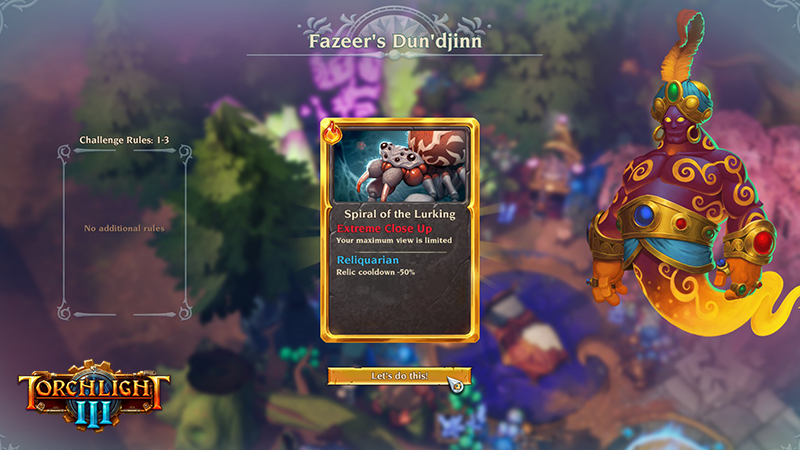
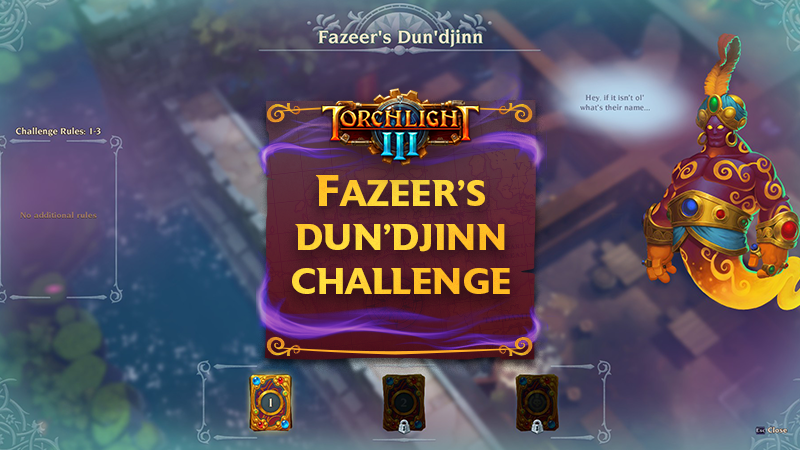
Increased the font size of Fazeer's Dun'djinn screen title.
Polished Fazeer card set UI including smoother intro-outros for result and cluster rules reveal screens and updated card set empty footprint.
Removed the hovering of the Challenge Dungeon cards as it was causing bad text artifacts. Replaced with a glowy effect.
Increased the font of benefit and detriment description text.
We now tell the player both the number of Challenge Level you failed and the challenge level you are reset to on the failure screen.
Fixed issue with affix text running off the Challenge Dungeon card.
Fixed an issue where the "Claim Reward" button appears on "Challenge Failed" UI
Fixed an issue where the Challenge Dungeon UI does not default to the furthest progress for your character.
Added a new card state for "current" unlocked challenge and level selector tray polish. The level selector can now be fast forwarded via gamepad, Page Up / Page Down, or clicking the button a lot.
Fixed an issue where the selected Challenge Level card lingers around for too long after the portal is generated.
Fixed an issue where Challenge Level cards on the sides cannot be selected by clicking on their outer sides.
Fixed an issue where pressing the 'back' button during the cards pop-up animation causes the Fazeer's Dun'djinn UI to become unresponsive to any input apart from the 'close' button.
Corrected some of the timing to be able to select cards earlier.
Updated reveal animation of new Challenge rules.
Fixed issue where Challenge card animation and SFX fluctuate if your cursor is in the right spot.
The Dungeon card tray now glows when revealing a new set.
Removed an extraneous step from the set reveal screen.
Fixed an issue where the rules card would rehide when backing out of the confirm screen.
Recipe rarity is now viewable in Echnanting UI.
Fixed an issue where the continue button in the Results panel was covered up by an invisible image.
Fixed breaking down legendary enchanting recipes at your Enchanting Altar telling you that it unlocked a new Legendarium affix.
Added a hyphen to the "Two-Handed Weapon" enchanting category name.
Edited down the informational text for enchanting recipes.
Added a description for enchanting recipes that says the category that it is for and what types of armor or weapons can be enchanted with the recipe.
Fixed an issue where skills in the Legendarium were not saved if the player presses escape out of the Legendarium menu before hitting equip.
Added stats entry for pet's immunity to damage type (from legendary pet collars) in the Legendarium.
The Legendarium library panel is slightly narrower to make sure it does not get chopped off on the left side of the screen.
Fixed issues with sound and layout of the "New Legendary Affix Slot" notification.
Fixed an issue where the upper border texture of the Pet Shelter panel is cut off from the right side.
Updated the receive pet UI to make sure everything scales properly at all screen formats and the pet location is centered better.
Added Pet description for the Pet Skills tab.
Added a tooltip for the locked Pet Skill slots.
Added more info for the Pet Skills description panel when pressing the LS button on gamepad or the ? button on mouse/keyboard.
Pet quality is now communicated in the Pet Shelter UI.
Fixed issue where Pet gear attack stats appear grouped with other player stats.
Fixed issue where some pet stats are not shown in Stats menu.
Fixed an issue where the information present below the inactive Pet skills description was incorrect.
Fixing splash screens for the various platforms to be consistent.
Optimized Railmaster and Sharpshooter loading screen assets.
Updated loading screen art in Hyvid areas.
Added the foreground and background assets for Strongtusk and Voltura loading screen.
Updated loading screens for the following areas: Crash Course, Thorned Ingress, Belly of the Beast, Ancestral Grove, Sunken Ruins, Ascent of Echoes, Grand Hall, Cliffs of Ore, Amber Hold, Machineworks, and others…
Loading screen fixes so that it is cleaner with no crazy pops.
Updated Relic icons.
Updating Luck Tree status effect icons and other Monument status effect icons.
Updated world map icon for Echo Landing.
Hooked up lore speaker portraits for Commander Vale, Thunderthighs and Zephoras.
Fixing hookups for several lore lines to have the correct portraits.
Updated minimap icons with the correct versions. Some icons had reverted to the old ones at one point.
Asset and image optimization.
New minimap resource icon (Pick axe).
Reduced size of contract progress art.
Removed unused assets to make more space in HUD atlas.
Corrected oversized skill icons and adding major and minor shield icons for Railmaster skills.
Added icon for Rare Bone quest item.
Adding helm, gloves and shoulders gear category icons.
Fixed proportion on gear category icons, and adding pants and digitus icons.
Fixed the size of fort decoration icons that were oversized.
Added icons for new floor fort decorations.
Updating icon for Jam Gear so it does not spill out of the frame.
Added fort prop icons for Arms Cart and Fazeer’s fort building.
Fixed an issue when the 'New legendary slot' icon is active, its notification is played again when any other icon appears or disappears.
Inventory stats panel is now visible by default.
Fixed all misspellings of Venomous on Bane.
Increased width and padding in quest tracker.
The revive dialog is now centered on screen. Will play well with the Lifebound UI on all screen sizes.
Fixed an issue where the Credits section was not accessible from the Title Screen and Character Select Menu.
Added Oodle to the credits screen.
Fixed an issue where the navigation header displays incorrectly on ultrawide displays.
Used a shorter string for the "Gain Level/Unlock" skill prompts on the skills screen.
Moved the "More Info/Less Info" prompts to a floating prompt on the left side.
Skill screen legend text is now stacking to optimize the space. Also made sure that the skill description header fits the panel better.
Moved show/hide info prompt to the same location as the clickable button in the skills panel.
The active area of the item rollover is now tighter.
Fixed an incorrect hitbox on the "Make Active" contract button.
Essence currency now fits in the designated area when the amount is insanely large.
This is the update that you’ve been watching and waiting for. The Relic Subclass update has arrived and alongside it, a complete character and account wipe.
This update is a culmination of player feedback we have received since launching to Early Access: More skills slots, bringing the total up to nine - all with controller support. New mini-dungeon areas, hair color options, and fort decorations. UI scaling and video setting updates. A large list of bug fixes and performance improvements. And five powerful and unique Relic Subclasses, each a full skill class tree leaning heavily into a specific combat style, with Relic energy, weapon masteries, and passive and active skills.
“Relics initially began as a special type of item that had unique features. They were items that you could equip and level up and store/swap between characters. They would gain stats and have their own dedicated weapon slot. Relics were designed to be flexible, super powerful combat options with their own background and lore.” Tyler, Torchlight III Project Lead explains. “Through Alpha and Steam Early Access, our fans have guided us on a journey that has brought relics more and more into the center of the game. In update after update, we’ve heard that relics were getting better, but they had more potential that just didn’t feel unlocked.”
Then Early Access started...
“While most of the negative reviews were due to server issues, there were some really thoughtful responses by our players on how we present skills; it really came down to feeling like there was a lack of build options, active skills, and even just skill slots themselves.”
The first time we saw Bane... Bane reimagined as a third skill tree.
He continued to explain why Relics needed an update, “While Relics added a third skill tab, that tab arrived after first impressions were formed and didn’t have enough impact when it did show up. Being able to craft, change, share, and delete the relics tended to diminish their importance to a character. It felt like a system on the side - not something that truly provided build diversity and character identity.”
A Sharpshooter with the Blood Drinker Relic, ready for battle!
“We decided to take the next natural step with Relics: We made relics a full-blown subclass: a part of character creation, a full tab of active and passive skills, and a clearly separate strategy for the character. These 5 relics together with our 4 character classes form 20 truly unique strategies.”
You can read all the detailed notes about the Relics, their skill trees, and Relic Energy below, but first we wanted to highlight some other important community requests and commonly reported bug fixes.
CTRL + D copies your Debug information to your clipboard. Logs can be found in your %localappdata%\Frontiers\Saved\Logs windows folder.
Please send logs and debug information to feedback@echtra.net You can also post logs and details to any new or existing submissions here: http://tl3feedback.echtragames.com
Nine total skill slots, all with controller support, will ensure options for more “rainbow” builds.
Multiple issues with lag, desync, hitching, rubberbanding, etc have been addressed. If you continue to experience issues with gameplay, please send us your logs (see how to send them at the top of this list). https://torchlight3.nolt.io/1602
We have pushed many fixes to resolve Quest issues. If after this update you still experience quest items that don’t drop or quests that do not complete, please send us your debug info and logs (see how to send them at the top of this list). https://torchlight3.nolt.io/1568
Players have described traveling to a Blue Void (dead space). If you are still seeing instances of dead areas, please send us your logs and debug info (see how to send them at the top of this list). https://torchlight3.nolt.io/1826
Fixed several instances where bosses were not spawning appropriately. If you are still seeing instances of missing bosses, please send us your debug info and logs (see how to send them at the top of this list). https://torchlight3.nolt.io/1495
Fixed instances where quest-based consumables were not found or properly unlocking a fort building (Luck Tree, Fazeer, etc). https://torchlight3.nolt.io/768
More Progress on UI scaling option and ultrawide resolution formatting. The UI Scaling option exists in the settings menu, but only currently takes effect after a game restart. https://torchlight3.nolt.io/576
This update fixes a bug in Video Settings detection which made some people's computers run too hot. Next time you start Torchlight 3, your Video Settings will be automatically detected again, as if you were running it for the first time. TL3 should now run as fast or faster than before, without burning up your computer.
As part of these changes, the game now defaults to Windowed Fullscreen instead of Fullscreen. This has a few benefits, including behaving better when switching to other running programs. In Windowed Fullscreen, your UI will be at the highest resolution your monitor supports (for example, 1920 x 1080), and the rest of the game will run at a resolution that may be lower, exactly as if you'd set a lower fullscreen resolution (say, 1280 x 720), based on the Resolution Quality slider.
For example: Windowed Fullscreen at 1920 x 1080 and Resolution Quality 66.67 will look and run the same as Fullscreen 1280 x 720 and Resolution Quality 100, except that in the Windowed Fullscreen case the UI will be much crisper.
Also, if you change your video or CPU hardware, or perhaps update your drivers, and want to detect new automatic "best" settings, you can now do that at the Main Menu with the new "Detect New Defaults" button on the "Video Settings" panel in Options. Because this runs hardware performance tests, it has to be done at the Main Menu so that the CPU and GPU hardware are as idle as possible.
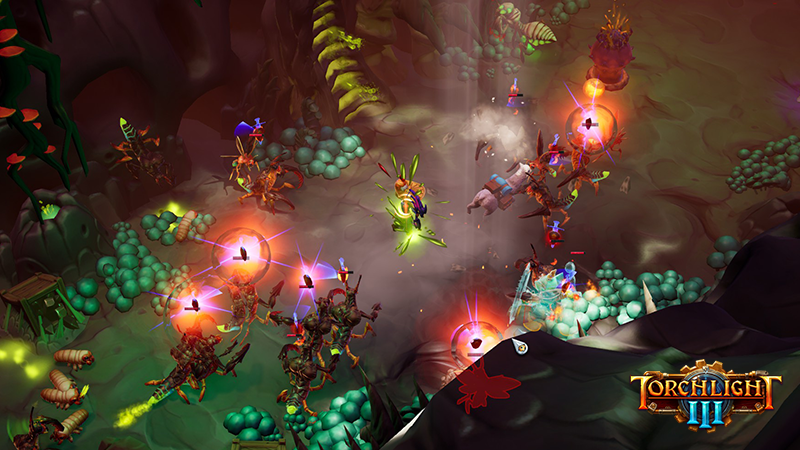
We’ve also added secretive mini-dungeon side areas to the game! You can find these areas randomly when wandering around the frontier.
What lurks in these secretive mini-dungeons?
The enchanting tutorial quest "Simply Enchanting" is now given to you the first time that you complete the last story quest. This unlocks the Enchanting Altar for your account; meaning Enchanting has become an end-game mechanic.
Phew! This is one, really big update! We’re really excited to see a relaunch during Early Access with all of these new mechanics, bug fixes, and updates in place. If you need us, we’ll be on the frontier!
When we first launched into Early Access we received a large amount of critical feedback pertaining to skills. Players criticized what appeared to be a lack of options and uniqueness when initially creating a character. Alongside some problematic interactions with the current system of swappable Relics, like players deleting accidentally them, it was clear that Relics needed a deep review.
After discussing the issues further with the community including closed focus groups, Friday streams, and long chats in Discord, a rebuild of Relics had to happen if they were going to become the truly unique and powerful skill tree that they were always intended to be.
The community was right and while this was not a small task, we believe this is a huge improvement for Torchlight III’s base gameplay; we’re extremely excited to see all of the new and creative builds that come from this change.
Because this feature would require a large amount of work to retroactively fit into a player's current accounts/characters, we have decided to wipe all player/account data when this feature goes live.
We recently posted about the wipe, but as a reminder, all data and characters have been completely reset and wiped clean.
Players will now choose their Relic after they choose their class during character creation. This choice is a permanent 3rd skill tree, full of its own active and passive skills.
Example of a Bane Railmaster. Would you go Bane Train or Spider Slammer?
You cannot change your Relic in the new system which means that this choice is a fixture of your class; you will be known by the powers and influence your chosen Relic gives you. There is no way to change a Relic after a character has been created.
You will be able to preview all of the skills together and hover over each one individually to provide you with more information before you make a final decision.
Each Relic comes with five active skills and five passive skills to choose from. Each active skill has its own set of tier bonuses that can greatly enhance the skill in a variety of ways.
Like the other two class skill trees, Relic skills have level requirements and share the same skill point pool as the other two trees.
Most Active Relic skills require Relic Energy, though not all do. Relic Energy generates over time as long as you remain in combat. The Relic Charge Bar will be hidden if you do not have a skill that spends Relic Energy.
The former Relic Activation skills have been reworked into a normal skill you put points into and slot into one of your skill slots, but they behave differently from the rest of the Relic’s skills. They do not have a normal resource cost or cooldown, but instead can be activated once you have spent a total of 200 Relic Energy on other skills. As you build and spend the Relic Energy meter, you’ll slowly work towards being able to activate this very potent skill. Naturally, the more you invest your skill points into your new Relic tree, the more often you’ll be able to use this ‘finishing’ skill, and the more potent it will become.
‘Weapon Mastery’ associations are optional passives each Relic contains, which not only make the basic attacks of the specified weapon stronger but also increases the potency of the relic overall so long as you have that weapon type equipped. This creates build options that drill down into focusing on specific weapons, which is something the community has directly requested.
There are five main Relics to choose from, each with its own unique association and strengths.
[table] [tr] [td] [/td] [td]
Bane
Summon a cluster of spiders and cast forth volleys of deadly poison.
When you hit a Poisoned enemy there is a chance you’ll summon a poison spider. You can control more spiders with more power at higher level tiers.[/td] [/tr][tr] [td][/td] [td]Spectral Spider Active Skill
Summon an ancient spider spirit that fights alongside you for a set amount of time, dealing poison damage.[/td] [/tr][tr] [td][/td] [td]Poison Nova Active Skill
Violently release a wave of toxic projectiles around yourself.[/td] [/tr][tr] [td][/td] [td]Spread of Death Passive Skill
Killing a poisoned enemy has a chance to spawn poison bolts around them that deal damage.[/td] [/tr][tr] [td][/td] [td]Staffing Up Passive Skill
Its master once wielded a staff and now Bane celebrates those who do. Basic Attack increases Relic Energy regeneration, but a Staff must be equipped to get the bonuses from this passive.[/td] [/tr][tr] [td][/td] [td]Venomous Maw Active Skill
Summon an ancient spider spirit that surges forward dealing damage and poisoning enemies.[/td] [/tr][tr] [td][/td] [td]Miasma Active Skill
Release the toxic vapors of Bane, surrounding you in a cloud of poison mist, lasting until the Relic Energy is depleted.[/td] [/tr][tr] [td][/td] [td]Puppet Master Passive Skill
Bane grants you increased power over those who fight for you.[/td] [/tr][tr] [td][/td] [td]Arachnid Assault Active Skill
Project six spectral spiders that surge out from you, poisoning enemies they strike.[/td] [/tr][tr] [td][/td] [td]Energizer Passive Skill
Gain Relic Energy faster by attuning with this ancient Relic.[/td] [/tr][/table] [table] [tr] [td] [/td] [td]
Blood Drinker
Heal your own wounds while enemies bleed.
Physical Based
HP Regen
Bleeding / Damage over Time
Sword Synergy
[/td] [/tr][tr] [td][/td] [td]Spinning Blade Active Skill
Summon a spinning blade at the target location that hits enemies and makes them bleed.[/td] [/tr][tr] [td][/td] [td]Bloodletter Passive Skill
Blood Drinker slices to the bone, giving you a chance to bleed enemies for a set amount of time.[/td] [/tr][tr] [td][/td] [td]Blades for Cutting Passive Skill
The sight of a sharpened sword makes Blood Drinker crave chaos. Basic Attack increases Relic Energy regeneration, but a Sword must be equipped to get the bonuses from this passive.[/td] [/tr][tr] [td][/td] [td]Blood Seekers Active Skill
Coat yourself in a Blood Magic spell that drains your Relic Energy, lasting until it is depleted. The spell conjures Blood Missiles once every second, dealing increased damage with more levels.[/td] [/tr][tr] [td][/td] [td]Living Barrier Active Skill
Create a bloody barrier around yourself, reducing incoming damage and healing yourself.[/td] [/tr][tr] [td][/td] [td]Rupture Passive Skill
Hitting a bleeding enemy has a chance to make them explode for AoE damage.[/td] [/tr][tr] [td][/td] [td]Bloody Chalice Passive Skill
Defeating a bleeding enemy has a chance to drop a Bloody Chalice which restores health when picked up.[/td] [/tr][tr] [td][/td] [td]Drain Active Skill
Pull the life force directly from nearby enemies, dealing damage, and healing yourself.[/td] [/tr][tr] [td][/td] [td]Dance of Death Active Skill
Manifest deadly spinning blades that orbit your position, slicing up enemies, gains duration and additional blades with skill tier levels.[/td] [/tr][tr] [td][/td] [td]Energizer Passive Skill
Gain Relic Energy faster by attuning with this ancient Relic.[/td] [/tr][/table] [table] [tr] [td] [/td] [td]
Coldheart
Control crowds, freezing, slowing, or knocking back immediate threats.
Let them feel a taste of cold and the power it offers. Adds bonus Ice element damage and Chill chance. [/td] [/tr][tr] [td][/td] [td]Ice Shield Active Skill
Transform your skin into ice, preventing the next three sources of damage, while firing icicles at nearby enemies, each dealing damage as ice.[/td] [/tr][tr] [td][/td] [td]Frost Blast Active Skill
You fire a wave of icicles dealing damage as ice and chilling them. Chill duration increases with tier levels.[/td] [/tr][tr] [td][/td] [td]Frost Skin Passive Skill
Form a second skin of armored ice, preventing all damage from a single hit. Frost Skin will recharge automatically over time.[/td] [/tr][tr] [td][/td] [td]Ice Golem Active Skill
Summon a massive ice elemental which attacks enemies with ice damage and increases in power with more tier levels. Activating the skill while the elemental is alive commands it to teleport to target location and perform a powerful AoE attack.[/td] [/tr][tr] [td][/td] [td]Large Bores Passive Skill
Cold gets in easier when a gun punches a bigger hole. Basic Attacks increases Relic Energy regeneration, but a Rifle or Pistol must be equipped to get the bonuses from this passive.[/td] [/tr][tr] [td][/td] [td]Breaking Point Passive Skill
When you have Frost Skin and it breaks you now unleash a Frost Nova dealing damage and freezing enemies.[/td] [/tr][tr] [td][/td] [td]Snowstorm Active Skill
Summon a snowstorm around you that drains your Relic Energy, lasting until it is depleted. The snowstorm deals damage and chills nearby enemies. While Snowstorm is active your allies gain a damage boost and additional chance to Freeze. [/td] [/tr][tr] [td][/td] [td]Cold Front Active Skill
Manipulate the very weather itself, creating a localized winter storm all around you. The storm drops razor-sharp icicles from above that deal damage as ice per hit.[/td] [/tr][tr] [td][/td] [td]Energizer Passive Skill
Gain Relic Energy faster by attuning with this ancient Relic.[/td] [/tr][/table]
We are getting very close to the upcoming Relic Subclass update and wipe (currently scheduled for August 11th); with only a week left until the update, we wanted to properly warn everyone of the upcoming wipe, why we are doing it, and what it exactly entails.
Wipes are something we know are stressful for a large number of players; a lot of time and effort has been spent into creating the perfect fort or class build. We totally understand and don’t take the decision to wipe lightly, but believe that sometimes it is the best thing for the game, team, and the community as a whole to start completely fresh.
Our team is currently focused on resolving bugs, fine-tuning gameplay, and polishing current features, and with any hope, players coming back to Torchlight III with a fresh account and characters after the Relic Subclass update will be able to enjoy a very different and interesting initial experience than their previous playthroughs.
What will remain of my account / character after the update and wipe?
Nothing. Everything will be wiped clean, this includes your Fort, your mailbox, any items you’ve stashed, and all character and account data. Nothing will remain on your account and you will be starting the Torchlight III experience fresh alongside everyone else.
Why would you do this? Can’t you make a tool that could [insert desired item/area to salvage]?
The amount of time that would have to be spent in creating a data migration tool in order to preserve specific elements of the game would take away from time that could be spent creating new features, fixing bugs, and providing a more stable gameplay experience.
Additionally, there are many parts of the game that we have updated since Early Access launch and the team wants to be able to view some of the specific areas that have received tuning, updates, or fixes since that time.
Wiping everything completely allows the team to view player progression, including balance and bugs, without the confusion of old data or issues related to bad data migration.
Are you going to wipe again?
Yes. As stated on our Early Access FAQs, listed on the game product page, there is a scheduled wipe at the end of Early Access, which will be just prior to the launch of the game. In addition to the team being able to provide more aggressive updates and bug fixes prior to launch, the community will also be able to have a chance to all start on the same foot with all the latest updates, bug fixes, and tuning.
As with this upcoming wipe, the scheduled wipe at the end of Early Access is a complete data wipe. Your Alpha and Early Access gifts will still be available to your account, but all progress will be cleared and all players will start fresh at the launch of the game.
So why did you give us in-game items if we can’t keep them?
Why not have some fun before the wipe? Some players may want to spend the last week or two in-game building insane forts, trying new builds, or rampantly gambling when they might otherwise be more frugal.
So why not give us in-game items AFTER the wipe?
The design team will be carefully watching the economy and player progression after the wipe. It will be important and easier to study and discern real concerns/issues if they are not clouded by other sources of currency/resources. This does not mean that we won’t provide in-game gifts in the future, it just means that it won’t be as excessive as our pre-wipe gifts and most likely won’t occur right after the next big update.
With this update and wipe, all players will be able to provide suggestions, feedback, and bug fixes while experiencing the natural and intended progression of the game. The team won’t be confused or spend time trying to troubleshoot errors and issues surrounding data migration and we can focus our efforts and time on more important areas of the game, including stability and bugs.
We’re working hard to make Torchlight III a new, unique and improved experience for the Torchlight series. We’re excited to see how the inclusion of the new Relic Subclass skill trees, additional skill slots, and all the overall improvements feel to the community as they are rolled out on a fresh launch.
As always, thank you for your continued support, feedback, and bug reports as we progress through Early Access. You’re making Torchlight III a better game, one update at a time.
- Max
We are always in a continuing process to scrub and review bugs that have been reported to our Support Center, but we wanted to highlight a few of the most critical, highly reported, and consistent issues players are still encountering and any updates we might have for those specific problems. This is not an exhaustive or complete list of reported issues.
CTRL + D copies your Debug information to your clipboard. Logs can be found in your %localappdata%\Frontiers\Saved\Logs windows folder.
Please send logs and debug information to feedback@echtra.net You can also post logs and details to any new or existing submissions here: http://tl3feedback.echtragames.com
OPEN ISSUES
Pets not attacking. https://torchlight3.nolt.io/219
No updates at the moment, still investigating.
Achievements are triggering for players upon logging into the game for the first time. https://torchlight3.nolt.io/386
We have pushed a hotfix recently to address some Steam achievement issues. We don’t have any further updates on whether these achievements will be removed at launch or not.
Teleporting to Fort should spawn you at the waypoint. https://torchlight3.nolt.io/317
This is a good suggestion, we will implement in a future patch.
Ultrawide resolutions don’t fit perfectly & UI scaling option. https://torchlight3.nolt.io/576
We are continuing to work towards a UI scaling option within our settings menu and a better resolution for Ultrawide monitors.
It is not possible to disenchant Pet Collar and Pet Tag. https://torchlight3.nolt.io/56
We have fixed this before, but player reports indicate the issue has come back. We are investigating.
Players are reporting they are unable to get to Lake Gobdunk; taking the way point from the Lakeside Clearing takes them to Guarded Path. https://torchlight3.nolt.io/1949
Some players experience issues being able to travel to Lake Gobdunk via waypoint. We had hoped this was fixed in a previous update, but are currently reinvestigating the issue.
UPCOMING FIXES
The next big update is scheduled for 08/11/2020, includes a wipe, and contains fixes for all of the following issues:
‘Rubberbanding’ and General Lag https://torchlight3.nolt.io/1602
We know some players are experiencing increased lag/rubberbanding since the last major update. We have a couple of fixes ready, but we continue to work to improve this and it’s our top priority.
As always, if you continue to experience disconnects, lag, and connection issues, please send your logs and debug information (see above) to feedback@echtra.net with an appropriate title for the problem.
Australian servers are not yet available, but we still plan to bring them online in a future patch.
We are aware that some areas are not spawning bosses. https://torchlight3.nolt.io/1495
We are fixing these instances as they come in. Please post your debug info and logs for missing enemies and bosses to: http://tl3feedback.echtragames.com
Some players report the game runs ‘hot’. https://torchlight3.nolt.io/1033
Benchmark settings are being updated in a future update which is most likely causing some computers to run ‘hot’.
Not enough quest items to complete quests. https://torchlight3.nolt.io/1568
There is an underlying fix that is being worked on that will hopefully address many of these issues. However, please continue to report any quests that are not resolving properly, including quests that don’t drop enough items.
Some players are reporting getting stuck in loading screens. https://torchlight3.nolt.io/1527
The team has a fix ready for a future update. Anytime you experience infinite loading screens, travel issues, connection problems, weird black screens, etc - please send us your debug info and logs (see details above) and we will try our best to do what we can to get the issue resolved.
Players report pets are not able to go back and sell things. https://torchlight3.nolt.io/1846
A potential fix is ready for an upcoming update.
TROUBLESHOOTING
Unable to log into the game. https://torchlight3.nolt.io/1900
If you are having trouble logging into the game we have the following suggestions to try before sending us more info:
This usually occurs when Steam is not properly connected. Are you able to connect to other games that require an (online) Steam connection?
Are you connected to the internet and launching the game through the Steam library?
Have you rebooted the game, your PC, and verified the Steam files?
Are any 3rd party apps (like torrent software, anti-virus, firewalls, etc) or ISP blocking your connectivity or ports?
We’ve received reports of firewall and antivirus blocking Torchlight III, please verify your 3rd party programs are not suppressing the connection between Torchlight III and your internet connection.
Is your clock properly set?
Are you using Steam Proton? A Steam SDK update seems to have stopped this from working for players. We don’t formally support Linux or 3rd party programs, but may be able to further investigate the issue in the future. Some players have told us that Vanguard (and other anti-cheat/virus) can be blocking the connection - you may want to remove or review your 3rd party programs.
If you have confirmed all of the above and still haven’t been able to log in, please send us your logs in an email and we will review the issue further.
Multiple duplicate Fort Decorations cannot be deleted, sold, or removed from your inventory. https://torchlight3.nolt.io/94
Quest rewards should no longer be giving fort items that are duplicates of Contract rewards. For the moment, you can create a new character, transfer the excess items to that character via the Shared Stash, and delete the new character to delete the items from your account.
Luck Tree sprout is unobtainable. https://torchlight3.nolt.io/768
We know. We’re sorry! The upcoming wipe should hopefully resolve the root issue that causes this problem. See the above instructions for getting rid of it while you wait for the wipe.
Your bugs and feedback are greatly appreciated and can be posted on our Support Center at any time. We will continue to post updates and want to thank you again for the patience, reports, logs, and Alpaca poems sent to our email.
We initially launched Early Access on June 13th; it’s now July 30th. Just 47 days into this process and we have already launched the third act (Echonok Mountains,) Fazeer’s Dun’djinn, an awesome new end game experience, and are already preparing for our next big update - Relic Subclasses. Our next big patch, which is previewed below, will be our final large update prior to launch. While initially scheduled for August 4th, the Relic Subclass update and account wipe has now been delayed a week to August 11th. The decision to delay is partly due to early player feedback and we agree that it will be a better update with another week of bug fixing and refinement. After this update is released, the remaining time in Early Access will be used to polish our current features and resolve outstanding issues and bugs.
While we are still continuing to gather feedback for the post-launch period, our current focus is polishing the final product further before release. We know there are still a large number of bugs to resolve and concerns with rubber banding and lag; we have a few fixes ready to improve the performance for players (it continues to be a priority for us,) and now that major updates are not the focus we can spend much-needed time on fixing bugs, polishing, and tuning.
And even though this update is focused primarily on Relics, it also includes a number of other fixes, tuning, and improvements. One of the community’s biggest requests, having more available skill slots, is coming alongside this update!
There will be a total of NINE SKILL SLOTS and all with controller support!
I’m so excited to reveal what else is coming up for Torchlight III, but for the moment I’ll settle for this upcoming update and hold onto more surprises for a later date. Thank you everyone for your continued input and support. You’re making Torchlight III better.
- Max
RELICS When we first launched into Early Access we received a large amount of critical feedback pertaining to skills. Players criticized what appeared to be a lack of options and uniqueness when initially creating a character. Alongside some problematic interactions with the current system of swappable Relics, like players accidentally deleting them, it was clear that Relics needed a deep review.
After discussing the issues further with the community including closed focus groups, Friday streams, and long chats in Discord, a rebuild of Relics had to happen if they were going to become the truly unique and powerful skill tree that they were always intended to be.
The community was right and while this was not a small task, we believe this is a huge improvement for Torchlight III’s base gameplay; we’re extremely excited to see all of the new and creative builds that come from this change.
Because this feature would require a large amount of work to retroactively fit into a player's current accounts/characters, we have decided to wipe all player/account data when this feature update goes live.
This update and wipe is currently scheduled for August 11th but is subject to change.
Players will now choose their Relic after they choose their class. This choice is a permanent 3rd skill tree, full of its own active and passive skills.
You cannot change your Relic in the new system which means that this choice is a fixture of your class; you will be known by the powers and influence your chosen Relic gives you. You will be able to preview all of the skills together and hover over each one individually to provide you with more information before you make a final decision.
Example of a Bane Sharpshooter. Would you… Spray Scattershot? Spew Spiders? or Summon Shasta?
RELIC CHOICES
There are five main Relics to choose from, each with its own unique association and strengths. [table] [tr] [td] [/td] [td]Bane - Summon a cluster of spiders and cast forth volleys of deadly poison.
Poison Based
Summoning
Minion Bonuses
Associated with Staves
[/td] [/tr][tr] [td][/td] [td]Blood Drinker - Heal your own wounds while enemies bleed.
Physical Based
HP Regen
Bleeding / DoT Damage
Associated with Swords
[/td] [/tr][tr] [td][/td] [td]Coldheart - Control crowds, freezing, slowing, or knocking back immoderate threats.
Ice Based
Crowd Control
Extreme Defense
Associated with Rifles/Pistols
[/td] [/tr][tr] [td][/td] [td]Electrode - Unleash an unpredictable surge of electricity.
Electric Based
‘Shock Bolts’ Support
Movement, Attack, and Cast Speed
Associated with Maces
[/td] [/tr][tr] [td][/td] [td]Flaming Destroyer - Consistently burn enemies and set things ablaze.
Fire Based
Evasion
AoE Damage
Associated with Great Weapons
[/td] [/tr][/table] The ‘Weapon Mastery’ associations are optional passives each Relic contains, which not only make the basic attacks of the specified weapon stronger, but also increases the potency of the relic overall so long as you have that weapon type equipped. This creates build options that drill down into focusing on specific weapons, which is something the community has directly requested.
RELIC SKILLS & ENERGY
Each Relic comes with 5 Active skills and 5 Passive skills to choose from. Each Active skill has its own set of Tier bonuses that can greatly enhance the skill in a variety of ways.
Like the other two class skill trees, Relic skills have level requirements and share the same skill point pool as the other two trees.
How many Active Relic skills will you try?
Most Active Relic skills require Relic Energy, though not all do. Relic Energy generates over time as long as you remain in combat.
The former Relic Activation skills have been reworked into a normal skill you put points into and slot into one of your skill slots, but they behave differently from the rest of the Relic’s skills. They do not have a normal resource cost or cooldown, but instead can be activated once you have spent a total of 200 Relic Energy on other skills. As you build and spend the Relic Energy meter, you’ll slowly work towards being able to activate this very potent skill. Naturally, the more you invest your skill points into your new Relic tree, the more often you’ll be able to use this ‘finishing’ skill, and the more potent it will become.
Nine total skill slots, all with controller support, will ensure options for more “rainbow” builds.
This is going to be a very dramatic update and we’ll have more details and specifics with the patch notes when the update goes live. Until then, keep slayin’. Both goblins and in life. :)
- Echtra Bean
We are always in a continuing process to scrub and review bugs that have been reported to our Support Center, but we wanted to highlight a few of the most critical, highly reported, and consistent issues players are still encountering and any updates we might have for those specific problems. This is not an exhaustive or complete list of reported issues.
CTRL + D copies your Debug information to your clipboard. Logs can be found in your %localappdata%\Frontiers\Saved\Logs windows folder.
Please send logs and debug information to feedback@echtra.net You can also post logs and details to any new or existing submissions here: http://tl3feedback.echtragames.com
OPEN ISSUES
Pets not attacking. https://torchlight3.nolt.io/219
No updates at the moment, still investigating.
Achievements are triggering for players upon logging into the game for the first time. https://torchlight3.nolt.io/386
We are aware of this issue and are investigating it further. We don’t have any further updates on whether these achievements will be removed at launch or not.
Teleporting to Fort should spawn you at the waypoint. https://torchlight3.nolt.io/317
This is a good suggestion, we will implement in a future patch.
Ultrawide resolutions don’t fit perfectly. https://torchlight3.nolt.io/576
We are continuing to work towards a UI scaling option within our settings menu. In the meantime, we are reviewing various resolutions for more ways to improve those who have really big monitors.
It is not possible to disenchant Pet Collar and Pet Tag. https://torchlight3.nolt.io/56
We have fixed this before, but player reports indicate the issue has come back. We are investigating.
Not enough quest items to complete quests. https://torchlight3.nolt.io/1568
There is an underlying fix that is being worked on that will hopefully address many of these issues. However, please continue to report any quests that are not resolving properly, including quests that don’t drop enough items.
UPCOMING FIXES
The next big update is scheduled for 08/11/2020, includes a wipe, and contains fixes for all of the following issues:
‘Rubberbanding’ and General Lag https://torchlight3.nolt.io/1602
We know some players are experiencing increased lag/rubberbanding since the last major update. We have a couple of fixes ready, but we continue to work to improve this and it’s our top priority.
As always, if you continue to experience disconnects, lag, and connection issues, please send your logs and debug information (see above) to feedback@echtra.net with an appropriate title for the problem.
Australian servers are not yet available, but we still plan to bring them online in a future patch.
We are aware that some areas are not spawning bosses. https://torchlight3.nolt.io/1495
We are fixing these instances as they come in. Please post your debug info and logs for missing enemies and bosses to: http://tl3feedback.echtragames.com
Some players are reporting getting stuck in loading screens. https://torchlight3.nolt.io/1527
The team has a fix ready for a future update. Anytime you experience infinite loading screens, travel issues, connection problems, weird black screens, etc - please send us your debug info and logs (see details above) and we will try our best to do what we can to get the issue resolved.
Players report pets are not able to go back and sell things. https://torchlight3.nolt.io/1846
A potential fix is ready for an upcoming update.
TROUBLESHOOTING
Unable to log into the game. https://torchlight3.nolt.io/1900
If you are having trouble logging into the game we have the following suggestions to try before sending us more info:
This usually occurs when Steam is not properly connected. Are you able to connect to other games that require an (online) Steam connection?
Are you connected to the internet and launching the game through the Steam library?
Have you rebooted the game, your PC, and verified the Steam files?
Are any 3rd party apps (like torrent software, anti-virus, firewalls, etc) or ISP blocking your connectivity or ports?
Is your clock properly set?
If you have confirmed all of the above and still haven’t been able to log in, please send us your logs in an email and we will review the issue further.
Multiple duplicate Fort Decorations cannot be deleted, sold, or removed from your inventory. https://torchlight3.nolt.io/94
Quest rewards should no longer be giving fort items that are duplicates of Contract rewards. For the moment, you can create a new character, transfer the excess items to that character via the Shared Stash, and delete the new character to delete the items from your account.
Luck Tree sprout is unobtainable. https://torchlight3.nolt.io/768
We know. We’re sorry! The upcoming wipe should hopefully resolve the root issue that causes this problem. See the above instructions for getting rid of it while you wait for the wipe.
Your bugs and feedback are greatly appreciated and can be posted on our Support Center at any time. We will continue to post updates and want to thank you again for the patience, reports, logs, and Alpaca poems sent to our email.
We have a small hotfix to address the few issues shown below. We’ll have a preview of the Relic Subclass update in the State of the Game this week, so check back soon for more Relic news, including a date for the upcoming wipe.
Your bug reports, feedback, and suggestions are incredibly appreciated; please continue to post bug reports to http://tl3feedback.echtragames.com along with your debug info and any other details you can provide. Thank you all again for your support and I’ll be back later this week with more Relic news!
- Echtra Bean
CTRL + D copies your Debug information to your clipboard. Logs can be found in your %localappdata%\Frontiers\Saved\Logs windows folder.
Please send logs and debug information to: feedback@echtra.net You can also post logs and details to any new or existing submissions here: http://tl3feedback.echtragames.com
GENERAL
Fix for several achievements being triggered, seemingly when evaluating a legit achievement completion. Happens repeatedly on the same account / character.
Fixed an issue players getting stuck in a blue void when attempting to travel.
ENVIRONMENT
Removed playtest NPC from the live version of the game.
QUESTS
Fix for issue where players report not being able to complete the Challenge Dungeon intro quest.
We just released a mainline patch this week with some of the community’s biggest requests, including the addition of an entirely new end game experience. Check out the patch notes for all the details regarding the Fazeer’s Dun’djinn Challenge update.
Right now the team is focused on fixing bugs and polishing the upcoming Relic Subclass update and while we’ll have a more detailed preview next week. This week we wanted to provide you with a few important upcoming/ongoing events and dates.
4-person Fazeer Dun’djinn Developer stream on Twitch:
This week will be particularly fun as we attempt to get as far as we can in the Fazeer’s Dun’djinn Challenge! Check out our Friday Funday stream this Friday (and every Friday) at 11pm PT.
Chat with Michael, one of the Torchlight III game designers every Monday at 1pm PT in the Mayhem Monday Discord channels. This upcoming Monday we’ll try to answer all your questions about the upcoming Relic Subclass update.
Relic Subclass Update preview will be pushed to PTR for early testing/review.
July 31st! We’ll show off and try out all the Relics on our Friday Funday stream.
Relic Subclass Update pushed to Live.
August 4th. This will also include a full account/character wipe. This could be delayed, but this is our current goal and timeline.
We’ll feel like the prettiest Hyvid at the Brall Ball when the Relic Subclass update goes LIVE! Until then, I’ll get back to preparing all of the details for next week's State of the Game and I’ll let you get back to your... Goblin clobbering… addictiontendencies hobby.
We’ve pushed out a really quick hotfix that includes the following fixes/updates.
We are aware of some reports of worsened rubberbanding or lag; if that has been the case for you please send us any logs, debug info, and details that you can provide so we can continue to work to improve the gameplay experience.
- Echtra Bean
CTRL + D copies your Debug information to your clipboard. Logs can be found in your %localappdata%\Frontiers\Saved\Logs windows folder.
Please send logs and debug information to: feedback@echtra.net
You can also post logs and details to any new or existing submissions here: http://tl3feedback.echtragames.com
GENERAL
Updating reporting to make sure all failure logs report correctly.
QUESTS
Fixed issue with Silky Threads quest where the player cannot finish the quest due to the insufficient amount of objects to defeat/collect on a specific seed.
MONSTERS
Made Goblins and Skeletons tougher in Challenge Dungeons.
Nerfed Hyvid Soldiers.
Swapped the Goblin Blaster instead of the Goblin Gunners and added the Goblin Rider into most of the goblin Mapworks.
Fixed a small chance of Scrolls of Unbinding dropping.
Reduced chance of Scrolls of Lifebound dropping from champions, bosses and chests from 1 in 6 to 1 in 12.
Fixed common pet tags spawning without affixes (other than enchanting slots).
Addressed issue with digitus description saying it still limited targets hit.
Fixed a few cases that could cause non-lootable item drops.
Scroll of Lifebound no longer indicates that legendary items are valid targets.
Set the following legendary weapons to only drop at level 60: Herman's Masterwork, Molten Reach, Panoptifist, Head of Blastbutt, Soulflask, The Tenderizer, Berserk Crusher, Wingspan, Firewall, The Holy Icon, Bonerazor, Maestro's Sword.
Fixed a typo in affix data that could lead to helm or shoulders having evasion affixes with upwards of 90%. The evasion trait is hard-capped at 40%.
Fixed issue where skills in the Legendarium are not saved if the player presses escape out of the legendarium menu before hitting equip.
Fixed issue with Dusk Mage Molten Reach tentacles that deformed during the idle animation.
Increased the defense affixes by 10% so you can get better damage mitigation.
Fixed secondary pet gear affix spawning.
Fixed so you can use the Scroll of Lifebound on Pet Collars and Pet Tags.
Fixed pet collars and tags not being able to be disenchanted.
Corrected the valid classes for the rare Goblinstalker pants.
Updated Mapworks portals to properly say Mapworks Dungeon Portal.
Fixed issue where Lifebound items from the stash are displayed on the death screen after the playable character dies.
Lifebound scroll quest rewards no longer display using the wrong material.
Improved a confusing issue where optional/repeatable side quests (specifically "Defense Boost") immediately restarts after completing the quest while still in the area. The quest now requires that you leave the area before it can be restarted again.
Fixed ‘Musketeer Cavalier Hat’ that was named ‘Musketeer Gloves’ when dropped from monsters or chests.
Fixed so that Act 1 monsters reliably drop health potions, Act 2 monsters provide antidote potions and Act 3 monsters provide polarized potions.
Fixed some issues with Snecko Stick's missile targeting.
Replaced the very specific mapworks scroll bundles with bundles that give you one each of Blazing, Venomous and Voltaic map scrolls, but now the positive affixes on those scrolls is rolled from a number of different beneficial affixes.
Low level magic gear should now drop with the terracotta and tan colored gear instead of the bright red.
Addressed issue with Digitus description saying it still limited targets hit.
Quest rewards now deliver random fort decorations from Contracts loot pool, instead of the random fort plans. This will prevent the player from receiving duplicate copies of fort plans as rewards.
Increased the general potion drop project from normal monsters by 20% (which decreased by that amount the gold drops).
Removed the +20% potion luck from Normal and Hard difficulty levels, Reduced the +30$ potion luck on Painful to +10% potion luck, reduced the +40% potion luck on Ridiculous to +20%.
Increased the weighted chance that potion drops from luck will happen at lower levels, flattening out at level 10.
Scaled down all of the focus items in the player's hands.
Legendarium affixes now apply set bonuses correctly.
Wideload's Shield Bag consumable now drops directly into your inventory if there is enough room.
Reduced the chance that Scrolls of Lifebound drop from normal (non-champion, non-boss) monsters to somewhere between 0.25% and 2%, depending on the monster.
Removed the Scroll of Unbinding. This will no longer drop. Be careful with which items you choose to lifebind.
Scroll of Lifebound no longer indicates that legendary items are valid targets.
FORTS
Added Fazeer fort decoration and new Adventuring tab in the Functional fort edit menu.
Returning back to a fort from a mapworks area should now attempt to return you to the same fort that you left.
Fixed issue where Goblin banner is placed too low above the ground.
Fixed up UI for traveling among forts:
If you're in the world, including one of the other passageways - even if it contains your own fort or a party member's fort - you can travel to your fort by clicking on "My Fort".
If you're in Trevail's Passage and it has your own fort in it, you cannot click on "My Fort".
If you're in Trevail's Passage and it has somebody else's fort in it (like a party member), then you can click on "My Fort" to go to your fort in Trevail's Passage.
If you're out in the world, including one of the other passageways - even if it contains your own fort or a party member's fort - you can travel to the party leader's fort by clicking on "Trevai's Passage".
If you're in Trevail's Passage with anybody's fort in it, then you cannot click on Trevail's Passage.
In fact, if you're in ANY place and you click on the place that you're at in the waypoint map, you cannot travel there.
If you're in the world, including one of the other passageways - even if it contains your own fort or a party member's fort - you can create a portal to your own fort
If you're in Trevail's Passage and it contains your fort, then you cannot create a portal to your fort.
If you're in Trevail's Passage and it contains somebody else's fort, then you can create a portal to go to your own fort.
If you're out in the world, including one of the other passageways - even if it contains your own fort or a party member's fort - you can create a portal to a party member's fort
If you're in Trevail's Passage and it contains your fort, then you can create a portal to a party member's fort.
If you're in Trevail's Passage and it contains somebody else's fort, then you can only create a portal to a party member's fort if the fort doesn't already have that player's fort in it.
Fixed cases where trying to go to your fort would potentially take you to somebody else's fort:
If you used the waypoint map to travel to Trevail's Passage, it could take you to a random player's fort. It should now take you to the party leader's fort.
If you were in town and used the Z portal to travel to a party member's fort, it could take you to a random player's fort. It should now take you to the specified player's fort.
If you were in a mapworks area that was generated from the fort and then died and chose to resurrect back in the world, it could have sent you to a random fort.
MONSTERS
Fixed boss despawning/respawning in Corpsefire Crypt when moving out of range.
Ordrak Breath impact damage reduced, Poison Orb damage rebuilt to not stack and instead deal damage based off of Max HP, Shockwave Stomp damage and Flame Wave damage increased.
Fixed an issue with Sadista sometimes no longer performing attacks immediately after switching to her full Netherim form.
Monsters will now react to your hits more often. Smaller, squishier monsters will react more frequently than larger monsters, but large monsters are no longer nearly immune to the hit reaction system.
Fixed an issue where it was possible to trigger Strongtusk's boss intro per player instead of for all partied players in the area.
Fix for Ordrak's dead-but-lingering poison orbs.
Fixed an issue where Nether Well projectiles sometimes exploded at the center of the Nether Well, colliding with the ground before being launched into the air.
Set all the mapworks minibosses to trigger add spawns when first engaged and at 50% health.
Added missing drop and emerge spawn skills to the various stabby goblins, added missing emerge spawn skill to the various shooty goblins.
Fixed an issue where Kronch did not spawn in the Chasm during the Nether Inkling and Tutorial: Relics quests.
Fixed issue where Electric Widow boss and Electric Spider champions were invisible with shadows off.
Fixed Netherim Brute and Netherim Spellbreaker type bosses that were failing to spawn. This also expands the variety of spawn types that these monsters can use, which will lead to them being able to spawn in more levels, potentially with some visible clipping for now, but the increase in variety is preferred.
Fixed fame not dropping from champions or bosses.
Fixed an issue where the player can distinguish a Mimic from a normal chest by using any spell on the chest.
Set the right boss death sequence for the Act 3 random encounter bosses.
Set the death sequence for Krrank, random Challenge Dungeon miniboss.
Gave all of the major bosses, who normally do not have random affixes, a text-only affix under their health bar, moved their titles to that spot.
Fixed the Thunderthighs boss fight in the Archive to have the right add monsters, at the right times.
Fixed issue with Custodian automata in Assembly Line that may stop attacking the player or not attack them at all.
Fixed issue where Clockwork Core's boss area does not have a Pet cage.
Fixed an issue in The Chasm where the Pet Cage is placed in the middle of the Herald boss arena on a specific seed.
Fixed issue where Psora can be defeated without entering boss area after dying in boss area and reviving at the level entrance.
Fixed an issue where Chargerbug enemies can push the player into textures/out of bounds.
Fixed an issue where packs of champions sometimes claim they are massive.
Set Klatz to have the standard miniboss status effect.
Reduced the movement capsule radius of all monsters by 50%.
Fixed issue where Wideload, Chieftain of Snotskins boss is able to target the playable character outside the combat area.
Monsters on Ridiculous and Painful move faster now.
Fixed Carrion Killer, Singedwing and Sarge minibosses not having the correct death VFX, SFX or summoning adds.
Monsters will now react to your hits more often. Smaller, squishier monsters will react more frequently than larger monsters, but large monsters are no longer nearly immune to the hit reaction system.
Increased the damage on zombies. Slightly increased the pack sizes on zombies.
Fixed an issue where Nyx (and presumably other Netherim Spellbreakers) could get stuck on terrain and stay permanently invulnerable while tethering to its spawn position if the player kited it too far away.
Evasion can now appear on Armor! Currently, this is functionally the same as Block, but appears on Armor instead of Shields. In the future, this will not be the case, and these will be differentiated in function. Evasion can appear as both Primary and Secondary affixes, and is capped to 40%.
Fixed an issue where Legendary Armor's Primary affix types were not rolling properly. They now have the same primary affix types as other armor rarities, as intended.
RELICS
Reminder: The relics feature will be changed significantly in the next Mainline patch. The next wave of Relic skill fixes, tuning, and content additions players are looking forward to is bundled into that release.
General
Changed the Relic activation skill slot to be on the regular skill bar and assignable.
Blood Drinker
Fixing Blood Drinker's base activation bleed chance so the activation skill tooltip takes into account the increased bleed chance from points added.
Flaming Destroyer
Fixing broken scaling description.
Coldheart
Fixing broken scaling description.
Bane
Fixed it so all Bane spider summons can be resummoned after the player dies.
PETS
Added Buttercup, Forest, and Toasty Glittersprites. They only drop at the level cap (60). You can get them when you reach the end of a level 60 dungeon, be that a Challenge, Map Scroll, or Phase Beast dungeon.
The Aubergine Cat color variation has also been added. You can get it when you reach the end of a level 60 dungeon, be that a Challenge, Map Scroll, or Phase Beast dungeon.
CLASSES & SKILLS
General
Fixed an issue where head and hair customizations were not appearing correctly for other players.
Removed superfluous rounding numbers from the Fighter's Spirit buff.
Railmaster
Fixed an issue where removing the train while the Shield car active was activated could result in it having permanent uptime.
Disabled errant missile blocking sphere on the Shield Cart for Railmaster that was making it so player missiles were blocked.
Railmaster's Flamethrower Car, Shotgonne Car, and Mortar Car now have much more impactful Endurance Bonus effects. Try them out!
Fixed issue where Railmaster's Slammer skills displays the 'Lineage' tag.
Fixed issue with Railmaster Spike Drive displaying 'charge rate into cooldown' mechanic.
Dusk Mage
Fixed the first few levels of Energy Spike failing to cast the skill.
Fixed an issue with Entropy where the primary missile was moving too slow, and the milestone missile was moving super fast. Dev Note: This was the reverse of the design intent as the milestones indicated. Furthermore, I increased both the overall speed of the base missile and the milestone missile to make it slightly less powerful.
Sharpshooter
Made some improvements to Sharpshooter skill procs
Changed the description for Sharpshooter's Ghost Visage skill to say that it is interrupted by attacking.
Fixed it so Sharpshooter's Shasta summon can be resummoned after the player dies.
Forged
Fixed a couple of Forged channeling skills visually animating on the client when they were rejected by the server.
Fixed an issue where Forged tails wouldn't animate on other players' machines.
Fixed an issue where Ramming Robot's tier 3 effect would sometimes not be removed.
Today’s update is extremely exciting! I’ve never been more excited for a Torchlight 3 update! Until the next big one of course...
Not only is Fazeer’s Dun’djinn Challenge now available for everyone, we’re pushing updates that resolve many of the issues which have been widely reported or listed as a priority by the community.
In addition to the new end game experience, which was strongly requested by the community, we’ve updated a few other things that you might find interesting.
We’ve included a fix that should improve the rubberbanding/lag. While this might not be a complete resolution, so far this has been an improvement for many players playing on the Public Test Realm. We’re still interested in specific circumstances (party play, a specific level, skills/effects) if players see rubberbanding in future. https://torchlight3.nolt.io/1602
Boss not spawning in mapworks: All known locations are fixed. Keep posting (Debug info) Ctrl-D to Nolt or Discord if new locations are found. https://torchlight3.nolt.io/1495
Phase Beast Portals Bugged In Act 3 have had known locations that failed to spawn return portals fixed. Keep posting Ctrl-D if new locations are found. https://torchlight3.nolt.io/1338
Failed to Login, Please Wait (for crazy long durations): We now prevent excessive login backoff times from occurring. https://torchlight3.nolt.io/1105
Fixed various cases where we think players have been Teleporting to different peoples areas. It’s still a bit weird that this ever happened, so continue posting client logs if this comes up after the patch. https://torchlight3.nolt.io/623
Massive Champ pack sizes that don’t drop loot/fame: These broken champ packs should no longer spawn. https://torchlight3.nolt.io/1491
Duplicate Legendary Fort plans permanently remain in inventory: Quest and Contract rewards had some overlap which is now resolved. Players should not get new duplicates. Old duplicates can be cleaned up by transferring to a new character and deleting that character. Or keep them as a souvenir. https://torchlight3.nolt.io/94
The Fort Travel experience has also been updated. See the patch notes below for all the details. https://torchlight3.nolt.io/623
Changed the Relic activation skill slot to be on the skill bar. The Relic Activation skill defaults into this slot, and players can re-assign to any other active skill if they desire. https://torchlight3.nolt.io/990
Made force move a separate, bindable key. The default key is T. This means both "Force Move Click" and "Force Move Hold" are now available.
Mapworks scrolls have been updated with some pretty cool changes to allow for randomized positive affixes when you run them
There are also 3 new glittersprite pets.
New pets only obtainable once you reach the level 60 cap.
It’s an awesome feeling to be able to get a bunch of these issues archived in our Support Center! We are already scouring the community feedback / bug reports at http://tl3feedback.echtragames.com for more things to include in future updates. If you want to send logs to our team you can do so with the following information:
CTRL + D copies your Debug information to your clipboard. Logs can be found in your %localappdata%\Frontiers\Saved\Logs windows folder. Please send logs and debug information to feedback@echtra.net. You can also post logs and details to any new or existing submissions here: http://tl3feedback.echtragames.com
As another general reminder...
Our next big update is scheduled for early August and will drastically change the Relics system, add a bunch of new active and passive skills, and comes with a full account/character wipe. We will preview this update in next week’s State of the Game and Friday Funday stream on Twitch. Until then we are excited to see the community’s progression through Fazeer’s Dun’djinn Challenge and I’ll see you on the frontier again soon!
One of the first questions that players ask about Torchlight 3 has always been: “what kind of endgame does it have?” It is an important question that we have dodged for long enough. Taking cues from the previous two Torchlight games, our initial ideas for endgame revolved around ideas about mapworks runs, endless dungeons, new game plus, things like that. At the same time, feedback from our closed beta players was very clearly “it had better not be just mapworks.” The things that we heard from the players was that they wanted an activity they could play forever, improve at, keep finding more cool loot, face exciting new challenges, and importantly, show off their accomplishments to others.
To meet these goals, we have created Fazeer’s Dun’djinn. For those unfamiliar, Fazeer Shah is an all-powerful djinni from Torchlight 2 that helped you save the Guardian of Mana, in exchange for retrieving the Lamp of Marvels. Doing so unwittingly freed Fazeer, granting him near-limitless power. Now, over a century later, Fazeer tires of touring the world, and wants to settle down somewhere: your fort.
Read the entire reveal for a full background on Fazeer’s lore throughout the Torchlight franchise. Here are all the details you will need to know about this big feature update!
Characters can gain access to the quest that unlocks Fazeer’s Dungeon by completing the game by defeating the last boss on Act 3.
This quest will unlock Fazeer’s throne decoration in your fort. Players can gain access to their end game progression and experience through this throne.
Each character on your account will progress independently through the Challenge levels.
Your experience is shared between all difficulties, meaning you can progress through this experience on any difficulty setting without losing your Challenge Dungeon levels. Keep in mind that your character’s shield will always show the lowest difficulty level that a character has played on.
When entering Fazeer’s Dun’djinn you will be confronted with the Challenge Rules on the left side of the screen and the Challenge Levels at the bottom of your screen.
The Challenge Rules on the left side of the screen will increase in difficulty as you progress through each set of Challenge Level cards.
Each Challenge Level card at the bottom of the screen will provide a set of Challenge Dungeon, each with information as to which elemental affix to expect, which general location/theme the Dungeon will take place in, and a randomly chosen positive and negative effect that will alter the experience for this Dungeon run.
If you fail a Challenge Level before completing the last card in a set, you will lose your progress and need to complete the Challenge Levels again.
Failing a Dungeon Challenge will also provide a new set of randomly generated Challenge Level card options that are presented to you when you choose a Level.
Your progress will be saved each time you complete a set and you can return to these previous Challenge Levels at any time.
During your Challenge Dungeon runs you will come across sets of Boss Challenge cards; completing these Challenges will ensure your progress is saved and provides another way to farm loot and revisit popular storyline villains.
You can invite up to three other people in your group to join you. Fighting with friends in Fazeer’s Dun’djinn is highly recommended as solo runs can end very quickly without an option to revive.
If you are in a group, you can progress together! Progress is saved as long as you have unlocked the end game experience and completed a Challenge Level set. Meaning, if you are in a group, starting from scratch, and decide to run the Challenge Dungeon, all of your progress for everyone in your group will be saved with each set completion. This does not mean you can skip a set of Challenge Levels; you cannot join your friend at Challenge Level 100 and expect to see the same progress in your Challenge Dungeon without completing those Levels at some point previously.
Once you clear a Challenge Level after reaching the level cap (currently 60) you will gain an additional embellishment on your overhead badge to show-off your Challenge Dungeon Level progression.
One final tip! Once you enter a Challenge Dungeon there is no escape out other than death or victory...
Go in prepared; bring friends, buy potions, gear up appropriately (wardrobes in your fort can be used to easily swap gear sets), change up your Legendarium and Pet skills (some of Fazeer’s positive/negative effects are the same ones you might see in the Legendarium, so other Legendarium options may be better suited for that run), and make sure all of your other resources available to you, like fort monuments and equipment enchantments, are as upgraded as they can be! (Players should not fail Challenge Dungeons if they leave the dungeon - whether by crash, portal, disconnect, or otherwise.)
There are hundreds of Challenge Dungeon Levels and additional updates, rewards, and bug fixes will be coming with future patches.
GENERAL
Fazeer’s Dun’Djinn Challenge added. Players must complete the game by defeating the last boss of Act 3 and follow the steps to unlock the end game experience. See above for more details.
Fixed a somewhat rare crash on the client when a display metrics change callback ends up getting triggered during garbage collection.
Fixed a crash that could occur when serializing certain status effects (Blood Drinker active missiles skill).
Fixed a server crash in UPLayerSaveLoad::SavePlayer().
Fixed a rare crash when clicking the New Hero button.
Fixed a client crash related to travel.
Fixed certain Mapworks issues where players would get sent to a blue void when attempting to travel via Phase Dungeons or Mapworks scrolls.
We’ve included more fixes that improve the rubberbanding/lag by optimizing bandwidth used for status effects and traits (primarily relevant to combat gameplay).
Reduced outgoing bandwidth related to achievement quests.
Hooked up Steam DLC APIs to mailbox for upcoming player gifts. :)
Updated GPU crash logging.
Players can now hide/mute chat with an Options Menu setting.
Fixed an issue where players would get a message stating "Failed to Login, Please Wait." sometimes makes the player wait 15000 seconds or more.
USER INTERFACE
DPI curve update for 4K resolution.
Experience level UI HUD polish/updates.
Fixed an issue where quest reward icons can sometimes go outside of the frame.
Added "Adventure" icon to be used for the new fort category.
Adjusted E-Z Open Hatch fort decoration icon to have transparent background and fit in frame.
Added fort decoration icon for Giant Mysterious Crystal.
Fixed minor typo in Mini Legendarium Help UI to keep text numbers consistent.
Added help tutorial pop-up for Legendarium upon reaching level 3.
Added additional loading screen tips to explain the fact that you can encounter other player's forts.
Updated Relic passive skill icons.
Added new icons for the vendor "For Sale" and "Buy Back".
Updated all atlases to make the UI smooth like butter (It was set to the wrong setting).
Fixed the hide/show account names option for player nameplates.
Adding final gear category icons for many of the weapon categories as well as Shadowstep and Localized Storm.
Added updated icons to Vampirism and Necropupper pet skills.
Fixed issue with missing images and PNG1 dups in the HUD atlas.
Legendarium panel fits the height of the content. No more extra space at the bottom.
Updated centering of player info and panels in inventory, wardrobe and skills screen.
New ‘Lock’ and ‘Unlock’ icon styles.
Updated all missing icons in the active relic panel and hooked up the missing backgrounds for Cold Heart and Electrode.
Fixed issue with map markers that remain on minimap for inactive actors (like resource nodes).
Fixed an issue where lower tier locked Fame rewards show up as claimed in the contracts if Higher tier rewards are claimed.
Added area Dungeon info to Debug/CTRL+D log.
Added tooltip for Pet skills that are locked.
Improved readability of warp text.
Completed NearbyPlayer widget polish to read better at smaller screen size and updated the location of the action buttons to fit better and be consistent with the other social widgets (info on top - action at bottom).
Fixed issue where damage numbers only show up if the local player is the damage source.
Added a new batch of localized text.
A few localization updates to correct spelling/typographical/overlap errors.
Fixed issue where 'NEW' labels overlap each other.
Fixed issue where the player was not notified what happens to a pet after dismissing the pet's panel while releasing it from the Pet Cage. Now there is a UI notification if a pet is acquired (swapped or sent home)
Help text for Discord, Twitter and Twitch no longer disappear when controller is connected.
Fixed blank UI space when Relic notification is not active.
Fixed the item tooltips in the buyback menu.
The price of stackable items are now shown as a sum, but show individual sell cost.
Increased the item tooltip width to fix weird overlap issue.
Fixed an issue where quest reward icons can sometimes go outside of the frame.
Fixed issue where some pictures are shifted to the left and overlap the text in the Credits screen.
Add a tooltip to the energy HUD UI with current and total.
Added "Adventure" icon to be used for the new fort category.
The gamepad "Play" action for the character select screen now has the correct text for the current online mode.
Fixed an issue where the 'Buy Back' tab is unaccessible by the player after engaging a trade with the vendor if a controller is used.
Fixed incorrect gamepad prompts on the PC gamepad controls screen.
Removed Quest Consumables Help UI as we now automatically give the player relevant recipes, instead of having them learned from a consumable. Quests that require an intermediate “use the consumable to learn the recipe” step should be considered bugged, and get squashed.
All vendors & pet rescues now give an inventory full message if player inventory is full.
Consumable items no longer incorrectly display tooltip text that they require a different class.
Fixed minor typo in Legendarium Help to keep text numbers consistent.
Added help tutorial pop-up for Legendarium upon reaching level 3.
Reordered the skill tabs.
Updated trophy pack and achievement icons.
Revised difficulty descriptions to include monster move speed increase instead of noting about bosses resetting.
Fixed an issue where pressing the 'Q' button to use potion while the user does not have any potion left, displayed improper error messages.
Made force move a separate, bindable key. The default key is T. This means both "Force Move Click" and "Force Move Hold" are now available.
Fixed the Hide/Show AccountNames option for player nameplates to properly toggle nameplate visibility. The setting defaults to Off.
Fixed an issue that made players unable to untrack quests from the Quest Log found in the Fullscreen Map.
Fixed an issue where not all defense elements were showing in the player stats.
Added tutorial for Phase Dungeon Portals.
Fixed an issue where players could get stuck on enemies when using mouse/keyboard input.
ENVIRONMENT
Increased damage on Act 3 environmental hazards.
Updated some broken environmental hazards.
Increased damage dealt by spike traps in Vault of Goldbeard's Legacy.
Fixed a bug where the Astral Gate would drop items/gold upon interacting with it.
Made mapworks and dungeon portals have a larger selection collision. (It was hard to click on them.)
Fixed end cinematic triggering before defeating the boss and exiting the area.
Fixed a case where it was possible to re-enter and exit the area to trigger the end cinematic again.
Sadista's boss intro cinematic no longer triggers when entering Trial of Strength.
Fixed an issue where it was possible to skip the Sadista boss intro cinematic before warping down to the boss arena.
Fixed an issue where the end cinematics only played once per player.
Added cinematic to trigger upon portaling out of the final boss arena in Act 3.
Fixed Thunder Thighs clipping through the Dwarven Codex during his intro cutscene.
Fixed issue with ‘The Ruin That Resounds’ warp-to-boss location that was covered with a wall on a specific map seed. Moved the trigger for the cinematic intro closer to warp, moved the trigger to spawn the boss to after the cinematic trigger but before the teleport pad.
Boss arena areas now prevent the player from using skills, and prevent monsters from attacking the player. Teleport decals give the player a visual clue as to where they are heading from lobby overlook.
Fixed issue where players were able to clip into a wall of Amber Hold.
Fixed issue with two shrines being right next to each other on a specific tile of Amber Hold.
Fixed an issue where a specific rock had no collision implemented in Firebelly Village.
Fixed Machineworks Map not showing a traversable path on a specific map seed.
Fixed Firebelly Stronghold Map not showing a traversable path on a specific map seed.
Updated Firebelly Village and Lake Gobdunk to be a bit less predictable.
Updated Trial of Fire, The Kennel, Mossrat Den, and The Shattered Void to be less linear.
Fixed an issue where there was no waypoint present in Scavenger’s Trial.
Fixed the "Goblin Graffiti" lore object in the "Belly of the Beast" boss arena to provide the correct lore instead of random goblin lore.
You can no longer operate a gadget that plays a lore line if you are currently listening to a lore line.
Fixed an issue where it was too easy for cannon on the path to the fort entrance to steal mouse movement.
Fixed an issue where player movement jitters near the lamp post behind 'Wolfram' at 'Echo Landing'.
Fixed issue where Echo Node is blocked by environment on a specific seed in the Polluted Plateau.
Fixed issue where Echo Node is blocked by environment on a specific seed in the Firebelly Village.
Removed a random Boss Chest in Acrid Plains that did not open and was not attached to any quests/monsters.
Adjusted the lobby of Brall’s arena as to better overlook it.
Fixed issue in Voltura Village where the character collapses under the bridge on a specific seed.
Fixed issue in Edgewood Bluff where a goblin's hut had no collision implemented.
Fixed an issue in the Trial of Fire where floor textures are not linked properly on a specific seed.
Removed wooden ramp and added in level warp in Den of Upheaval.
Fixed intersecting mining node found in The Chasm.
Fixed issue where clickable prop leaves collision after clicked.
Fixed issue where player clips through ground at the very end of a cliff in Firebelly Village.
Fixed issue where player character clips through multiple game objects & environments in 'Perilous Climb'.
Fixed issue where player character clips through the side wall in Polluted Plateau.
Fixed issue where player clips through multiple environmental props in ‘Sundered Throne’; also moving chandeliers up so they don't clip through floor.
Fixed issue where player clips through multiple walls in various locations within the Library of Firebeard’s Legacy.
Fixed issue where player clips through multiple walls in various locations within the Vault of Firebeard’s Legacy.
Fixed issue where player clips through multiple environmental props in Astral Gate.
Fixed issue where player character clips through multiple game objects & environments in 'Perilous Climb'.
Fixed issue where player clips through multiple game objects & environments in 'Grand Hall’.
Fixed issue where player clips through multiple game objects & environments in 'Assembly Line'.
Fixed issue where player collapses under the bridge in the Fields of Unrest.
Fixed issue where player clips through multiple rocks in 'Cliffs of Ore'.
Fixed issue where player clips through multiple game objects & environments in 'Machineworks'.
Fixed issue where player clips through multiple environmental props in Kings’s plateau.
Fixed issue where player clips through multiple game objects & environments in 'Chop Shop'.
Fixed issue where player character clips through multiple game objects & environments in 'Secret Trail'.
Fixed issue where Treasure Chest clips through the floor in Firebelly Village on a specific seed.
Fixed issue where wooden hut steals clicks.
Fixed an issue where Sharpshooter Explosive Arrow triggering mass shadowing.
Updates to characters on character creation screen.
Adjusted the monster spawns in Bugswat Burrow to account for there being no common monsters for this area.
Fixed Z-fighting present on the rock path placed in the Fort.
Fixed issue where Railhammer shader turns grey when approaching a certain location in a specific Mapworks seed.
Fixed an issue that caused players using the Guarded Path waypoint to go to wrong location.
Fixed issue that sometimes occued when the fade in transition didn't fully complete the fade and the screen would be semi-transparent.
Removed the alpha reward preview wardrobes and old mapworks portal platform that were outside of Trevail Point.
Fixed instances of portals not spawning after defeating bosses in mapworks.
Fixed issue where boss Skittles can be attacked from up on the platform.
Fixed an issue where Gundaddy Boss was missing from the boss arena in Valley of Wisdom.
VFX Updates/Fixes
Removed unwanted emitters and modules / set bounds.
Chest gold piles (work in progress).
Unified player combat FX and fixed an issue with censored blood.
Removed blood from censored states for several monsters.
Fixed, revised, and optimized variety of waterfall related VFX.
Alpaca (monster) combat fx fixes.
Clockwork Boss Level / Mist revisions/fixes.
Monster hit flash updates.
Added 'On Death' FX to all Bane spiders.
Fixed issue where VFX was sticking around on monsters after they die.
Fixed an issue where Torque Swing's hammer VFX could look weird when cast near a wall.
Fixed and optimized Goblin Brute fire hazard.
Fixed issue with red lines appearing on Shocking Burst.
Optimized Town Portals and added selection highlighting.
Fountain VFX & Water material improvements, fixes, & optimizations.
Quest Rewards chest revisions. Quest reward chest now shakes the screen on drop.
Optimized all fire skeleton persistent particles.
SFX Updates/Fixes
Defense Boost activation implemented.
Fixed issue where quest audio sometimes spams when re-entering town.
Fixed cinematics not having any sound.
Updated consumable objects that needed drop sound to play.
Fixed an issue where ‘Thunderthighs’ arena fails to play music upon entering the combat area.
Quests now share the similar sound UI as the lore objects and continue playing when the player accepts the quest.
Skills no longer play multiple sounds when dropped onto a slot.
Updated so the game stops playing lore lines when you start traveling.
Endurance charged audio implemented.
Coldheart activation implemented.
Railman endurance bonus implemented.
Electrode active skill implemented.
New clickable sounds.
New Coldheart skill updated.
Goblin Brute death lowered.
Shatter sound lowered.
Forged locomotion sounds updated.
Spike traps sfx added.
Summoning Smash Relic explosion implemented.
Explodobots and Drones audio added.
Pet preview snapshot added.
Snapshot for menus implemented.
QUESTS
Fixed an issue where quest tasks could not be turned in to Sgt. Klive whenever he appeared in the passage areas of other player's forts. Players should now only see him appear in their own fort instance.
Act 3: Removed The Lil' General quest reward option from The Core Gateway quest.
Improved a confusing issue where optional/repeatable side quests (specifically "Defense Boost") immediately restarts after completing the quest while still in the area. The quest now requires that you leave the area before it can be restarted again.
Fixed an issue where General Graye would disappear mid-sentence after turning in "The Core Gateway" quest in Echo Landing.
Fixed issue with an unusable item version of magic essence being given out as part of the enchanting tutorial quest, "Simply Enchanting". Now correct, usable magic essence is given.
Updated quest rewards in Nether Inkling, The Recluse, and Knowledge is Power quests to award Random Fort Decoration instead of Random Fort Decoration Plans.
Fixed an issue where Cocooned Wolfram was not interactable to complete the rescue objective after defeating Skittles.
The next mainline release, with the Challenge Dungeon enabled, is looking really good and has a lot of other updates included with it that we are really excited about. We have a few last minute fixes that the team wants to make before we go live, so the patch will be rescheduled.
We believe Wednesday is the likely day for the patch to go live. Players on PTR have shown us some issues that, while infrequent, can prevent players from completing a challenge run. Because these can cause progression setbacks we want to complete the following before players dive into Challenge Dungeon in earnest:
Fix all known areas lacking a boss or warp spawn.
Make it so if the player doesn’t die, the challenge isn’t failed. That means if the player has to bail from the map for any reason, their challenge progress is not reset. They will still need to beat the map in a single start-to-finish run.
Add dynamic drop rate for quest items. We are already tuning the number of item drops required on certain quests. This will also ensure that if you had bad luck early in a run you are able to get enough drops overall.
If you are interested in knowing more, you can always drop into our Discord server for more detailed information and chats with the development team.


 Check out our Discord, Facebook, Twitter, and Twitch to get the latest development news and updates.




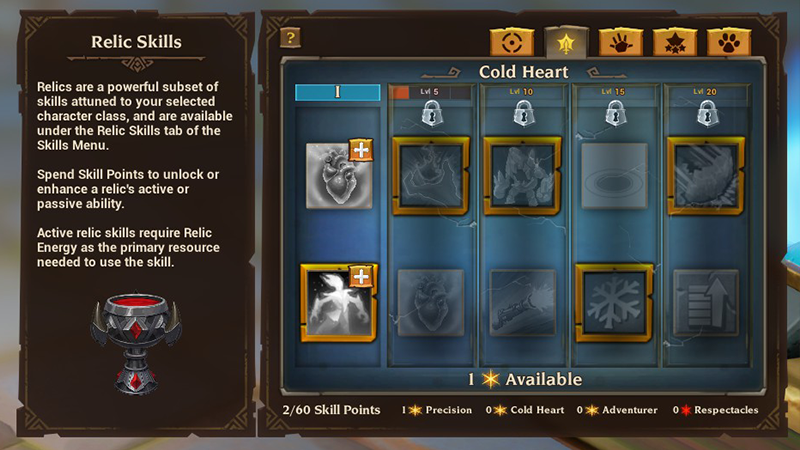


 [table]


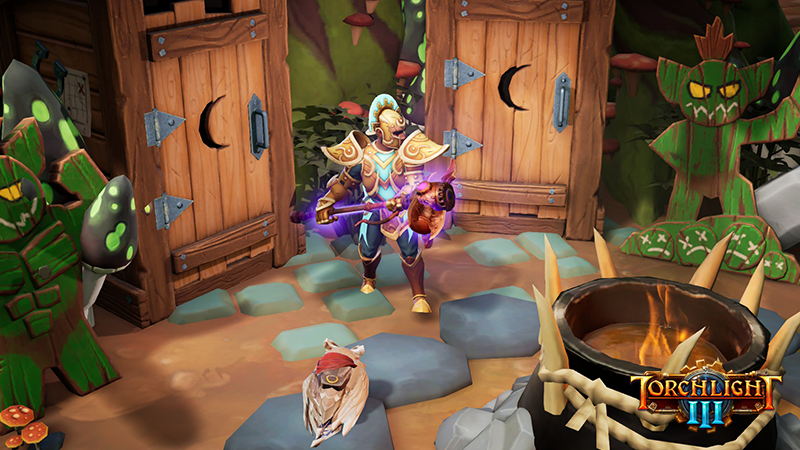
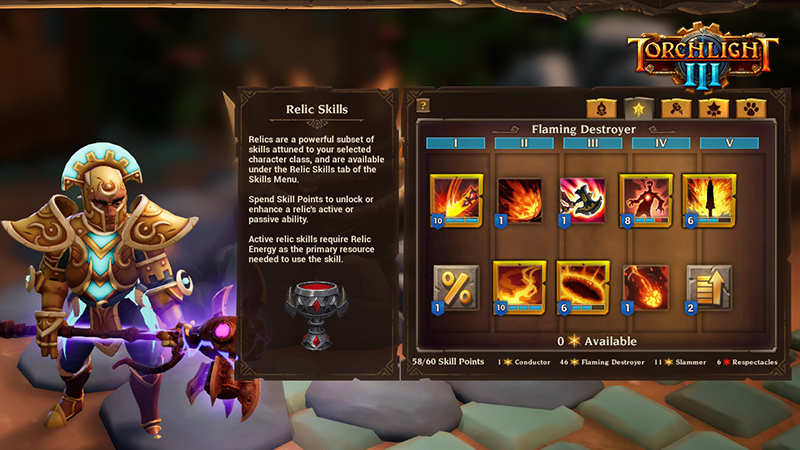


 [/td]
[/td] [/td]
[/td] [/td]
[/td] [/td]
[/td]