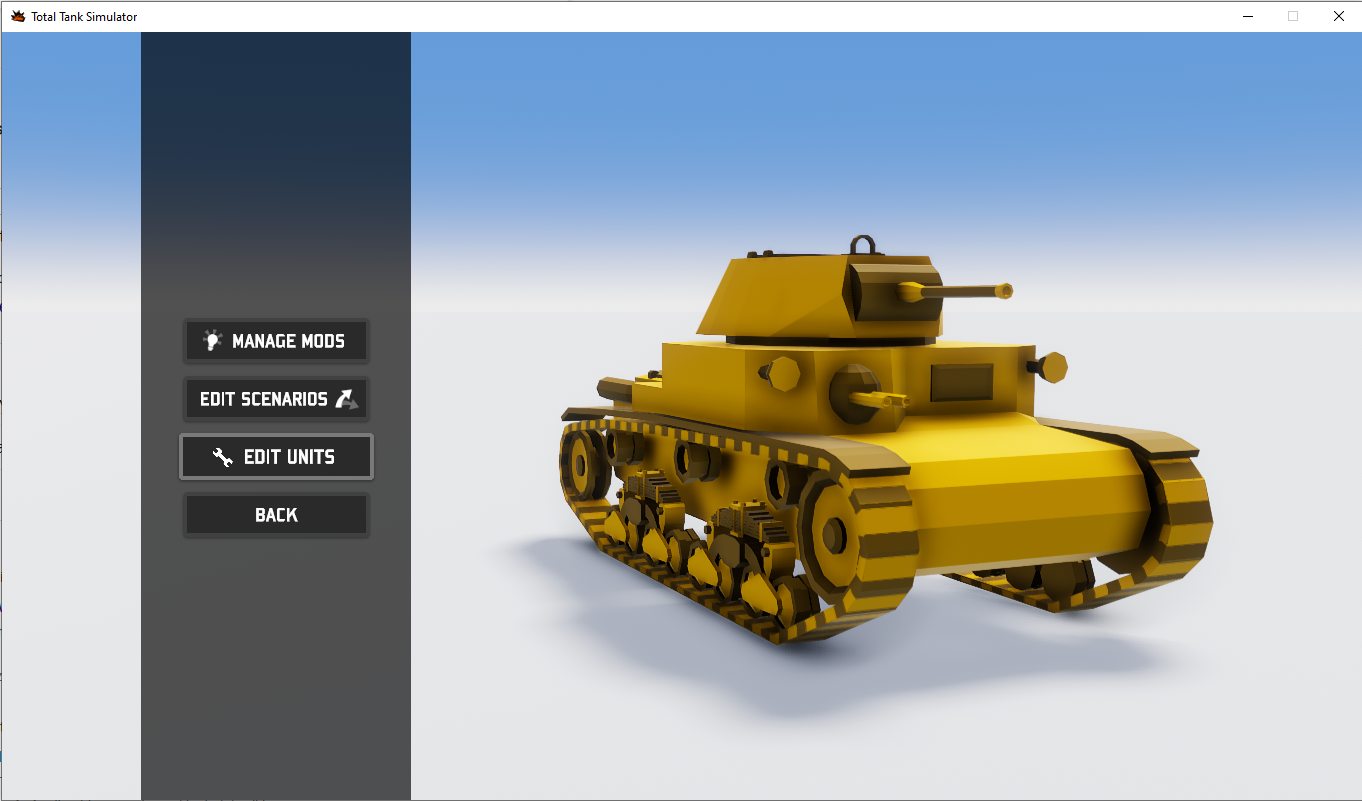
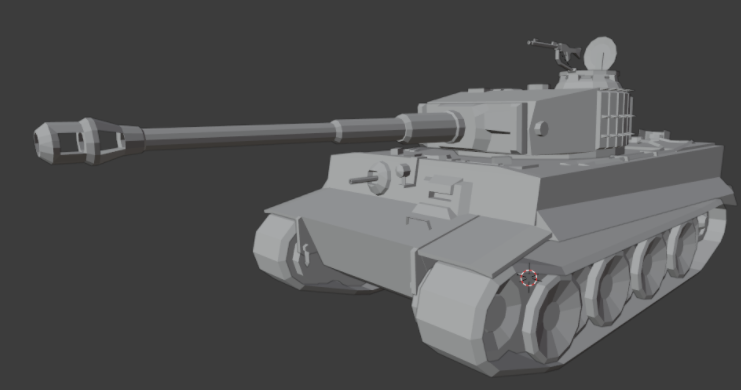
The team have been working on the latest update to bring you all an even easier way to change the battlefield with a brand new unit editor and customizer. Read our full patch notes for all the changes in the latest update!
Patch Notes
NEW Built-in unit editor and customizer:
- Ability to create units from within the game - Ability to assign custom meshes to tank parts - Unit preview - Exporting customized units to the workshop from within the game
Optimizations
- Disabling additional rendering cameras when not used - Game logging overhaul: reducing the number of log messages being recorded in order to avoid game slow down in some situations - Optimizations to unit and terrain detail rendering code - Adjustments to physics simulation parameters - Reduce computation when units die, especially when the first unit of a certain type dies - Use more efficient methods of performing physics overlap & collision detection - Scale down LOD texture sizes to reduce RAM usage - Force unloading unused assets after battle scene is fully loaded - Project texture audit in order to avoid texture duplication in RAM & VRAM
Bugfixes
- Fixed issue with units being repaired by dead recovery vehicles - Fixed exceptions being thrown occasionally on unit death - Fixed issues with mount / dismount mechanism
If that's not all you can join the fun today for 60% off as part of the Steam Daily Deal!
Until next time! Noobs from Poland & 505 Games
Development Team - Best Mod Picks
Hey Total Tank Sim fans,
We added modding support a while back and since then we’ve seen some great additions to the game! We’ve been testing some of the most popular mods to see how they fare.
Here are the development teams’ Top 5 mods ( so far of course ) from our amazing modding community, if you haven’t checked out the mods yet please head over to the Steam Workshop tab and see what you think! Congratulations to the Top 5 showcased this month.
[previewyoutube="Hqu6sn7m6TY;full"]
The Top 5 Factories v2 macicek0071 d-day by automatic Greater Reich campaign - prussiain kaiser battle of Smolensk – a regular gamer Various Units – Rosehip
Thanks again for all your support and enjoying the game, we would absolutely love to keep showcasing our favourites so please let us know what you want to see!
..and for those of you wanting an update, we have been looking into some technical items and processes for the game and hope to have some news for you before the summer :)
Speak soon, The Noobz from Poland and 505 Games team
Iron Tank Bundle Available Now!
We've teamed up with Hearts of Iron IV and Tank Mechanic Simulator to offer The Iron Tank Bundle on Steam!
Get the finest selection of tank games together here ➡️http://505.games/TTSBundle
The Iron Tank bundle offers a selection of three of the finest games featuring tanks, the vehicles that made history during the largest conflict of the 20th century.
Hearts of Iron IV lets you take command of any nation in World War II, the most engaging conflict in world history. Guide your nation to glory and wage war, negotiate, or invade. Your leadership is your best weapon!
Tank Mechanic Simulator offers a highly detailed realistic simulation of World War II tank building and restoration. Find them, restore them, sell them, or keep them on your own museum!
Total Tank Simulator lets you choose a faction and deploy & command your army into massive physics-driven WWII battles to the last man standing. Destroy everything on sight with an insane number of units that will behave tactically.
STEAM WORKSHOP - UNIT CREATOR [VERSION 1]
Hey all!
As hinted a few weeks ago we continue to enlarge the Total Tank Simulator experience!
2020 has been a very intense year for everybody, obviously we were excited and anxious to deliver our first game. Little we knew that we were going to do it in the middle of a global health crisis experiencing situations we could have never thought of.
Once the game was out and we could get your feedback, we have enhanced and updated the game for free with new content and features in regular basis and we also delivered the Italy DLC.
The latest manoeuvre was to implement Steam Workshop to allow players to introduce some playable content into the game.
Today, we are very happy to let you know that we are bringing a new free update to the Steam Workshop to allow modders to create and share their own units! and we wanted to bring this before the end of the year!
After reviewing amount of ideas and feedback the community provided back in Spring we thought a good approach was to let players create their own units and missions. We are eager to see all that creativity crystallize.
We have many ideas, but we do not have set plans for 2021, as we told you, this has been a quite intense experience and we are really looking forward to the upcoming holiday season.
We will be resting a little while we watch how the evolution of TTS performs.
As usual, please, let us know your feedback and suggestions, we might not be able to answer things instantly as a lot of us take break now until the 4th January.
We want to wish you and your families great holidays, peace, and health!
If you have any issues specific to Steam Workshop please feel free to email the team here, please note this will only be monitored for workshop related enquiries: ttsworkshop@noobzfrompoland.com
CHANGE LOG
- Added support for custom tank models loaded from mods that can be created using our Blender > Unity3d pipeline. - Support for custom soldier poses in tanks imported from mods - Game data has been repackaged in a more efficient type of storage (asset bundles) in order to support modability and improve load times. - Reduced build size by deduplicating some data common for the base version of the game and DLC - Fixed issues related to mod enabling / disabling / updating. - Fixes in mission workshop UI and mission editing
The Steam Awards are Now Live - Please consider voting for us!
Hey all!
The Steam Awards are here and we would love your help! :)
We'd love you to nominate us for Game Of The Year. but if you think we are worthy of any of the awards please consider voting for us. Votes are open until December 1st!
Once again thank you all for your continued support on this game, it means so much to the teams here at 505 Games and Noobz from Poland.
PATCH NOTES - 23rd November Fixes
Hey all,
We've released a small patch today with fixes for our latest content - Free Steam Workshop. As always thank you for all your support and reports which helps us work on continuous improvement!
- Fixes to mission editing in mission workshop - Fixes to wave mission gameplay in mission workshop - Fixes to workshop scenario upload & update - Fixed preset loading and saving after workshop changes - Fixed issues involving duplicate names in workshop scenarios - In workshop editor added additional UI information indicating which side is which
Total Tank Simulator - Initial Workshop Release & Guide
Hey Total Tank Fans
The post launch evolution of Total Tank Simulator continues!
Thank you again for the survey responses you kindly provided earlier this year. We identified areas of interest to tweak and enhance the TTS experience. Over these 5 and a half months we implemented performance improvements and fixes, added content and features for free (more units, slow motion, pre- battle orders, etc) and a paid DLC to introduce a new faction. Today we are excited to announce another free addition: Steam Workshop!
Today’s content update introduces the first installment of features that allow players to create unit deployments on sandbox, also to create and pack collections of sandbox missions that can be published and downloaded. We planned this as a first integration of Workshop features that will permit the community to create their own content and expand the game as per their imagination… and we’ll keep working on the backend to introduce new workshop capabilities. We are sure you have more questions: when will that happen? What else will be introduced? Will it be free or paid?
For now we rather not compromise on times or content, please, stay tuned. What we can confirm is that the next Workshop drop will be free as well! We will be making updates to the workshop over the next days as we find out about possible issues. If you have any trouble please check out our pinned support post.
We hope you enjoy today's update and please read on for the guide and patch notes!
Noobz From Poland and 505 Games
PATCH NOTES
- Added a workshop mission scenario editor where players can create custom scenarios for other players to play - Added manage mods section in the workshop editor to allow players to control which mods are enabled & in which version - Added scenarios section in the main menu containing the scenarios created by other players.
- Known issues: for now the Italy DLC faction should for not be used in the workshop editor.
Hey, this short guide will show you how to create a custom mission scenarios that you can upload to Steam Workshop and share with other players.
SCENARIO MISSION GUIDE
Creating new scenarios
1. To create a new mission scenario first go to “Workshop” in the main menu. 2. Then select “Edit scenarios” 3. You will be presented with a list of scenarios that you created. Initially that list will be empty. Click the “Create new” button at the bottom. 4. You will be prompted to enter the Steam workshop mod name. This name will be the one visible on the Steam Workshop page. NOTE: this name cannot be changed later, so pick wisely.
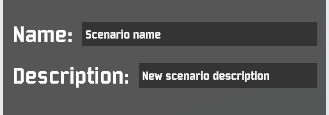
5. Next up, assign Scenario name & description:
6. After that, it’s time to create some missions. Use “Add” button in the middle column to add new missions.
7. Choose mission name & description at the top of the right panel:
8. When a new mission is created, you can configure its various parameters the way you would in Sandbox. Additionally, it’s also possible to create VIP-protect & VIP-kill missions as well as Wave survival missions:
9. Select the remaining options such as the map, factions fighting, 1v1 or 2v2 or FFA. Note that those options cannot be changed once units are deployed.
10.Use “Start” button to begin deploying units. The map will begin loading.
11.Once, on the map you should be presented with the following interface:
12.Yellow and red prompts at the top remind you which side is the player’s side and which sides will be the enemy sides.
13.Buttons on the right allow you to save your deployment, discard changes and switch between waves (in wave type missions). 14.Use “Switch to testing” button at the top to enter mission testing mode. In this units any changes to the deployment will be temporary - you can for instance deploy units that the player could deploy and see how the result plays out. 15.Use “Switch to editing” button to go back to deploying units that will be part of the saved mission.
16.Additionally, in wave missions you can click on the Wave icon to open this panel that enables switching between different waves of enemy units:
17.Once you’re ready, click on the Save icon on the right to save changes to your deployment.
The prompt will make sure you want to close mission editor (the changes will be saved). You land back in the scenario editor inside workshop.
18.At any time, you can click “Save and close” button on the left to save your changes to the scenario to disk and exit the workshop editor. 19.Once your mission scenario is complete, you can click “Upload to Steam”. If no errors are found, the scenario will be uploaded to Steam and an overlay for your new Workshop item will be opened.
20.You can make changes to your scenarios and use “Upload to Steam” again to upload new versions of the mod. 21.NOTE, even though you are the mod author, the mod will not be automatically subscribed for you. You have to follow the same steps as are listed in the “Play a scenario from workshop” section.
PLAYING SCENARIOS FROM WORKSHOP
1. Locate a Workshop scenario on Steam and click “Subscribe”. 2. Make sure you restart the game.
3. Steam launcher should download the scenario on your drive.
4. After you launch the game, the scenario should be available on the list under “Scenarios” button in the main menu.
5. NOTE, you can adjust which scenarios are enabled or disabled in the “Workshop” > “
A mysterious message has arrived...
Hey all
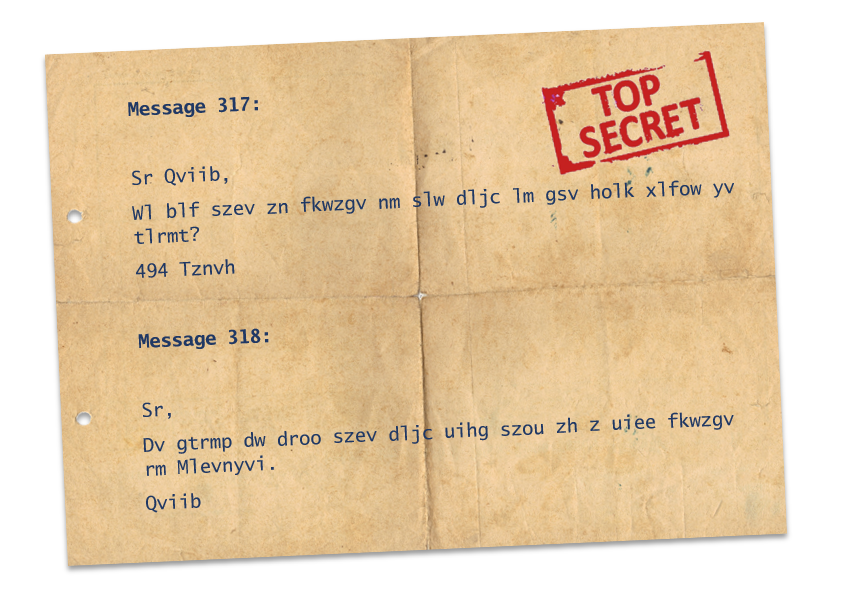
As the team have been hard at work, it seems we have received another mysterious message. I wonder what it means...
All to be revealed shortly.
ITALY DLC - OUT NOW!
Hey all!
September is coming to an end and we have great news for you today!
If you have been with us since the game released in May you’ll remember that we run a survey to understand how to grow and improve the game based off community feedback.
The team have been carefully analyzing what we felt we could bring into the game and how. From the results we immediately started working on a content plan in the backend while we’ve offering free updates to the game such as new features (I.e. Slow motion, pre battle orders, etc), fixes & improvements and additional units & structures (I.e. Sniper tower, Shotgun soldier, Factory…).
Today, September 24th, we are happy to announce that we are publishing TOTAL TANK SIMULATOR – ITALY DLC.
You can purchase it to:
Add Italy as a playable faction in Campaign, Sandbox and Shadow modes
A complete army with more than 30 new units including Special and Secret units
An exciting Italian army campaign taking place in North Africa and Sicilian Hills environments and featuring 2 Acts with 9 thrilling missions
[previewyoutube="YojW7j43ifE;full"]
Purchase the DLC here or simply search for 'italy dlc' to find it.
Separate to the DLC we've additionally launched a patch today fixing some reported issues on the base game including:
Localization fixes
Fixed crash issues related to repeated unit placement and removal
Fixed LOD distances for certain graphics assets
Fixed incorrect rendering for certain assets inside houses
We really hope you enjoy the DLC! Is this all we had been working on?
No, we were also working on another community request that is taking us longer as it requires more research and development resources on our side. We think we will be able to include those features for free before the end of the year. But we will let you know more as soon as we can.