Have you already tried out the editors for Trine Enchanted Edition and Trine 2? All Steam owners of the games received the editors for free a while ago, so if you own the games on Steam, then give them a try! Check out our Wiki to learn how to get started. :)
The editors can be quite difficult to use, but now help is available from our wiki, but also from
these awesome tutorial videos which Steam user Netzia posted to the Steam Community.
You can also check the existing custom maps from the Trine 2 Workshop! There’s no user-made content for Trine Enchanted Edition yet, but there are a few model levels you can play with. Who will be the first to make a map for Trine Enchanted Edition? ;)
Also note that our Wiki is an open wiki, so feel free to check out what others have learned there and to also contribute with your own findings – any new information could help others to make awesome maps!
We are happy to announce that Trine Enchanted Edition has now officially been released for Mac and Linux on Steam!
Some of you may have tried out the BETA already. We're very happy with how that turned out and want to thank all who participated for their feedback and support! It's truly great to have such an active community and we are really happy to now officially bring Trine Enchanted Edition also to Linux and Mac users! It's recommended those who were participating in the BETA now opt out of it.
If you have any questions or run into any issues, our Support will be happy to help you. You can also post in the Steam Community Discussions.
I hope you all enjoy the enchantment. :)
Trine Enchanted Edition Mac & Linux BETA
We’ve just released a BETA of Trine Enchanted Edition for Mac and Linux on Steam. The BETA also includes a Windows version to allow multiplayer between different operating systems.
Trine Enchanted Edition is a free upgrade to Trine that adds new content and features, such as online multiplayer, midlevel saving and improvements to visuals and gameplay aspects. Please refer to our blog for more information and pictures.
Please remember these releases are on BETA stage, so you can still expect to run into a few issues here and there. Taking part in the BETA is free for all who own Trine on Steam.
Trine Enchanted Edition does not replace the original Trine, so Mac and Windows users will be able to choose which version they wish to play from the game's launcher. All BETA users should be able to play together with each other regardless of their operating system. Please note that the BETA is not yet online compatible with the current release version, so online multiplayer with Windows players during the BETA is only possible if they are also taking part in the BETA.
How to take part in the BETA
Launching the BETA requires an access code (“TrineEEBetaNovember2014″). Follow the instructions below to unlock and launch the BETA. Windows users already have access to Trine Enchanted Edition, but they too can unlock the BETA, which enables online multiplayer with Linux and Mac users. Please see the System Requirements for each platform on the Steam Store Page.
Click here for pictured instructions on how to launch the BETA.
Open Your Steam Library
Right-click Trine and choose Properties
Navigate to the BETAS tab
Enter the following password to the access code field: TrineEEBetaNovember2014
If the code does not work, try to restart your Steam client.
Make sure you have the beta chosen from the upper “Select the beta you would like to opt into:” menu and then close the window.
The game should download the update now. If the download does not start, try verifying your game files: Properties → Local Files → Verify Integrity of Game Cache…
Windows and Linux users can now skip to the last step.
If you are playing on Mac, you will need to open the game from it’s file, so open the Properties Window again and navigate to the Local Files tab and choose Browse Local Files.
Mac users can now open the game by launching the trine1 application. It’s located at the _enchanted_edition_ folder
Make sure the Enchanted Edition is chosen from a drop down menu in the game’s launcher when you start Trine.
Feedback, Bug Reports & Questions
We’d love to hear your feedback and appreciate you taking the time and interest in taking part in the BETA! The best way to ensure we receive your feedback is to either email us (support[at]frozenbyte[dot]com) or post in the pinned Steam Community BETA thread.
When submitting feedback, please remember to clearly mention what platform you are using (Linux/Mac/Windows) and the BETA version number (found from the bottom-right corner of the game’s Main Menu). If you are sending a bug report, please try to include a clear description of the issue (you can include pictures as well) and as much details as you can think of. More information about this at the Steam Community thread.
We hope you enjoy the enchantment! :)
Trine & Trine 2 Editor Release and Free Weekend
We are now officially releasing the Trine Editors on Steam for Windows. We also patched some minor gameplay issues.
Some of you have already gotten a chance to try the editors through the Steam Beta, but now they are out for everyone to try! We have released two separate editors that each come bundled with their respective game; Trine Enchanted Edition and Trine 2. Even though the Editors look quite similar, they do have some differences - so if you have questions, please remember to specify which editor you are using. :)
The Editors may take a while to learn how to use, so they might not be for everyone - but do give them a try and see if you are up for it! The Editors are very diverse tools that allow you to edit existing maps, create whole new maps and share your creations with others through the Steam Workshop. We're really excited to see what you guys can come up with!
Check out the "How to Get Started" section below for useful tips and links on how to help you get going. :) We'll also be happy to answer editor-related questions; you can email those to our Support, post your questions to our blog or in the Steam Community Discussions (links below).
One last note: since the Editors are now officially released, it's recommended that those who were participating in the Beta now opt out of it to ensure they'll get all the latest updates. This is easy to do by right-clicking the games in your Steam Library, choosing Properties and navigating to the BETAS tab. The option to opt out of beta programs should be available in the drop-down menu. Remember to do this for both games.
To celebrate the official release of the editors for Trine Enchanted Edition and Trine 2, both games are free on Steam this weekend 16th-19th of October. The games are freely available for everyone to install and play through their Steam Library for the duration of this weekend - so remember to tell all your friends who've always wanted to try the Trine games, but have not done so yet! Since we are now officially releasing the Trine Editors for Windows, you'll get to try them for free as well. :)
The games are also available for purchase for a juicy sale, 80% off until Monday 20th! Both Trine games support both local and online co-op for up to three people*, so gather your friends and have fun with Trine!
*NOTE: Trine 2: Complete Story is available for Windows, Mac and Linux and has full local and online co-op support. Trine Enchanted Edition is currently only available for Windows (Mac and Linux versions are being developed), so the Mac version of Trine does not support online co-op (but does have a local co-op option!) and the Linux version of Trine is not yet available through Steam.
See Editor Wiki Page for installing instructions, FAQ and general tips. This is an open wiki once you've registered, so anyone can edit and post information. We hope that people will share their knowledge with everyone. :)
That should be enough talk for a while, right? We hope you enjoy the free weekend and have fun playing and experimenting with the editors. Don't hesitate to ask any question either here, by email or in the Steam Community (links above). Have a great and Trine-filled weekend! :)
Trine Editor BETA Now on Steam
You read correctly! Many people have asked for our Editors for quite a while and we've always wanted to fulfil that wish. We're getting really close now, as we're now launching both Trine Enchanted Edition and Trine 2 editor BETAs on Steam!
There are two different editors, and a different Beta for both of them. Even though the editors look alike, there are some differences, which is why we have created separate forum discussions for both of them. Please direct your questions and possible issue reports to the relevant forum discussion. You can also contact us by email: support[at]frozenbyte[dot]com. Also pay attention to which discussion you are posting to; the editors have some differences, so make sure to post in the correct discussion or clearly mention the editor version in your email.
Trine Enchanted Edition editor forum discussion Trine 2 editor forum discussion More information at our wiki page
Note that the editors are pretty difficult to use if you don't know what you're doing, and there's very little documentation or tooltips - this is actually one of the reasons we've held off releasing the editors to the public before. There still aren't very thorough instructions, but we have opened a wiki page (linked above) and provided some very basic instructions on how to use our editors. It's an open wiki after you've registered, so anyone can edit and post information, and we hope that people will start to share their knowledge with everyone. We'll also be updating the wiki ourselves and tracking that all the instructions are correct and up-to-date.
The Frozenbyte Editor is a very diverse tool. This is what we use to make games like Trine and Trine 2, and it’s based entirely on our own technology. You can edit existing maps, make new maps and do all kinds of things with it. If this sounds like fun, go a head and play and experiment!
Note: Both public editors are still in BETA stage, so you're likely to run into some issues. We appreciate feedback and bug reports (direct those to the linked forum discussions above). Just remember to give as detailed a description of your issue as possible and also include the Beta's version number in your report.
How to Launch the Editors
Note that there are two separate Editors. Launching the Beta requires owning the relevant game (Trine Enchanted Edition or Trine 2) on Steam for Windows.
The below instructions are for the Trine Enchanted Edition editor. Click here for instructions for the Trine 2 editor.
5. Enter the following password to the access code field: FrozenbyteEditorT1 Note: If the code doesn't work, try to restart your Steam client.
6. Make sure you have the editor_beta chosen from the upper "Select the beta you would like to opt into:" menu and then close the window
7. Open up the Properties window for Trine again, and select the "LOCAL FILES" tab, then click "BROWSE LOCAL FILES"
8. Run editor_initialize.exe
9. Install "Microsoft .NET Framework 4" and "Microsoft Visual C++ 2012 Redistributable" packages when prompted
10. Select path for editor installation (for example: "C:\TrineEditor")
From now on you can run the editor directly from editor.exe
When the BETA is over or when you want to opt out of the BETA, you can navigate back to the BETAS tab in the Properties and opt out of the beta from the drop down menu
Please see more info at: http://frozenbyte.com/wiki/
The BETA save files do not work with the current release version, so you will lose all progress you have achieved during the BETA if you opt out of it before the actual release. Progress you have made before you entered the BETA should not be affected.
Beta branch will enable patch 2.11 as well and the patch isn't online multiplayer compatible with official released Trine Enchanted Edition v2.10
Once the Editor BETA ends, patch 2.11 will be released to Steam users and some DRM free stores
Editor is only for Windows and only for Steam users due to Steam Workshop requirement
Remember to mention the Beta's version number when submitting bug/issue reports. Also mention which editor you are using (Trine Enchanted Edition or Trine 2) to avoid confusion, as there are some differences between the editors. Submit the reports to the relevant forum discussion or via email: support[at]frozenbyte[dot]com
Please direct your questions and possible issue reports to the relevant forum discussion.
Thank you all for your continued support! We hope you enjoy the BETA. :)
Trine Enchanted Edition Released!
We launched a beta of the Enchanted Edition on Steam in June, and now we are happy to report the time has come for the official launch.
Check out the launch trailer below and prepare to be enchanted. :)
https://www.youtube.com/watch?v=H4sMJdAP2-4&feature=youtu.be
You can read more about the Enchanted Edition from our blog and from the Trine Enchanted Edition page at our website. The short version below:
The Enchanted Edition is a free update for Trine with added features, such as the online multiplayer. The updated version does not impact the original game. Instead, both versions are available and can be selected from the game launcher. At the moment the Enchanted Edition is only available in Steam for Windows, but we will be adding the Mac and Linux versions afterwards.
We also want to give big thanks to the Steam community! We have received lots of support and help with the beta. Working on the Enchanted Edition for you wonderful people has been great.
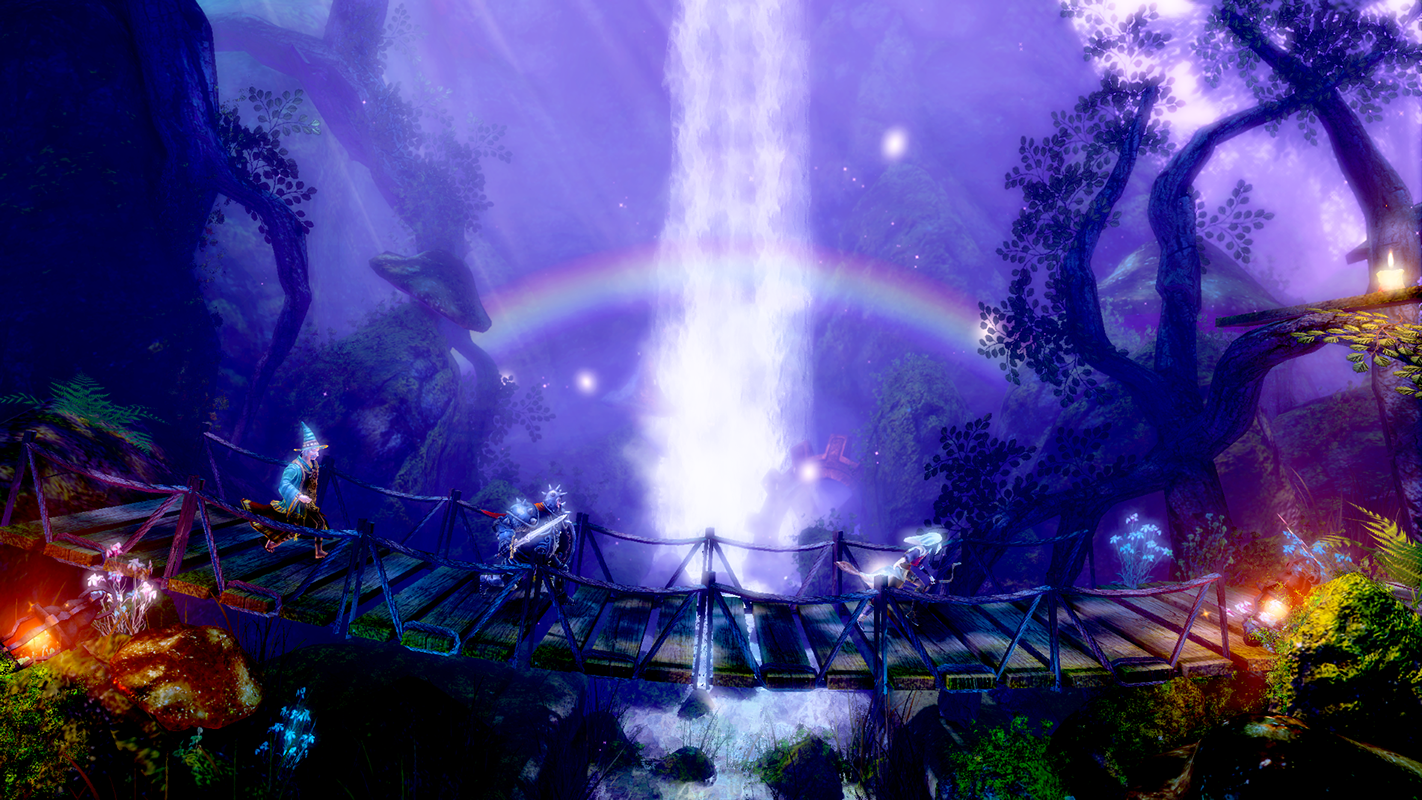
But enough, talk, right? We'll shut up (in a bit) and leave you a screenshot featuring the three heroes below. You can see more enchanting screenshots from our blog post. Have fun playing! :)
Trine Enchanted Edition BETA
Have you already participated in the Trine Enchanted Edition BETA? If not, now is your chance! The Enchanted Edition is a free update for all who own Trine on Steam. If you want to participate, you can read more from the official Beta thread pinned at the Steam Trine Community Discussions.
Note that this is still a work in progress, so you can expect to run into some bugs and issues. You can add your contribution by posting bug reports to the official BETA thread on the Steam Community. We ask that all bug reports be posted in the official thread instead of here to make sure we notice them.
WHAT IS TRINE ENCHANTED EDITION?
In short, Trine Enchanted Edition is a port of Trine to the Trine 2 engine, and as a result, many of the “missing” features of the original game, such as online multiplayer, have been added! We have also updated the visual appearance of the game and improved the gameplay – the game should look and feel even better now. At the moment this patch is only for Windows. We will add Mac and Linux versions afterwards, but we can't give an estimate of the time frame for those yet.
HOW TO LAUNCH THE ENCHANTED EDITION?
1. Open your Steam Library
2. Right-click Trine and choose Properties
3. Navigate to the BETAS tab
4. Enter the following password to the access code field: TrineEEBeta2014
If the code does not work, try to restart your Steam client.
5. Make sure you have the beta chosen from the upper “Select the beta you would like to opt into:” menu and then close the window.
6. Make sure the Enchanted Edition is chosen from a drop down menu in the game’s launcher when you start Trine.
Please find the official Beta thread pinned at the Steam Trine Community Discussions for instructions on how to report issues. We are also updating all the known issues into that thread, to try and keep everything in one place. General feedback is always welcome of course.
Thank you all for your continued support and feedback, we hope you enjoy this update!