December Update | V1.011 | Truck & Logistics Simulator
The Truck & Logistics Simulator December Update just went live!
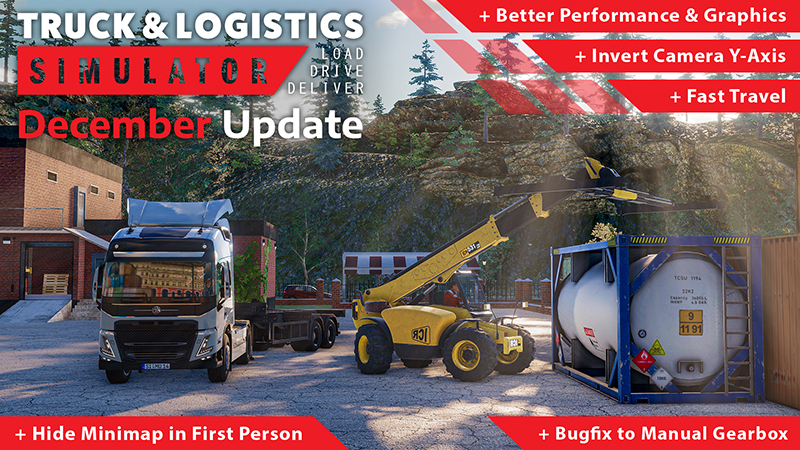
In addition to a significant performance boost, you can expect better graphics with improved shadows and contrast.
A Fast Travel option and UI changes await you, such as being able to hide your minimap in first person. The option to invert the camera Y-Axis got added, mission income got adjusted, manual gearbox issue is fixed, and many more improvements and bugfixes.
Full Changelog
Optimization & Graphical Changes:
Significantly improved performance
Better shadows and contrast
Improved vegetation popping
Gameplay Changes:
Added fast travel. After using "Navigate to point" outside of a mission, hotkey appears on screen
Added an option to invert the camera Y-Axis
UI Changes:
Added an option to hide the mini-map in first person view
Improved multiplayer game room selection screen.
Updated player list to accommodate scrolling with controllers
Bug Fixes:
Fixed parking collider issue with tandem trailers
Fixed Car Transporter license plate not animating
Fixed issues with fuel depletion
Fixed Blank UI after convoy invite
Fixed or mitigated the navigation bug (old routes being displayed)
Fixed interior camera rotating when paused and moving the map
Other Changes:
Adjusted mission income
On mission invite, when you click the convoy mission but lack the equipment, it’s no longer necessary to return to the garage
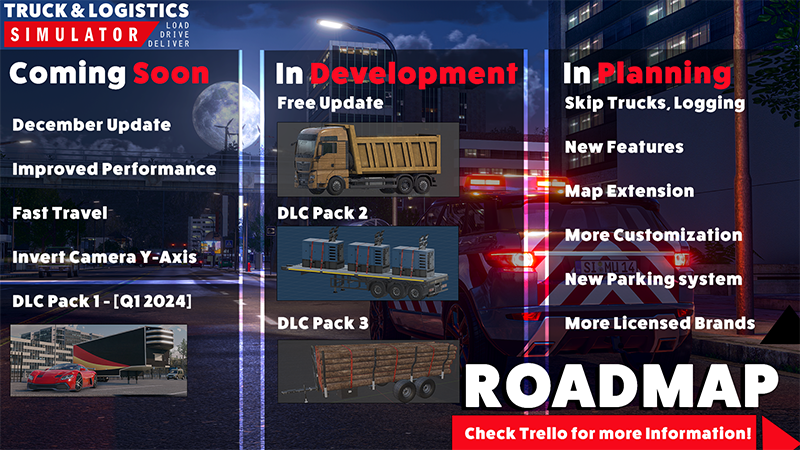
See our Trello Roadmap here: https://trello.com/b/uon15eED/truck-logistics-simulator-roadmap
Trello Roadmap for Truck & Logistics Simulator
Today we share with you the Truck & Logistics Simulator Roadmap on Trello to give you an outlook on the further development process!
Through this Trello board you will be able to see all that we are actively working on and our progress with certain content. Additionally you can see our considerations about feedback requested by YOU.
You can use the voting feature to vote on game additions you want to see the most!
Thank you all for over the past 2 weeks for such an amazing launch! We have been hard at work on the first update for the game as well as looking through all of your amazing feedback! We hope you look forward to our update in December!
See you on the road!
Truck & Logistics Simulator | 1.0 Release
Truck & Logistics Simulator is now available in the full release 1.0 version!
You can also play the simulator in cross-platform multiplayer with your friends on PS4, PS5, Xbox One and Xbox Series now.
Look forward to a huge open world in which you can load, drive and deliver with up to 24 players in multiplayer mode. Join your friends in exciting heavy cargo convoys. Climb into the driver's seat of more than 30 unique vehicles and perform complex loading tasks to deliver a variety of cargo.
New achievements as well as random police traffic controls and speed cameras await you in the 1.0 version of Truck & Logistics Simulator.
You can read the full patch notes for the update here: https://forum.simulagames.com/index.php?threads/truck-logistics-simulator-release-update-full-change-log.82/
We wish you lots of fun and look forward to your feedback!
Watch the new trailer here:
Truck & Logistics Simulator Developer interview
Calling out all Truck & Logistics Simulator fans out there. Here is an interview for you in which Bekka from Aerosoft and Mehmet, one of the developers of Truck & Logistics Simulator from Simula Games, try to answer most of your questions regarding the Console - and Steam Full Release tomorrow. 🥳🎮 Thank you for the numerous questions on our Socials. I hope this covers most of it. Leave us your feedback and let me know if you enjoyed the video.
You'll find the timestamps in the YT description.
Link: https://www.youtube.com/watch?v=IF-XlDZXSFg
Full Steam Release & Console Version | Coming Soon
Today we can finally announce that Truck & Logistics Simulator will go into full release on 30 November 2023!
Look forward to new content like random police traffic controls and speed cameras.
In addition, Truck & Logistics Simulator will also be released on PS4, PS5, Xbox One and Xbox Series on November 30th.
Landingpage: https://tls.aerosoft.com/
Watch the new trailer here:
The Summer Update is here! | Truck & Logistics Simulator
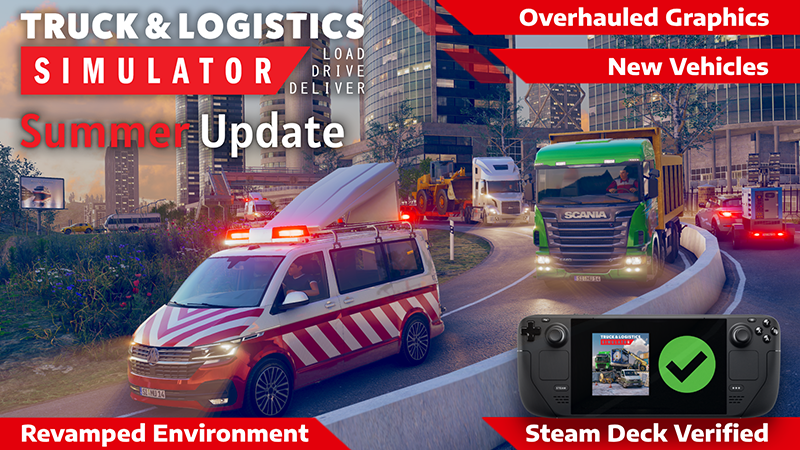
The Summer Update is here!
Watch the trailer now!
New and Improved Vehicles
2 New Dropside Vans
Recreated almost every vehicle and trailer model with higher detail and better textures
Man dropside and panel vans can now have 2 primary colors
Rewritten clutch physics and vehicle suspension
Brand new navigation display
Overhauled Graphics and Environment
Colors are now much more dynamic and realistic, improving the overall look
Added better shadowing and depth effects and sharper reflections
Numerous new assets such as billboards, bridges, pine trees, and more
Collectables to find in the environment
Lighting in logistic centers and new mission locations
Steam Deck
Full Steam Deck support with proper graphics level, controller settings, higher possible UI scaling, and tilt control support
User Interface
Full controller support
Added new UI sprites
New loading tips and screenshots
Redesign of the pause menu and UI for changing in-game time
AI Traffic
All AI vehicles have received proper lighting; this includes proper turn signals and brake lights
Updated models and physics of AI vehicles
Improved driving behavior and detection of players
Other Improvements
Game stuttering has been significantly reduced
Added new moderation features to multiplayer
Updated localization
Improvements to the minimap and navigation
Numerous bug fixes
And much more!
Because the full changelog is unreasonably long, we decided to only include the summary in this post. Please check our post linked below for the full changelog. Full Summer Update Changelog | Simula Games Forums
Truck & Logistics Simulator is Steam Deck Verified!
With our most recent update the Summer Update we have optimized Truck & Logistics Simulator to provide a great experience on the Steam Deck.
The new “Official Control Layout” allows these options;
Manual Transmission
You can now drive with Manual Transmission on steam deck! Just switch the transmission option and use L4 / R4 buttons for Gearshifting.
Gryoscope - Accelerometer
Interested to try steering your vehicle with tilting the Steam Deck? Switch the “Steering Method” to “Controller Tilt” and you can steer all vehicles by tilting the steam deck!
You can use Steam Decks gyro to rotate the camera. Only works when holding the right side capacitive buttons.
An alternative way of rotating the camera is using the right touchpad. Clicking the touchpad resets the camera.
Cruise Control
L5 / R5 buttons can be used for cruise control.
Battery Life
To have a longer battery life, you can try limiting the FPS and also reducing the Graphics Level to Medium or Low.