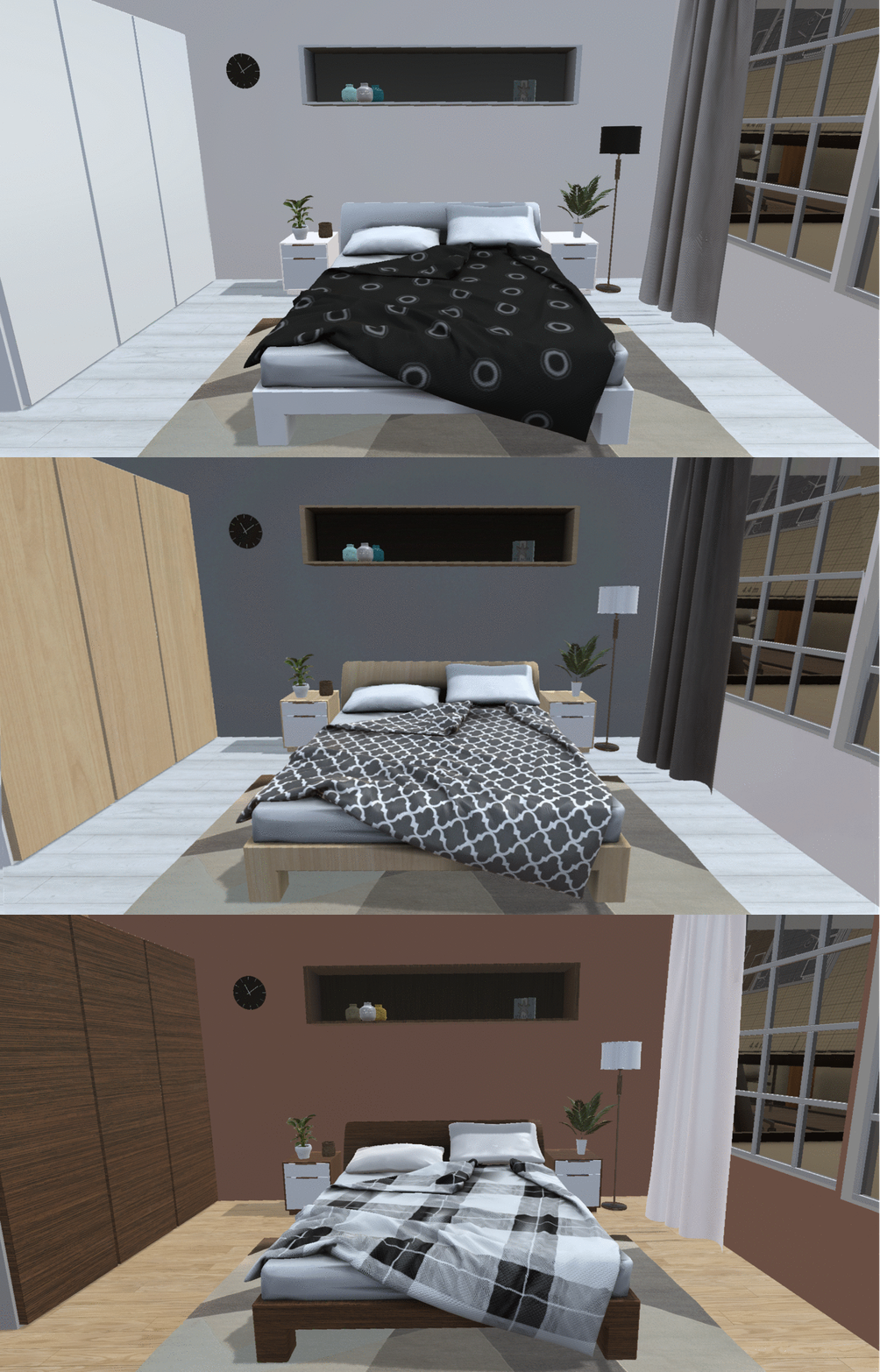
Hey everyone! We are pleased to introduce TrueScale’s brand new patch!
We’ve added a new and very useful feature: Material Editing. You can browse through different materials and fabrics and apply them to most of the objects. This option can help you experiment with different textures, patterns and surfaces. It may come in handy when choosing new home accessories and polishing off your own design. This feature will give you more flexibility and more freedom in designing your living room or office. Have fun! You’re welcome to share your designs with us on social media.
Just enter EDIT mode by pressing the Menu button while your selected object is highlighted.
Version 1.014
Features:
implemented Material Editing tool
added tooltips on buttons
added preview for wall and floor materials
added preview for windows and doors
Changes:
changed some 3D models to make them editable
added some new UI sounds
Bug Fixes:
fixed the bug when red highlight persisted on an object even if not longer in contact with controllers rear end
fixed issue when drawing a floor won't disable itself while changing tabs
other minor bug fixes
TrueScale 1.0132 Patch Notes
Hey Everyone!
Here is a quick patch solving couple of bugs and implementing UX improvments.
Version 1.0132
Improvments:
added highlight effect to objects selected to delete
added animation to save activity to highlight confirmation tab
added pressed/active button animation to UI
Bug fixes:
fixed issue when save wouldn t work if cover photo was corrupted
fixed issue when doors and windows scale weren t saved correctly
fixed minor UI issues
TrueScale 1.013 Patch Notes - Objects Rescaling
Hey Everyone!
We take community feedback seriously and all your opinions and suggestions help us make our products better and more functional. Since many of you were asking for an option to scale the size of furniture units, we are adding this feature with this new patch. Users can now adjust the size of all windows, doors and furniture pieces with a new measurement tool. The new feature adds more functionality to the app making your design more accurate.
To adjust the size of your selected object, simply click on it with your controller and press the Menu button (B button on Oculus) to enter Edit Mode. Now, you can easily adjust the size by dragging the object accordingly. You will see the exact size of your object on the dimension scale next to it.
Version 1.013
Features:
Added Edit Mode, press the Menu button while touching an object to enter Edit mode
Added Rescale option, while in Edit Mode drag object sides to change its size
Added Dimension Scale to objects while in Edit Mode
Added a highlight effect to interactive objects
Bug Fixes:
deleting kitchen countertop doesn t disable save feature now
user cannot see the skybox through the floor now
adjusted several furniture models
https://youtu.be/iLt-gDevmZs
UPDATE: Hot fix patch 1.0131 is now live, fixing some issues caused by 1.013 patch
True Scale 1.012 Patch Notes - Christmas Objects
HO HO HO!
Wouldn’t it be great if you could see what your Christmas home decorating ideas actually look like before you implement them? TrueScale can help you with that. We’ve added some festive decorations to this patch to make your Christmas preparations easier and more fun.
Version 1.012
Features
Added christmas objects and fireplaces
Bug fixes
Minor bug fixes
Merry Christmas! True Scale Team
True Scale 1.011 Patch Notes - Oculus Support Added
Hey Everyone!
We are happy to announce that patch 1.011 is live and now True Scale officially supports Oculus Rift with Touch controllers.
Version 1.011
Features:
Added Oculus Rift and Touch Controllers Support
Changes:
Minor changes to UI size to fit both setups
Bug Fixes
Fixed Doors, Windows and Material Cubes tabs to be able to change pages with controllers touchpad.
True Scale 1.010 Patch Notes
Hey Everyone!
We as a development team would like to thank, all of you who decided to help us to create a better product by joining our Early Access. Your opinion and feedback are very valuable to us and we read every single comment and opinion in order to make our software better.
Today we launch our first patch fixing some of the issues you reported:
Version 1.010
Features:
Added autodetection if user is using imperial or metric units
Added snap grid auto adjustment, when users stand far from the board the snapping grid increases to eliminate shaky hand effect and lowers as users get closer to the board.
Changes:
Changed Sideboard UI units and reset table buttons
Slightlty improved main room graphics
Bugs Fixed:
next page arrow didn't t appear on wall textures and floor textures tab
deleting window or door on a floorplan left an empty hole in a wall
first saves appeared to height so they cover photos appeared cut
when selected change floor texture, the pointer froze when changed to different mode