

Tunguska: The Visitation
Update 1.46-7 Patch Notes
Update 1.46-5 Patch
- Adjusted the time duration for different stages of the "Mad Mechanic". Doubled the "good stage" duration to help save time for player.
- Translation fixes.
- Enlarged the underground tunnel in Lake Cheko, to make combat a little easier and help prevent falling through model.
Update 1.46-4 Patch Notes
- Added a tutorial for camera panning
- Adjusted camera zoom levels
Update 1.46-3 Patch Notes
- Shooting a light that has already been shot before will no longer alert the NPCs
- Fixed a bug with player character sliding (with no running animation) if you click on an object and then click on the terrain
- Fixed a bug with player "wobble" left and right if you cancel an object interaction.
1.46-2 Patch + DLC Progress Update
- Camera movement
- Zernaskaya village patrol paths
- Map aesthetics
Nothing too major, since the game has been working pretty good since 1.46-1 :)
I also wanted to give you an update on the DLC progress. I just finished the work on all the missions and dialogues, as well as all the new characters, equipment, and weapons. Next step is to populate the map with vegetation, details, NPC spawn points, and fine tune combat scenarios. After that's completed, I will do some QA testing and release the DLC - hopefully some time in May.
If you are interested in playtesting (like an early access) the DLC, feel free to reach out to me on Discord :)
1.46-1 Patch Notes
- Increased the speed of "mouse look"
- Added Russian, Chinese, and Italian translation for the stash notes (courtesy of Zloi Bob (Russian) and Tamaster (Italian))
Good hunting!
New Stash System, More Optimization
This 1.46 update added a new stash feature, which works as following:
Whenever you kill a NPC and loot his body, there's a chance that a "stash note" is added to your journal. The note describes the location of the stash, but in his own words, so you'll have to figure out what it means, go to the location, and find the hidden backpack, which contains items useful to you. The stash backpack will not show up until you have discovered the note.
Currently all the stash notes are in English - I will slowly translate them into other languages.
Other fixes added in this update:
- Added another Graphics Quality level, so now you have Low (no shadow), Medium (close-range shadow), Normal, and High.
- Removed Ambient Occlusion setting since I have moved ambient occlusion from image effect to post processing, which cannot be disabled, but it's a lot faster.
- Made it so that when you disable Line of Sight Render, the LOS is completely removed which adds a lot of frame rates.
- Added dynamic tone-mapping that adds different degrees of brightness and white-out effect to improve lighting. It makes the game less dull and gives campfires more "drama" at night. Also, the white-out dynamically changes based on your current environment, like a HDR effect.
1.45-5 Patch Notes
- Made Middle mouse button as the default key for "mouse look", which means when you hold MMB and move the mouse, you can rotate the camera.
- Now, when "Camera Panning" is disabled, while aiming down sight, the camera will still pan, but to a lesser degree than when "Camera Panning" is enabled. This is done to let you see enemies better while shooting.
1.45-3 Patch Notes
- Fixed a bug where the player character will automatically throw the grenade when opening and closing inventory while holding a grenade.
- When starting a new game, after arriving at Zernaskaya, the time of day will be randomized.
- Added several new keychains
- Disabled camera panning by default
Turning off Camera Panning for Smoother Experience
Hello Ghoul Hunters!
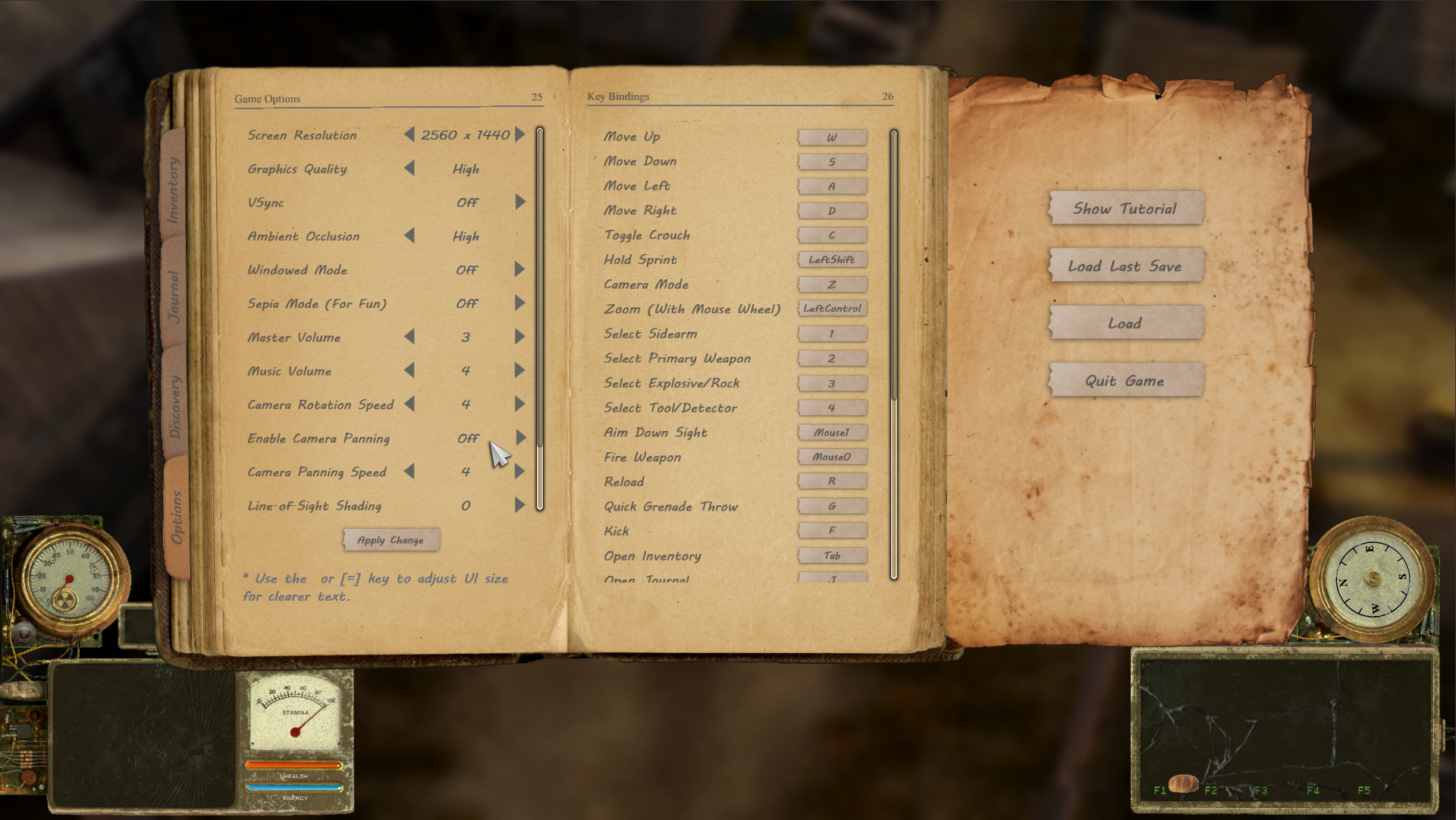
I just wanted to post a quick announcement as a quick reminder: if you find it difficult to navigate or interact with objects, it might be due to the camera panning movement. You can turn it off in the Options menu (by pressing ESC while in-game).
Turning off camera panning will fix your camera at the main character without moving around with your mouse cursor. You can adjust camera zoom by holding CTRL button while scrolling with mouse wheel. Also, You can do a "quick zoom" by pressing Z button by default to switch between a "close view" and a "far view".
I will consider making "OFF" as the default value for camera panning in the future. I understand that it's an uncommon setup among top-down games, so some folks might not be used to it.
Thank you for your patience!