Communicate your ideas and prototype in a storyboard format
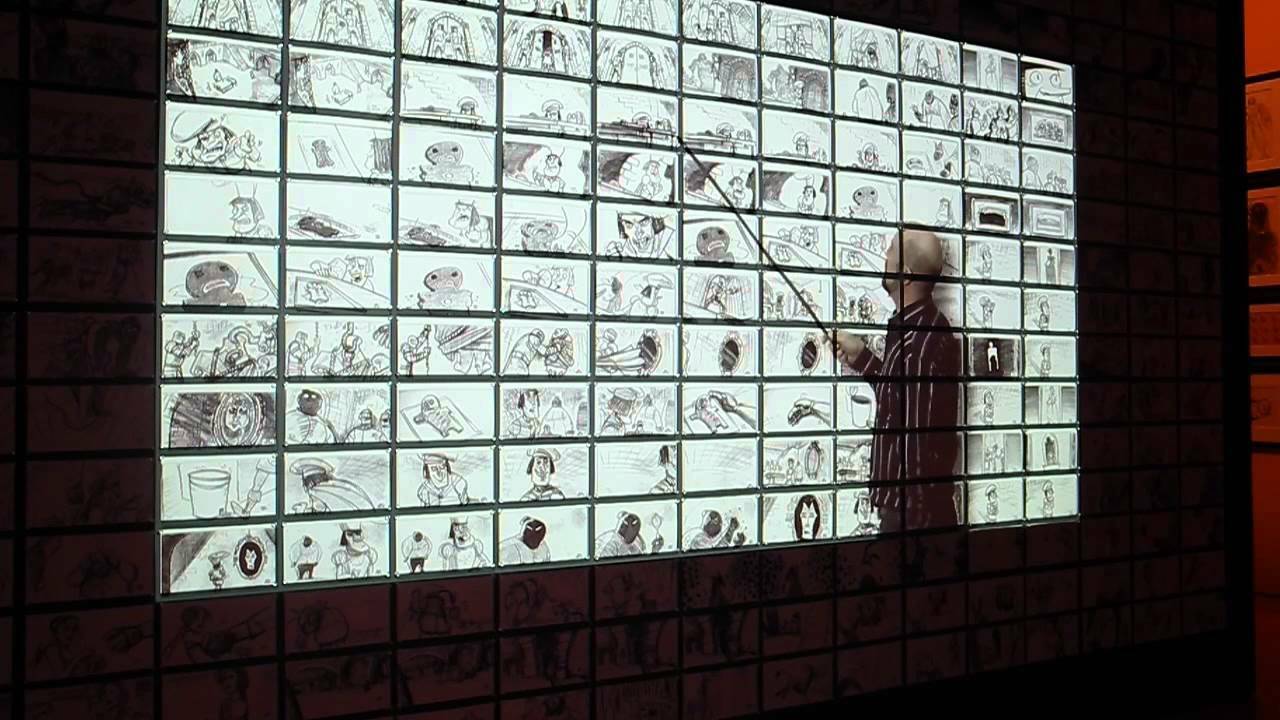
Tvori is a prototyping tool, which allows you to tell stories. In Tvori you can research user journey for your future app or build a vivid narrative for your future film or game.
With this update, we are introducing a quick way to create storyboards. You should benefit from this new tool if you are working on an animatic or previz or pitch options for UI/UX of your product.
To speed up your creation process and make it easier to compile a storyboard, we've added pre-made canvas to the object shelf.
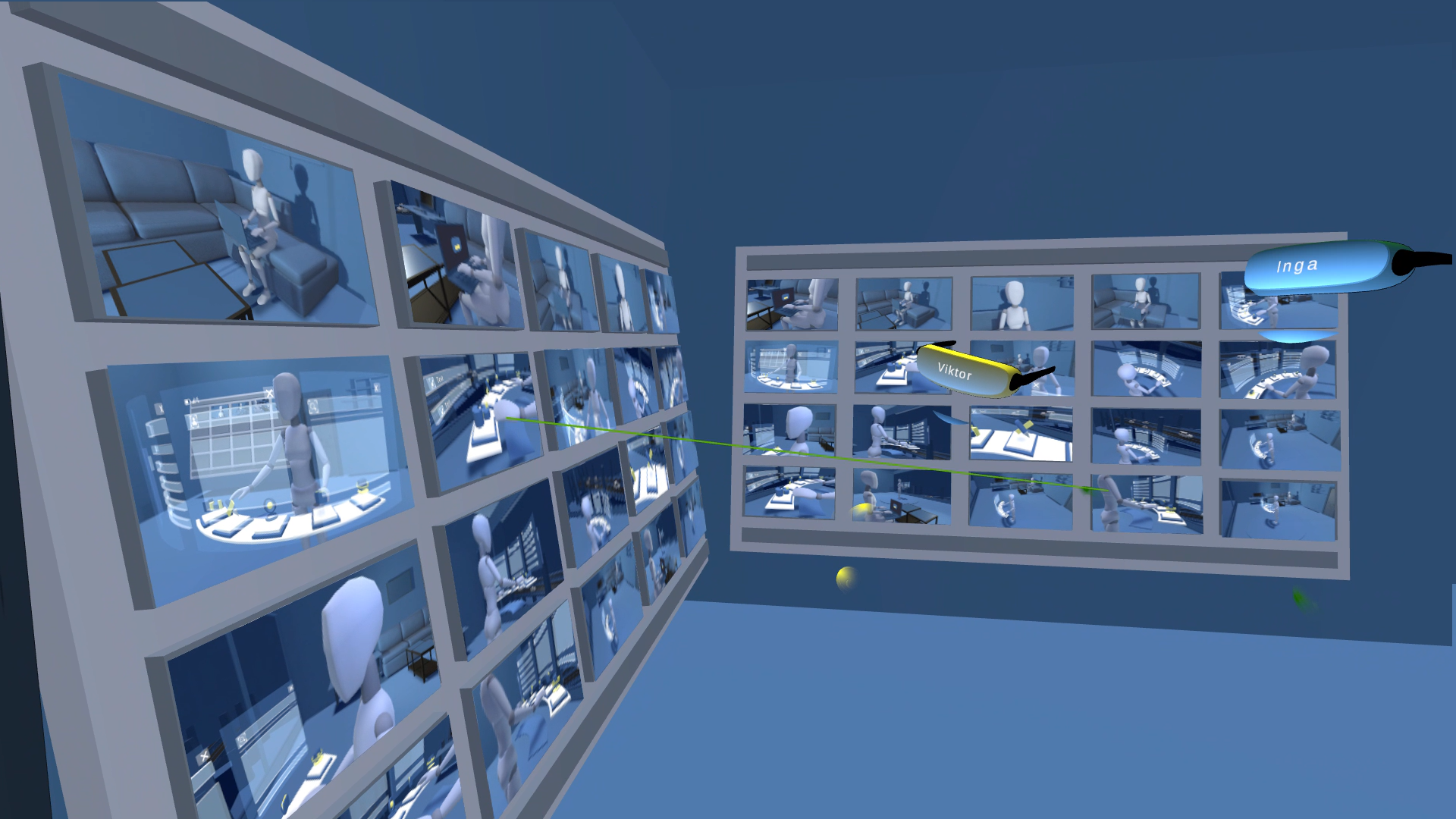
You can quickly create storyboards when you already have your own assets (3D characters, models, etc.) and you work on a game cinematic, 3D series animatics, etc. It's also very helpful to be right on a 3D scene and take into account all the details and aspects of your scene.
For those who already have their own 2D storyboard and need it while working in Tvori, we've recently launched a PDF import.
There is a default Tvori's storyboard template that you can use. To build your own storyboard, arrange frames using our latest surface snapping tools. https://www.youtube.com/watch?v=ZmrfFBzK3ig
You can pitch your storyboards to the team right inside Virtual reality with the Tvori Viewer.
We believe in the power of connecting distributed teams all around the world and we're happy to enhance their capabilities with our tools.
Download the free version of Tvori and activate your 14-days free trial to start sharing your creative concepts and pitch your projects more effectively right now.
Don't hesitate to give your feedback and share your thoughts on the UI/UX design functions via any social networks below or send a message at hello@tvori.com.
It should be intuitive and fun to create in VR with Tvori. If it is not, make sure to let us know!
Tvori Viewer is now available in Pro
Design and communication of AR and VR experiences has always been somehow challenging. Developers and designers have readapted a wide variety of tools that were originally meant for "flat" content such as apps or 2D games.
Our new features structure launches and aims to solve very needed milestones! Broadcast a feeling of presence and make good use of space.
No more "distant" and complicated communication between teammates and clients, leading to misunderstandings, frustrations and slower turnarounds during remote design reviews. Start a remote design review in VR with clients or teammates within a couple of clicks.
With the the Tvori editor XR designers can create animated prototypes of their experiences. There're some details how it works in three easy steps.
1. Create a complete UI/UX in Tvori editor
In Tvori editor (requires a VR-ready PC) you can create a complete experience with props and UI taking advantage of the premade packs or the wide variety of files supported (obj, GLTF, FBX, png, pdf etc).
The significantly improved Snapping and the new Gizmo tool bring a new level of precision to your creations without interrupting the fluidity in your design. Due to the animation timeline you can also simulate interactions and transitions to illustrate complete User Experiences.
2. Export the scenes and invite participants to the Design Review
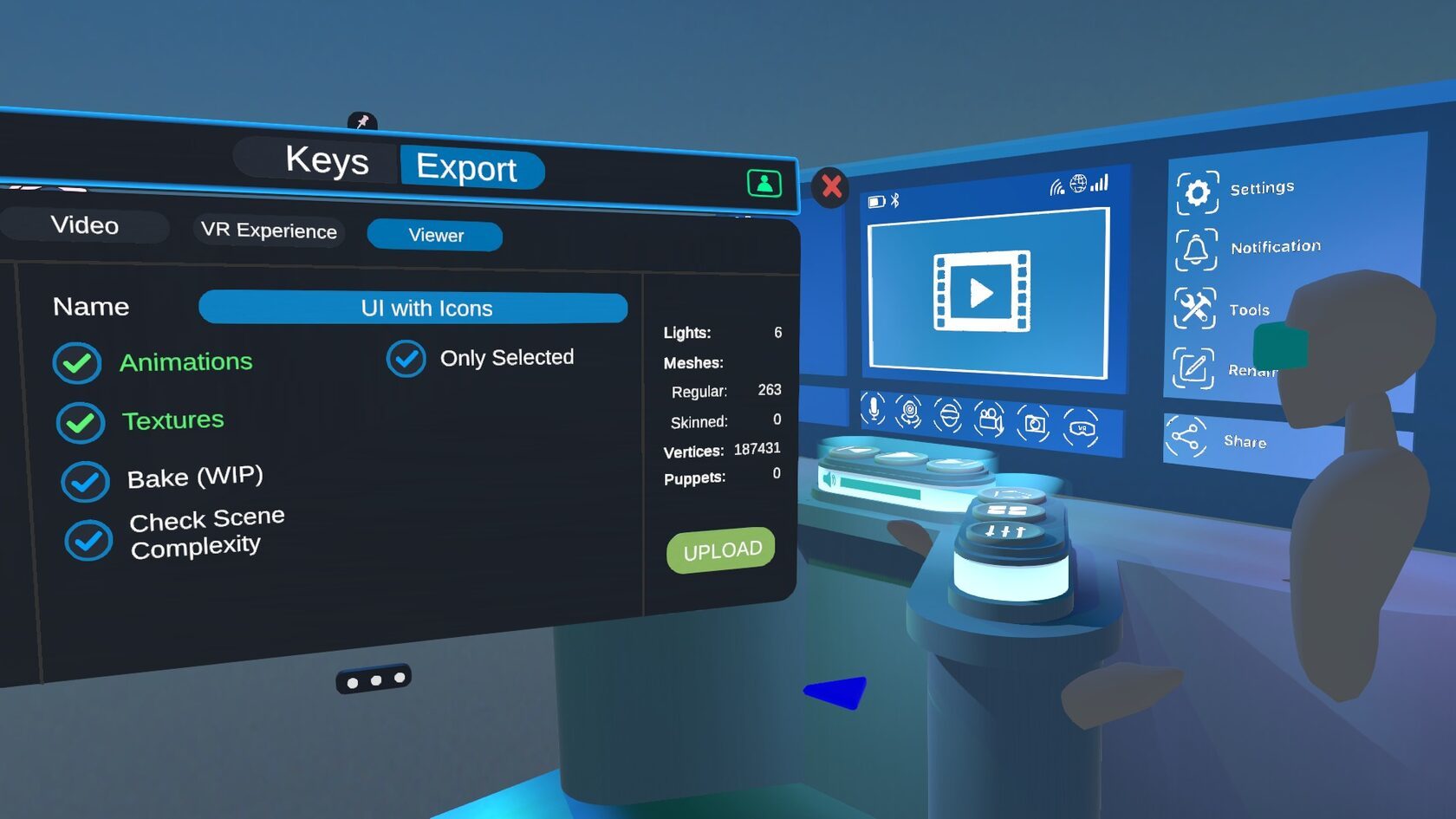
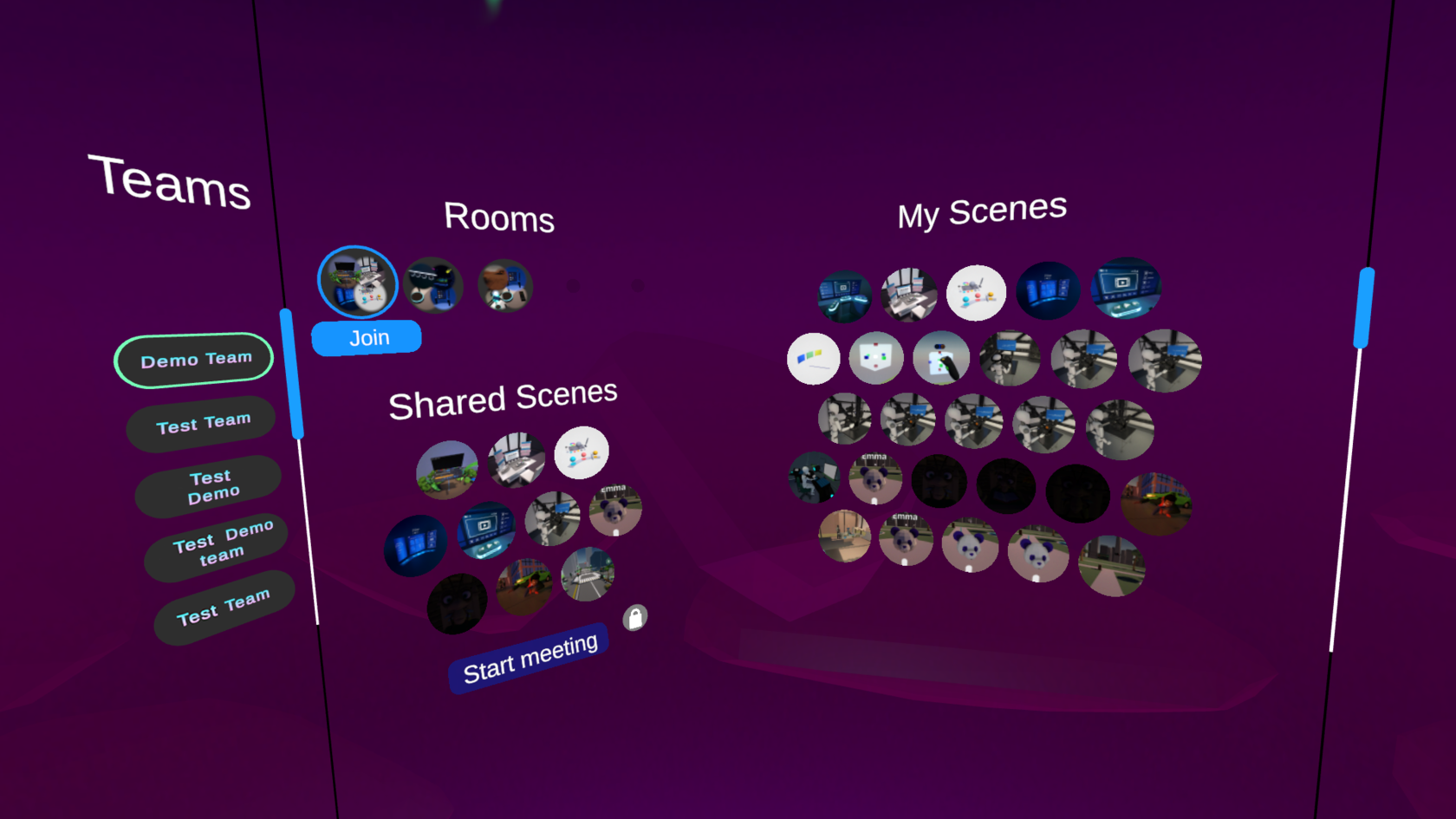
Pro users can now export their scenes and create various meeting rooms to prepare for the design review. After that, inviting a colleague or client is as easy as creating a team and typing their email in the web browser of your PC.
3. Run your Design Review directly in Virtual Reality
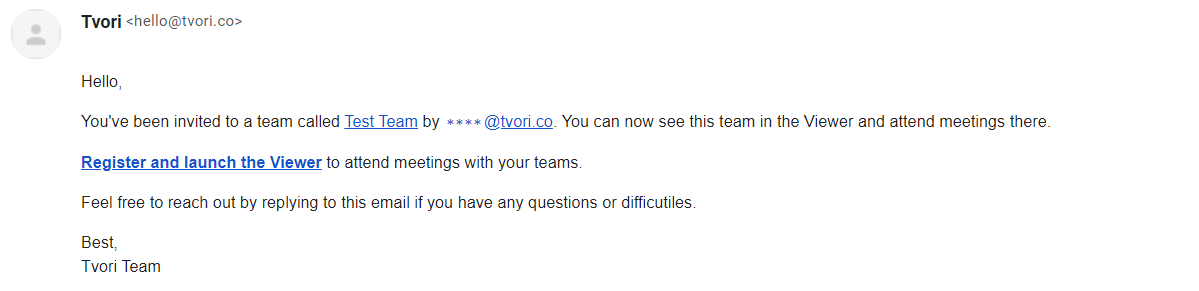
Guests will immediately receive an email with all the instructions to download Tvori Viewer depending on the platform of choice: Desktop, Steam, Oculus headset or Oculus Quest directly from the recently released App labs. After launching the App, they will be able to join the design review from wherever they are in the world.
Please get aquentied with the following Viewer's features for our plans: Pro
Up to 5GB of storage space.
Up to 6 simultaneous users in a session.
3 teams per seat.
Enterprise
Up to 100GB of storage space.
Up to 20 simultaneous users in a session.
Unlimited number of teams per seat.
Currently co-editing the design in real-time is not yet possible but we have some Big plans for April when we will launch the first MVP for Tvori on Quest. If you are an XR designer and own a Quest do not hesitate to join our community of beta testers and get the chance to shape the future of XR design.
The host will be able to play animations, switch between scenes and set viewpoints for the participants. Pitching an idea or a project now happens naturally within VR and everyone can exchange ideas with a shared understanding of how the final design is going to look and feel within the Virtual environment.
Don't hesitate to give your feedback and share your thoughts on the UI/UX design functions via any social networks below or send a message at hello@tvori.com.
It should be intuitive and fun to create in VR with Tvori. If it is not, make sure to let us know!
New gizmo and snapping systems and call for applications to become beta testers
With this update, our major focus is on combining the ease and fun of creation inside VR with accuracy and precision in objects alignment and scaling. Keep your speed with more control!
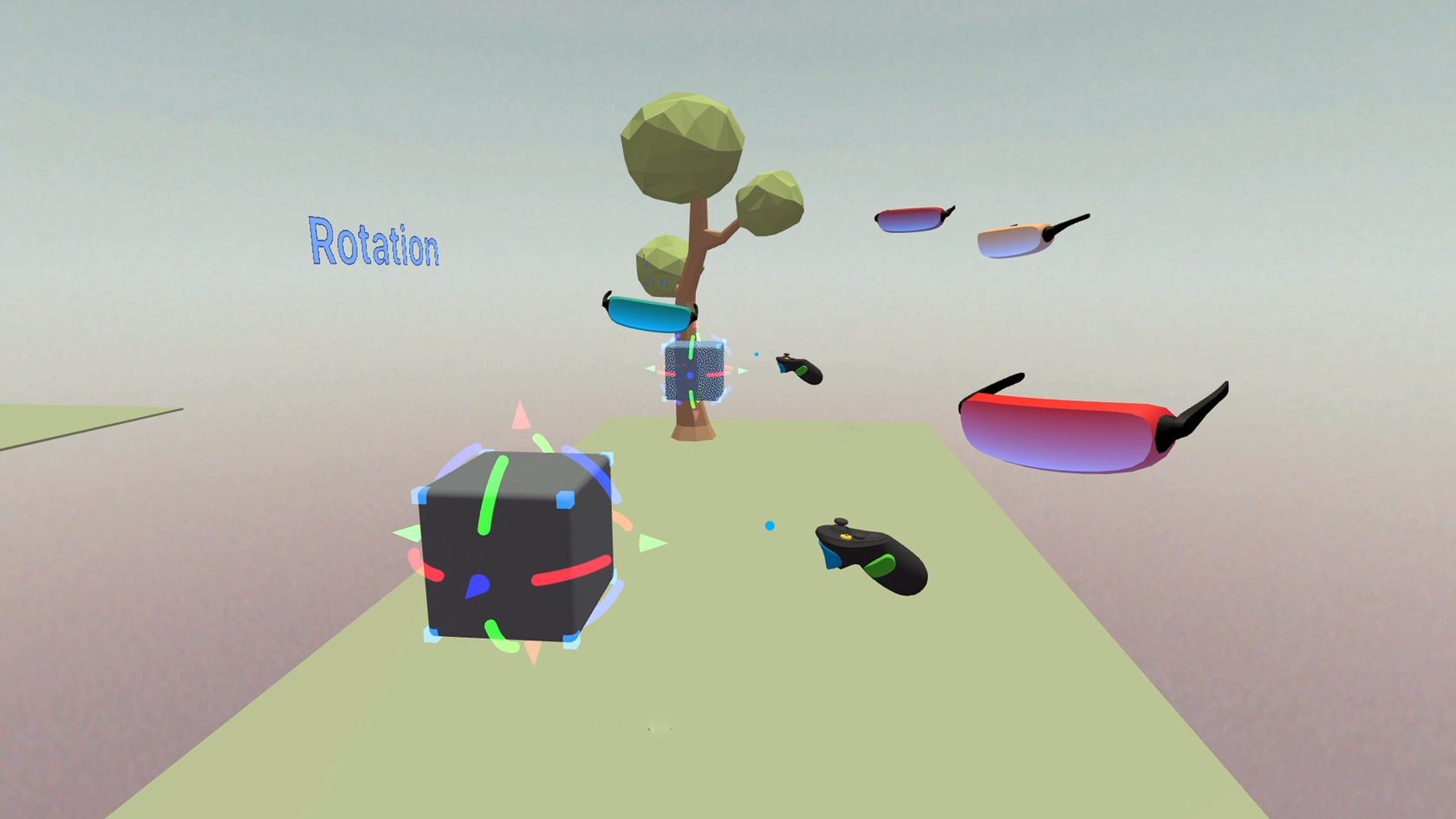
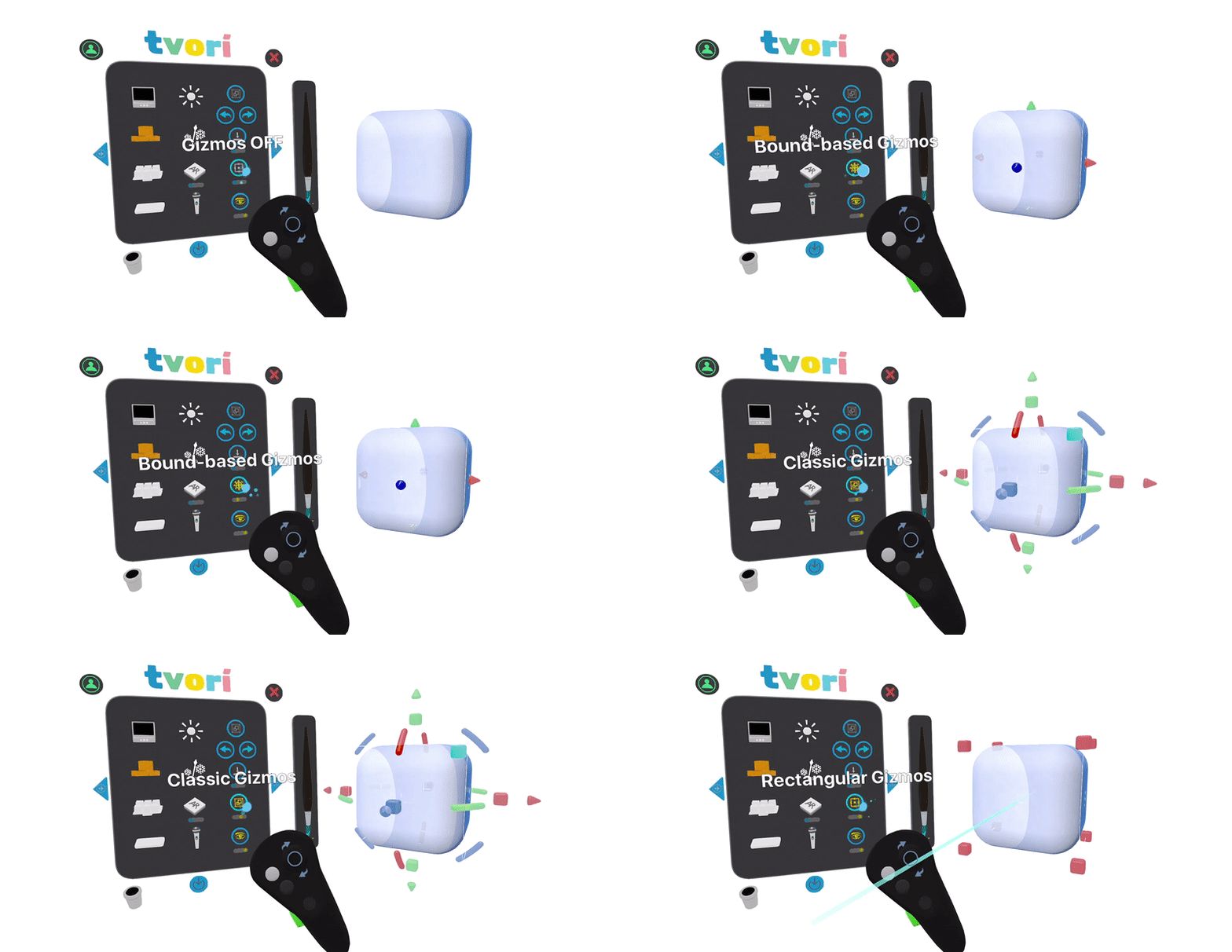
We've implemented 2 new gizmo modes: Classic and Rectangular. Additionally, Bound mode based gizmo was improved too, so it became easier to switch between modes on the fly without releasing the gizmo.
Classic gizmo mode
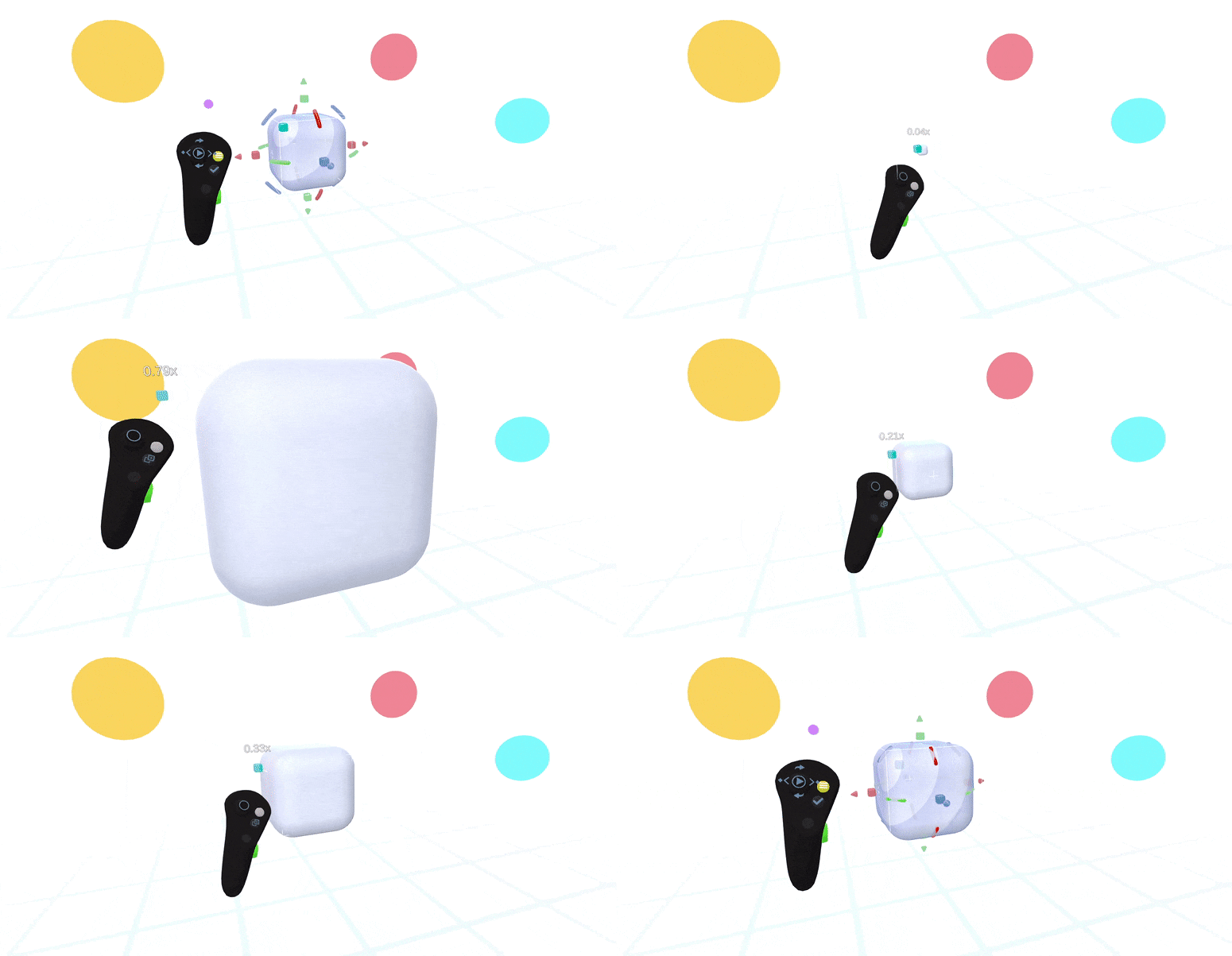
provides the control of scale, axis rotation, and intuitive snapping. You are enabled to use all three functions at once! Moreover, in the Classic gizmo mode there's a new additional function of a proportional scale mode. These improvements enhance accuracy and make object's controlling fast and easy. By the way, the most attentive users may notice how the classic gizmo instruments of 3DsMax, Maya, Blender, Unity, and etc. are adopted to our Classic gizmo mode and improved for the design process in Virtual Reality context.
Rectangular gizmo mode
This mode will be mostly useful and convenient for working with interfaces and buttons. Besides that, you can modify sizes quickly by using all three axes. We also added a new disproportionate scaling mode to Classic gizmo. In general, the rectangular mode simplifies the process of scaling objects, which are disproportional along any of the axes or the ones, which are proportional along three axes at once.
Additional gizmo improvements
Moreover, now it's possible to choose the coordinates system for gizmo operation: Local or World. Try out to switch between gizmo modes on the fly with a button on the controller.
New snapping settings
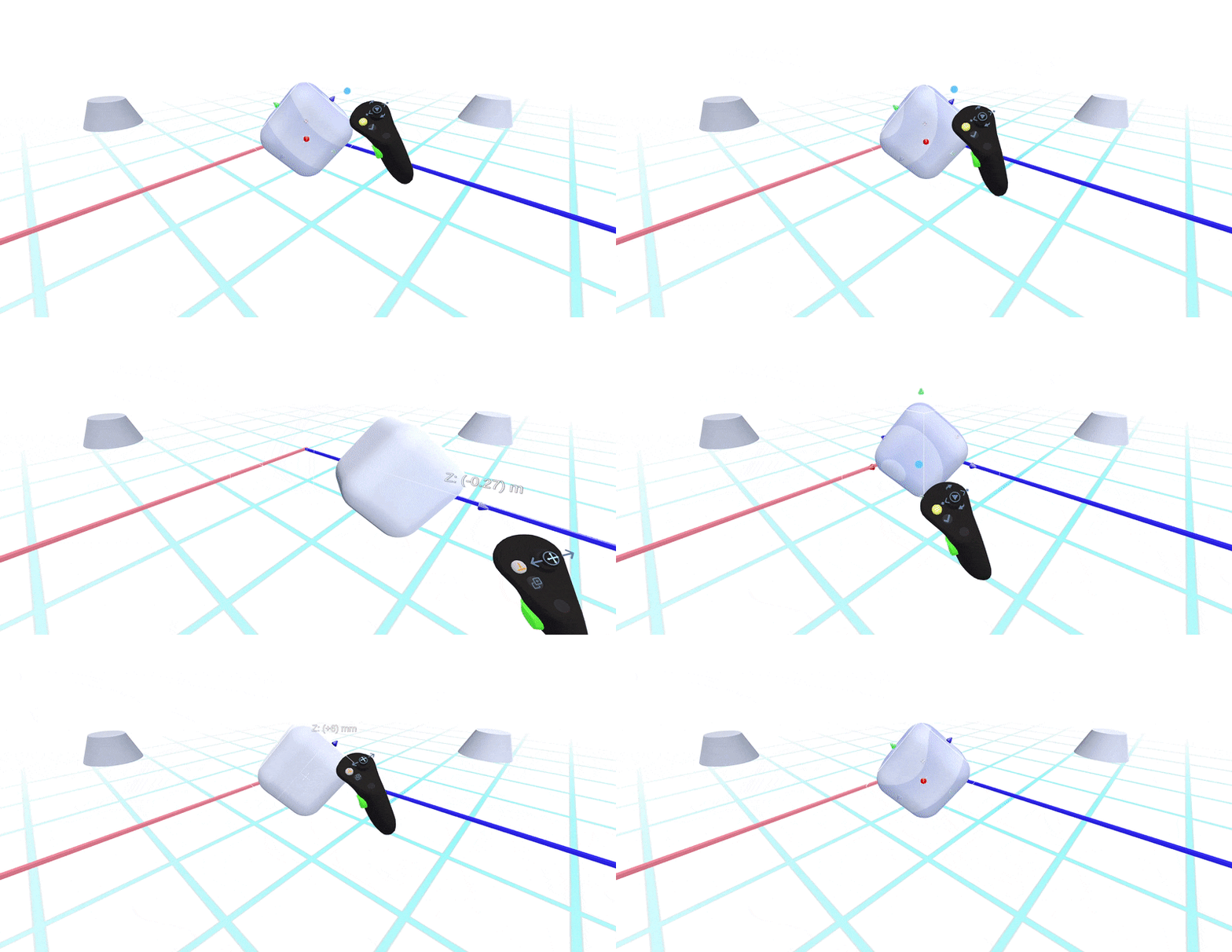
Precise selection has always been a crucial part for working in VR. Besides the usual auto snapping to the world grid, which adaptively adjusted the snapping step to our size, thanks to user requests there's now the possibility to customize snapping settings. For example, if you know that your ascetics are multiples of size 10 cm, these settings are definitely worth using. You can set the step you want and arrange objects with snapping to some grid with this step.
Snapping to snap points by gizmo handles
With any snapping modes activated in gizmo, special snapping points are activated in all available modes when gizmo handles are used. That is why you can make object alignment more accurate and convenient.
The next integral part for any design application is a Guid or auto Guid instrument. It allows you to moderate the size and position of a certain object respectively to another one. Hence, it was quite challenging to adapt this function to VR as there is more snapping and rotation freedom.
Now you can align and adjust objects relative to other objects with a gizmo by "sticking" a gizmo control of one of the axes to the surface of another object, and then by sliding it around.
Surface Snapping mode
Gizmo is good, but what about free-mode snapping when the object is in your hand?
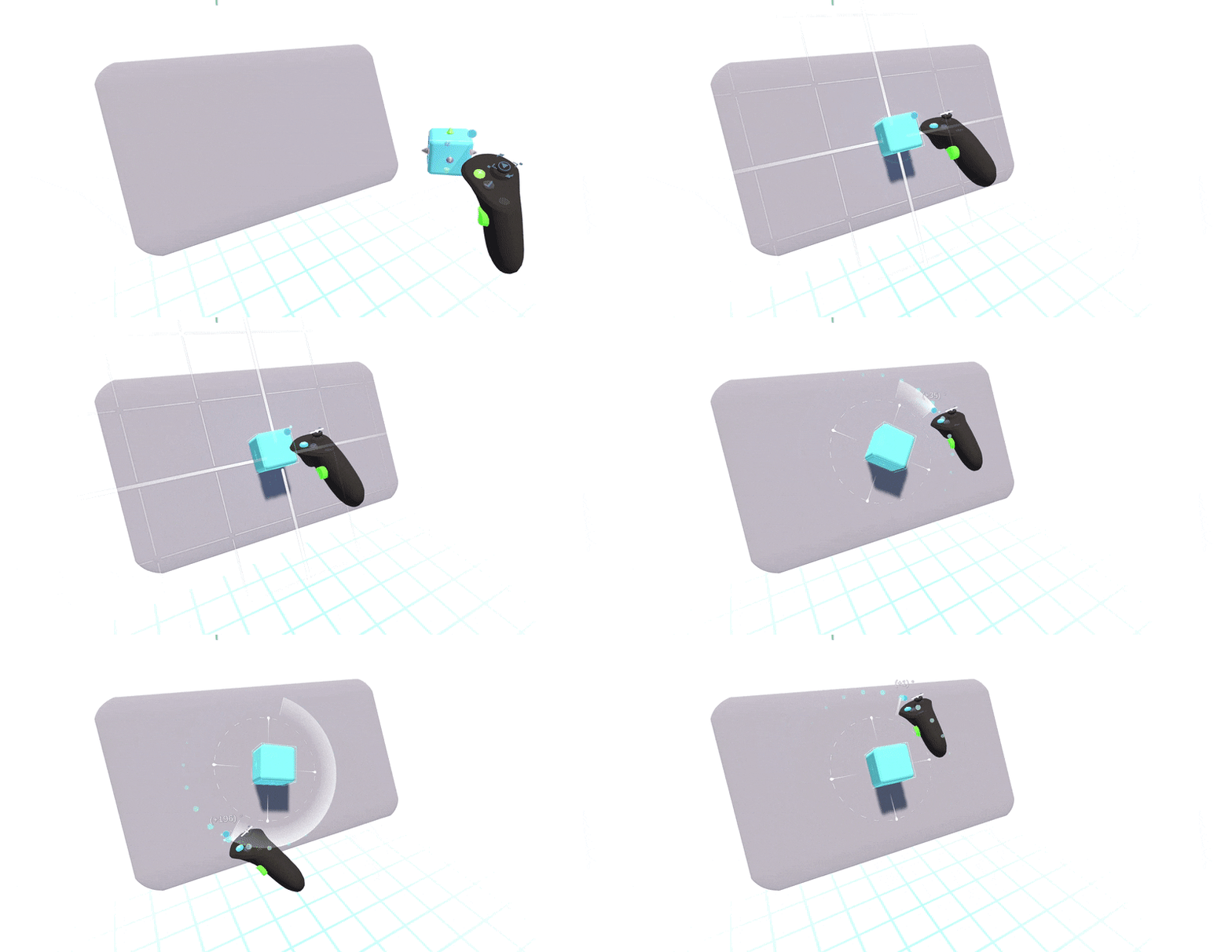
To do this, we have implemented snapping on surfaces familiar from traditional 3D software, when you can snap an object to the surface of another object and slide over it. This could be done in different ways in VR. With a focus on UI design, where there is often an interface plane, a canvas, an application window, we decided that it would be most useful not to constantly snap to the surface of an object, but to indicate a point on another object with the first click, as the basis for a certain temporary local coordinate system / plane and move the object already in this coordinate system.
We also wanted to be able to not only move but rotate, with rotation aligned to the object you are snapping to, and switch between movement and rotation on the fly, like in the first Gizmo mode (Bound based). There is support of snapping to the surface of multiple objects and also additional visual highlighting and indicators for clearer understanding of how exactly the objects will be snapped to each other.
Other improvements
Fixed issues with missing objects from Unlit materials when working with the AR brush.
Fixed issues with colouring and removal of locked objects.
Fixed issues with a visibility of clips.
Improved the assignment of materials on imported images.
Fixed exporting issues of irrelevant and unnecessary objects from a scene.
Fixed an issue with incorrect preview size of the camera.
Improved the copying of complex linked and grouped objects.
Improved an overall stability of the processes and fixed various bugs.