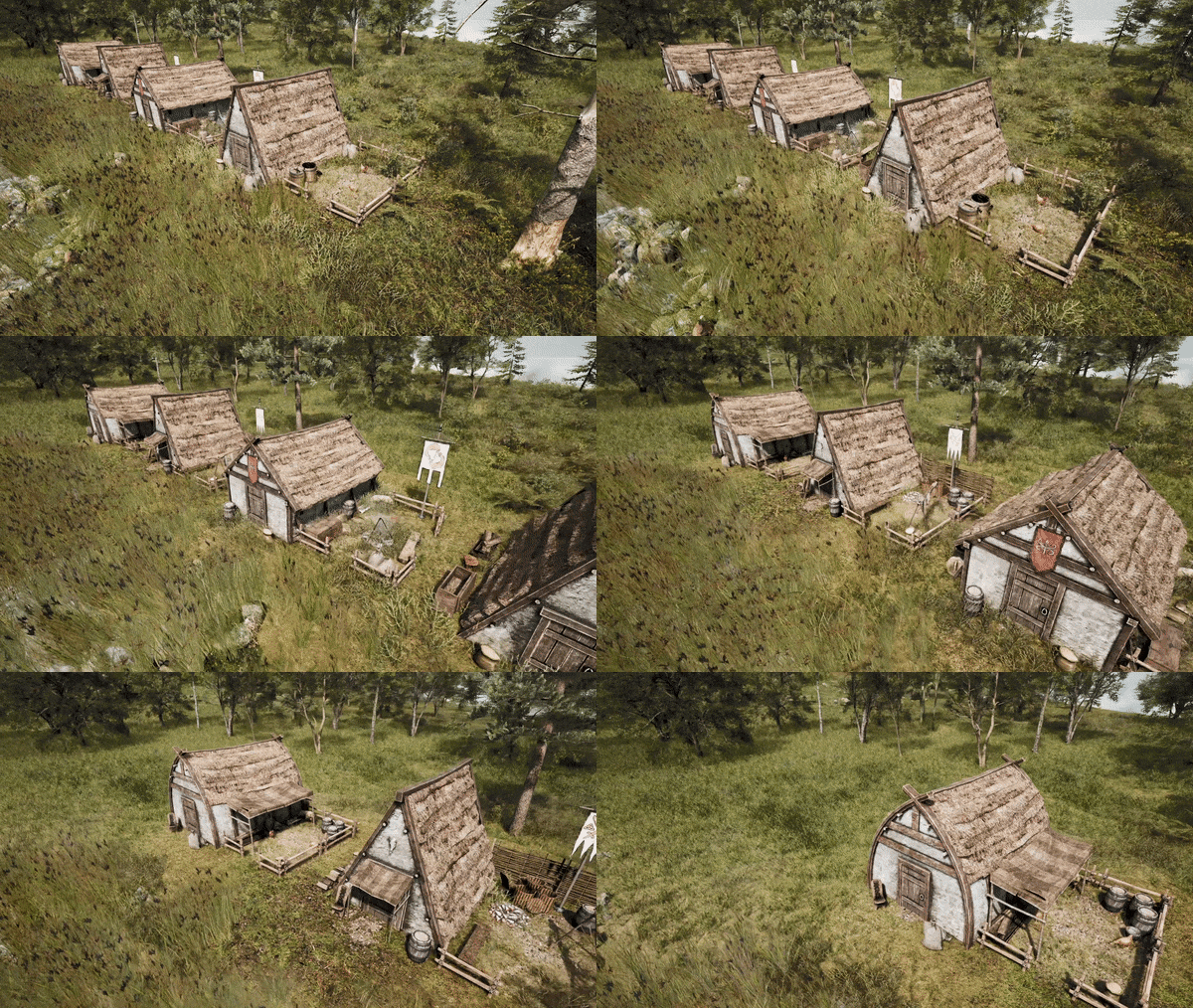
As every month, we got a devlog for you! The newest material was prepared by Maciej, our sound designer, who will tell you about sound recording for the city builder game! Have a nice read!
I started the process of working on the sounds for Viking City Builder by taking a very close look at all the Viking activities that will be presented in the game. After preparing a list of sounds, I started looking for items that would best simulate the sounds of tools, manufacturing, or mining processes. The basic assumption describing how our game should sound was the statement "it has to be natural". Therefore, all the sounds you'll hear in the game are recordings of real objects.
Some of them sound one-to-one. This means, for example, that when recording the sounds of chopping wood, I chopped firewood. Using two types of axes. I scored some solid cardio in the process ;)
Some of the samples, however, were recorded based on sounds that only mimic what you will hear in the game. How does record digging in the mud avoid an outdoor recording session and thus a mass of unwanted sounds? Birds, combines, cars, or neighbors who just decided to mow the lawn can be a really big problem! The best solution was to "put" the mud in a wheelbarrow and then carry it and its contents to the garage. After that, all that was left was to wallow in the mud with my hands or dig with a shovel. Worked like a charm!
What sounds similar to forging a helmet? A metal scoop hit with a hammer fits perfectly! Tanning leather? Old leather welding coats worked quite well! Extracting honey from a beehive? The sound of ripping oranges sounds good! I could give many more such examples, but let's move on to the next production process - a sound implementation.
During recording sessions, I always remembered to keep a lot of variety in the recorded sounds. These sounds, once they were processed and prepared for implementation, I was guaranteed that the audio you would hear in the game would be diverse. The greater the variety of samples, the more natural the perception of sound. Let's remember - "it has to be natural".
When preparing sounds for character animation, I created a randomly played list of sounds each time, thus avoiding the artificial repetition of the same samples. That's why the animation of one hammer strike on an anvil has about six modulated variations. When creating the sounds of work and life in buildings, I decided to use the same method. This way when you listen to the work of, for example, a Smelter you’ll never hear an identical loop of sounds.
Thanks for reading! We hope you liked the material about recording the sounds of the work and life of our Vikings! Remember to write us your feedback and visit our Discord!
Variety of buildings and decorations - Devlog #15
Dear Vikings!
It's time for another devlog! We’ve got also the information about our playtests. As you're well aware, some time ago we announced signups for playtesting on Steam. As our Team started growing our ambitions got even bigger. For the last 3 months, we held hands-off sessions with game industry veterans. We were present at Nordic Game and Gamescom. We’re honoured that people were so excited about experiencing the game. Nevertheless, we’ve gathered a lot of invaluable feedback on the game and we want to implement it! It takes time, but it’s worth it.
We decided to postpone playtests. We can't yet reveal when this will happen, as we want to be sure of the date.
Thanks for your patience!
And now let's move on to the main topic of our devlog.
We plan to put over 50 distinct buildings in VCB. Every one of them performs a specific role and it's necessary to achieve a functioning city, however, we want to make our settlement look different every playthrough and give players a way to express themself. Today we'll talk about measures we took to achieve that.
First of all, we're creating different models of buildings. Even with an alternate look, they'll function in the same manner. As you know, we decided against modular models and our facilities are handcrafted. Ideally, we'd like to make variations for every single one, but due to sheer volume, we're starting with those most common, which will be present in multiples like houses, warehouses, etc.
Even when picking the same model, finished construction will be different from each other. We made a system that changes finer details. For example: in the yard of the first house you built, there will be a chair, buckets and a cart, but in the second one you'll find barrels and sacks of grain. The same goes for walls - ornaments will vary from building to building. As for now, we implemented Shield Generator with different patterns and dyes. Here we'd like to ask you a question - should it stay that way or would you prefer to have the whole village decorated with your colors?
Last of all (for now) are self-contained decorations. Those need to be placed by the player and (for now) we want them to be purely cosmetic. Vikings may use them in their spare time and as placeable objects, there are collisions (using gates and fences one can force settlers to change their established paths). There are different styles and stages, some are small, while others are sizable. Every one of you should find something which will satisfy your taste. We're still ironing out the kinks, but here's a little sneak peek - Gates! Decide whether you want to display all the colors of the Viking world or intimidate guests with grizzly remains.
Three gate concepts to be available in Viking City Builder game
Thanks for watching! Stay tuned for more and don't forget to check out our Discord server!
Working on Main Menu - Devlog #14
Hello Vikings!
The UI in the Viking City Builder game is starting to take shape! We’re slowly polishing the selection of element styles, typography, or colors and today we’d like to present one of its parts, which is the Main Menu.
As most of you probably know, the Main Menu is the UI element that you’ll see on your screen, even before you start playing the game.
When creating the various UI elements, we’re accompanied by the idea of functionality, with an effective, thematic design at the same time.
OK, let us introduce you to the technical side. When creating a 3D game, some elements like User Interface are in 2D, but the Main Menu is a 2D Art in a 3D space.
Initially, in the process of creating the Main Menu, concept art is created, which is divided into layers such as the sky, clouds, earth, or characters.
The character’s layer must be additionally divided into small parts and scattered over the texture.
On separated parts of the texture, the mesh is cut and the UV of the island is placed and then the mesh is folded so that it looks like the previously created key.
Summarizing the first stage of technical preparation, in the beginning, you should break Art to re-glue it.
In the next stage, a rig for characters and movable elements is created, to which the mesh is skinned (assigned).
Then the animation is created and the source file is exported and then imported into the engine.
In the engine, a scene without lighting is prepared, with an orthographic camera and a previously prepared widget with UI added.
The mesh previously imported to the engine is added to the scene and the appropriate materials are attached to it.
The materials are unlit and all rather standard except the cloud material which has a sliding tile on one of the axis to keep the clouds moving in the loop.
Keep in mind that the Main Menu is currently a work in progress and we’re exploring its possibilities and its best looks. Today you’ll only see an iteration here and many things may still change, so we look forward to your feedback on our Discord and social media!