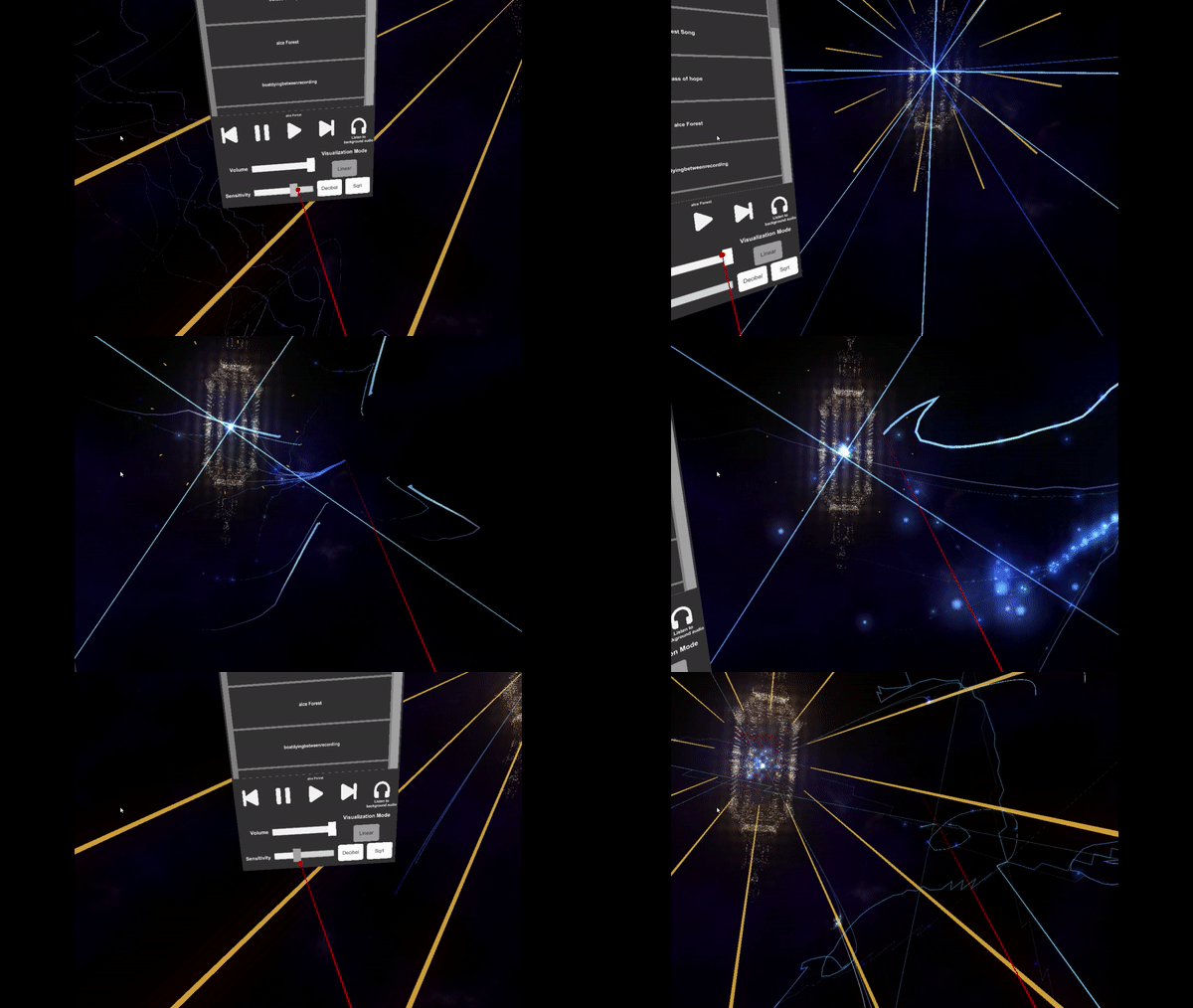
- Play any sound file you have in the windows music folder. (.mp3 or .wav)
- Change settings like sensitivity, volume and the type of audio reaction.
- Let the system listen to audio you have playing in the background (youtube or spotify for example)
You can add your own music now! Plus an additional bonus Level!
So this is what you can expect in this update:
- Added camera rotation. With the left thumb stick you can rotate the camera. - Added Gentle camera movement mode. Which includes less camera rotations to reduce nausea. You can also still select the old more heavy camera rotation mode if you like the rollercoaster effect ;) . - Added a bonus level accessible in the free fly mode. - Added Custom music Support. Now you can place custom sound files in a folder and choose custom music option in the menu.
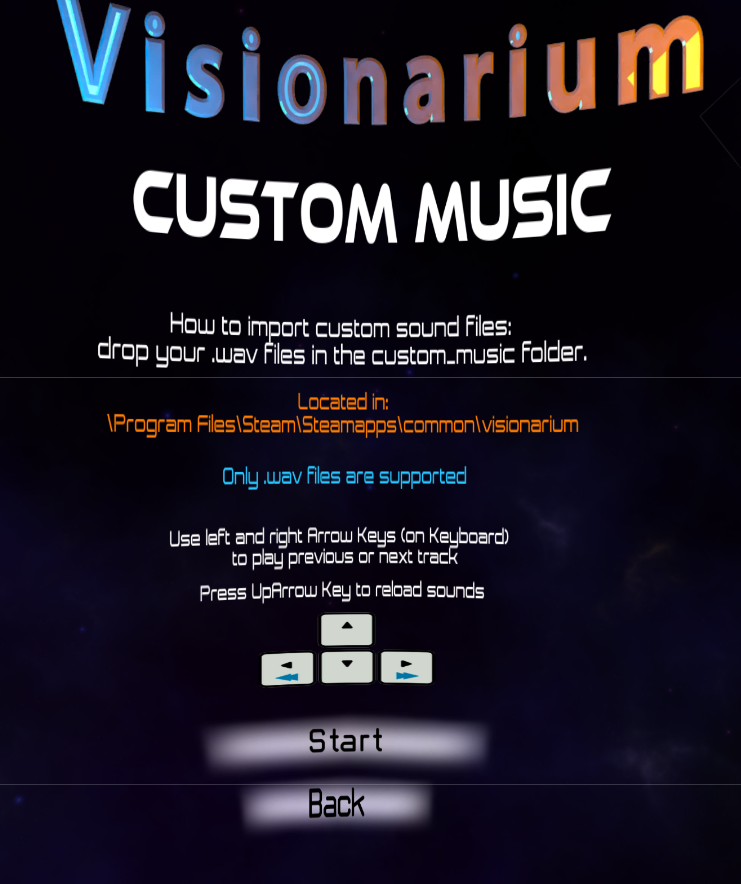
To place custom sound files in the game:
Locate the custom_music folder located in : \Steam\steamapps\common\Visionarium\
Place your soundfiles in this folder. (only .wav files are supported for now)
Launch visionarium and select custom mode, then select custom music, then after starting. your music will start playing. (starting in alphabetical order) To switch to the next or previous track press the left and right arrow keys.
Press the up arrow key to reload the .wav files in the folder (handy if you put new files in the folder while you were playing)
Bonus Lvl:
Update Visionarium 1.2
So after some valuable feedback I have been working on the following improvements:
- Added Free-fly mode. You can use the right trackpad or joystick to fly
around scenes and explore at your own pace.
- Added Microphone input! Yes you can use your voice or instruments with your
primary microphone. The visuals will react to the sounds!
- Added a scene selection menu when you press Escape on keyboard.
- Improved menu ui (fonts and buttons)
- Added pause when you press P on keyboard, so you can stop at anytime
when you need some time to recover or admire the artwork
- Added return to main menu gaze button when you press Escape in original
experience mode.
- Added Fire Phoenix. You can fly on a phoenix in free fly mode. when you press
and hold the X button of the left controller.
Update will be online soon!
First Update in Place
So the first update is up and running!
Here are the things that I changed
- More stable menu buttons
- Better fonts
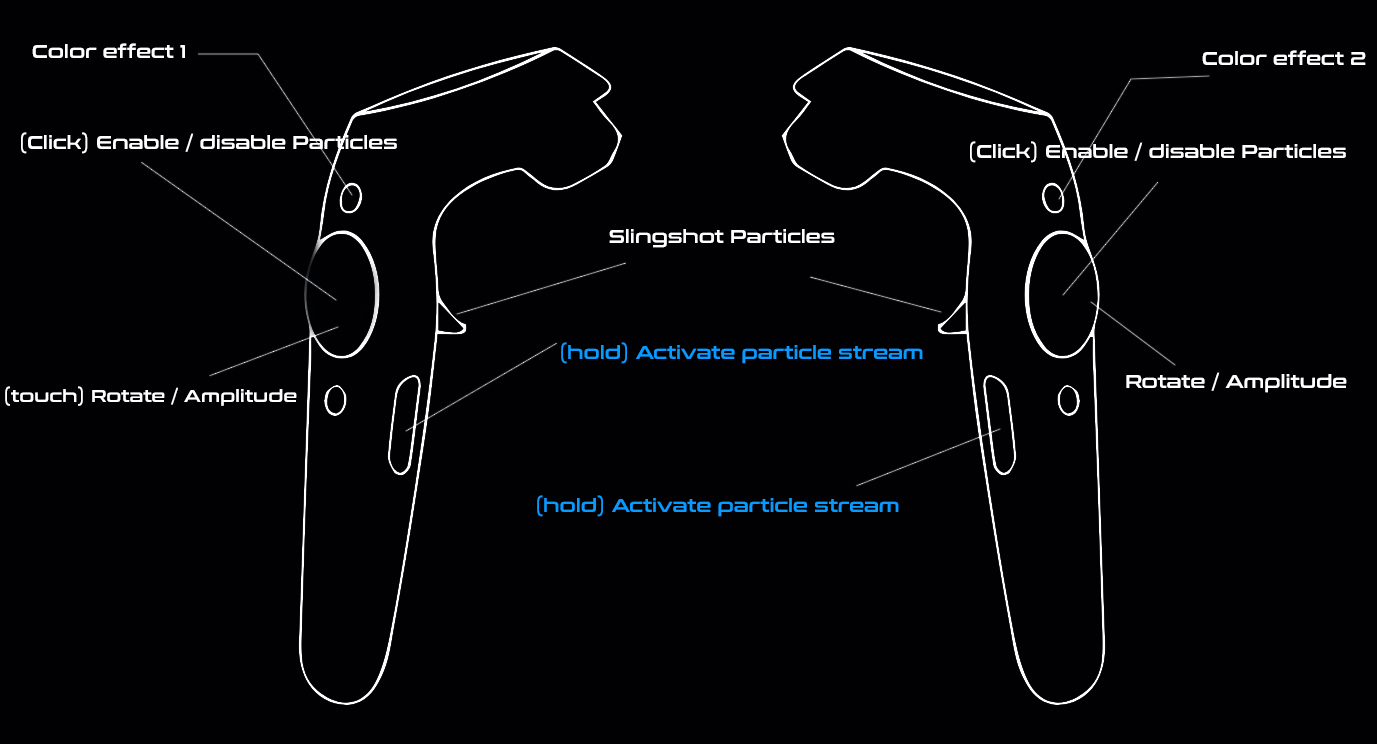
- Added vive input controler image
- Added Microphone Input Option!
- Added Pause when you press P on keyboard
- Added FPS Counter when you press F
Visionarium First Update
Hello all!
I hope you are having fun experiencing Visionarium. After some valuable feedback I started working on a first update.
Here are some things that im working on:
- Better menu ui and more stable gaze buttons.
- Adding Vive controller button layout screen.
- Programmed particles stay on screen when grabbed.
- Some extra details
- Microphone input, Yes! you can soon use your voice or musical instruments
that will react to the visuals.