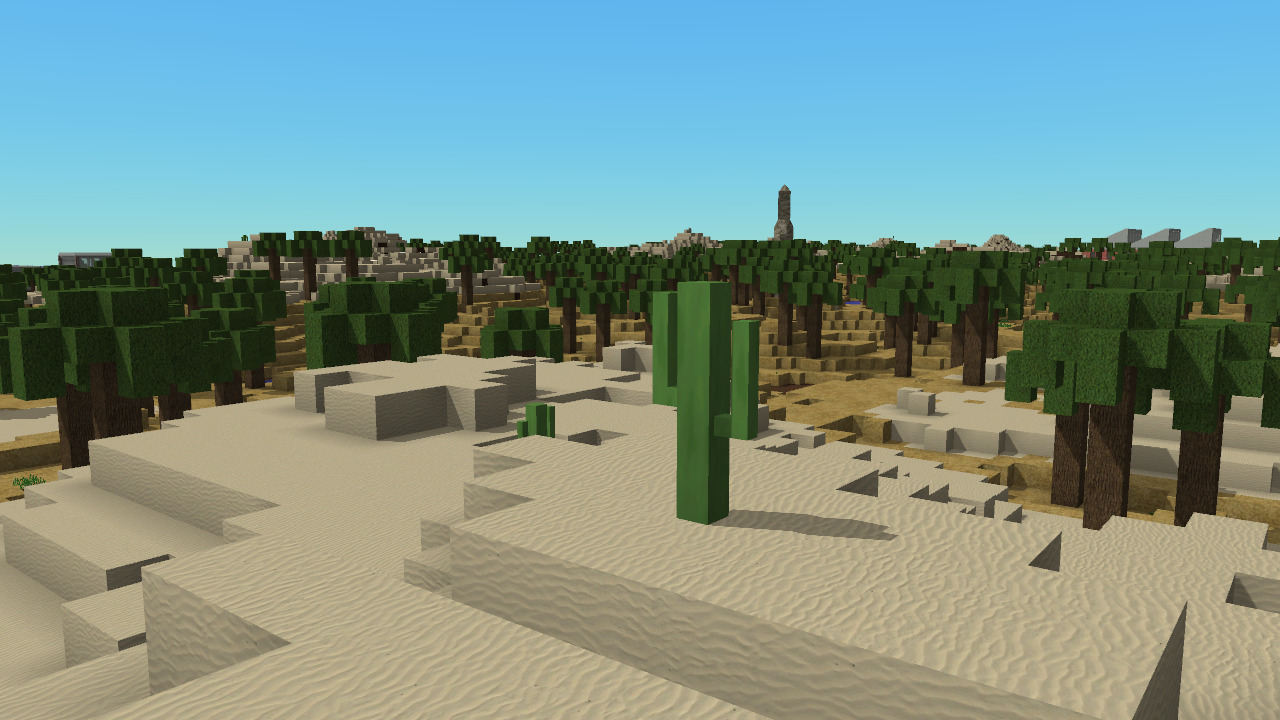
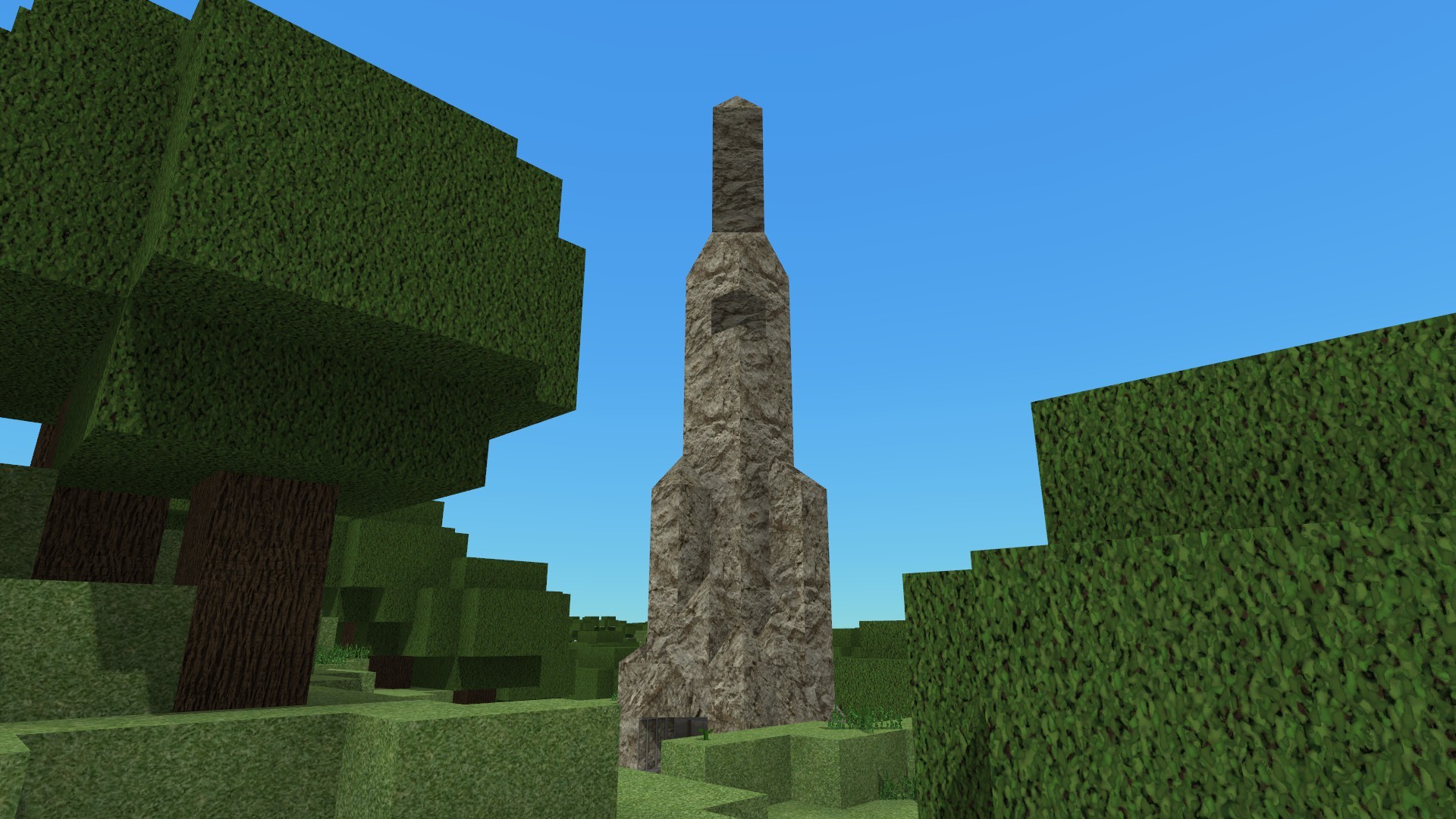
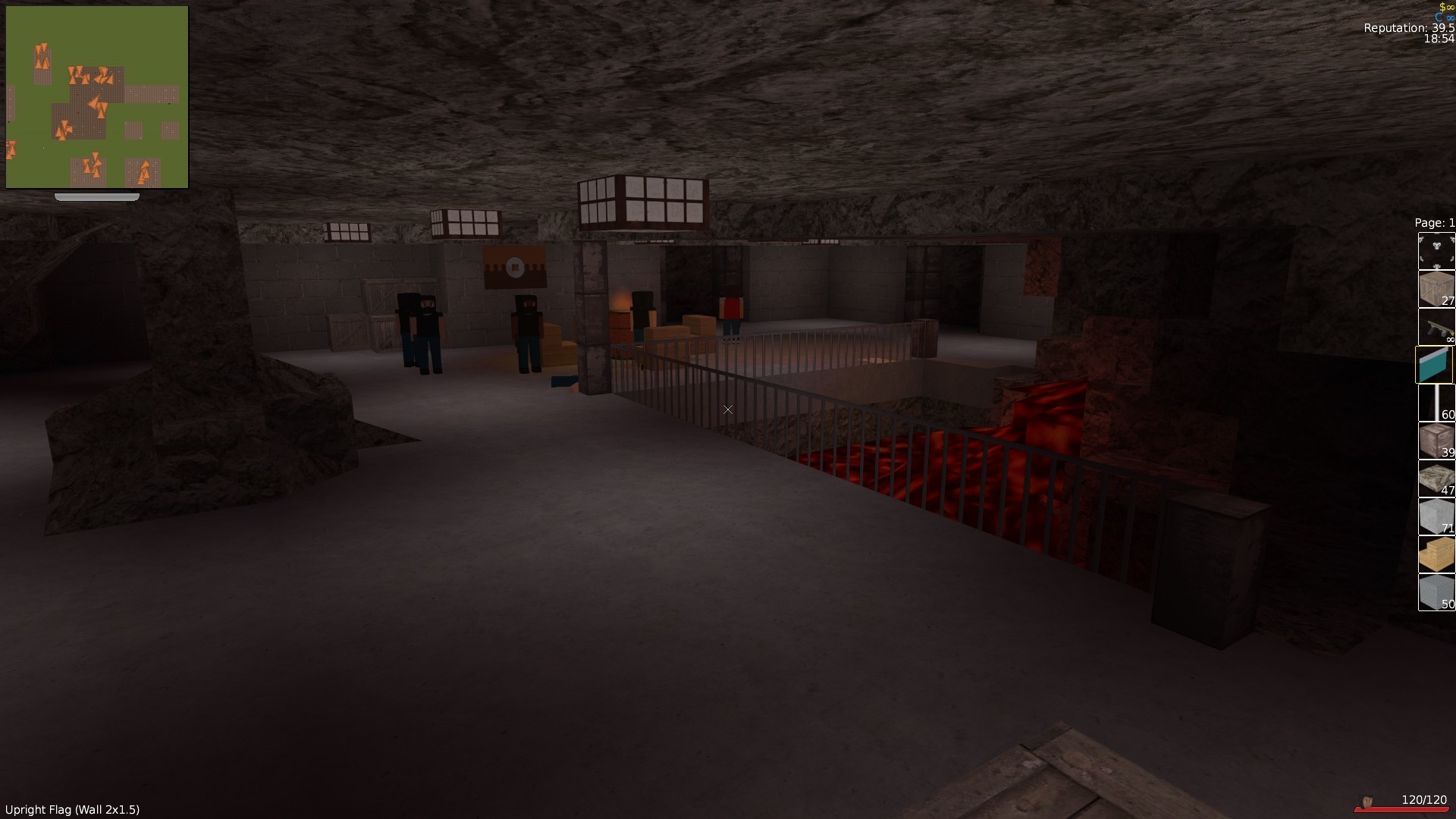
Finally an alternative to seas of green. This patch offers 3 new kinds of maps - Desert maps, Snow maps and Mesa biome maps!
Desert maps consist of sandy plains littered with the occasional cacti, hilly regions of sand, and oases with palm trees.
Snow maps provide a winter landscape with Pine Trees (and the occasional little pine tree)
Mesa maps have plains of red sand and sunburnt trees in the hilly oases
Custom Road Lots
I've added some elevated road lots that can be manually placed. This contains straight sections, overpasses, water sections, corners, T intersections with lights, cross intersections with lights and ramps.
To allow alternating streetlights I've also added a ALT_AVAIL flag for LotPack items.
Repair Macrobuilder
You can now repair with the macrobuilder! There is now a button that lets you click+drag to repair damaged lots. Note that this obeys the normal rules for repairing - lots must be insured and either owned or racketeered by you.
New Blocks
A few new blocks have been added - the Cactus plant for deserts, Yellow Tall grass for Mesa. There is now also Snow Blocks and Red Sand blocks and the typical shapes you get with a block ensemble.
Performance Upgrades
I've done some make-game-run-faster work. Mainly more intelligent entity culling. This results in a average case ~10% increase in FPS in built up areas.
Bandits in dungeons are not drawn if you are not in a dungeon, and surface bandits are not drawn if you are in one. In addition sun/moonlight shadows are not drawn while you are underground. These changes result in a massive speedup (over the previous version) in hilly regions near dungeons.
Bugfixes and Polish
Some longstanding bugs have been fixed. Most noteably NPC animations locking up when running at high framerates (at high framerates the NPCs are not moving very far per frame, making the renderer think that they are standing), map scrolling locking up at high framerates
The debug menu has been neated up a bit, and now has a framerate analyser (this helped me diagnose and do the perf updates listed above).
Lets Build Server Reset
Finally, the Lets Build Server has been reset, the new map is another massive desert map
Full Changelog:
VERSION 1.6.0 - 06/10/2019 ========== - [Major Feature] - Added Biome Maps! You can now choose between Temperate/Desert/Snow and Mesa maps! - [Feature] - New blocks! Cactus, Red Sand and Snow! - [Feature] - You can now disable/enable all mods/lotpacks in one click on the Installed Mods menu - [Feature] - Added "Wasteland" lots, you can create one with /lot wasteland. - [Performance] - Did some optimisation improvements to rendering mobs (bandits + base defenders) + optimised rendering all entities. This should increase framerates by about 10%+ on the street, and help reduce fps drops in crowded areas (I've seen +50% fps in some situations) - [Performance] - Surface mobs are not drawn while in a dungeon, and dungon mobs are not drawn while on the surface - [Performance] - Shadows are disabled while in a dungeon - [Performance] - Did some optimisation of the Lua garbage collector, free's up 0.5ms of frametime on both the client and server - [Performance] - Minor optimisation work on entity particles - [Feature] - Added a "Build an Airfield" mission that unlocks when you have $100k, 10 Reputation, 100 Residential Population and there are no existing civlian Airfields on the map - [Misc] - Improved autodetection of graphics cards (RTX, TITAN and any Amd "RX" cards are now considered to be "powerful" cards) - [Misc] - The F3 debug screen has been polished a little bit + has a frametime analyser now - [Misc] - Rockets now penetrate half a block when they hit a block - [Misc] - Rubble particles from explosions are now kicked more vertically (rather than just collapsing into a crater) - [Misc] - Rubble particles now have their lifetime reset whenever they are kicked by an explosion - [Misc] - Added /rotate command. This is the same as the /copy command, but with 4 extra arguments (1 required, 3 optional), the number of 90 degree turns (0,1,2 or 3), and whether to mirror on the X,Y and/or Z axies. (Y to mirror, anything else to not mirror) Example: /copy X1 Y1 Z1 X2 Y2 Z2 nTurns MirrorX MirrorY MirrorZ The Mirror args can be safely ommited - [Misc] - Added a /lotrange command. This executes a /lot command over every lot within a specified range Example: /lotrange X1 Z1 X2 Z2 (command) - [Misc] - Added /mirror which is an alias for /rotate - [Misc] - Frametime analyser now has Min/1% Low/Avg Framerate/Frametime info displayed - [Misc] - Updates SDL to version 2.0.10 (prev: 2.0.2) (windows only) - [Misc] - Updates SDL_Mixer to version 2.0.4 (windows only) - [Misc] - Updated SoLoud to latest - [Bugfix] - Fixed Mob animations becoming locked up at high framerates. - [Bugfix] - Entities owned by a faction are now all despawned when a faction is eliminated - [Bugfix] - Fixed CTD when despawning entities when repairing lots - [Bugfix] - Fixed some blocks not giving the right items back when destroyed - [Bugfix] - Fixed a issue with placing Slope Blocks trying to place a Slope Block Corner - [Bugfix] - Fixed scrolling on the map being broken at high framerates - [Bugfix] - Fixed Bandit flags appearing on hidden dungeon lots in hills - [Bugfix] - Fixed bandit weapon muzzle flash + sfx not playing if bandit not moving - [Bugfix] - Fixed vehicle state not being updated clientside every tick if its being occupied by a player while stationary - [Bugfix] - Fixed sound clicking/popping on some sound effect start - [Bugfix] - Fixed bandit muzzle flash pointing to the ground when firing last round
Patch 1.5.3 News: Military Base Update! Achievements! Custom Roads! MP Server Reset and More!
1.5.3 Update
Hotfix 1.5.3 fixes some graphics artefacts (colour bleeding at distances) + improves smoothness of the game + fixes minor bugs. It also adds a setting to set a target Frame Rate. See changes at the bottom for details.
EDIT: 2019/04/19 - Released a hotfix to the hotfix that fixes and issue that caused the draw distance to be drastically reduced.
EDIT EDIT: - Another hotfix^3 to fix shaders on intel integrated graphics
Military Base Control Point
https://www.youtube.com/watch?v=X_HdO4_6jYo
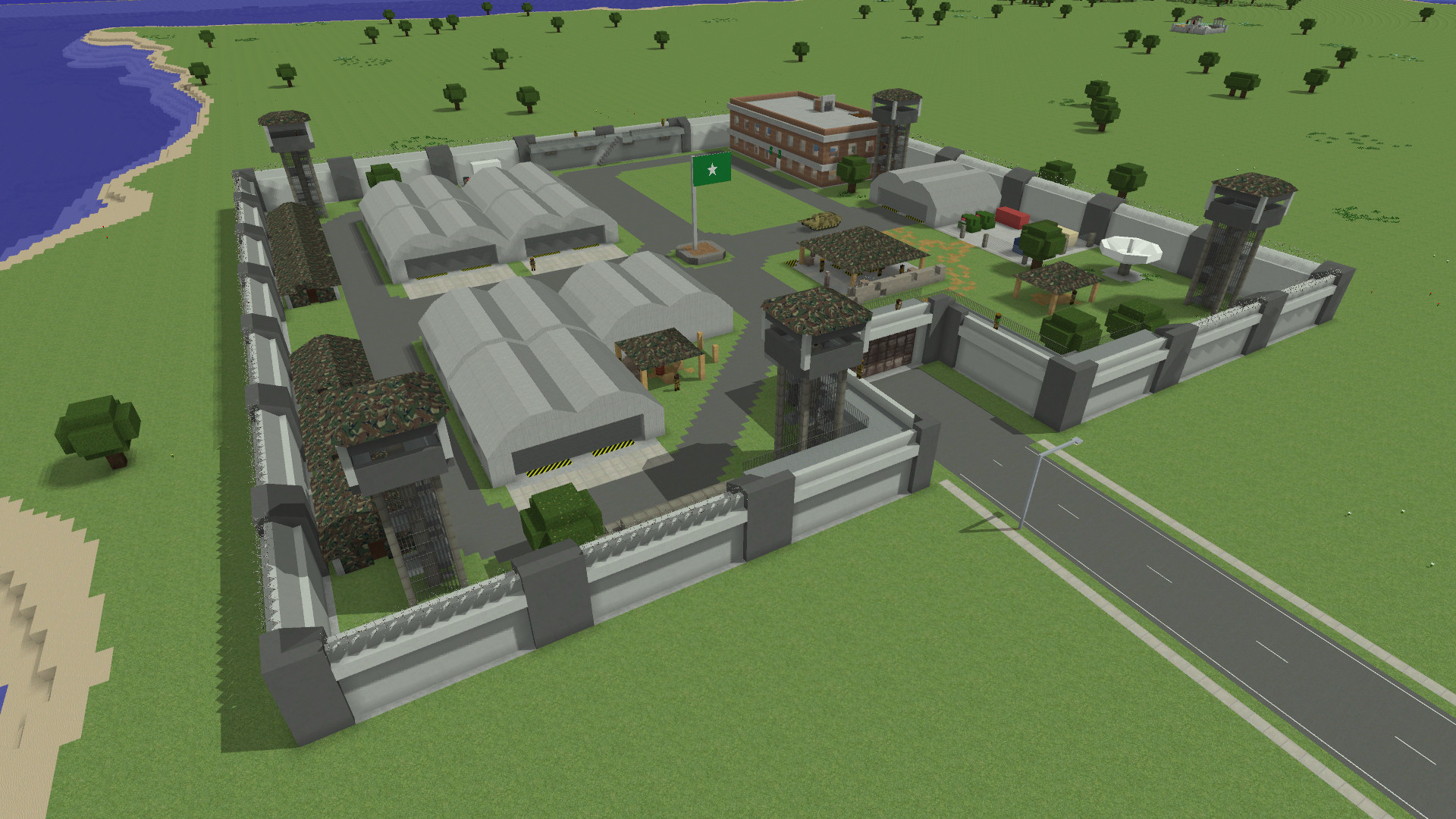
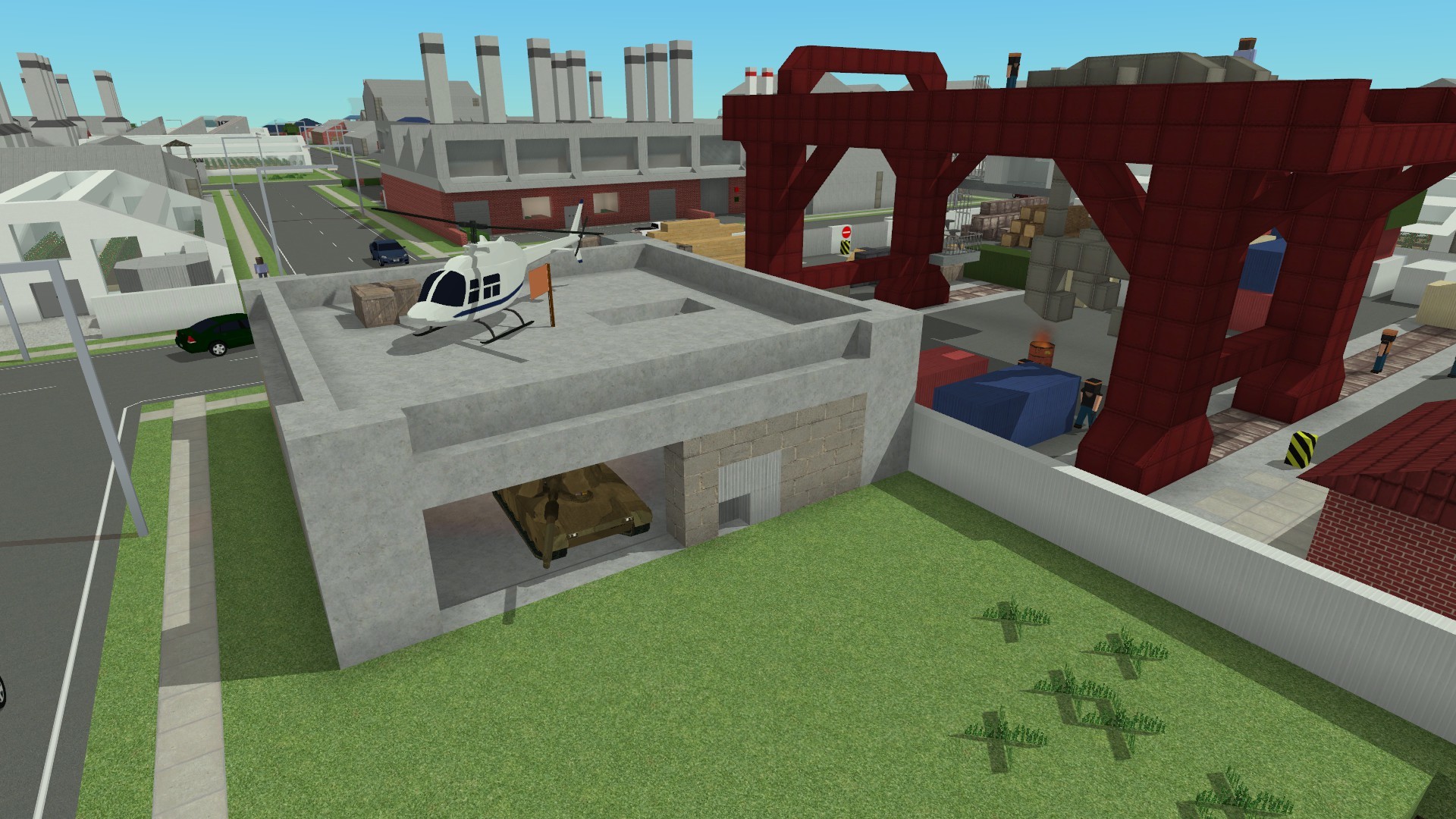
The often requested Military Base is finally here! This lot initially appears as an abandoned lot, but when you reach level 12 a mission appears to unlock it. If you are playing on an existing map you can construct it once you reach level 15.
Its a control point, giving +1 Base Attack Limit, +1 Base Attack Limit Cap and a slight economic boost in the form of +2 Industry Desirability. But more importantly its a spawn point for tanks! Tanks that spawn here will be loyal to their controller and will defend against enemy attack.
The defenders are very strong - they start at garrison level 6 (same strength as the first dungeon)
Due to the nature of tanks appearing in a Control Point, I've modified tanks so that they can capture lots if driven by the AI or driven by a player.
Custom Road Lots
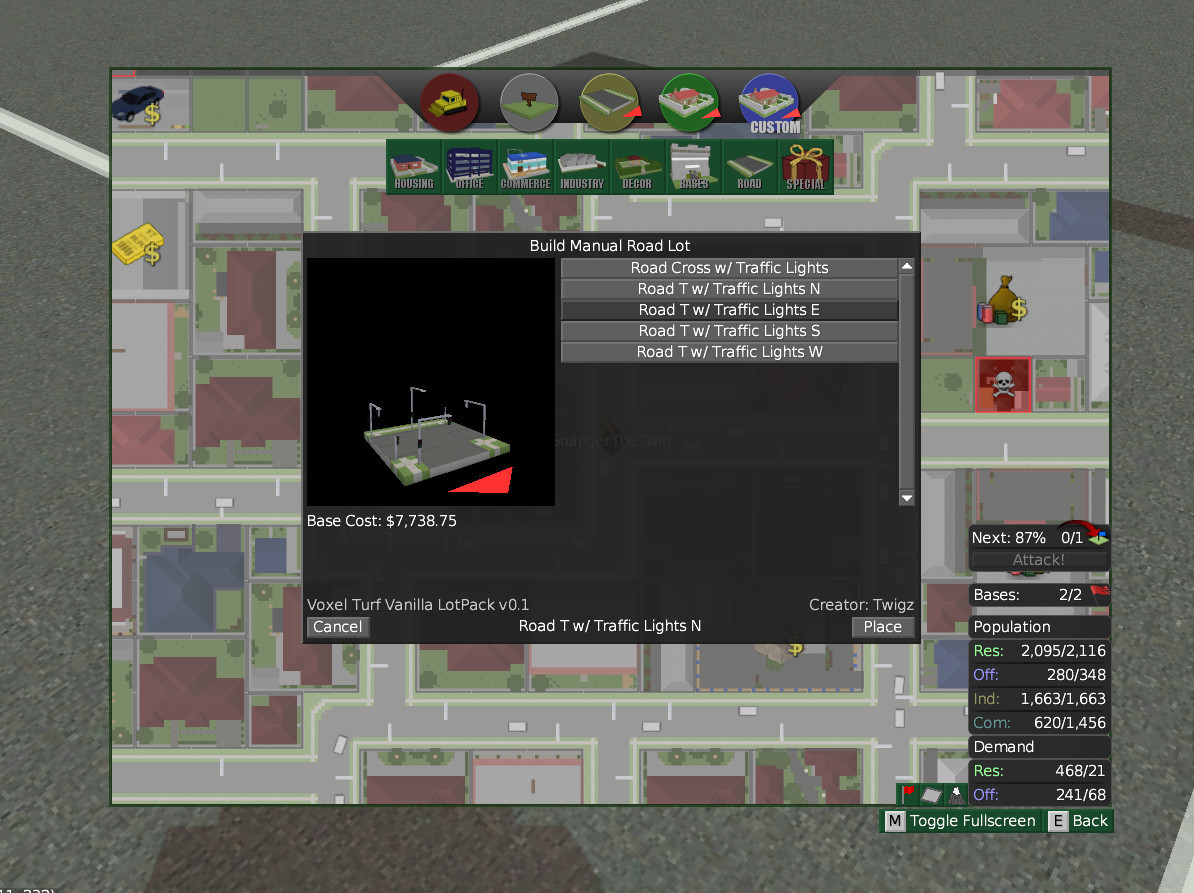
Quite a few mods have custom road lots, so I decided to make the functionality to make it official. You can now mark LotPack items as ROAD or CANAL and have them appear in a new "Build Manual Road" screen. By setting a ROADFLAGS parameter you can tell the AI if the direction of the road. See lots/packs/vanilla.txt for implementation details.
I've added a few roads lots to the base game - a 4 way intersection with traffic lights and a 3 way intersection with traffic lights, so that Turf Zero/Build/Strat Zero maps can have traffic lights!
Road lots are not symmetric so I also added the FORCEROT option. This forces a lot to face a direction when being placed. You can also specify an id for lot for the clicker to switch to when the player right clicks. Try the 3 way intersection to see how it works.
QoL Changes
Civilians in buildings now have a 75% chance to duck when there is combat in a building, as opposed to just running around flailing. Some civilians still do that, but its a lot less caotic now.
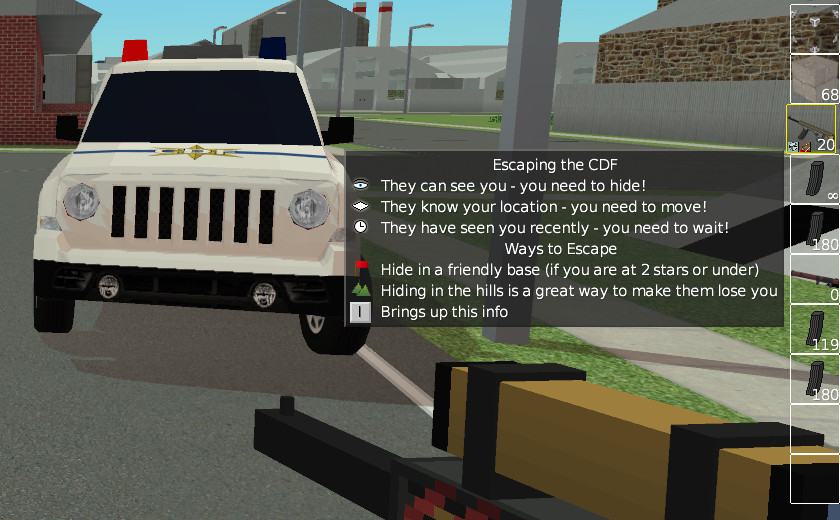
When you first engage the CDF a window now appears explaining the mechanics of CDF escaping as well as a couple of pointers on how to escape (such as running to the hills, or hiding in a friendly base). Like with controls, you can press "I" to bring the window up.
Finally I added an in-game timer. This is useful for the speed-running achievements, but its also just a nice thing to have. It'll display the hours and minutes you've been playing. Strategic pause will pause the timer (and pause it for achievements)
New Achievements
This patch adds 19 new achievements, bringing the total to 72! I've added a lot of stuff since launch, but haven't kept up with achievements.
Some of these are purely catch up achievements, such as achievements for taking out each of the dungeons, and for completing some of the missions added after achievements were programmed (such as the Cop missions). Others are fun stuff, such as winning a race with an Ambulance or stealing the Speedy Car. I've also added some speedrunning achievements. There's a Space Race achievement (get the space program within 8 hours) and a Speed Run achievement for people who are true masochists.
Some of the achievements will require a new game to work (the dungeon ones do, and the speedrun ones will need a new map too).
Lets Build Server Reset
Finally, the Lets Build Server has been reset, the new map is another massive archipelago map
Change Log
VERSION 1.5.3
==========
- [Bugfix] - Fixed FrameTimeOffset running away to infinity. Its now hard capped at 20ms, and decays twice as fast when it hits 15ms
- [Bugfix] - Fixed a minor issue with the texture atlas
- [Misc] - Rearranged chunk rendering order to net a 0-5% FPS increase.
- [Misc] - FrameTimeOffset now applies to entities too (should reduce entity stuttering in MP)
VERSION 1.5.2 - 18/04/2019
==========
- [Feature] - You can now set a target FPS in the Graphics Settings menu
- [Misc] - The game now shows a splash screen when starting up (this solves the "hanging" when steam starts up the game. Steam for some reason likes to take forever to start up the game sometimes, this seems to have something to do with workshop mods installed).
- [Misc] - Linux versions of the game now have an icon for the window/task bar
- [Misc] - Dynamic Draw Distance and FrameTimeOffset is now shown in the F3 menu
- [Misc] - If you are rendering a new chunk the draw distance will go back slightly to give the game some frametime to upload it (and hopefully avoid frame skips)
- [Misc] - The modloader won't look inside LotPacks for textures and sound effects. This should speed up loading on installs with heaps of lotpacks installed
- [Misc] - The default texture atlas is now 4k (up from 2k)
- [Misc] - Soldiers in military bases now have silver weapons. At garrison level 9, they get upgraded to gold.
- [Bugfix] - Fixed the Anarchist taking 50k from you when he tells you about the military base
- [Bugfix] - Fixed MSAA causing texture bleeding in the distance (only fixed in Shaders-ON mode!)
- [Bugfix] - Fixed colour bleeding around billboard blocks (grass, flowers, wheat, barbed wire)
- [Bugfix] - Fixed FPS counter being very wrong, and that causing dynamic draw distance to not be effective at stopping lag
- [Misc] - The client will now try to compensate for drifts between client and server clocks (by applying a FrameTimeOffset)
VERSION: 1.5.0 - 13/04/2019
==========
- [Feature] - Added a Military Base
- The military base can be constructed by any player who reaches level 15
- The military base starts at fortification level 6 and progresses to level 10
- This spawns 4 tanks in 4 random locations above the surface and 2 locations underground
- [Feature] - Added placeable manual road lots
- Lots can be placed into a ROAD or CANAL categories and now appear in a new "ROADS" category in the build lot GUI. ROAD category lots will appear as road lots on the map
- Added 5 manual road pieces, a 4 way intersection and 4 variants of a T intersection, all with traffic lights
- Lots can now be marked with the ROADFLAGS option, see lots/packs/vanilla.txt for details. You can mark a lot as N/S/E/W/NH/SH/EH/WH/TL to tell AI vehicles which directions the road goes. Note that vehicle AI behaviour is undefined for lots that are not 1x1 (with the exception of ramps).
- Lots can also be marked with the FORCEROT option, see lots/packs/vanilla.txt for details. This makes a lot only placeable in a specified rotation. It also allows you to specify a lot to switch to for when the player right clicks to rotate a lot. Said lot must be in the same lotpack
- [Misc] - Civilians in buildings are now likely to crouch when gunfire is nearby (as opposed to running around)
- [Misc] - Tanks can lay siege to lots if they are driven by a player or a soldier
- [Misc] - Tanks at y < 4 will not target players 2m or more above them
- [Mics] - Added a MILITARY spawnloc for MobEntities, this makes them soldiers.
- [Misc] - CDF Icon guide is now a GUI that appears when the I button is pressed. This guide also now explains base escapes and hiding in hills
- [Misc] - Added a "/lot stripspawners" command to remove all the spawners (barrels, flags and single-spawners) from a lot
- [Misc] - Added a "winmissions" cheat to win any missions you are currently involved in
- [Feature] - You can now see your RL playtime in the Inventory screen
- [Feature] - Added 19 new achievements
- [Bugfix] - Fixed tanks not disengaging players after killing them (contrary to what appears in the 1.5 Video)
Patch Notes 1.4.3 - Performance Improvements, QoL + UI Improvements, New Walls + More
I've done some work to boost the game's performance, particularly on big maps, and I've also made some QoL improvements
Big Map Performance Improvements
Two things were causing slowdown with very big maps. On the client (the renderer, vtclient.exe), the main thing slowing it down was runaway chunk counts, on the server it was out of control entity counts.
I fixed runaway chunk counts on the client and runaway entity counts on both the client + server, resulting in *massive* performance gains for playing on big maps. It seems like there's been perf gains in Singleplayer too, but I haven't benchmarked them.
Chunk Unloader Optimisation (Details)
While the client did unload out-of-range chunks, it was nowhere near aggressive enough, resulting in situations where the chunk loader was running faster than the chunk unloader. This could mean that after flying around the world you could have 20k chunks loaded!
I improved this by making the chunk unloader act quadratically more aggressive once your chunk count reaches 1000+drawDistance^2/256. For every 2000 chunks above this count the chunk unloader will take 2x the amount of cpu time it normally does (4x at 4000, 8x at 6000, etc) - the rationale being that if you're dropping frames due to large chunk counts then we can afford to spend more time getting rid of excess chunks. The "unload" distance has been changed from unrenderDistance*4 to (1000 + unrenderDistance - nChunksOverThreshold/20), again meaning very high chunk counts means more aggressive chunk culling.
Entity Count Optimisation (Details)
While entities that are out of player range were put to sleep (AI and physics disabled), they still seemed to take quite a bit of cpu time (must be some O(N^2) or worse stuff happening under the hood). On the client, all entities (mobs, vehicles, etc) that are 1000m from the client are locally despawned. On the server, if the entity count exceeds 100 any bandits that are 1000m from the player are despawned, and if the entity count exceeds 160 base defenders will also get despawned. Any entity that is less than 1000m from any playeris exempt from despawning, and any entity involved in a base attack or base/bandit base that is under attack or a mission is likewise exempt.
UI Improvements
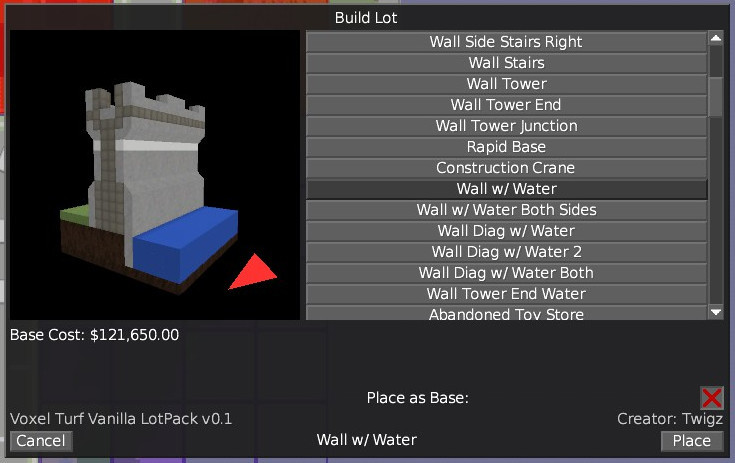
The build lot screen now scales with your monitor size, making it much bigger, but not overwhelmingly so in most cases. Also water source blocks are now rendered in the preview.
Water Walls
I've made some wall variants that have water on one or both sides
Plane Runways
Lots that spawn Light Planes now have double blast resistance at level 10 when colliding with an aircraft. This means that runways are much more durable and take-off/landing damage at airports is much less likely.
Repair Improvements
You can now repair *racketeered* buildings! Repairing a control point now despawns the defenders there, fixing a defender-duplication bug.
Server Diagnostics
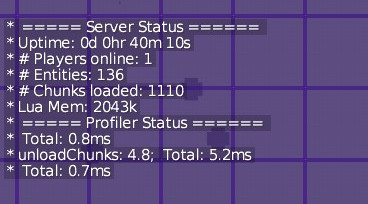
You can now enter the "/status" command and the server will tell you its chunk and entity counts. It will also give profiler info if the server is under non-trivial load (if it just says "Total XXms" that means the server is under capacity). This command is not considered a cheat and is able to be used by all players
Balance Changes
Banks now spawn 33% more loot, Jewellery and Gun Shops now spawn 50% more loot.
Change Log
VERSION: 1.4.3 - 12/01/2019
==========
- [Misc] - Made the loading screen appear faster when you first start the game
- [Misc] - vtclient chunk aggressive chunk unloading threshold raised to 1000 + drawDistance^2/(256) chunks
- [Misc] - Restored the "Extreme" graphics preset
- [Misc] - You can now repair racketeered buildings
- [Misc] - Lots with an "Light Plane/CDF Light Plane Spawning Zone" now have double blast resistance at level 10 for the purpose of aircraft/tarmac collisions
- [Bugfix] - Repairing a control point now despawns any defenders (prevents defender duplication)
VERSION: 1.4.2 - 12/01/2019
==========
- [Misc] - vtclient is much more aggressive in unloading chunks if there are more than 1000 chunks loaded clientside. This gets even more aggressive for each 2000 chunks loaded. Fixes the client having 20k chunks loaded when you fly around the world because the chunk loader is running faster than the chunk unloader
- [Misc] - vtclient will despawn any clientside mobs that are more than 10000m from the player
- [Misc] - If the server's entity count is above 100, it will despawn any bandits (not in missions or base attacks, as either attacker or defender) that are more than 1000m from any player
- [Misc] - If the server's entity count is above 160, it will also despawn any base defenders more than 1000m from any player (again not involved in missions or base attackers, as either attacker or defender).
VERSION: 1.4.1 - 10/01/2019
==========
- [Feature] - Added 6 Wall lot variants that have water to one side or both
- [Feature] - Added the /status command, shows details of the server's status
- [Misc] - Water is now rendered in the lot preview
- [Misc] - The "Build Lot" UI now scales with window size (gets bigger if x resolution > 1200 to a maximum of 2x size)
- [Misc] - City Gen will try to plonk 2 more 1x1 commercial lots (12 now, 10 before).
- [Misc] - Jewellery shops now buy and sell precious metal ingots
- [Misc] - Loot in Jewellery shops and Gun Shops has been increased by 50%. Bank loot has been increased by 33%.
Patch 1.4 Info! PLANES! MP Server Reset! Map Mods, New Video and More!
Video
https://youtu.be/M0ZbfJiKiwo
Be sure to subscribe for more videos + updates!
New Vehicle
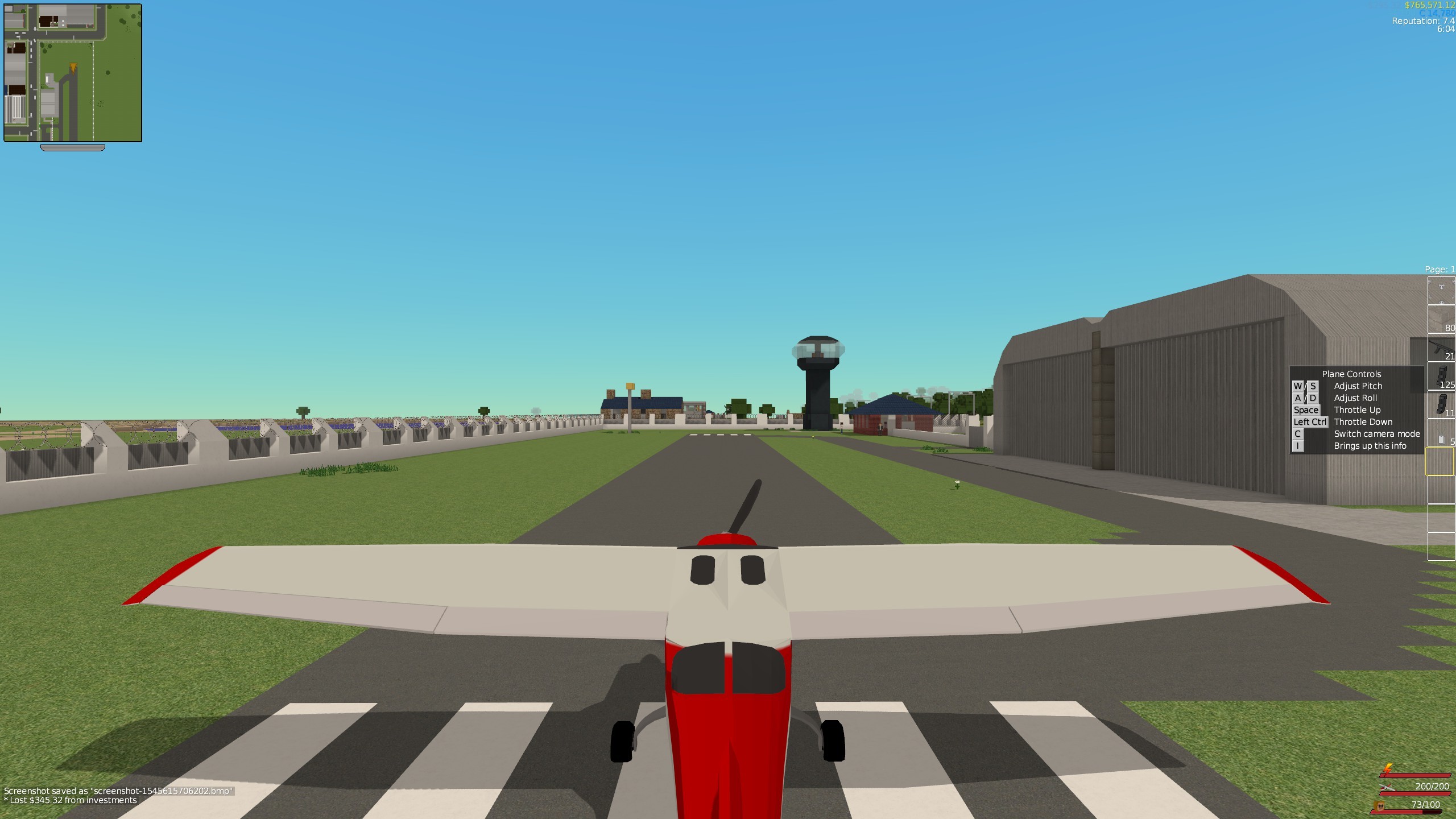
I've added a Light Plane vehicle!
The plane can remove blocks and take damage if it hits something! To do maximum damage I recommend pitching down to build speed before impact. For taking off, set throttle to maximum and take off on a flat, solid surface (concrete, asphalt, etc), and slowly pitch up once you are up to speed.
New Buildings
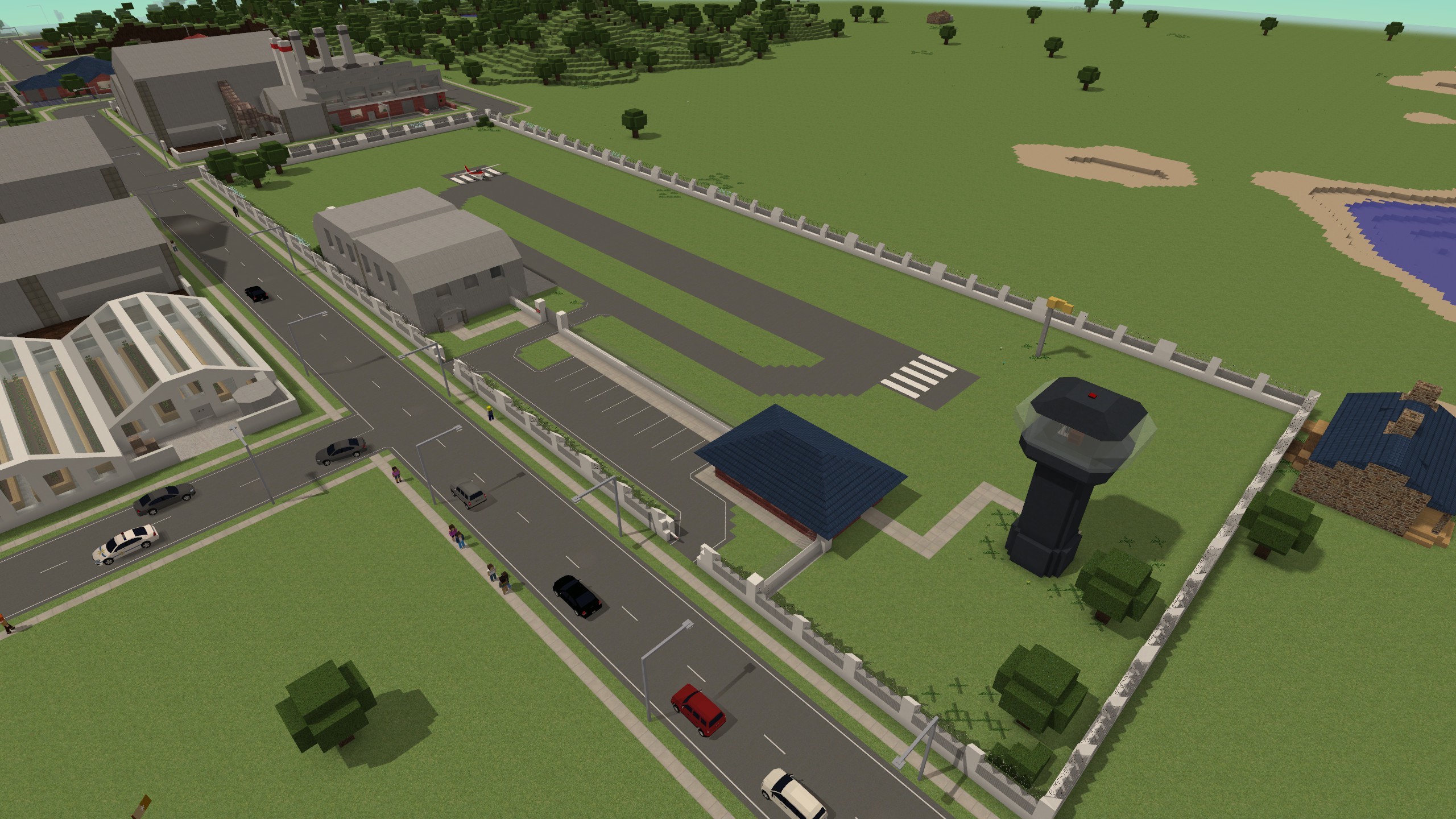
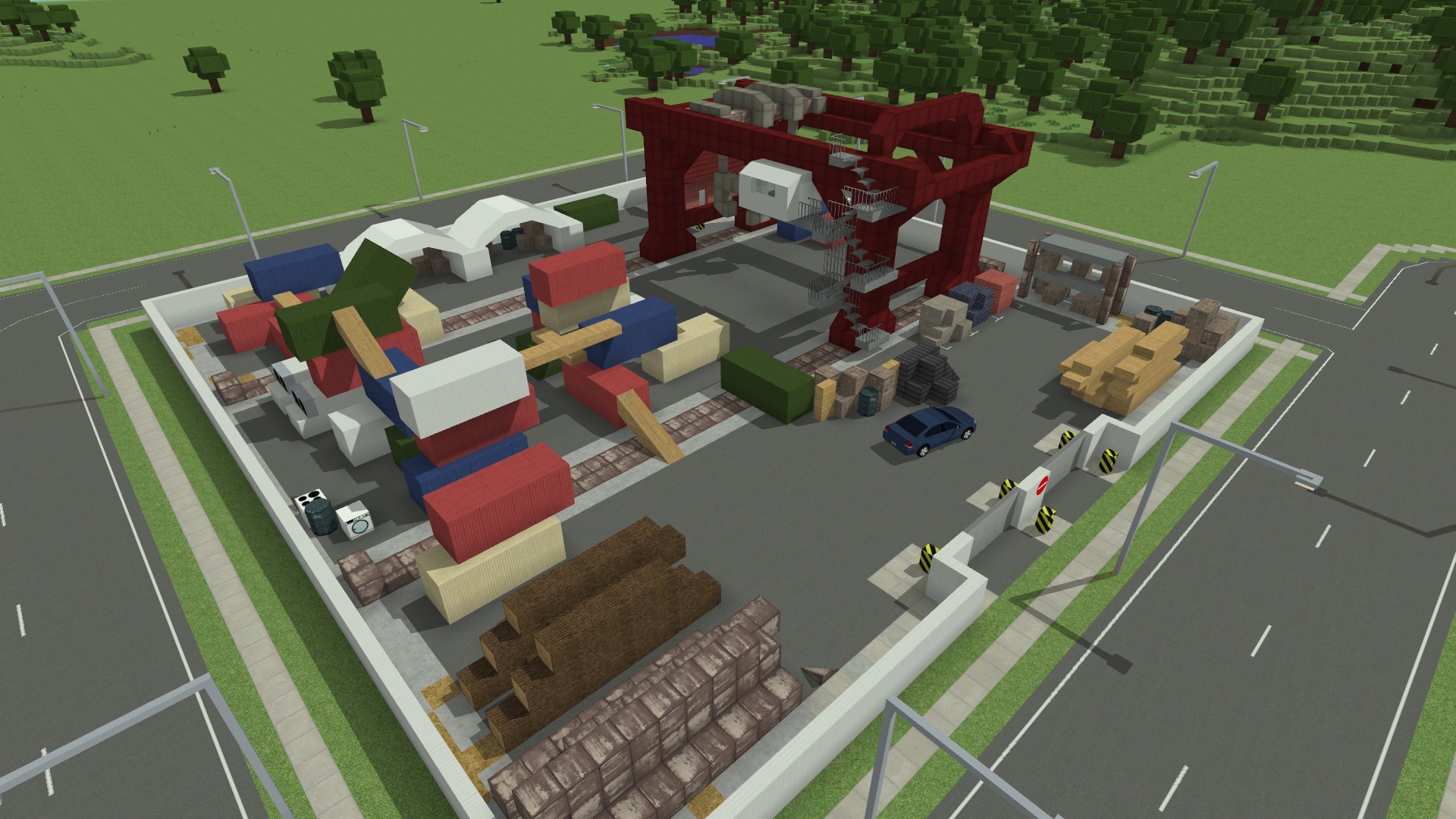
A new vehicle needs new spawn buildings yeah? I've added two: a Commercial Airfield
...and a Bandit Base variant!
Control Info Windows
Now control info windows appear to show you how to use vehicles, etc.
Server Reset
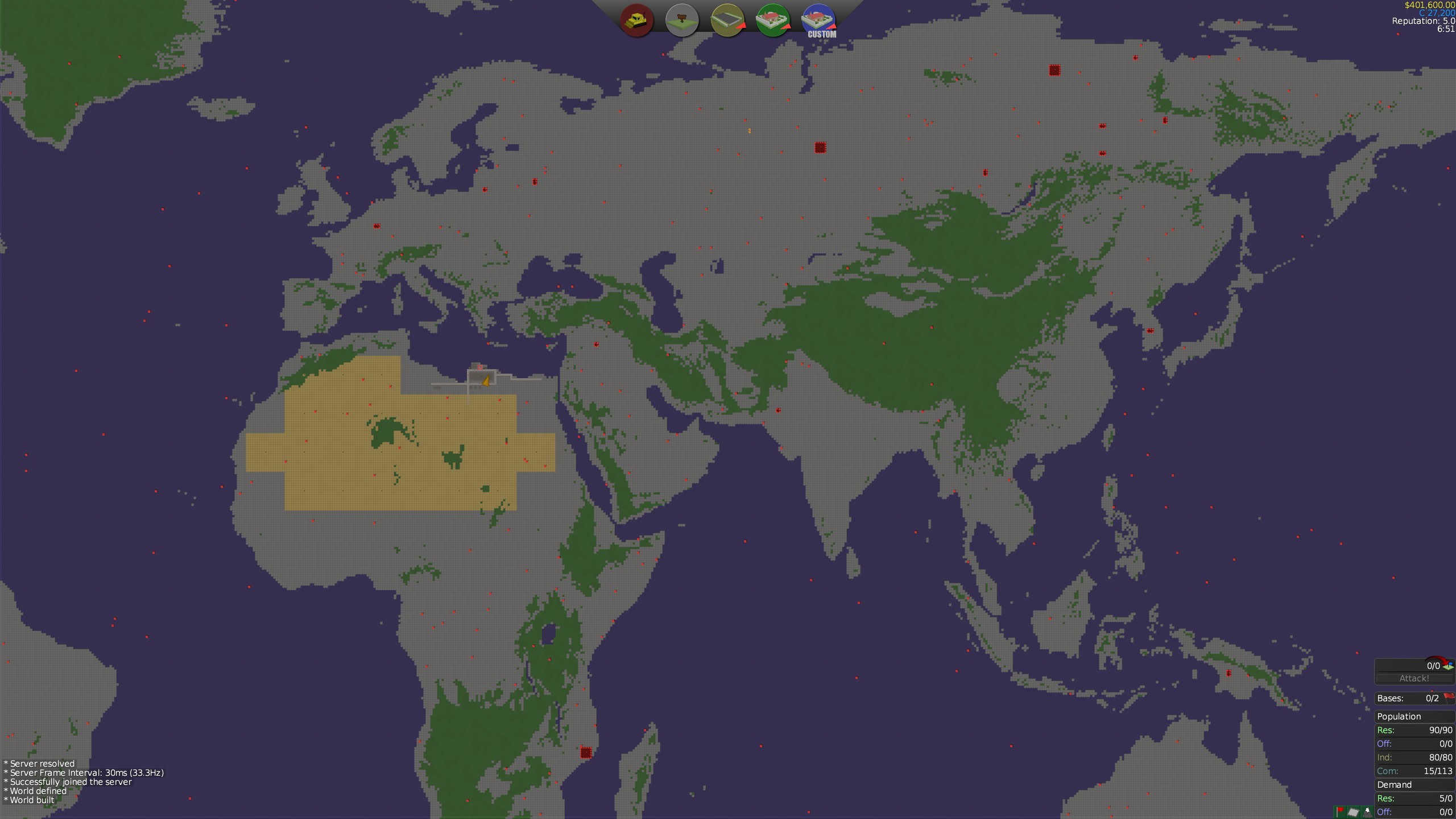
I've made a new map for the multiplayer Lets Build server - this time it's THE WORLD! I've also put the map onto the Steam Workshop in-case you want to play the map in singleplayer. This map is gigantic, measuring at 16km x 8km. I've made a small spawn area around Toburk
Bitmap Map Generation
You can now generate maps from bitmaps! Running the server from the command line using the "--loadBitMap file.bmp" argument will make the game generate a map from the specified bitmap. The game will take the red channel as the hight/biome info - heights below 70 (bottoms out 56) will be sea biome, heights above 143 will be hills (maxes out at 158). The bitmap file does *not* have to be the same size or even aspect ratio as the game map - vtserver will automatically interpolate between values provided by the bitmap.
This an edited version of the command I used to generate the "Lets Build The World" map.
vtserver --saveGame SAVE_NAME --genmap VERT_SIZE HORZ_SIZE --loadBitmapMap YOU_BITMAP.bmp --mapGenSeaMod -30 --mapGenHillsMod -35 --gameMode "Turf Zero"
Be sure to save your bitmaps in RGB24 format.
Workshop Map Support
You can upload maps to the Steam workshop!
I recommend zipping the world0 folder and then deleting the folder before you upload, as Steam tends not handle very large numbers of small files. Now when you start a game using an existing map, vtserver will check for the existence of world0.zip and unzip it if required. If you look at my example:
https://steamcommunity.com/sharedfiles/filedetails/?id=1601439756
you can see how I zipped the files.
Changelog
VERSION: 1.4.0 - 27/12/2018
==============
No changes
VERSION: 1.4.0-RC2
==============
- [Feature] - Added a "News" window to the main menu
- [Misc] - Opening a URL while playing thorugh Steam will now open the link in Steam's browser (fixes "can't start game - game already running" issue caused by the game starting the web browser and Steam thinking that the web browser is a child process of the game).
- [Misc] - Map files that contain zipped worlds will now unzip the world data on a new game (fixes Steam Workshop not handling folders with lots of files)
- [Misc] - Improvements to map mod support
VERSION: 1.4.0-RC1 - 21/12/2018
==============
- [Feature] - Added a Light Plane Vehicle
- Two liveries - a red and a blue "CDF" one
- The plane can damage blocks by ramming into them
- [Feature] - Added an Airfield commercial lot (like the helifield) and a bandit-airfield mob base. Both these lots spawn planes
- [Feature] - Added lot zones to spawn aircraft
- [Feature] - Added "controls" tooltips for when you start a the game, first hold a block placing item, first hold a weapon, first enter a vehicle, etc. You can press "I" to view this info at any time
- [Feature] - Added bitmap map generations
- [Misc] - Added a Kage848 Flag Emblem
VERSION: 1.3.4 - 03/09/2018
==============
- [Modding] - Added CDF_VEHICLE, CDF_ARMOURED_VEHICLE, CDF_TANK, CDF_HELI zone types
- [Misc] - Updated Steamworks to version 1.4.2 (latest)
- [Misc] - Updated OpenVR to version 1.16 (latest)
Today's update adds Gunplay changes, most importantly weapon recoil, as well as a brand new dungeon system!
EDIT: Small patch 1.3.2 released, scroll down for changelog. Allows you to shoot out glass, adds a master enable/disable setting for gamepad support.
EDIT EDIT: Patch 1.3.3 fixes some small bugs.
Video Of Changes
https://www.youtube.com/watch?v=2g7qVoMo3OE
Be sure to subscribe for future videos!
Gunplay Changes
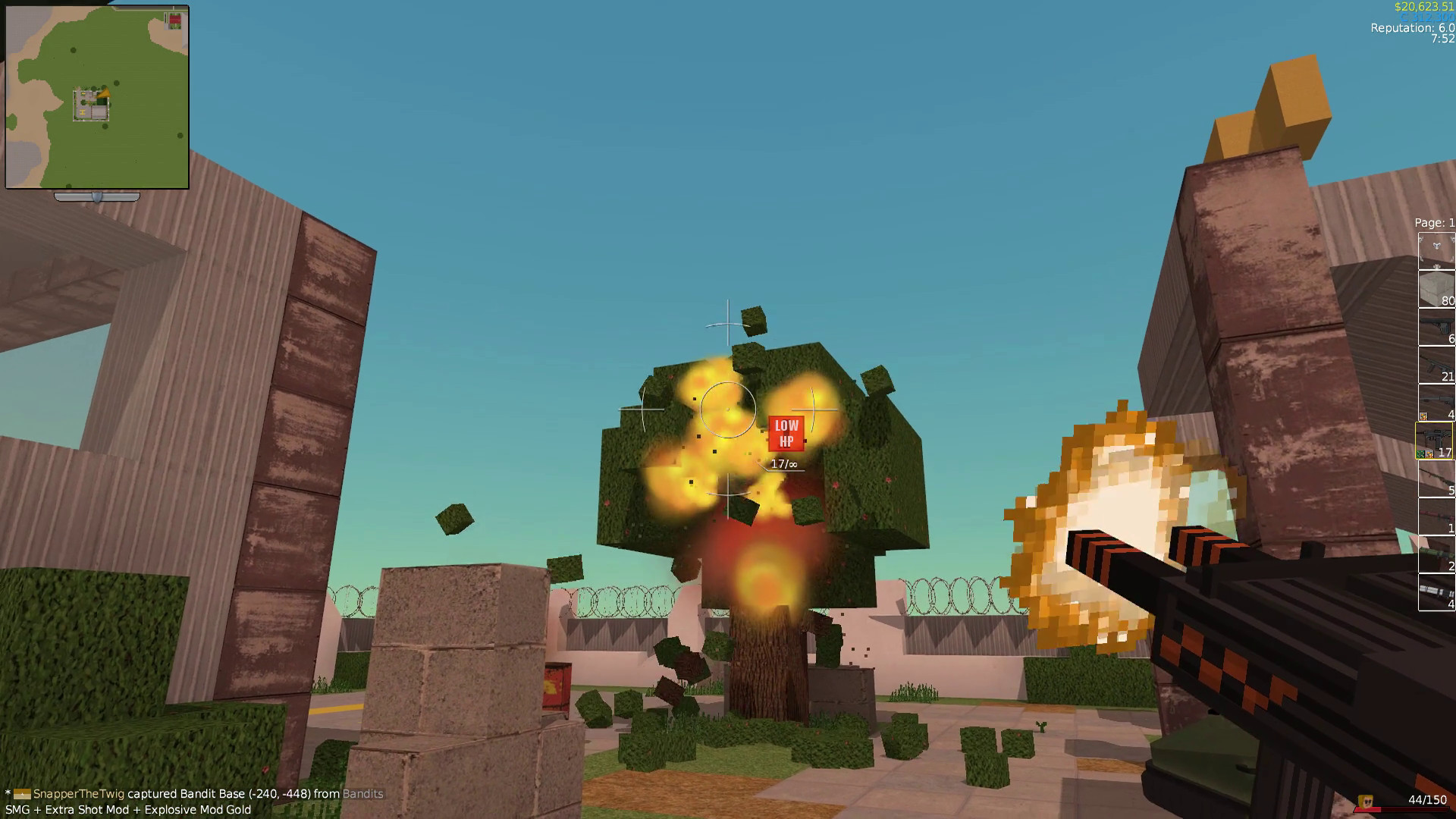
Weapon recoil has been added, as compensation the spread of all weapons has been reduced, in most cases halved. Firing a weapon introduces weapon kick which recovers over time.
Weapon mods effect recoil kick. Explosive and Extra Shot mods increase it (and this stacks), Silencer mods reduce it.
Bandits Wear Armour
As a bit of added challenge, bandits in fortification level 3 bandit bases or stronger now have a chance to wear body armour.
Dungeons
Dungeons are mid-late game content that consist of large networks of rooms in the hills. They are initially hidden on the map and must be discovered. Entrances to dungeons are marked as fortification level 1 bandit bases and can be found as giant stone spires in the world, and individual dungeon rooms are disguised as hills lots.
Bandits in dungeons are stronger than the bandit base inhabitants you're used too. They start at fortification level 6, and progress to level 10. The number of dungeons on the map is dependent on the number of hills lots on the map with a maximum of 5 spawning, space permitting. Each dungeon is progressively bigger than the last.
You can enter the spire at any time, but to be able to capture dungeon rooms you need a relevant key to disable the shields between rooms. To get the key for the first dungeon, the Blue Dungeon Key, you can do one of three things:
1. You can take the "Dungeon Debts" mission and pay the Schemer $50k for one. This mission will spawn once you reach level 10.
2. You can take the Griever's mission to kill Blasty McSurprise, Blasty himself drops a Blue Dungeon Key when he dies.
3. Blue Dungeon Keys are rare loot spawns in Bandit Bases.
In each dungeon there is a Bandit King who functions as the boss, who drops a lot of valuable items + a key to the next dungeon, and perhaps more importantly, they drop a crown you can wear! If you are playing in multiplayer then they'll drop multiple keys.
While in a dungeon you cannot tele-buy items, so stock up on healing items first! I firmly recommend that you level up a bit first (level 10 is a good guide for the first one), and get a few combat perks + silver or gold tier weapons and mods.
Finally dungeon rooms are moddable with the lotpack system, see /lots/packs/vanilla.txt for details. Blank dungeon pieces are provided in /lots/packs/vanilla (for example dungeon_22.lot, dungeon_21.lot)
Hotfix Patch: 1.3.1
Fixes the fourth dungeon boss (level 9 dungeon) not dropping the key for the last dungeon
Changes
VERSION: 1.3.3 - 03/08/2018
==============
- [Bugfix] - Fixed APPLY spam when a peace deal is done
- [Misc] - Whenever a Mob is spoken to they will no longer walk around and bounce on furniture
VERSION: 1.3.2 - 01/08/2018
==============
- [Misc] - You can now shoot out glass windows and doors! By editing db/material_costs.txt, you can enable the shooting out of other blocks too!
- [Misc/Bugfix] - Gamepad support is now disabled by default to prevent esoteric driver/virtual gamepad issues. You can manually enable/disable gamepad support in the Control Settings menu, or enable/disable it by editing settings/control_settings_1005.txt
- [Bugfix] - Fixed Mega Health Packs not spawning
VERSION: 1.3.1 - 27/07/2018
==============
- [Misc] - Doubled the HP of item drops to 200.
- [Bugfix] - The level 9 dungeon boss now drops the purple dungeon key
VERSION: 1.3.0 - 25/07/2018
==============
- [Major Feature] - Added Dungeons
- Dungeons spawn in hills lots. There are a maximum of 4 that spawn on the map
- Dungeons are now HIDDEN on the map! You need to find them via exploration, or by clever analysis of the map. Dungeon Entrances appear as Bandit Bases, dungeon pieces appear as hills
- Dungeons can be found by finding a massive obelisk that sticks out of the hill.
- Discovering a dungeon enterance (by using the lift) reveals the dungeon entrance on the map
- Discovered dungeons are visible to all players
- Capturing a dungeon room reveals adjacent dungeon rooms on the map
- Dungeons are comprised of a network pieces (lots), and these pieces can be modified with the lotpack system. See lots/packs/vanilla.txt. Some blank dungeon pieces are in lots/packs/vanilla too.
- Added 18 dungeon pieces
- Dungeon rooms have forcefields around all the exits. To progress to adjacent rooms you must clear the room of enemies and have the relevent dungeon key in your inventory
- Dungeons will not spawn under hills-lakes unless there are no other options for expansion
- If a dungeon spawns below a Hills-lake then any blocks at or below y=6 will be filled in
- Dungeons require Dungeon Disruption Keys to enter. You can get the first one from the Schemer (mission Dungeon Debt, appears once you reach level 10), or by killing Blasty McSurprise as a drop item, or as a rare bandit base loot item.
- Dungeon Keys also sell for a fair bit of dosh
- Bandits in dungeons start with the strength of what-would-be Bandit Base level 6.
- Dungeons spawn in levels, starting at level 6, ending at level 10, getting bigger every time
- Up to 5 dungeon networks spawn on a map, depending on map size (and the abundance of hills)
- Dungeon doorways that aren't connected to anything are filled in with stone
- You can't tele-buy items while in a dungeon, you must come prepared!
- Capturing a dungeon piece has a "disabling shields" screen. If you don't have a key then a "can't capture" screen appears.
- There is a SFX for capturing a dungeon piece
- Dungeon Entrances auto-repair if damaged and there are no players within 128 of them
- All dungeon pieces are abandonded and auto-repaired if there are no players in dungeons
- Blocks at level y=6 in dungeons have +50% blast resistance (like blocks at y=0)
- Killing the bandit king insta-captures the boss room
- You can't abandon-occupation dungeon rooms (to prevent farming the boss)
- [Major Change] - Gunplay improvements:
- All weapons have "kickback" animations, and sway animations for when you look up/down/left/right
- All weapons base spread HALVED
- Crosshairs now have circle arcs to indicate true accuracy when recoiling
- Firing a weapon introduces recoil, which makes successive firings more inaccurate. This is indicated by the crosshairs moving outwards
- If the current "recoil" value is greater than 8 degrees then it will recover at twice the rate
- Silencer Mods now reduce recoil by half and camera jerk further by 1/3rd.
- Extra Shot Mods now increase recoil by 40%, and camera jerk further by 40%.
- Explosive Mods now increase recoil by 30%, and camera jerk further by 30%.
- When a weapon is reloaded, it hangs in the air a little longer so the final round recoil animation can play (max 150ms)
- When a weapon is reloaded, the recoil value is *set* to half a round's recoil
- When a weapon is switched in, the recoil value is set to the max of the current recoil value or half a round's recoil. This is to prevent wiping recoil be switching weapons
- Weapon kicks values are displayed when you mouse-over a weapon in the inventory
- [Feature] - Made a "/giveinf" command to give an infinite stack of an item
- [Feature] - Bandits have a chance to wear armour, in Bandit Bases/Control Points at level 3 or above.
- [Misc] - Added Crowns. They can't be bought, but do sell for ~$5k
- [Misc] - Communication Centre Control Point has been buffed slightly, now gives +1 Attack and +1 Acumen in addition to its existing bonuses.
- [Bugfix] - Fixed custom lots being treated as special buildings ("already built!")
- [Bugfix] - Fixed crash when simultaneously placing a block in a chunk that is being repaired
- [Bugfix] - Any player joining or leaving a factions will now trigger a flag update for all players (fixes faction flag being displayed in the world after leaving a faction instead of player flag)
MAJOR UPDATE: Patch 1.2.3 - Factions, Flags, New Map Gen Options and Control Points
The Factions and Flags patch is finally live!
EDIT: Added a hotfix patch 1.2.1, 1.2.2 & 1.2.3. Scroll to the end for details
Player Factions
Factions are clans that players can form in multiplayer.
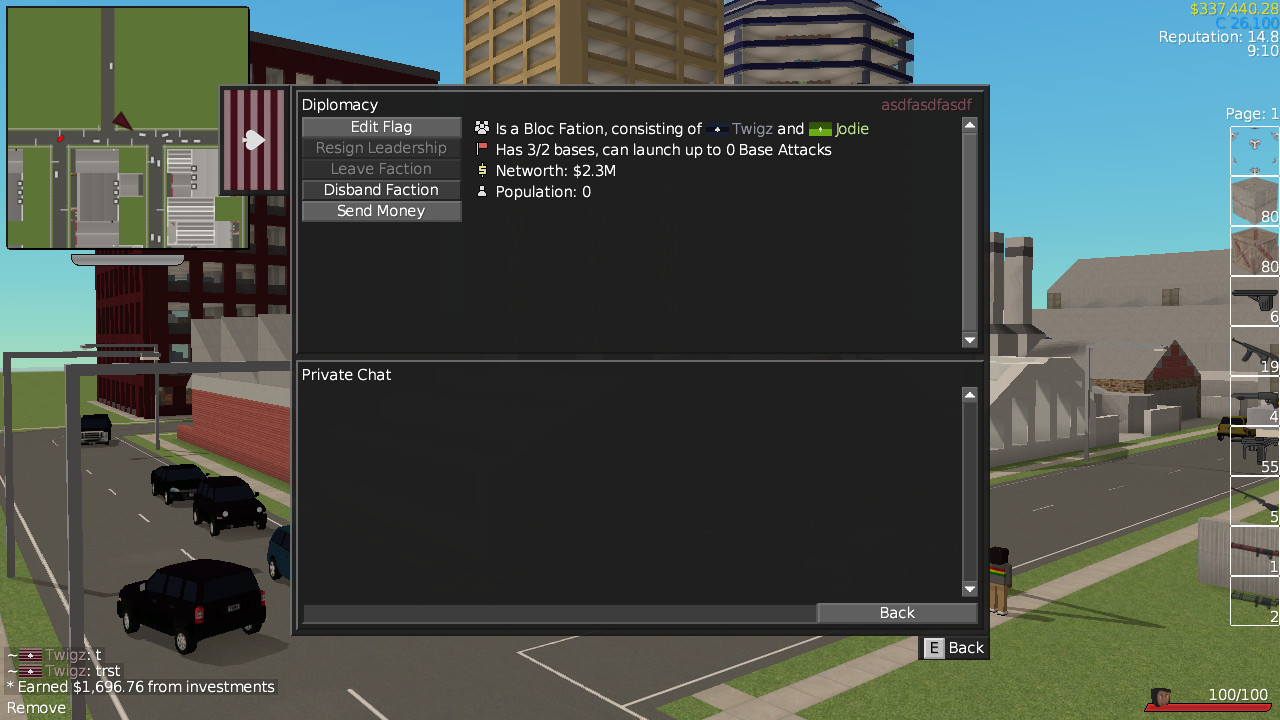
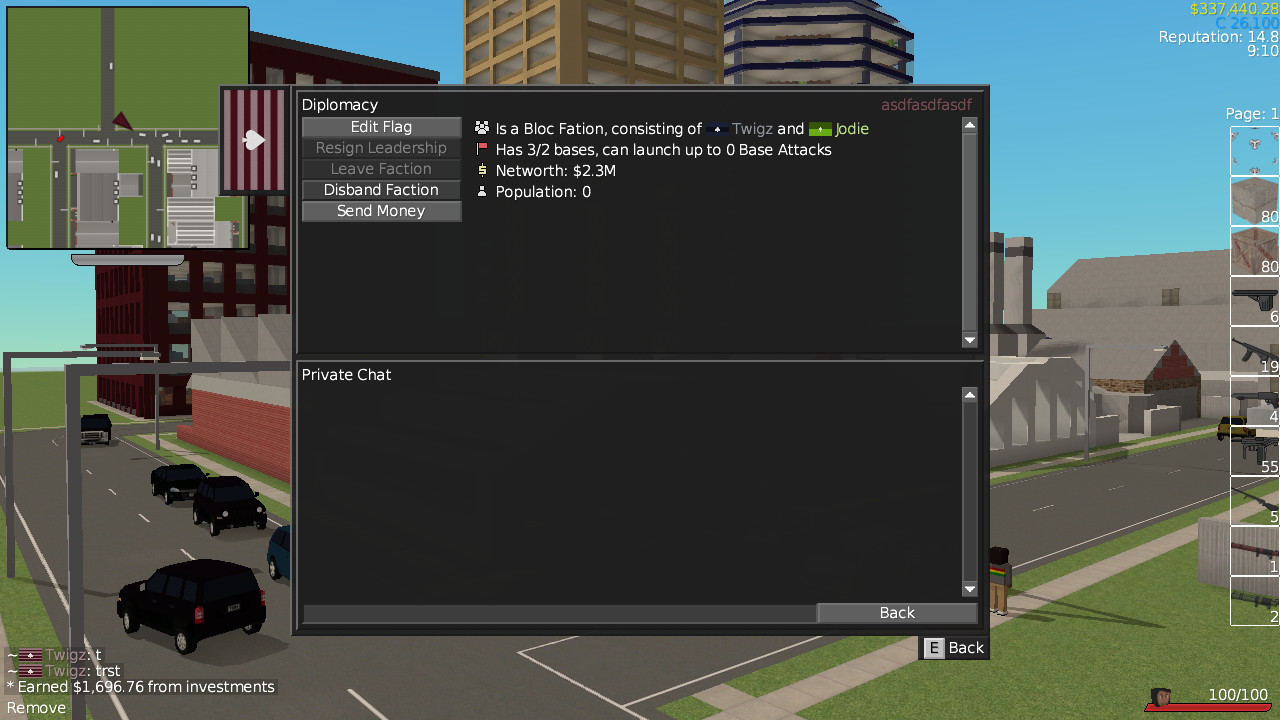
There are two kinds of factions - Unified Factions and Bloc Factions. In a Unified Factions all investment income goes into a pool and is split amongst the online players. In a Bloc factions individuals keep their money.
Individuals that are part of a faction are no longer independent and can no longer engage in diplomacy. Joining a faction will void any alliances, guarantees and warnings that you have. Instead, the faction itself can ally/guarantee/warn outside forces.
Factions have 3 tiers of membership. Normal members (can't do diplomacy), trustees (can do diplomacy), and leaders (can make trustees and more leaders, and can disband the faction).
Finally, faction members can do all the stuff that allies can do. So they can heal/respawn at friendly bases, do Co-Op missions together.
Flags
When you're playing a game with a lot of Gangs it can get confusing as to who is who. So I've added a Flag system to the game. When you first join a game you will be assigned a random flag.
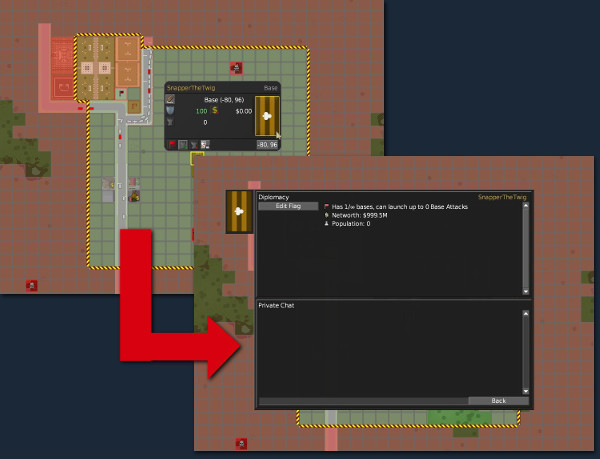
In most places where your name is displayed your flag will be displayed alongside it. To make diplomacy easier I've made it so that when you click on a flag icon on the map it'll open up the relevant player's diplomacy screen.
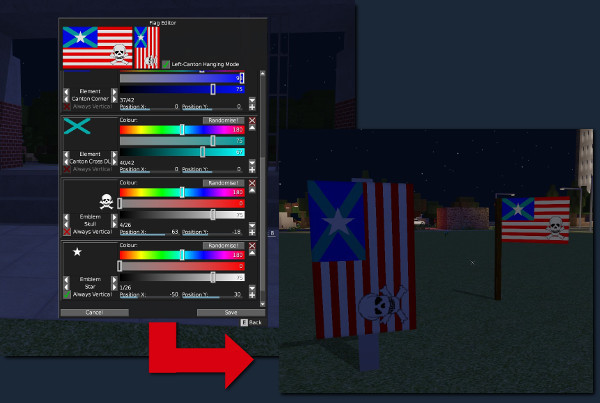
The game has a full on flag editor. You can add up to 32 layers with lots of flag elements and emblems to chose. You can recolour and reposition them to your liking. You can also mark elements as "always vertical" so they don't get rotated when the flag is rotated and you can even enable "left canton mode", so the flag is flipped when its hanged vertically, so flags like the US Flag can be hanged correctly.
Flags are moddable up the wazoo. You can add more flag layers/emblems by defining a mods/YOUR_MOD/textures/flags/flaglayers.txt file and throwing in some textures. This won't change the client's checksum, multiplayer clients with different mod-flags are able to play together (uninstalled flag parts won't be visible, but MP sessions will work). If players have the same mod-flag-parts installed they will able to see them.
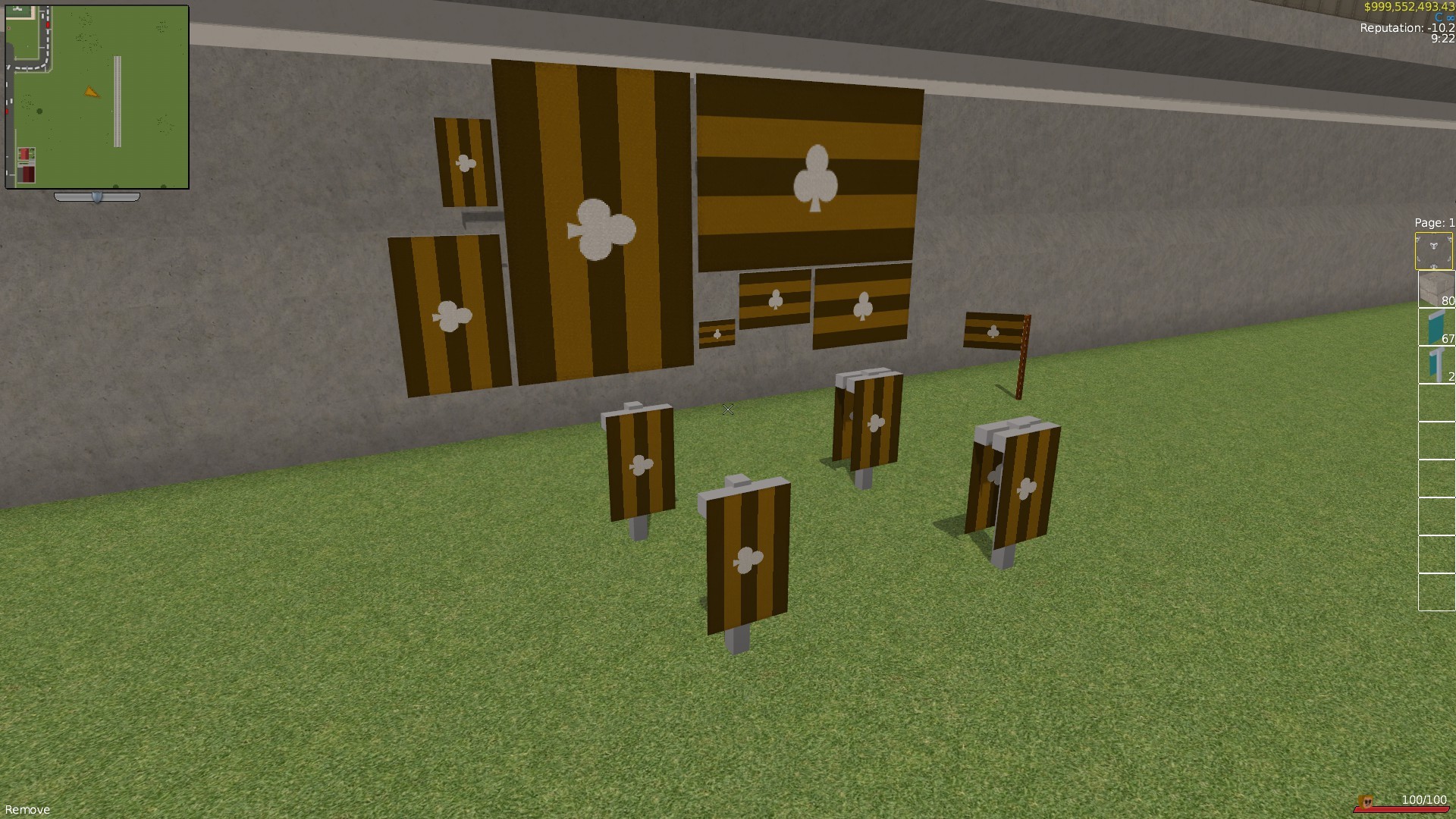
Finally I've added a heap of decorative flag blocks for you to place around your bases and other holdings.
Control Points
Control Points were earmarked for this patch, but I released it early (a month ago). For the uninitiated, Control Points are a cross between Bandit Bases and Special (Reward) Buildings. If you can capture one, you get bonuses. A crucial change in this update is that if a player who is a member of faction captures a Control Point, then the Control Point becomes owned by the faction itself, and ALL members get the bonus.
Full Dev Diary for Control Points:
https://www.indiedb.com/games/voxel-turf/news/dev-diary-16-control-points-vehicle-storage-base-escapes-renamable-bases
Map Generator Changes
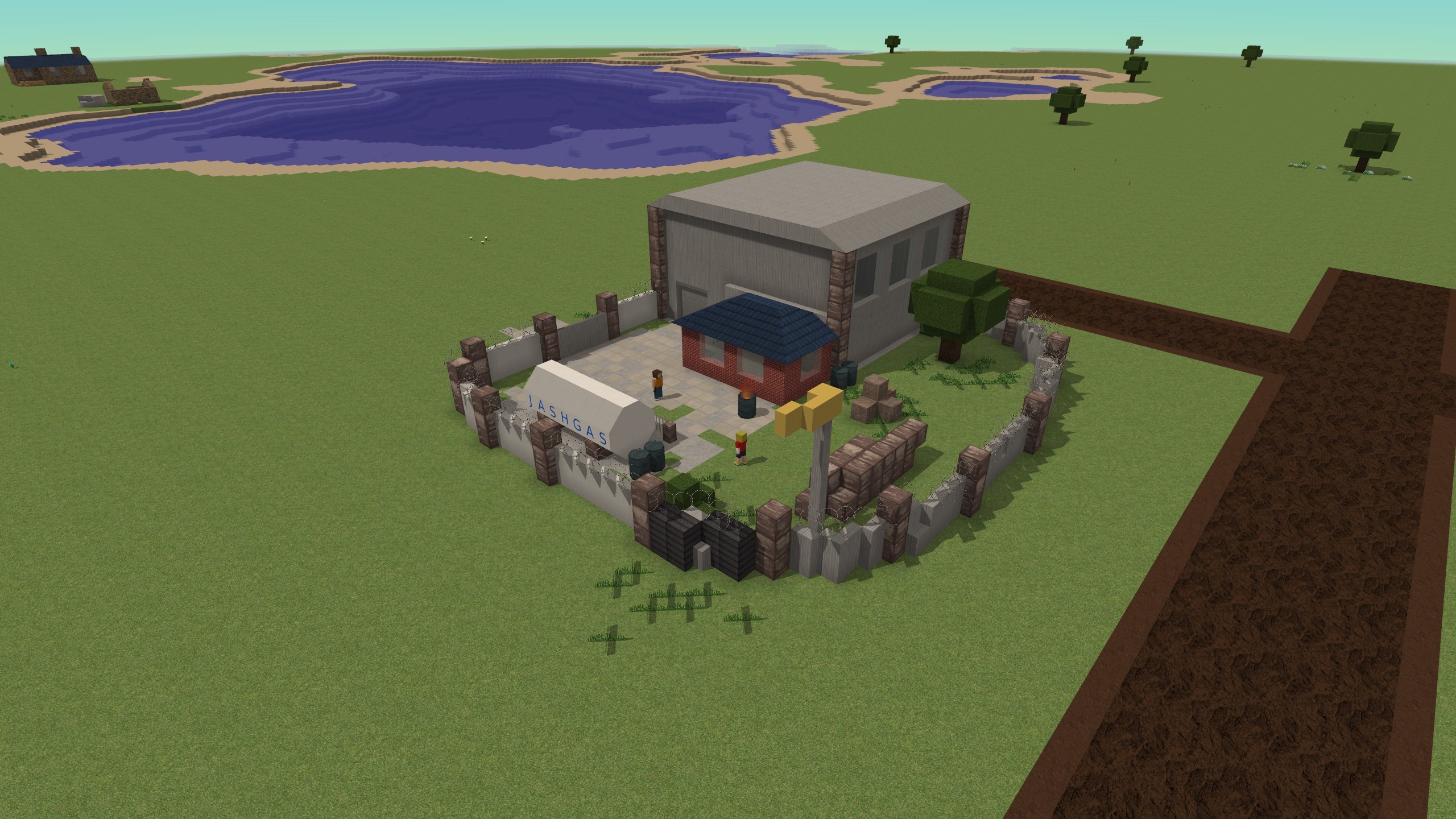
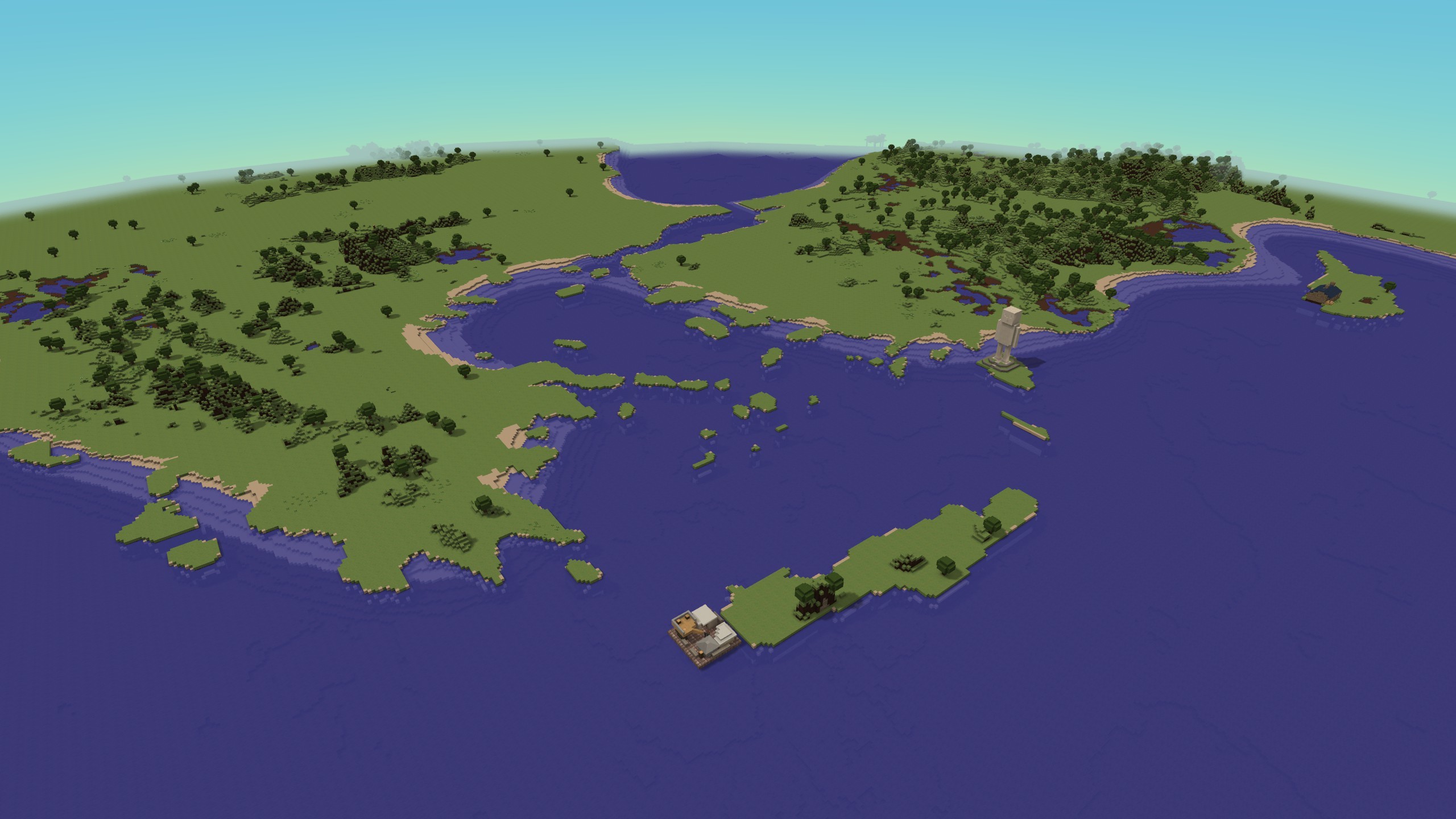
As a last minute change to the map generator I've added an option to make maps islands and 2 sliders to adjust the amount of water and hills areas on the map. Below is an example of a map with the water cranked right up
Lets Build A City Server
This has definitely been the best city-building server the game has seen, but its time to move onto a new map. I'll be shortly replacing the server with a larger, archipelago map
Patch 1.2.3
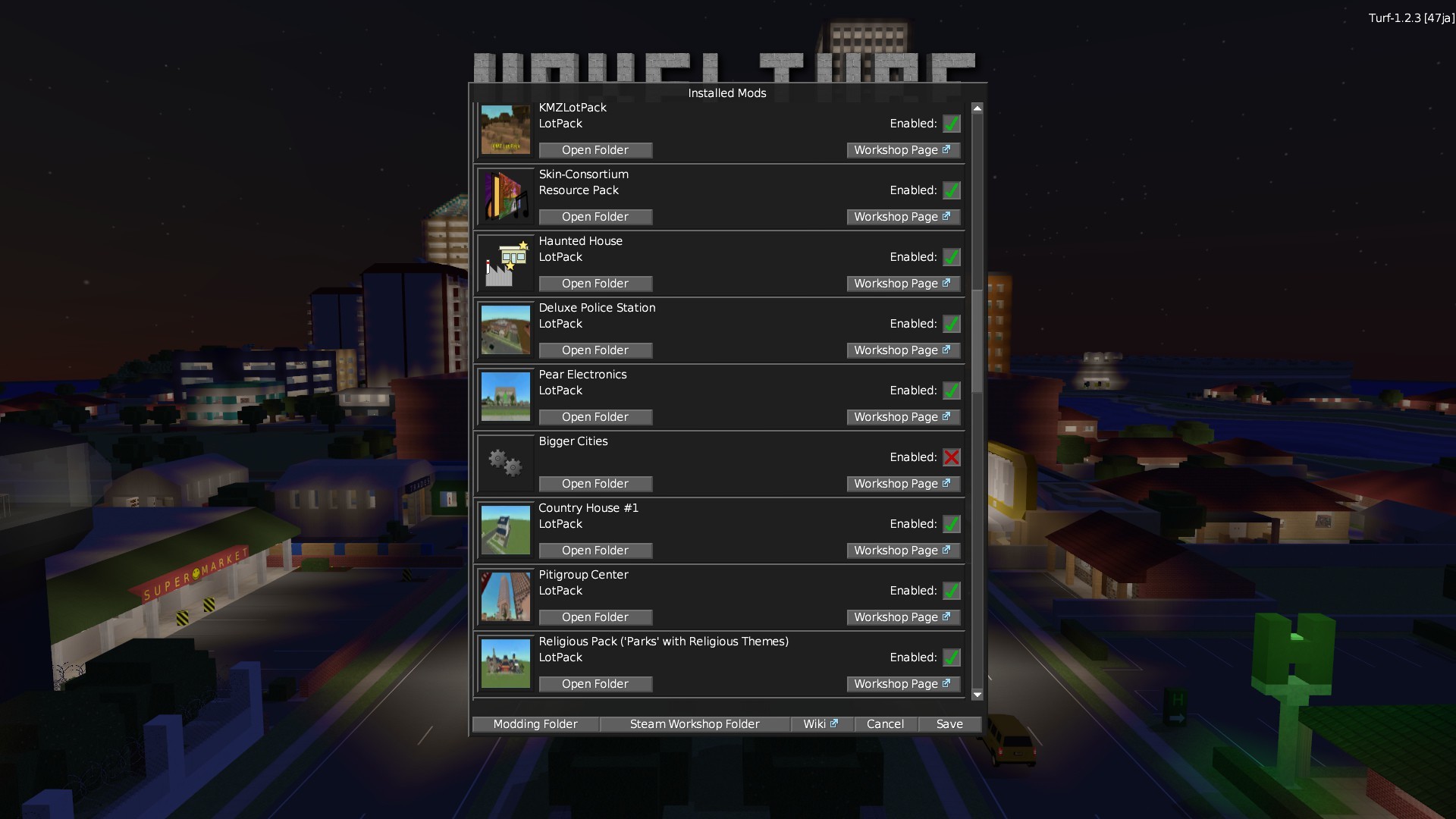
This patch adds a "Mod Enable/Disable" screen to the main menu and fixes some MP issues.
VERSION: 1.2.3 - 06/07/18
==============
- [Feature] - Added a "Mod Picker" screen to the main menu.
- The client will autodetect a preview image for installed mods. First MOD_PATH/thumbnail.tga/png/jpg is looked up, then MOD_PATH/preview.tga/png/jpg are loaded, then the first image file in the MOD_PATH/preview/ directory, then the first image in the MOD_PATH/thumbnail/ directory, then the first image in the MOD_PATH/ directory.
- [Bugfix] - If a server requests you rejoin it should now make you rejoin the right port (in the case that there are multiple servers on the same machine).
- [Bugfix] - Fixed some clientside frame rate dependent physics and graphics issues in multiplayer (ie, the Helicopters not flying bug, Helicopter blades acceleration no longer dependent on framerate, adjustments to Hovercrafts and Boats)
Hotfix 1.2.2
VERSION: 1.2.2 - 03/07/18
==============
- [Bugfix] - Speculative bugfix for reported CTD on mission selection
- [Bugfix] - Internal realignment of std::atomic's to work around GCC bug. (all instances of std::atomic replaced with alignas(16) std::atomic to prevent crashes)
- [Bugfix] - Async Geometry Upload has been disabled and the option removed
Hotfix 1.2.1
Fixes some faction related issues, and a couple of lot flags for modders adds a QoL improvement: you get an estimate of how many customers a commercial lot is going to have before you place it.
VERSION: 1.2.1 - 26/06/18
==============
- [Feature] - When placing a commercial lot, an estimate of the number of customers is displayed. If a lot is expected to have under 33% customers then a warning appears
- [Feature/Modding] - Added a PLAYER_UNIQUE and a MAP_UNIQUE flag for lots. Limits 1 instance of a lot per player or map respectively
- [Misc] - You can now attach roads to other faction member's roads (and members of allied factions)
- [Misc] - The start and end tiles of a road construction may now connect to any player's road
- [Bugfix] - Fixed mangled player list screen
- [Bugfix] - Fixed members of allied factions now count as allies properly
- [Bugfix] - Fixed base name alignment
- [Bugfix] - You can no longer accept a faction invite if you are already in a faction
- [Bugfix] - If a faction is disbanded or a player is eliminated and warnings and protections that they are receiving should now be eliminated
- [Bugfix] - Any treaties with non-existant players or factions are removed on game load
- [Bugfix] - You can no longer disband a faction while at war
Full Changelog
VERSION: 1.2.0 - 24/06/18
==============
- [Feature] - Added an "island" option to the map generator - makes the borders of the map water, making the map an island
- [Feature] - Added an "water mod" option to the map generator - lets you pick the amount of water on the map
- [Feature] - Added an "hills mod" option to the map generator - lets you pick the amount of hills on the map
VERSION: 1.2.0-Beta2 - 23/06/18
==============
- [Bugfix] - You can now repair faction owned lots
- [Bugfix] - Stat bonuses due to faction owned control points are now correctly applied
- [Bugfix] - Removed the OP_ALLIANCE_DEL console message
- [Bugfix] - Control Point Goons now speak to faction members if the control point is owned by the faction
VERSION: 1.2.0-Beta1 - 23/06/18
==============
- [Major Feature] - Added Player Factions
- Flags have their own flag and colour, any members will use the faction's colour and flag.
- There are 2 kinds of factions: Bloc Factions (basically a big alliance), and Unified Factions (big alliance that shares all net investment income).
- Factions are a seperate political entity. If you join a faction you are no longer independent - the faction is responsible for your diplomacy. If you are a leader or trustee of the faction you can engage in diplomacy on behalf of the faction
- Factions have 3 ranks - members, trustees and leaders.
- Members cannot engage in diplomacy, except to vote on peace deals, send money or show respect.
- Trustees can engage in diplomacy, edit the flag, invite/kick members.
- Leaders can appoint Trustees and more Leaders. Leaders can also kick trustees
- Joining a faction voids any alliances you currently have, as well as protections and warnings.
- Factions can have allies, protect players, issue warnings, etc, just like normal players can.
- Members of a faction are like allies, and can do all the stuff that allies can do (such as co-op missions, respawning on bases, storing vehicles in bases, etc)
- Showing Respect increases the AI opinion of your faction, allowing you to form alliances between the AI and your faction
- A Factions reputation is equal to the reputation of the member with the highest reputation - if a faction has two members, one with 25 rep and one with 5 rep then the faction will have 25 rep.
- A Factions aggression is equal to the aggression of the member with the highest aggression - if a faction has two members, one with 25 aggr and one with 5 aggr then the faction will have 25 aggr.
- Factions will have the yesman cheat enabled if any of the constituant players have yesman enabled
- AI factions will only join player factions if you have yesman enabled. They will do thier normal AI behaviour if part of a faction.
- If you capture a control point, then it comes under control of the faction and all faction members get the bonuses
- [Misc] - You can no longer invite offline players into alliances
- [Misc] - Fixed some issues with the flag editor, added a bit of polish
- [Bugfix] - Fixed flag not appearing for a player that has just hotjoined onto a server
- [Bugfix] - Fixed equipment (hats, armour) not appearing for a player that has just hotjoined onto a server
VERSION: 1.1.7
==============
- [Misc] - If textures are set to high, then flags will be rasterised at double resolution (400x240).
- [Misc] - Doubled flag element resolution for several elements (mainly emblems with stars + layers with diagonal pieces)
VERSION: 1.1.6
==============
- [Major Feature] - Added Flags!
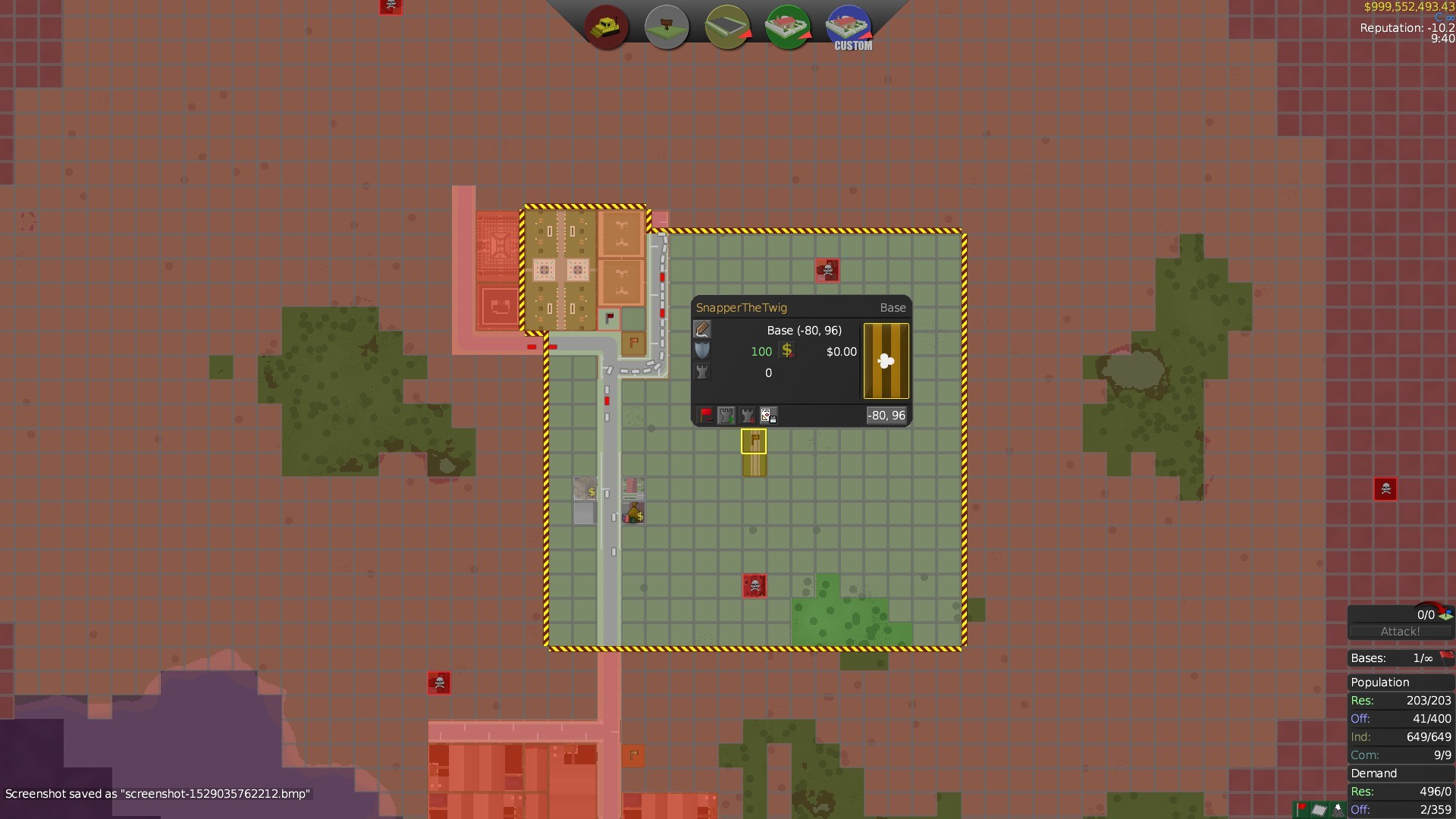
- Players and AI factions now have flags. These appear on the map when you select a lot they control and these are displayed next to player names in chat, popup banners and the player list.
- Your "spawn flag" in your bases will now display your flag
- You can now place a variety of flags decoratively in the world. The flag that is displayed will change to whoever occupies the lot and will change if a lot changes hands
- Flags you can place: 2 hanging banner types that can be used on streetlight poles
- 1x2 hanging, 2x3 hanging, 4x6 hanging
- 1x1 horizontal, 2x1.5 horizontal, 3x2 horizontal, 6x4 horizontal
- [Feature] - Added a Flag Generator. You can make flags by placing different elements and emblems as layers ontop of a background
- Have 41 elements to choose from, as well as 25 emblems
- Flag Layers can be moved around and coloured
- Flags can appear either hoizontally or hanging vertically.
- Emblems on the flag can individually be set to always be vertical when the flag is hanging
- Flags can be hanged in "left-canton" mode, for situations where you want to correctly hang the flag (eg US Flag, Aus/Nz flags, etc)
- Players & AI Factions are assigned a random flag when the game is started
- This is moddable up the wazzo. You can add more flag layers/emblems by defining a mods/YOUR_MOD/textures/flags/flaglayers.txt and throwing in some textures. This won't change the client's checksum, multiplayer clients with different mod-flags are able to play together (uninstalled flag parts won't be visible, but MP sessions will work). If players have the same mod-flag-parts installed they will able to see them.
- [Misc] - Added a "Sending money does not increase relations" message to the "send money" screen
- [Misc] - Near Radius is now shown with a yellow line (for industrial lots with *_NEAR settings, such as the Sawmill, etc)
- [Misc] - Commercial Radius is now shown with a yellow line (for Commercial Lots)
- [Bugfix] - Fixed many instances of blocks dropping the wrong items.
- [Bugfix] - Removing a multi-block block should now give the drop item if you are removing it from not the multiblock's origin block.
Patch Notes: 1.2.0-Beta2 BETA
New patch in the Beta Branch. If there are no issues then I'll set the page live tomorrow (along with a more detailed description of the features!)
This patch adds Factions to multiplayer and decorative flags all players.
EDIT: Patch 1.2.0-Beta2 fixes a couple of bugs. Scroll for changes
Flags
You can now make flags! All players will be assigned a random flag when they join a game, and can edit their flags. You can even place decorative flags in lots that you own.
Players in chat and in diplomacy screen have their flags shown, making it easier to tell them apart. Furthermore, you can click on flags on the map to bring up a player's diplomacy window directly.
Factions
You can now form Factions in multiplayer! There are two kinds of factions - Unified Factions (players share income) and Bloc Factions (players don't).
Factions act as a group of allied players, except they all appear with the same colour and flag on the map. Members can be assigned three ranks (member, trustee and leader).
VERSION: 1.2.0-Beta2 - 23/06/18
==============
- [Bugfix] - You can now repair faction owned lots
- [Bugfix] - Stat bonuses due to faction owned control points are now correctly applied
- [Bugfix] - Removed the OP_ALLIANCE_DEL console message
- [Bugfix] - Control Point Goons now speak to faction members if the control point is owned by the faction
VERSION: 1.2.0-Beta1
==============
- [Major Feature] - Added Player Factions
- Flags have their own flag and colour, any members will use the faction's colour and flag.
- There are 2 kinds of factions: Bloc Factions (basically a big alliance), and Unified Factions (big alliance that shares all net investment income).
- Factions are a seperate political entity. If you join a faction you are no longer independent - the faction is responsible for your diplomacy. If you are a leader or trustee of the faction you can engage in diplomacy on behalf of the faction
- Factions have 3 ranks - members, trustees and leaders.
- Members cannot engage in diplomacy, except to vote on peace deals, send money or show respect.
- Trustees can engage in diplomacy, edit the flag, invite/kick members.
- Leaders can appoint Trustees and more Leaders. Leaders can also kick trustees
- Joining a faction voids any alliances you currently have, as well as protections and warnings.
- Factions can have allies, protect players, issue warnings, etc, just like normal players can.
- Members of a faction are like allies, and can do all the stuff that allies can do (such as co-op missions, respawning on bases, storing vehicles in bases, etc)
- Showing Respect increases the AI opinion of your faction, allowing you to form alliances between the AI and your faction
- A Factions reputation is equal to the reputation of the member with the highest reputation - if a faction has two members, one with 25 rep and one with 5 rep then the faction will have 25 rep.
- A Factions aggression is equal to the aggression of the member with the highest aggression - if a faction has two members, one with 25 aggr and one with 5 aggr then the faction will have 25 aggr.
- Factions will have the yesman cheat enabled if any of the constituant players have yesman enabled
- AI factions will only join player factions if you have yesman enabled. They will do thier normal AI behaviour if part of a faction.
- If you capture a control point, then it comes under control of the faction and all faction members get the bonuses
- [Misc] - You can no longer invite offline players into alliances
- [Misc] - Fixed some issues with the flag editor, added a bit of polish
- [Bugfix] - Fixed flag not appearing for a player that has just hotjoined onto a server
- [Bugfix] - Fixed equipment (hats, armour) not appearing for a player that has just hotjoined onto a server
VERSION: 1.1.7
==============
- [Misc] - If textures are set to high, then flags will be rasterised at double resolution (400x240).
- [Misc] - Doubled flag element resolution for several elements (mainly emblems with stars + layers with diagonal pieces)
VERSION: 1.1.6
==============
- [Major Feature] - Added Flags!
- Players and AI factions now have flags. These appear on the map when you select a lot they control and these are displayed next to player names in chat, popup banners and the player list.
- Your "spawn flag" in your bases will now display your flag
- You can now place a variety of flags decoratively in the world. The flag that is displayed will change to whoever occupies the lot and will change if a lot changes hands
- Flags you can place: 2 hanging banner types that can be used on streetlight poles
- 1x2 hanging, 2x3 hanging, 4x6 hanging
- 1x1 horizontal, 2x1.5 horizontal, 3x2 horizontal, 6x4 horizontal
- [Feature] - Added a Flag Generator. You can make flags by placing different elements and emblems as layers ontop of a background
- Have 41 elements to choose from, as well as 25 emblems
- Flag Layers can be moved around and coloured
- Flags can appear either hoizontally or hanging vertically.
- Emblems on the flag can individually be set to always be vertical when the flag is hanging
- Flags can be hanged in "left-canton" mode, for situations where you want to correctly hang the flag (eg US Flag, Aus/Nz flags, etc)
- Players & AI Factions are assigned a random flag when the game is started
- This is moddable up the wazzo. You can add more flag layers/emblems by defining a mods/YOUR_MOD/textures/flags/flaglayers.txt and throwing in some textures. This won't change the client's checksum, multiplayer clients with different mod-flags are able to play together (uninstalled flag parts won't be visible, but MP sessions will work). If players have the same mod-flag-parts installed they will able to see them.
- [Misc] - Added a "Sending money does not increase relations" message to the "send money" screen
- [Misc] - Near Radius is now shown with a yellow line (for industrial lots with *_NEAR settings, such as the Sawmill, etc)
- [Misc] - Commercial Radius is now shown with a yellow line (for Commercial Lots)
- [Bugfix] - Fixed many instances of blocks dropping the wrong items.
- [Bugfix] - Removing a multi-block block should now give the drop item if you are removing it from not the multiblock's origin block.
Patch Notes: Version 1.1.5 - Control Points, Vehicle Storage, Base Escapes and Renameable Bases
This patch introduces Control Points as a new mechanic, as well as implementing Vehicle Storage for bases and giving you another way to escape the CDF.
EDIT (28/05) - Hotfix for MP connection issue due to DNS shenanigans, scroll to end for changes.
EDIT (30/05) - Small Hotfix that fixes World Holes on MP servers, slight optimisations.
Control Points
Control points are like a cross between Bandit Bases and Special Buildings. Instead of being a place that you raid for loot, Control Points give you a static bonus.
This patch introduces 5 control points:
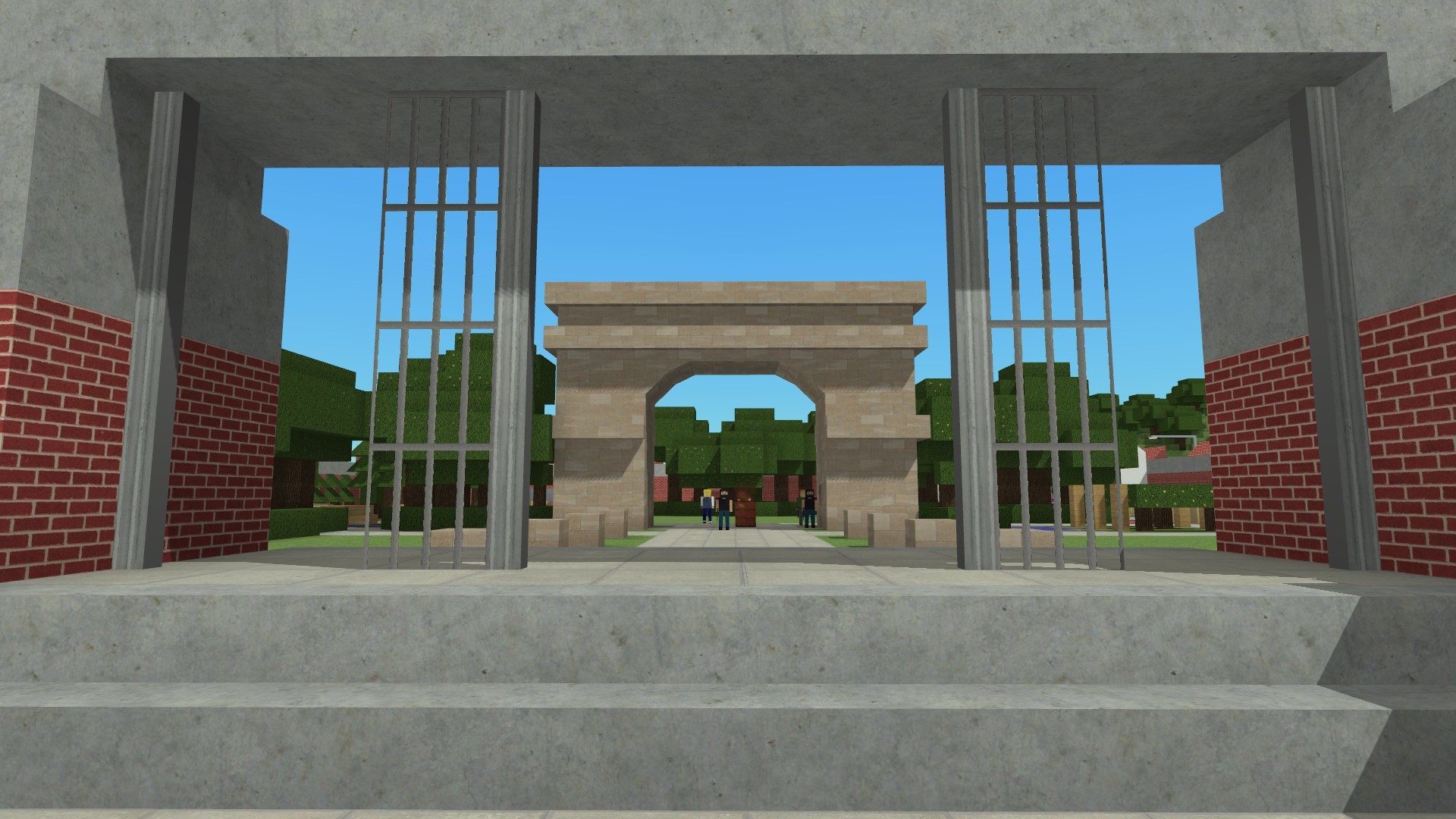
Old Parliament (-20% Racketeering Cost, -10% Zoning Cost). This building naturally spawns near spawn.
Supply Depot (-10% Construction Cost, +2 Ind Desirability). This building spawns in industrial areas.
Botanic Garden (+50% Aggression Decay Rate, +2 Res/Com/Off Desirability). This building spawns in residential areas.
Communications Centre (+1 Goon Command Limit, +10% Goon Atk/Def). This building spawns randomly on the map
Strategic Bunker (+2 Attack, +2 Defence, +200% cash from killed bandits). This building spawns randomly on the map
If a Control Point doesn't exist on the map can be constructed from the Special Buildings menu. This is so you don't have to start a new game to play with them. You can also bulldoze existing Control Points under your control and relocate them if you wish.
Control Points level up whenever they get captured by a hostile player, up to level 5. Leveling them up makes the defenders stronger, like in a bandit base. You can also abandon a control point so that an ally can take control of it.
Control Points act as a point of conflict in Multiplayer. You can capture control points even if you are at peace with the owner, or they are offline. Finally, AI factions will try to capture control points, even in Turf mode!
Vehicle Storage
ALL bases now act as garages for your vehicles. If you exit the game with a vehicle in a friendly base then it will be there when you log back in. There is no limit to the number of vehicles you can store in your bases. Keep in mind that vehicles are tied to the owner, so if a friend leaves a vehicle in your base and you restart the game then you'll have to wait for your friend to log in again to get your vehicle back.
Base Escapes
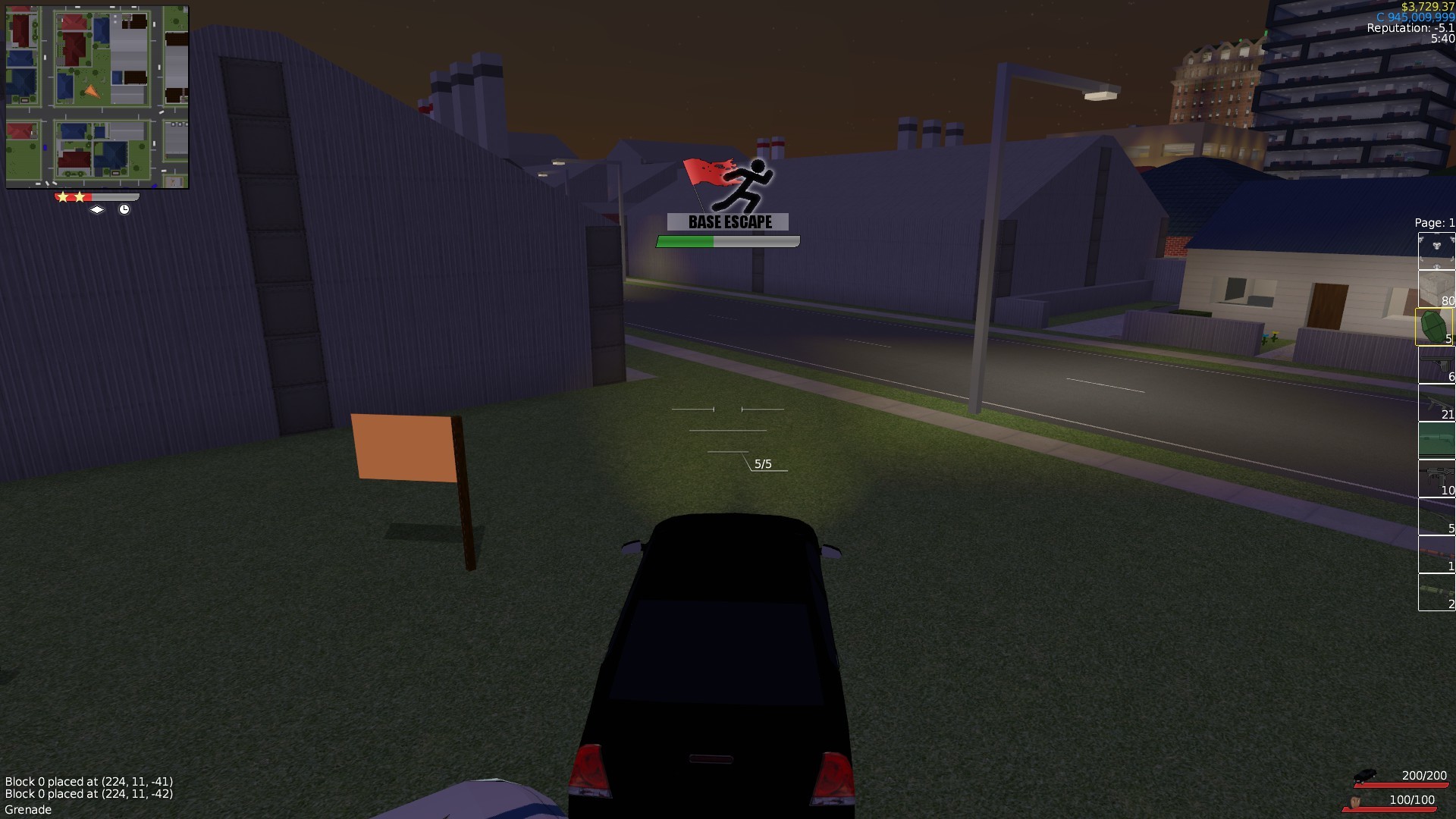
Been driving around and bumped into the CDF, and now they're giving you grief? Now there's a very easy way to get rid of the CDF if you only have 1 or 2 stars of notoriety. Simply hide in a base for a few seconds and they'll leave you alone. This check ignores things like line-of-sight (the eye), being in a lot you've been sighted in (the diamond) and the timer (the stopwatch).
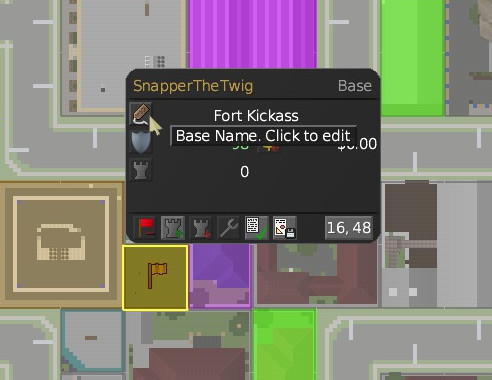
Bases Can Be Renamed
Just click on the tag!
Patch Notes
VERSION: 1.1.3 - 23/05/18
===============
- [Major Feature] - Added "Control Points". These are like Bandit Bases but instead of spawning loot they give a passive bonus to the holder
- Control Points will spawn defenders loyal to whoever holds it. Control Points are free to garison however defenders can't be given orders
- Control Points can be captured from other players even if you are at peace with them
- Control Points can be captured from *offline* players
- Control Points can be built from the "Special/Reward Buildings" menu if they do not already exist on the map. When constructed they will be owned by no player. They do have build requirements so griefers can't just spawn on a blank server and just start smacking them down.
- Control Points give limited crime immunity to nearby lots (like how bandit bases do)
- Control points level up if they are captured by a different player, and are reset to level 1 if they are abandoned
- AI Factions will try to capture control points, they will prioratise control points close to thier bases. They will also repair damaged control points
- [Feature] - If you leave a vehicle in a base then it'll be there when you start the game again. You can now use bases as garages!
- This also applies to vehicles left in allied bases.
- If an ally leaves thier vehicles in your base and you restart the game you'll have to wait for them to come back online for thier vehicles to appear in your base.
- [Feature] - Added Base Escapes. If you have 2 stars or less you can escape the CDF by standing in a friendly base for a few seconds.
- [Feature/Modding] - Added "Single Spawners". You can get one by typing: /give "Single Spawner"
- Single Spawners are invisible and will only spawn 1 bandit or goon
- [Modding] - All spawners can now be made to spawn goons with SMGs, Rifles or Quad Rocket Launchers.
- [Misc] - Bandit Killing missions will try to spawn closer to you. It will first try a place within 500m of you, then keep rolling for locations while expanding outwards (eg, 550m, 600m, 650m, etc) until it either finds a suitable place to spawn or hits a limit (or about 14km).
- [Misc] - Mob spawners will no longer spawn mobs in the air if there is no nearby ground beneath them
- [Misc] - Snipers will no longer try to chase you
- [Misc] - AI mobs can now open glass sliding doors and boom gates
- [Misc] - AI mobs with rockets will be more aggressive in using them to get unstuck
- [Misc] - Grenades are a lot more accurate - spread reduced by 60% (2 degrees down from 5)
- [Misc] - Redone grenade crosshairs - its now 3 horizontal lines with a gap in the top line indicating the accuracy
- [Misc] - Grenades now have a spherical hitbox and its slightly larger. Grenades now have a bit of rolling friction too
- [Misc] - ItemCategories can be marked as "secret" and thus not appear in the Buy screen. "Spawners" (containing burning barrels) and "Single Spawners" (containing Single Spawners) are now secret.
- [Misc] - Fixed "Low Hp" alert not appearing when you are not brandishing a weapon, and fixed it being xbox huge when you are holding the "Remove" item.
- [Misc] - Capturing a Base/Bandit Base/Control Point will despawn any remaining defenders. Defenders with orders (such as "Follow Me" or "Guard Location") will not be despawned
- [Bugfix] - Fixed client_scripts.txt and server_scripts.txt ignoring the last line of the file
- [Bugfix] - Canals no longer create barriers next to bridges
- [Bugfix] - Fixed "small town mayor" modifiers not applying to building roads, bridges and canals
VERSION: 1.1.4 - 24/05/18
==============
- [Bugfix] - The city generator will only place bandit bases if they fit
- [Bugfix] - The kill-respawn-cooldown for Control Point defenders is fixed
- [Misc] - The AI's will attack control points a third as often now. The AI is also less likely to attack a control point if they cannot order a base attack that is a higher level than the fortification level.
- [Bugfix] - Fixed vandalism mission not targetting correct bases
- [Bugfix] - Goons/Bandits/etc will no longer spawn in elevator shafts.
VERSION: 1.1.4a
==============
- [Bugfix] - Work around for DNS issue: All instances of *.voxelturf.net have been replaced with the IP address of the relevent service
- [Misc] - Random server id is now partially based on port, so that dedicated servers that boot at the same second will have different ids
- [Misc] - Backend servers now use google's DNS servers
VERSION: 1.1.5 - 30/05/18
==============
- [Bugfix] - Fixed world holes appearing in multiplayer servers
- [Bugfix] - When a chunk is unloaded to compressed memory any subchunks are unloaded with it. (Chunks are unloaded in 32x32 blocks now rather than individually, which may have been causing cache fragmentation)
- [Misc] - The server will unload split chunks (ie chunks that are 16x16 or 16x32 due to tall buildings), saving memory
- [Bugfix] - Fixed a buffer overflow issue to do with lotpacks, which may potentially cause a game crash on joining a MP server.
DNS Updates - Backend Server Migration - May Affect MP
EDIT: Clarity. EDIT2: Its been a couple of days since I posted this, all should be good.
I've just migrated some backend servers, which means that some IP addresses have been changed.
Most notably voxelturf.net has been moved to a new machine so things like server list lookup ("Find Server") may go to the old server instead of the new one.
Once the changes propagate though the DNS servers they should all be good. This typically takes a few hours to take effect, but depending on your ISP this could take up to 48 hours.
If you are having issues trying to host/join a friend's multiplayer game due to it not appearing on the Find Server screen, you can get around it by connecting to the IP of the host via Direct Connect, or by joining a game via Steam's Join Game or Invite Player functions.
Cheers,
Twigz
Patch Notes: Version 1.1.2
EDIT: New patch, I've just set it live.
This is a small patch that fixes some issues that were effecting low performance machines (namely a disconnect-on-connect that was happening with old cpus). I've also added some stuff that was meant for 1.2.0
Hit Confirmation
You now will get a diagonal cross on the crosshairs whenever you hit a target. Rocket launchers are a tad more accurate now too.
New Bandit Base
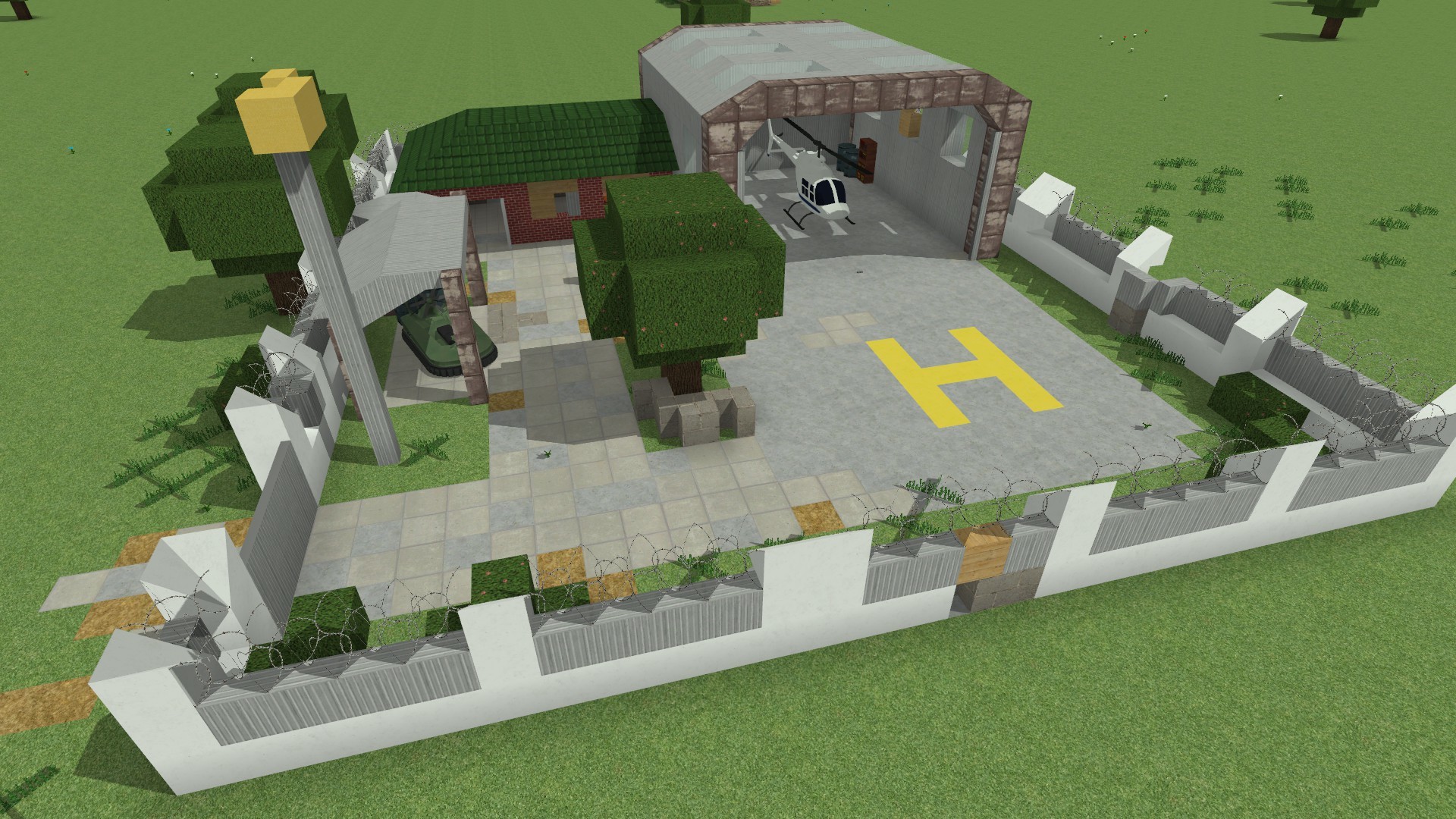
This is the Bandit Helifield. You can get helicopters and hovercrafts from here - the idea is that you get around Turf Zero maps a bit easier. It'll spawn at 1/4 the rate of the big bandit bases, and your likely to get one within 600m of spawn.
CHEATZ
I've added the following cheats:
/heal - heals you
/godmode - makes you immune to all damage + gives you a 10x damage modifier
/nofuzz - alias of /notoriety 0 - gets rid of the CDF
/specialbuild - lets you build all of the special buildings
Patch Notes
VERSION: 1.1.2
===============
- [Feature] - Added a 2x2 "Bandit Helifield" bandit base. This spawns at 1/4 the rate of big bandit bases, with a minimum of 1 spawning per map. These have spawn points defined for Helicopters and Hovercrafts
- [Feature] - Added "hit confirmation". If you hit a target a cross will flash on your crosshairs.
- [Balance] - All rocket launchers have been made a bit more accurate
- [Misc] - Weapon crosshairs have been polished up a bit. The centre cross has been replaced with a dot, there is a slight shadow. The centre dot is also removed for highly accurate weapons (like scoped rifles). Crosshairs disappear while weapons are reloading
- [Feature] - Added hit confirmation for small arms. If your bullet hits something you'll see a diagonal cross across the crosshairs.
- [Misc] - You can no longer respawn in a base that's under attack
- [Misc] - You now get a login bonus in multiplayer. You get 1 hour tick worth of income for each real-life hour your offline, this is capped at 24 hour ticks and $500k.
- [Misc] - Base Capture process is now dependent on the square of the amount of defenders (as opposed to the count of the number of defenders). So if a base has 2 alive defenders it'll take four as long to capture now, 3 defenders 9 times, etc.
- [Feature] - Added a "/specialbuild" cheat. This lets you build all of the special buildings regardless of requirements
- [Feature] - Added a "/heal" cheat. This insta-heals you.
- [Feature] - Added a "/godmode" cheat. This makes you invulnerable to damage, gives you a 10x damage modifier and lets you perma-sprint
- [Feature] - Added a "/nofuzz" cheat. This will set your notoriety to zero and get rid of the cdf (same as /notoriety 0)
- [Bugfix] - The client and the server will now drop physics steps if running behind on simulation rather than trying to catch up, causing runaway lag spikes. Both executables will do a maximum of 1 catchup step per new step and simply drop the others
- [Bugfix] - This fixes lag/timeout on connect to multiplayer server. This was due to the client trying to do hundreds (if not thousands) of cachup physics steps when joining.
- [Bugfix] - This also (hopefully) fixes AI vehicles going off of the road due to server lag spikes
- [Bugfix] - Reduced AI mobs door opening/closing spam when walking through a door. There is now a 230ms cooldown between opening and closing the same door (for the AI)
- [Bugfix] - Fixed AI mobs not opening roller doors
- [Misc] - AI mobs will not "wander" onto pressure sensors. This is to prevent them from constantly opening/closing automatic doors while wandering around in a building. They still will walk on them if they are chasing a target.