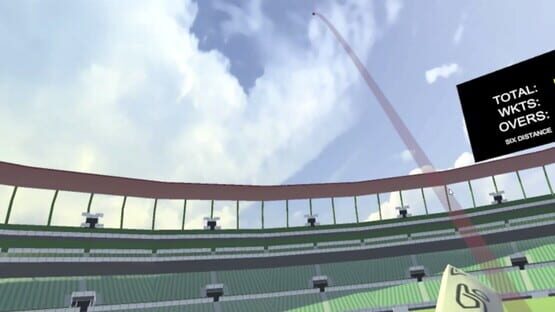
New game mode: Practice Mode. Player can select any bowl type, speed and position of the pitch for bowling.
Fixes:
In main menu UI, added button highlight whenever the laser pointer from bat hits the button.
Fixed a bug in steamworks integration.
Leaderboards will not copy values from other leaderboards for display.
Adjusted and improved left-handed bowling presets.
Update # 3 (v 0.2.2)
This updates has following:
Features:
Steam achievements have been added.
During gameplay red ring around the ball will be displayed when ball is hit with bat to help the player keep track of the ball.
In survival mode, fielding settings will be automatically changed according the runs the player has made.
Fixes:
Upon fielding switch while changing the batting hand style, wrong fielders tend to chase the ball. Its fixed now.
In main menu UI, texts have been given shadow for clearer view.
Minor tweaks have been made.
Update # 2 (v 0.2.1)
This update addresses few issues.
Fixes
Updated collision physics
Fixed UI issues
Instead of displaying 'Out!', two different texts will be displayed. 'Bowled' if ball hits the wickets. 'Catch Out' if fielder or wicket keeper catches the ball in the air.
After finishing a match, the six distance still retained the value of previous six in previous match. Its been fixed to reset to '0'.
Update # 1 (v 0.2)
New Features:
New game mode: Survival Mode. You only have one wicket, see how long you can survive without getting out. Separate leaderboard has been setup for survival mode.
Bowling variations have been added: Spin (Off-spin/Leg-spin) and Swing (In-swing/Out-swing).
Improved and updated bat/ball collision physics.
Stadium is visually improved. Added fences, stadium enclosures and live feed screen.
Environment lights updated.
Live camera screen. This screen shows score along with keeping track on the ball.
In ‘Options’ menu, height adjustment feature has been added for players. Now each player can adjust the headset height accordingly.
Added wide ball detection.
Major Fixes:
At start of an over, the type of bowling will be indicated.
During bowling countdown the icon will appear on top right of white screen indicating the ability to pause the game during countdown.