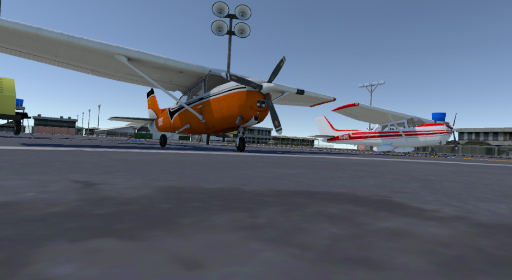
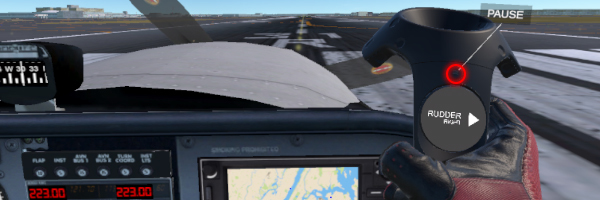
February 01, 2019 - Aircraft keys, Main Menu, tutorial and more interaction!
Hello pilots!
This first Friday of February we are releasing a big update! We hope you enjoy our effort!
FEATURES
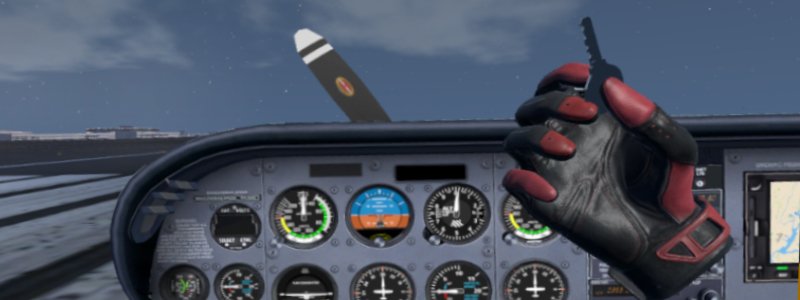
- Aircraft keys to turn the engine on/off.
- Step by step tutorial for new users.
- Review request: ESC key in keyboard bring the menu.
- Review request: we added a option to restart pilot's head position by pressing R in your keyboard.
BUGS:
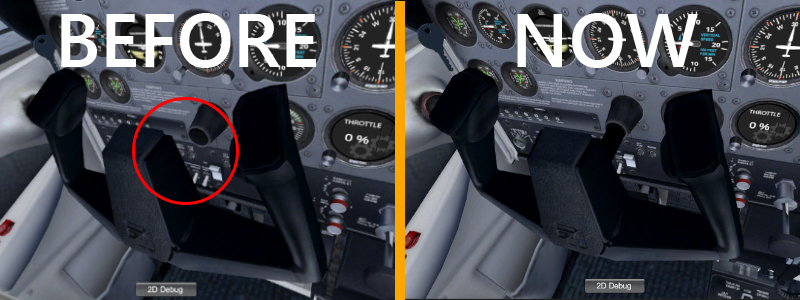
- Stick missing part: control wheel stick with 3d model glich is solved
- Rudder Pedals: pedals on the floor were not moving when using rudder.
Have a nice flight!
January 28, 2019 - Faster and prettier! Oculus, Vive, Knuckles and more!
Hello pilots!
We release a update today solving some interface glitches and did a HUGE change on Oculus Rift SDK.
The old sdk was a bit slower and could cause some crashes. Now we are using the original Oculus SDK.
After extensive tests, we know that bugs for Oculus are definitive extinct!
What was changed:
- Change of whole Oculus Rift SDK.
- Build size decreased.
- Improvement on performance on Oculus Rift.
- All interface issues between Oculus Rift and Vive solved.
- Default configuration to use any controller of any headset you have!
A lot of work is being done to complete all future features for VR Cessna!
Thank you for playing!
January Update 5 - Oculus Rift fix and future!
Bug on Oculus Rift fixed and everything is working now!
Next week, big updates!!!
We are planning to improve:
- GPS on instruments will go to a tablet.
- Interaction with lights on instrument panel
- Interaction with radio.
- More detail in scenario, specially bridges.
- Implement some sightseeing info, on GPS and on screen.
- Improve the path of aircraft IA, to be more realistic. (if we find the information of flights in real time, that's what is going to appear for you!)
And what else you ask on reviews! Thank you all for playing!
January Update 4 - Bug fixes and Oculus Rift bug.
Thanks to your reviews we changed a few things and fixed some bugs.
FEATURES
- All buildings and houses, inside and outside airport area and Manhattan have collision! So, be careful flying near buildings!
- We added turbulence to all weathers.
PHYSICS
- The airplane center of gravity is a bit more accurate. So the nose of the aircraft doesn't tend to go down anymore.
BUGS
- Throttle animation was inverted, now is working properly.
- Audio of IA aircraft now have a bigger range.
- Users with Oculus Rift, we are struggling a lot with a bug that make it impossible to load the main menu. Tomorrow, it should be fine!
We will release a new update with this MAJOR bug fix.
January Update 3 - Time and Weather on Main Menu! Added turbulence, aircraft lights and more!
We added the functionality to choose the time and weather that you want to fly!
- WEATHER CONTROL
Choose those weathers: Clear, Cirrus, Scattered, Broken, Overcast, Low Visibility, Stormy
Choose also the time of the day.
- TURBULENCE
For now, turbulence are happening on Stormy and Overcast weathers. We are adjusting the wind properties to have more/less effect depending on where you are flying in New York.
Trying to land the Cessna 172 or 182 in stormy weather is very cool and challenging!
- AIRCRAFT LIGHTS
All aircraft lights are implemented, and the are all ON by default.
Next update you will have the h ability to turn on/off each light interacting with your Cessna's instrument panel.
- REVIEWS CHANGES:
We are changing some things on the simulation. Thank you all for all reviews!
- The propeller when in max power is less transparent, so it get closer to how it look in real life.
- Cessna 172 have 25% more engine power and Cessna 182 more 35%. It should change the experience a bit!
- the radio in the instrument panel are not working yet. ATC and radio will be implemented soon. But for now, we removed the digital dummie numbers.
- fixed a bug in Oculus Rift also for head position. This is coming a long way for us. But it should be fine now!
January Update 2 - Thank you for all the reviews!
We are focusing all our effort in what you are telling us here!
- NEW PLANE: CESSNA 182 SKYLANE, and it is 100% FREE
You can now choose between Cessna 172 Skyhawk or Cessna 182 Skylane!
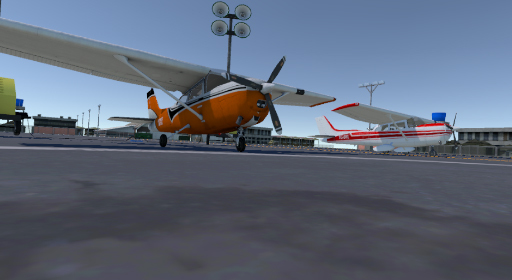
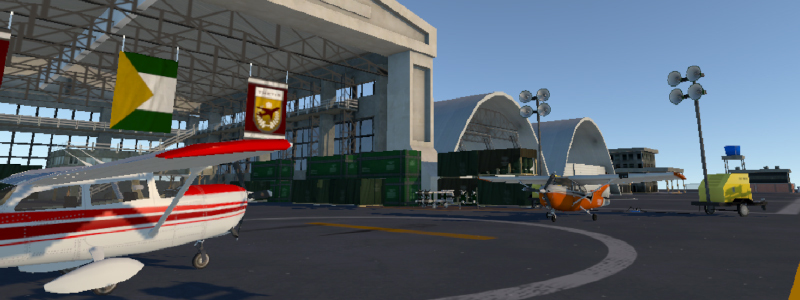
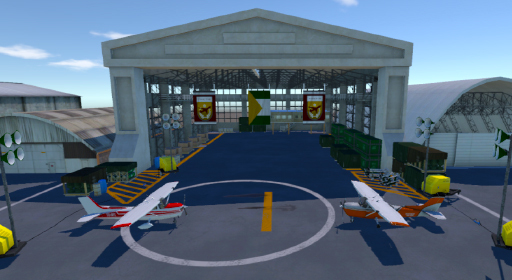
You can see both of them parked in the hangar on main menu! It is pretty cool!
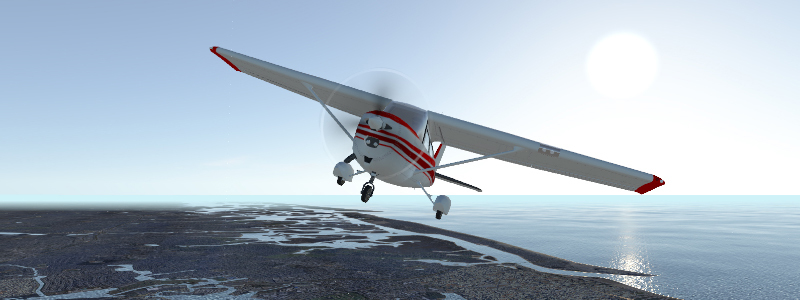
We are also working in more cameras during gameplay, so you will be able to see the aircrafts also during flight.
- HANGAR AND MAIN MENU
Setting up the runway and airport to take off is now easier than ever! We create a whole new main menu for our players!
It is easy and possible also to switch the aircraft you are going to use.
We created a Hangar in main menu, it is pretty cool to use it in VR! We hope you enjoy it!
- HEAD POSITION FIX
Solved the head positioning problem!
The head position of the VR camera on cockpit it is a bit tricky, specially if your room is not exactly as we expect. So we develop a part of code to solve the problem.
We hope you are enjoying our simulator! We are adding a lot of features, so, keep tuned!
First January/2019 Update
We just released a new update!
- PAUSE BUTTON FIX:
The pause button was not mapped on all controllers. That causes some builds to ignore the pause button press. Now everything is working fine.
You can change your takeoff position also using pause button. Just click on "Edit" to select a runway in the airports listed.
- TUTORIAL
There is a small help to guide you when you start your game. Basically, tutorial tells you that:
You can adjust your VR position using WASDQE on keyboard:
W - forward
S - back
A - left
D - right
Q - up
E - down
Adjust the position of your headset until you fell that you are sited on the position of the pilot. (Left front seat)
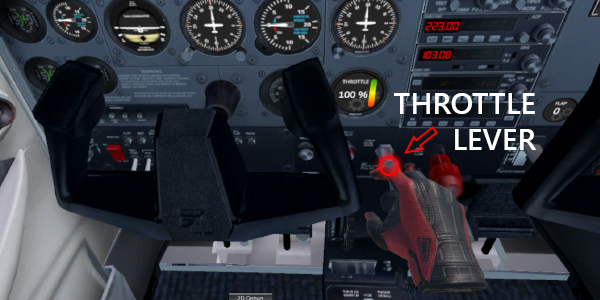
To make your aircraft move on the runway, you need to pull the THROTTLE lever in your instrument panel.
Reach your hand until the throttle became blue, press the trigger on your controller, hold it, and pull the throttle back (in your direction)
The THROTTLE's lever is located in the middle of the instrument panel.