Auto-Generated Thumbnails for Community Clip Packs
Functionality: This update introduces an automatic thumbnail generation feature for community clip packs that lack thumbnails. It simplifies the process of identifying and selecting clips, especially when utilizing the "Chat Picks the Clips" feature during live streams.
Availability: This feature is exclusive to the PC version of "What The Dub".
Community created clip pack "On Da Job!" now part of the base game.
New clips are automatically added to your clip library. New or current players will see these randomly mixed into their unplayed clip pool. Players who have viewed all of the previously available clips will see the new content immediately.
FYC: What the Dub?! - Steam Awards - Labor of Love
Steam Workshop - Now Available!
Discover hundreds of new clips for "What The Dub?!" with the newly added Steam Workshop support. This feature allows you to easily share and download custom clips!
Visit our Workshop page to delve into a community-driven library of creativity, and start enjoying fresh content crafted by fellow players:
Want to start making clips, but unsure where to start? Check our FAQ (widerightgames.com/faq) for tips.
Patch 2.0 Released!
What The Dub?! version 2.0 is now available!
125 new clips to dub!
Twitch Chat Pick the Next Clip
Ranked Voting Option
Dub Moderation
New Submission SFX
Progressive Scoring Options
Updated Profanity Filter
New clips are automatically added to your clip library. New or current players will see these randomly mixed into their unplayed clip pool. Players who have viewed all of the previously available clips will see the new content immediately.
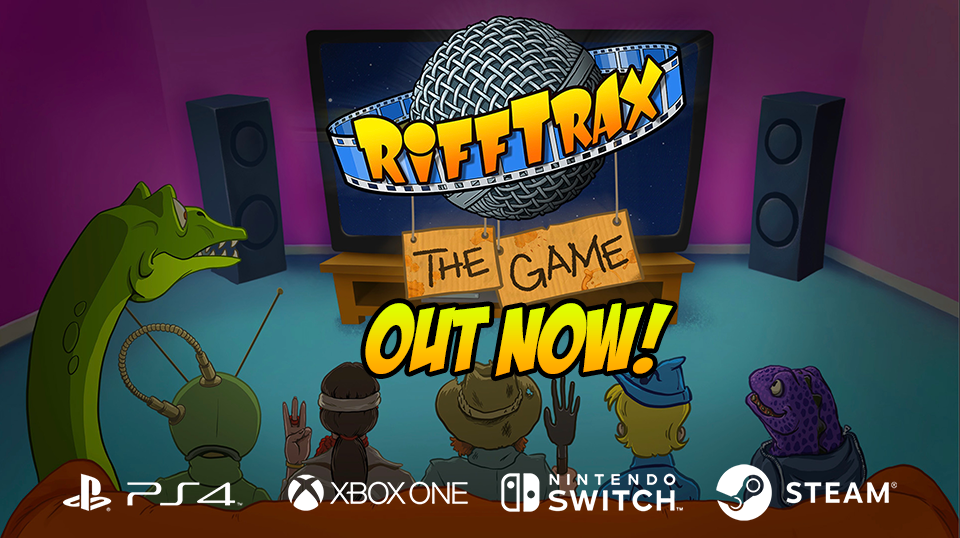
The most anticipated movie riffing game of all-time is here - RiffTrax: The Game is now available!
Now's your chance to riff with your friends on classics like A Case of Spring Fever, Plan 9 From Outer Space, Rollergator, Fun in Balloonland, and more.
Featuring two exciting ways to play! Write your own riff and watch your comedy genius come to life via text-to-speech, or leave it to the pros and choose from over 2,000 expertly crafted riffs from the RiffTrax team.
Dozens of hours of comedy goodness can be yours for the regular price of $9.99 - but purchase the game TODAY and receive 10% off as part of a Launch Day Discount!
We are very excited to announce our next title, RiffTrax: The Game!
After such a positive response to What The Dub?! we wanted to take the bad movie party game concept to the next level, so we teamed up with the OG Riffers themselves, Rifftrax!
We've been lifelong fans of Mike, Kevin, and Bill since Mystery Science Theater 3000 and watching RiffTrax continue the tradition over the last 15 years has been awesome.
As expected, they're bringing some amazing comedy to the game... and, most importantly, the WORST movies you can imagine. Seriously, if you thought the clips in What The Dub?! were bad, wait till you get a load of RiffTrax: The Game. They've really outdone themselves.
If you're familiar with What The Dub?! you might notice some new additions on the feature list below.
We've added actual p2p remote play (say goodbye to Zoom games!) with cross platform support. We've also added highly requested features like ranked voting, expanded SFX library, and in-app voice chat.
We have a lot more to reveal before we launch on all platforms on May 5th. Until then, check out the trailer, and if so inclined, give RiffTrax: The Game a wishlist.
Over 250 movie clips from RiffTrax classics such as “Rollergator”, “Attack Of The Supermonsters”, and “Plan 9 From Outer Space”!
Featuring two exciting ways to play! Write your own riff and watch your comedy genius come to life via text-to-speech. Or leave it to the pros and choose from over 2,000 expertly crafted riffs from the RiffTrax team.
Play head-to-head with up to 6 players using any internet connected device as controller. An additional 12 audience members can also play along.
Bring the party to your friends with support for remote games, cross play, and voice chat.
Streamers, get your entire chat in on the action with Twitch chat voting. Additional moderation, privacy, and content tools ensure your stream remains problem-free.
Patch 1.5 Released!
Patch 1.5 is now available!
Added 100 new clips to dub!
Players can now add their own custom SFX clips!
- New clips are automatically added to your clip library. New or current players will see these randomly mixed into their unplayed clip pool. Players who have viewed all of the previously available clips will see the new content immediately.
- To add custom sfx, simply add wav files to the StreamingAssets/CustomSfx folder of your installed game. The filename of the wav file will be how the sfx option is displayed on the web client at playwtd.com. For the best results, make sure to trim most of the white space from the beginning and end of the clip. To add more than one audio file for a single sfx option, simply add a number to the end of the file. For example:
Explosion 1.wav Explosion 2.wav Explosion 3.wav
When a player selects an sfx option with multiple audio files, one of the audio files will be played at random. This can add variety to an option that may be used multiple times in a row. Note: Any audio file over 5 seconds in length will be ignored.
Patch 1.4 Released!
Patch 1.4 is now available on Steam!
Added Twitch audience voting option.
Increased audience size to 12.
Added TTS support for 13 additional languages.
Added One AND Two player modes!
Minor UI and bug fixes.
New TTS Language Support (Female voice only) Czech Catalan Icelandic Latvian Hungarian Slovak Finnish Swedish Serbian Greek Ukrainian Bulgarian Thai
Patch 1.3 Released!
Patch 1.3 is available on Steam!
Added TTS support for 28 additional languages
Improved Windows English TTS voice
Added an option to play the clip twice before entering your dub
Added an option to add a delay between dub playback
Added subtitle option to show/hide dub text during playback
Added separate volume settings for both dub TTS and sfx playback
Normalized SFX volume
Minor UI and bug fixes
Fixed repeating clips bug (PS4/PS5 only)
TTS Language Support is available in: Arabic Bahasa Indonesia Dansk Deutsch (German) English Español - España (Spanish - Spain) Español - Estados Unidos (Spanish - US) Filipino Français (French) Italiano (Italian) Nederlands Norsk bokmål (Norwegian Bokmål) Polski (Polish) Português (Portuguese) Tiếng Việt (Vietnamese) Türkçe (Turkish) Русский (Russian) हिन्दी (Hindi) বাংলা (Bengali) ગુજરાતી (Gujarati) தமிழ் (Tamil) తెలుగు (Telugu) ಕನ್ನಡ (Kannada) മലയാളം (Malayalam) 國語 - 台灣 (Mandarin - Taiwan) 普通话 - 中国大陆 (Mandarin - Mainland) 廣東話 (Cantonese) 日本語 (Japanese) 한국어 (Korean)
To change your TTS language settings, simply start a game, head to PlayWTD.com and select "TTS Language" under the text entry box.
We are hard at work on the next patch. If you have any suggestions feel free to stop by our "Unofficial Suggestion Thread" and let us know.