Just a minor patch this time around, we fixed some issues that we wanted to get out to you as soon as possible rather than wait for a next bigger patch.
Changelog
<*> Achievement - Achievement for getting all crafting stations to level 10 should work again. <*> AI - Fixed an issue where customers would sometimes refuse to leave. <*> Build - Changed the nav mesh obstacle size of entrances so that the navmesh is more centered. <*> Performance - NPC pooling wasn't correctly returning objects back to the pool, this should reduce some jitter when the store is open. <*> Scenario: Added more floor options & decorations to choose from in 'The Harrowing' scenario. <*> Scenario: Reduced difficulty of the Harrowing scenario. <*> Trader - Fixed potential issue for the bag to not correctly show. <*> UI - Receiving a loan would not update the objectives HUD layout. <*> UI - Closing the crafting skill point prompt window should now reset the timescale as it was before the prompt window showed.
End of the Halloween Event
Dear Shopkeepers,
'The Harrowing'
Thank you for participating in the Harrowing event, we hope you had a spooky Halloween.
Halloween Shop Contest
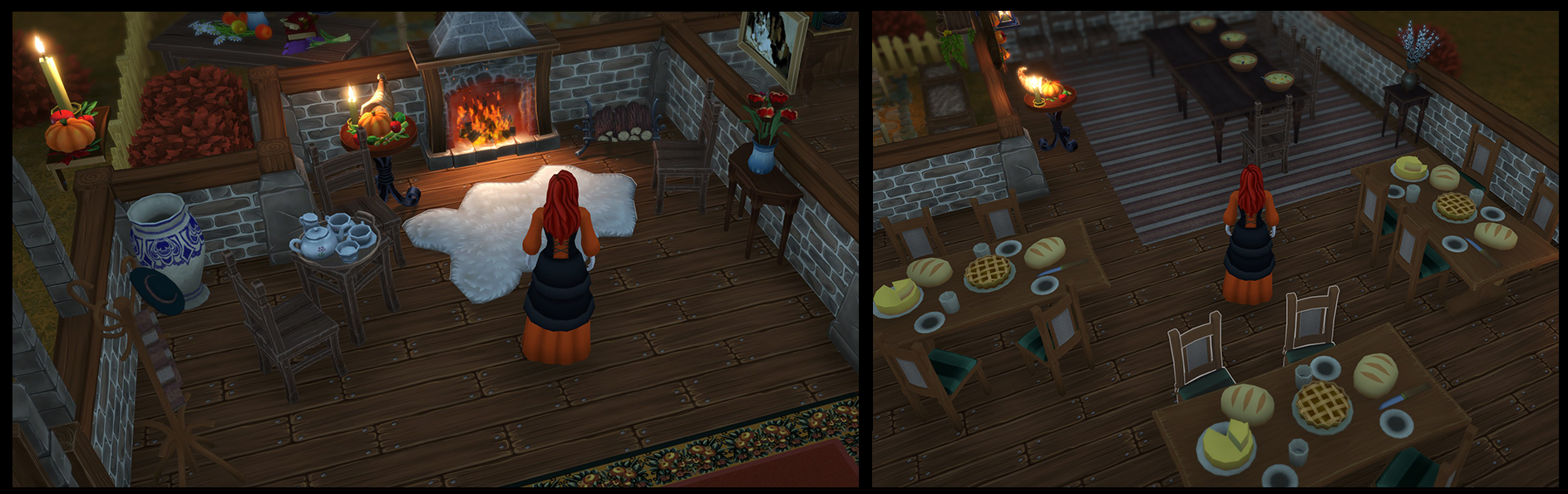
This Halloween we also tried to run a community contest where we challenged shopkeepers to build a spooky shop and show this off. Unfortunately this contest did not see a lot of participation. The winner of this contest is Melandari who submitted her spooky shop to Discord. We hope the community will keep showing off their shops as we love seeing them.
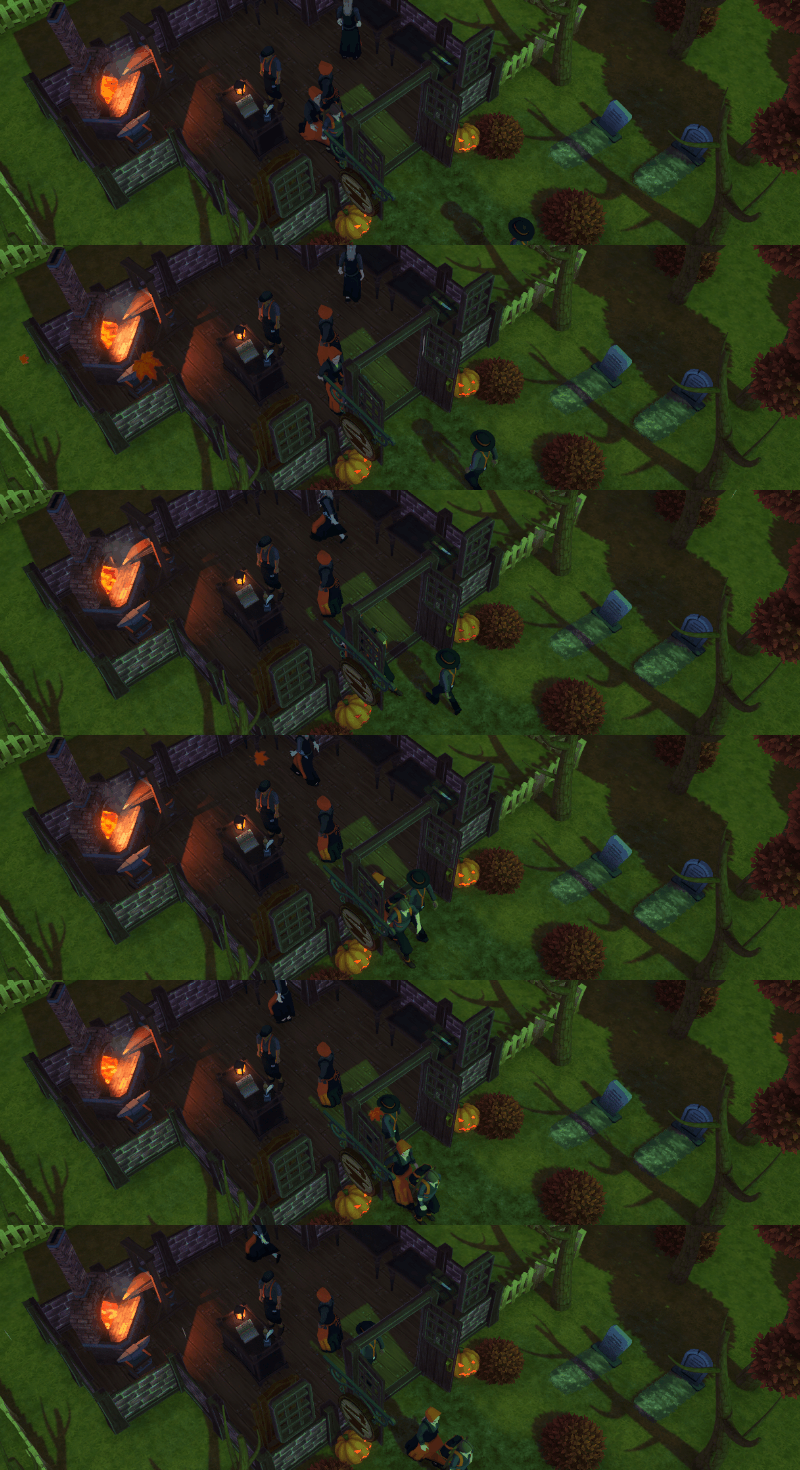
Here are a few screenshots of Melandari's harrowing shop:
Feel free to check out more of Melandari's shop, or post your own at: discord.gg/Winkeltje
Stay tuned for future updates!
New Halloween Scenario
Dear Shopkeepers,
This Halloween you can enjoy some new thematic additions to Winkeltje. In this update you can try out a new playable scenario called 'The Harrowing'. In this scenario, you can complete objectives to earn new theme appropriate outfit colors. Additionally, there are also a couple new decoration pieces to really scare the jeepers creepers out of your customers. Lastly, you can take part in our Halloween contest on Discord where you are challenged to create your best looking Halloween shop for a shot at eternal glory in the Discord hosted hall of fame.
The Harrowing
In this custom scenario you are tasked with supplying the nearby village as they try to hold their ground.
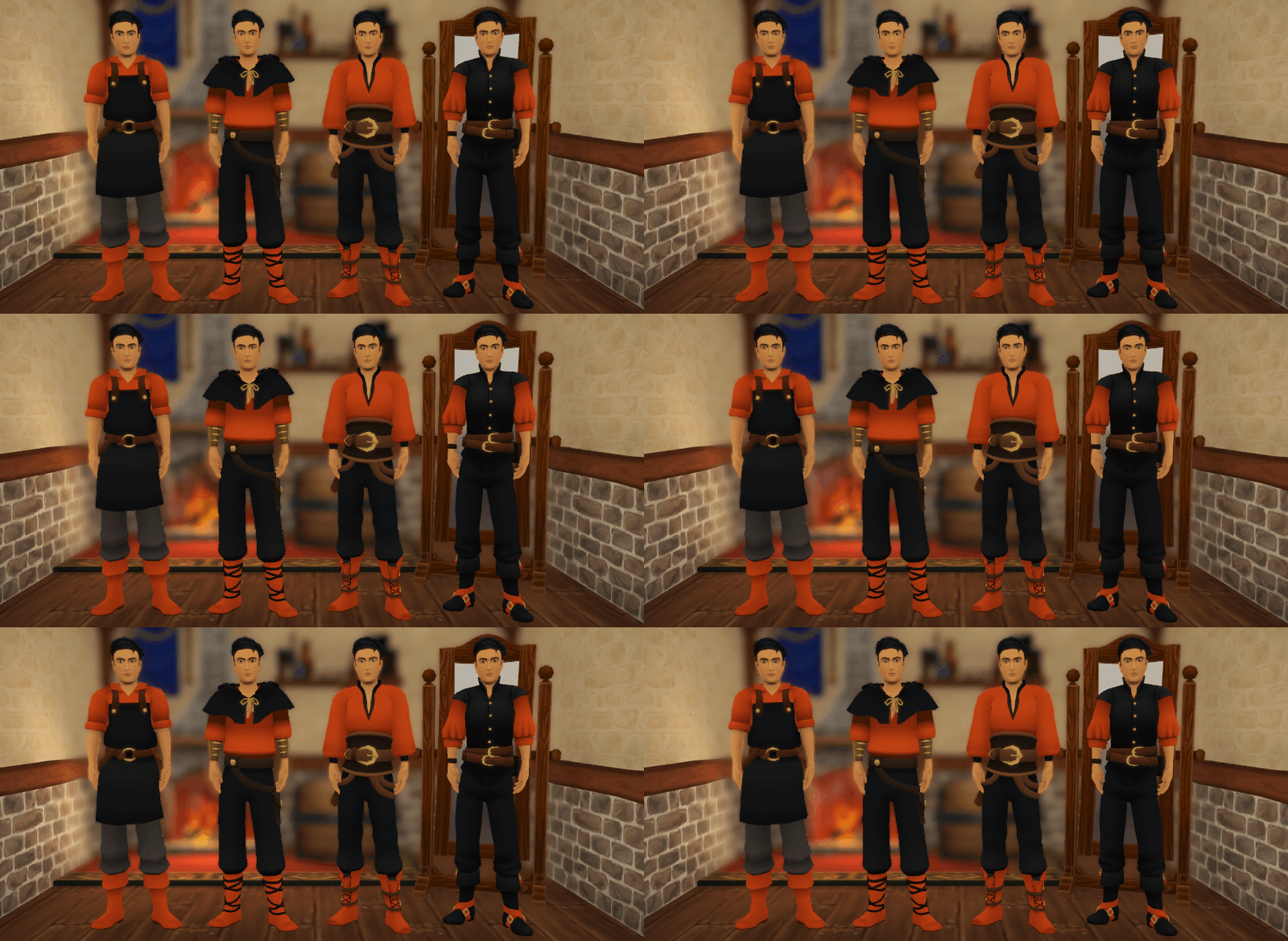
Earn Outfit Colors
Complete objectives in The Harrowing to earn new outfit colors.
New Themed Decorations
Use these new spooky decorations to really give your customers the creeps this season.
Halloween Shop Contest
During Halloween we will be running a contest who can make the spookiest and best Halloween shop you can think of.
Contest rules:
The contest starts on the 25th October 2022 and ends on the 7th November 2022.
One post, containing multiple images, counts as one submission.
The community may vote by leaving a 🎃 emoji.
Voting will end 10th of November.
The 3 unique users with the most 🎃 on a single post will be showcased in a Steam post after voting has ended and be eternalized in a new #hall-of-fame thread in the #shop-showcase channel on the Winkeltje Discord.
Abuse or exploitation of this contest will be subject to moderation at our discretion to keep the contest fun and enjoyable for everyone.
Winkeltje: The Little Shop is now fully Steam Deck compatible! While it was already playable, we fixed up a couple of minor issues to make the experience smoother.
Change Log
Audio - Added the option to set the master volume level.
Audio - Slightly increased the base ambience volume level to better fit with new ambience audio.
Decorations - Added new tombstone and pumpkin decorations to make your shop a little spookier.
Events - Fixed an issue where having no random events could crash the game.
Fix - Fixed an issue where players could place furniture out of bounds.
Fix - Fixed an issue where loading a super old shop does not have a shop level saved and would break the game.
Language - Attempting to load a language file that does not exist should now default the translation back to English.
Language - Added Japanese translations.
Language - Updated all translations.
Lighting - Increased the player's ambient light to fix an issue with the night time being too dark.
Movement - Fixed an issue where the sprint button would be reset when an employee restocks a shelf.
Scenario - Enabled the Halloween scenario.
UI - A trader menu entry will now also show the total number of items regardless of quality.
UI - Moved the lock icon in the details panel of the objectives menu more upwards to provide more space for long text.
UI - The inspector panel in the catalogue menu will now have titles that adjust to the size of the text to adjust for very long titles.
UI - Added word wrapping in the short and long scenario descriptions of the scenario select menu to prevent sentences from going out of bounds.
UI - Rewrote the scenario select menu toggle switching to not use an animator and to fix an issue with showing the correct description when switching tabs.
UI - It should no longer be possible to return from the shop select menu while the confirmation window to delete a shop is visible.
UI - Added '~' and ',' to the excluded characters list when naming the shop.
UI - Reworked the crafting skill HUD to allow for several levels to be gained in one go.
UI - Updated the Credits section.
UX - A customer queueing up to the counter while in the awareness radius of the player should now correctly highlight itself.
AI Fixes & Console Alignment Patch
Hello Shopkeepers!
In the previous update we announced that we wanted to use that patch to align all of platforms to the same version. We unfortunately ran into some issues with one of our console builds that stopped us from doing so. This hasn't impacted the PC version, but has created a bit of a weird gap in some of the console versions. All of the builds have now made it through certification on all platforms, so we're ready to go. This patch updates the versions as follows:
AI - Changed the spawn offset to be applied at the spawn point rather than the door.
AI - Some furniture had its collision box incorrectly set, causing the AI to be stuck inside.
AI - When closing the door before the day ends and while there's still people in queue, there was a chance of the customer just staying in queue. This should now be resolved.
Art - Aligned the setup of the trader with the other NPCs.
Art - The firewood storage decoration had missing mesh parts and incorrect normals.
Console - Fixed frame rate to 30 FPS on consoles to prevent issues where Vsync would either run the game at 60 FPS at night and 30 FPS during the day. This contrast in frame rate felt worse than fixing the frame rate to an acceptable norm.
Fix - Steam deck now automatically sets itself to 1280x800 per Steam's requirements.
Objectives - The 'Alchemist of pain relief' objective should now also unlock blueberry seeds.
Performance - The player character now combines the skinned mesh renderers instead of paying a performance cost for each of the components per frame.
UI - Opening the shop will now indicate the employee wage cost and the cost will appear red if you can't afford to hire an employee.
UI - The employee cost prompt should no longer show on the entrance while the shop is open.
Stay tuned for a spooky update!
Update 7229: Performance Optimizations
Hello Shopkeepers!
This time around we're looking to align the versions across all platforms, so the Steam version is only getting a minor update while the consoles are getting a bigger patch. We're still working towards a large content update later this year, but we really needed to get this optimization patch out there.
Steam Deck support!
We finally got our hands on a Steam Deck, and we were able to fix a couple of minor issues when playing on the Steam Deck. In addition to that, the performance optimizations of this patch should also help towards better battery life. We have yet to obtain the official "Verified on Steam Deck" label, but we didn't want to wait for that to happen to get it fixed up on our end.
Changelog
Assets - Storage boxes were clipping out the backside of the first Large Old Cupboard.
Assets - The sheep rug should now show an outline.
Assets - Updated the storage cupboards with some additional geometry and properly set up components.
Assets - Round Winter Carpet did not have a collider set.
Other - Fixed an issue where the GOG build would throw a critical error when trying to call an achievement.
Performance - Optimized the searching through objectives.
Performance - Optimized the translator to not have to go through the language dictionary as often.
Performance - Minor optimization in the Customer behaviour.
Performance - Reduced shader complexity on object highlighting.
Performance - Cached the delta time in the batched particle system.
Performance - Disabled 'Two Sided' on foliage shader and added additional geometry to cover up holes.
Steam Deck - The virtual keyboard now pops up when changing the shop name.
Switch - Directional shadows are now enabled by default on Switch.
Switch - The fire pits should no longer throw an error when previewing them in the Unlock Menu on Switch.
Switch - Added geometry to walls and entrance doors to look better when lit per vertex on Switch.
UI - Fixed an issue where controller prompts would not correctly show when starting a new game
UI - Fixed main menu not correctly highlighting the menu button on Steam Deck
UI - The furniture label should no longer stay on screen when transitioning to build mode when next to a lockable door.
UI - Instantiating the Game Settings on UI initialization would cause performance spikes during gameplay.
Small Update - v7150
Greetings Shopkeepers!
After taking some much needed time off, we're back in business with a new patch. We're working on a larger content update for later this year, but we wanted to get some other fixes & changes out to you sooner.
Achievements - Switched to another Steamworks plugin, which is hopefully more consistent in triggering achievements.
Art - Tweaked the basement hatch texture to take up less space.
Build - Fixed an issue where furniture that was only slightly moved did not update the navmesh correctly.
Commissions - Cancelling a commission will now reset the cooldown, allowing you to pick a different commission.
Crafting - Material modifiers were not correctly being calculated when crafting items.
Crafting - Doubled the bonus quality you get from using higher quality materials.
Credits - Updated the credits to add a new translator and reflect the Korean font license.
Customers - Fixed an issue where queued customers would sometimes not go home immediately when closing the shop.
Display - Added support for "3840x1600" display resolution.
Events [C] - The 'Economic Boom' event should now correctly affect resources and meals.
Events [C] - Fixed a typo in the Recession Event that stopped clothing from being influenced by it.
Farming - Seed quality was based on the original seed, not the resulting crops.
Input - The controller selection which is triggered by holding down the interact or pickup button now runs on a fixed timestep and listens to the interact and pickup inputs as it relates to furniture specifically.
Input - Fixed a regression that would prevent the player from moving after opening the shop when playing with a controller.
Input - Fixed a regression that would allow the player to walk around while the display menu was open using a controller.
Input - Using the controller selector repeatedly would cause the selector to be visible while being able to walk around.
Language - Updated all font asset files and translations.
Language - Font assets were missing a space character which resulted in texts only showing the first word.
Language [C] - Added support for Korean community translations.
Language [C] - The 'Interface' translations for Czech were referencing the wrong language causing the translations to appear in Spanish.
Languages - Updated the Chinese font asset file.
Languages - Updated all translations.
Languages - Added a check to see if a save file used the old naming for some languages.
Objective - Changed 'Fueling the fire' objective by lowering the requirement from 20 to 15 and by including items from other categories.
Objectives [C] - The completed objectives count in the objectives menu was off because hidden legacy objectives could be unintentionally completed and would count towards the completed objectives count.
Objectives - Variation 1 & Variation 2 would update with the incorrect triggers.
Objectives - Objectives that require appeal would not correctly update when loading a save game.
Objectives - Added an objective for 200 tiles bought so you can keep track of the achievement, this is only active on the Large Shop and will not be enabled in existing save files.
Objectives - Fixed an issue where the TutorialTraders objective would be active twice when loading save game with it active.
Objectives - Fixed an issue where saving and loading with the TutorialTraders objective active would not correctly disable some buttons.
Scenarios - Fixed an issue where item prices would not correctly update when first starting a game.
Setup - A recent change to setups caused an error when starting a new game.
Setup - Added a setup dictionary to make it easier to access the correct terrain by setup ID.
Switch - The shadow preference was not correctly loaded when opening the game settings menu on the Nintendo Switch.
Switch - The 'Select' and 'Cancel' prompts in the crafting station were switched around on the Nintendo Switch.
Switch - The shadow setting was not correctly applied on a per-light basis.
Terrain - Replaced adjustments to default terrain with a dedicated large terrain. This change also addresses the issue with summer fireflies from appearing in the shop when playing on a large plot.
Terrain - Loading a terrain would not reference the correct terrain by the setup ID.
Translations [C] - Fixed some typos in the German translation.
UI [C] - The 'Employees' radial button text was not being translated.
UI - Objectives that were immediately completed after starting would look a bit glitchy.
UI - Added a new Korean font asset.
UI - Updated the Korean font section in the credits.
UI [C] - Added options to adjust the camera sway for console platforms.
UI - Added support for traditional Chinese.
UI - Language setting options are now translated in their respective language to make it easier to find your language.
UI - The commerce menu should no longer delay a frame to close. This fixes the problem where the player could pay twice for a purchase from a trader.. Previously this delay on close was required to prevent an interaction with furniture as the menu closed but this particular issue has since been resolved differently.
UI - Interacting with furniture or UI while transitioning into the character customization screen could cause unintended behavior.
UI [C] - Spring and Summer decorations were not reflected correctly in menus.
UI - Some changes to the game settings weren't working properly on console.
Unlocks - Moved Blueberries to be unlocked at level 18 instead of 19.