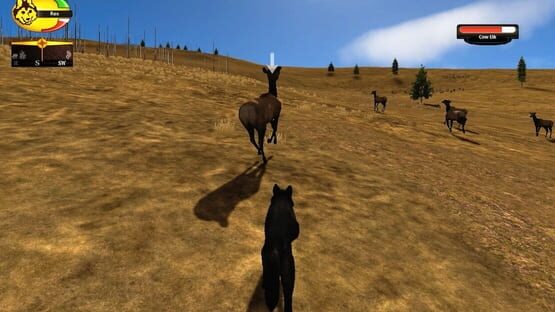

WolfQuest
WolfQuest Returns to Yellowstone: Slough Creek
Though not as vast as the Lamar Valley or as spectacular as Yellowstone’s geysers or waterfalls, Slough Creek is one of my favorite areas in the park. It was a delight to return there during our visit last August! Susan and I hiked up the valley, often bushwacking through tall grasses and dense woods, to gather photos and impressions of the area as reference for the new, expanded Slough Creek map in WolfQuest: Anniversary Edition. Slough Creek is, of course, where you establish a territory and have a spring litter of pups in the game. While we did not spot any wolf dens (those locations are well-kept secrets, to keep them safe), we did come across plenty of potential densites on our way to Second Meadow.
If you enjoy this video, be sure to check out our other research trips!
* Amethyst Creek (2019): https://youtu.be/9JacCZp7egA
* Slough Creek (2017): https://youtu.be/0LUK_37Ce2U
* Amethyst Mountain (2017): https://youtu.be/gu4apywl6nY
While in Early Access, we will be updating the game frequently with more features, multiplayer, and ultimately the Slough Creek episode with pups. The mobile version will come after the game is completed on PC/Mac platforms. We’ll then resume development of the next episode, Tower Fall (DLC).
WolfQuest: Anniversary Edition v1.0.1 with new animal behaviors!
Devblog video: https://youtu.be/f2HGe8nRqX4
NEW ANIMAL BEHAVIORS:
* Stranger wolves (dispersals and pack wolves) hunt prey.
* Bull elk rut: Bull elk challenge the resident bull in a large herd to a fight, involving a lot of bugling, circling, and clash of antlers.
* Buck mule deer rut: Buck mule deer will converge near small doe herds and challenge each other to a fight, involving a lot of circling, eyeing each other, and antler clashes. Since mule deer don't live in herds as elk do, this is harder to witness. Try following mule deer scents and hope to find a situation where two males have converged on a family group of does and fawns.
* Eagles are present throughout the game world: flying around, perching on dead trees, and hunting. Bald eagles hunt fish in the Lamar River while Golden eagles (new species!) hunt snowshoe hares.
* Ravens are present throughout the game world.
* Coyotes hunt snowshoe hares.
* Foxes hunt small prey.
OTHER NEW AND IMPROVED THINGS:
* Custom markers on the World Map now appear on the Compass (faded with distance).
* Added a third Gore level, now No Gore (carcasses do not turn bloody), Low Gore (carcasses turn bloody), and More Gore (carcasses turn bloody and skeleton and innards revealed during consumption.) The original intent was for Low Gore to be as described here, but it inadvertently switched to what we're now calling No Gore. We've renamed "Low" to "No" so it preserves your previous visual effect, but you can change it to Low Gore if you want a bit of blood.
* Carcasses have improved textures (fur only on the skin, not on the exposed innards).
* Adjusted colliders on the rock at the top of Fairies' Falls. Should be possible to jump onto it, and should be quite hard to get stuck.
* Player wolf will sometimes crouch when facing an opponent, preparing to attack.
* Moon casts shadows at night.
* Competitors should be less likely to get stuck running in circles near you.
* Minor performance improvement when many elk are spawned in vicinity.
* Controller support: Added a steering sensitivity slider for controllers. (Many more improvements for controllers still to come.)
* Stranger territory audio now part of Interface Audio (so not muted if music is muted).
* Animals use walking turn more now, don't do the spin-in-place turn except in urgent situations.
* Bite cursor should be hidden in Photo Mode.
* Removed "mate" from badword filter for wolf bio.
BUGS FIXED
* Animals sometimes have snow on them when it hasn't been snowing.
* Weird snow pattern on bears.
* Sometimes grass density settings don't persist in later game sessions.
* Unable to save your game or overwrite existing saved game (fixed a couple bugs; there may be others still)
* Ravens gather at some distance from carcass.
* When running in dual-monitor setup, with game on one screen in Fullscreen Windowed mode, game minimizes when you click on other screen.
* Elk calves have Cow Elk label.
* Fox fur looks bad.
* On some computer systems, the mouse cursor has "hand grab" icon instead of pointer.
* In "My Wolves" in main menu, sometimes one wolf is missing, and arrows are missing too so can't select another wolf.
* Dispersal wolf is occasionally frozen.
* The "So Sleepy, Bug..." alert is missing text.
* Grass sometimes bends quite excessively in the wind.
* Improved lighting on trees when viewing towards sun.
* Reduced acceleration and deceleration speeds for cougar, coyote and fox.
* In Basic mode, some areas have grass when grass is disabled.
* In Customization, fur pokes through radio collar if you change coats after choosing the collar.
* In Basic graphics mode, at some places in the game world, some distant terrain sections are missing.
* Can get stuck on far side of Lamar River, stuck between two world-edge barriers.
* Thin vertical lines appear around grass in Basic graphics mode.
* Controller: Fixed incorrect labels on Controller Help image (ack!)
* Sometimes wolves don't growl or snarl during wolf fights.
* Various terrain tweaks.
Cliff Face Lift (Devblog)
The cliffs of Amethyst Mountain have been troublesome from the start of the project. I’ve made several attempts over the past two years but have never been that satisfied with the results — including the version that we released into Early Access, which was something of a last-minute effort to make them look acceptable. That version, which relied on very large meshes, created a lot of problems for players as they explored the cliffs — and weren’t even very accurate, as I realized when we returned to Yellowstone last month. So now I’ve made another go at it, using some new terrain carving tools that allow more control and naturalistic effects. Third (or was it fourth or fifth?) time was the charm, and I’m much happier with this new version of the cliffs It’ll be in the next patch (v1.0t, coming next week).
And along with the cliff work, I took a few hours to create a sweet little spot on lower Amethyst Creek — a twin waterfall that we found on our hike last month. (Check out last week’s devblog if you missed it: WolfQuest Returns to Yellowstone: Amethyst Creek).
Back from Yellowstone! And a few troubleshooting tips
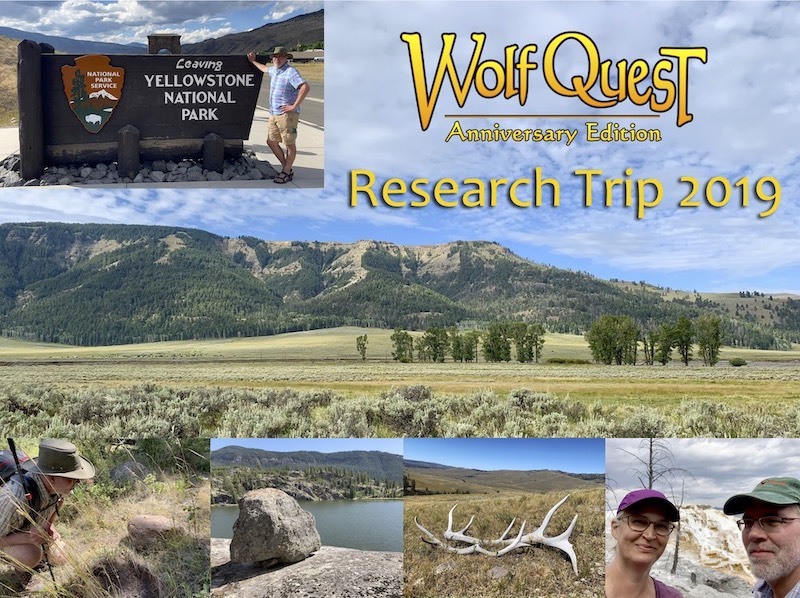
We're back from Yellowstone National Park, where we had an excellent time exploring the areas where the game is set: Amethyst Mountain, Slough Creek, and Tower Fall, We also met with Dan Stahler, YNP wolf biologist and one of our science advisors for the game. As usual, he had a wealth of fascinating information to guide us as we get deeper into the gameplay and quests for the upcoming Slough Creek mission -- including some hair-raising stories of rival pack raids on pup dens!
We're now back in the thick of it and have been preparing the next patch which has more than fifty bugfixes and tweaks that our amazing Unity developers -- Tommi, Andrei, and Mikko -- did since the last patch. It's going into beta testing today and should be released in the first part of next week.
We have also gotten bug reports on a some issues that appear to be due to computer hardware/software, not the game. Here are some comments on those:
No audio whatsoever: Try uninstalling and then reinstalling your audio drivers (in your Windows Device Manager). That has worked for several people.
No cursor appears when Emotes panel is open: Please try the tips here and let us know if they help.
Game suddenly starts displaying rainbow/psychedelic colors: This seems to happen only on old AMD GPUs. If you see this problem, please try updating your graphics drivers. If that doesn't help, then please email us (bugs 'at' wolfquest.org) so we can try to investigate it with your help.
Strange wolf reflections in water: This may also be fixed by updating your graphics drivers.
Wolf is invisible or a thin black line: This occurs on Intel HD 3000, a very basic integrated graphics chip from 2014. This is below the game's minimum hardware requirements and probably also indicates the game won't run in general.
If you're having other problems, check out our Knowledge Base, which has more troubleshooting tips.
Release for Early Access: Update
Update: We have released the game on itch.io so if you purchased it there originally, it'll be available on your download page. Instructions here: https://support.wolfquest.org/help/get-wolfquest-anniversary-edition
Still working to get it released on Steam. Very sorry for the delay!
New Beginnings (Devblog)
This is a special news announcement because we want to share some information about WolfQuest: Anniversary Edition before the release on Thursday. We’ve decided to scrap a particular feature that we’ve mentioned over the past few years, and we wanted to get the word out before the release. We know it’ll be disappointing to a lot of players, but we do think it’s for the best.
And that feature is: importing your wolf from the old game into the new game. It sounded good two years ago, but since then the new game has grown substantially bigger (and better, I think) and it’s problematic in several ways to import old wolves into it. You can easily recreate your wolf from the old game with the customization features – and it has new options, as well – but you won't be able to import your wolf from the old game. That will be a big disappointment to a lot of people– especially those who have been working to earn more XP and climb the ranks in the old game.
But we’ve thought about it a lot and even aside from the technical issues, we think it's just the right decision — partly because it doesn't really make sense start the game as two year old dispersal wolf with a lot of XP and a high rank. Furthermore, we are developing a totally new XP system with some very cool stuff, but it won’t be ready for awhile yet, and so carrying over XP from the old game gets messy. So we are very sorry to scrap this feature at the last minute, but we hope that everyone will take on the challenge of starting fresh in WQ: Anniversary Edition to chart their course as a young wolf in the Lamar Valley.
We’ve been getting many questions about how to get WQ: Anniversary Edition once it’s released. It’s pretty simple:
* On Steam, if you’ve purchased the old game, the new game will simply appear in your Library, ready to download.
* If you purchased the game on the WolfQuest website or itch.io, the new game will be available on your WolfQuest download page. Your email receipt from itch.io has the link for that, or you can have that email sent again. See our Knowledge Base for details:
Looking Forward, Looking Back
We are one week away from the release of WolfQuest: Anniversary Edition early access for PC and Mac computers! It has been a lot longer haul to get here than anybody expected but this initial release is in sight and, of course, there's lots more to come after that: Slough Creek, Lost River, multiplayer, mobile, and Tower Fall! We are very excited how things are coming together and eager to get it out there!
So we thought we'd just take this moment to look back at how WolfQuest began. A couple years ago, we made a video about those early days of WolfQuest and so we thought we'd bring that back around now. So we hope you'll take a little time and watch it while you're waiting for next Thursday and the Early Access release of WolfQuest: Anniversary Edition for PC and Mac!
Wildest Dreams: The Story of WolfQuest (Chapter 1): https://youtu.be/bDeA-0I7xjM
Catch up on all the development news at WolfQuest. org/blog
Hunting for the Hardcore (Devblog)
WolfQuest: Anniversary Edition will offer three difficulty levels, which we hope will make the game fun and engaging for a wide range of players. Today we look at how we’re crafting the hardest difficulty level. Most of this work has been done by our summer intern George, who is a college student (majoring in computer science), competitive Counterstrike player, and coincidentally, my son. So he’s how he tackled it:
When I first started designing the Accurate difficulty, I had two primary goals. The first was to create a difficulty that increased the challenge of the game, without turning hunts into lengthy, boring slugging matches where player skill is secondary to simple time spent on the hunt. The second was to try and replicate the success rates of real wolves in the wild.
The core changes that make Accurate different from other difficulties reside in the multipliers Player Damage Dealt and Player Damage Taken. As a reference point, for the Challenging difficulty, the default difficulty of the game, these numbers are both set at 1. On Accurate, Player Damage Dealt is set to 1.5, meaning the player deals one and a half times as much damage to prey, and Player Damage Taken is set to 2.7, meaning the player takes more than two and a half times as much damage from prey on Accurate than on Challenging.
Those are some big changes, and they make Accurate feel like a very different game. Hunts tend to be shorter but require more caution and active thought. Even the most skilled players won’t succeed on every hunt. Knowing when to give up the chase is crucial, otherwise your wolf might not survive the harsh wilderness of Yellowstone.
Accurate is not for the faint of heart and is by no means necessary to enjoy WolfQuest: Anniversary Edition to the fullest. The game is designed to be engaging and well-rounded on Challenging, which offers a test of skill without being overly punishing, and there will also be an Easy difficulty, for those who want a more relaxed experience. But for the bravest souls, Accurate offers our most realistic, most difficult representation of the life of a wild wolf.
_______________
We are releasing the first episode, Amethyst Mountain for PC/Mac on Steam and itch.io, as Early Access on July 25. That will be followed by multiplayer and Slough Creek some months later, then followed by the mobile versions. We’ll then resume development of the next episode, Tower Fall.
WolfQuest 3 will be a free update to players who own WolfQuest 2.7.
Shadow Play (Devblog)
There are so many elements to make a vast open-world environment believable — from the ground textures to the vegetation to lighting, fog, and weather — but one of the most important is shadows. But shadows are very expensive (that’s game dev term for “slows the game down”), so we’re always trying to use the least shadows we can. In a big map like Amethyst Mountain, that means we can only have shadows extending out 50-150m from the player — beyond that, nothing casts a shadow, which often isn’t even visible or noticeable, but with long views it becomes quite apparent and detracts significantly from realism.
In the old game, we could “bake” shadows into the textures, which is great for both performance and visual quality — but that only works when the sun does not move. With our dynamic day/night and weather systems, it’s not an option. I’ve been looking for more than two years for a way to have distant shadow but had given up hope until last week I began talking to Georges Pax, a graphics and rendering wizard who developed the special type of shadows we use for grass and rocks in the game. He’d been working on an amazing new technique that draws shadows out to the horizon — and no more “expensive” than what we already are using for grass shadows! So today’s video looks at how his innovative technique makes WolfQuest’s recreation of Yellowstone look even better.
If you’re curious to learn more about his work, you can find him on the Unity forum, where his username is tatoforever.
_________
We are releasing the first episode, Amethyst Mountain for PC/Mac on Steam and itch.io, as Early Access on July 25. That will be followed by multiplayer and Slough Creek some months later, then followed by the mobile versions. We’ll then resume development of the next episode, Tower Fall.
WolfQuest 3 will be a free update to players who own WolfQuest 2.7.
WolfQuest, Graphics Cards, and You (Devblog)
We’re seeing more questions from players about what kind of computer hardware is necessary to run WolfQuest: Anniversary Edition. Given how much bigger and better this game is compared to the old version, that’s a good question — so that’s what we’ll look at in today’s devblog post.
First, I’ll note that general game code is quite well optimized and runs on a wide range of CPUs (Central Processing Unit — the “brain” of the computer that runs the game code), so we don’t have any worries about that. It’s the game graphics that pose the bigger burden on a typical computer. Computers use a graphics card (or GPU: Graphics Processing Unit) to draw (or “render”) the visuals on your monitor. Many modern computer games require a dedicated graphics card — a special microprocessor that is fully responsible for that task — rather than the more basic GPU which is built into the computer. Today’s video looks at WolfQuest’s graphics, particularly why grass and trees are so demanding on a computer, and what we’re doing to make the game run on as many computers as possible.
How do you know what graphics card your computer has? Follow the instructions here:
https://www.wikihow.com/Find-Out-What-Graphics-Card-You-Have
And here is the bar chart of common graphics cards shown in the video:
https://www.videocardbenchmark.net/common_gpus.html
What about mobile? We’ll do our best — stay tuned!
_________
We are releasing the first episode, Amethyst Mountain for PC/Mac on Steam and itch.io, as Early Access on July 25. That will be followed by multiplayer and Slough Creek some months later, then followed by the mobile versions. We’ll then resume development of the next episode, Tower Fall.
WolfQuest 3 will be a free update to players who own WolfQuest 2.7.