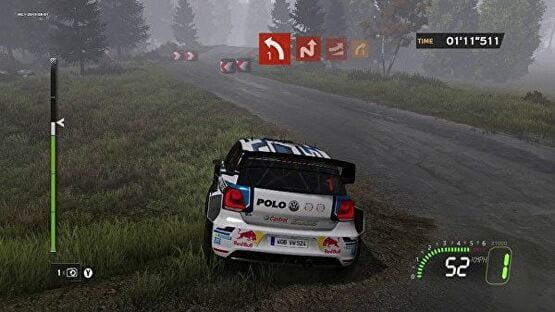

WRC 5 FIA World Rally Championship
Patch 1.09 for WRC 5: anti-cheat & V-Sync upgrade.
- V-Sync option now has two modes. You can choose the one that best fits your hardware configuration.
- We added more verifications to prevent some players to cheat the leaderboards.
Patch 1.08 for WRC 5 is out, with full wheel compatibility!
Network:
- Lobby bug fix
- Spectator mode crash fix
Rallies:
- Collision issue with Mexico cacti corrected
Leaderboards:
- 10 ghosts are now visible (instead of 5)
Tile events:
- Events timezone bug fix
- Server error message change
Wheels:
- Added 7 segments display support on Fanatec wheels
- Added rev LEDs display support on Fanatec wheels
- Added axis detection procedure for non-supported wheels
Misc bug fixes:
- Quick rally mode duplicate score bug fix
- Quick rally mode give up score bug fix
- Replay bug fix when accepting an invitation
Patch 1.07 Hotfix & Windows 10 information
We performed a hotfix to correct a few issues caused by the patch 1.07 deployed this weekend:
- Bug fix with Logitech Driving Force GT / Driving Force Pro
- Logitech G25 / G27 no longer cause performance issues when Logitech Gaming Software Profile is running.
For Windows 10 users who may have encountered issues with their Logitech G25 / G27wheels:
If your G25 or G27 doesn't work on Windows 10 you may have a driver installation problem. Here is a method to install the drivers correctly on Windows 10 :
Download correct driver from Logitech website
Go to one of these link depending on your wheel :
G25 : http://support.logitech.com/en_au/product/g25-racing-wheel
G27 : http://support.logitech.com/en_au/product/g27-racing-wheel
Very important : You must choose Windows 8 as the operating system in the drop down list.
Install the driver
Navigate to the folder where you saved the driver to. You should have a file called lgs510_x64.exe or lgs510.exe depending on the version you selected.
Right click the file and click on "properties". Then select the "compatibility" tab.
Tick the "Run this program in compatibility mode for :" and choose "Windows 7".
Launch the executable. The installation should work and the drivers should be ok.
Your wheel should now work fine in the game.
1.07 Update – WRC 5 going smoother
Performance:
- DX9 - DX11 VSync bug fix
- DX11 refresh rates bug fix
Bug fixing:
- Respawn distance correction
- Fixed replay camera for Citroen DS3
- No more pad vibrations during replay
- Achievements bug fix when giving up a race
- Car settings bug fix : gearbox ratio is now correct
- Multiplayer lobby bug fix
Tweaks:
- Some sounds improvements
- Higher “clear weather” probability
- Removed co-driver shock reactions
Wheels & Controllers:
- Support for Logitech G920
- Added support for Fanatec ClubSport Handbrake as separate USB
- Added support for Fanatec ClubSport Shifter (plugged on wheel or as separate USB)
- Refined pad vibrations
As a recap, please find below the full list of supported wheels on PC:
Logitech:
Driving Force Pro
Driving Force GT
G25
G27
G29
G920
Thrustmaster:
T80
T100
T150 RS
T300 RS
T500 RS
TX Racing Wheel
TH8A Add-On Shifter
Fanatec:
ClubSport Steering Wheel Porsche 918 RSR
CSR Wheel
ClubSport Pedals V2
ClubSport Shifter USB
ClubSport HandBrake USB
All these devices have been tested and certified internally, if you encounter any issue with those, please advise us and report your computer configuration so we can help you.
Again, we are sorry for any inconvenience you may have had since the launch, and we are grateful for all the useful feedbacks you sent us.
Thank you!
1.06 Update – Unleash the Rumble!
- More pad vibrations
- Thrustmaster T80 support
- Fanatec Clubsport Pedals V2 supported when plugged in separate USB port
- Sweden respawn box correction
- End replay bug fix: rankings no longer change after a replay
- Vehicle and co-driver sounds bug fix after a replay
Future patches will focus on stuttering and refresh rates.
Keep the feedbacks flow going, and thanks for your patience!
1.05 Update - Multi-Screen support!
- Triple-screen support! Finally you can play WRC 5 in that sweet triple-screen config of yours for full immersion!
- Added support for Logitech G25 Steering Wheel
- Force feedback bug fix when going into reverse
- Automatic switch to DirectX 9 mode when DirectX11 is not supported, preventing the game from crashing at launch for some users.
- Input binding bug fix: buttons shouldn’t have more than one function after rebinding it anymore.
Also, players who bought the Day One Edition limited offer should now have access to the exclusive WRC Concept Car S in Quick Rally and Quick Stage modes!
Full details about previous updates can be found on our official Changelog topic.
Thanks for your patience and continued support!
Patch 1.03 for PC is out!
Gameplay