Last week we moved our largest update from the beta branch to main. This update is the result of about 8 months of development. After a few more tweaks over the last week, we are ready to do an announcement post. If you haven’t been following our work on the beta branch, this update is huge and is by far the largest update to Wrench since our launch. The game flow, progression, and player goals are totally different and as a result old save games from the main branch are no longer applicable.
There are far too many changes to the game to list them here but these are some of the highlights:
Totally new game flow: Introduction of money, XP progression, and content unlock progression.
New introductory training room (work in progress).
Gameplay centered around a new job board app where players accept customer car jobs, sign up for races, or book showrooms.
Customer car repairs bonus players based on assembly quality and speed. Job speed and accurate assembly quality need to be balanced for maximum bonus. Most jobs won't allow players to maximize both speed and accuracy.
Auto fastener no longer perfectly torques bolts. This rewards players who manually torque bolts with wrenches.
Tablet UI redesign
New location: Race track pit area (work in progress)
New location: Showrooms
Racing pit repairs: Bring necessary spares with you to the track, when needed, fix your car during the race and send it back out to finish.
New shop equipment: Engine stand, gantry crane, shop lights, and Castrol ePODS.
Support for multiple lifts in the garage
Cars are now able to be run as incomplete assemblies. Many parts are no longer strictly required and will not be specifically called out as missing. Instead, these parts will generate a symptom when missing from the assembly.
New part inspection system and redesigned logbook functionality. Parts can now be inspected to show true condition. Logbook now auto sorts parts based on age, known condition, and probable time to failure.
Changes to desktop mode grab interaction. Initial part grab is a stationary grab where parts don’t move or come toward you. This allows for better control when manipulating parts on crowded worksurfaces. Press F to recenter the part in your view.
Changes to VR inputs and grab interactions. Better prioritization of what parts can be grabbed. This reduces missed grabs. Addition of new grabbing concepts: Pinch grab is a high precision grab for small parts using the trigger. Place your hand close to an object and use the small grab sphere with the trigger to pick up parts. Palm grab provides a broader grab area for large parts, uses the grip button.
VR inputs have been adjusted to allow vive users better locomotion control. Context menu is now accessed by holding the trigger button. This enters that hand into action mode, signified by the blue finger. Toggle back to grab mode with the grip button.
New parts: Trackspeed engineering turbo kit Catfish CFR carbon fiber panels Nine Lives Racing wing kit V8 Roadsters tubular control arms Driveshaft and PPF Hood extractor ducting Soft compound racing slicks
New shop radio. Comes preloaded with multiple stations but can also be configured to play local folders of user music.
Many bug fixes
Big changes to Wrench on the beta branch
We are nearly finished with our biggest update to Wrench. Over the last few weeks we have been putting builds onto the beta branch. Please come check out the update and give us feedback. If you aren't sure how to switch to the beta branch check this guide: https://partner.steamgames.com/doc/store/application/branches
Please join our discord to discuss the beta: https://discord.gg/G7SYSSK Overview of some of the changes: save games will get wiped big changes to overall game flow * player no longer starts with a car of their own * new "training jobs" to teach players how to play (this will be missing some content on the beta branch, but framework and flow will be in place) * directed customer jobs to earn money * classified ads to purchase & own cars (required for racing) * purchasable garage upgrades (car storage bays, car lifts, garage tools, etc) * basic race classes (for now will just be limited & unlimited (turbo etc))
- UI visual overhaul - engine stand - gantry crane (to manipulate heavy objects) - turbo kit (+ misc other part tweaks) - crude visualization of pit area & cars racing - pit stops during races - Tweaks to desktop interaction - New part inspection system - Removed inspect app - New Service manual app
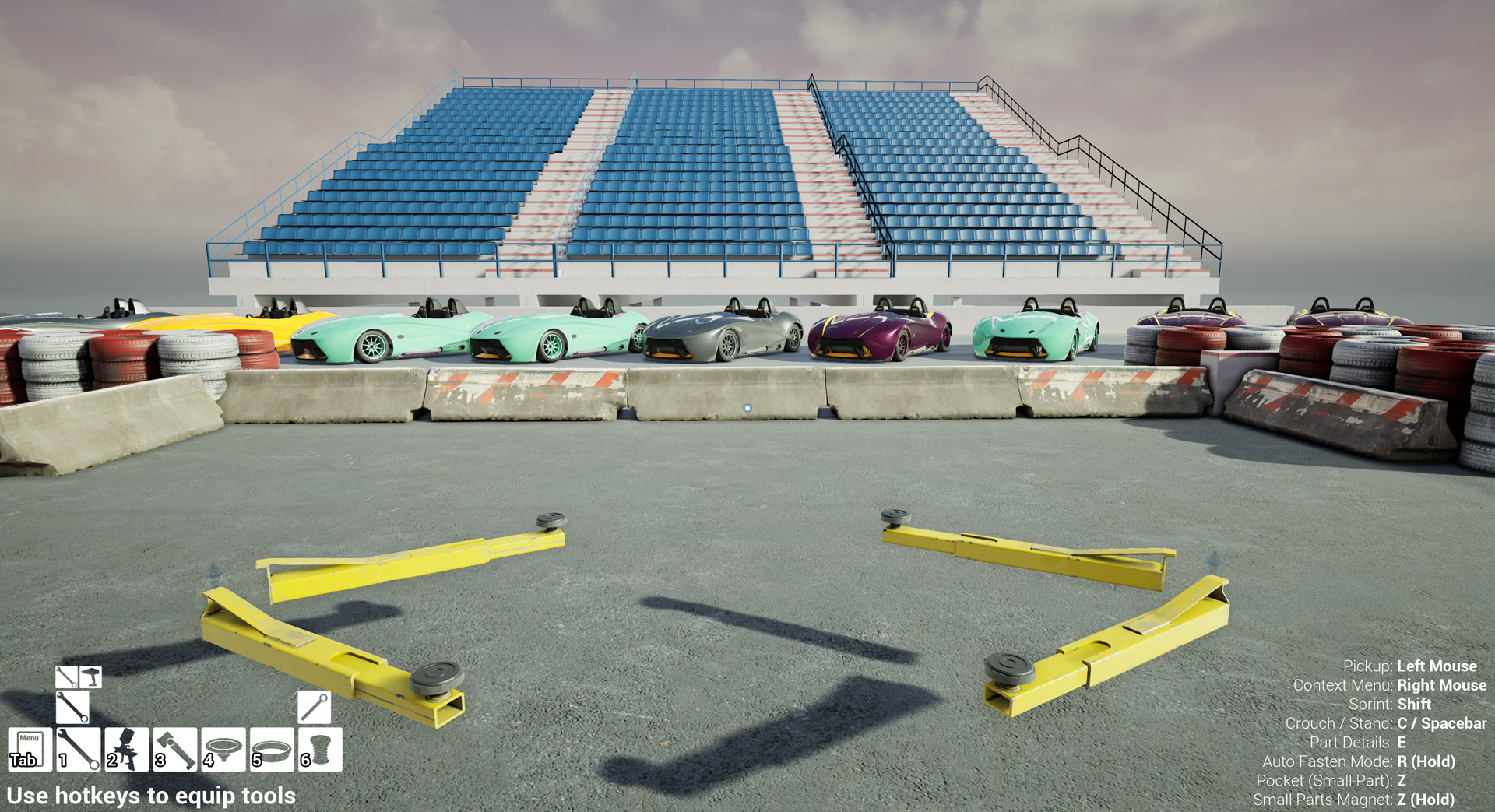
New studio room:
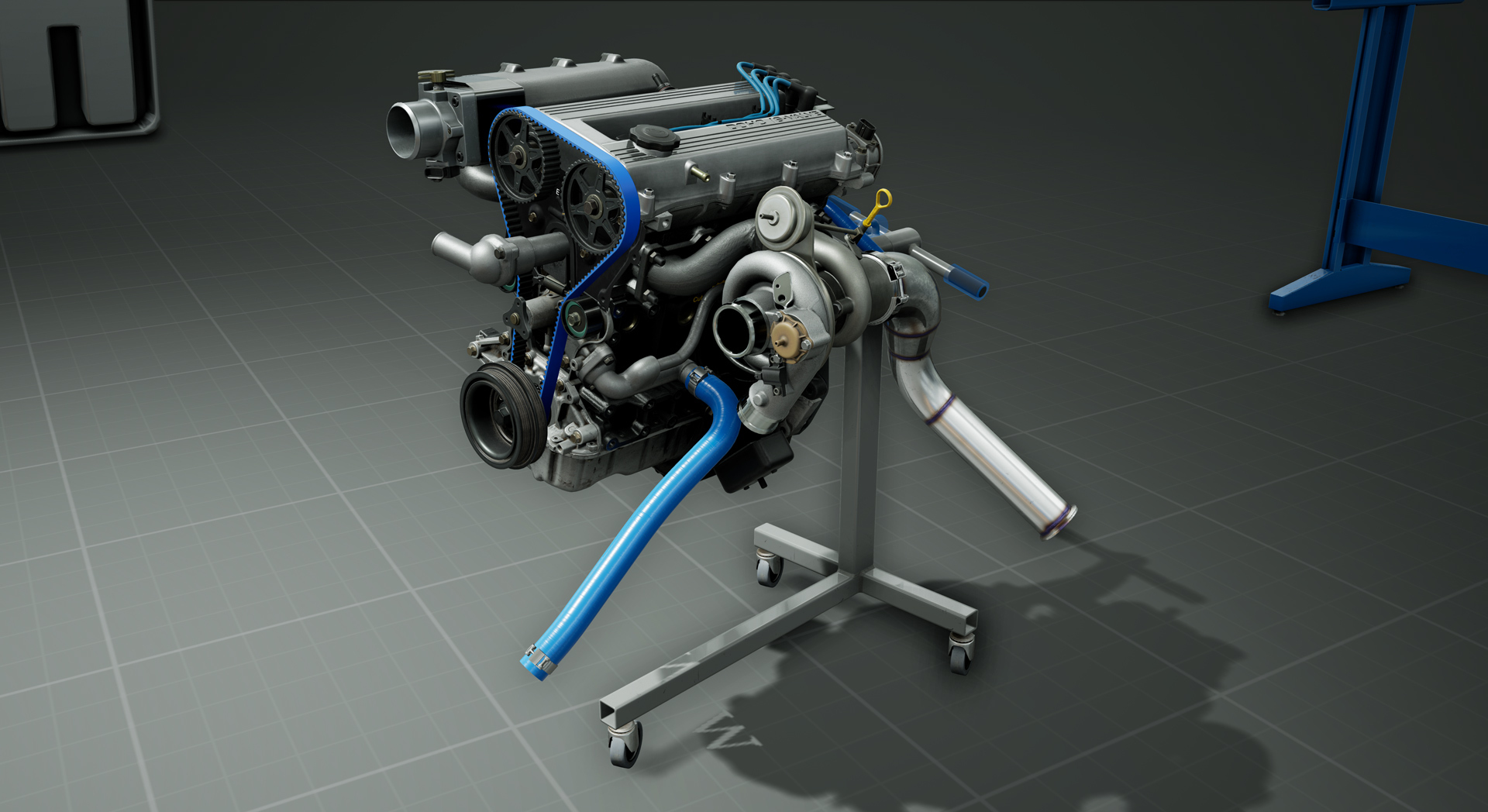
Turbo parts on the new engine stand:
New UI:
Update: Build 90
Patch notes
New Content:
Cooling system parts
Coolant
15x10 wheels
275 width racing slicks
Common features and improvements
Existing wheels changed to 15x9, tires adjusted to fit
Dipstick: Added new dipstick stub to replace
Tire changer updated to support new wheel and tire sizes
Front hub: Set up rattle functionality for broken front hubs and enabled rattle to propagate through part chains. You can now diagnose worn front hubs by attempting to shake the wheels/tires.
Catalog: Added an engine accessories category
Fluids: Functionality to allow installing certain parts to leak fluids.
Added latches to underbody panels to prevent unwanted removal
Tweaked small parts and bolts to improve installation behavior
Tweaked transmission collision to make installing the transmission in VR easier
Increased lift speed.
Added the first pass at visual damage for fiberglass body panels
VR: WrenchOS: On screen keyboard now has working shift key
Bugs:
Fixed a bug allowing physics sounds to play for as tool after picking it u0
Fixed a bug with oil drain bolt torque threshold
Fixed a big causing race monitor to function incorrectly after loading a saved game
Fixed a bug causing engine parts to animate incorrectly after loading a save game
Fixed a bug causing new latches to start unlatched
Wrench Update: Build 87
New parts:
Intake Manifold
Throttle Body
Air filter
Silcone elbow
misc small parts
Fixed several bugs causing wheels to break way too often
Removed part delivery notification
Misc bug fixes
Hotfix- Build 86
Build 86 : Hotfix
Desktop: Auto-Fastener is now accessed by holding the R key and pressing the LMB. Made cursor icon context sensitive After unfastening, fasteners are now automatically added to the pocket.
VR: Fixed a bug causing auto fastener to highlight parts when not triggering the action Fixed all reported part installation issues.
Common Features and Improvements: Physics: Fixed most small parts not resting still Boxes: Reduces explosive behavior of parts when opening boxes Boxes: Fixed a bug prevent box pickup on game load Breaker bar: Fixed collision on tool that was pushing parts around during fastening Vband clamps: Fixed a bug that caused latches to be visible when pocketed. Oil Bottles: Fixed bugs preventing disposal Helper Bot: Fixed collision and physics Fixed highlight pulses not working on certain parts Fixed bug allowing tire changer to be discarded
Wrench Update: Build 85
This update enables physics interactions between all parts.
This is a big change and significantly affects how the game plays. Please report any bugs to wrenchbugs@gmail.com
*Physics enabled interactions*
Physics, collision, and gravity are now always enable for loose parts and assemblies.
Parts are grabbed with strength limits - assembly mass affects handing. Two-Handed grabbing (VR only) improves handling of heavy parts
After uninstalling, collision against other parts is disabled until the uninstalled part is clear of collisions
Collisions against other parts can be briefly disabled via a context menu option. This can aid
with part installation or separating embedded parts.
A ghost rendering of a part will appear when collision is disabled.
Implemented physics base impact sounds.
This update also includes new content:
Exhaust Components.
Alternate valve cover
Alternate oil fill caps
Wrinkle coat paint options for both valve covers
Anodized timing gears
Tire Changer
Other changes:
Made tires removable from wheels and added a simple tire changing machine to facilitate installing and removing tires from wheels.
Wheels will now eventually fail from fatigue cycles.
Wheel studs will eventually snap from fatigue cycles.
Common features and improvements:
Tires have been separated from the wheels and will fatigue independently
Seats have been separated from the chassis
Wheels and wheel studs now fail due to fatigue
Improved installation behavior of many parts
Improved collision shapes for many parts
VR:
Parts can now be grabbed by both hands simultaneously
Desktop
Improved character movement against walls
Bugs:
Fixed painting behavior on many parts
Fixed handling of brake fluid recovery bottle.
Fixed bug causing parts to teleport to the hand after uninstalling.
Fixed bug causing the front lower control arms to disappear when grabbing with two hands.
Fixed collision geometry in garage to prevent parts from getting lost in walls
Update: Build 78
Build 78 8.19.2019
This update is primarily new content with a few small tweaks to game play.
New Content:
Ignition Parts
Socket Extension
5/8 spark plug socket
Common features and improvements:
Updated to Unreal Engine 4.22. Users should see a performance boost, in some cases a large performance boost.
Added Basic socket extension support. Toggling extensions no ratchets is accessed through the context menu. The socket extension is required for removing and installing spark plugs.
Implemented a new car loading transition effect
Added sounds and haptics to wrench torque adjustments
Increase max torque of hand driven rotations, this allows camshaft/cam gear alignment without a tool.
Catalog: Added oil and fluids to the catalog and removed the dispenser from the level
Desktop:
Locked camera with hand driven rotations
Decrease auto wrench torque when using auto wrench to drive part rotation through a fastener
Impact Wrench: Auto mode is now fully momentary (click and hold)
Impact Wrench: Camera is no longer locked when using the impact
Cycle socket extension with Y key
Bugs:
Fixed visual flicker on rear license plate area of car
Update: Build 76
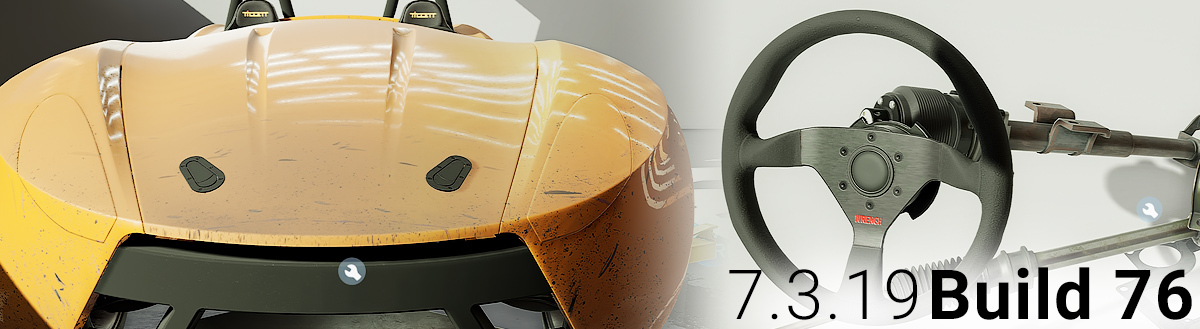
Build 76 adds new content and makes many usability changes to both desktop and VR play modes.
New Content:
Starter parts
Steering column parts
Common Features and Improvements:
Shop lighting updated, now brighter overall
Trash: Parts fill up the bin until destroyed using the context menu or exiting the game.
Trash: Parts can be retrieved from the bin by grabbing or using context menu on bin.
Body panels: Implement cosmetic wear based on race time.
Body panels: Implement latches. Must unlatch (by grabbing) to remove panels.
Torque Wrenches: Improve logic for setting torque limit.
Auto fastener: Improve visual, audible, and haptic feedback.
Condense & colorize part info summary for targeted part.
Remove blaster from tool list.
VR:
Add context menu functionality. (see below for details)
Add auto fastener functionality. (through context menu) - Add part info summary to a heads up display.
Wrenches: Can be stabilized to prevent detachment by placing palm of the open hand on the back. A blue orb will appear while the wrench is being stabilized.
Small parts magnet: Consolidates parts by type in a row on the back of the wrist.
Small parts magnet: Magnet beam increases in size over time.
Desktop:
One click/click and hold wrench turning: With a ratchet equipped, use left mouse to start/stop fastening or unfastening a fastener. Wrenches will continue to torque until they reach the set torque level or the player stops the action.
Auto pumping: Grabbing a bottle oil pump will automatically pump it. Also while holding a pumpable bottle, holding "R" will pump it.
Previous manual methods are available through options in the settings app.
Purchase Replacement and Shop Catalog hotkeys work on a held part.
Add small parts magnet functionality to get parts into pocket storage. (see below for details)
Added Vsync option to settings which is enabled by default
Bugs
Fixed bug in desktop mode causing input lockup when bringing up context menu while using object rotation.
Fixed bug in Race Monitor app when switching apps that would block player input and not allow the player to continue.
Fixed bug preventing Texture Quality setting from being applied properly on game load.
Fixed bugs with auto fastener audio.
Auto fastener correctly handles the transmission bellhousing bolts.
Ratchets correctly ignores torque limiter when unfastening.
Fixed minor bugs in how parts highlight.
VR Context Menu Details: How to use: 1. Point grab laser at a target
2. Hold A on Rift / down on Vive (menu will pop up)
3. Point at an action selection
4. Release to take selected action on target (or cancel) - Context menu can also be used on the currently held part.
Pressing trigger will activate the most recently used action on the current target or held object (unique per hand).
Desktop Small Parts Magnet Controls:
Z (quick press w/ held part): Store part
Z (quick press w/ target): Store target
Z (quick press w/o target): Unstore most recent stored type
Z (hold): Enable magnet - Z (hold) + LMB: Unstore all stored parts
Z (2 sec hold) + LMB: Unstore and shotgun all stored parts
Z (hold) + MWheel: Cycle stored parts (also disables magnet)
Hotfix: Build 71
Fixed a bug making objects difficult to pick up off the floor. The old parts spawner is no longer visible but is still in the world to support the helper bot functions. The parts spawner collision was interfering with part pickup.
Fixed mouse behavior when alt tabbing out of desktop mode. Wrench no longer steals mouse focus.
Added the brake master cylinder cap back to the catalog since there was no way to get a replacement if lost.
Hotfix: Build 69
Fixed and issue in desktop mode where the tablet would retain input focus after closing.