

Wrongworld
Update 1.5.2
Apologies if you were affected by that!
As always, if you have any feedback or encounter any problems, please do not hesitate to let me know. And feel free to come and say hello on the Wrongworld Discord, although I haven't found much time recently to get on there myself!
Update 1.5.1
I've had the beta running for the last few weeks and there haven't been any major problems with the translations reported, so, fingers crossed, it'll all make sense to native speakers of the above languages... As I only speak English, it's pretty difficult for me to know! :)
If anyone does spot any problems with the non-English versions - typos, grammatical errors, font problems etc. - just let me know and I'll get them fixed.
I've also updated the Steam store page to support the above languages, although the vast majority of that text has been translated using Google Translate, so I'm sure there'll be all kinds of problems and weird wording, but hopefully it'll mostly make sense! Same as above: if anyone spots any issues with the translated store page, just let me know and I'll update it ASAP.
Huge, never-ending thanks to all the people that helped with the translations. I'm so grateful to you guys :)
Some more details about the update:
----- LANGUAGE SETTINGS MENU -----
When you first boot up the game after downloading this update, the game will ask you what language you want. If you want to change it at any point after that, you can use the new Settings > Language menu to change it, although it requires a game reboot to take effect.
The save slot text isn't automatically updated when you change language - that text is actually set using whatever language you had selected when the game was saved - but it'll update to the currently selected language whenever the save is updated.
----- RANDOM UPDATES/FIXES -----
- Fixed an issue with things not resetting properly if you died while in a cave but were resurrected by a Cloning Station.
- Added subtitles to the robot boss.
- Changed the font in a few places to help with the non-English language versions, and also just because I think it looks nicer :)
- Updated the credits to thank some of the people who massively helped out with the translations, although I'm sure I've forgotten a bunch of people! If you're one of those people, get in touch.
- Updated a lot of the UI to help the translated text wrap/scale better. In theory.
So, there were are... Wrongworld has been translated! It only took me about 3 months longer than expected! :)
As always, if you have any feedback or encounter any problems, please do not hesitate to let me know. And feel free to come and say hello on the Wrongworld Discord.
Translated Beta Update
I plan to leave the beta running for a little while longer yet, just in the hope that some more native speakers of German, Dutch, Russian or Japanese can take a quick look at the game and reassure me that it seems to make sense! :)
If anyone wants to jump in and take a look at the translated beta, you can find out how here:
https://steamcommunity.com/games/664750/announcements/detail/1601514507819367503
Cheers!
Wrongworld Translations Beta (German, Russian, Dutch, Japanese)
So, if you speak German, Russian, Dutch or Japanese (or are just curious) and fancy taking a look at the translations, please feel free to opt in to the beta so you can access the latest version of the game. To do that:
1) Open up your Steam Library.
2) In your list of games, right-click on Wrongworld and select "Properties".
3) Click the "Betas" tab at the top.
4) In the "Enter beta access code to unlock private betas" field, enter the following password:
betapassword
5) Click "Check Code".
You should then unlock the "betapublic" version of the game and be able to switch between that and the normal version of the game at will.
The beta version shouldn't cause any problems with your save files or anything like that, but please note that this is a beta, so there might be things wrong with this build of the game. I don't think there are, though! Just wanted to get that disclaimer in :)
If you decide to opt in to the beta and notice any problems with the new languages, please take a screenshot if possible showing the problem and email it to me at info@sludj.com.
When booting up the game, you should be asked which language you want, and you can change it using the new Settings > Language menu (it requires a game reboot to take effect).
Honestly, I do expect there'll be some minor issues with certain bits of text getting clipped or not fitting into the available space as well as the English version, but hopefully nothing game-breaking. If it looks pretty, that's a bonus, but I generally just want to know that it all makes sense!
Fingers crossed, there won't be any major problems, and I can finally get this update pushed out to the live version as soon as possible.
Thanks in advance for your help if you can give it. And thanks anyway if not! :)
Update 1.4.4 (A.K.A. Fixing the Bug Fix)
To anyone who was affected (which is hopefully just the one person who reported the problem to me), sorry about that! I've just pushed out update 1.4.4, which should fix the issue. Again. Fingers crossed :)
----- RANDOM UPDATES/FIXES -----
- The Crafting Menu now only updates to show which items you can craft based on the resources in your Inventory AFTER you've finished crafting something or placing a structure you've just created. Previously, it refreshed the Crafting Menu the moment you started crafting something, which caused a few issues if you subsequently cancelled the craft/structure placement, resulting in the resources not necessarily being properly returned to you. Long story short, there was a fiddly little bug lurking in there, but it's hopefully gone away now!
As always, if you have any feedback or encounter any problems, please do not hesitate to let me know. And feel free to come and say hello on the Wrongworld Discord.
Update 1.4.3 (A.K.A. A Tiny Bug Fix)
Thanks to the awesome Wrongworld community, all of the text in Wrongworld has now been translated into a few different languages - German, Dutch and Japanese so far, and there are a few others not too far behind. So, I've now started work on actually implementing the systems to allow the text to be swapped out. Because I haven't tackled such a thing before, I don't want to give an ETA on when these translations will go live, but hopefully it won't take too much longer. Rest assured, I'm hard at work on it anyway!
If you want to help out with any of the other translations in the meantime, please contact me on Discord or Twitter or email (info@sludj.com), and I'll point you in the direction of the community spreadsheet.
----- RANDOM UPDATES/FIXES -----
- Fixed a bug that prevented the resources from spawning into the world when you cancelled a craft-in-progress AND also had the "Auto-Close Crafting Menu" Preference disabled. Pretty sure I introduced this bug a couple of updates ago (when I added the greying-out of Crafting Menu items when you don't have the required resources in your Inventory), but because I play with the default Auto-Close Crafting Menu enabled, it slipped through my net. Sorry if you've been affected by that at all, and thanks to AzureDragon for letting me know! :)
That's all for now: just a tiny bug fix and a little update on how translation things are going. I'll get back to it!
As always, if you have any feedback or encounter any problems, please do not hesitate to let me know. And feel free to come and say hello on the Wrongworld Discord.
#LoveIndies Celebration

Today marks the start of the annual #LoveIndies celebration, so if you have a passion for indie games and hidden gems, make someone happy by sharing your reviews and recommendations on social media in support of them over the next two weeks, and leave shiny new reviews on Steam too if you want :)
For more info, please take a peek here.
Tell your friends and subject your enemies to this information! :)
Help Translate Wrongworld
If you happen to be multilingual and fancy helping out translating the game to any other language, please fire me a quick email at info@sludj.com and I'll send you an invite to the translation spreadsheet.
First round of invites going out this morning :)
Update 1.4.2
----- WOODEN TOOL TWEAKS -----
Wooden tools now only take 5 Wood instead of 10, and they harvest a tiny bit faster now too.
One of the parts of the game that bothers me the most is the slow start. I know that's mainly just a side-effect of the survival genre that I can't do much about - you start off with nothing that exciting and have to work your way up to the good stuff - but I'm hoping this change lessens the initial grind some people feel exists in the early part of the game.
Speed-wise, in case you're interested, here are the approximate timings of how long it takes to harvest something depending on whether you're using a Wood, Stone, or Science-y tool (in seconds):
-- TREES --
Head: 9.4
Wood: Previously 5.65, now 4.7
Stone: 3.7
Science: 1.8
-- ROCKS --
Head: 9.4
Wood: Previously 5.8, now 5
Stone: 4.25
Science: 1.95
So, this update makes Wood tools cheaper and improves the harvesting time between using your head and using a tool. The speed change isn't much, but hopefully it'll make crafting your first Wood Axe a little more satisfying by giving a more noticeable boost in speed.
One of the side effects of this is that the Stone tools aren't as good by comparison as they previously were. They still cost the same old 5 Wood and 5 Stone, meaning that the fact that they last around twice as long as a Wood tool isn't as much of a perk as it once was, because you could, for example, just craft 2 Wood Axes and probably get as many harvests out of them as you would a Stone Axe, saving 5 Stone in the process (but using up another 5 Wood in its place). However, you would still harvest a little slower overall so it's worth having a Stone tool for that reason alone, and you have to factor in the need to stop and craft multiple items, as well as potentially having to carry several of them around with you. Plus, by the time someone has crafted a Workbench and has access to Stone tools, they'll hopefully be into the swing of things a little more then and would feel like the additional resources aren't that big of a deal.
Experienced players probably won't care about this either way, but new players might find the start of the game a little smoother now, so this change can't hurt! I hope that all makes sense and you understand the reasoning behind this tweak.
----- RANDOM UPDATES/FIXES -----
- Fixed a typo on the Mode Select screen... How it's taken me a year or so to notice that, I'll never know!
- Fixed an issue that might've caused Indoor Lamps to toggle on and off when you were moving furniture around inside your house.
- Disabled the Unreal Engine console from opening when you pressed Tilde (or whatever key is to the left of "1" on your keyboard), because it was completely pointless. At least, I think I've disabled it now :)
So, there were are. A pathetic little update this time! Rest assured, I still have plans for more content in future, but I'm juggling a bunch of things at the moment so there's no ETA right now. Hopefully not too long :)
As always, if you have any feedback or encounter any problems, please do not hesitate to let me know. And feel free to come and say hello on the Wrongworld Discord.
Update 1.4.1
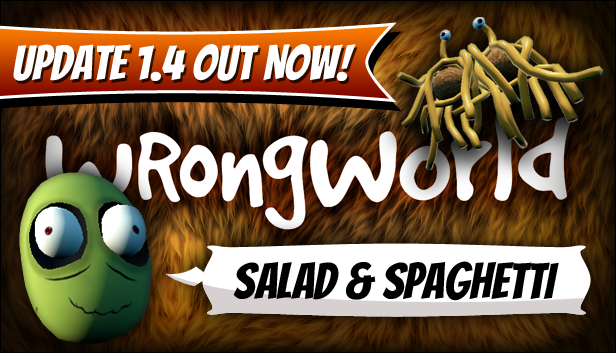
Update 1.4.1 is here, so Steam should do its thing and download it for you soon. Here be the details:
----- SALAD FINGERS & THE FLYING SPAGHETTI MONSTER* -----
Salad Fingers is now roaming around Wrongworld, hoping to add to his collection of Rusty Spoons. Keep your eyes peeled for them on your travels, and you might be able to help him out...
You may also encounter a holy altar to the Flying Spaghetti Monster. If you are able to track down some lost Mysterious Emblems and return them to His altar, perhaps you will be touched by His noodly appendage and receive a powerful artifact in return...
A few more spoiler-ish details: Both Salad Fingers and the Flying Spaghetti Monster altar require you to track down missing items that have been scattered around the world (5 x Rusty Spoons & 4 x Mysterious Emblems), and are designed to add another aspect to the game which encourages players to explore every nook and cranny. They're completely optional, but, if you decide to take on these challenges and need some help tracking down those hard-to-find Rusty Spoons and Mysterious Emblems, you may find it useful to equip your Metal Detector while you hunt for them... That may make them a little easier to spot.
----- MORE POINTS OF INTEREST* -----
A few more minor points of interest have been added.
* New points of interest (including Salad Fingers and the Flying Spaghetti Monster altar) require you to start a new game in order for them to be added to the world during the initial world randomisation. It's set up this way purely because I don't want the new things I add to potentially interfere with existing save games.
----- CRAFTING MENU UI UPDATES -----
I've updated the Crafting Menu so that recipes will now be greyed-out if you do not have the required resources in your Inventory.
It doesn't check whether you're near the required crafting structure (such as a Workbench), and instead just greys them out based on the items you have on you.
----- NEW CRAFTABLE RECIPES -----
Once you have a Workbench, you may now notice you're able to craft a few new things. Nothing game-changing, and I'll let you discover them yourself, but I thought I should explain a couple of them:
You can now craft Old Boots yourself (which, as I'm sure some of you will know, should make getting the help of a certain inhabitant of Wrongworld a little easier). Because of this change, it no longer made sense to be able to unbootify Old Boots with a simple right-click; instead, you'll now need to use the "Refine" section of the Crafting Menu to turn Old Boots into Leather, and vice versa (and you'll need to be at your Workbench).
I'm sure that this change will catch me out repeatedly, and I'll continue right-clicking on Old Boots for a long time to come due to force of habit, but I hope you agree that this change makes sense.
----- NEW UNLOCKABLE RECIPE -----
Once you've reached XP level 5... As well as unlocking the "Infini-Bomb" recipe, it'll now also unlock a new "Reality Manipulator" recipe. Craft one of these and you'll be able to control the random events in the game and the weather.
I decided to add this for two reasons:
1) Fun! Now you can endlessly replay your favourite random events, or simply cancel events that you don't want to deal with again (I'm looking at you, Tornado)! :)
2) As some of the Steam Achievements are tied to a specific random event, I didn't want people to be indefinitely reliant on RNG. With the Reality Manipulator, you can simply summon the events you haven't already experienced whenever you want.
Yes, the Reality Manipulator is massively over-powered, but it's just for fun, and you'll need to be pretty late on in the game anyway before you're able to build it (it requires a Nuclear Reactor). Plus, I assume most people will have already finished the game (or be on the verge of finishing it) before they're able to build this, or, indeed, have any interest in building it.
----- POINTLESS GRAPHICAL IMPROVEMENTS -----
If you raise your eyeballs and look up to the sky, you should now see some utterly pointless clouds floating around, and - unlike regular Earth clouds that are very boring and just slowly float across the sky - Wrongworld clouds will randomly phase in and out of existence from time to time, just for fun!
Some of the textures have also been slightly improved, including the biome and water textures. Minor tweaks, but I think it's an improvement! :)
Let me know if any of these graphical tweaks affect the performance on your machine. They shouldn't, but I just thought I'd mention that.
----- NEW SOUND SETTING -----
There's a new option in the Settings > Sound menu, but it's a very slight spoiler, I suppose, so... You now have the option to mute Boxy McBox, if you're sick of his farty movement noise.
I've resisted adding this option for a long time, purely because I'm very attached to my beloved little Boxy, and I feel like this update has to hurt his feelings a bit. I'M SORRY, BOXY! PLEASE FORGIVE ME!
----- NEW STEAM ACHIEVEMENTS -----
To coincide with the new POIs, there are now 5 new Steam Achievements to be unlocked.
----- CREDITS UPDATE -----
I've updated the credits to add a thanks to Bobby Henderson (the creator of The Flying Spaghetti Monster) and David Firth (the creator of Salad Fingers), both of which kindly gave me their blessing to include their creations in Wrongworld. If you're unfamiliar with either of these clever and talented chaps, you can learn more here (and you really should):
Bobby Henderson: https://www.venganza.org
David Firth: http://www.fat-pie.com
And you can now access the credits via the Title Screen... ...once you've clicked on the main character enough times to pop both of his eyes out. A new link to "View Credits" will appear at the top-right of the screen.
I've also tweaked the way the ship moves and rotates during the credits, because I've seen it misbehaving in a few YouTube videos. It should always be spinning a bit and also pointing itself in the direction of its movement, so please feel free to let me know if it's still misbehaving. Weirdly, on just one of my test computers, its rotation is still a little glitchy. I'll continue to look into this, but it's such a minor thing, I didn't think it was worth delaying this update for it.
----- RANDOM UPDATES/FIXES -----
- Rotating structures/items using Construction Mode should hopefully be a little more controllable (as it's now modified based on the frame rate, meaning it shouldn't spin at warp speed on high framerates).
- Radioactive Rabbits shouldn't be able to get stuck on trees now... They might teleport up on to a tree, but they should come back down again pretty quickly if they don't have line of sight to the player.
- Tweaked the way using Construction Mode to move items works, so it should no longer be possible for items to get stuck on trees and things while you're running around (if an item you're moving ends up too far away from the player, it'll now teleport closer to the player, bypassing any scenery that might be in the way).
- Tweaked the order in which the world is randomised to (hopefully) fix a couple of rare issues with beaches.
- Updated the potential loot from those metal reward crates to include some of the new craftables.
- Updated the tooltips for Old Boots and the Metal Detector (if you already have these in your Inventory, you'll need to drop them and pick them up again for the tooltip to update).
- Fixed an issue with the Nuclear Vacuum's combat collision/ability to actually hit beasties.
- Changed the way the physics of both the Nuclear Vacuum and the Tornado work. I'd seen both of these things not working properly in some videos online, so hopefully this change should fix those issues. Feel free to give them a test and let me know if they're working for you. To clarify, holding RMB while you have the Vacuum equipped should cause nearby items to be sucked towards you and then be automatically picked up (assuming you have room in your Inventory); and the Tornado should suck up you and any nearby beasties once you're within a certain range of it (in some videos, I'd seen it make some players just twitch along the ground, rather than scooping them it... Assuming it's working correctly now, it should actually lift the player way up into the air). If you wanna give it a try, hop on to Creative Mode and build yourself a new Reality Maniputalor; that should help you test it pretty quickly :)
- The Probe Console can now find two new locations for you (assuming you've started a new game and those POIs actually exist in the world).
- The Hatch has been updated to help clarify how it works... You'll now find a sign on the side of it...
- The Snake Pyramid event has been tweaked a tiny bit... You can now walk up the outer walls of the Pyramid, rather than being required to walk up the paths. This change will make the event a bit easier in general, but it was necessary as I was recently informed that it was technically possible (although very unlikely) for the Pyramid to spawn in a way that could permanently trap the player against a couple of unwalkable hills, which was less than ideal!
- The Stonehenge-style random portals have a few new potential effects to choose from (related to Salad Fingers, the Flying Spaghetti Monster, and another couple of POIs). I've also fixed an amusing bug that occurred if you saved and quit the game whilst experiencing its player-shrinking effect... Previously, once you reloaded, you'd be stuck at that tiny, shrunken size forever! I was tempted to leave that in because it amused me a lot, but it was technically a potentially problematic bug, so it had to go :(
That's all for now. As always, if you have any feedback or encounter any problems, please do not hesitate to let me know. And feel free to come and say hello on the Wrongworld Discord.