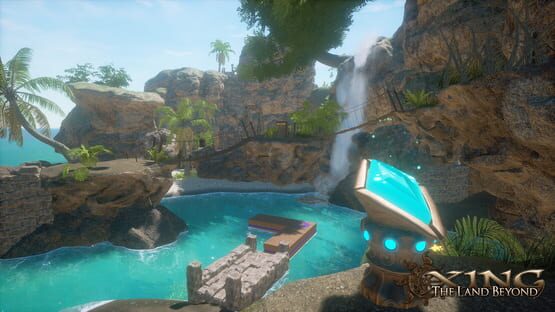
Official Soundtrack NOW AVAILABLE ON STEAM + FREE DLC
That's right, now you too can be a proud patron of the arts by owning a glorious copy of XING's soundtrack to go along with your excellent taste in games. If you haven't had the chance to play XING yet, you can also save some serious dough with the now available bundle, featuring both the game and soundtrack with a nifty discount.
Thank you again for all of your support, and as always, happy XINGING!
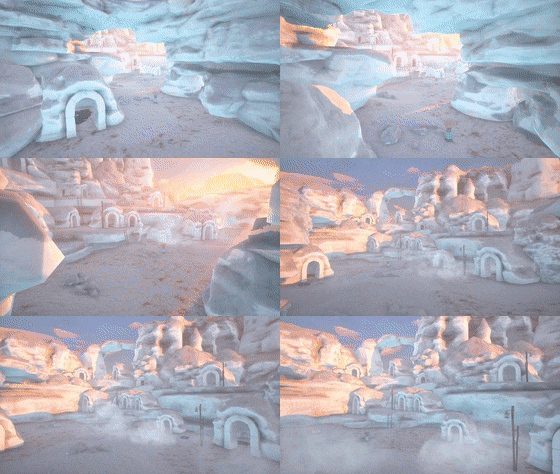
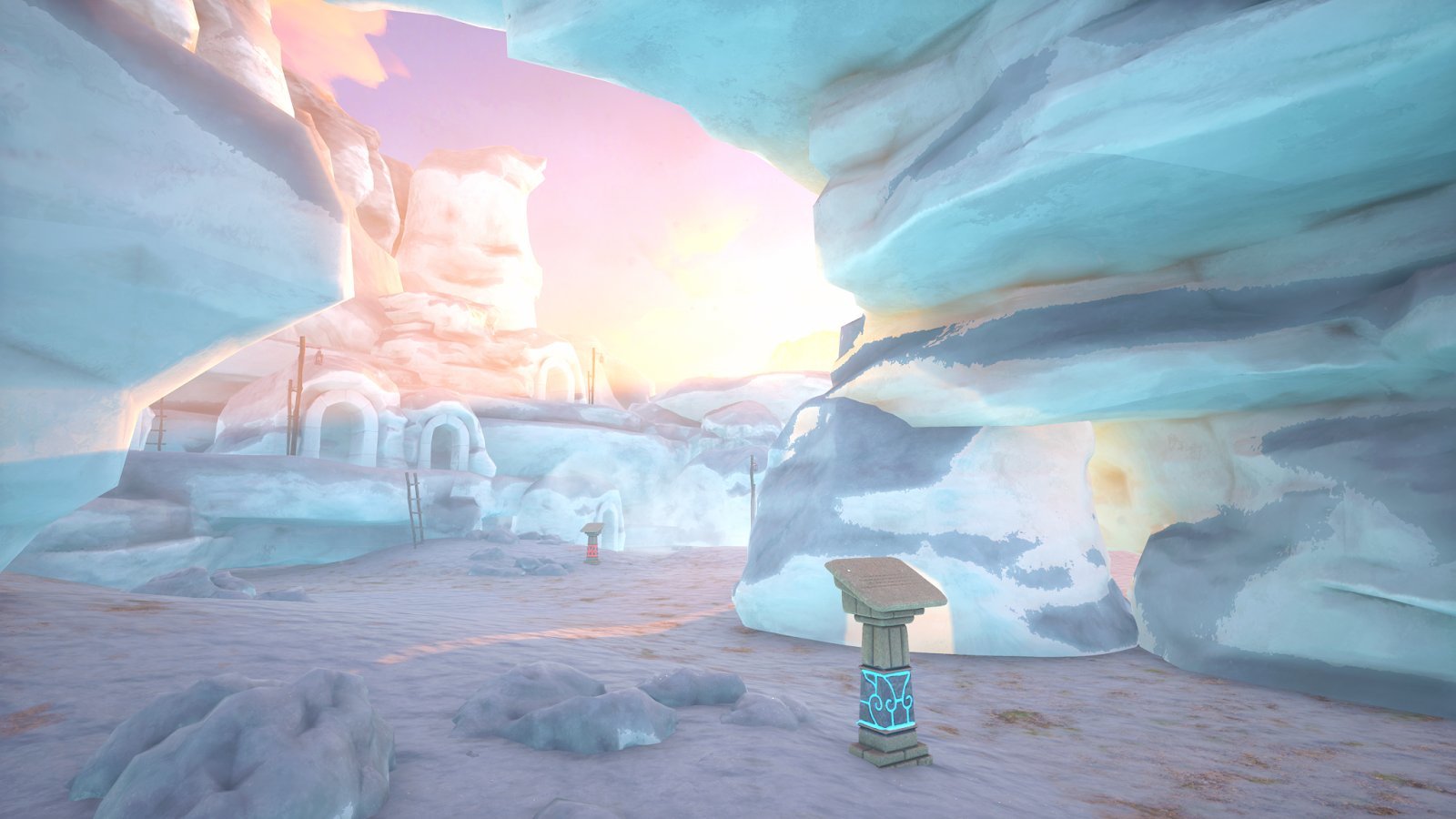
IceScape FREE DLC has been released!
Skate across the ice! Impress your friends with your puzzling skill! You even get a canoe!
As a thank you to all current and future players, we'd like to present an extra
free experience included in XING: The Land Beyond. You'll find this story in the forest behind the guardian - make sure you have gathered at least 8 runes and have beaten the third level. For those of you who have completed your adventure, don't worry! You can simply continue your file and you'll start back in the center area, ready to explore.
Free Frozen DLC Comes Feb 12th
As a celebration of XING’s 503rd day on Steam...
We would like to announce that in less than a week (February 12th), we will be updating XING with an small additional adventure for all to enjoy.
This is by no means a coincidental content update to go along with our PS VR launch. Oh, no no no. This is a FREE DLC! Free for all you noble supporters of XING.
After the update on the 12th, take a look in the forest behind the central guardian - you may find a story previously untold…
There already is a lot of content in XING, but we couldn't resist adding just a little more for our fans. Seeing people enjoy the game is still gives me a powerful feeling of satisfaction. Seriously, I know this additional experience is a far cry from a proper DLC (or sweet jesus the thought of a sequel) but I do hope you all enjoy just a little bit more XINGing.
We have a full blog post discussing this and our upcoming, and of course totally unrelated, PS VR release, if you are interested. Between these, what an exciting time for us!
Happ 503rd, with many more to come!
Patch Notes Build... 18? And BooooOOOO!
Update #9
Yoo hoo!
We kinda missed making an announcement for our one year anniversary on Steam, but Halloween is cooler anyways so here I am. Happy Spoopy!
I’d like to again drop a big thank you to all of our supporters over the years. 2018 has so far been a big one for me personally, and our successful launch has really made an impact on my life.
Nothing crazier than that! I’m just here to release a small update today to fix up a few odds and ends found by the community here.
PS: I switched around some source control stuff, so now I'm on version 18? I guess? Who knows. Fun one man development going on over here.
PATCHNOTES:
General:
Fixed a weird input issue where left and right mouse input was getting processed twice, resulting in mismatched input sensitivity.
Optimizations:
Nothing too specific - basically snooped around for slow functions and made some improvements. The game is running better than ever thanks to driver optimizations and SDK improvements, so I’ll take it!
VR:
Added a “Height Offset” feature in the VR menu.
This is a bit of a weird one, and mostly comes down to playing XING sitting vs standing. The HTC Vive and Oculus Rift, when properly calibrated, automatically “know” how tall you are. Unreal takes this information and orients the camera on a “floor” basis: basically puts the camera on the floor, then offsets its position based off of the HMD’s real position. This means your avatar in XING is exactly your height in real life - pretty good, right? We specifically designed the interactables in the game to be accessible across a variety of heights, so you shouldn’t ever be physically unable to reach anything. Except…
What if you are playing while sitting? Well, it turns out people would rather be at standing height in VR even while sitting. How do we detect this? People are generally the same height while sitting, but there are a lot of variables we don’t know. How tall is the chair? What if they get up? And perhaps more importantly, what if the player is using a headset that doesn’t have any height information? (wink wink) Ultimately I’ve found the best solution is to just let the player manually offset their height in a menu. It’s not super clean, but it gives a very adjustable method to correct a variety of issues that can arise from different play environments. Again, if you are using Rift or Vive while standing and you have gone through their setups, you shouldn’t need to touch this setting!
Zeneth:
Retimed the title screen to come in a little earlier for optimization.
Iztali Point:
Fixed an issue where you could go out of bounds by abusing the way water works.
There was one unique section near the second area of the beach where you can wade out a ways before drowning. This is intentional, and the drowning mechanic worked as intended once the player went out too far. However, the player would then respawn back in the water, still at an ok height. If they went out into the water again at this point, they wouldn’t drown! This is because since the player never actually left the water, the drowning mechanic flipped the bool saying they did leave (because they teleported) but never reset it back to saying they are touching water because they never technically left (wow that didn’t really make sense). Anyways, it is fixed now - I just moved the spawn back onto the beach instead of halfway in the water.
Naar:
Fixed an issue where the rising platforms in the 4th rune puzzle would become “desynced” after saving and reloading. Essentially the platforms’ positions would be saved but the accompanying ball dispensers would not, potentially ending up with a situation where it would be difficult to reach the ball dispensers during the puzzle. It is supposed to be challenging, not frustrating!
Patch Notes Build 3682 (but who's counting?)
Update #8
Wowzers! You’ve been waiting, and now it’s here. It’s a XING update, and a big one to boot! We got a LOT of new updates coming out. Updates like these are the reason XING is the coolest cinematic gaming experience there is. You don’t know the half of it, that is, you won’t until you read the wonderful patch notes below.
Pre-emptive TL;DR: VR comfort features (and sprinting!), cleaner interactions with motion controllers, CPU and GPU optimizations, and a whole lot of bug fixes.
PATCHNOTES:
General:
The “Exit Level” option in the pause menu that appears when the player visits a previously completed level is now accessible via gamepad or keyboard.
Exiting level is now available on the final level after completion.
Fixed a hilarious bug where the player could use a jump assist pad while in the menu, causing them to shoot up into the air.
Audio now correctly fades both in and out when switching levels
Runes are now easier to pick up in general (most noticeable when using a gamepad)
Fixed a bug where runes received for 100% poetry pickup were very difficult to grab with a gamepad.
Optimizations:
Overhauled the occlusion query system in Unreal. Systems with slower CPUs (cough) were getting easily overwhelmed with draws despite my attempts to keep things as lean as possible. With a lot of diagnosis I found out the dynamic occlusion system provided by Unreal has a substantial amount of overhead on the render thread for our large levels. Augmenting the system with the precomputed system helped surprisingly little - maybe a 0.2 ms improvement on a 5 ms problem. Splitting the level up into separate streaming levels would fix the problem, but that would entail completely deconstructing every level and rebuilding them with streaming in mind. Ultimately I came up with a hybrid solution. I sectioned out the level into multiple zones using volumes. When the camera is within the volume, it hides and unhides predefined sets of actors. Essentially it is a super simplified manual precomputed visibility. In certain scenes this can reduce the render thread down by 4 ms!
Limited the spawn rate of Muse item prompts, fixing a potential performance issue if a player with motion controllers decides to rapidly flail items in and out of a Muse. You can thank my cousin for finding that one!
Modified texture resolutions at low quality to help performance for video adapters with slow texture memory (I’m looking at you, Intel)
Reduced the number of dynamic point lights in low quality mode for better fill rate performance.
Recoded the wind turtles to be far more CPU efficient.
Fixed a potential CPU hitch when a new location title displays.
VR:
You can now sprint in VR! OK, OK, you could always sprint if you used a gamepad, but now you can with motion controls. Simply double tap the movement button to start sprinting, just like in Onward. I’m eagerly awaiting to see some VR speedruns!
Added an “FOV Filter” option - this smoothly restricts FOV with a gradient while moving as a nausea mitigation technique, probably most famously seen in Skyrim VR. For now I’ve set this to be off by default, but it can be enabled in the VR menu.
Fixed a bug where the blur effect when picking up poetry would also affect the poetry itself. This happened only with motion controllers as it required some shenanigans with trying to pick up the poem with both hands.
Fixed a super weird issue when if the player tried to pick up a poem with both hands it had a chance to become “unhinged” from the pedestal and simply drop to the floor, becoming completely unusable.
Setting snap turn to 0 now works with Touch controllers in addition to gamepads.
Addressing the “Oh no, I fell through a bridge, the collision in this game sucks!” posts that have been cropping up: The collision is fine! The issue is depending on their VR setup sometime people don’t play in the defined center of their play area, resulting in a desync between the players collision and their actual HMD location.
Before launch, I tried actually hard locking the collision with the HMD, meaning wherever the HMD went, the player collision followed. While this did solve the desync problem and allowed a few cool situations, it created a myriad of problems. Primarily, since it’s basically a strict rule to always sync the HMD location with the actual camera in game, there were issues with the player physically moving their body somewhere the collision would not be able to go. You could do things like walk off of a cliff in roomscale - not the most pleasant experience. Chiefly, it ended up being a major distraction and did not work well with our game design, so I shipped XING without really addressing the potential desync.
Turns out most people have no trouble with the current system of just assuming the player is in the center of their play area. However, there certainly are a good number of situations where the player might not be in an idea location and the desync will occur. I implemented a “Reset position” button in the VR menu to account for this.
Two problems with this: One, many people never open the menu or don’t know that they might need to press it. Two, it was deliberately not resetting position on SteamVR, only orientation.
The first problem had a relatively simple solution. Whenever the screen fades out in any way (level loading, teleporting, drowning etc) I reset the orientation and position. The game basically resyncs itself transparently throughout gameplay - you can still get off, but assuming you maybe missed a jump because of the desync, when you respawn your sync will be perfect.
But oh boy. Resetting position on Vive is not straightforward. Unreal, for whatever reason, resets the position on SteamVR based on the floor. This kind of makes sense, but what ends up happening is that the camera resets to exactly the base of the character - ie foor level. I could artificially move the camera up, but at that point I’d lose the calibrated floor height data from the SteamVR data. Even worse, if I reset position, it’s permanently reset until I restart SteamVR, meaning that without some major edits the camera is way off with no way to get it back to its original calibrated location.
I dug around in the SteamVR plugin code and found that it was indeed offsetting the Z height based off of the HMD position. So, being the clever coder I am, I just put a zero in for the Z value of the offset vector. Et voilà! Finally, expected behavior.
Enough people were asking for it, so I changed “Stick movement” from being based off of HMD orientation to being based off motion controller orientation. It does make the system a bit more complicated, but I consider stick movement to be an advanced feature anyways, and since the kingpin game of advanced VR users is Onward and it uses this controller based strafing feature, in it goes.
Zeneth:
Fixed an issue where the screen would not fade in properly on lower end machines.
Nahele Rain:
Replaced a static jump helper with an active one (whoops!)
Made some improvements to jump helpers near the second puzzle door.
Improved rain occlusion in the center temple area.
Hyaku Lake:
The main puzzle doors now display their corresponding talisman piece instead of always showing the first quad.
The freezing waterfall near the intro now correctly breaks again if it is thawed and refrozen.
Fixed some LOD meshes near Miki’s house.
Naar:
Added a rock in the third puzzle door area to prevent players from getting stuck near a palm tree.
FINALLY fixed the weird floating raft issue in the middle desert area where the rafts were raising too high - turns out the meshes were rotated strangely and Z direction became Y direction, meaning instead of moving tangentially with the water they moved in parallel, increasing their height. This was combined with them literally being attached to the wrong river. Wow me.
SPOILERS
Akasha:
Optimizations - I was presented with an unusual problem with optimizing the final level. Given it’s vertical nature, it lacks the snake like shape most of the other levels abuse for occlusion purposes. To combat this, I actually looked towards one of the oldest tricks in the book - fog. I added a “cloud” layer between each of the 3 puzzle zones, limiting visibility on lower end machines. The cloud layers are only visible when environmental detail is set to low when the level is loaded - you can experiment with them if you’d like by turning the setting to low and restarting the level. I think they look pretty cool, though I prefer the level with full visibility enabled. Let me know what you think if you have an opinion on this!
Fixed an issue where the level would not load properly on low end systems.
Merged some structures together to save on draws.
Thanks everyone for reporting and patiently waiting for many of these bugs - this community may still be small but you all have big hearts : D. Kori and I are amidst discussion about what lies in store for the future but I can safely tease that some new content is on the way. I’ll also be on the lookout for the classic fix-10-bugs-create-18-more issue, and will be ready to make a hotfix, should the unfortunate occur.
Happy XINGing!
Patch Notes Build 3662
Update #7: This game is large and I am but one man
Update day? For the Land Beyond? But it's not even Wednesday... its like 11:15.
PATCHNOTES:
Hyaku Lake:
Saving near the second sliding pillars puzzle no longer resets the player back to the beginning of the level. (There was a poorly placed respawning node near the puzzle - on reloading, the game would try to place the player back at that location and fail due to it’s poor placement, thus falling back to placing the player at the beginning of the level.)
Fixed a segment near the intro where the player could get stuck between some barrels.
Naar:
Fixed the respawning mechanic in a hard to reach area of the intro canyon.
Rafts should now stick to the water surface during rain rather than hovering above it.
SPOILERS
Akasha:
Added some extra collision at the final puzzle to prevent players from getting stuck after falling off a ledge.
Merry Spooky and Patchnotes 3653
Update #6: Spoooooooky!
Happy Halloween everyone! To celebrate this awesome and culturally ambiguous tradition, I’ve added some halloween flair to Zeneth to go along with some of the more mundane bug-fixes.
To any newcomers - welcome! XING is a pretty cool game at a pretty cool price, especially with our little holiday discount. If all the super spooky games are getting you a little tense, why not relax with a friendly, tranquil game about death. See? It’s still thematic!
See ya in the Land Beyond!
PATCHNOTES:
General:
Added some holiday spice to Zeneth : D
The invert-Y setting now remembers its state between levels (no longer resets to false after every level)
Naar:
Added a few missing jump assist nodes.
SPOILERS
Akasha:
Fixed a quicksave bug where if a pillar was submerged in water and frozen, its position would be reset on load, breaking the final puzzle.
Patch Notes Build 3639
Update #5: Bugs be gone
PATCHNOTES:
General:
I recompiled the shader for the small ice pillars as some people reported them as invisible on some Intel and other GPUs. I’m not able to reproduce the issue on hardware available to me but I’m hoping the recompile will help.
Fixed gamepad / arrow key navigation for the game settings menu.
Lake:
Fixed an issue where some activated ice patches at the end of the level would not refreeze if the player left the ending area and cycled the snow.
Desert:
Fixed an issue on slower loading machines where the weather vane could load in detached from its pole.
Rune Levels / Short Stories:
Losgann Creek - Fixed two out of bounds issues.
SPOILERS
Akasha:
Fixed a quicksave bug where one of the final stone heads would not save its position but the button raising it would disable.
Blocked off an isolated pond on the final puzzle that the player could get stuck in.
Saving and quitting on the “space” map before the credits will now correctly load back into the credits sequence rather than dumping into Zeneth without ever actually completing the game. Exiting on the actual credits map and reloading will still put you back onto Zeneth as intended.
Sarid’s voice actor, Zack Lawrence, is now spelled correctly in the credits (Our bad!)
I’d like to give a big shoutout and thank you to all of you who have been active on the Steam discussion forums. Nearly all of the updates and bugfixes have stemmed from discussion within the board. Thanks again for your help discovering new issues and for your patience in waiting for me to fix them!
Hotfix 3636
I've just pushed a quick hotfix for the latest update concerning the jump assist:
PATCHNOTES:
Fixed an issue with upward wind currents where the user might get stuck if running at low frame rates (20 fps or lower) and is using the jump assist.
Fixed the input mapping for jumping while on a wind current for motion controllers
That's all folks! It's bedtime.
Patch Notes Build 3636
Update #4: This time you get a feature!
PATCHNOTES:
General:
NEW FEATURE: AUTOMATIC JUMPING
A new “Jump Assist” accessibility feature has been added to the gameplay menu. This optional mode enables “jump nodes” to appear throughout the game in every area that requires platforming. When the mode is toggled on, jump nodes will appear in view when the player approaches a platforming section. When the player presses the jump button/key while one of these nodes is visible, they will automatically jump at the precise velocity and angle to land squarely in the center of the icon. This feature does not remove the player’s ability to jump freely, it just makes the required jumps in the game far easier to perform. When enabled, this effectively removes any platforming or dexterity challenge from the game, providing an alternative for those unfamiliar with, uninterested in, or unable to perform the platforming in XING.
For those of you who are platforming aficionados - don’t worry! The jump assist is purely an optional opt-in feature, so the base game of XING has not been affected. Whether you want to jump around any which way you like or have a helping hand guide your jump arcs, the choice is yours.
The Jump Assist option is available for both desktop and VR modes in the Gameplay Settings menu, alongside the newly added mouse and gamepad sensitivity options.
Lake:
Fixed some weird collision around the first foo dog/lion.
Desert:
Fixed an issue where the second spinning wind panel could over turn and get stuck (it is now locked to a maximum of an 80 degree turn from its starting rotation, as expected by the visual)
Rune Levels / Short Stories:
Natia Village - Tablet 6, line 2, changed lead to led (nice catch Shazanti!)
SPOILERS
Akasha:
Fixed a quicksave bug where day and night would reverse polarity when reloading the level (it’s the only main level that starts at night!)
Fixed the orientation of the wood material on one of the bridges (whoops)
I hope this update will address the concern many of you expressed about the inclusion of platforming in a first-person adventure puzzle game, and will allow those concerned to better enjoy the experience. And if the inclusion of platforming was an issue for those of you who might be on the fence about trying the game, there's no better time to play XING than now!