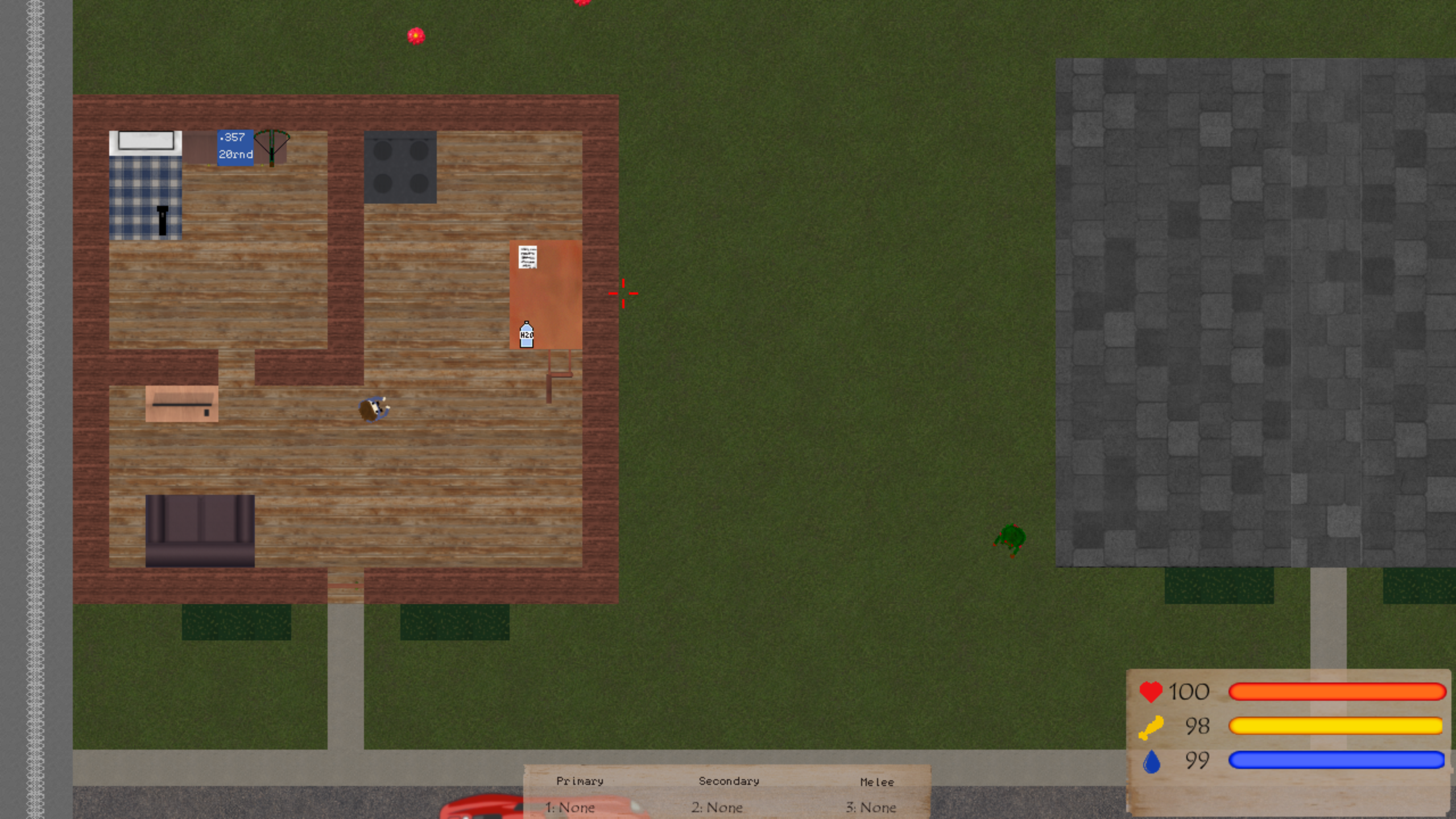
Merry Christmas and Happy Holidays! Since the last update, I've been slowly chipping away at the game and while progress has slowed, I think we are getting closer to the elusive 1.0.
Art Update Part 1:
The primary focus of this part has been updating or replacing the textures in the world. This includes the buildings, props, and environment.
Menus, UI, and HUD:
Alongside updating the world, the menus, UI, and HUD have also received a facelift.
Art Update Part 2:
The second part of the art update is the main reason it has been broken into two parts. This part is going to include a new player model, which is going to be a rather large undertaking. While progress has started, there is still a lot of work to do.
Survivor Notes:
With this update, it is now possible to find notes from notes left by other people scattered across the map. Each letter tells a story of what they were going through, what happened to them, or gives some info about the world.
Player Coordinates:
It is now possible to see exactly where you are in the world by bring up the coordinates overlay. This can be toggled in-game by pressing the F3 key.
Highlighting:
The highlighting system has also been tweaked with this update. The color has been changed to yellow, and now doors are highlighted when you are close enough to use them.
Achievements:
This update also adds 11 new achievements, one is hidden which you will have to find yourselves.
Fixed the "breakability" of buildables not being reset when changing layers
Fixed the cursor escaping the screen(SteamDeck)
Fixed certain keys and options not saving or loading correctly
Devblog 55
Bug fixes, an office building, campfires, and more!
Update:
As mentioned in Devblog 53, I decided to stop the monthly updates and Devblogs in favor of less frequent and larger updates. After the last update, I took a break for a few months and have since been chipping away at this update.
Office Building:
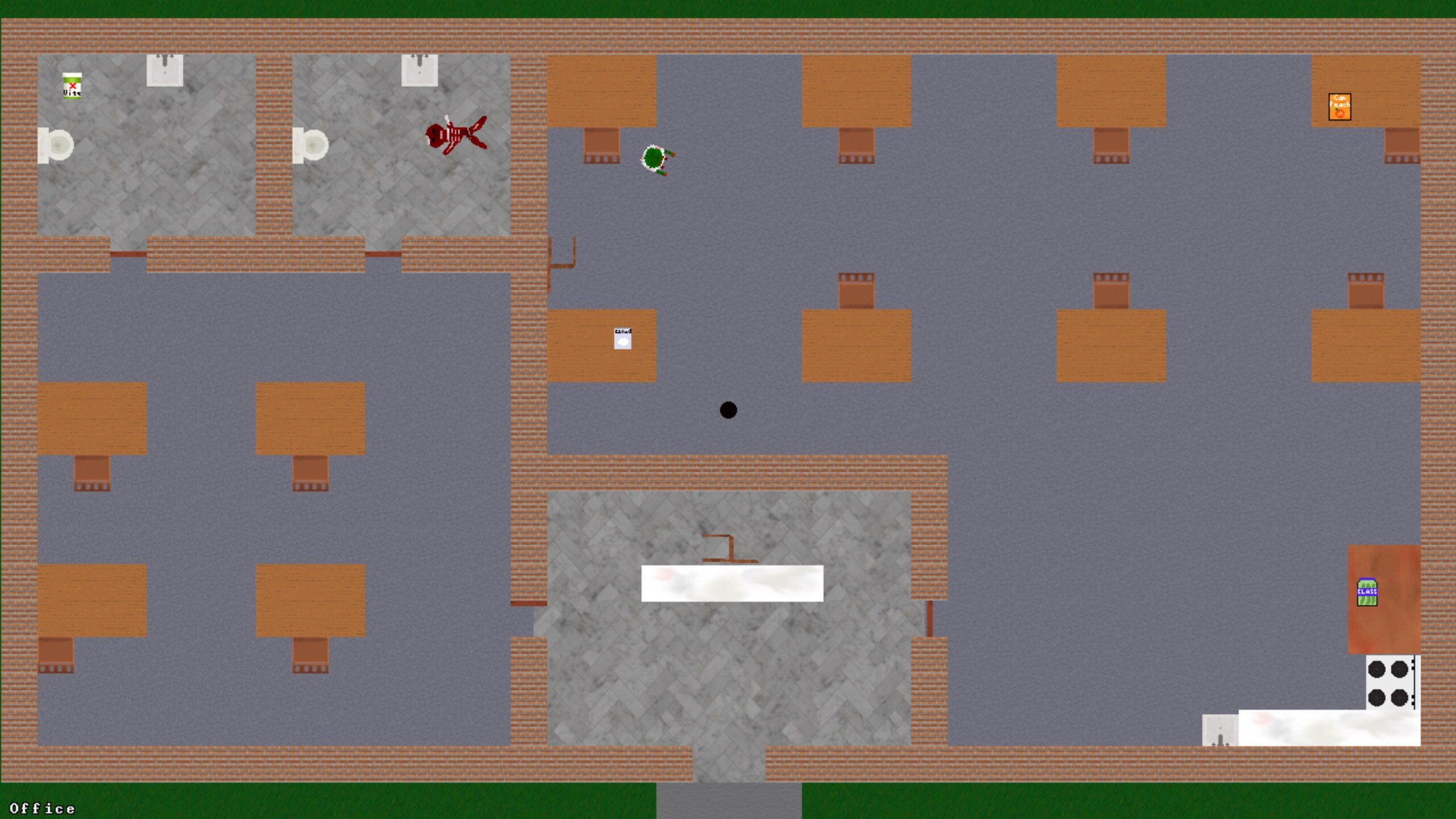
An office building has been added to the lower part of the map. While it's not a great place to find weapons, you can find some food and medical supplies here.
Campfires:
Campfires can now be built and placed like other building objects. It can act as a light source during the night and will slightly increase health regeneration when you stand nearby.
Zombie Fatigue:
A system for zombie fatigue has been implemented. With this zombies will spawn with a random fatigue level, slowly increasing until they enter a sleep state. Currently, they will only sleep for around a minute and will wake up and chase you if you get close enough.
Inventory Changes:
The inventory has been cleaned up and improved a bit with this update. Inventory slots that don't have a corresponding item are now hidden instead of showing "None:" and it is now a bit easier to navigate using the UI Left and UI Right keys.
Building Changes:
Due to a bug, the building system has had some changes and improvements. If you attempt to place something in an invalid area, the game will display an X instead of an inverted texture of the object. I have also implemented a system for selecting which types of objects you want to destroy to make it easier to break specific objects.
SteamDeck Support:
As I have since received my Deck, I was able to do some testing. I have also made some changes to improve controller use and have implemented official layouts. While Z: The End has not yet been reviewed, it is very much playable on SteamDeck.
Fixes & Changes:
- The building and crafting menus will now close when something is selected - Opening and closing the inventory will no longer deselect the current weapon unless you have changed weapons - Increased the brightness of the crosshair - Changed the default spawn location - Tier 1 items now spawn upon loading in - Changed the M24 to chamber the next round automatically - Added more details and resources to the world - Slightly altered the size of the player hitbox - Fixed a bug that caused footsteps to continue after movement stopped - Fixed bug where the audio volume was not being changed - Fixed the sickness timer not reducing - Fixed the makeshift rifle using the wrong ammo type - Fixed the reload animation for the bow - Fixed the knife being usable with the makeshift rifle - Fixed duplicate objects being created when saving and loading
Devblog 54
Optimizations, bug fixes, a Knife, and more!
Optimizations:
This update comes with optimizations and improvements to the code handling the player model. The relevant code has been made about 10% faster. However, it is unlikely to impact the overall performance of the game.
This is a Knife:
The (most likely) final weapon has been implemented and it is a Knife. This works similarly to the Machete and is great for cutting up carcasses but does much less attack damage.
Controller Support:
In order to make the game more accessible and to prepare for the Steam Deck partial controller support has been implemented. This was done using the Steam Input software and has worked great in our testing.
Bye-bye Launcher:
As most launchers including ours are not very controller we have decided to simply remove it. Since the launcher's only purpose was for selecting your DirectX version it wasn't terribly important. The game will not use DirectX 11 by default. Should you wish to run the game in DirectX 9 mode you can simply add the parameter /D3D9 to your launch options.
Proton Compatibility:
With this update, we have done some testing on Linux(Manjaro) to ensure comparability with Proton. In our limited testing, this has worked excellently however we would like to do some larger-scale testing in the future.
Save Changes:
The saving system has received some changes. All saves are now placed in the Saves folder located where the game is installed, and the name of the save files have slightly changed. All old saves should be compatible, and should automatically be converted and moved upon starting the game.
Fixes & Changes: - Fixed a bug where melee wouldn't work correctly - Fixed a bug where building wouldn't work correctly - Fixed a bug with model changes being delayed - Fixed hotbar selected showing the wrong option - Fixed GermX not reducing the cold timer - Fixed menu buttons leading to the wrong menu - Added the ability to back out of menus i.e video settings menu with the close key(Esc) - Changed textures of stone build-ables, diner floor, trailer floor, and tiles - Updated various UI elements to use the same styling
https://z.ridgelinestds.com/devblog-54/
Devblog 53
Menu changes, automatic seasonal content, zombie improvements, and more!
Winter Sale:
Happy Holidays, Z: The End is 20% off for the Steam Winter Sale.
Updates:
As I mentioned in the previous devblog I was considering scrapping the monthly update schedule. After some further thought, I have decided to go through with this. This means updates won’t be as frequent but there may be more to them.
Menu Changes:
The menus have also received some changes with this update. The overall look of all of the menus has been unified. The options in the video and game settings now have better are more visible descriptions.
Seasonal Content:
A system has been implemented to automatically enable seasonal content depending on the date.
Fixes & Changes: – Enabled logging by default – Changed offscreen zombied to be cleared after 1 minute – Increased max zombie limit – Fixed bug with video settings not applying – Fixed melee key being unchangeable
Devblog 52
Tooltip changes, seasonal changes, and more!
Update Schedule:
As updates have become more irregular I have decided that is time to address the schedule. I’m going to be changing the schedule a bit. Instead of releasing an update at a random time every month, updates will either be the first or last week of a month. Although I may end up scrapping this schedule and instead just updating when I feel enough progress has been made.
Tooltips:
The tooltips system has been completely overhauled. The new systems make it much easier to add new and edit previous tooltips. The design will likely receive some changes over the course of the next few updates.
Seasonal Changes:
While it is a bit late for Halloween it is still that time of year. As such the pumpkin head zombies will roam the world again. I will probably be making a system where this is done automatically as all of the current seasonal changes are just texture differences.
Fixes & Changes: – Minor optimizations – Fixed overlapping issues
Devblog 51
A new weapon, food, menu improvements, & more!
New Items:
Makeshift Rifle:
The Makeshift Rifle is a craftable weapon that fires .357 rounds and does 15 damage. The makeshift rifle can be crafted with 5 metal and 5 wood.
Spaghetti:
Canned Spaghetti has been added. It provides 15 hunger and is a Tier 2 item.
Build/Craft Menu Update:
The Building and Crafting menu has been updated. The names of the items have changed slightly and the size of the text has been increased to improve readability.
Reducing Antivirus False Positives:
It has come to my attention recently that the game is being blocked by a handful of different antivirus software. With this update, I have made improvements to reduce this happening. Namely by removing unnecessary add-ons. Unfortunately, I am limited in what I can do about this as part of this issue is caused by the way that Fusion handles add-ons. If you experience this issue then I would recommend reporting it as a false positive and whitelisting the program.
Devblog 50
Saving changes, new music, and fixes!
Update:
This update is a bit smaller content wise but there have been some massive changes internally.
Saving Changes:
This update introduces some changes to the saving system. Previously game data was stored globally, meaning that it could be accessed at any time until the data is changed or the game is reset. While useful its impractical and it is causing some issues. Now data will be stored locally. Due to these changes saves made prior to this update may not be fully compatible.
New Music:
Three new music tracks have been added to the game. Like the other music in the game, it will play dynamically.
New buildings, particle effects, damage changes, & more!
Summer Sale:
The Steam Summer Sale is here! Z: The End is 20% off for the entirety of the sale.
Motel/Gas Station:
A motel has been added to the world. The motel has 6 rooms and a gas station.
Particle Effects:
There are now particle effects in the game. Actions like harvesting wood and stone or attacking zombies will now display particles. [previewyoutube="EH8OighQXms;full"]
Map Changes:
A large lake has been added to the map, and just like the small ponds scattered around the map you can collect water from it. In addition to this, there is no longer any map border markers as the map is getting closer to completion.
Menu Changes:
The settings menus have received some changes. Options that could only be toggled on or off now use a checkbox. I have also added an option to toggle the water shader.
Damage Changes:
Damage for most weapons has been decreased to make ammo more valuable and the zombies more dangerous. [table][tr][td]Weapon:[/td][td]Before:[/td][td]After:[/td][/tr][tr][td]AK/M4[/td][td]40[/td][td]20-30[/td][/tr][tr][td]Magnum[/td][td]20[/td][td]15[/td][/tr][tr][td]Deagle[/td][td]30[/td][td]25[/td][/tr][tr][td]Shotgun Pellet[/td][td]12[/td][td]10[/td][/tr][tr][td]Crossbow[/td][td]49-50[/td][td]45-50[/td][/tr][tr][td]Sledgehammer[/td][td]40[/td][td]25[/td][/tr][tr][td]Axe[/td][td]40[/td][td]25[/td][/tr][tr][td]Machete[/td][td]40[/td][td]15[/td][/tr][/table]
Fixes & Changes: - Fixed bug where the C button changed the time - Fixed ambient track quality - Changed the gas station walls to bricks - Improved stone texture - Added sound for collecting water - Added sound for equipping armor - Added sound for equipping the zombie gut cloak
https://z.ridgelinestds.com/devblog-49/
Devblog 47
Zone naming, music, and more!
Update:
Bit of a smaller update this month as I have been trying to get used to balancing work, game development, and all of the other things I have to do. But everything is on track for the next update.
Zone Naming:
Now when exploring certain areas on the map the name of that area will be displayed on the bottom left of the screen. This will only appear while in specific areas and can be disabled completely in the settings.
Music:
There is now a system which handles playing music in the game. There are currently 3 tracks that will play every so often while playing the game.
Fixes & Changes:
Devblog 46
Item highlighting, door rotating, new food, and more!
Item Highlighting:
When close to an item it will now be highlighted. This will make it easier to differentiate what is part of the world and what can be picked up. This feature can be toggled in the settings if you don't wish to use it.
Door Rotating:
Buildable doors can now be rotated. When placing a door press R(default key) to rotate it.
New Food:
Two new food items have been added to the game. Canned Beans and Canned Bacon. Canned Beans are a tier 1 item and it restores 10 hunger when eaten. Canned Bacon is a tier 2 item and restores 20 hunger.
Fixes & Changes: - Removed debug info from setting screen - Improved player collision - Fixed launcher versioning - Fixed floors overlapping zombies - Fixed player overlapping roofs - Fixed sound dampening occurring when outside a building - Fixed bug which could wipe saves - Fixed bug which could corrupt saves - Fixed bug which prevented saving - Fixed bug where loading save could crash the game